ManualGo.com
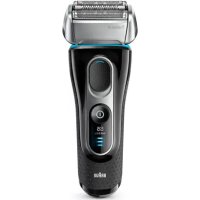
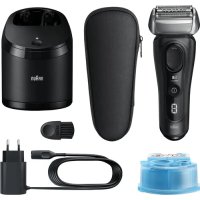
Activator 8585 - Shaver BRAUN - Free user manual and instructions
Find the device manual for free Activator 8585 BRAUN in PDF.



Frequently Asked Questions - Activator 8585 BRAUN
Download the instructions for your Shaver in PDF format for free! Find your manual Activator 8585 - BRAUN and take your electronic device back in hand. On this page are published all the documents necessary for the use of your device. Activator 8585 by BRAUN.
USER MANUAL Activator 8585 BRAUN
5644451_S3 Seite 1 Freitag, 4. April 2003 10:51 104 Your Activator (shaver with Clean&Charge station) is a system equipped with highly advanced electronic processors. It ensures unsurpassed closeness and comfort for you and optimum care for your shaver:
- The system automatically adapts to any voltage worldwide.
- The system recognizes when cleaning of your shaver is required, and automatically recognizes which of the three cleaning programs is appropriate.
- While the shaver is connected to the mains, the system automatically takes care of charging and discharging in a way that is optimized for the shaver’s battery capacity and life span.
- The system takes care of lubrication of the shaver’s cutting parts.
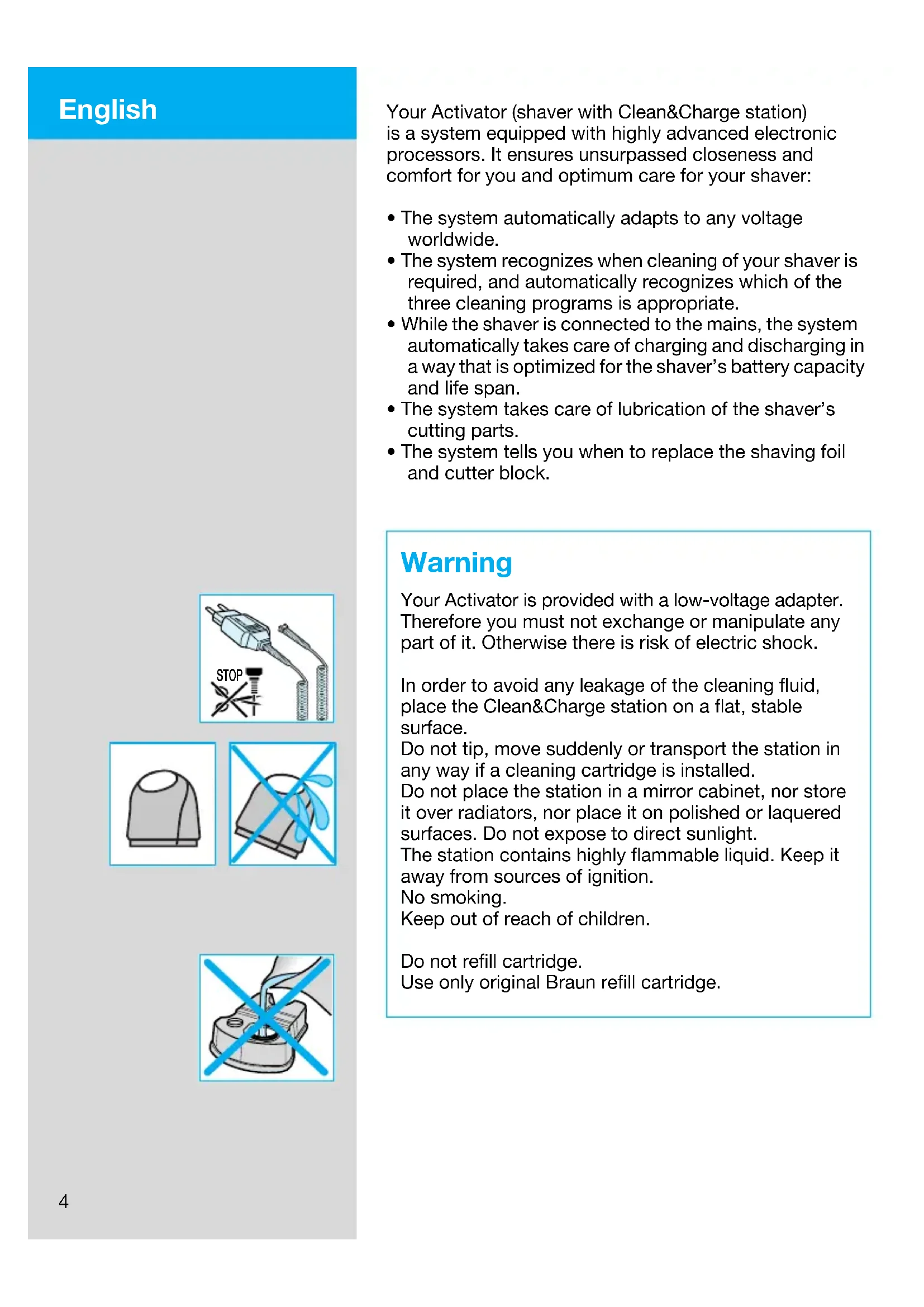
- The system tells you when to replace the shaving foil and cutter block. Warning Your Activator is provided with a low-voltage adapter. Therefore you must not exchange or manipulate any part of it. Otherwise there is risk of electric shock. In order to avoid any leakage of the cleaning fluid, place the Clean&Charge station on a flat, stable surface. Do not tip, move suddenly or transport the station in any way if a cleaning cartridge is installed. Do not place the station in a mirror cabinet, nor store it over radiators, nor place it on polished or laquered surfaces. Do not expose to direct sunlight. The station contains highly flammable liquid. Keep it away from sources of ignition. No smoking. Keep out of reach of children. Do not refill cartridge. Use only original Braun refill cartridge. STOP English 5644451_S4_102 Seite 4 Montag, 8. September 2003 1:20 135 Description
3. Station-to-shaver connecting contacts
4. Station lift button for cartridge exchange
5. Display for cleaning programs
6. Display for cleaning fluid status
12. Foil release buttons
13. Long hair trimmer
14. Shaver-to-station connecting contacts
17. Shaver low-charge light (red)
Before shaving If you wish, you may start shaving right away (if the shaver is charged, see section «Shaver indicator lights»). However, we recommend to follow the procedure described here:
- Using the low-voltage adapter (1), connect the mains socket of the Clean&Charge station (7) to the mains.
- Press the station lift button (4) to open the housing.
- Hold the cleaning cartridge (8) down on a flat, stable surface (e.g. table).
- Carefully remove the lid from the cartridge.
- Slide the cartridge into the base of the station as far as it will go.
- Slowly close the housing by pushing it down until it locks. eco norm
5644451_S4_102 Seite 5 Montag, 8. September 2003 1:20 136 The display for cleaning fluid (6) will show how much cleaning fluid is in the cartridge: a) Cleaning solution sufficiently available b) Up to 7 cleanings left c) New cartridge required Make sure the foil protection cap (9) is removed from the shaver. Insert the shaver head down into the station (the contacts on the back of the shaver (14) will correspond to the contacts in the station (3)). If necessary, the system will now charge the shaver. Also, the cleaning status will be automatically analyzed and one of the four diodes of the cleaning program display (5) will light up: a) The shaver is clean b) Eco(nomic), i.e. short cleaning required c) Normal cleaning required d) Intensive cleaning required If the system has selected one of the three cleaning programs, it will not start until you push down the «start cleaning» button (2). This locks the shaver into the station and starts the cleaning process. We recommend cleaning after each shave. While the cleaning is in progress, the respective cleaning program light will flash. Each cleaning consists of several cycles (where the cleaning fluid is flushed through the shaver head) and a heat drying period. The total cleaning time is 33 to 50 minutes. Cleaning processes in the Clean&Charge should not be interrupted. While the shaver is drying, the metal parts of the shaver may be hot. Also, if the shaver is taken out prematurely and is not dry, its electronics could be harmed. When the program is finished, the blue «clean» light will shine. You can release the shaver by pushing the «start cleaning» button. Your shaver is now clean, charged and ready for use. cartridge full empty cartridge full empty cartridge full empty
auto select eco normal intensive clean 5644451_S4_102 Seite 6 Montag, 8. September 2003 1:20 137 Shaving If the shaver is locked into the Clean&Charge station, push the «start cleaning» button (2) to release the shaver and take it out. Switch positions off = (switch is locked) Press and push up the switch to operate the shaver: 1=Shaving with the pivoting head (the pivoting cutting system automatically adjusts to every contour of your face). 2= Shaving with the pivoting head locked at an angle (to permit shaving in difficult areas, e.g. under the nose). 3=The long hair trimmer is activated (for trimming sideburns, moustache and beard). Tips for the perfect shave We recommend that you shave before washing, as the skin tends to be slightly swollen after washing. Hold the shaver at right angles (90°) to the skin. Stretch your skin and shave against the direction of beard growth. To maintain 100% shaving performance, replace your foil and cutterblock every 18 months or when worn. Shaving with the cord If the shaver is completely discharged and you do not have the time to recharge in the Clean&Charge station, you may also shave with the shaver connected to the mains via the low-voltage adapter. After shaving Automatic cleaning After each shave, return the shaver to the Clean&Charge station and proceed as described above in the section «Before shaving». All charging and cleaning needs are then taken care of. With daily use, a cleaning cartridge should be sufficient for about 30 cleaning cycles. The hygienic cleaning solution cartridge contains alcohol which, once opened, will naturally evaporate slowly into the surrounding air. Each cartridge, if not used daily, should be replaced after approximately 8 weeks.
full cartridge to se lect
5644451_S4_102 Seite 7 Montag, 8. September 2003 1:20 138 Quick cleaning Press the foil release buttons (12) to lift the shaver foil (do not remove the foil completely). Switch on the shaver for approx. 5–10 seconds so that the shaved stubbles can fall out. Thorough manual cleaning Manual cleaning is recommended only when the Clean&Charge station is not available, e.g. when travel- ling. Never use water to clean the shaver. Remove the shaver foil and tap it out on a flat surface. Using the brush, clean the cutter block and the inner area of the pivoting head. If you do not use the Clean&Charge station for a longer period of time, you should apply a drop of light machine oil onto the shaver foil. Replacing the cartridge After having pressed the lift button (4) to open the housing, wait for a few seconds before removing the used cartridge. Before discarding the used cartridge, make sure to close the openings using the lid of the new cartridge, since the used cartridge will contain contaminated cleaning solution. Cleaning the housing Clean the housing of shaver and station from time to time with a damp cloth, especially inside the opening of the station where the shaver rests. The shaver indicator lights Pilot light (18): the shaver is connected to the mains. The red low-charge light (17) flashes when the battery capacity has dropped below 20%, provided the shaver is switched on. The remaining capacity will then be sufficient for 2 to 3 shaves.
5644451_S4_102 Seite 8 Montag, 8. September 2003 1:20 139 Model 8590: When the shaver is fully charged, all five charging lights (16) will light up (20% per light), provided the shaver is connected to the mains or switched on. Model 8585: The green single charging light (16) shows that the shaver is being charged. When fully charged, the charging light flashes or goes off. If later on, the charging light comes on again, this indicates that the shaver is being recharged to maintain its full capacity. Charging information A full charge will give up to 50 minutes of cordless shaving time, depending on your beard growth. Best environmental temperature range for charging is 15 °C to 35 °C. For battery maintenance, the system will automatically initiate full discharging and then recharging of the batteries. This will take place every six months at the most, and only if necessary. Accessories Available at your dealer or Braun Service Centres:
Shaver foil and cutter block No. 8000 To maintain 100% shaving performance, replace your foil and cutterblock every 18 months or when worn. Change both parts at the same time for a closer shave with less skin irritation.
Cleaning cartridge Clean&Charge CCR Environmental notice This appliance is provided with nickel-hydride recharge- able batteries. To protect the environment, do not dispose of the appliance in the household waste at the end of its useful life. Open the housing as shown, remove and dispose of the batteries at your retail store or at appro- priate collection sites according to national or local regulations. The cartridge can be disposed with regular garbage.
5644451_S4_102 Seite 9 Montag, 8. September 2003 1:20 1310 Subject to change without notice. This product conforms to the EMC-Directive 89/336/EEC and to the Low Voltage Regulation 73/23 EEC. Electric specifications see printing housing. Guarantee We grant 2 years guarantee on the product commencing on the date of purchase. Within the guarantee period we will eliminate, free of charge, any defects in the appliance resulting from faults in materials or workmanship, either by repairing or replacing the complete appliance as we may choose. This guarantee extends to every country where this appli- ance is supplied by Braun or its appointed distributor. This guarantee does not cover: damage due to improper use, normal wear or use as well as defects that have a negligible effect on the value or operation of the appli- ance. The guarantee becomes void if repairs are under- taken by unauthorised persons and if original Braun parts are not used. To obtain service within the guarantee period, hand in or send the complete appliance with your sales receipt to an authorised Braun Customer Service Centre. For UK only: This guarantee in no way affects your rights under statutory law. 5644451_S4_102 Seite 10 Montag, 8. September 2003 1:20 1311 Votre Activator (rasoir avec chargeur Clean&Charge) est un système équipé de micro-processeurs de haute technologie. Il vous assure une précision et un confort inégalés, ainsi qu’un entretien optimal de votre rasoir :
full cartridge auto s elect
full cartridge to se lect
full cartridge auto s elect
full cartridge to se lect
full cartridge auto s elect
full cartridge to se lect
full cartridge auto s elect
full cartridge to se lect
full cartridge auto s elect
full cartridge to se lect
cartridge full empty cartridge full empty cartridge full empty