Toptel3 300 - Remote control CME - Free user manual and instructions
Find the device manual for free Toptel3 300 CME in PDF.



Frequently Asked Questions - Toptel3 300 CME
User questions about Toptel3 300 CME
0 question about this device. Answer the ones you know or ask your own.
Ask a new question about this device
Download the instructions for your Remote control in PDF format for free! Find your manual Toptel3 300 - CME and take your electronic device back in hand. On this page are published all the documents necessary for the use of your device. Toptel3 300 by CME.
USER MANUAL Toptel3 300 CME
natural_image
Empty white rectangle with a thin black border (no text or symbols)
Thank you for choosing a CME remote control.
Thanks to its large database and numerous functions the CME 3 in 1 remote control is ideal for replacing up to 3 remote controls of any brands for TV - DVD/VCR (Video Recorder) - SAT/TER (Digital Terrestrial).
Keep this booklet in case you ever need to consult it in the future.
Thanks to the on-line guide on the site www.cme.it, it is even easier and faster to programme the remote control and discover all its potential.
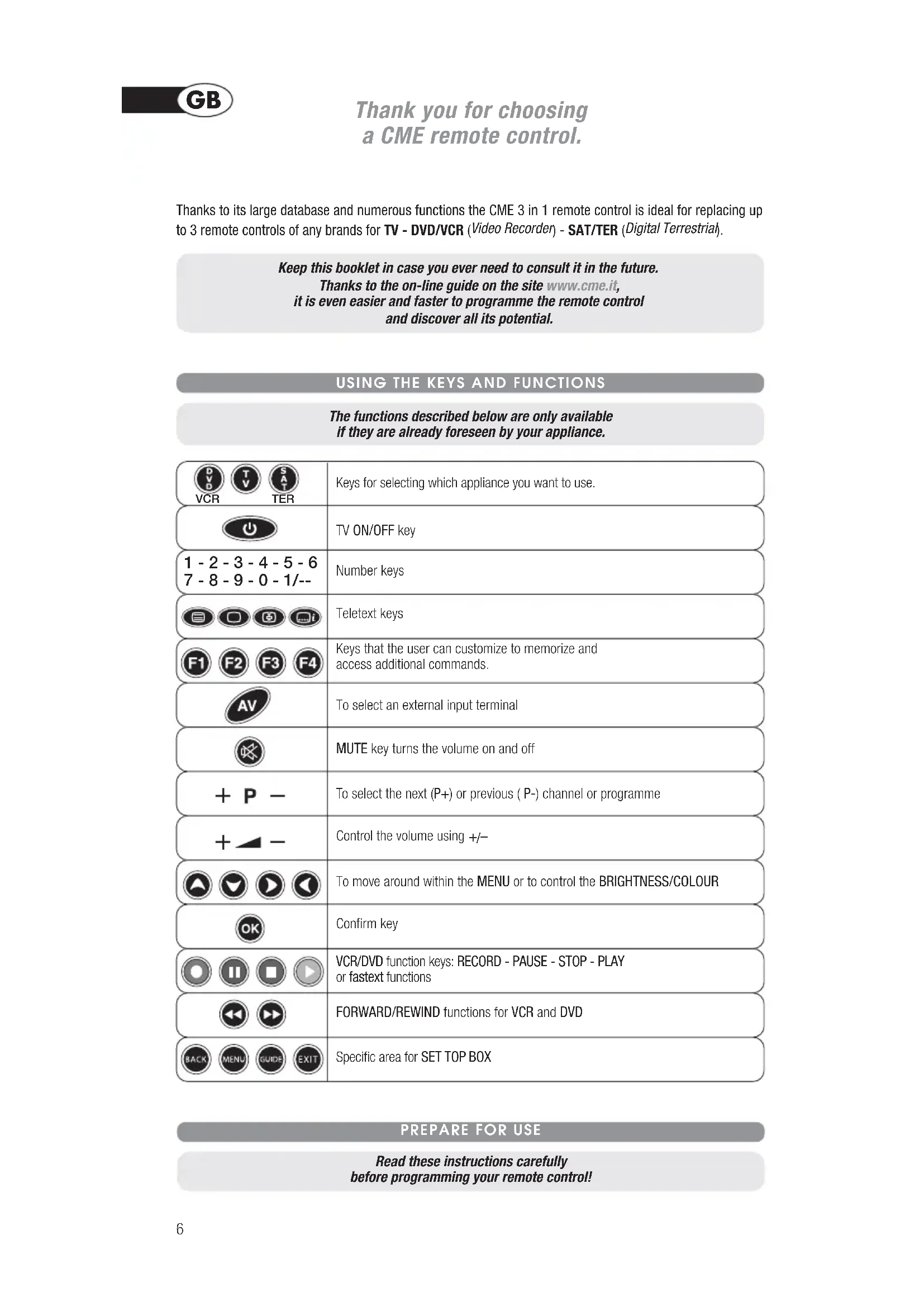
USING THE KEYS AND FUNCTIONS
The functions described below are only available if they are already foreseen by your appliance.
   VCR TER VCR TER | Keys for selecting which appliance you want to use. |
 | TV ON/OFF key |
| 1 - 2 - 3 - 4 - 5 - 67 - 8 - 9 - 0 - 1/-- | Number keys |
   | Teletext keys |
   | Keys that the user can customize to memorize and access additional commands. |
 | To select an external input terminal |
 | MUTE key turns the volume on and off |
 | To select the next (P+) or previous ( P-) channel or programme |
 | Control the volume using +/- |
   | To move around within the MENU or to control the BRIGHTNESS/COLOUR |
 | Confirm key |
   | VCR/DVD function keys: RECORD - PAUSE - STOP - PLAY or fastext functions |
 | FORWARD/REWIND functions for VCR and DVD |
    | Specific area for SET TOP BOX |
PREPARE FOR USE
Read these instructions carefully before programming your remote control!
FITTING THE BATTERIES
Before programming and using the remote control, fit the batteries.
The remote control requires 2 new AAA/LR03 batteries. Insert the batteries as shown:
- Change the batteries if the light indicator starts to flash during use. The batteries are low.
- Make a note of the codes for your appliances on the adhesive label inside the battery cover in case you have to reprogramme your remote control.
- This remote control has a permanent memory and does not lose the programmed codes or functions when the batteries are removed.
HOW TO PROGRAMME THE REMOTE CONTROL
The TV - DVD - SAT keys can be programmed according to your requirements, following the procedure described below.
The quickest and easiest way to programme the remote control is by consulting the website www.cme.it.
Warning: programme one appliance at a time!
- Turn on the appliance to be programmed:
- if a VCR, insert a cassette
- if a TV, SAT or TER select a programme
- if a DVD insert a DVD.
- Look for the brand of the appliance you want to programme in the code list and make a note of the corresponding code alongside (e.g. PHILIPS 0025).
- Hold down the selection key for the appliance to be programmed for 5 seconds.
- When the key is released, it will start to flash. Enter the brand code previously identified (e.g. 0025). The selection key flashes more quickly to indicate that the remote control is ready for the search.
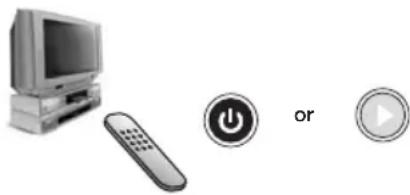
- Point the remote control towards the appliance. Press and slowly release the ON/OFF key or PLAY for the VCR and DVD several times, stopping when the appliance responds correctly to the command.
- When the appliance responds correctly, press the OK key to confirm. Three flashes indicate that the search operation has been completed correctly.
PHILIPS 0025

natural_image
Illustration of a desktop computer with monitor, remote control, play button, and play button (no text or symbols)
ADDITIONAL CHECK
Check that some of the other keys, corresponding to those on your original remote control, work correctly. If the commands function incorrectly or erratically, you have probably entered a code for a similar remote control but not the right one. In this case, repeat the search procedure starting from point 3, entering the code previously used (e.g. 0025).
To display and make a note of the code memorized by means of the search, follow the instructions described in the paragraph CURRENT CODE DISPLAY.
NB: THE LIGHT INDICATOR STOPS FLASHING
The remote control exits programming mode and the light indicator stops flashing:
- if no keys are pressed for 14 seconds
- if an invalid brand code is entered
- if a key other than ON/OFF or PLAY is accidentally pressed
- if the end of the code search list has been reached. In this case, consult the website www.cme.it
GLOBAL SEARCH REMOTE CONTROL PROGRAMMING
This operation can take up to 20 minutes and should be carried out if you have not succeeded in programming the remote control by means of the method described above.
The quickest and easiest way to programme the remote control is by consulting the website www.cme.it.
Warning: programme one appliance at a time!
-
Turn on the appliance to be programmed:
-
if a VCR, insert a cassette
- if a TV, SAT or TER select a programme
-
if a DVD insert a DVD.
-
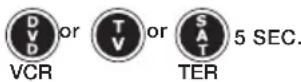
Hold down the selection key for the appliance to be programmed for 5 seconds.
- When the key is released, it will start to flash. Enter the code 0000; the selection key flashes more quickly to indicate that the remote control is ready for the search.
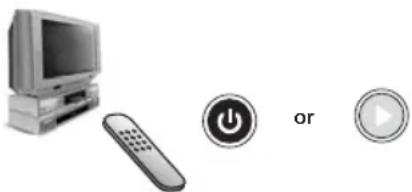
- Point the remote control at the appliance. Press and slowly release the ON/OFF key or PLAY for the VCR and DVD several times, stopping when the appliance responds correctly to the command.
- When the appliance responds correctly, press OK to confirm. Three flashes indicate that the search operation has been completed correctly.

natural_image
Illustration of a desktop computer with monitor, remote control, and two play button icons (no text or symbols)
ADDITIONAL CHECK
Check that some of the other keys, corresponding to those on your original remote control, work correctly. If the commands function incorrectly or erratically, you have probably entered a code for a similar remote control but not the right one. In this case, repeat the search procedure starting from point 2.
To display and make a note of the code memorized by means of the search, follow the instructions described in the paragraph CURRENT CODE DISPLAY.
NB: THE LIGHT INDICATOR STOPS FLASHING.
The remote control exits programming mode and the light indicator stops flashing:
- if no keys are pressed for 14 seconds
- if a key other than ON/OFF or PLAY is accidentally pressed
- if the code search list is completed. In this case consult the site www.cme.it
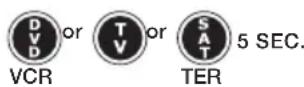
To find out the code of your remote control, follow this procedure:
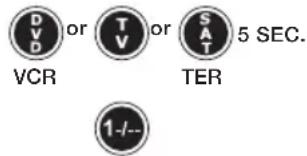
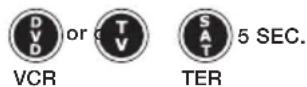
- Press the select key for which you want to know the code and hold down for 5 seconds.
- When the key is released it will start to flash; press and release the 1/-- key within 8 seconds.
- After a pause of several seconds, the indicator light produces four series of flashes with a space between them, corresponding to the code you are looking for. Count the number of flashes; each series of flashes corresponds to one figure in the code. 10 flashes correspond to 0.
- Note the code on the adhesive label inside the battery cover in case you have to reprogramme the remote control subsequently.
text_image
DV or TV or SAT 5 SEC. VCR TER 1-/-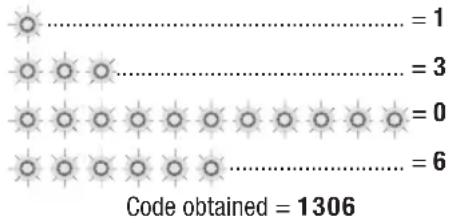
text_image
Code obtained = 1306NB: this operation cannot be interrupted and the remote control cannot therefore be used until the end of the four series of flashes.
ENTERING THE CODE
If you know the exact code with which to programme the remote control, enter it as follows:
- Hold down the selection key for the appliance to be programmed for 5 seconds.
- When the key is released it will start to flash; enter the code (e.g. TV 1306). Three flashes indicate that the operation has been completed correctly.

TV FUNCTIONS ALWAYS ACTIVE
The functions Mute, Vol -, Vol + and AV are memorized on the keys F1, F2, F3, F4. These functions can be used to control appliances other than the TV. For further information consult the on-line guide on the site www.cme.it
HOW TO USE THE ADDITIONAL COMMANDS WHICH DO NOT APPEAR ON THE KEYPAD
Although not indicated on the keypad, some keys can be used for additional commands.
Find them on your remote control by pressing the keys one by one and discovering the commands that interest you.
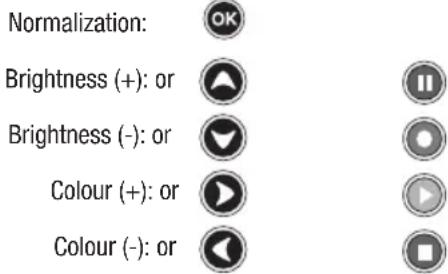
In particular, the additional functions most frequently used, such as NORMALIZATION, COLOUR and BRIGHTNESS, can be found on the following keys:
text_image
Normalization: Brightness (+): or Brightness (-): or Colour (+): or Colour (-): orFor the functions used less frequently, look for the additional commands on the site www.cme.it. As well as easily finding the code to programme your remote control, consulting the on-line guide will help you to find which keys on the remote control correspond to the additional commands. You can memorise the additional commands on the F1 - F2 - F3 - F4 function keys in place of the corresponding original TV functions.
PROBLEM SOLVING
PROBLEM
The appliance does not respond and the TV - DVD - SAT selection keys do not light up when a key is pressed.
The appliance does not respond but the selection keys do light up.
The selection keys flash.
The remote control commands are not all working correcting.
The code for your appliance brand is not listed.
SOLUTION
Try some of the other frequently-used keys. If the problem persists, check that the batteries are fitted correctly. If necessary, replace them with 2 new 1.5 V AAA/LR03 batteries.
Check that the batteries are new and that the remote control is pointing at the TV without any obstacles in the way. If required, reset the remote control code, following the programming procedure.
The batteries are low. Change them.
You may have used the wrong code. Reset the remote control code, following the programming procedure.
To find the code with which to programme your remote control consult the on-line guide at www.cme.it.
INFO-LINE
If you have any queries about your remote control:
- read this Instruction Booklet carefully - you will find an answer to most of your questions
- consult our Internet site www.cme.it to answer all your queries more easily and quickly.
You can also write to customer service at telecomandi@cme.it. To facilitate and speed up customer service operations, please provide the following essential information on your appliances:
Model of CME remote control: ____ (see body of remote control)
| Make of appliance Type Model Mod. original remote control Brand code | ||||
| e.g.: THOMSON TV 25DU78M | RCT 4000 | 1007 | ||
WARRANTY: 2 years
The warranty ceases to be valid if the product is tampered with or used incorrectly.
Purchase date //
Dealer's stamp
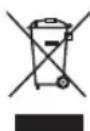
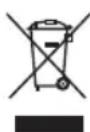
The symbol of the crossed trash can shown on the remote control indicates that once the product has reached the end of its working life it should be disposed of separately from other waste. The user should, therefore, take the remote control to a specialised collection centre for electronic and electrical waste, or hand it over to the dealer when purchasing a new similar remote control, on a one to one basis. Correct separated collection for subsequent recycling, processing and environmentally compatible disposal contributes in preventing possible negative effects on the environment and on health and favours the recycling of the materials used in producing the remote control. Improper disposal of the product by the user leads to application of the penalties as per legislative decree no. 22/1997 (article 50 and following of decree no. 22/1997).
natural_image
Empty white rectangle with a thin gray border (no text or symbols)
text_image
Diagram showing a desktop computer with monitor, remote control, play button, and three playback buttons labeled 'ou' and 'ok'CONTRÔLE
text_image
....= 1 ....= 3 ....= 0 ....= 6Code obtenu = 1306
FONCTIONS TV TOUJOURS ACTIVES
natural_image
Empty white rectangle with a thin black border (no text or symbols)