Alaska Swift A4 - Laminating machine Pavo - Free user manual and instructions
Find the device manual for free Alaska Swift A4 Pavo in PDF.


| Product type | Laminating machine |
| Brand | Pavo |
| Model | Alaska Swift A4 |
| Power supply | 220-240 V / 50 Hz |
| Rated current | 4 A / 850 W |
| Maximum entry width | 230 mm (A4 format) |
| Maximum thickness (document + pouch) | 0.6 mm |
| Supported pouch types | Cold, 75 µm, 100 µm, 125 µm |
| Laminating speed | 500 mm/min |
| Number of rollers | 4 |
| Preheating time (75 µm, at 25 °C) | 90 seconds |
| Laminating modes | Cold and hot |
| Anti-jam mechanism | Rear button for automatic release |
| Auto shut-off | After 60 minutes of inactivity |
| LED indicators | Power/Cold, pouch thickness (75/100/125 µm) |
| Warranty | 2 years (limited) |
| Intended use | Home and office |
| Maintenance | Clean with the device switched off; do not use in humid environment |
| Safety precautions | Do not open during use; use on a flat, ventilated surface |
Frequently Asked Questions - Alaska Swift A4 Pavo
User questions about Alaska Swift A4 Pavo
0 question about this device. Answer the ones you know or ask your own.
Ask a new question about this device
Download the instructions for your Laminating machine in PDF format for free! Find your manual Alaska Swift A4 - Pavo and take your electronic device back in hand. On this page are published all the documents necessary for the use of your device. Alaska Swift A4 by Pavo.
USER MANUAL Alaska Swift A4 Pavo
Read this manual carefully before use. Keep it in safe for reference in need.
Thank you for buying this high-performance laminator! This laminator features a slim and compact design. It accepts pouches ranging from cold, 75Mic, 100Mic to 125Mic with size from name card to A4/A3.
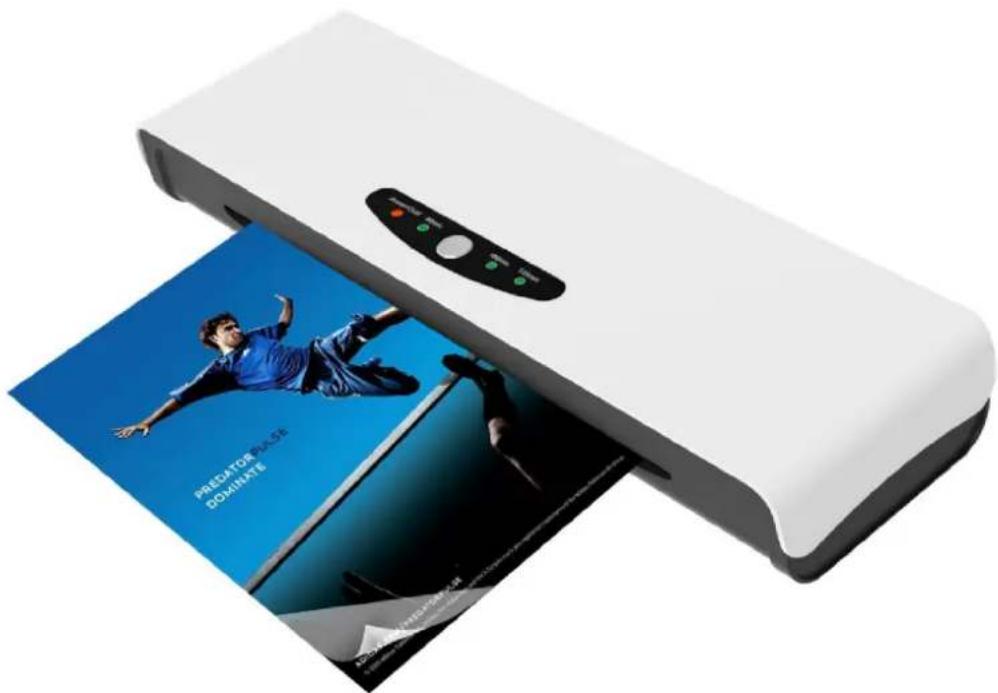
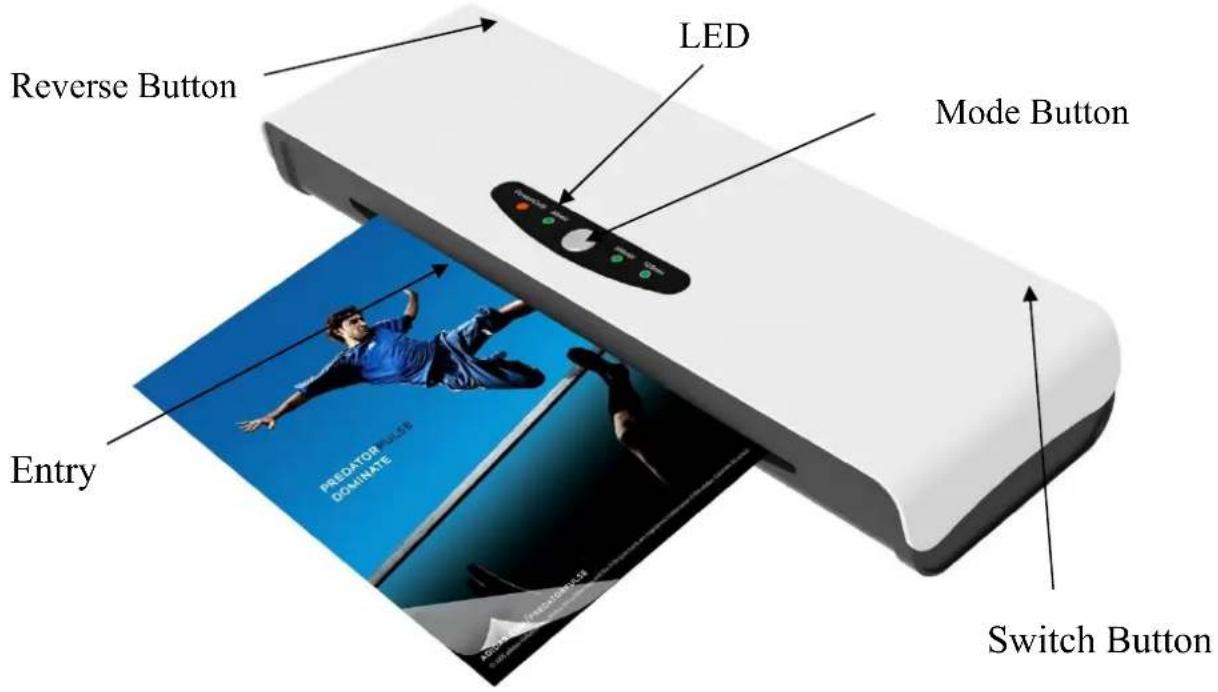
PRODUCT DESCRIPTION
SPECIFICATION
| Voltage: 220-240V | 50Hz Power: 4A/850W Model A4 | 5.6A/1300W Model A3 | |
| Ready time: 90 sec | 75mic in a room temp 25℃ | Max Entry width: 230 mm Model A4320 mm Model A3 | |
| Max thickness: 0.6 | mm (paper & pouch) Best for pouch: Cold/75/100/125 Micron | ||
| Laminating speed: | 500mm/Min No. of Rollers: | 4 | |
SAFETY NOTES
- This laminator should be horizontally displayed in a flat plane with good ventilation.
- This laminator should only use power 220 - 240V / 50Hz and be used indoors only.
- This laminator is for home and office use only.
- NEVER OPEN THIS LAMINATOR WHILE IN USE.
UTILITY
It laminates both cold and hot pouches from name card size to A4/A3 size. It provides best lamination for hot pouches of 75Mic, 100Mic and 125Mic. It preserves your photo, document and card, etc. in its original color against aging from prolonged time.
OPERATION
POWER ON and OFF
Connect the plug to mains power, press "Switch Button" and "Mode Button" to turn on the machine. The "Power/Cold LED" would turn into Red firstly and flash, it will turn into green when ready.
To turn off this laminator, press "Switch Button" back to "Off" position, power will be cut off and laminator is shut off.
COLD LAMINATION
Please make sure the machine is cool when you use cold lamination. Do not use cold lamination if you just finish the job of hot lamination. Please switch the power off and the machine will reset itself.
When "Power/Cold LED" turns into green and stays steady, please insert the paper into the cold pouch, and insert the pouch into laminator through lamination entry.
HOT LAMINATION
You could press down the "Mode Button" to select the pouch thickness (75mic, 100mic and 125mic), the correspondent LED would turn into Red and flash, when it turns into Green and stays steady, please insert the paper into pouch, and insert the pouch into the laminator through the lamination entry.
Note:
- If the room temperature is cold, the warm up time would be a bit longer.
- The warm up time for thicker pouch would be longer than 75 micron pouch.
CLEAR THE JAMMED POUCH
This laminator is designed with an auto jam release device to clear the jammed pouch. When a misfeed or jam occurs, press down "reverse button", The jammed pouch will be pulled out automatically.
AUTO STOP
To save precious energy, this machine is designed to be shut off automatically when not be used over 60 minutes. When the machine shut off automatically, all LEDs turn off. Under this condition, there's still weak electric current inside, if you do not use this machine in a certain period, please pull out the plug from the socket-outlet to shut it off completely.
In case machine is shut off automatically, to start machine again, please press "Mode" button to turned on the machine again.
MAINTENANCE AND WARNING
- To clean or move around, make sure that this laminator is turned off.
- Do not laminate dirty pouches, clean it before lamination.
- Do not use this laminator in damp conditions.
- Do not laminate anything that is more than 0.6mm thickness for best seal.
- Do not laminate heat sensitive paper.
- Do not insert open side of pouch into Lamination Entry, it may lead to jamming or curling inside.
WARRANTY
This product comes with two years limited warranty.
Mode d'emploi