
FC405MB - Electric oven BRANDT - Free user manual and instructions
Find the device manual for free FC405MB BRANDT in PDF.
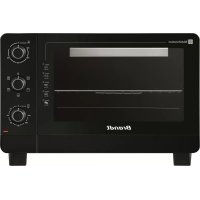


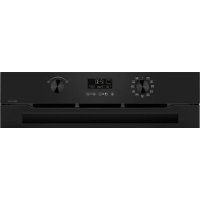
| Product type | Compact electric oven |
| Brand | Brandt |
| Model | FC405MB |
| Dimensions (H x W x D) | 373 x 578 x 435 mm |
| Net weight | 12.7 kg |
| Power supply | 220-240 V ~ 50/60 Hz |
| Power | 2100 W |
| Temperature range | 70 °C to 250 °C |
| Timer | 120 minutes with auto shut-off and alarm |
| Cooking modes | Multifunction (forced air), Ventilated grill, Natural convection, Grill, Multifunction + rotisserie |
| Rotisserie function | Yes, with removable spit and forks |
| Interior light | 25 W bulb (E14) |
| Included accessories | Drip tray, grill, rotisserie with forks, rotisserie handle, tongs |
| Number of shelves | 3 |
| Door | Tempered glass |
| Care and cleaning | Clean with a mild, non-abrasive detergent and a plastic sponge; do not immerse |
| Safety | Automatic timer shut-off, operation indicator, hot surface warning |
| Repairability | Servicing by a qualified professional; user-replaceable interior bulb |
| Warranty | Distributor warranty (refer to terms provided) |
Frequently Asked Questions - FC405MB BRANDT
User questions about FC405MB BRANDT
0 question about this device. Answer the ones you know or ask your own.
Ask a new question about this device
Download the instructions for your Electric oven in PDF format for free! Find your manual FC405MB - BRANDT and take your electronic device back in hand. On this page are published all the documents necessary for the use of your device. FC405MB by BRANDT.
USER MANUAL FC405MB BRANDT
FR MANUEL D'INSTRUCTION EN INSTRUCTION MANUAL
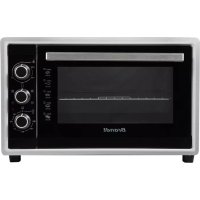
Compact oven 40L
FC405MB
FC405MW
FC405MS
Brandt
Dear Customer,
Left
Right
- Install the rotisserie
5. WARRANTY AND CONSUMER RELATIONS
a) Warranty
You have just purchased a BRANDT compact oven and we would like to thank you.
We have placed in this appliance all our passion and know-how in order to meet at best your need. Innovative and efficient: we designed it to be always easy to use.
In the BRANDT products line, you will also find a wide range of small domestic appliances that can be coordinated to your new BRANDT compact oven.
Of course, in a permanent wish to satisfy as best as possible your expectations toward our products, our after-sales service is at your disposal and at your listening to answer to all your questions and suggestions.
You can also visit our website www.brandt.com where you will find all our products, as well as additional and useful information.
BRANDT
As part of our commitment to constantly improve our products, we reserve the right to make technical, functional or esthetical properties modifications linked to their technological development.

Caution: Before installing and using your appliance, please read carefully this installation and user's guide to quickly familiarise yourself with its functioning.
www.brandt.com
TABLE OF CONTENTS
Dear Customer, 15
- INFORMATION FOR THE USER 17
a) Safety recommendations....17 b) Technical data 20 c) Protecting the environment....20
- SETTING UP YOUR APPLIANCE 21
a) Installing your oven in complete safety 21 b) Electrical connection....22 c) Description of your appliance....22
- USE OF YOUR APPLIANCE 23
a) Before using your appliance for the first time....23 b) Temperature control....23 c) Cooking time setting 23 d) Cooking function selection....24 e) Use recommendations....26
- MAINTENANCE OF YOUR APPLIANCE 27
a) Cleaning instructions....27 b) Changing the interior light bulb 27 c) Storage instructions....27
- WARRANTY AND CUSTOMER RELATIONS 28
a) Warranty....28 b) Customer relations 28
1. INFORMATION FOR THE USER

Keep this guide with your appliance. If the appliance is sold or given to another person, ensure that the new owner receives this user's guide. Please familiarise yourself with these recommendations
before installing and using your appliance. They were written for your own safety as well as the safety of others.
a) Safety recommendations
Installation
- Your appliance is designed for standard household use for cooking, reheating and defrosting foods and beverages. Use this appliance only for its intended uses as described in manual. It shall be used only in covered, closed and warmed environment such as a kitchen or a room with the same specifications.
- Before using this appliance, it must be placed on a flat and dry surface resistant to heating like a kitchen counter. Keep at least four inches of clear space around all sides of the oven to allow adequate air circulation.
- Keep the appliance and its cord out of reach of children under 8 years.
- The appliance is not intended to be operated by an external timer or separate remote-control system.
- Always hold the plug itself, rather than pulling on the power cable.
- A fire may occurs during its functioning if the oven is covered or is in contact with flammable materials such as curtains, drapes, walls, etc.. Do not store any item on the top of the oven during the functioning. • Children shall not play with the appliance.
Use
- This appliance can be used by children aged from 8 years old and above and persons with reduced physical, sensory or mental capabilities or lack of experience and knowledge if they have been given supervision or instruction concerning use of the appliance in a safe way and understand the hazards involved.
- The temperature of accessible surfaces may be high when the appliance is operating.
- Children under 8 years old shall be kept away unless continuously supervised.
- Care should be taken to avoid touching heating elements during the use.
- Do not store any item on top of the oven during operation.
- Do not cover any part of the oven with metal foil. This may cause overheating of the oven. A fear or some dysfunctions may occur.
- Keep cord away from heated surface and do not cover any events on the oven.
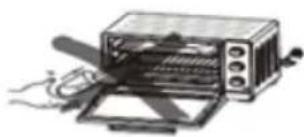
- Do not place any of the following materials in the oven; cardboard, plastic, paper or other similar materials.
- Large food items and metal utensils must not be placed in the oven as they may lead to a fire or create a risk of electric shock. Keep away utensils and food items from heated surfaces.
- Your appliance is designed for standard household use for cooking, reheating and defrosting foods and beverages. The drying of food or linen and the heating of heating pillows, slippers, sponges, wet linen and other similar goods could bring risks of wounds, inflammation or fire.
- Handling accessories with a cooking vessel laid thereon is dangerous. In order to ensure that the accessories (grid or tray) don't tilt downwards and to prevent injuries, withdraw the cooking vessel from the cavity and always use the handle when inserting or removing the accessories.
- The use of accessory attachments not recommended by the appliance's manufacturer may cause hazard or injury.
Maintenance
- Cleaning and user maintenance shall not be made by children unless they are older than 8 and supervised.
- Unplug the appliance when not in use or before cleaning. Allow the appliance to cool down before adding or removing any parts and before cleaning.
- To protect against electric shock, do not place any part of this oven in water or other liquid.
- Do not use harsh abrasive cleaners or sharp metal scrapers to clean the oven door glass since they can scratch the surface, which may result in shattering of the glass.
- The supply cord cannot be replaced. If the cord is damaged, the appliance should be scrapped. However, this product is covered by your retailer. For more details, please refer to the warranty conditions supplied by your retailer.
- This appliance has a tempered, safety glass door. Tempered glass does not split but breaks into pieces that will not have sharp edges. Avoid scratching the door surface or nicking edges. Call the service center before any use.
- The light is only for the oven. Do not use it to light rooms.
- For cleaning surfaces in contact with food, please refer to the "Cleaning instructions" section.
Improper use
- The appliance is intended for domestic use only in private housing. The use of this appliance in common or professional areas such as a break room at work, a premise in a campsite, or a hotel is not a proper use as defined by the manufacturer.
- The manufacturer accepts no responsibility in case of improper use.
- Use this appliance only for its intended uses as described in the manual.
- Please become familiar with these recommendations before installing and using your appliance.

Caution: External surfaces may become very hot during operation of the appliance. Always wear protective insulated oven gloves when touching the hot oven or hot dishes and food, or when inserting or removing racks, pans, etc.
b) Technical data
| Model no | FC405MB / FC405MW / FC405MS |
| Power supply 220-240 V~50/60 Hz | |
| Energy consumption 2100W | |
| Dimensions (HxLxD) | 373 x 578 x 435 mm |
| Net weight | 12,7 kg |
c) Protecting the environment

At the end of its life, this product should not be thrown away with household waste. It must be brought to a recycling center or to your retailer. This helps avoid negative effects on the environment and health from inappropriate disposal. By respecting this process, materials can be recycled, leading to significant resource and energy savings.
A symbol reminds you that you must not throw your appliance with the household waste. For further information, contact your city council or the shop where you bought the product.
2. SETTING UP YOUR APPLIANCE
a) Installing your oven in complete safety
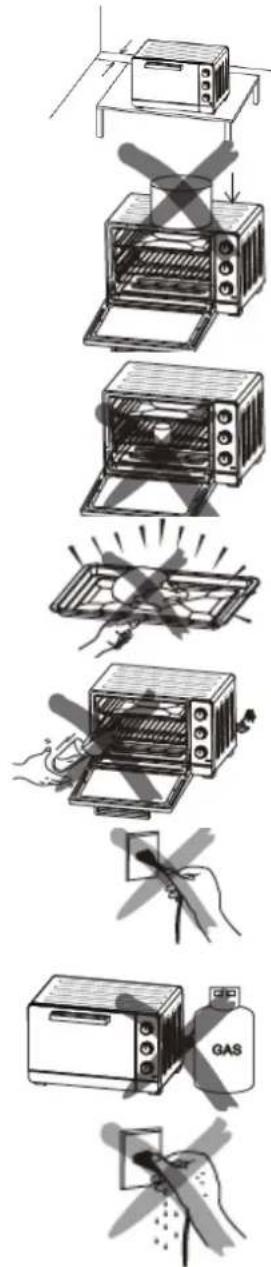
If the oven is positioned too close to a wall, this wall can be burned or discoloured. Ensure that curtains, etc. are not in contact with the oven.
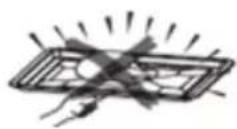
Do not put anything between the base of the oven and the surface on which it is set. Any object placed under the oven may be burned. Do not put anything on the top of the oven when it is in use because the heat can deform, crack or otherwise damage the item.
Do not heat food directly in the bottle or tin because the container may break and the content can burn the user.
Always use the handle when inserting or removing the tray. Touching the tray may cause severe burns.
Never pour water in the oven door when it is hot.
When unplugging the oven, always take hold of the plug itself. Never pull on the cord; this could break the wires inside the cord.
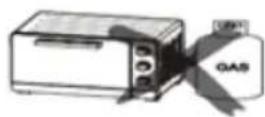
During use, do not position the oven near a gas burner or any other heat source. Doing this could affect the temperature control.
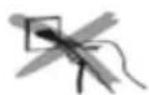
Do not touch the power cable or unit with wet hands. Always unplug the cord after use and whenever the unit is left unattended. A malfunction while the plug is inserted into the mains could cause a fire.
When cooking fat-spitting dishes such as roast chicken, it is recommended to use 2 sheets of aluminium foil in order to reduce fat spitting. Place one sheet on the tray and the other over the food. The oil will drip into the gap between the sheets of foil.

Caution:
Ensure that your appliance has not suffered any damage during transportation (deformed seal or door, etc.). If you see any kind of damage, contact your retailer before doing anything further with the appliance.
b) Electrical connection
The oven must be connected to a properly wired outlet. Insert the plug into the socket. If it is not properly connected, it could overheat. Do not use an electric light outlet. Never connect multiple plugs to the same power outlet.
c) Description of your appliance
Oven:
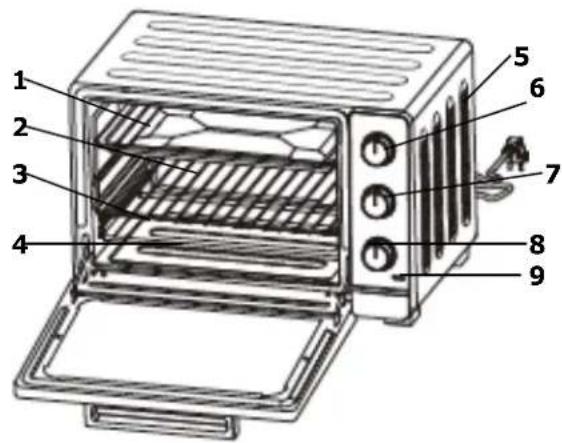
- Drip pan
- Wire rack
- Rack support
- Heating element
- Ventilation air intake
- Temperature control
- Selector of cooking functions
- Timer knob (120 minutes)
- Functioning indicator light
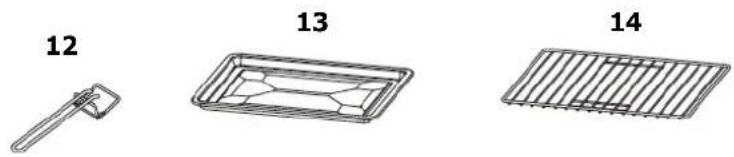
Accessories:
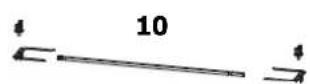
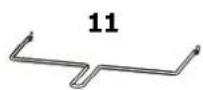
- Rotisserie fork
- Rotisserie handle
- Tray handle
- Drip pan
- Wire rack
3. USE OF YOUR APPLIANCE
a) Before using your appliance for the first time
- Unpack your appliance and check that all elements and accessories are present and undamaged.
- Check that all wrap elements (plastic, cardboard box, polystyrene) have been removed.
- Clean all the parts according to the instructions given in the "Maintenance of your appliance" section.
- Dry all parts thoroughly and assemble them, the oven is now ready to use.
Heat the empty oven :
- Insert the tray and wire rack.
- Set the cooking function on and set the temperature control knob to « 250°C » then heat the empty oven for about 10 minutes.
- Then, let it cool down, remove the plug from the power socket and clean all the detached parts again.
Note:
There may be some smoke and a burning smell during the first use, however it is normal.
b) Temperature control
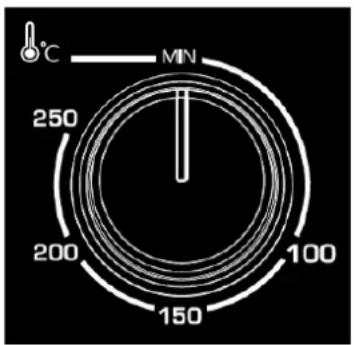
Set the "Temperature Control" by turning the knob clockwise to the suitable temperature for the dish you are cooking. (Temperature Control between 70°C and 250°C)
c) Cooking time setting
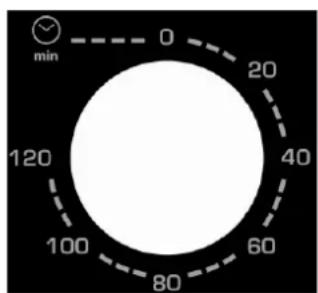
Set the timer to the cooking time (in minutes) depending on the dish you are cooking by turning it clockwise.
The indicator light allows you to ensure the orderly functioning of the heating elements. The oven will turn off automatically at the end of the selected time and a bell will ring.
The oven can be turned off manually during cooking by turning the timer anti-clockwise to the "0" position.
Note: If the inside of the oven is dirty, cooking may take slightly longer than usual.
d) Cooking function selection
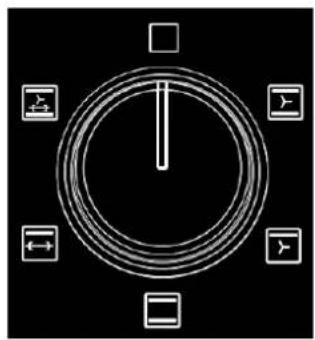
Fan Function (Upper & Lower Heating + Fan function)
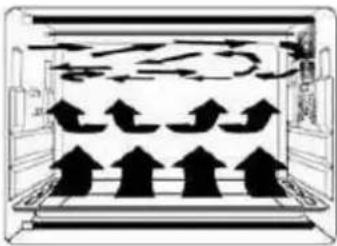
Thanks to the fan function on the side of the cavity, the hot air circulates in the entirety of the oven, so the heat is better distributed and the cook is more uniform.
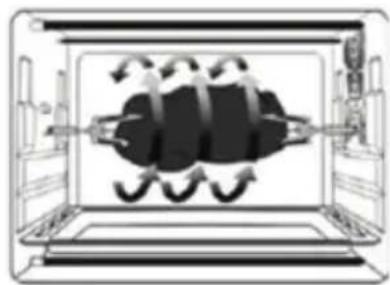
Rotisserie function
This function allows even cooking, use with Rotisserie Forks.
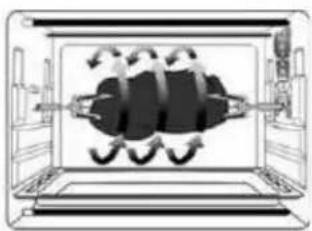
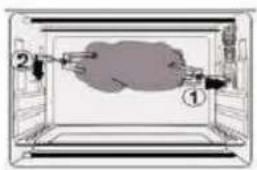
- Install the rotisserie forks To operate, the rotisserie must be positioned on the correct side: with the small hook on the left side of the oven
Left

Right
- Install the rotisserie
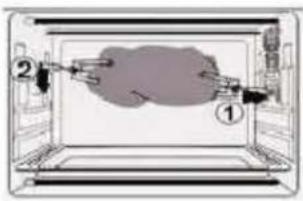
Fit the rotisserie forks in the rotisserie holes and then install the drip pan under the rotisserie.
- Remove the rotisserie
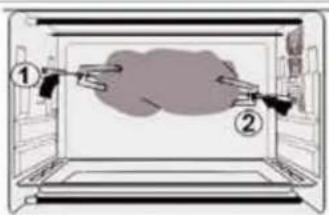
Use the rotisserie handle to remove the rotisserie forks from the rotisserie tray and then remove it from the rotisserie hole.
Rotisserie handle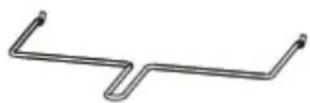
To avoid the possibility of a burn, always use the rotisserie handle to remove the rotisserie from the oven.
Recommended baking time:
| SEQUENCE TYPE OF FOOD TEMPERATURE | RACK SUPPORT | TIMER (min) | ||
 | FISH 180°C / 200°C 2 15-20 | |||
 | ROAST BEEF 230°C* 2 30 for 1000g | |||
 | CHICKEN 220°C Rotisserie 55 for 1500g | |||
 | QUICHE 200°C 2 40-45 | |||
 | GRATIN DAUPHINOIS 180°/200°C | 2 40-45 | ||
 | LASAGNA 180°C / 200°C 2 40-45 | |||
 | PIZZA 220°C* 2 | |||
 | PIES 200°C 2 30-35 | |||
 | TOASTED BREAD 180°C* 4 | 5-8 | ||
 | CAKE 170°C 2 45-55 | |||
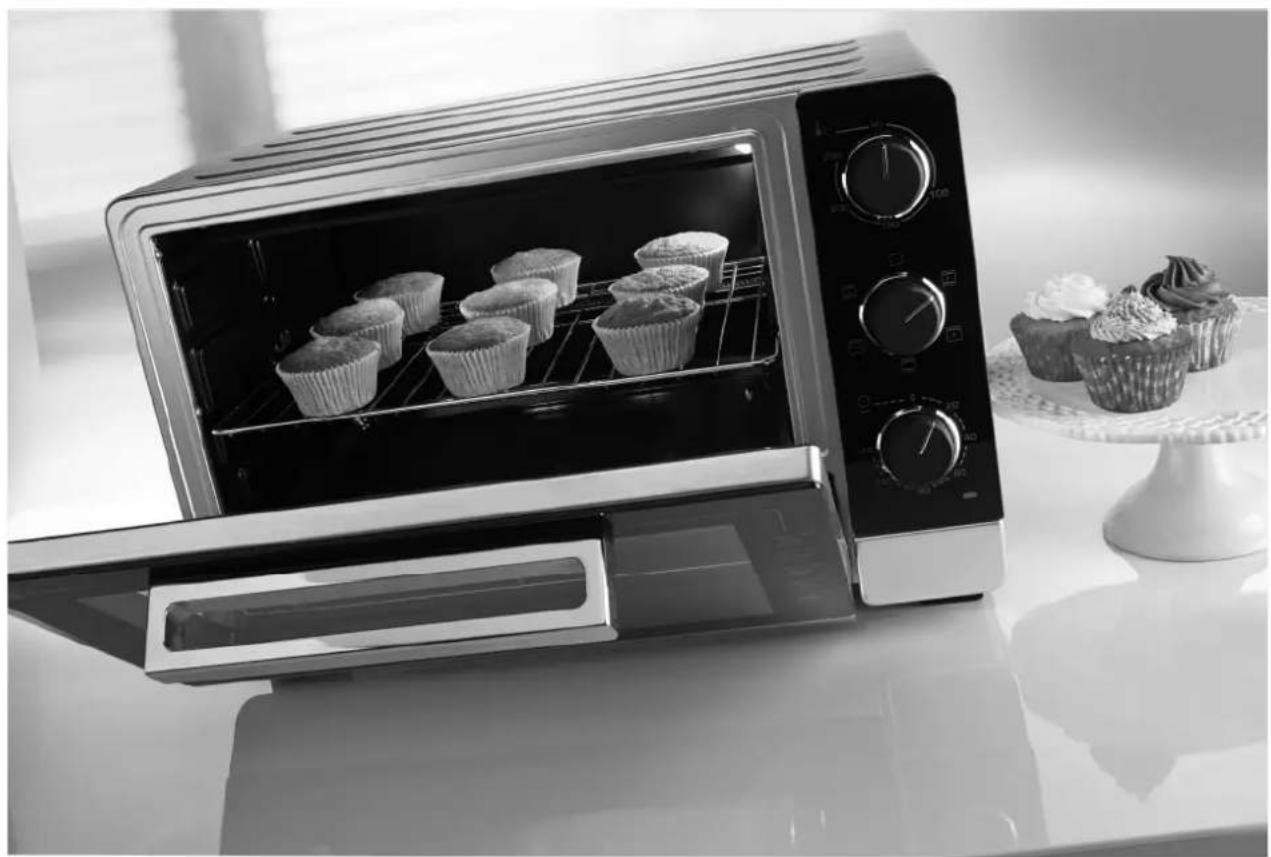
 | CUPCAKE 160°C | 2 25 mn | |||
| SHORTBREAD BISCUIT | 170°C* 3 10 |
* Preheat the oven.
e) Use recommendations
Drip pan and Wire Rack
| Accessories | Food (for reference only) | How to use Tray handle ? |
Drip pan Roast chicken wings,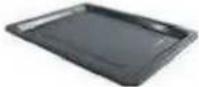 Note : Note : We recommend you to use it as a crumb tray. We recommend you to use it as a crumb tray. | hamburgers, gratin, cakes and most other oven-cooked foods | 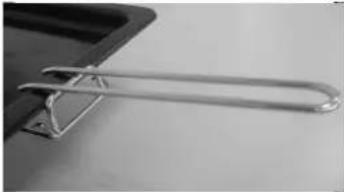 |
Wire rack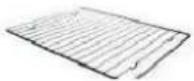 | Baked potatoes, dry food | 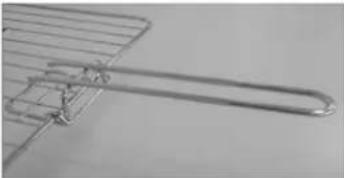 |
Please respect the direction of use for the tray handle to avoid burning. The two little lower hooks have to be fixed on the drip pan or wire rack.
Rack support
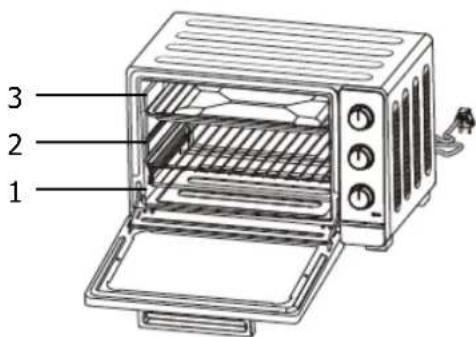
There are 3 different positions for the tray which can be adjusted according to the dish you are cooking. For example, when you are cooking a gratin and you want to have the top part cooked the most, use the third position. To roast a chicken, use the first or the second position.
4. MAINTENANCE OF YOUR APPLIANCE
a) Cleaning instructions
Always unplug and allow the oven to cool completely before cleaning or moving.
Clean the grill pan, the wire rack, the handle, and the drip pan after each use.
Clean the interior of your oven and all removable parts with a mild, non-abrasive cleaning product and a plastic scouring pad after each use.
Rinse and dry thoroughly. Do not rub too hard on the interior surfaces of the oven as this could scratch the finish. Clean the glass oven door exterior with glass cleaner or a mild detergent and a damp cloth or plastic scouring pad. Do not use abrasive cleaning products or pads as they might scratch the glass of the appliance.
Rinse and dry thoroughly with a clean cloth. Allow to dry before closing the glass door.
b) Changing the interior light bulb
To replace the light:
- Unplug the oven and allow the oven to cool completely.
- To remove the porthole, turn it counterclockwise.
- Clean with hot water and detergent.
- Remove the light and replace it (25W E14/25x17).
- Then, put the porthole back on.
c) Storage instructions
Unplug the appliance, allow it to cool, and clean it before storing. Store the oven in its original box in a clean and dry place. Never store the appliance while it is hot or still plugged in.
Never wrap the power cable tightly around the appliance. Do not put any stress on the cable where it joins the appliance, as this could cause the cable to fray and break.
5. WARRANTY AND CUSTOMER RELATIONS
a) Warranty
This product is covered by your retailer. For more details, please refer to the warranty conditions supplied.
- Service calls
Any repairs that are made to your appliance must be handled by a qualified professional authorised to work on the brand.
When you call, mention your appliance's "Service" reference, as well as its serial number "Nr".
This information appears on the manufacturer's nameplate which can be found stuck behind the machine.
b) Customer relations
- Customer relations
To find out more about all the brand's products you can visit our website: www.brandt.com
To communicate:
You may visit our website www.brandt.com and go to the "CONTACT" section. You may e-mail us: relations.consonmateurs@groupebrandt.com. You may write us at the following address:
Or phone us from Monday to Friday from 8:30 am to 6:00 pm:

BRANDT FRANCE – SAS with a capital of 1,000,000 euros – 89, bd Franklin Roosevelt – 92500 Rueil-Malmaison
- Spindle rotation function
Sarayin
Accessories:
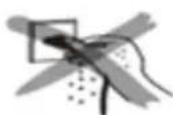
Warning:
- COMPACT OVEN 40L
- BRANDT
- WARRANTY AND CONSUMER RELATIONS
- WARRANTY
- TABLE OF CONTENTS
- INFORMATION FOR THE USER
- SAFETY RECOMMENDATIONS
- INSTALLATION
- USE
- MAINTENANCE
- IMPROPER USE
- PROTECTING THE ENVIRONMENT
- SETTING UP YOUR APPLIANCE
- INSTALLING YOUR OVEN IN COMPLETE SAFETY
- CAUTION
- ELECTRICAL CONNECTION
- DESCRIPTION OF YOUR APPLIANCE
- USE OF YOUR APPLIANCE
- BEFORE USING YOUR APPLIANCE FOR THE FIRST TIME
- TEMPERATURE CONTROL
- COOKING TIME SETTING
- COOKING FUNCTION SELECTION
- ROTISSERIE FUNCTION
- USE RECOMMENDATIONS
- RACK SUPPORT
- MAINTENANCE OF YOUR APPLIANCE
- CLEANING INSTRUCTIONS
- CHANGING THE INTERIOR LIGHT BULB
- TO REPLACE THE LIGHT
- STORAGE INSTRUCTIONS
- WARRANTY AND CUSTOMER RELATIONS
- CUSTOMER RELATIONS
- TO COMMUNICATE
Brand : BRANDT
Model : FC405MB
Category : Electric oven