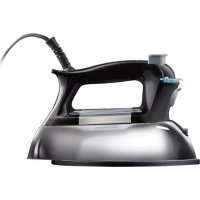
17325 - Iron PROCTOR SILEX - Free user manual and instructions
Find the device manual for free 17325 PROCTOR SILEX in PDF.



| Product Type | Steam Iron |
| Brand | Proctor Silex |
| Model | 17325 |
| Water Tank Capacity | 125 ml (4 oz) |
| Power Supply | 120 V, 60 Hz |
| Main Functions | Dry ironing, steam ironing, automatic shutoff (on some models) |
| Plug Type | Polarized plug (one wide prong) |
| Indicator Light | Power indicator light (on as long as iron is plugged in) |
| Temperature Setting | Temperature dial with settings for synthetics, silk/wool, cotton/linen |
| Steam Setting | Steam adjustment switch |
| Heating Time | Approximately 2 minutes to reach desired temperature |
| Soleplate Care | Wipe with a damp cloth after cooling; do not use abrasive cleaners |
| Tank Draining | Tilt the iron over a sink; water flows out through the fill opening |
| Recommended Water Type | Tap water; for very hard water, alternate with distilled water |
| Safety | Automatic shutoff (after 1 hour on some models), do not immerse in water, do not use if cord is damaged |
| Warranty | 1 year limited |
| Intended Use | Household only |
| Country of Manufacture | Not specified |
Frequently Asked Questions - 17325 PROCTOR SILEX
User questions about 17325 PROCTOR SILEX
0 question about this device. Answer the ones you know or ask your own.
Ask a new question about this device
Download the instructions for your Iron in PDF format for free! Find your manual 17325 - PROCTOR SILEX and take your electronic device back in hand. On this page are published all the documents necessary for the use of your device. 17325 by PROCTOR SILEX.
USER MANUAL 17325 PROCTOR SILEX
Mexico: 018007116100
www.proctorsilex.com.mx
IMPORTANT SAFETY INSTRUCTIONS
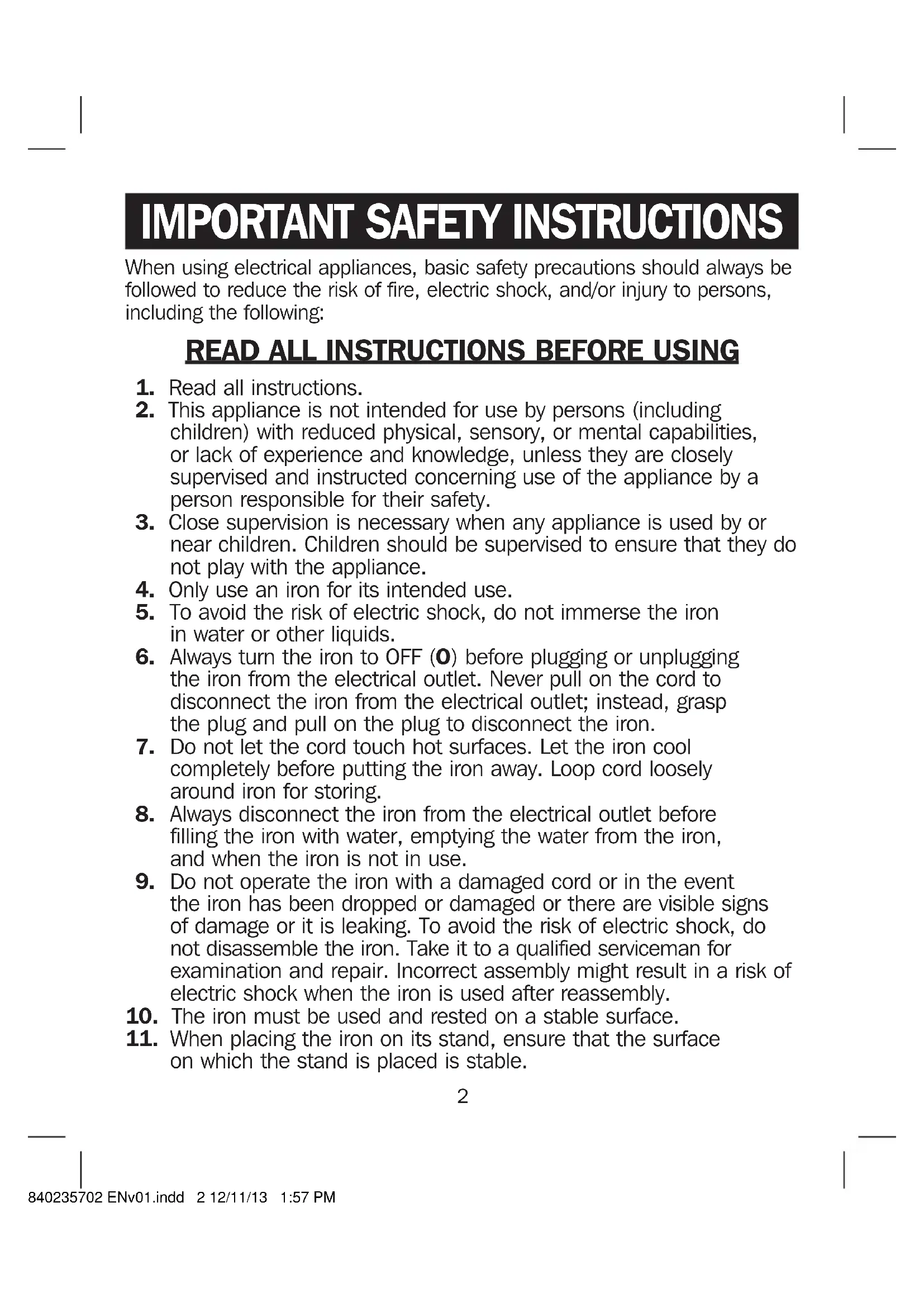
When using electrical appliances, basic safety precautions should always be followed to reduce the risk of fire, electric shock, and/or injury to persons, including the following:
READ ALL INSTRUCTIONS BEFORE USING
- Read all instructions.
- This appliance is not intended for use by persons (including children) with reduced physical, sensory, or mental capabilities, or lack of experience and knowledge, unless they are closely supervised and instructed concerning use of the appliance by a person responsible for their safety.
- Close supervision is necessary when any appliance is used by or near children. Children should be supervised to ensure that they do not play with the appliance.
- Only use an iron for its intended use.
- To avoid the risk of electric shock, do not immerse the iron in water or other liquids.
- Always turn the iron to OFF (0) before plugging or unplugging the iron from the electrical outlet. Never pull on the cord to disconnect the iron from the electrical outlet; instead, grasp the plug and pull on the plug to disconnect the iron.
- Do not let the cord touch hot surfaces. Let the iron cool completely before putting the iron away. Loop cord loosely around iron for storing.
- Always disconnect the iron from the electrical outlet before filling the iron with water, emptying the water from the iron, and when the iron is not in use.
- Do not operate the iron with a damaged cord or in the event the iron has been dropped or damaged or there are visible signs of damage or it is leaking. To avoid the risk of electric shock, do not disassemble the iron. Take it to a qualified serviceman for examination and repair. Incorrect assembly might result in a risk of electric shock when the iron is used after reassembly.
- The iron must be used and rested on a stable surface.
-
When placing the iron on its stand, ensure that the surface on which the stand is placed is stable.
-
Do not leave the iron unattended while the iron is connected or on an ironing board.
- Burns can occur from touching hot metal parts, hot water, or steam. Use caution when you turn a steam iron upside down—there might be hot water in the reservoir.
- To avoid a circuit overload, do not operate an iron on the same circuit with another high-wattage appliance.
- If an extension cord is absolutely necessary, a cord with an ampere rating equal to or greater than the maximum rating of the iron shall be used. A cord rated for less amperage can result in a risk of fire or electric shock due to overheating. Care shall be taken to arrange the cord so that it cannot be pulled or be tripped over.
SAVE THESE INSTRUCTIONS
Other Consumer Safety Information
This product is intended for household use only.
WARNING! Shock Hazard: This appliance has a polarized plug (one wide blade) that reduces the risk of electric shock. The plug fits only one way into a polarized outlet. Do not defeat the safety purpose of the plug by modifying the plug in any way or by using an adapter. If the plug does not fit fully into the outlet, reverse the plug. If it still does not fit, have an electrician replace the outlet.
- Use the iron on an ironing board. Ironing on any other surface may damage that surface.
- Do not iron or vertical-steam clothes that are being worn.
- Do not use vertical steam in the direction of people or pets.
- During first use of the iron, it may appear to smoke. This will stop and does not indicate a defect or hazard.
- Many irons spit or sputter during the first few uses with tap water. This happens as the steam chamber becomes conditioned. This will stop after a few uses.
- To clean steam vents before first use, prepare iron for steam ironing and then iron over an old cloth for a few minutes while letting the iron steam.
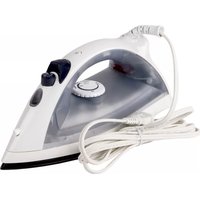
Parts and Features

- Auto Shutoff Reset Button or Power ON Light
- Adjustable Steam Switch
-
Water Tank Opening
-
Temperature Control Dial
- Soleplate
- Heel Rest
- Power Cord
How to Dry Iron
- Plug iron into outlet.
- Set the Adjustable Steam Switch to Dry Iron.
- Turn Temperature Control Dial to desired temperature. Allow 2 minutes for iron to reach desired temperature.
- To turn iron off, turn Temperature Control Dial to OFF (O).
- Unplug iron.
How to Steam Iron
- Set the Adjustable Steam Switch to (Dry Iron).
- Unplug iron. Pour 4 ounces (1/2 cup) of ordinary tap water into water tank opening. Plug iron into outlet.
- Turn Temperature Control Dial to desired setting in the steam range. Allow 2 minutes for the iron to reach desired temperature.
WARNING! Burn Hazard: Attempting to steam iron on a lower temperature setting or failing to allow the iron to preheat for 2 minutes can result in hot water dripping from the soleplate.
- Turn the Adjustable Steam Switch to desired steam setting.
Water: Please use ordinary tap water. If you have extremely hard water, alternate between tap water and distilled water for use in the iron.
Auto Shutoff Reset Button/Light (on select models)
The light comes on when the iron is first plugged in. After one hour, the iron will shut off and the light will go out. Push the Reset Button to turn the iron back on.
Power ON Light
On units not provided with Auto Shutoff, this light comes on when the iron is plugged in and remains on until the iron is unplugged. The light stays on even if the Temperature Control Dial is turned to OFF (O).
Fabric Setting Chart
NOTICE: To avoid garment damage, check garment label for fabric composition and ironing instructions.
| Steam Setting | Temperature Setting | Ironing Instructions |
| Dry Iron | OFF (0) | OFF (0) |
| Synthetics • Low | Dry iron using spray if necessary. | |
| Silk, Wool • Medium | Iron silk on wrong side. | |
| Steam Range | Cotton, Linen • High | For cotton, iron while still damp or use spray. For linen, iron fabric on wrong side. |
Garment Label Symbols
Fabric care labels on garments have symbols that show ironing instructions and recommended temperature settings. These symbols are shown below along with an explanation of their meaning.

Iron High

Temp Setting

Medium Temp Setting

Low Temp Setting
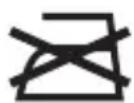
Do not iron

Do not use steam
Care and Cleaning
- Allow iron to cool.
- To empty water from iron, slowly tilt pointed end of iron over sink until water runs out.
- Do not store iron laying flat on soleplate.
Soleplate Care
NOTICE: To avoid damage to the iron soleplate:
- Never iron over zippers, buttons, pins, metal rivets, or snaps, since they may scratch the soleplate surface.
- Allow the iron to cool and wipe with a soapy, soft damp cloth to clean occasional buildup on the soleplate. Never use abrasive cleaners or metal scouring pads, since they may scratch the surface.
LIMITED WARRANTY
This warranty applies to products purchased and used in the U.S. and Canada. This is the only express warranty for this product and is in lieu of any other warranty or condition.
This product is warranted to be free from defects in material and workmanship for a period of one (1) year from the date of original purchase. During this period, your exclusive remedy is repair or replacement of this product or any component found to be defective, at our option; however, you are responsible for all costs associated with returning the product to us and our returning a product or component under this warranty to you. If the product or component is no longer available, we will replace with a similar one of equal or greater value.
This warranty does not cover glass, filters, wear from normal use, use not in conformity with the printed directions, or damage to the product resulting from accident, alteration, abuse, or misuse. This warranty extends only to the original consumer purchaser or gift recipient. Keep the original sales receipt, as proof of purchase is required to make a warranty claim. This warranty is void if the product is used for other than single-family household use or subjected to any voltage and waveform other than as specified on the rating label (e.g., 120V 60Hz ).
We exclude all claims for special, incidental, and consequential damages caused by breach of express or implied warranty. All liability is limited to the amount of the purchase price. Every implied warranty, including any statutory warranty or condition of merchantability or fitness for a particular purpose, is disclaimed except to the extent prohibited by law, in which case such warranty or condition is limited to the duration of this written warranty. This warranty gives you specific legal rights. You may have other legal rights that vary depending on where you live. Some states or provinces do not allow limitations on implied warranties or special, incidental, or consequential damages, so the foregoing limitations may not apply to you.
To make a warranty claim, do not return this appliance to the store. Please call 1.800.851.8900 in the U.S. or 1.800.267.2826 in Canada or visit proctorsilex.com in the U.S. or proctorsilex.ca in Canada. For faster service, locate the model, type, and series numbers on your appliance.
MEASURES DE SECURITE IMPORTANTES
Mixcoac MEXICO 03910 D.F.
Tel: 01 55 5563 8723
Fax: 01 55 5615 1856
Jalisco
- IMPORTANT SAFETY INSTRUCTIONS
- READ ALL INSTRUCTIONS BEFORE USING
- SAVE THESE INSTRUCTIONS
- Other Consumer Safety Information
- This product is intended for household use only.
- Parts and Features
- How to Dry Iron
- How to Steam Iron
- Auto Shutoff Reset Button/Light (on select models)
- Power ON Light
- Fabric Setting Chart
- Garment Label Symbols
- Care and Cleaning
- Soleplate Care
- LIMITED WARRANTY
- MEASURES DE SECURITE IMPORTANTES
- Jalisco
Brand : PROCTOR SILEX
Model : 17325
Category : Iron