ManualGo.com
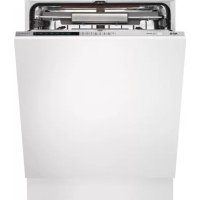
Favorit F65478VIS - Dishwasher AEG - Free user manual and instructions
Find the device manual for free Favorit F65478VIS AEG in PDF.


Download the instructions for your Dishwasher in PDF format for free! Find your manual Favorit F65478VIS - AEG and take your electronic device back in hand. On this page are published all the documents necessary for the use of your device. Favorit F65478VIS by AEG.
USER MANUAL Favorit F65478VIS AEG
2.2 Setting the washing program and switching on and off...............................6
3.1 Reducing the consumption of detergent and respecting the environment ...... 13
1 INTRODUCTION Thank you for choosing one of our products. To use this dishwasher correctly and safely, please read this manual carefully. The manual is divided into sections giving you a step-by-step guide to all your ap- pliance’s functions. The texts are easy to understand and are com- plete with detailed illustrations. This user-friendly manual will provide answers to all your questions about use of the dishwasher. Before using this dishwasher, carefully read chapter 2 “Use and safety warnings” of the attached general manual. For any other information about use and maintenance of the dish- washer, read the enclosed general manual carefully. This manual comprises the following sections: INTRODUCTION: general information about the manual USER INSTRUCTIONS: advice on using the washing programs and information about all the dishwasher functions. Nomenclature of fi gures and tables: The progressive number of each fi gure is shown in the bottom right- hand corner of the relative box. An example of a progressive number is “Fig. 4-01”, where the fi rst number (4) indicates the section to which the fi gure belongs, while the second number (01) indicates the progressive number of the fi gure in section 4 (Fig. 4-01 is the fi rst fi gure in section 4). The tables are numbered in the same way, bearing in mind that “Tab.” is used instead of “Fig.” (e.g.: Tab. 4-01 is the fi rst table in section 4). If a table occupies more than one page, a letter is added after the progressive number (e.g.: “Tab. 4-01a”, Tab. 4-01b”).4 Rev 0.0 INTRODUCTION
Symbols used in this manual (see tab. 1-01) DANGER. This symbol highlights information and warnings which, if not observed, may compromise personal safety or damage the appliance. This symbol highlights general information and warnings. Tab. 1-01Rev 0.0 5 USER INSTRUCTIONS
All the dishwasher controls are grouped on the upper panel (see fi g. 2-01). The dishwasher can only be switched on, programmed, switched off, etc. with the door open. A brief description (see tab. 2-01) of the various controls on the upper panel is given below. Fig. 2-01
On/off button Press to power the appliance.
Program indicator lights These show which program is selected and whether there are any faults (troubleshooting).
Program selection button Press in sequence to select the required program.
Add salt indicator light (only fi tted on some models) Shows the appliance has run out of salt.
Add rinse-aid indicator light (only fi tted on some models) Shows the appliance has run out of rinse-aid.
Sanitation indicator light Shows the function is active.
Program delay button (only fi tted on some models) Press to delay the start of the program up to 9 hours.
Display (only fi tted on some models) Tab. 2-016 Rev 0.0 USER INSTRUCTIONS
2.2 Setting the washing program and switching
on and off The dishwasher is equipped with a control panel (see fi g. 2-02) which is used to program the appliance and switch it on and off. Fig. 2-02 To select the most suitable program for the dishes to wash, consult the fol- lowing table which specifi es the most appropriate type of washing sequence depending on the kind of dishes and how dirty they are (see tab. 2-02).Rev 0.0 7 USER INSTRUCTIONS
RINSE Pans and dishes waiting for further washing Cold pre-wash 16’
CRYSTAL Immediate washing after use for moderately dirty dishes Wash at 45°C (113°F). Cold rinse. Rinse at 69°C (156.2°F). Dry. 58’
NORMAL Immediate washing after use for normally dirty dishes Cold pre-wash. Wash at 55°C (131°F). Cold rinse. Rinse at 68°C (154.4°F). Dry. 111’
Very dirty pans and dishes (except delicate items) Pre-wash at 45°C (113°F). Wash at 70°C (158°F). 2 cold rinses. Rinse at 70°C (158°F). Dry. 117’ 20 l
0,97 Tab. 2-02 (1) Average water consumption with the softener set to level 0 (zero). Any other setting will increase water consumption till 2.5 l (0.66 gal.)/cycles with setting 5. (2) The cycle times listed in the use and care manual are based on normal soil loads and 120°F (49°C) incoming water and will vary based on your actual conditions. - Only “EXTREME WASH” program conform to NSF std 184 and is certifi ed by INTERTEK with the ETL SANITATION LISTED. - When the “Sanitized” light shine it means that the dishwasher and its contents have been sani- tized according to the requirements of the National Sanitation Foundation (NSF). - When the “AUTO DELICATE” is selected, the dishwasher recognizes the type of dirt and auto- matically adjusts the washing parameters as appropriate.8 Rev 0.0 USER INSTRUCTIONS
Only run the soak program with half loads. After using the above table to choose the most suitable washing cycle, pro- gram the appliance.
Before starting a washing program, make sure that:
- The water supply tap is open.
- There is regenerating salt in the water softener tank (to add salt, see the instructions in the general manual).
- The correct amount of detergent has been added to the dis- penser (to add detergent, see the instructions in the general manual).
- The spray arms are able to rotate freely and without obstruction.
- The racks have been correctly loaded (see the instructions in the general manual).
- The dishwasher door is securely closed.
Press the on/off button (ref. 1 fi g. 2-02) to start the dishwasher. Then wait for one of the program indicator lights to turn on (ref. 2 fi g. 2-02).
2.2.2 Selecting and starting the program
- Press the program selection button (ref. 3 fi g. 2-02) several times until the indicator light corresponding to the required program turns on (ref. 2 fi g. 2-02);
- if necessary, select, using the relative buttons, the complementary functions you are interest in (e.g. “Programming delay”);
- close the door; the program will start after about 2 seconds and the relative indicator light will fl ash throughout the cycle (program running signal). If the door of the dishwasher has not been closed or has been incor- rectly closed, the washing cycle will not begin.
2.2.3 End of program
The end of the program is indicated by a brief acoustic signal and the (marked by “end”) “auto delicate” and “extreme wash” program indicator lamps fl ash.Rev 0.0 9 USER INSTRUCTIONS
2.2.4 Interrupting a program
To interrupt the current program simply open the door of the dishwasher; to restart the program, simply close the door again. The program restarts from where it was interrupted. If it is necessary to open the door during the washing cycle, the program will be interrupted, the relative indicator light will continue to fl ash and a beep will indicate that the cycle has not terminated. Wait for about 1 minute before closing the door and continuing with the program. When the door closes, the program will start from where it was interrupted. This operation should be performed only if neces- sary as it could cause irregular program performance.
2.2.5 Changing the current program
To change the current program, simply open the door of the dishwasher and select the new program. Close the door to run the new program automatically.
2.2.6 Canceling the current program
- To cancel the current program, open the door and press and hold down the program selection button (ref. 3 fi g. 2-02) for a few seconds until the indi- cator lights of the fourth and fi fth programs turn on (ref. pr. 4, pr. 5 fi g. 2-03).
- Close the door again.
- After about 1 minute, the dishwasher terminates the cycle and the indicator lights of the fourth and fi fth programs (ref. pr. 4, pr. 5 fi g. 2-03) start fl ashing. Fig. 2-03 pr. 4 pr. 510 Rev 0.0 USER INSTRUCTIONS
PROGRAM DELAY The “Program delay” function delays the beginning of the washing program up to 9 hours from the moment in which programming takes place. This makes it possible to use the dishwasher at a certain time of day. Before programming a delay, open the door of the dishwasher, select the required washing program (see para 2.2 “Setting the washing program and switching on and off”). Select the day by pressing the Program delay button (ref. 7 fi g. 2-02); each time you press the button, the display increases the delay before the appliance starts by 1 hour.Rev 0.0 11 USER INSTRUCTIONS
At the end of the program, the dishwasher emits a short beep and the indica- tor lights of the fourth and fi fth program (ref. pr. 4, pr. 5 fi g. 2-04) fl ash. Turn off the appliance by opening the door and pressing the on/off button (ref. 1 fi g. 2-02).
2.3 Additional functions
2.3.1 Adjusting the water softener
N.B.: a different washing program from soak must be used to make the following adjustment. . Press and hold down the program delay button (ref. 7 fi g. 2-05) until the pre- set value appears followed by a dot (normally 3.). Release the button and then press it again and again until the required value is displayed, as indicated in the table (see tab. 2-03). The 6 possible adjustment levels will appear in this sequence: 3., 4., 5., 0., 1., 2.. When the required value appears on the display, release the button; after 5 seconds the appliance automatically reverts to the program delay and the adjustment is set to the chosen value. N.B.: the display indicates the water hardness adjustment and the program delay. A dot (.) after the number means that the water hard- ness adjustment is being displayed. If no dot (.) appears, the pro- gram delay is being displayed. pr. 4 pr. 5 Fig. 2-0412 Rev 0.0 USER INSTRUCTIONS
Water hardness table (see tab. 2-03) WATER HARDNESSSETTINGGerman degrees (°D) French degrees (°F)American degreesgrains/galls0 - 4 0 - 7 0 - 4.5 0.5 - 15 8 - 25 4.6 - 14.5 1.16 - 23 26 - 40 14.6 - 23.5 2.24 - 31 41 - 60 23.6 - 35 3.32 - 47 61 - 80 35.1 - 46.5 4.48 - 58 81 - 100 46.6 - 58.5 5.Tab. 2-03 Contact your local water board for information on the hardness of your water supply. If it is necessary to open the door during the washing cycle, the program will be interrupted, the relative indicator light will continue to fl ash and a beep will indicate that the cycle has not terminated. Wait for about 1 minute before closing the door and continuing with the program. When the door closes, the program will start from where it was interrupted. This operation should be performed only if neces- sary as it could cause irregular program performance.Rev 0.0 13 USER INSTRUCTIONS
- Always try to run the dishwasher fully loaded.
- Do not wash the dishes under a running tap.
- Use the most suitable washing program for each type of load.
- If available, connect the dishwasher to a hot water system with a tempera- ture of up to 60°C (140°F).
- When possible, skip the drying cycle by opening the door after washing: the air and the residue heat will dry the dishes to perfection.
3.1 Reducing the consumption of detergent
and respecting the environment The phosphates contained in dishwasher detergents are harmful to the envi- ronment. To avoid using excessive amounts of detergent and to save on elec- tricity:
- Separate the more delicate items from those that are more resistant to ag- gressive detergents and high temperatures;
4 REMOVING THE DISHES
At the end of the washing program, wait at least 20 minute before removing the dishes in order to allow them to cool. To prevent any water droplets on the upper rack from falling onto the dishes in the lower rack, empty the lower rack fi rst and then the upper one.Rev 0.0 15 USER INSTRUCTIONS
5 TROUBLESHOOTING The dishwasher can to signal a number of malfunctions by turning on various indicator lights, as described below (see following table): FAULT DESCRIPTION
Acquastop failure The anti-fl ooding system has tripped (only for models fi tted with this feature). Activates in case of water leaks. Contact the technical assistance service.
Water heating malfunction The water is not heated or is incorrectly heated. Repeat the washing program; if the problem persists, contact the technical assistance service.
Water temperature monitoring malfunction Interrupt the current program. Switch off the dishwasher, switch it back on again, program a new cycle and press start. If the problem persists, contact the technical assistance service.
Water intake malfunction The appliance does not take in water or does so incorrectly. Make sure the water connections are correct, that the water supply tap is open and that the fi lter is not clogged. If the problem persists, contact the technical assistance service.
Water pump-out malfunction The appliance does not pump out the water or does so incorrectly. Make sure the drain hose is not kinked or crushed and that the siphon and fi lters are not clogged. If the problem persists, contact the technical assistance service. Tab. 4-01 Light off Light on Light fl ashing16 Rev 0.0 USER INSTRUCTIONS
If an alarm situation occurs, the dishwasher interrupts the current program and signals the fault.
- Alarms E1, E3, E4, immediately terminate the current program.
- Alarms E5, E6 interrupt the current program and, after the problem has been eliminated, resume the cycle. To “reset” an alarm:
- open or close the door, or switch the appliance on and back off again. At this point, the dishwasher can be programmed again.
If the fault persists, contact the Authorized Technical Assistance Ser- vice. CONTENTSRev 0.0 1 SOMMAIRE