ManualGo.com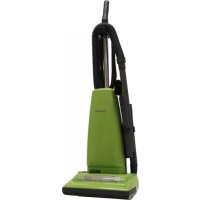
MCUG223 - Vacuum Cleaner PANASONIC - Free user manual and instructions
Find the device manual for free MCUG223 PANASONIC in PDF.


Download the instructions for your Vacuum Cleaner in PDF format for free! Find your manual MCUG223 - PANASONIC and take your electronic device back in hand. On this page are published all the documents necessary for the use of your device. MCUG223 by PANASONIC.
USER MANUAL MCUG223 PANASONIC
TO OUR VALUED CUSTOMER
We are very pleased to welcome you to the Panasonic family of products. Thank you for purchasing this product. Our intent is that you become one of our many satisfied customers.Proper assembly and safe use of your vacuum cleaner are your responsibilities. Your vacuumcleaner is intended only for household use. The vacuum cleaner should be stored in a dry,indoor area. Read the Operating Instructions carefully for important use and safetyinformation.Special care is required when vacuuming certain types of carpet or floor covering. Alwayscheck the carpet or floor covering manufacturer's recommended cleaning instructions beforevacuuming.
PLEASE PAY CLOSE ATTENTION TO ALL
Never vacuum damp or wet surfaces or liquids.DO NOT store vacuum cleaner outdoors.Replace worn or frayed power cord immediately.Unplug from outlet when not in use and before servicing.
1. Use your vacuum cleaner only as described in this manual. Use only with Panasonic
recommended attachments.
2. Disconnect electrical supply before servicing or cleaning out the brush area. Failure
to do so could result in electrical shock or the brush suddenly starting.
3. Do not leave vacuum cleaner when plugged in. Unplug from outlet when not in use
and before servicing.
4. To reduce the risk of electrical shock - Do not use outdoors or on wet surfaces.
5. Do not allow to be used as a toy. Close attention is necessary when used by or near
6. Do not use with a damaged cord or plug. If vacuum cleaner is not working as it
should, has been dropped, damaged, left outdoors, or dropped in water, return it to a Panasonic Service Center.
7. Do not pull or carry by cord, use cord as a handle, close a door on cord, or pull cord
around sharp edges or corners. Do not run vacuum cleaner over cord. Keep cord away from heated surfaces.
8. Do not unplug by pulling on cord. To unplug, grasp the plug, not the cord.
9. Do not handle plug or vacuum cleaner with wet hands.
10. Do not put any objects into openings.
11. Do not use with any opening blocked; keep free of dust, lint, hair, and anything that
may reduce air flow.
12. Keep hair, loose clothing, fingers, and all parts of body away from openings and
13. Turn off all controls before unplugging.
14. Use extra care when cleaning on stairs. Do not put on chairs, tables, etc. Keep on floor.
15. Do not use vacuum cleaner to pick up flammable or combustible liquids (gasoline,
cleaning fluid, perfumes, etc.), or use in areas where they may be present. The fumes from these substances can create a fire hazard or explosion.
16. Do not pick up anything that is burning or smoking, such as cigarettes, matches, or hot
17. Do not use vacuum cleaner without dust bag and/or filters in place.
18. Do not operate vacuum cleaner without the belt access door properly installed (if
19. Unplug before connecting Air Turbine. (if applicable).
20. You are responsible for making sure that your vacuum cleaner is not used by anyone
unable to operate it properly.
SAVE THESE INSTRUCTIONS
THIS VACUUM CLEANER IS INTENDED FOR HOUSEHOLD USE ONLY NOTE: Before you plug in your Panasonic vacuum cleaner, make sure that the voltage indicated on the rating plate located at the back of the vacuum cleaner is the same as your local electrical supply.
➢ Detach plug head from power cord. ➢ Rotate cord hook down to release cord.
- Walls ➢ The Dusting Brush may be used on the following items:
- Walls Using Tools ➢ Remove wand from short hose by twisting and pulling up. ➢ The tools can be attached to hose, wand or crevice tool. ➢ Place all tools and hose back in the same manner as shown in TOOL STORAGE. CAUTION
- Agitator rotates when using tools, use care to ensure that nothing comes into contact with agitator.
Bulb Socket Assembly Assemblage de la lampe Casquillo portalámparas ➢ Remove lower plate. ➢ Remove bulb socket screw, grasp the bulb socket assembly and pull upward while moving it back and forth. ➢ Remove old bulb from the bulb socket assembly by pushing in while turning counter-clockwise. ➢ Replace bulb by pushing in while turning clockwise. ➢ Only use a bulb rated 130 V AC-15 Watts or less. ➢ Reinstall bulb socket assembly into nozzle housing by pushing it back down into slot and reinstall bulb socket screw. ➢ Reinstall lower plate.- 29 - Cambio de la correa Remplacement de la courroie
End Cap Bouchon Tapa del extremo Groove Ranura Ouverture Replacing Belt AgitatorAgitateurAgitador Belt CourroieCorreaMotor ShaftArbre d’entraînmentdu moteurEje del motor ➢ Remove worn or broken belt. ➢ Loop new belt (Panasonic Type UB8 only) around motor shaft and belt pulley; see illustration for correct belt routing. ➢ Reinstall agitator back into nozzle housing grooves. ➢ After reinstalling the agitator, turn it by hand to make sure that belt is not twisted or pinched and that all rotating parts turn freely. ➢ Reinstall lower plate. ➢ Clean agitator after every five uses and every time the belt is replaced. ➢ Remove lower plate. ➢ Cut off any carpet pile and lint entangled around agitator with a pair of scissors. ➢ Remove agitator. ➢ Remove any string or debris located on the end caps. ➢ Reinstall agitator and lower plate.- 31 -
Hose TuyauManguera Removing Clogs For best cleaning results, keep the airflow passage clear. ➢ Unplug vacuum cleaner.
Check each starred area occasionally for clogs.
Disconnect the hose from the nozzle hose and check the hose for clogging. ➢ Inspect hose end and clear any obstructions. ➢ Reinstall hose and lower plate.
While running the vacuum cleaner with the hose disconnected, stretch the hose in and out to remove the clog. ➢ I f the clog still exists, turn the vacuum cleaner OFF and unplug the power cord.
Turn the vacuum cleaner over, exposing the underside.
Remove the lower plate. Remove the short nozzle hose from the housing by lifting it straight up.
Review this chart to find do-it-yourself solutions for minor performance problems. Any service needed, other than those described in these Operating Instructions, should be performed by an authorized service representative.
PROBLEM POSSIBLE CAUSE POSSIBLE SOLUTION
Vacuum cleaner 1. Unplugged at wall outlet. 1. Plug in firmly. Push ON-OFF will not run. switch to On.
2. ON-OFF switch not turned on. 2. Push ON-OFF switch to ON.
3. Tripped circuit breaker/blown 3. Reset circuit breaker or replace
fuse at household service panel. fuse. Poor job of dirt 1. Full or clogged dust bag. 1. Change bag. pickup.
2. Broken belt. 2. Replace belt.
3. Clogged hose or nozzle. 3. Clean hose or nozzle area.
4. Hose not inserted fully. 4. Insert hose.
5. Worn agitator. 5. Replace agitator.
6. Dust cover improperly installed. 6. Properly install dust cover.
Dust escapes 1. Bag improperly installed. 1. Properly install bag. the paper bag.
PROBLÈME CAUSE POSSIBLE SOLUTION POSSIBLE
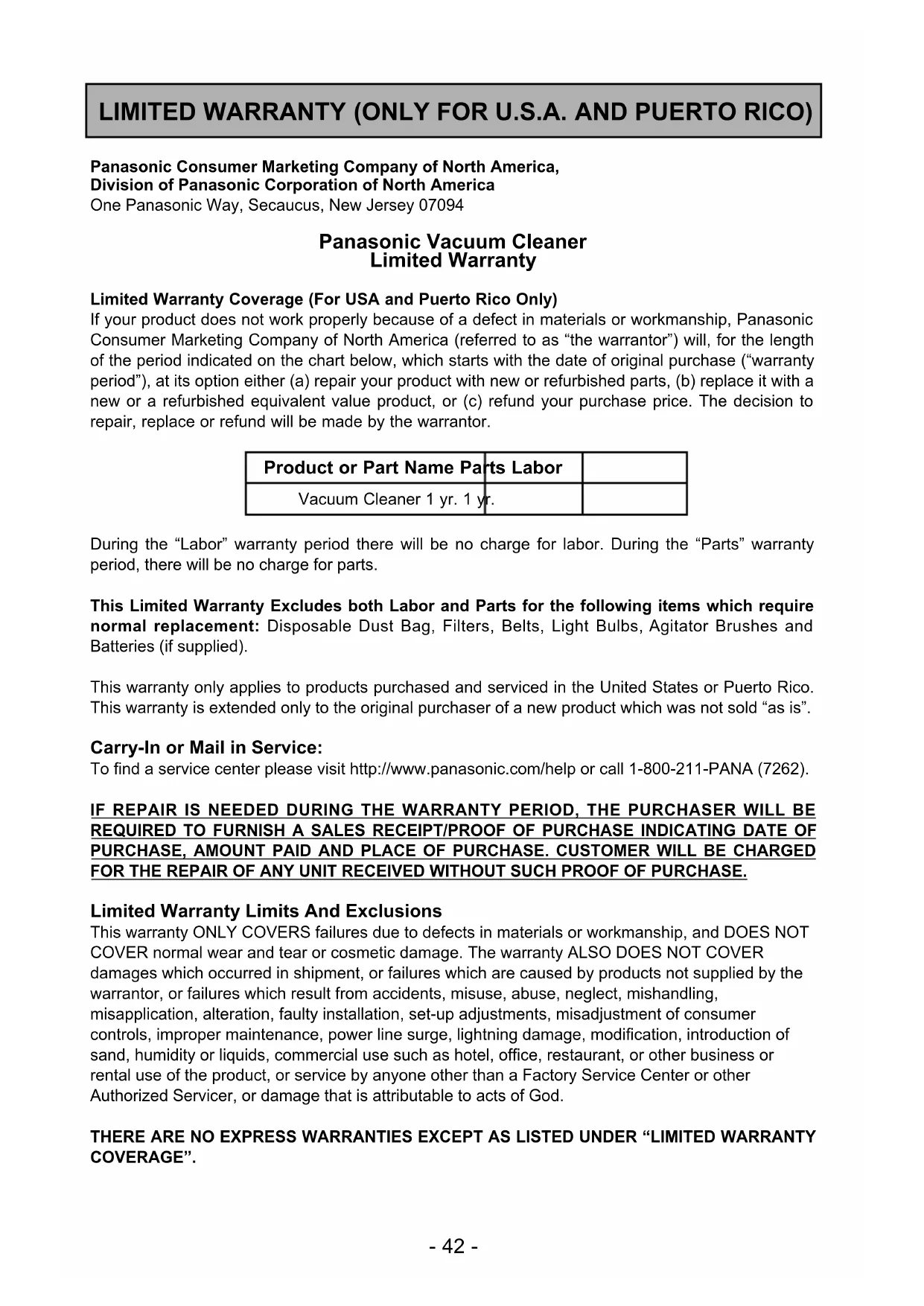
LIMITED WARRANTY (ONLY FOR U.S.A. AND PUERTO RICO) Panasonic Consumer Marketing Company of North America, Division of Panasonic Corporation of North America One Panasonic Way, Secaucus, New Jersey 07094 Panasonic Vacuum Cleaner Limited Warranty Limited Warranty Coverage (For USA and Puerto Rico Only) If your product does not work properly because of a defect in materials or workmanship, Panasonic Consumer Marketing Company of North America (referred to as “the warrantor”) will, for the length of the period indicated on the chart below, which starts with the date of original purchase (“warranty period”), at its option either (a) repair your product with new or refurbished parts, (b) replace it with a new or a refurbished equivalent value product, or (c) refund your purchase price. The decision to repair, replace or refund will be made by the warrantor. During the “Labor” warranty period there will be no charge for labor. During the “Parts” warranty period, there will be no charge for parts. This Limited Warranty Excludes both Labor and Parts for the following items which require normal replacement: Disposable Dust Bag, Filters, Belts, Light Bulbs, Agitator Brushes and Batteries (if supplied). This warranty only applies to products purchased and serviced in the United States or Puerto Rico. This warranty is extended only to the original purchaser of a new product which was not sold “as is”. Carry-In or Mail in Service: To find a service center please visit http://www.panasonic.com/help or call 1-800-211-PANA (7262). IF REPAIR IS NEEDED DURING THE WARRANTY PERIOD, THE PURCHASER WILL BE REQUIRED TO FURNISH A SALES RECEIPT/PROOF OF PURCHASE INDICATING DATE OF PURCHASE, AMOUNT PAID AND PLACE OF PURCHASE. CUSTOMER WILL BE CHARGED FOR THE REPAIR OF ANY UNIT RECEIVED WITHOUT SUCH PROOF OF PURCHASE. Limited Warranty Limits And Exclusions This warranty ONLY COVERS failures due to defects in materials or workmanship, and DOES NOT COVER normal wear and tear or cosmetic damage. The warranty ALSO DOES NOT COVER damages which occurred in shipment, or failures which are caused by products not supplied by the warrantor, or failures which result from accidents, misuse, abuse, neglect, mishandling, misapplication, alteration, faulty installation, set-up adjustments, misadjustment of consumer controls, improper maintenance, power line surge, lightning damage, modification, introduction of sand, humidity or liquids, commercial use such as hotel, office, restaurant, or other business or rental use of the product, or service by anyone other than a Factory Service Center or other Authorized Servicer, or damage that is attributable to acts of God. THERE ARE NO EXPRESS WARRANTIES EXCEPT AS LISTED UNDER “LIMITED WARRANTY COVERAGE”. Product or Part Name Parts Labor Vacuum Cleaner 1 yr. 1 yr.- 43 - THE WARRANTOR IS NOT LIABLE FOR INCIDENTAL OR CONSEQUENTIAL DAMAGES RESULTING FROM THE USE OF THIS PRODUCT, OR ARISING OUT OF ANY BREACH OF THIS WARRANTY. (As examples, this excludes damages for lost time, travel to and from the servicer, loss of or damage to media or images, data or other memory or recorded content. The items listed are not exclusive, but for illustration only.) ALL EXPRESS AND IMPLIED WARRANTIES, INCLUDING THE WARRANTY OF MERCHANTABILITY, ARE LIMITED TO THE PERIOD OF THE LIMITED WARRANTY. Some states do not allow the exclusion or limitation of incidental or consequential damages, or limitations on how long an implied warranty lasts, so the exclusions may not apply to you. This warranty gives you specific legal rights and you may also have other rights which vary from state to state. If a problem with this product develops during or after the warranty period, you may contact your dealer or service center. If the problem is not handled to your satisfaction, then write to: Consumer Affairs Department Panasonic Consumer Marketing Company 661 Independence Pkwy Chesapeake, VA 23320 PARTS AND SERVICE, WHICH ARE NOT COVERED BY THIS LIMITED WARRANTY, ARE YOUR RESPONSIBILITY. Customer Services Directory (United States and Puerto Rico) Obtain Product Information and Operating Assistance; locate your nearest Dealer or Service Center; purchase Parts and Accessories; or make Customer Service and Literature requests by visiting our Web Site at: http://www.panasonic.com/help or, contact us via the web at: http://www.panasonic.com/contactinfo You may also contact us directly at: 1-800-211-PANA (7262) Monday-Friday 9am-9pm, Saturday-Sunday 10am-7pm EST For hearing or speech impaired TTY users, TTY: 1-877-833-8855 Accessory Purchases (United States and Puerto Rico) Purchase Parts, Accessories and Instruction Books online for all Panasonic Products by visiting our Web Site at: http://www.pstc.panasonic.com Or, send your request by E-mail to: npcparts@us.panasonic.com You may also contact us directly at: 1-800-332-5368 (Phone) 1-800-237-9080 (Fax Only) (Monday-Friday 9am-9pm EST) Panasonic National Parts Center 20421 84th Avenue South, Kent, WA 98032 (We accept Visa, MasterCard, Discover Card, and American Express) For hearing or speech impaired TTY users, TTY: 1-866-605-1277- 44 - WARRANTY Panasonic Canada Inc. 5770, Ambler Drive, Mississauga (Ontario) L4W 2T3
PANASONIC PRODUCT – LIMITED WARRANTY
EXCHANGE PROGRAM Panasonic Canada Inc. warrants this product to be free from defects in material and workmanship under normal use and for a period as stated below from the date of original purchase agrees to, at its option either (a) repair your product with new or refurbished parts, (b) replace it with a new or a refurbished equivalent value product, or (c) refund your purchase price. The decision to repair, replace or refund will be made by Panasonic Canada Inc. Vacuum Cleaner One (1) year This warranty is given only to the original purchaser, or the person for whom it was purchased as a gift, of a Panasonicbrand product mentioned above sold by an authorized Panasonic dealer in Canada and purchased and used in Canada,which product was not sold “as is”, and which product was delivered to you in new condition in the original packaging. IN ORDER TO BE ELIGIBLE TO RECEIVE WARRANTY SERVICE HEREUNDER, A PURCHASE RECEIPT OROTHER PROOF OF DATE OF ORIGINAL PURCHASE, SHOWING AMOUNT PAID AND PLACE OF PURCHASE REQUIRED LIMITATIONS AND EXCLUSIONSThis warranty ONLY COVERS failures due to defects in materials or workmanship, and DOES NOT COVER normalwear and tear or cosmetic damage. The warranty ALSO DOES NOT COVER damages which occurred in shipment, orfailures which are caused by products not supplied by Panasonic Canada Inc., or failures which result from accidents, misuse, abuse, neglect, mishandling, misapplication, alteration, faulty installation, set-up adjustments, misadjustment of consumer controls, improper maintenance, power line surge, lightning damage, modification, introduction of sand, humidity or liquids, commercial use such as hotel, office, restaurant, or other business or rental use of the product, or service by anyone other than a Authorized Servicer, or damage that is attributable to acts of God. Parts such as disposable dust bags, filters, belts, light bulbs and agitator brushes are not covered by this warranty. THIS EXPRESS, LIMITED WARRANTY IS IN LIEU OF ALL OTHER WARRANTIES, EXPRESS OR IMPLIED,INCLUDING ANY IMPLIED WARRANTIES OF MERCHANTABILITY AND FITNESS FOR A PARTICULAR PURPOSE.IN NO EVENT WILL PANASONIC CANADA INC. BE LIABLE FOR ANY SPECIAL, INDIRECT OR CONSEQUENTIALDAMAGES RESULTING FROM THE USE OF THIS PRODUCT OR ARISING OUT OF ANY BREACH OF ANYEXPRESS OR IMPLIED WARRANTY. (As examples, this warranty excludes damages for lost time, travel to and fromthe Authorized Servicer, loss of or damage to media or images, data or other memory or recorded content. This list ofitems is not exhaustive, but for illustration only.) In certain instances, some jurisdictions do not allow the exclusion or limitation of incidental or consequential damages, or the exclusion of implied warranties, so the above limitations and exclusions may not be applicable. This warrantygives you specific legal rights and you may have other rights which vary depending on your province or territory. CONTACT INFORMATIONFor product information and operation assistance, please contact:Our Customer Care Centre:Telephone: 1-800-561-5505Fax #: (905) 238-2360 Email link: “Support ➞ contact us ➞ email” on www.panasonic.ca For defective product exchange within the warranty period, please contact the original dealer or our Customer CareCentre.- 45 - Garantie Panasonic Canada Inc. 5770, Ambler Drive, Mississauga (Ontario) L4W 2T3