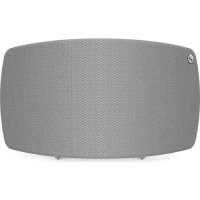
Jongo T6X - Hi-fi system PURE - Free user manual and instructions
Find the device manual for free Jongo T6X PURE in PDF.



| Product Type | Multiroom wireless hi-fi system |
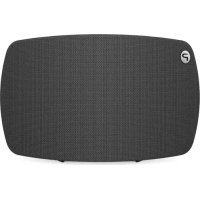
| Brand and Model | Pure Jongo T6X |
| Dimensions (W x D x H) | 370 mm x 175 mm x 190 mm |
| Weight | 4.3 kg |
| Power Supply | 110-240 V, 50/60 Hz (internal transformer) |
| Network Connectivity | Wi-Fi 802.11 b/g (WEP/WPA/WPA2), Ethernet 10/100 Mbps (via optional adapter), Bluetooth A2DP |
| Audio Inputs | 3.5 mm auxiliary mini-jack input, USB port (software update) |
| Speakers | 2 full-range 5-inch (127 mm) neodymium magnet speakers |
| Output Power | 2 x 50 W RMS |
| Supported Audio Formats | WMA V9, AAC, MP3, MP2 |
| Main Functions | Multiroom Wi-Fi streaming via Pure Connect app, Caskeid Bluetooth broadcasting, playback from music services (Spotify, Pandora), auto standby, OTA software update |
| Controls | On/Off, volume +/-, mute, Wi-Fi configuration |
| Safety | Double electrical insulation (Class II), protection against rain and moisture, mains disconnection as disconnect device |
| Maintenance and Cleaning | Clean with a dry cloth only; do not block ventilation openings |
| Repairability | No user-serviceable parts; contact a qualified technician for any service |
| Warranty | 3 years (material and workmanship defects) |
| General Information | CE, C-Tick (Australia) certifications; trademarks: Pure, Jongo, Caskeid; manufactured by Imagination Technologies Limited |
Frequently Asked Questions - Jongo T6X PURE
User questions about Jongo T6X PURE
0 question about this device. Answer the ones you know or ask your own.
Ask a new question about this device
Download the instructions for your Hi-fi system in PDF format for free! Find your manual Jongo T6X - PURE and take your electronic device back in hand. On this page are published all the documents necessary for the use of your device. Jongo T6X by PURE.
USER MANUAL Jongo T6X PURE
Quick start guideQuick s
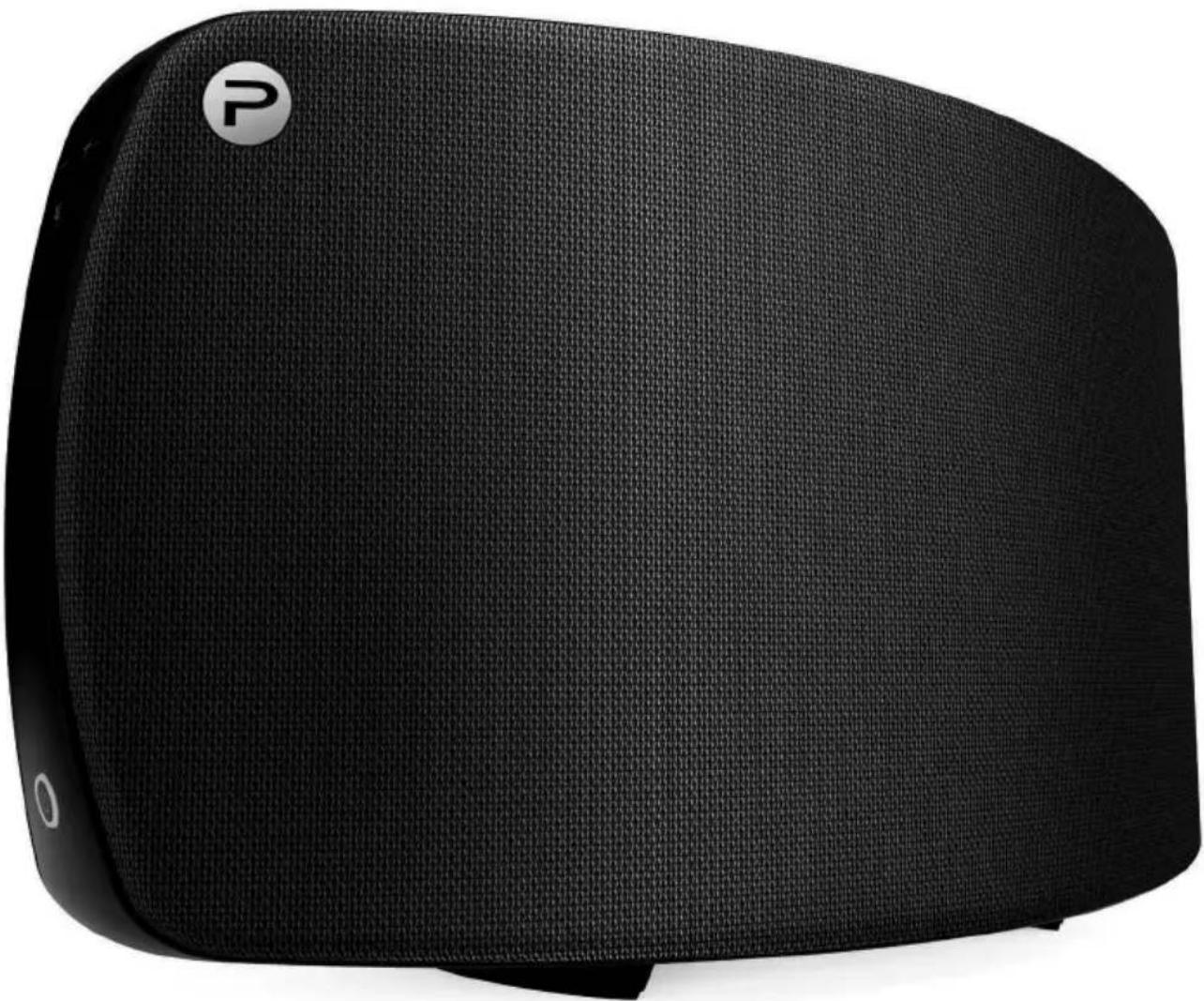
Jongo
T6/T6X
Thank you for choosing Jongo T6/T6X. This quick start guide will get you up and running in no time. If you need more help setting up your Jongo, you can access our online help in the Pure Connect app or watch our Jongo setup video at:
www.pure.com/jongo-setup-video
ENGLISH
Jongo T6/T6X safety instructions
- Read these instructions.
- Keep these instructions.
- Heed all warnings.
- Follow all instructions.
- Do not use this apparatus near water.
- Clean only with dry cloth.
- Do not block any ventilation openings. Install in accordance with the manufacturer's instructions.
- Do not install near any heat sources such as radiators, heat registers, stoves, or other apparatus (including amplifiers) that produce heat.
- Do not defeat the safety purpose of the polarized or grounding-type plug. A polarized plug has two blades with one wider than the other. A grounding type plug has two blades and a third grounding prong. The wide blade or the third prong are provided for your safety. If the provided plug does not fit into your outlet, consult an electrician for replacement of the obsolete outlet.
- Protect the power cord from being walked on or pinched particularly at plugs, convenience receptacles, and the point where they exit from the apparatus.
- Only use attachments/accessories specified by the manufacturer.
- Unplug this apparatus during lightning storms or when unused for long periods of time.
- Refer all servicing to qualified service personnel. Servicing is required when the apparatus has been damaged in any way, such as power-supply cord or plug is damaged, liquid has been spilled or objects have fallen into the apparatus, the apparatus has been exposed to rain or moisture, does not operate normally, or has been dropped.
- WARNING: To reduce the risk of fire or electric shock, do not expose this apparatus to rain or moisture. The apparatus shall not be exposed to dripping or splashing and objects filled with liquids, such as vases, shall not be placed on the apparatus.
- WARNING: To reduce the risk of electric shock, do not remove plastic casing or screws as there are no user-serviceable parts inside.
- WARNING: Please refer to the information on the bottom exterior of the enclosure for electrical and safety information before installing or operating the apparatus. If you are installing Jongo with the removable stand in portrait mode, this information can be located behind the trim panel.
- WARNING: The mains plug or appliance coupler is used as disconnect device, the disconnect device shall remain readily operable.
- When plugged in, the apparatus remains connected to mains power.
- To disconnect completely, unplug from the mains socket.
- Ensure that the mains plug is readily accessible in case isolation from the mains is required.
- This equipment is a Class II or double insulated electrical appliance. It has been designed in such a way that it does not require a safety connection to electrical earth.
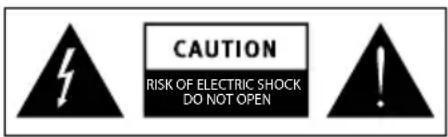
- This lightning flash with arrowhead symbol within an equilateral triangle is intended to alert the user to the presence of non-insulated "dangerous voltage" within the product's enclosure that may be of sufficient magnitude to constitute a risk of electric shock.
- The exclamation point within an equilateral triangle is intended to alert the user to the presence of important operating and maintenance instructions in the literature accompanying the appliance.
Connecting Jongo to Wi-Fi

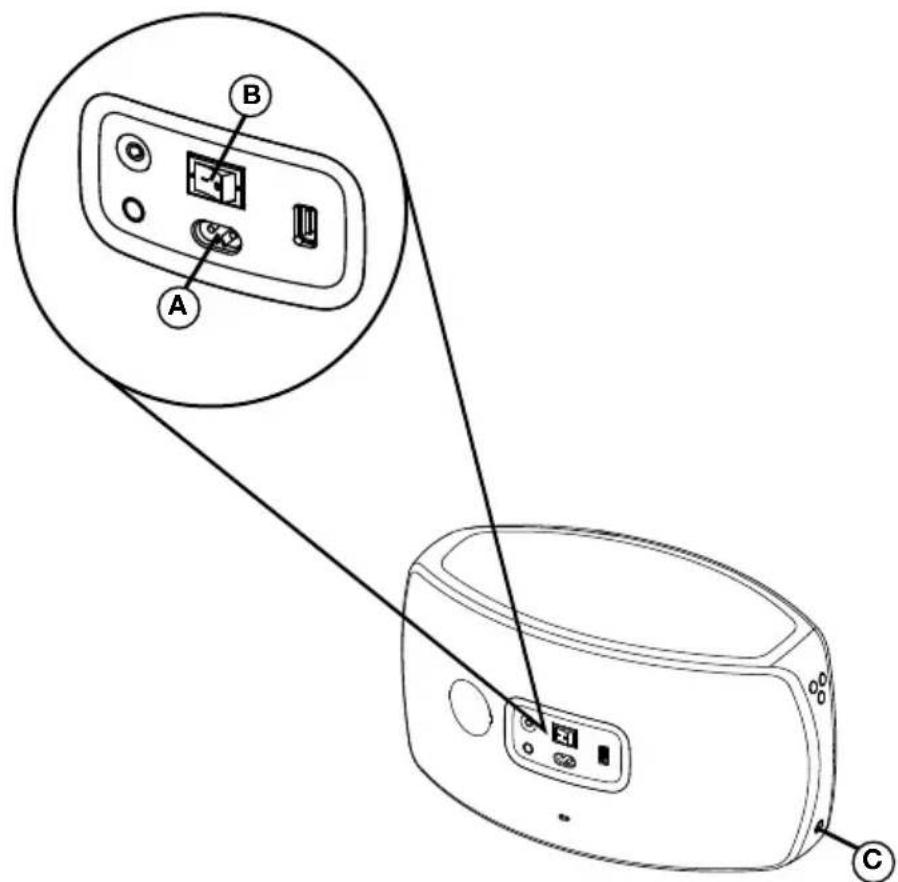
(1) Power up Jongo
A. Insert the connector of the supplied mains lead into Jongo.
B. Turn on the power switch.
C. Switch Jongo on.
Download the Pure Connect app
Search for the Pure Connect app on the Apple App Store or Google Play from your phone or tablet.
If you already have the Pure Connect app, check on the Apple App Store or Google Play to see that you have the latest version and then skip to the next page.
Don't have an Android or iOS device?
To find out how to play music to your Jongo from another device, e.g. a Blackberry, Windows Phone or PC, visit our support site at:
support.pure.com
Open the Pure Connect app and sign in
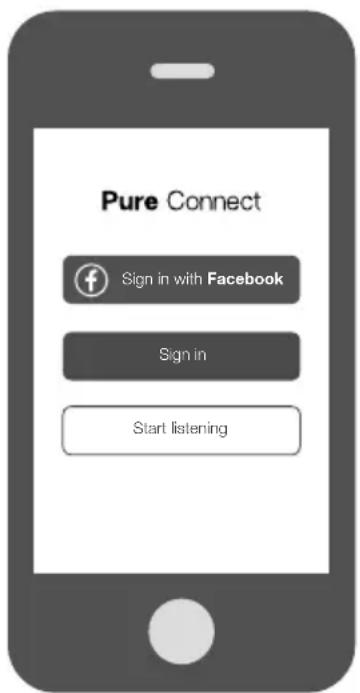
To make the most of your Jongo you really need to create a free Pure Connect account. You can create a Pure Connect account using your Facebook account or your e-mail address*.
Connect Jongo to your Wi-Fi
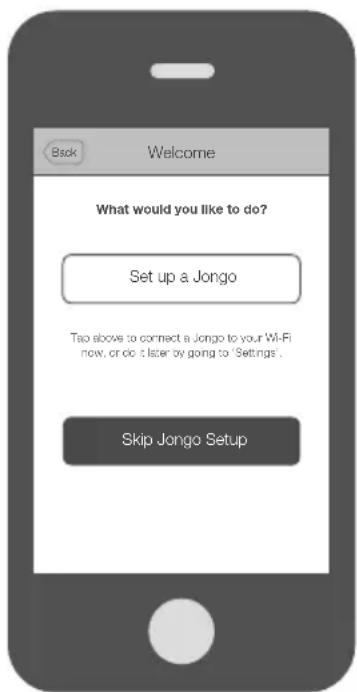
The first time you sign in to the app, you will see an option to connect Jongo to your Wi-Fi. Simply tap Set up a Jongo and follow the prompts on screen to connect Jongo to your Wi-Fi.
Adding another Jongo to your Wi-Fi
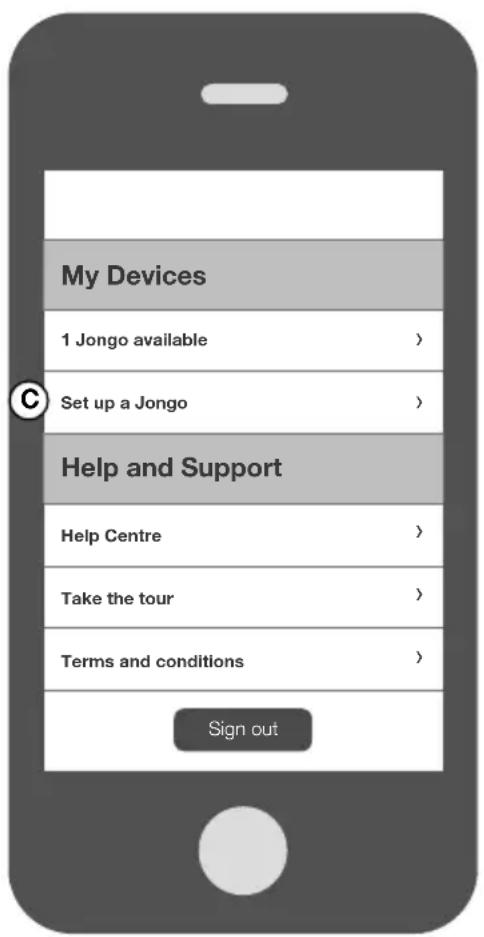
If you have already connected a Jongo to your Wi-Fi, follow the steps below to add another Jongo to your Wi-Fi.
A. Open the Pure Connect app and sign in.
B. Open the Settings menu.
C. Tap Set up a Jongo and follow the prompts on screen.
Playing music from the Pure Connect app

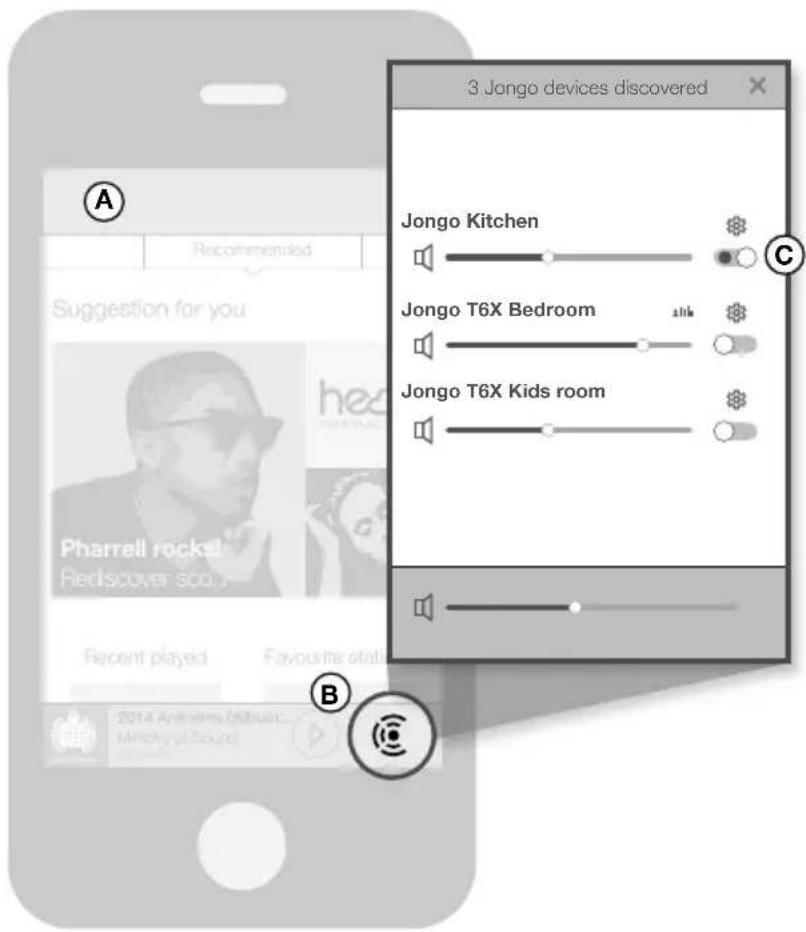
You can use the Pure Connect app to play music using Wi-Fi and manage various settings, including the volume, stereo pairing and software updates.
A. Open the Pure Connect app.
B. Tap in the player bar to view a list of available speakers.
C. Switch on the speakers that you want to stream to.
D. Select the music that you want to play.
Playing music from other apps
If your speakers are connected to Wi-Fi, you can use Bluetooth Caskeid to stream content from other music services, such as Spotify and Pandora, to all of your speakers.
A. Open the Pure Connect app.
B. Tap in the player bar to view a list of available speakers on your network.
C. Tap next to the speaker that you want to stream to
D. Switch Bluetooth Caskeid on and return to the previous screen.
E. Repeat steps B to D for each speaker that you want to play music on.
F. Enable the Bluetooth option on your mobile device and search for Bluetooth devices.
G. Pair to one of your speakers. If your device requires a key, enter '0000'.
H. Open the music streaming service that you want to listen to and play a track.

Don't have an Android or iOS device?
To find out how to play music to your Jongo from another device, e.g. a Blackberry, Windows Phone or PC, visit our support site at:
support.pure.com
Troubleshooting
EN
Why does the power light on my Jongo change colour?
The power light on the front of Jongo is used to tell you about Jongo's status. The list below explains some of the common colours that you may see when setting up and using your Jongo.
Green (steady): Jongo is ready to play your music or is already playing a track.
Green (pulsing): Jongo is in Wi-Fi setup mode (you'll see this when powering up your Jongo for the first time) or Jongo is busy. The power light will turn steady green when Jongo is ready to play your music.
Amber (steady): Jongo is in sleep mode. Jongo will automatically wake up and play your music when you try to stream a track from your smartphone or tablet.
Red (flashing): Jongo cannot connect to your Wi-Fi. Check that you are within range of your Wi-Fi network and that you have entered the correct password (matching any upper and lower case letters) and run Jongo Setup again. To get more help with setting up your Wi-Fi, visit our support site at support.pure.com.
Why did Jongo Setup not work?
If there was a problem during Jongo Setup, the Pure Connect app will display an error message to help you troubleshoot the problem.
No Wi-Fi detected
This message will appear if your mobile device is not connected to a Wi-Fi network. Check the Wi-Fi settings on your mobile device to see if you are connected to a Wi-Fi network and then tap Try again.
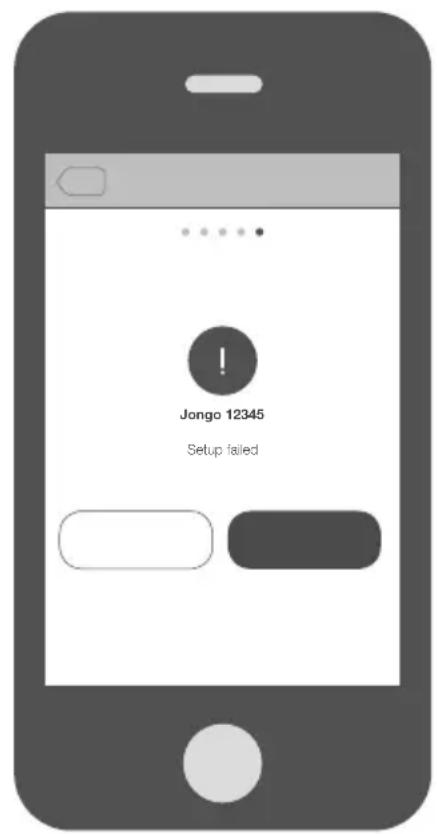
Setup failed
This message will appear if there was a problem during Jongo setup. One common reason for this message to be displayed is an incorrect Wi-Fi password. Tap Try again to try setting up your Jongo again.

Need more help?
If you need more help setting up your Jongo, you can visit our support site at: support.pure.com
Technical specifications
EN
Model number T6/T6X
Speakers 2 full-range 5^ drive units
Audio output 2 × 50W RMS
Input connectors 3.5mm line-in for auxiliary devices. USB for product updates, USB A for product upgrades and Ethernet connectivity (optional adapter available)
Controls Power, Vol+, Vol-, Mute, Wi-Fi setup
Network Wi-Fi: 802.11b and 802.11g supported with WEP and WPA/WPA2
Ethernet (requires optional adapter): 10/100 Mbps
Bluetooth: A2DP supported
Codec support Includes WMA (Standard V9), AAC, MP3, MP2
Mains power supply 100-240V, 50/60Hz, internal power adapter
Dimensions 370 mm wide x 175 mm deep x 190 mm high
Weight 4.3kg
Approvals
CE marked. Hereby, Pure, declares that this Band II LPD device is in compliance with the essential requirements and other relevant provisions of Directive 1999/5/EC. The Declaration of Conformity may be consulted at: http://www.pure.com/R&TTE-DoC
Australian C-Tick N1600 and Electrical Safety
Warranty information
Imagination Technologies Limited warrants to the end user that this product will be free from defects in materials and workmanship in the course of normal use for a period of three years from the date of purchase. This guarantee covers breakdowns due to manufacturing or design faults; it does not apply in cases such as accidental damage, however caused, wear and tear, negligence, adjustment, modification or repair not authorised by us. Should you have a problem with your unit please contact your supplier or contact Pure Support at http://support.pure.com.
Disclaimer
Imagination Technologies Limited makes no representation or warranties with respect to the content of this document and specifically disclaims any implied warranties of merchantability or fitness for any particular purpose. Further, Imagination Technologies Limited reserves the right to revise this publication and to make changes in it from time to time without obligation of Imagination Technologies Limited to notify any person or organization of such revisions or changes.
Trademarks
Jongo, Pure, the Pure logo, Imagination Technologies, and the Imagination Technologies logo are trademarks or registered trademarks of Imagination Technologies Limited.
Caskeid is a superior synchronization technology, providing clear multi-speaker wireless audio.
Caskeid and the Caskeid logo are trademarks or registered trademarks of Imagination Technologies.
Copyright
Copyright © 2014 Imagination Technologies Limited. All rights reserved. No part of this publication may be copied or distributed, transmitted, transcribed, stored in a retrieval system, or translated into any human or computer language, in any form or by any means, electronic, mechanical, magnetic, manual or otherwise, or disclosed to third parties without the express written permission of Imagination Technologies Limited. Version 2 September 2014.
Disposal of Waste Electrical & Electronic Equipment
This symbol on the product or on its packaging indicates that this product should not be treated as household waste. Instead it should be handed over to a suitable collection point for the recycling of electrical and electronic equipment. By ensuring this product is disposed of correctly, you will help prevent potential negative consequences for the environment and human health, which could otherwise be caused by inappropriate waste handling of this product. The recycling of materials will help to conserve natural resources. For more detailed information about recycling of this product, please contact your local council office, your household waste disposal service or the shop where you purchased the product.
Jongo
T6/T6X
Australian C-Tick N1600 and Electrical Safety
Garantiererklarung
Australian C-Tick N1600 ed Electrical Safety

Network (Network) Wi-Fi: 802.11b and 802.11g supported with WEP and WPA/WPA2
Ethernet (vereist optionele adapter): 10/100 Mbps
Bluetooth: A2DP ondersteund
Australian C-Tick N1600 and Electrical Safety
Garantie-informatie
Imagination Technologies Limited
Home Park Estate
Kings Langley
Herts,WD4 8LZ
United Kingdom
www.pure.com
http://support.pure.com
Pure


- Jongo
- Jongo T6/T6X safety instructions
- Connecting Jongo to Wi-Fi
- Power up Jongo
- Download the Pure Connect app
- Don't have an Android or iOS device?
- Open the Pure Connect app and sign in
- Connect Jongo to your Wi-Fi
- Adding another Jongo to your Wi-Fi
- Playing music from the Pure Connect app
- Playing music from other apps
- Troubleshooting
- Why does the power light on my Jongo change colour?
- Why did Jongo Setup not work?
- No Wi-Fi detected
- Setup failed
- Need more help?
- Technical specifications
- Warranty information
- Disclaimer
- Trademarks
- Copyright
- Disposal of Waste Electrical & Electronic Equipment
- Garantiererklarung
- Garantie-informatie
- Pure
Brand : PURE
Model : Jongo T6X
Category : Hi-fi system