
Meccanoid G15 - Toys Spin Master - Free user manual and instructions
Find the device manual for free Meccanoid G15 Spin Master in PDF.


| Product Type | Programmable construction robot |
| Brand | Spin Master |
| Model | Meccanoid G15 |
| Category | Toys |
| Recommended Age | 8 years and up (adult supervision recommended) |
| Number of Pieces | 600 pieces |
| Electronic Components | 1 MeccaBrain™, 1 LED module, 4 servo motors, 2 motor and gear assemblies, USB cable |
| Power Source | 4 C 1.5V alkaline batteries (not included) |
| Estimated Battery Life | Varies based on usage (alkaline batteries recommended) |
| Dimensions (H x W x D) | Approximately 40 x 20 x 20 cm |
| Weight | Approximately 1.5 kg |
| Materials | Plastic, electronic components, metal (some parts) |
| Main Features | Voice commands, Learned Intelligent Movement (L.I.M.™), programming via mobile app, robot and drone modes |
| Voice Commands | Voice recognition for over 20 commands, including "Introduce yourself", "Tell me a joke", "High five", "Walk with me" |
| Connectivity | Bluetooth® for communication with the mobile app |
| Mobile App | Free app available for iOS and Android (check compatibility at www.meccano.com) |
| Motion Recording | L.I.M.™ (Learned Intelligent Movement) system to create and store animations |
| Game Modes | Robot mode (default) and drone mode (for other models) |
| Safety | Not suitable for children under 3 years (choking hazard from cables). Use on the floor, at least 30 cm from the product. Adult supervision required. |
| Maintenance and Cleaning | Clean with a soft cloth. Do not immerse in water. Keep sensors clean. |
| Box Contents | 600 pieces, 1 MeccaBrain™, 1 LED module, 2 tools, 4 servo motors, 2 rear wheel assemblies, 2 motor and gear assemblies, 1 USB cable |
| Warranty | Compliant with Directive 1999/5/EC. Declaration of conformity available on request. |
Frequently Asked Questions - Meccanoid G15 Spin Master
User questions about Meccanoid G15 Spin Master
0 question about this device. Answer the ones you know or ask your own.
Ask a new question about this device
Download the instructions for your Toys in PDF format for free! Find your manual Meccanoid G15 - Spin Master and take your electronic device back in hand. On this page are published all the documents necessary for the use of your device. Meccanoid G15 by Spin Master.
USER MANUAL Meccanoid G15 Spin Master
Years/Ans/Anos
Jahre/Jahr/Anni
Anos/Jlet
MECCAN
FCC Statement: This device complies with Part 15 of the FCC rules. Operation is subject to the following two conditions: (1) This device may not cause harmful interference, and (2) This device must accept any interference received, including interference that may cause undesired operation. This equipment has been tested and found to comply with the limits for Class B digital devices, pursuant to Part 15 of the FCC rules. These limits are designed to provide reasonable protection against harmful interference to radio communications. This equipment generates, uses and can radiate radio frequency energy and, if not installed and used in accordance with the instruction, may cause harmful interference to radio communication. However, there is no guarantee that interference will not occur in a particular installation. If this toy does cause interference to radio or television reception (you can check this by turning the toy off and on while listening for the interference), one or more of the following measures may be useful: Reorient or relocate the receiving antenna • Increase the separation between the toy and the radio or the TV • Consult the dealer or an experienced TV-radio technician for help. Shielded cables must be used with this unit to ensure compliance with the Class B FCC limits. Shielded cables must be used with this unit to ensure compliance with the Class B FCC limits. NOTE: Changes, adjustments or modifications to this unit, including but not limited to, replacement of any transmitter component (crystal, semiconductor, etc) could result in a violation of FCC rules under part 15 and/or 95 and must be expressly approved by Spin Master Ltd or they could void the user's authority to operate the equipment.
CANADIAN Class B statement: This device complies with Industry Canada Licence-exempt RSS-210. Operation is subject to the following two conditions: (1) this device may not cause interference, and (2) this device must accept any interference, including interference that may cause undesired operation of the device.
The product may have unexpected movement. User and third body should stay at least 30 cm away from the product to avoid unexpected impact. The toy is only to be connected to Class II equipment bearing the symbol: CAUTION Cut Hazard: Product has functional sharp points. Contact may result in injury. Always keep points away from fingers and body. Handle with care. Use with adult supervision. All the wires should be well attached in the provided wire clip #M044 to avoid hazards caused by loose wire. Extra wire clips are provided in the package. Do not put the phone into the phone tray except in motion capture mode. Activate the product only when the area is appropriate for the intended use (free area, no obstacles). The product is intended to be played on floor.
INFORMATIONS DESTINÉES AU CONSOMMATEUR 41-44
- MONTAJE · ZUSAMMENBAU · MONTAGE · MONTAGGIO · MONTAGEM · CBOPKA 5-29
1.1 MONTATU ROBOT · BAUE DEINEN ROBOTER ZUSAMMEN · BOUW JE EIGEN ROBOT · COSTRUISCI IL TUO ROBOT · MONTE SEU ROB · C60PKA PO80TA 7-29 - CONECTALO·VERBINDEN UND ANSCHLIESSEN·AANSLUITEN·COLLEGAMENTI·CONECTE·ПОДКЛЮЧЕМЕ И YCTAHOBKA 30
2.1 CONECTALO Y DESCARGA TU IDIOMA - ANSCHLIESSEN UND DEINE SPRACHE HERUNTERLADEN - SLUIT AAN EN DOWNLOAD JE TAAL - COLLEGA E SCARICA LA TUA LINGUA - CONECTE E BAIXE SEU IDIOMA ПОДКЛIOЧЕМЕ И 3АРУЗKAязILAKA...... 30
2.2 CONECTA LOS COMPONENTES ELECTRONICOS - ELEKTRONISCHE TEILE VERBINDEN - SLUIT DE ELEKTRONICA AAN - COLLEGAI COMPONENTE ELETRONICI - CONECTE OS ELETRONICOS PódkloucheHME 3JIeKTPOHHbIX KOMTOHETOB - CMO JUGAR - SPILEN - SPELEN - GIOCO - COMO JOGAR - BOCTIPOM3BDEHEIA - Pundes consultat las instruitions en tu idama en www.mecano.com - Eine Bedierungsaufteilung in cieher Sprache findest du unter www.mecano.com - Ga vender mel instructioes in je eigien tao
op www.mecano.com - Continues con le instruction neta la lingua su webmecano.com - Continues a ter as instupiones em seu idioma assando com mecano.com - Hainm eprpuyn s na quanra nanae moepn ma caire w mecano.com
3.1 VAMOS A JUGAR · SO WIRD GESPIELT · LATEN WE SPELEN · COMINCIAMO · VAMOS BRINCAR · DABAI TIOHTPAEM .Puedes consultar las inductrincas en lo idioma en www.mocano.com · Eine Bedirnungsarteilung in deiner Sprache findsd du under www.mocano.com Verder met Instruetos Ine igres taed op www.mocano.com Continua con to intrudir nola la lingua su www.mocano.com Continua afer as Instruetos em sol idoma accorsando www.mocano.com Haimin hctypuska ha eauem Asoune moho Ka Caihe www.mocano.com
3.2 TAFIRJETA DE COMANDO - BEFEHLSKRKT DE COMANDI - CARTAO DE COMANDO - KAPTONOMA - 3.2 TAFIRJETA DE COMANDO - BEFEHLSKRKT DE COMANDI - CARTAO DE COMANDO - KAPTONOMA - 3.2 TAFIRJETA DE COMANDO - BEFEHLSKRKT DE COMANDI - CARTAO DE COMANDO - KAPTONOMA - 3.2 TAFIRJETA DE COMANDO - BEFEHLSKRKT DE COMANDI- CARTAO DE COMANDO - KAPTONOMA - 3.2 TAFIRJETA DE COMANDO - BEFEHLSKRKT DE COMANDI - CARTAO DE COMANDO - KAPTONOMA - 3.2 TAFIRJETA DE COMANDO - BEFEHLSKRKT DE COMANDI - CARTAO DE COMANDO - KAPTONOMA - 3.2 TAFIRJETA DECOMANDO -BEFEHLSKRKT DECOMANDO- CARTAO DECOMANDO- KAPTONOMA- 3.2 TAFIRJETA DECOMANDO- BEFEHLSKRKT DECOMANDO- CARTAO DECOMANDO- KAPTONOMA- 3.2 TAFIRJETA DECOMANDO- BEFEHLSKRKT DECOMANDO- CARTAO DECOMANDO- KAPTONOMA- 3.2 TAFIRJETA DECOMANDO- BEFEHLSKRKT DECOMANDO- CARTAO DECOMANDO- KAPTONOMA-3.2 TAFIRJETA DECOMANDO- BEFEHLSKRKT DECOMANDO- CARTAO DECOMANDO- KAPTONOMA- 3.2 TAFIRJETA DECOMANDO- BEFEHLSKRKT DECOMANDO- CARTAO DECOMANDO- KAPTONOMA- 3.2 TAFIRJETA DECOMANDO- BEFEHLSKRKT DECOMANDO - CARTAO DECOMANDO- KAPTONOMA- 3.2 TAFIRJETA DECOMANDO- BEFEHLSKRKT DECOMANDO- CARTAO DECOMANDO- KAPTONOMA- 3.2 TAFIRJETA DECOMANDO- BEFEHLSKRKT DECOMANDO- CARTAO DECOMANDO- KAPTONOMA- 3.2 TAFIRJETA DE COMDANT0 - BEFEHLSKRKT DECOMANDO - CARTAO DECOMANDO - KAPTONOMA- 3.2 TAFIRJETA DECOMANDO - BEFEHLSKRKT DECOMANDO - CARTAO DECOMANDO - KAPTONOMA- 3.2 TAFIRJETA DECOMANDO - BEFEHLSKRKT DECOMANDO - CARTAO DECOMANDO - KAPTONOMA- 3.2 TAFIRJETA DECOMANDO - BEFEHLSKRKT DECOMANDO - CARTAO DECOMANDO - KAPTONOM A
3.3 COMANDOS DE VOZ·SPRACHBEFEHLE·SPRAAKOPDRACHTEN·COMANDI VOCALI·COMANDOS DE VOZ·FONOCBIE KOMAHDbI Puedes corutiras Instruetiona on to Idkma en www.mocano.com -Eie Bedienungnertling in der Spate findset du unter www.mocano.com 已 Vordor not instructioes in jc elon nae agww.mocano.com · Continues con le letrzional nla hinau wWmocano.com · Continua a krt as instiupcoen en cou lkmia oscaandro WwMocano.com · Hatai nncpnspaqna ha saaeu nne paoe nae eae
3.4 PROGRAMAR CON APLICACION - UBER DIE APP PROGRAMMIEREN - PROGRAMMERBAAR VIA APP - PROGRAMMA CON L'APP - PROGRAMME COM O APPLICATIVO POTPAMMOPOBAHOMI NOPIJIOXEKHA. Fusca cemarlas la inscricce en tioe enveoecocn o de holo Serechion ou unter www.mccano.com - da vender met Instruetos in e agen Tal op www.mccano.com - Continues con l instrucoi cem ou tioe enveoecocn o de holo Serechion ou unter www.mccano.com - Haidin shtpctcnpa Hs aesrssse 00000 Hs Caiyotw www.mccano.com
INFORMATION PARA EL CONSUMIDOR · VERBRAUCHERHINWEISE
INFORMATIE VOOR GEBRUIKERS · INFORMAZIONI PER I CONSUMATORI · INFORMACOES PARA O CONSUMIDOR · INHOPMATICN Dlra IOTPBNTEJIeI 41-44
1
ASSEMBLY·ASSEMBLAGE·MONTAJE·ZUSAMMENBAU·MONTAGE·MONTAGGIO·MONTAGEM·CBOPKA
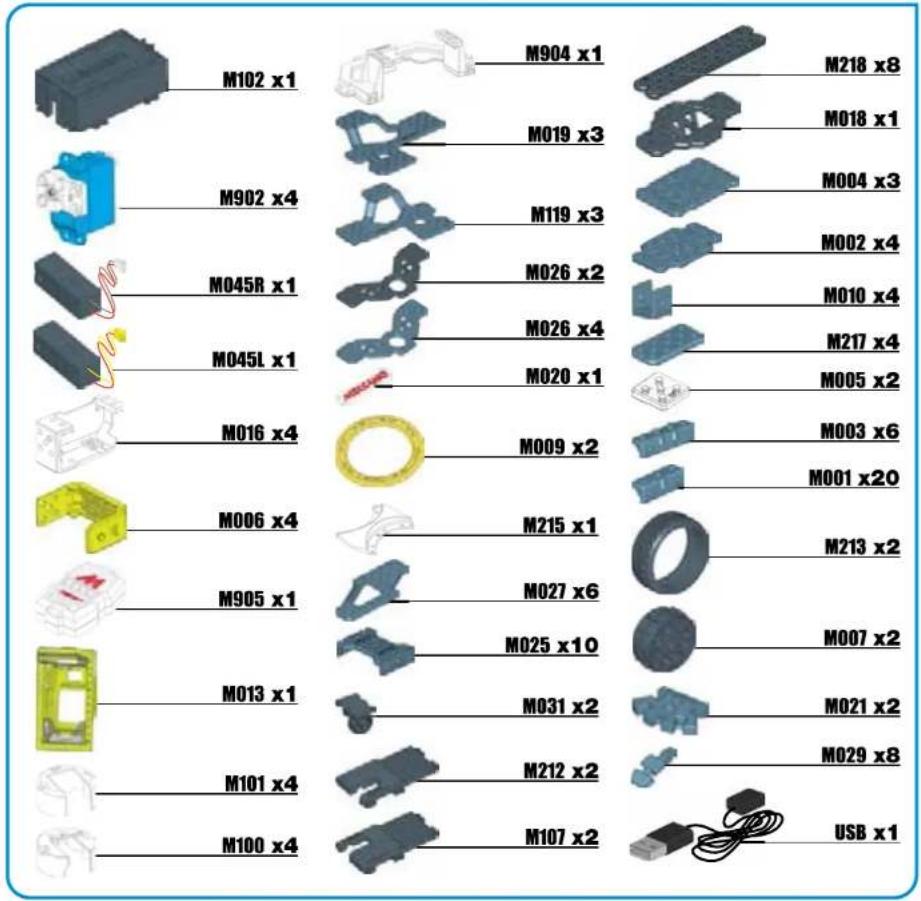
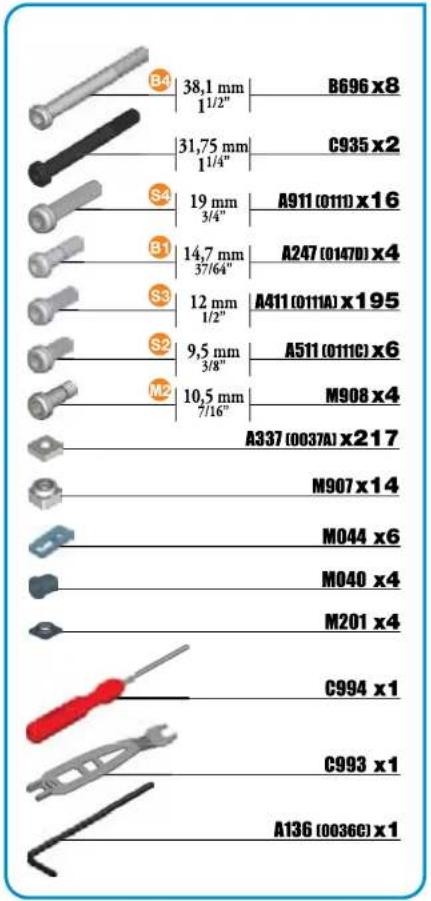
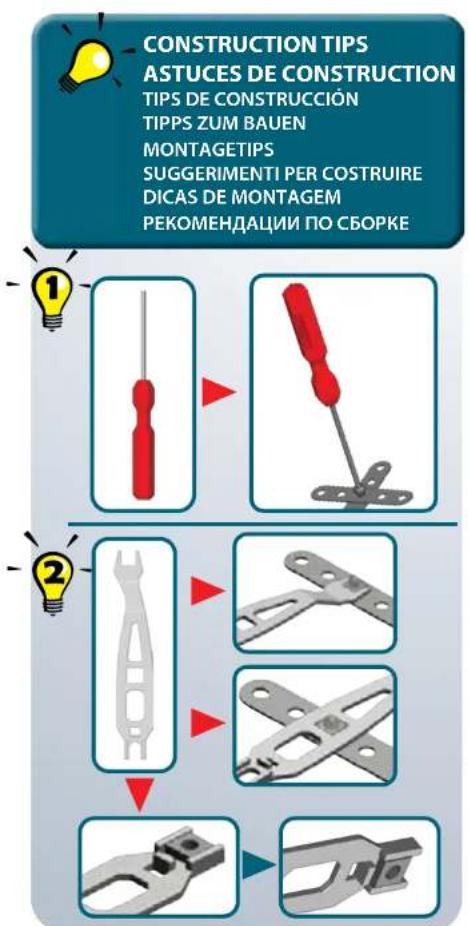
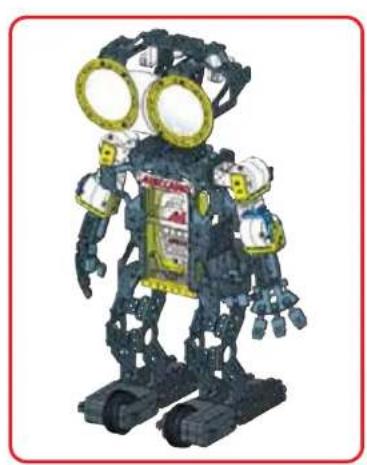
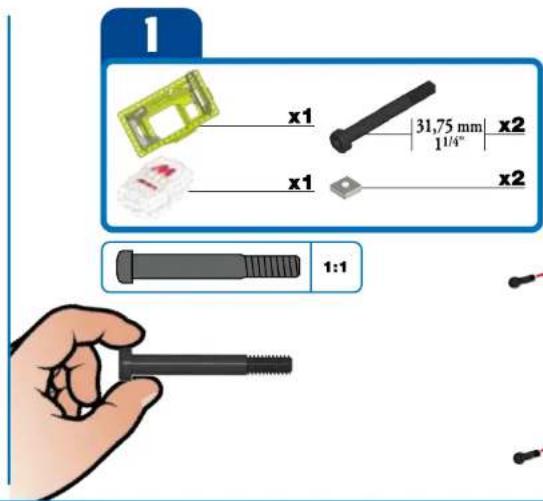
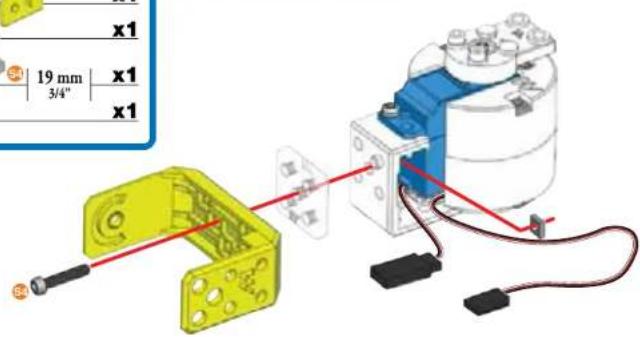
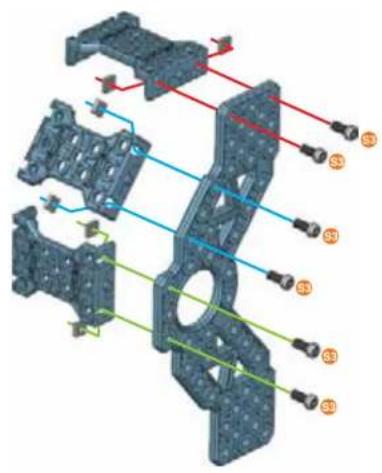
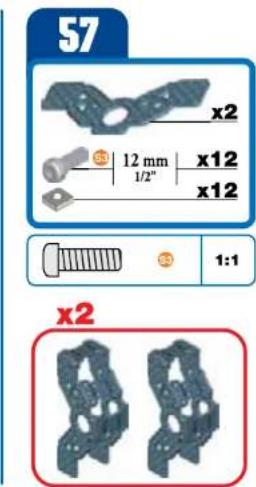
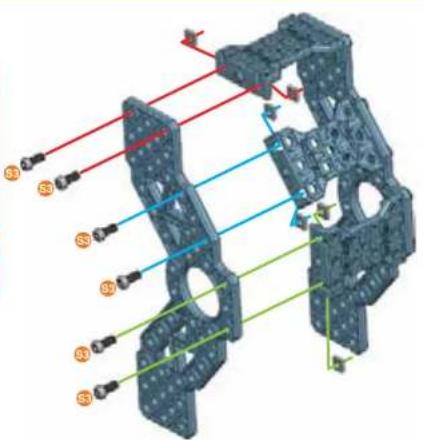
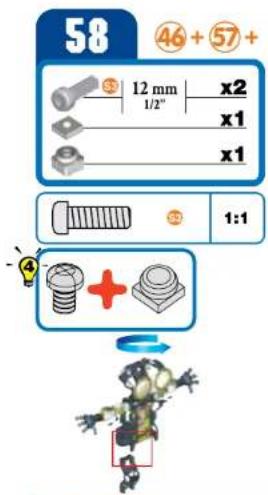
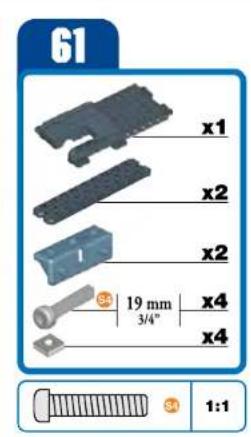
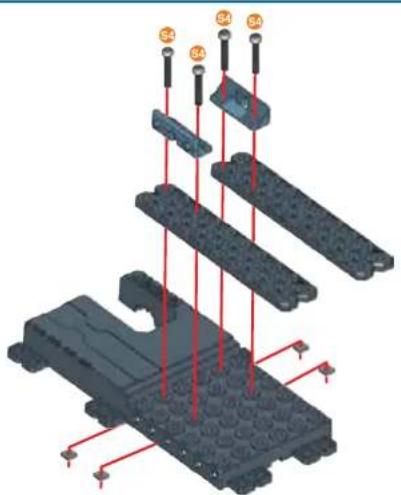
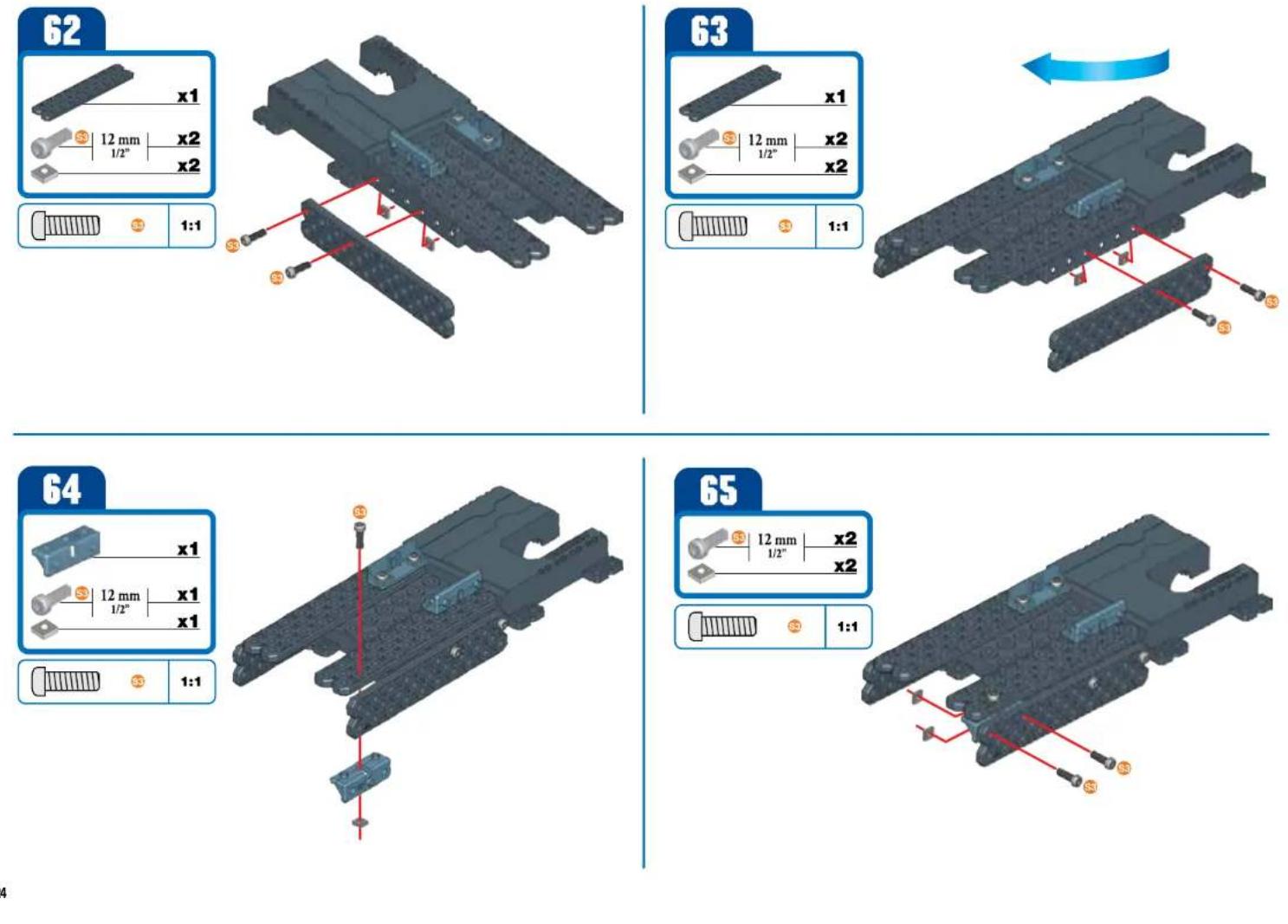
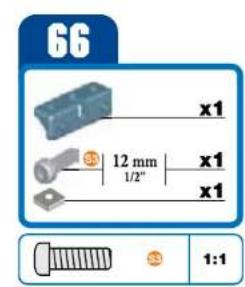
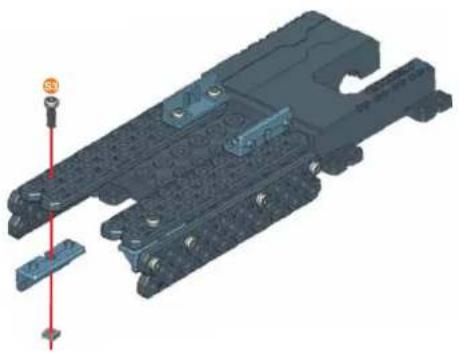
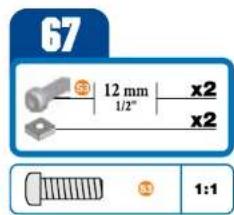
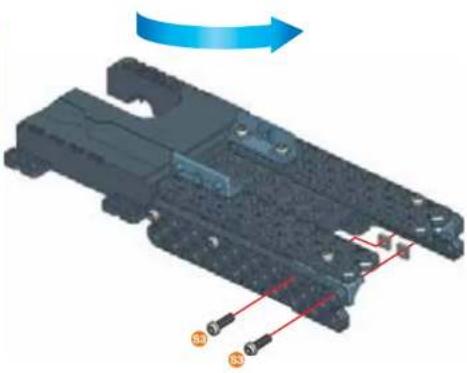
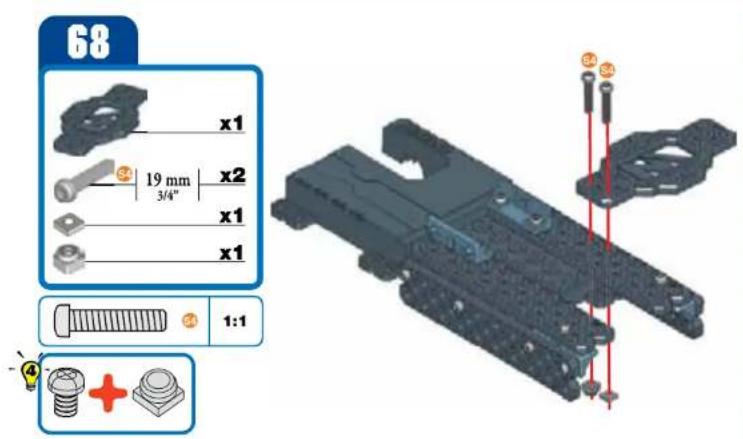
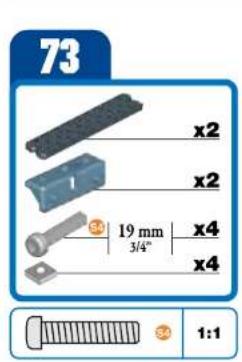
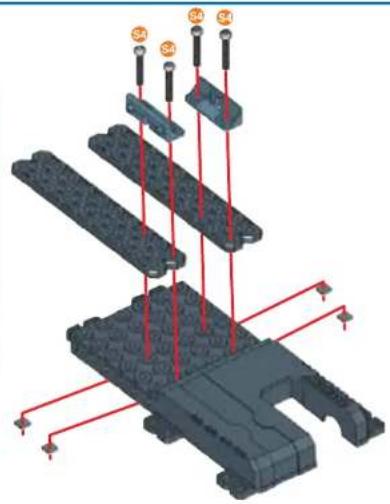
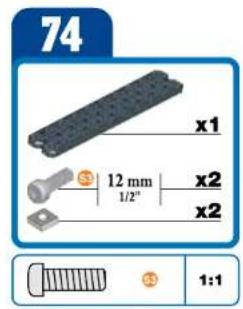
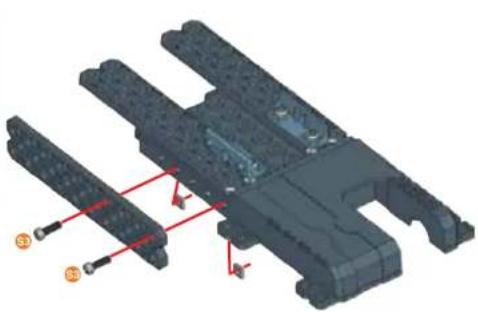
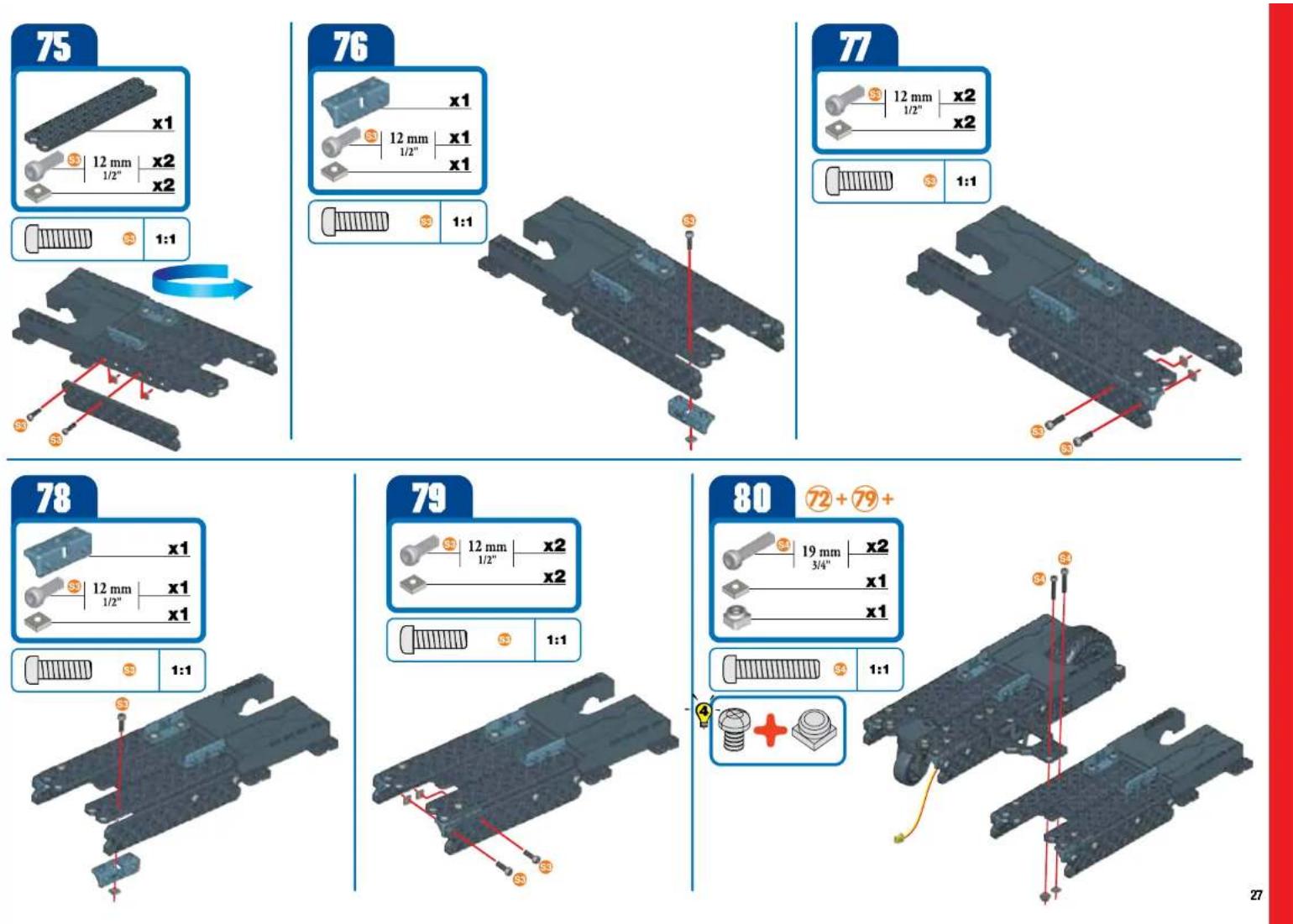
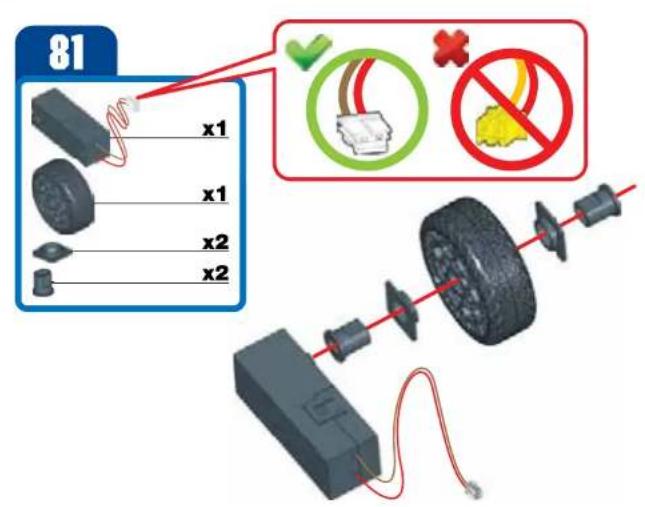
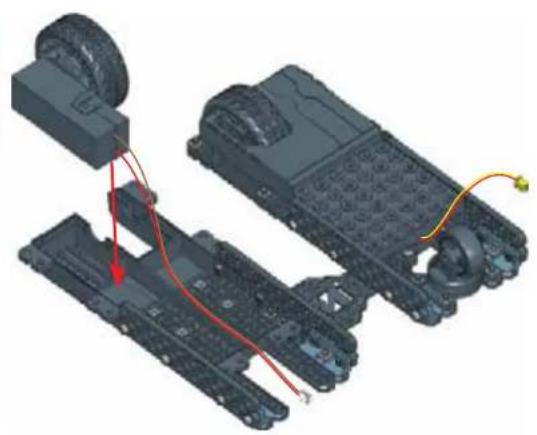
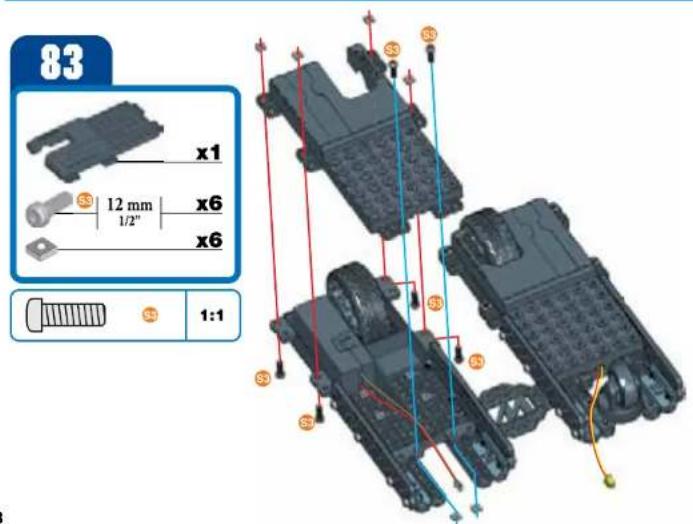
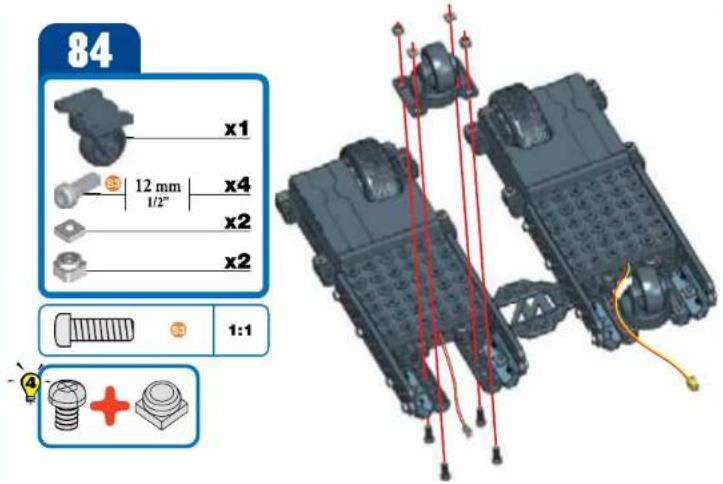
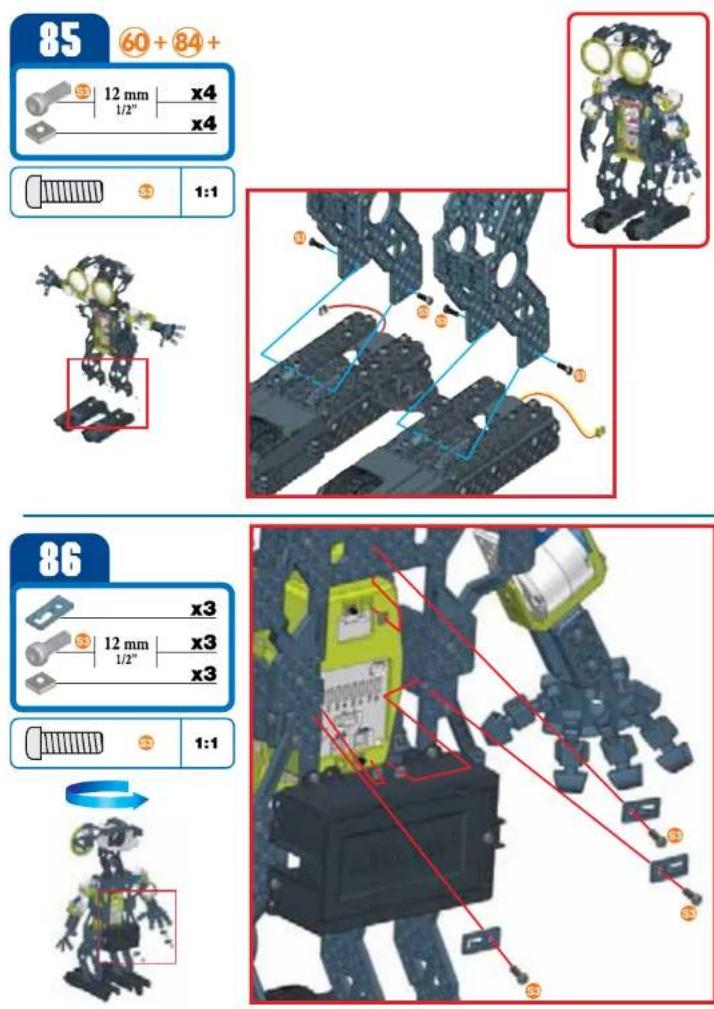
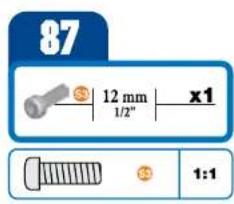
1.1 BUILD YOUR ROBOT - CONSTRUYE DU ROBOT - MONTA TU ROBOT - BAUE DEINEN ROBOTER ZUSAMMEN - BOUW JE EIGEN ROBOT - COSTRIUSCI IL Tuo ROBOT - MONTE SEU ROBÖ - CBOPKA POBOT
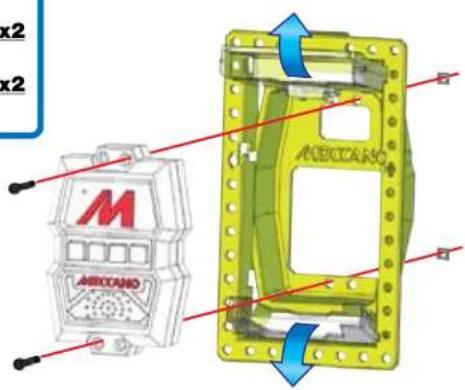
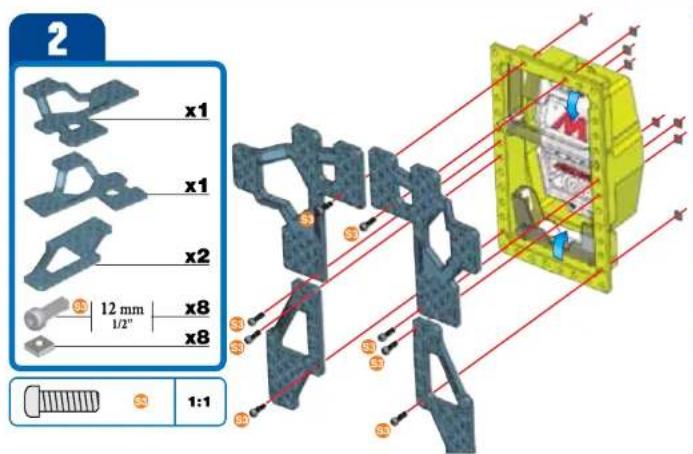
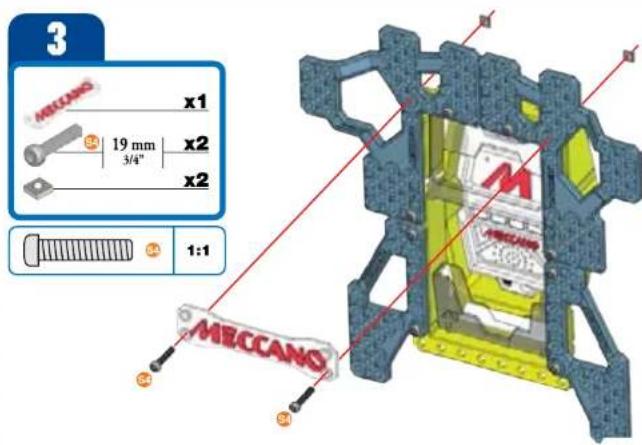
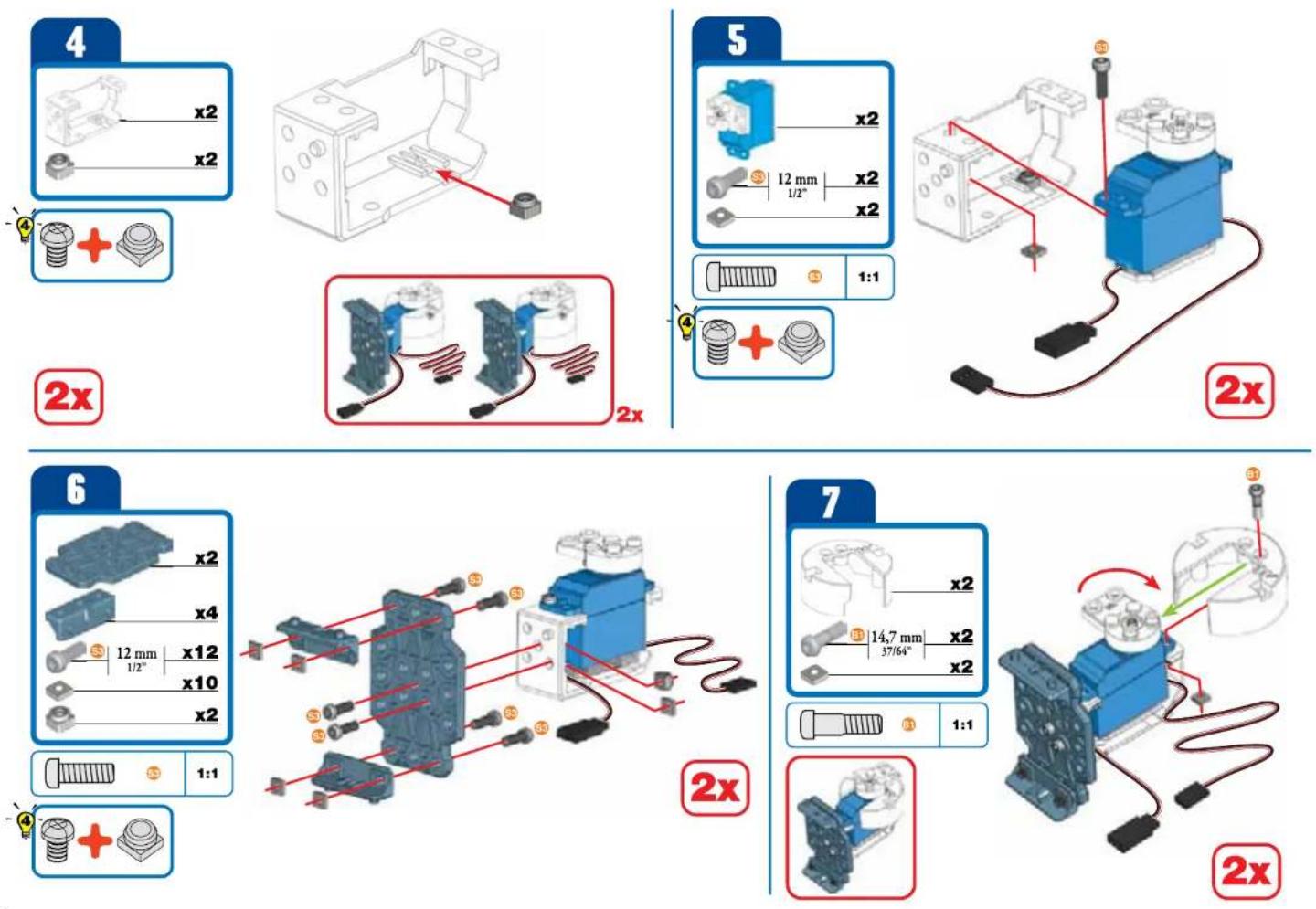
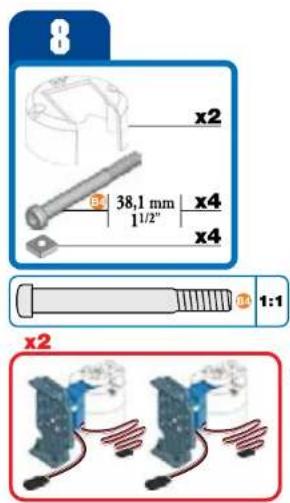
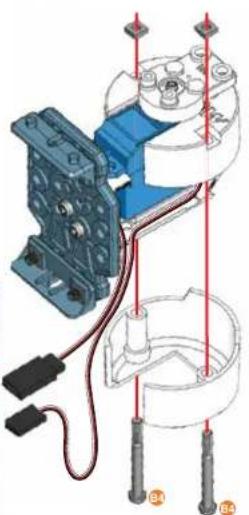
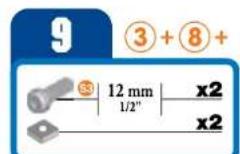
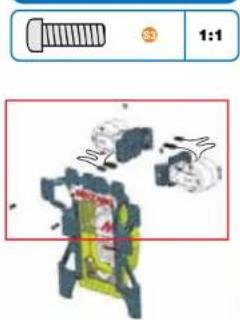
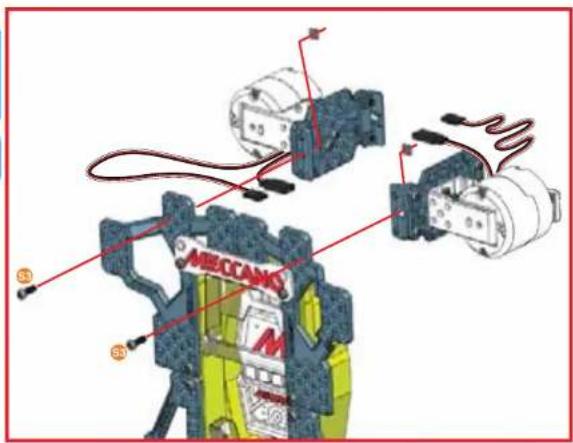
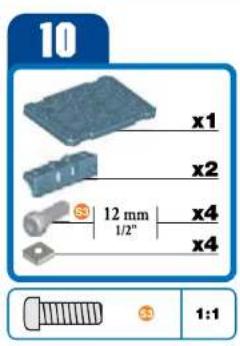
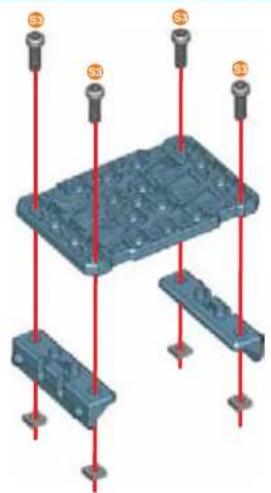
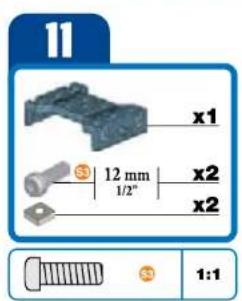
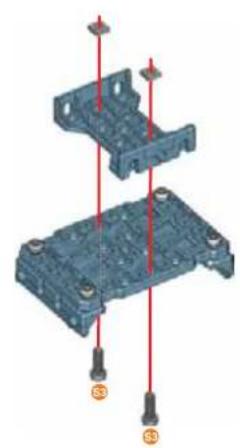
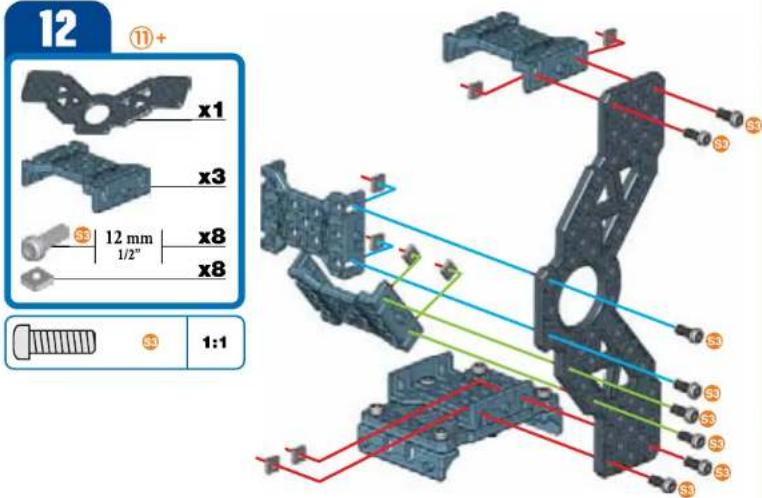
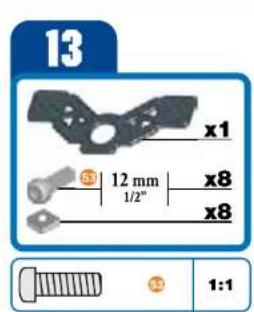

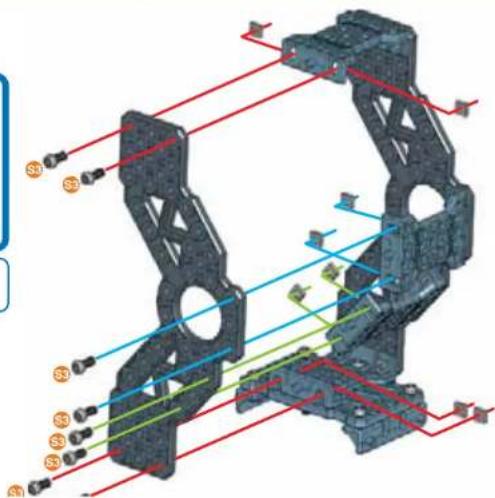
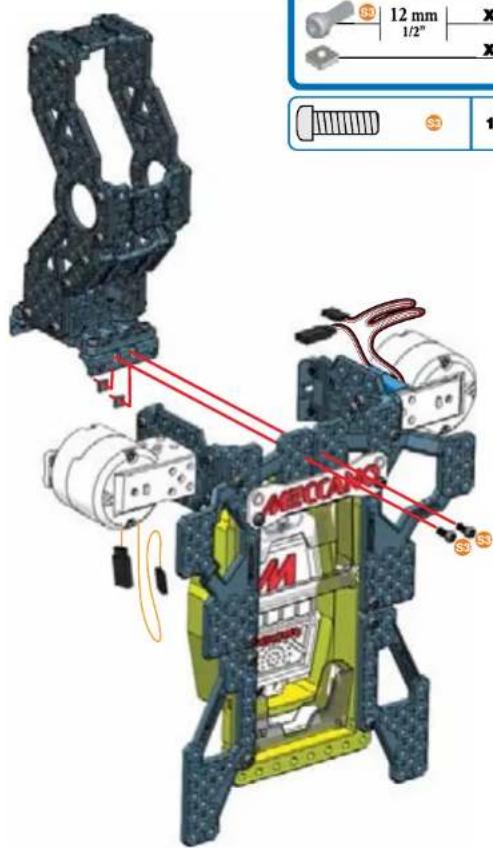
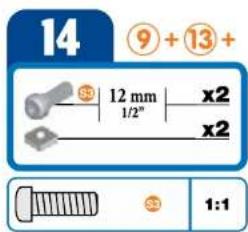
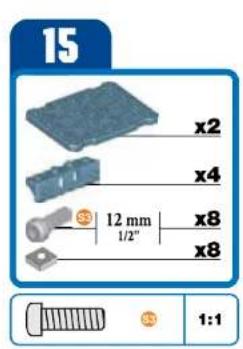
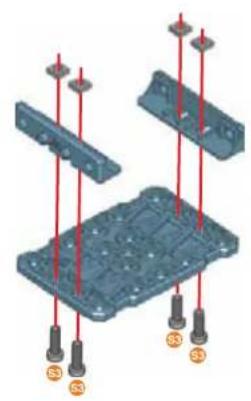
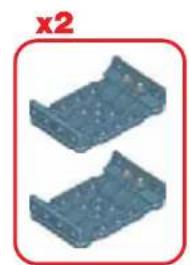
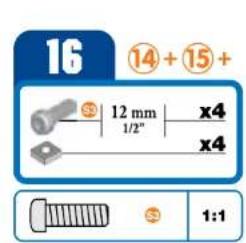
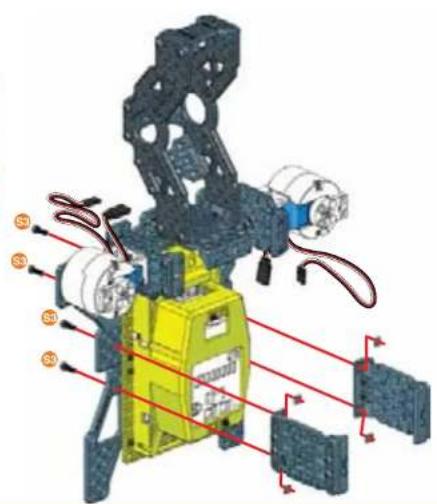
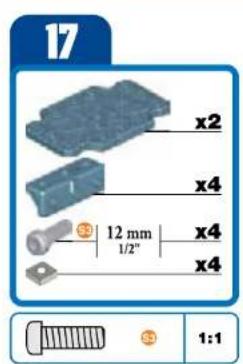
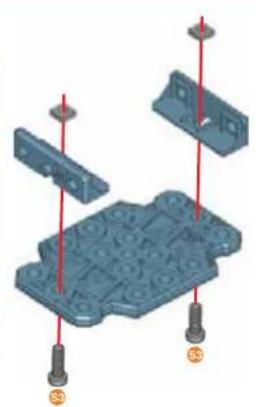
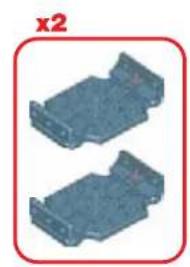
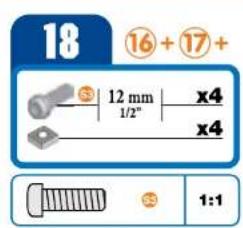
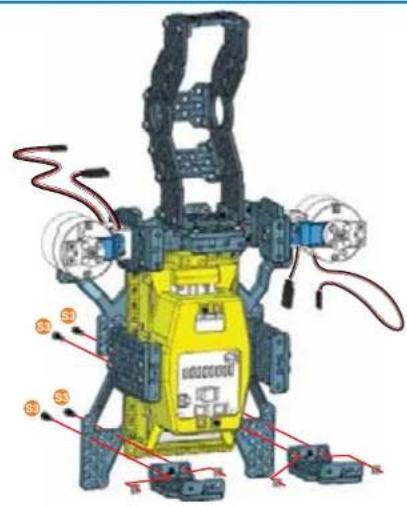
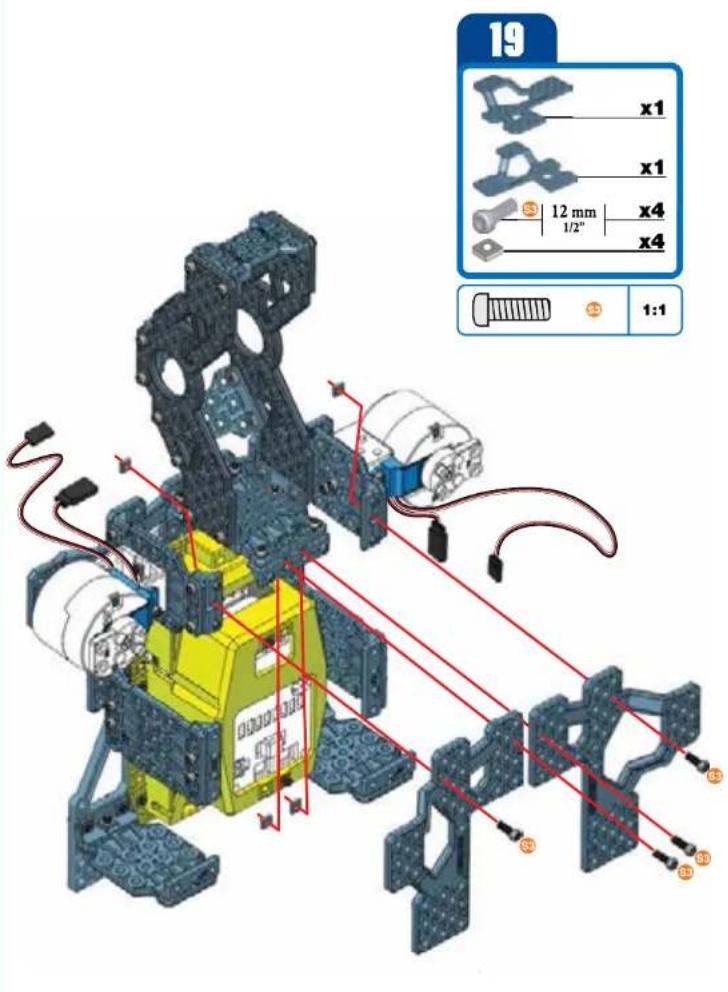
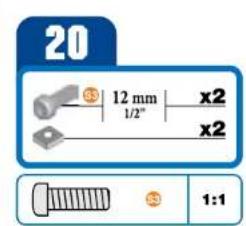
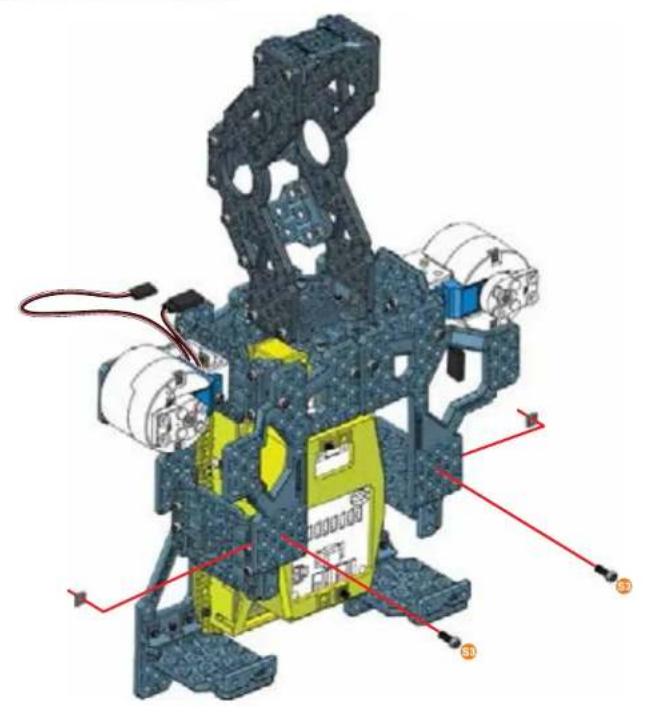
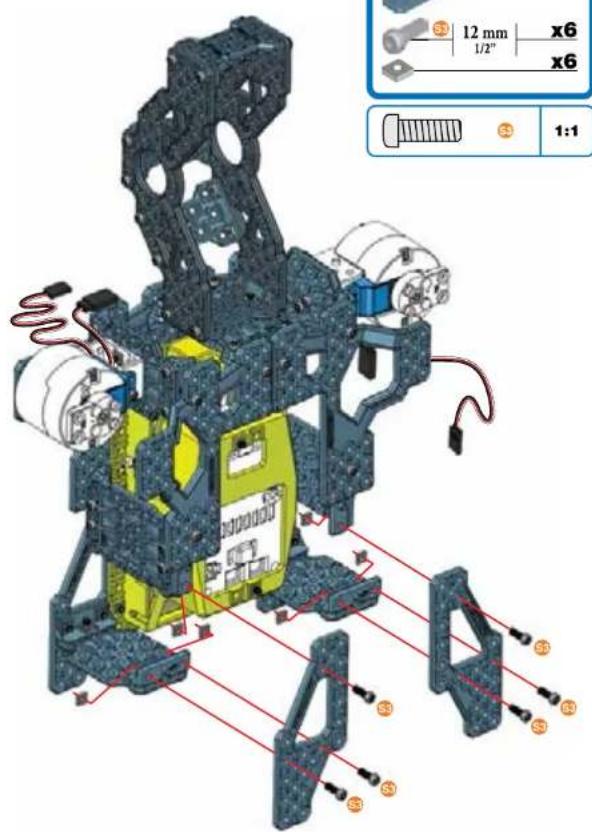
21
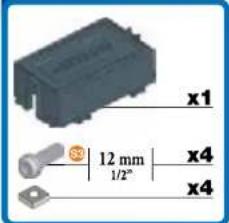
22
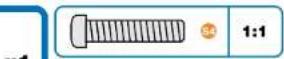
1:1
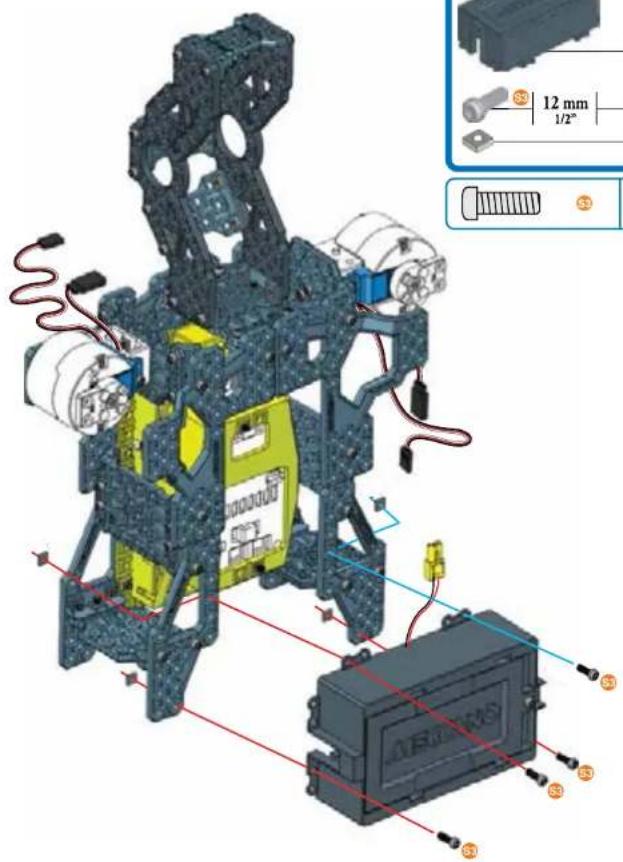
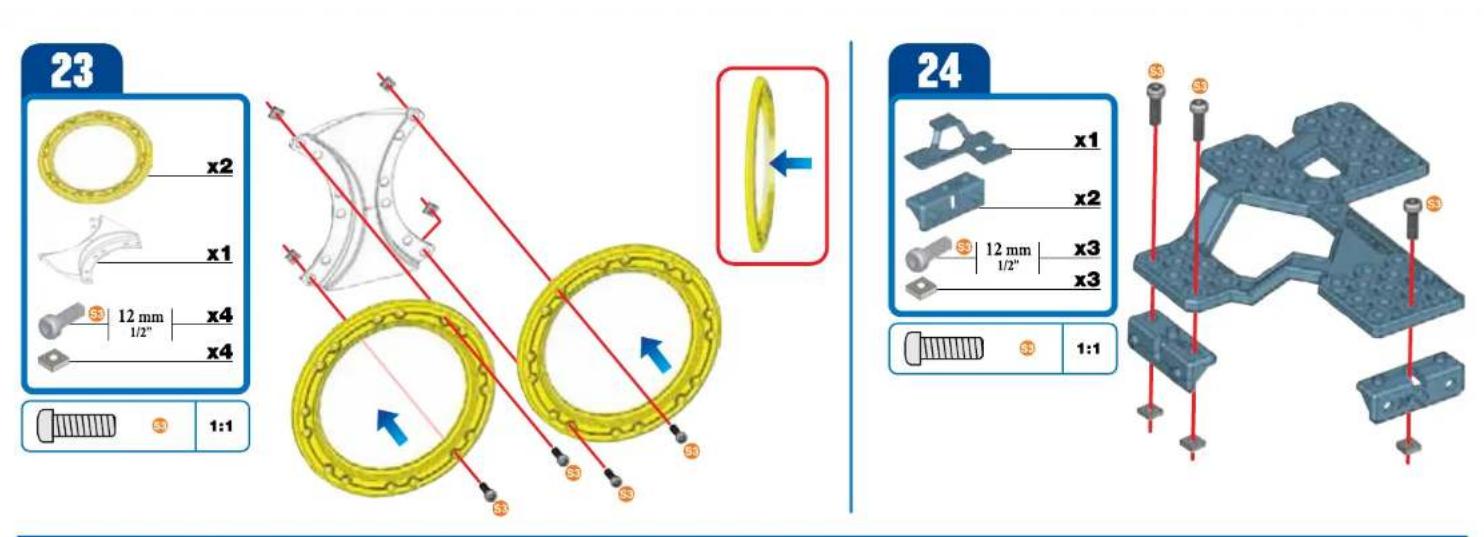
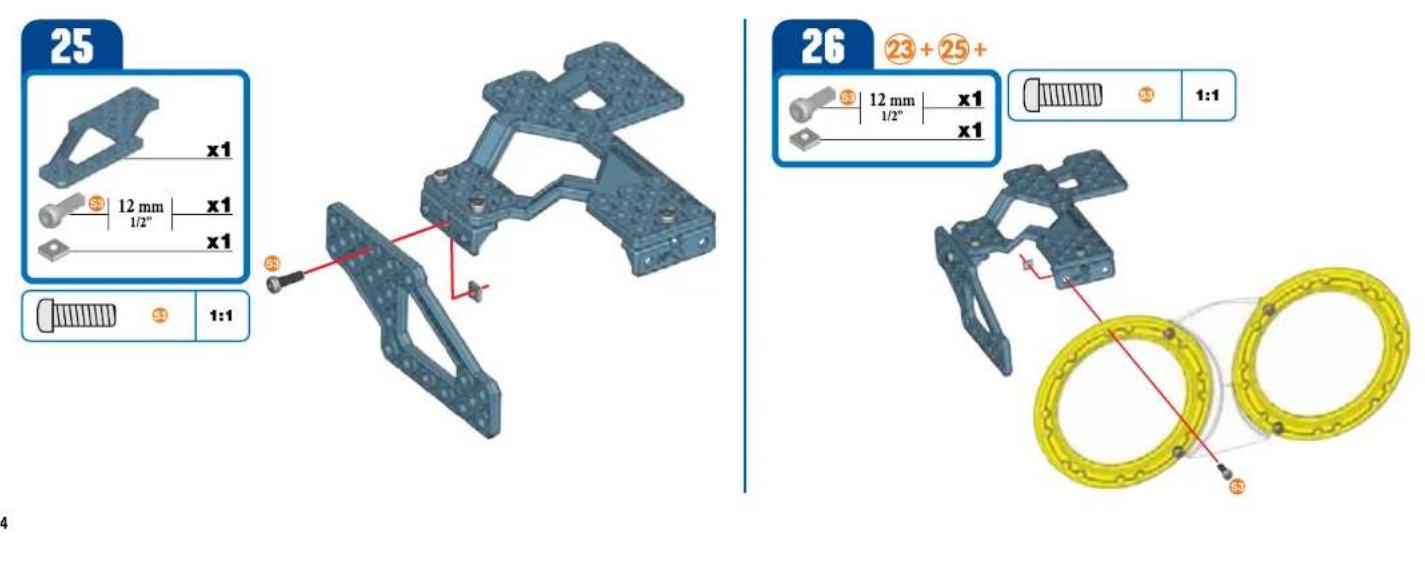
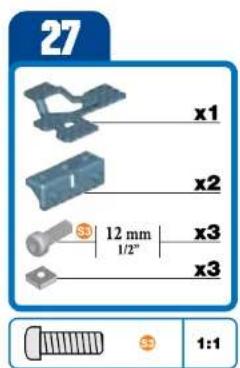
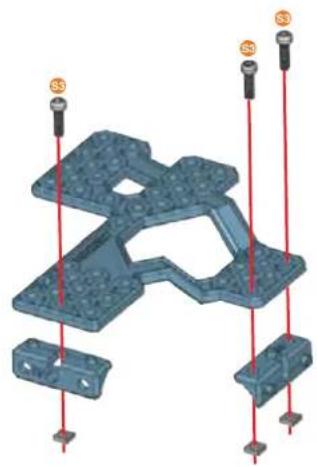
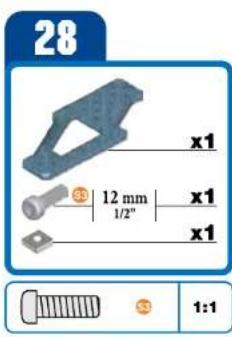
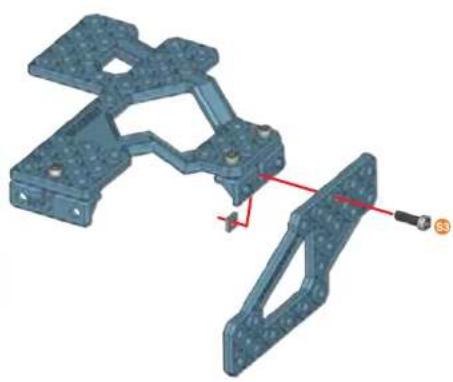
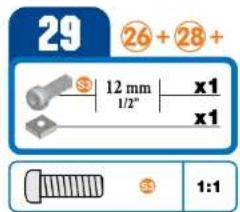
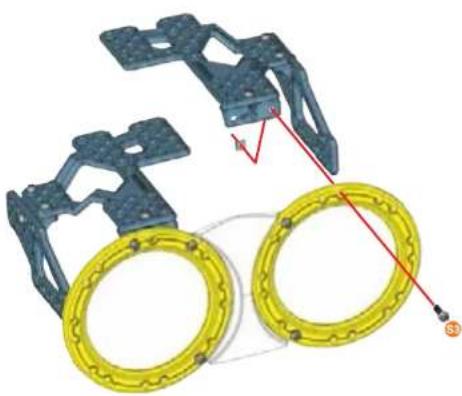
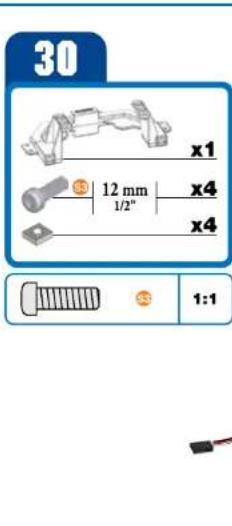
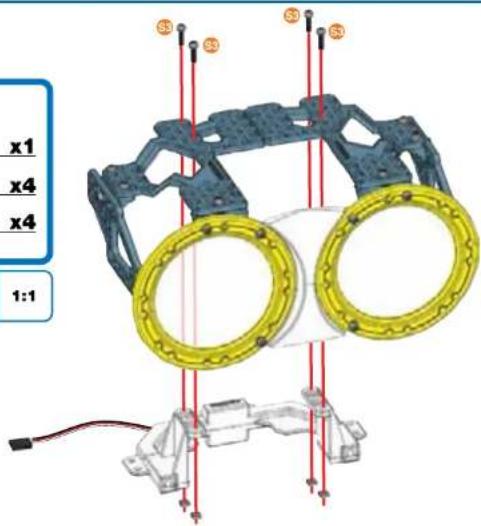
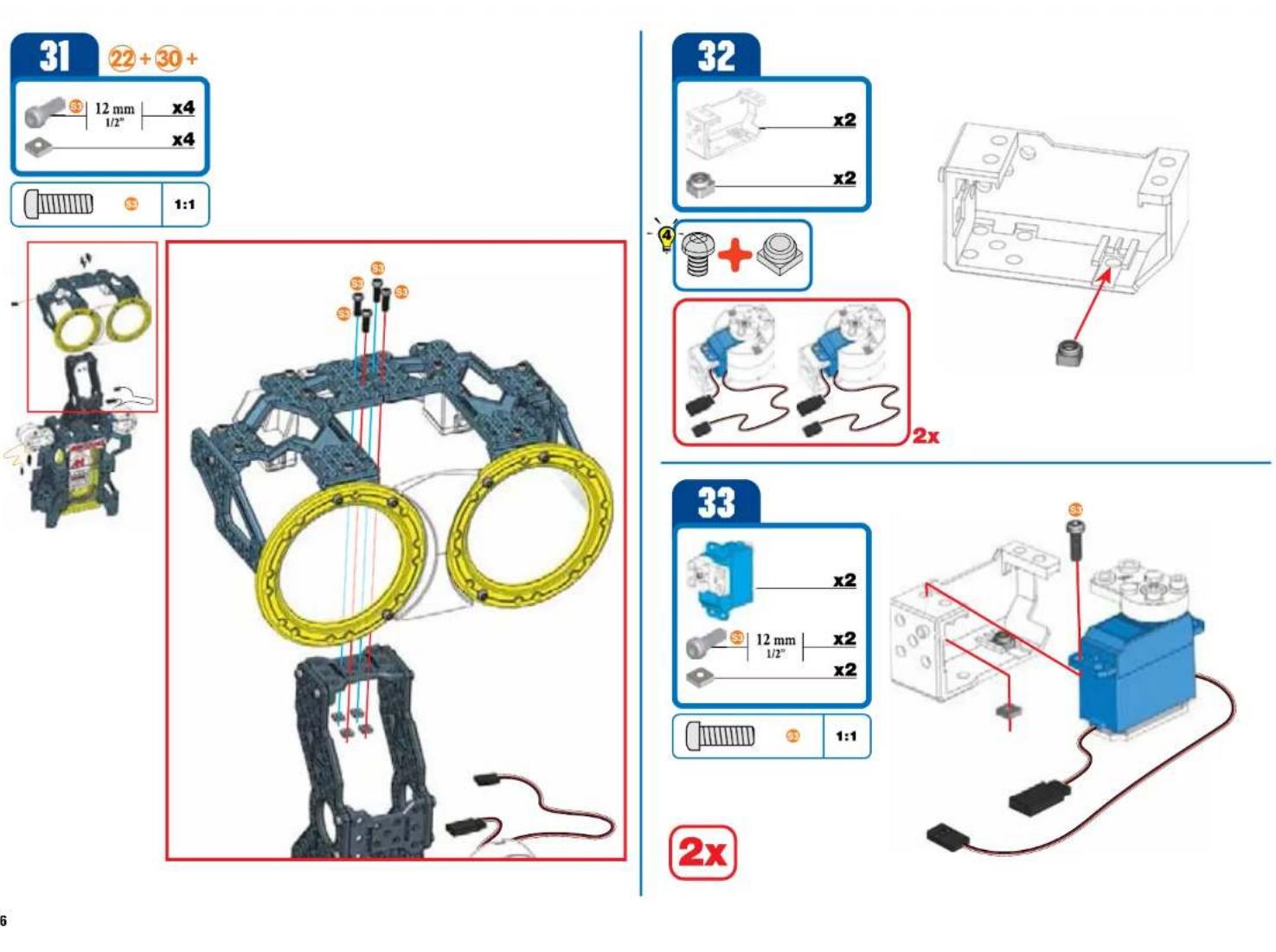
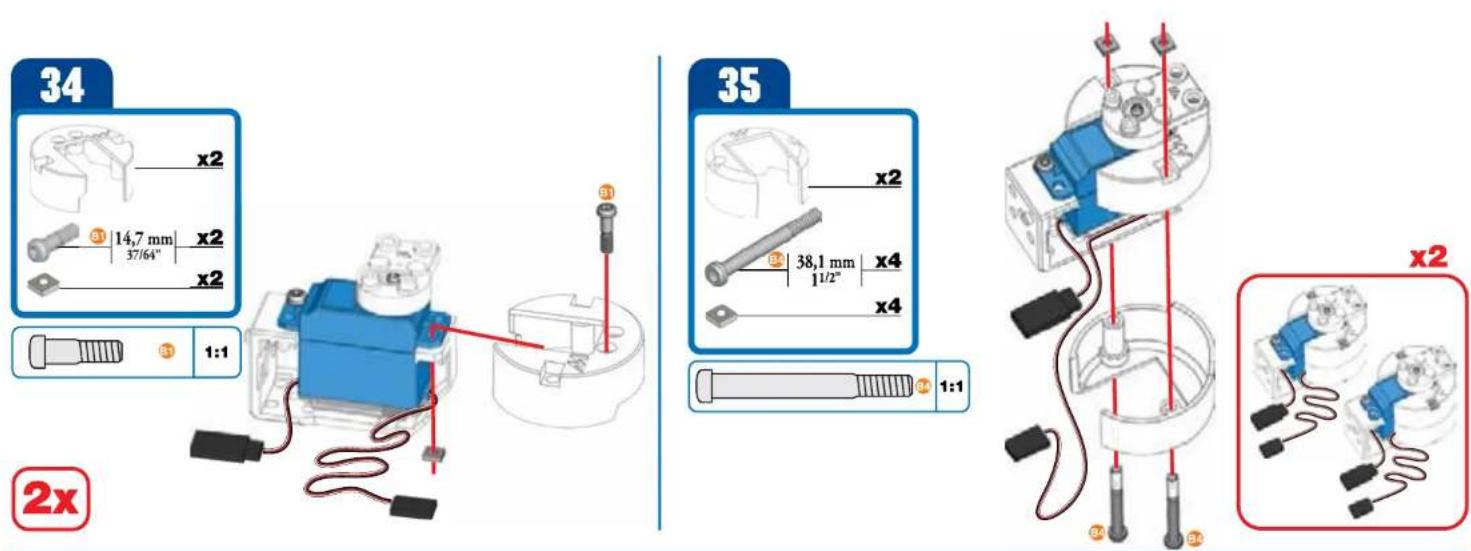
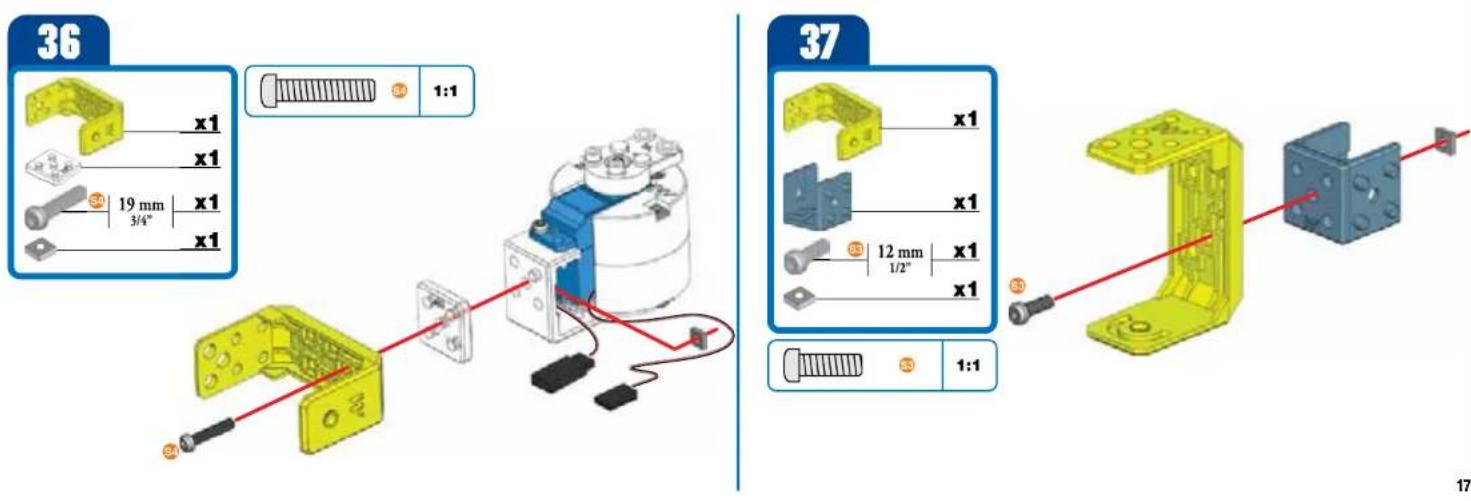
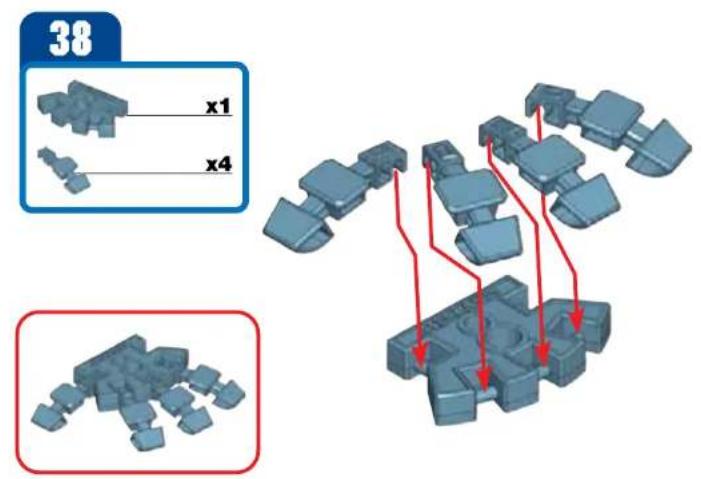
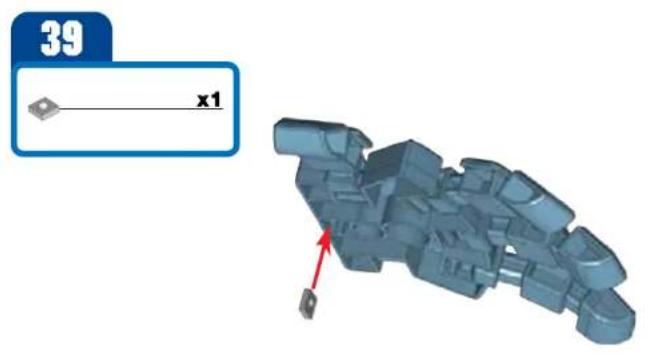
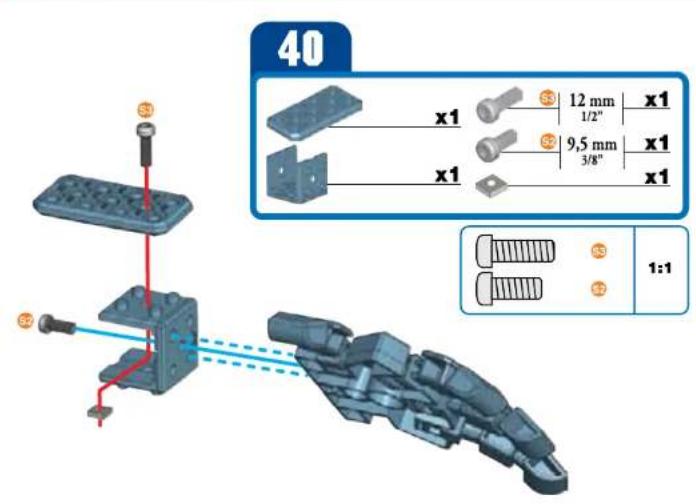
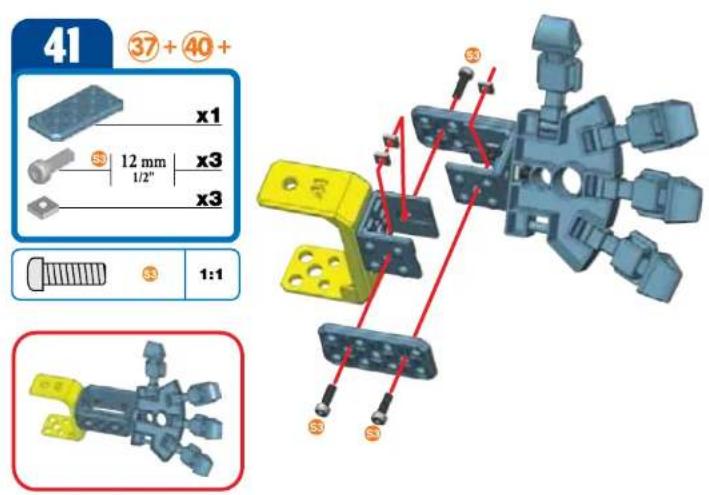
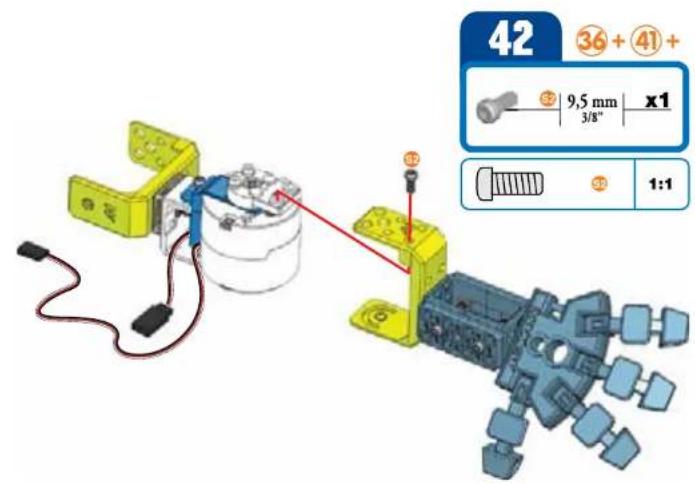
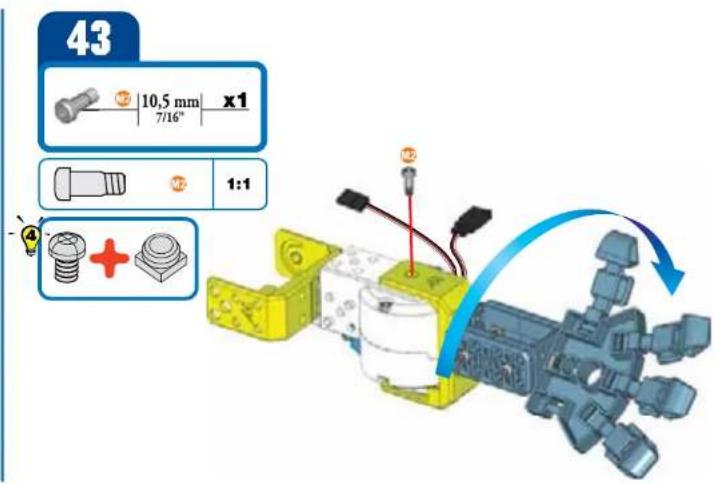
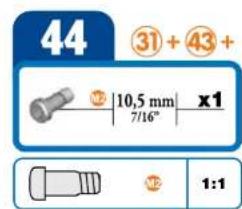
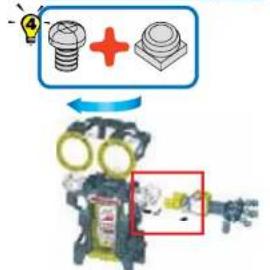
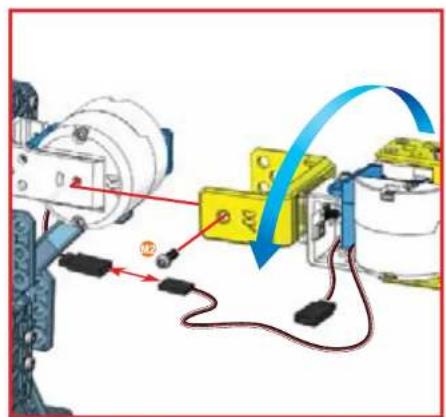
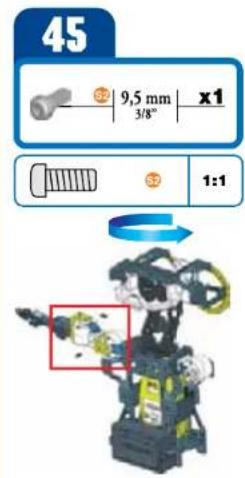
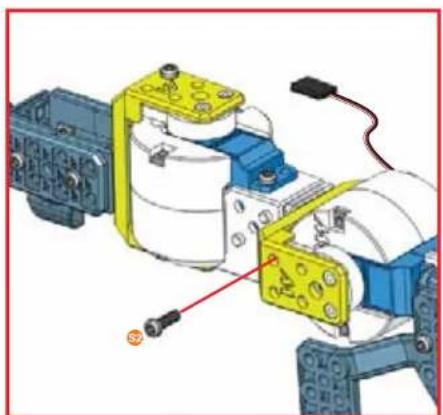

46
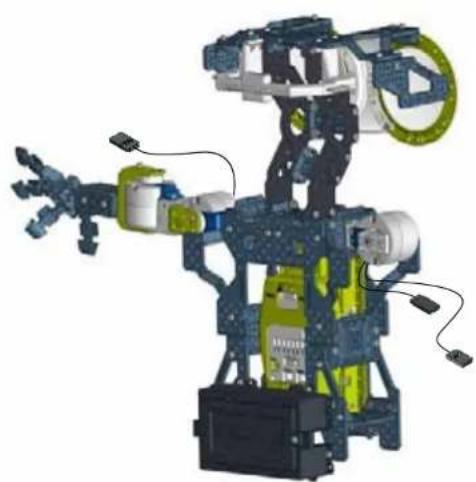
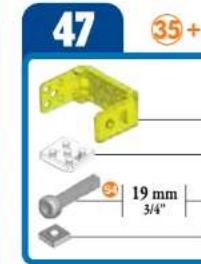
48
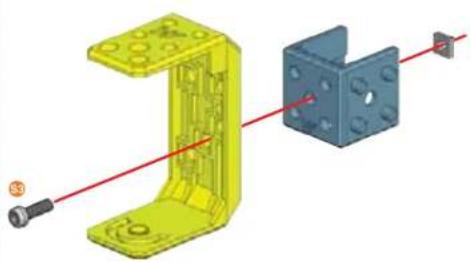
49
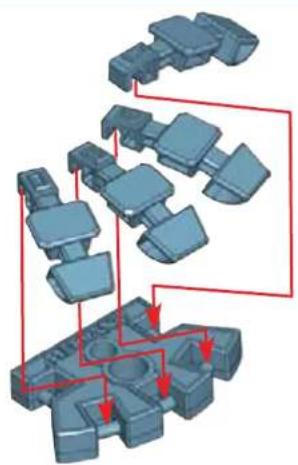
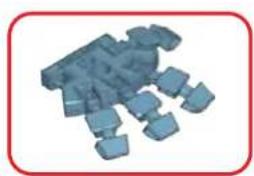
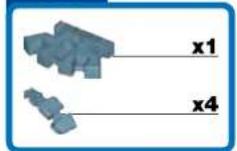
50

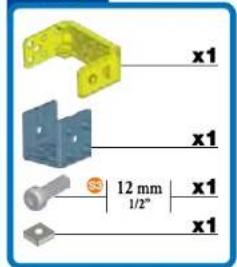
x1
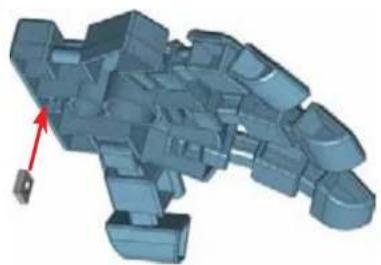
51
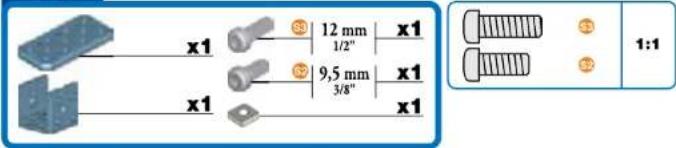
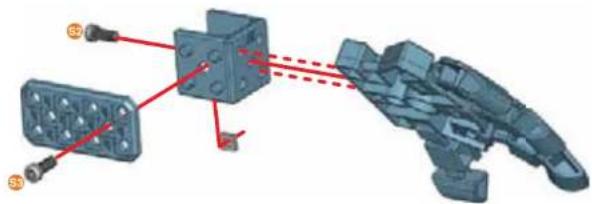
52
48+51+
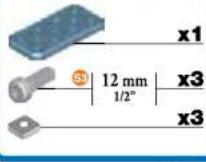

11
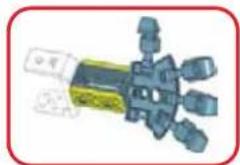
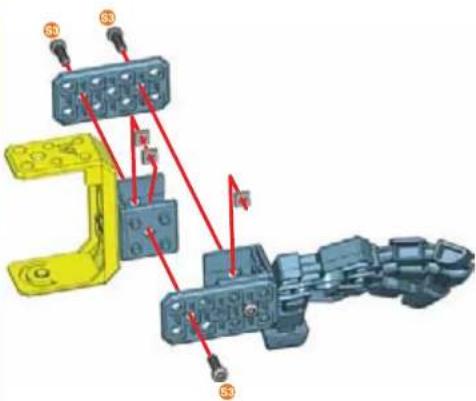
53
47+52+

9.5mm x1 3/8"
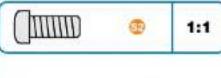
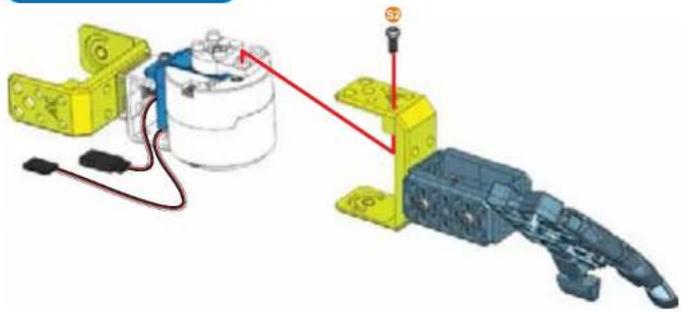
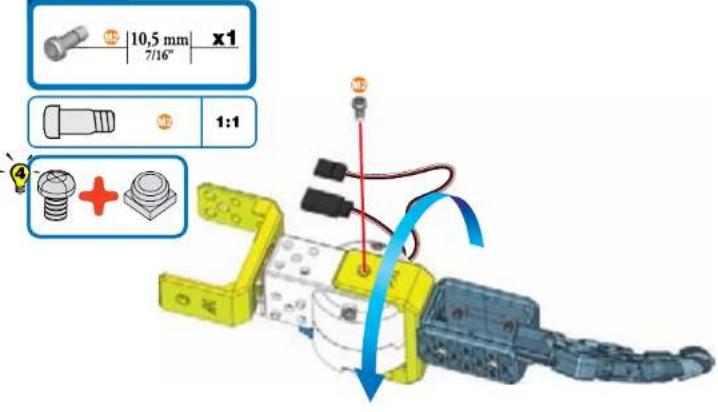
54
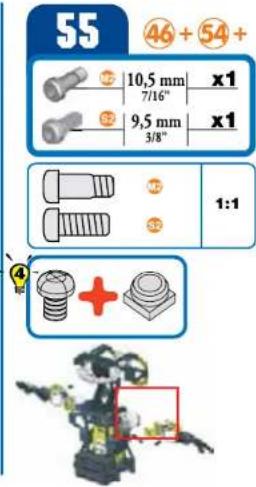
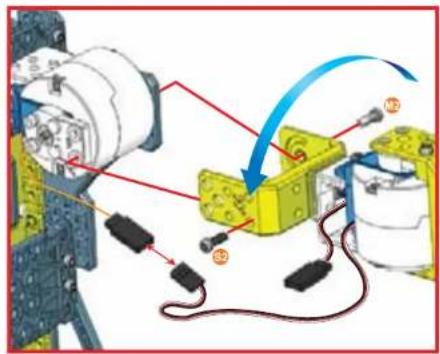
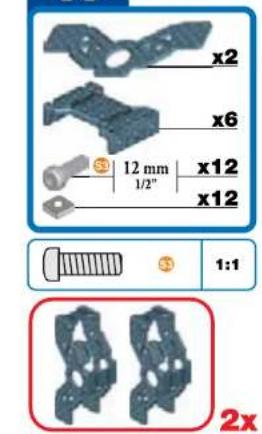
56
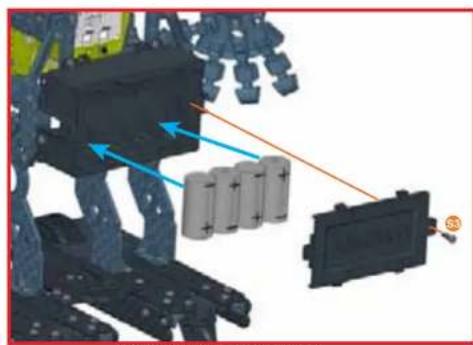
HOW TO INSTALL BATTERIES
- Open the battery door with a Meccano tool. 2. If used batteries are present, remove these batteries from the unit by pulling up on one end of each battery. DO NOT remove or install batteries using sharp or metal tools. 3. Install new batteries as shown in the polarity diagram (+/-) inside the battery compartment. 4. Replace battery door securely. 5. Check your local laws and regulations for correct recycling and/or battery disposal.
E INSTALLATION DES PILES
For instructions in other languages, visit www.meccano.com
58 Meccanoid comes programmed to speak in English*. If you are satisfied with my language, turn to the next page.
To change my language, go to www.meccano.com and find your language.
- Download the Robot Update software
- Locate the included USB cable
- Connect USB cable to computer
- Insert micro USB end into the port on the Meccabrain®
\*U.K. English also available.
1 Meccanoid will start speaking and do a systems check to verify connections.
2 If connections are correct, the robot will restart, ask for your name, and then introduce himself. Note: If connections are not correct, the robot will let you know. Return to step 88 and review connections.
3 Meccanoid will ask you to test its voice commands. Listen for the directions.
4 Say "Meccanoid," then wait for the beep, wait for his eyes to turn GREEN, then say "Tell me a joke".
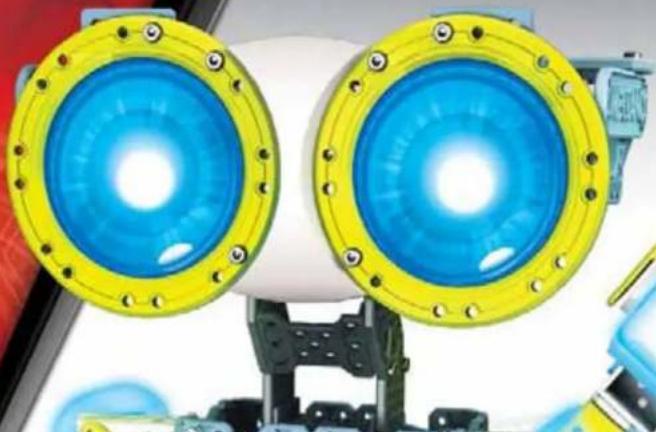
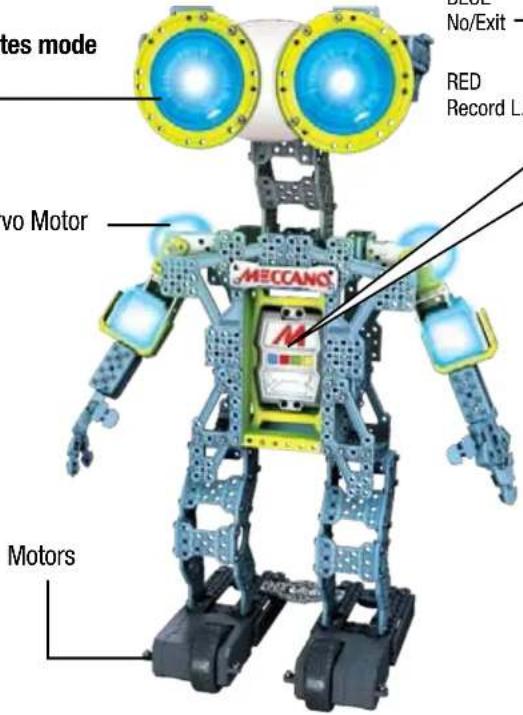
When the Robot's eye's are BLUE, he is listening for "Meccanoid" (or custom name).

Eye color communicates mode
After hearing his name, his eyes will turn GREEN. Now say any Main Menu command.

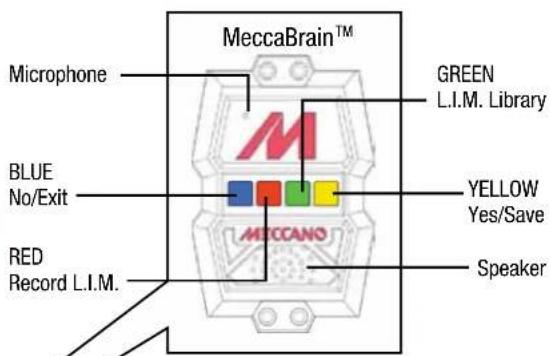
TIP: Press any button when they are all unlit for help. The robot will also tell you about its button functions.
3.2 COMMAND CARD
VOICE CONTROL TIPS
1 When the robot's eyes are BLUE, he is listening for "Meccanoid" (or his custom name if it has been changed).
2 Then say "Main Menu", "Motion Control" or "Settings" to navigate between the three voice command sections, shown below.
3 Then you can say a voice command from the section that you have selected.
4 Speak clearly when giving a voice command. Not too fast, not too slow.
5 Meccanoid cannot listen and speak at the same time, so make sure he's done speaking before giving a voice command.
COMMAND CARD
MAIN MENU
"MOTION CONTROL"
"RECORD L.I.M."
"L.I.M. LIBRARY"
"INTRODUCE YOURSELF"
"Tell ME A JOKE"
WHAT TIME IS IT?
"HIGH FIVE"
"SHAKE HANDS"
"WALK WITH ME"
"SETTINGS"
"GO TO SLEEP"
"HELP"
"LIST COMMANDS"
"MAIN MENU"

BUTTON GUIDE

NO
-EXIT

RECORD L.I.M.

L.I.M. LIBRARY

-YES
SAVE
MOTION CONTROL
"FORWARD"
"BACKWARD"
"TURN AROUND""
"LEFT TURN"
"RIGHT TURN"
"DANCE"
"KUNG FU"
"EXERCISE"
"HELP"
"LIST COMMANDS"
"SETTINGS"
"MAIN MENU"
SETTINGS
"SET CLOCK"
"SET DATE"
"ADJUST VOLUME"
"SYSTEMS CHECK"
"LEARN MY NAME"
"NAME ROBOT"
"HELP"
"LIST COMMANDS"
"MOTION CONTROL"
"MAIN MENU"


3.3 VOICE COMMANDS
1 When the Robot's eyes are BLUE, he is listening for "Meccanoid" (or custom name).

2 After hearing his name, his eyes will turn GREEN. Now say any Main Menu command.


Say: Introduce yourself

Meccanoid will: Introduce himself.

Say: List commands

Meccanoid will: List all voice commands available in the current mode.

Say: High five*

Meccanoid will: Raise up his arm and ask for a high five.
Note:Gently but firmly push his hand back to give him a high five.

Say: Tell me a Joke*

Meccanoid will: Tell a joke.

Say: Walk with me*

Meccanoid will: Ask you to take his hand and lead him on a walk. Note: Lift the robot's hand and he will start moving forward. When you are finished, drop Meccanoid's hand and he will stop.




Say: Motion control

Meccanoid: Eyes will turn orange and he will wait for your next command. Say one of these commands:

Forward Backward
- Left Turn
Right Turn
- Turn Around
Kung Fu
Exercise
Dangc
Help
- Main Menu
- List Commands
Note: In this menu, you only need to say the command. For example, say "Forward" and Meccanoid will move forward.
Note: Say "List Commands" for available commands in this menu.

Say: Shake hands*

Meccanoid will: Lift his right hand and ask you to shake hands.


Say: What time is it?*

Meccanoid will: Tell you the time. Note: You will first need to set the correct time in settings.

Say: Record L.I.M.

Meccanoid will: Tell you how to program using Learned Intelligent Movement, or L.I.M. ^TM
L.I.M.™ allows you to create animations by physically moving the robot which you can then name and store in the L.I.M.™ library.

Say: Main Menu

Meccanoid will: Exit to Main Menu.

Say: Settings

Meccanoid will: Eyes will turn purple and he will wait for your next command. Say one of these commands:

Set Date
- Set Clock
- Learn my name
- Name Robot
Systems Check
- Adjust Volume
Help
- Main Menu
- List Commands

Say: Go to sleep

Meccanoid will: Go to sleep Note: press any button to wake up Meccanoid.

Say: L.I.M. ^TM library

Meccanoid will: Allow you to play one of the recordings, in your L.I.M. library.

Say:Help

Meccanoid will: Tell current mode and gives helpful tips about the current mode.
- Please note that the voice commands with an asterisk (*) beside them will not work in Drone mode. Drone mode is only for alternative builds and is not recommended for Meccanoid when assembled as shown in this instruction manual.
To enter Drone mode, slide the mode switch to DRONE MODE.
3.4 DOWNLOAD FREE APP
MORE WAYS TO PLAY!
Download the free app and program Meccanoid with your smart device!
Program movements and/or sounds with:
1-Learned Intelligent Movement (L.I.M.TM) 2-Ragdoll 3-Motion Capture powered by Extreme Reality (www.xtr3d.com)
(2&3 require smart device [not Included])
Free app available at www.meccano.com
IMPORTANT! CHECK WWW MECCANO.COM TO SEE IF YOUR DEVICE IS COMPATIBLE (MAY NOT WORK WITH ALL DEVICES*)
*COMPATIBLE WITH SELECT IOS AND SELECT ANDROID DEVICES (SOLD SEPARATELY). CHECK WEW. MECCAN.COM FOR A LIST OF COMPATIBLE DEVICES AND SYSTEM REQUIREMENTS. TO DETERMINE IF
YOUR DEVICE IS COMPATIBLE. SPIN MASTER RESERVES THE RIGHT TO WITHDRAW THE APPLICATION AT ANY GIVEN TIME AND WITHOUT NOTICE.

Download on the
AppStore

GET IT ON
Google play
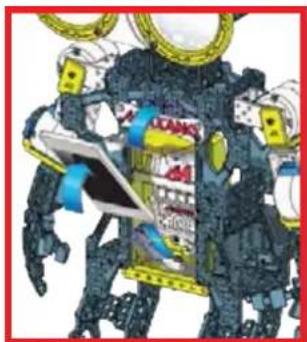
See below image for how to install smart device into cradle
Meccanoid communicates with your smart device through Bluetooth® Spin Master Inc., PMB #10053, 300 International Drive, Suite 100, Williamsville

Bluetooth
2.2 RÉALISATION DES BRANCHEMENTS
88
DISPONIBLE SUR Google play
(B) BATTERY SAFETY INFORMATION:
- Requires 4 × 1.5 ~V C alkaline batteries (not included).
- Batteries are small objects.
- Replacement of batteries must be done by adults.
- Follow the polarity (+/-) diagram in the battery compartment.
- Promptly remove dead batteries from the loy.
- Dispose of used batteries properly.
- Remove batteries for prolonged storage.
- Only batteries of the same or equivalent type as recommended are to be used.
DO NOT incinerate used batteries. - DO NOT dispose of batteries in fire, as batteries may explode or leak.
DO NOT mix old and new batteries or types of batteries (i.e. alkaline/standard).
DO NOT use rechargeable batteries. - DO NOT recharge non-rechargeable batteries.
- DO NOT short-circuit the supply terminals.
IMPORTANT INFORMATION: Remove all packaging before use. Retain this Information, addresses and phone numbers for future reference. Content may vary from pictures. Meccano reserves the right to discontinue the website www.meccano.com at any time. Keep away from obstacles and electrical hazards.
SAFETY PRECAUTIONS: Parental guidance is recommended. Do not use Meccanoid on a table or near stairs; only use on the floor. Regularly examine for damage to the toy and sensors. In the event of any damage, remove from use. Keep hands, hair and loose clothing away from moving parts when power switch is turned ON. Turn OFF Meccanoid when not in use. During play, keep in sight so that you can supervise it all the time. Users should keep strict accordance with the instruction manual while operating the product.
CARE AND MAINTENANCE: This product is intended for indoor use only. Do not use outdoor - dirt, grass, cement will scratch the finish and/or block the sensors. Do not submerge the toy in water. Do not play around water as this is a hazard and can cause a malfunction or damage the electronic assemblies. Keep the sensors clean, wipe with a scratchless cloth. Do not put any foreign objects in the USB port or sensors. Do not pull hard on any part of the robot as this may cause damage. TROUBLESHOOTING: If normal function of the product is disturbed or interrupted, strong electromagnetic interference may be causing the issue. To
reset product, turn it completely off, then turn it back on. If normal operation does not resume, move the product to another location and try again. To ensure normal performance, change the batteries, as low batteries may not allow full function.
F INFORMATIONS DE SECURITE RELATIVES AUX PILES:
GB Requires 4 X1.5 V C alkaline batteries (not included). Batteries or battery packs must be recycled or disposed of properly. When this product has reached the end of its useful life it should not be disposed of with other household waste. The Waste Electrical and Electronic Equipment Regulations require it to be separately collected so that it can be treated
using the best available recovery and recycling techniques. This will minimize the impact on the environment and human health from soil and water contamination by any hazardous substances, decrease the resources required to make new products and avoid using up landfill space. Please do your part by keeping this product out of the municipal waste stream! The "wheelie bin" symbol means that it should be collected as "waste electrical and electronic equipment". You can return an old product to your retailer when you buy a similar new one. For other options, please contact your local council.
GB, Spin Master International SARL, hereby declares that this Meccanoid G15TM is in compliance with the essential requirements and other relevant provisions of Directive 1999/5/EC. A copy of the declaration of conformity can be requested through customercare@spinmaster.com or SPIN MASTER INTERNATIONAL S.A.R.L., 16 Avenue Pasteur, L-2310, Luxembourg.
TM & © 2015 MECCANO for packaging, instructions and models built with this set. © MECCANO is an exclusive trademark of MECCANO. Spin Master logo is a trademark of Spin Master Ltd. All rights reserved. Patent pending.
Spin Master Inc., PMB #10053, 300 International Drive, Suite 100, Williamsville, NY 14221
MADE IN CHINA / FABRIQUE EN CHINE / HECHO EN CHINA
T91763_0002_20068865_GML_IB_R4_MEC_Mecconnoid G15_CN