Touring car TC one 10 Pro - Remote control toy XciteRC - Free user manual and instructions
Find the device manual for free Touring car TC one 10 Pro XciteRC in PDF.


| Product type | 1/10 scale on-road RC car, ready-to-run (RTR) |
| Brand | XciteRC |
| Model | TC one 10 Pro |
| Dimensions (L x W x H) | 445 x 195 x 120 mm |
| Wheelbase | 260 mm |
| Weight | Approx. 1080 g |
| Motor | RC540 black brushed |
| ESC | 2S (7.4 V DC) |
| Vehicle power supply | NiMH 1800 mAh battery (included) |
| Transmitter power supply | 3 AA batteries (not included) |
| Transmitter range | Approx. 150 m |
| Frequency | 2.4 GHz |
| Chassis adjustments | Front toe, front/rear camber |
| Drive system | Front belt (519 mm) and rear belt (177 mm) |
| Suspension | Aluminum shock absorbers (front/rear) |
| Wheels and tires | Slick tires glued on spoked rims |
| Package contents | RTR vehicle, transmitter, NiMH 1800 mAh battery, charger, instruction manual |
| Recommended age | 14 years and up (adult supervision required for minors) |
| Usage | On flat and dry surfaces, suitable for on-road models |
| Maintenance | Clean after use, check screws and bearings, lubricate if necessary |
| Spare parts | Available at your dealer or on www.XciteRC.de |
Frequently Asked Questions - Touring car TC one 10 Pro XciteRC
User questions about Touring car TC one 10 Pro XciteRC
0 question about this device. Answer the ones you know or ask your own.
Ask a new question about this device
Download the instructions for your Remote control toy in PDF format for free! Find your manual Touring car TC one 10 Pro - XciteRC and take your electronic device back in hand. On this page are published all the documents necessary for the use of your device. Touring car TC one 10 Pro by XciteRC.
USER MANUAL Touring car TC one 10 Pro XciteRC
natural_image
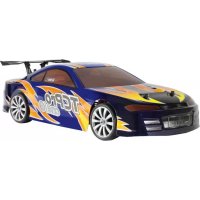
Blue and orange hybrid car with 'TCPPro ONEO' branding, no visible text or symbols on body30306000 TC one10 Pro Touring Car blue
natural_image
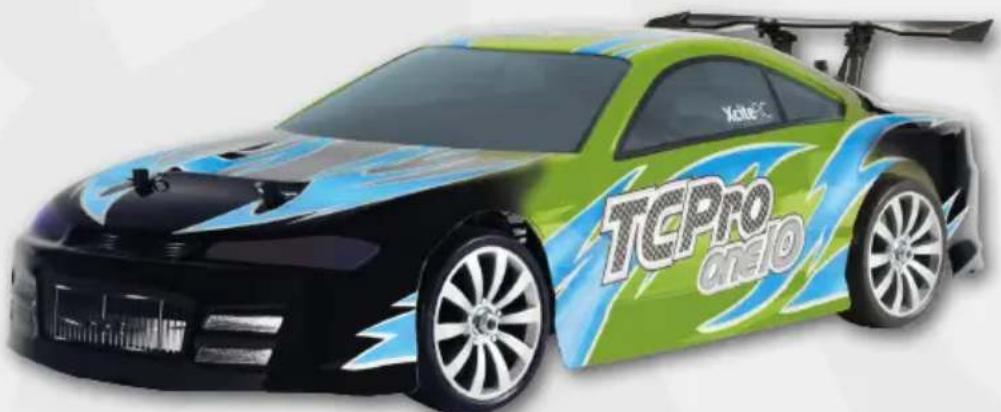
Green and blue racing car with 'TCPRO CREO' branding, no visible text or symbols on body30306200 TC one10 Pro Touring Car green
DE
Inhaltsverzeichnis
natural_image
Two black electronic devices with battery modules and indicator lights, shown from top and side views (no text or symbols visible)text_image
Close-up of electronic components with visible labels and directional arrows, including a 'ON' button indicator.natural_image
Six-panel illustration showing a mechanical device with rotating components and directional arrows indicating motion (no text or symbols)natural_image
Two technical diagrams showing a mechanical component with arrows indicating motion or assembly, alongside a detailed top-down view of the vehicle chassis (no text or symbols present)text_image
BT.TR10 BT.005 TB.TR10 M P N P BT.REV TB.REV PAIR- Cd = Cadmium
- Pb = Blei
- Hg = Quecksilber
- Li = Lithium
EN
Summary
Intended Usage 15
Scope of delivery 15
Required accessories 15
Explanation of Symbols 15
WARNINGS AND SAFETY NOTES 15
Handling precautions for batteries or rechargeable batteries 17
The remote control system 17
Transmitter 18
BINDING: 18
Charging the Battery: 19
Getting started 19
After the ride: 21
Chassis Tuning Guide 21
Maintenance....22
Troubleshooting....22
Repairs, Spare parts....23
Specifications....24
Environmental Protection Notes 24
Notes on battery law 24
Spare Parts 38
Assembly....44
Declaration of conformity 47
Legal information
This manual is a publication of
All rights including translation, reproductions of any kind, such as photocopying, microfilming or storage in electronic data processing equipment, without the written permission of the publisher, reproduction in whole or part, is prohibited.
This manual corresponds to the technical status of the product at time of printing, changes in technology and equipment reserved. From the text and illustrations of this manual no claims can be derived.
NO LIABILITY FOR PRINTING ERROR! SUBJECT TO CHANGE!
The latest version of this manual can be found on the Internet at www.XciteRC.de
© Copyright 2013 by XciteRC-Modellbau GmbH & Co. KG
Thank you for purchasing the TC one10 Pro of XciteRC. This manual contains important instructions for operating your new model. Therefore, please read all instructions in this manual thoroughly before using the model, so that you can operate your model safely.
All company and product names mentioned are trademarks of their respective owners. All rights reserved.
Intended Usage
The TC one10 Pro is extensively constructed and electrically driven Onroad Buggy ready to run including motor and speed controller. The control is wireless with the included 2.4 GHz remote control. The model may only be operated on a suitable and sufficiently large area without obstacles.
The product is not a toy and not suitable for children under 14 years of age, by children under 14 years the maintenance and operation of the model must be supervised by an adult.
Read and observe all warnings and safety instructions in this manual and on the packaging before operating!
This manual is part of this product. It contains important information for handling this product. Keep the manual for future reference and also it must be strictly kept and passed on the subsequent sale of the model to the buyer. Failure to follow the operating instructions and the safety instructions may invalidate the warranty.
Scope of delivery
TC one10 Pro, pre-assembled
Transmitter
NiMH-battery 1800 mAh and charger
Manual with spare parts list
Required accessories
3 size AA batteries or rechargeable batteries for the transmitter
Explanation of Symbols

WARNING: These instructions must be strictly observed by the operator! Failure to follow these instructions may interfere with the safe function. These notes are also for your own safety and that of other people!
ATTENTION: this information must be observed by the operator! Failure to follow these instructions can cause damage of many sorts, and the loss of warranty etc.

Information or advice, by which a smooth operation is ensured.

Instructions for care and maintenance to ensure a long duration of life of the product.
WARNINGS AND SAFETY NOTES
The following safety instructions must be strictly observed. For property damage, personal injury or consequential damage caused by improper use or non-observance of the safety instructions the XciteRC Modellbau GmbH & Co. KG accepts no liability. In these cases, the warranty becomes void.
Move your model always with the maximum caution and responsibility, otherwise it may cause damage to other property or even physical injury. We therefore recommend to secure the operation with a third party liability insurance. If you already have a liability insurance policy, check before start-up the model, whether radio-controlled models are covered by a corresponding amount.
EN

- The product contains small parts that can cause injury if swallowed, and must therefore be kept away from children under 3 years.
• The product is not a toy and not suitable for children under 14 years.
- The operation of radio-controlled models requires practice. In the beginning operate your new model therefore with extra caution and familiarize yourself with the response to your commands.
- WARNING: The safe operation requires concentration and quick reaction. Do not operate your model if you are tired or under the influence of drugs or alcohol – risk of accident and injury!
- ⚠️ WARNING: The control of this model is done via radio signals, which can be influenced by the environment. This may cause a suddenly loss of control of your model. Operate your model therefore only with sufficient light within line of sight and in an open area, away from cars, traffic and people – risk of accident and injury!
- Do not operate your model during a thunder storm or near radio towers or power lines.
- Radio remote controlled models may not be operated at any public space by implication (streets, roads, squares or lakes). Before operation please ask where the operation is allowed. This also applies to private property, here the consent of the owner is required.
- ⚠️ WARNING: Keep your fingers or loose clothing or hair away from the rotating parts or wheels - risk of injury!
- Always switch on the transmitter first, then the model. Ⓔ NOTE: during the operation of the transmitter must remain switched on!
- Never operate your model with low transmitter batteries, because this reduces the range of your model dramatically.
- If the drive battery is empty, the model first slow down until it no longer reacts properly to your commands. Stop the operation and change the drive battery or charge it again.
- Pay attention to the instructions and warnings for this and any other equipment used by you (chargers, rechargeable battery packs, etc.).
- WARNING: Keep packaging material, small parts, chemicals and electrical components away from children – risk of accident and injury!
- ATTENTION: Do not drive against obstacles that the model cannot overcome, and stay on full throttle. This can destroy the motor, speed controller or the transmission!
- The model and the transmitter may be neither get humid nor wet, especially the electronic components (receiver, speed controller, servo) and, if used, lithium batteries, are not waterproof! The model may not be used in the rain (or heavy fog), do not drive in wet grass or through puddles or snow.
• ⚠️ WARNING: Fire or explosion due to moisture in lithium batteries!
- Plastic parts (eg. suspension and body) is less flexible and can break more easily at cold temperatures (below 10 °C).
- The modification of the model is not permitted for safety and CE approval regulations, which applies in particular to the transmitter, receiver and speed controller. Maintenance or repairs using original replacement parts are excluded.
• After use, first turn off the model and then the transmitter.
- WARNING: remove the drive battery from the model and transmitter after use. Store the model never with built-in battery. Fire hazard!
- Store batteries separately on a non-combustible surface.
• The drive components (motor and speed controller) or the car battery may become hot during operation.

WARNING: Risk of burns! Let these components cool down completely after the operation (and before each battery change)!
Operation of the model is performed solely at the risk of the operator. Only a careful and deliberate operation protects against physical injury and damage to property.
Handling precautions for batteries or rechargeable batteries
- Keep batteries away from children! Never let batteries unattended, as they can be swallowed by children or pets!
- Use only the recommended or equivalent type of batteries / rechargeable batteries.
- ⚠️ WARNING: do not expose batteries / rechargeable batteries to heat or throw into fire - fire or explosion hazard!
- ⚠️ WARNING: insert batteries / rechargeable batteries with the correct polarity, no short-circuiting - fire or explosion hazard!
- If possible, always replace all batteries at the same time, never use new and used batteries and batteries with different charge levels simultaneously.
- Do not use defective or damaged batteries or rechargeable batteries – fire hazard! Risk of chemical burns on contact with skin, use protective gloves!
- ⚠️ WARNING: Do not attempt to recharge non-rechargeable batteries in a charger - fire or explosion hazard!
- Remove the rechargeable batteries from the device before charging.
- Charging may take place only with a suitable charger for the type of battery on a fireproof surface and under constant adult supervision – fire hazard!
- Immediately remove used batteries from the devices.
- NOTE: NiMH batteries must be checked at least every 3 months and, if necessary, recharged, otherwise because of the typic self-discharge they may get deep discharged and damaged! Therefore, better use so-called RTU batteries with a very low self-discharge.
- Ⓗ NOTE: note the specified storage voltage for lithium batteries. Is a completely full or empty lithium battery time stored for a longer time, it can be damaged.
The XciteRC Modellbau GmbH & Co. KG cannot monitor the proper use of the battery or batteries you use, therefore, the warranty is excluded due to incorrect charging or discharging.
The remote control system
Here you get an overview of the remote control system of your TC one10 Pro and its various features and settings. Before the first flight, you should have read and understood all these functions and settings.
- Make sure that the transmitter is turned off - ON / OFF switch in position O.
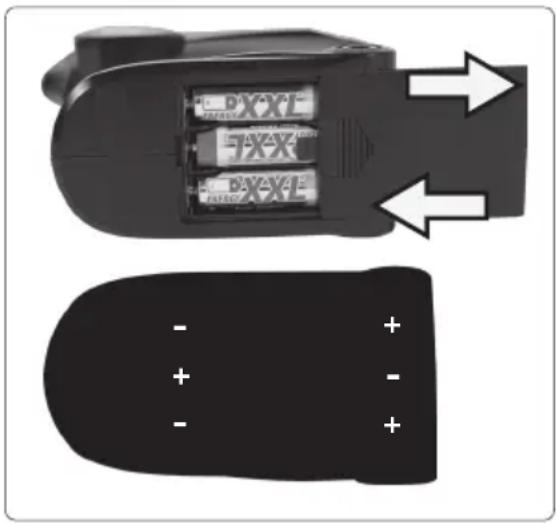
- Now open the battery compartment cover on the bottom of the transmitter and insert three AA batteries (or rechargeable batteries) into the battery compartment of the transmitter. Pay attention to the correct polarity!
- Close the battery compartment cover and turn on transmitter – push ON / OFF switch in position I.
- Both LED's must lit (red and green). Ⓔ NOTE: If the green LED is flashing, the model may not be started – crash hazard! Change transmitter batteries immediately (or charge batteries).
- Pay attention to the LED's also during operation. If only the green LED flashes, stop driving as soon as possible. If both LED's flashing, stop immediately and replace transmitter batteries (or recharge the batteries).
natural_image
Close-up of a black electronic device with two batteries and a separate black plastic component, no visible text or symbols.EN
Transmitter
text_image
A B C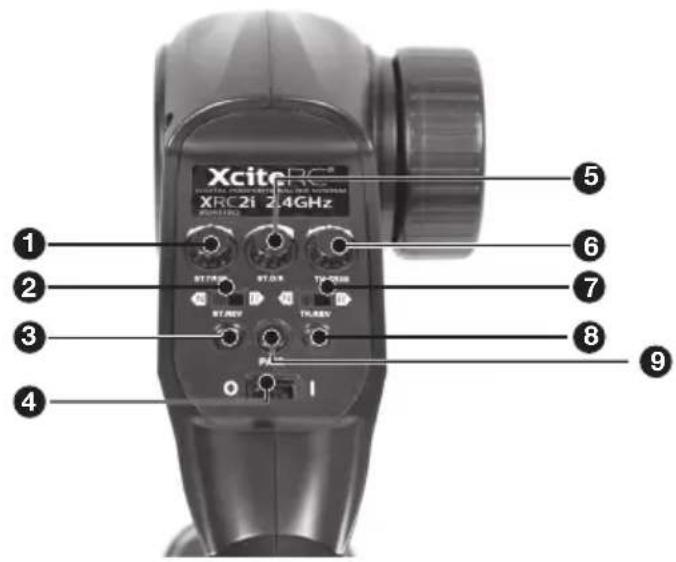
text_image
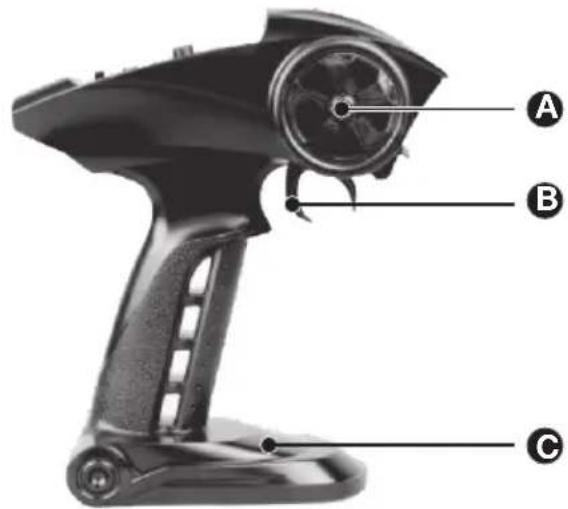
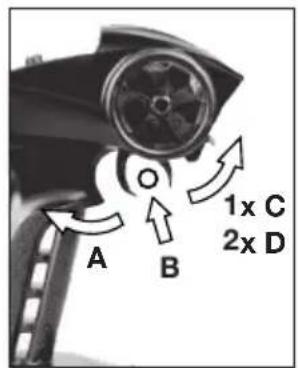
XciteRC XRC21 24GHz ST/FRK ST/DR TH/FRR ST/REV TH/REV 0 I ① ② ③ ④ ⑤ ⑥ ⑦ ⑧ ⑨A: Steering wheel: direction right or left
B: Throttle trigger: controls the speed and direction of the model
C: Battery compartment
-
Control trim: adjusts the straight ahead driving
-
Servoreverse steering
-
POWER LED: indicates the battery voltage
-
On / Off Switch: Turns the power of the transmitter ON / OFF
-
Steering Dual Rate: sets the maximum curve radius
-
Throttle trim: adjust the neutral position of the controller (always in the middle position!)
-
Servoreverse throttle
-
BIND-LED: indicates a "bound" receiver
-
BIND (pair)-button

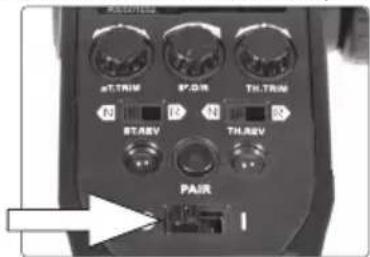
NOTE: the adjuster for the throttle trim TH.TRIM and the servo reverse switches for steering ST.REV and throttle TH.REV must not be adjusted. So check the correct position before every ride: throttle trim to the center position (mark on the adjuster points up), steering reverse: switch in position N, servo reverse throttle: switch in position N.
BINDING:
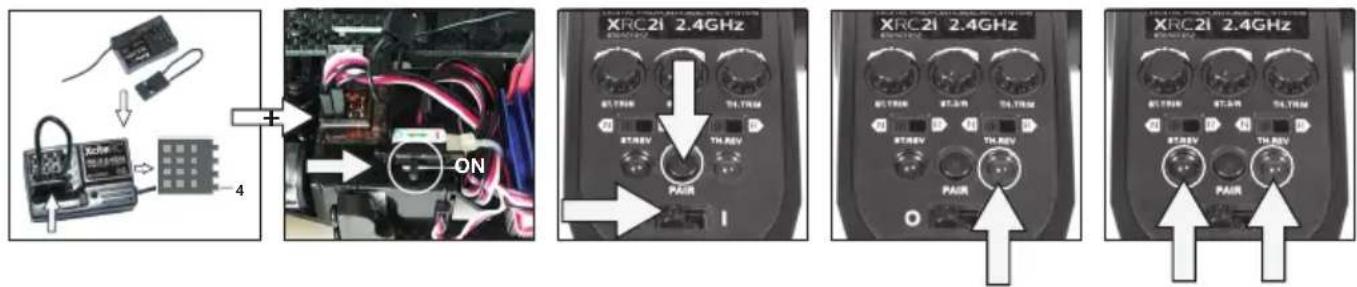
The 2.4 GHz receiver of TC one10 Pro must be once „connected“ with a suitable transmitter, the so-called „binding“ procedure. This ensures that the receiver establishes a connection only with this transmitter and the model can be operated without interference. This process can be repeated any time.
The transmitter and receiver of the TC one10 Pro are already bound so that you can start flying immediately. Should a rebind gets necessary (eg. after a transmitter change), proceed as follows:
text_image
XRC21 2.4GHz XRC21 2.4GHz ON TH REV PAIR TH REV PAIR TH REV PAIR- Make sure that no other 2.4 GHz network (eg. WLAN or other transmitter) sends nearby.
- The distance between transmitter - TC one10 Pro should be maximum one meter.
- Insert the supplied BINDING plug into channel 4 of the receiver and then turn the vehicle on. Press and hold the PAIR button on the transmitter and turn it on. The green LED of the transmitter and the receiver's LED starts flashing to indicate the binding process. After about 5 seconds, both transmitter LEDs light up continuously - as well as the LED of the receiver, the transmitter is now bound to the TC one10 Pro.
- To activate the failsafe function, set the steering and throttle trim to the center position and remove the BINDING plug. In the event of a transmission failure (eg exceeding the maximum range or empty transmitter batteries), the model does not react uncontrollably, just rolls to a halt in a straight line.
- If the model cannot be controlled, repeat the process.
- ⚠️ WARNING: Never operate your model with inserted BINDING plug! Use it only during the BINDING process - risk of crash!
Charging the Battery:
Before the first use of your new model the drive battery needs to be charged.
ATTENTION: Make sure to read all safety instructions regarding the use of rechargeable batteries. Also, if necessary, further safety instructions in the manual for your used charger.
WARNING: Charge may occur only with the supplied charger on a fireproof surface and under constant adult supervision - fire or explosion hazard!
For charging remove the battery from the vehicle.
Getting started
Insert the battery into the vehicle and connect the plug to the ESC. Before you start, check all functions of the remote control. Does the vehicle follow exactly and directly your commands? Or does it react delayed or choppy? If yes, do not start anyway, but check transmitter and drive batteries and recharge or replace if necessary.
The run time of your TC one10 Pro depends on your driving style. The maximum run time is reached on a straight and levelled surface. If the battery is weak, the vehicle first gets slower until it finally stops completely. To increase the life time of the drive battery, you should cease operation when the vehicle begins to slow down.
- Switch on the transmitter, ON/OFF-switch in position I.
text_image
pT.TRIM P*DR TH.TRIM R1 R2 N R3 ST.REV TH.REV PAIR- Drive:
EN
text_image
A B 1x C 2x D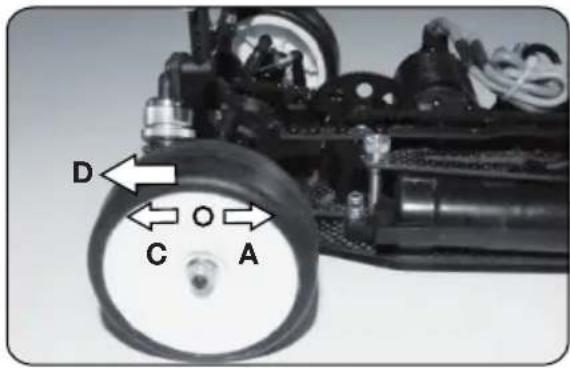
text_image
D C O A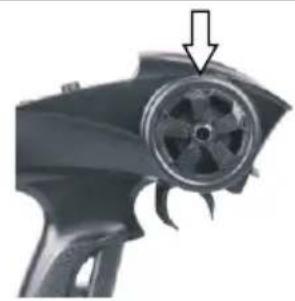
natural_image
Close-up of a black spray gun with a circular impeller and arrow pointing to the center (no text or symbols visible)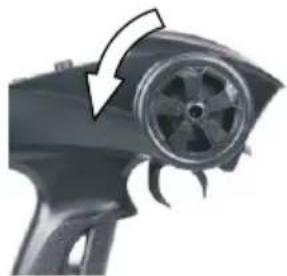
natural_image
Close-up of a handheld electric gun with a circular dial and flame-like blades (no text or symbols visible)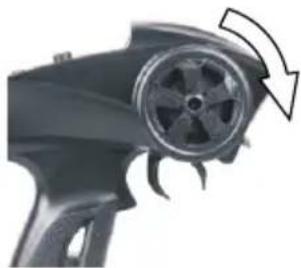
natural_image
Close-up of a black handheld device with a circular dial and arrow indicator (no text or symbols)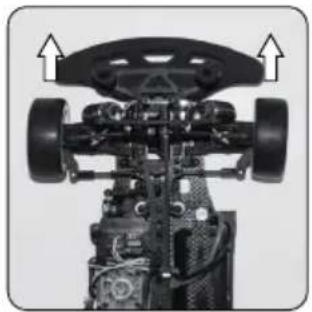
natural_image
Mechanical assembly diagram showing a vehicle chassis with wheels and structural components (no text or symbols)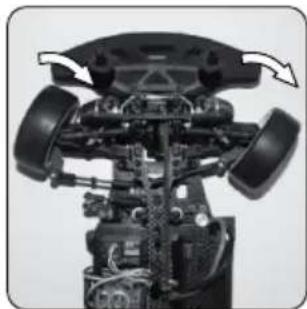
natural_image
Mechanical assembly diagram showing internal components with no visible text or symbols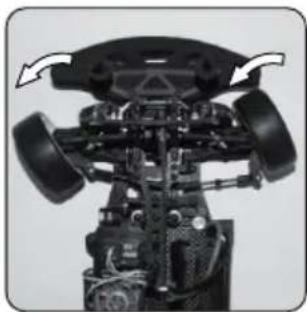
natural_image
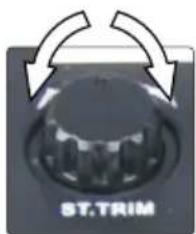
Mechanical assembly diagram showing internal components with directional arrows (no text or labels)- Steering trim: Drive slowly forward on level ground. Now check the straight ahead driving and adjust with the ST.TRIM knob if necessary.
natural_image
Close-up of a black industrial rotary knob with directional arrows indicating rotation (no text or symbols on the knob itself)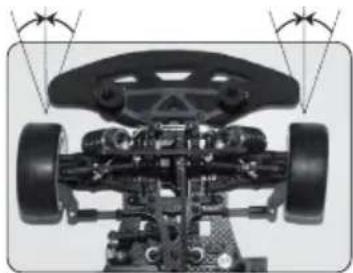
natural_image
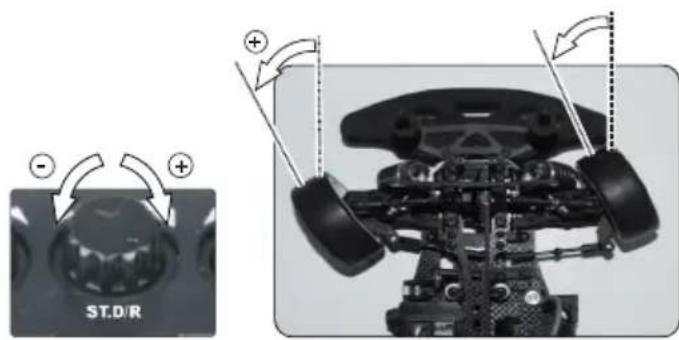
Top-down view of a toy car chassis with visible wheels and suspension components (no text or symbols)- Optimize steering: the maximum steering angle is adjusted with the ST.D/R knob. More maximum steering results in a tighter wall-to-wall turning circle, the vehicle turns in easier, but maybe a little nervous to drive. First turn the knob to the left - minimum steering angle. Now turn the steering wheel fully to the right (or left) and turn the adjusting knob ST.D/R slowly to the right until the desired steering angle is reached. You
may do this setting also while running your vehicle. ⚠️ WARNING: do not turn too far, otherwise the steering arm (30306034) press against the front uprights (30306033) which may damage the steering servo!
text_image
ST.D/R
After the ride:
- Switch OFF the vehicle first, then the transmitter (ON/OFF-switch in position O).
EN
text_image
positive camber Turnbuckle negative camberCamber:
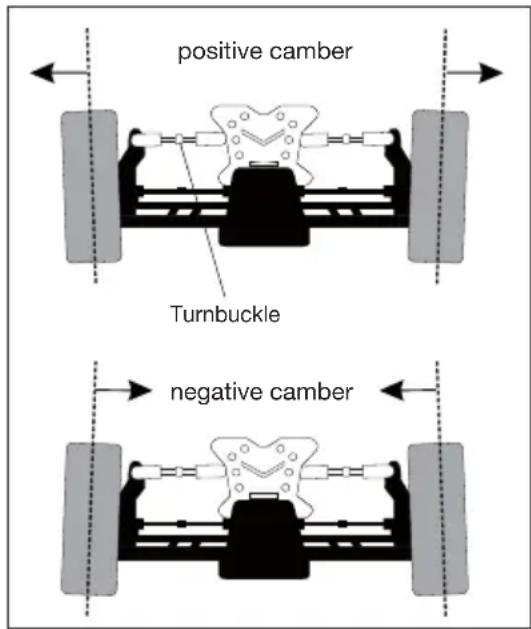
The tires should always have road contact with all the running tread. This is achieved with neutral or negative camber (about 2-3 °) on both axes - more negative camber decreases the grip level again. Ideally, the camber is adjusted so that the tires wear is evenly.
Positive camber drastically reduces the grip and should, if at all, only be used on the front axle, to make the cornering less aggressive.
Maintenance
To have fun with your model over a long period, occasional service work is required to get your model in good condition and to minimize wear.
- Remove dirt or dust depending with compressed air or a soft brush after each use. For stubborn dirt, a harder brush or a toothbrush can be used.
- To clean the body/fuselage no chemical cleaners such as thinners may used, as this damage the plastic of the body/fuselage. Normally a piece of soft cloth is ok, stubborn dirt can be removed with washing-up liquid.
- Check the tightness of all screws and tighten if necessary.
- Also check all connections, cables and power battery / rechargeable battery for damage.
- WARNING: Damaged batteries or rechargeable batteries must not be used again and must be disposed of immediately – fire hazard! Please note the disposal notes at the end of this manual.
- Check the model for worn, broken or jammed parts and gears and repair if necessary.
- ⚠️ WARNING: remove the batteries / rechargeable batteries of the transmitter and model when not in use – fire hazard!
Troubleshooting
| Problem Possible | Cause Solution | |
| Motor does not run | Motor cable unplugged or brokenDrive battery emptyThrottle trim TH.TRIM on the transmitter set incorrectlyMotor broken | Insert the motor cable or solderChange or charge the batteryCheck transmitter, set trim correctlyReplace the motor |
| Vehicle runs backwards | Throttle servo reverse switch TH.REV in R position | Set servo reverse switch in position N |
| Weak motor / no power | Battery is almost emptyThrottle trim TH.TRIM on the transmitter set incorrectlyDrive train does not run smoothlyVehicle is very loudMotor gets very hot | Change or charge the batteryCheck transmitter, set trim correctlyCheck drive train and clean if necessaryCheck pinion clearance, adjust if necessaryAllow motor to cool; check drive train for binding parts and precise gear mesh |
| Vehicle is hard to control | Transmitter LEDs flashing - transmitter batteries almost emptySteering trim ST.TRIM on the transmitter set incorrectlyInterferenceThrottle trim TH.TRIM on the transmitter set incorrectly | Change or charge the batteryCheck transmitter, set trim correctlyTurn off the vehicle and transmitter, make a quick break and then re-trySet throttle trim to the center position |
| Vehicle has no function | LEDs on the transmitter does not light upTransmitter - receiver not boundInterferenceThrottle trim TH.TRIM on the transmitter set incorrectlyCar aerial torn offTransmitter LEDs flashing - transmitter batteries almost emptyDrive battery empty | Check that vehicle and transmitter are turned onRebind transmitter - receiver (see chapter BINDING)Set throttle trim to the center positionRepair antenna (vehicle)Change or charge the batteryChange or charge the battery |
| Vehicle runs very loud | Gear mash between the pinion and main gear set incorrectlyWorn gearsBearings runs tight or worn out | Check gear mesh adjust if necessaryCheck and replace if necessaryCheck and lubricate or replace if necessary |
Repairs, Spare parts
Normal wear and defective parts that result from an accident, are excluded from the warranty. These include in particular:
for car models: bald tires, worn parts and drive gears, or bent / broken suspension, chassis or bodywork ship models: damaged or broken propellers, torn superstructure
airplanes: damage due to improper transport or crash
If you find a part that is defective in material or workmanship right after opening the package, return - before you used it – to your dealer or directly to us and we will send you a replacement.
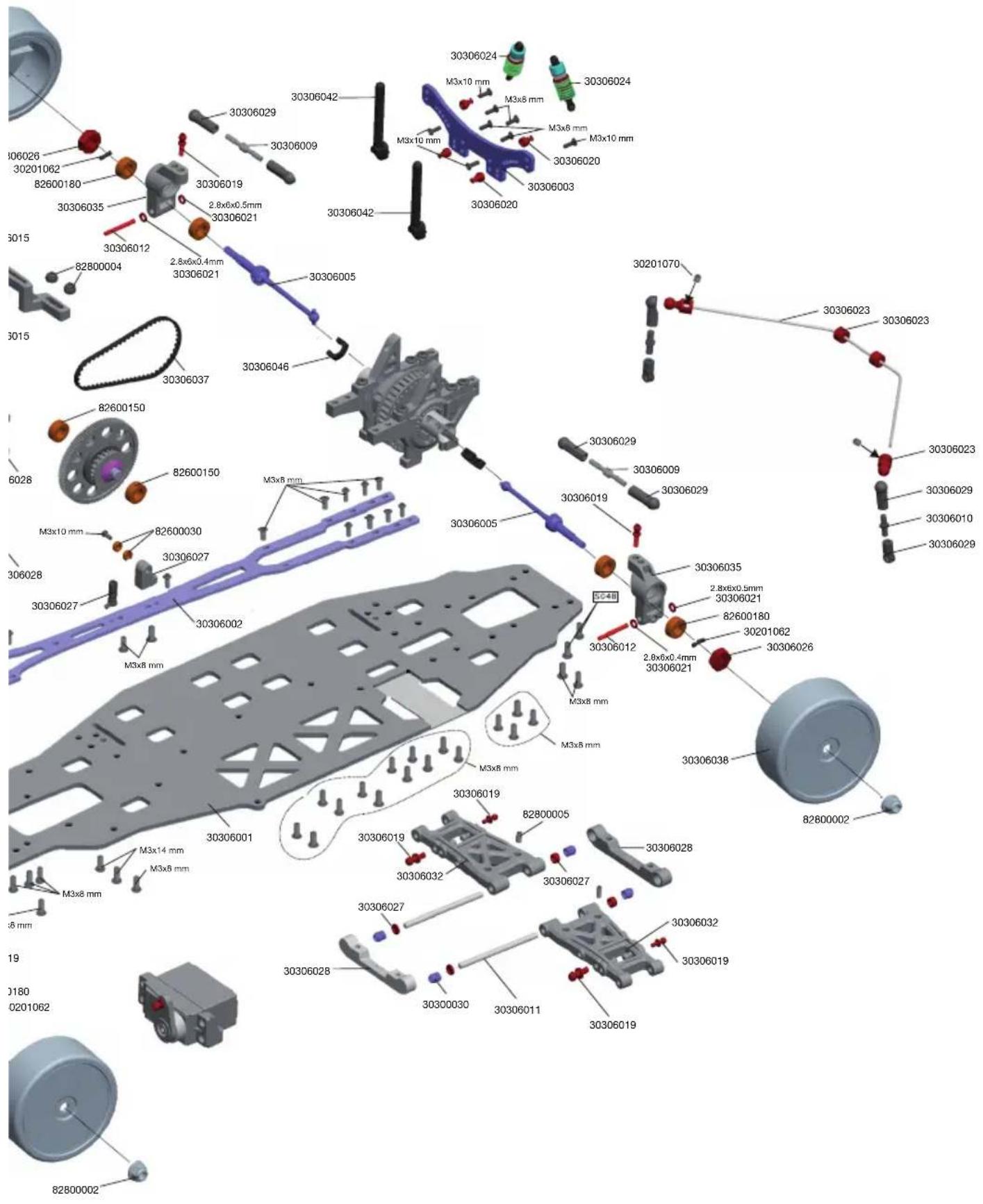
For the TC one10 Pro all parts are available as spares. If a part is defective or worn, you can identify it with the help of the exploded view, and the installation guide on pages 44 to 46 shows the correct installation.
In case of problems or questions, please contact your dealer or:
XciteRC Modellbau GmbH & Co. KG - Service, Autenbachstrasse 12, D-73035 Göppingen, Phone +49 7161 40 799 50
Email: service@xciterc.de
Spare parts for the TC one10 Pro you may order in your local hobby shop or online at http://www.XciteRC.de
EN
Specifications
| Length 445 mm | |
| Width 195 mm | |
| Height 120 mm | |
| Wheel Base 260 mm | |
| Weight approx. 1080 g | |
| Motor RC540 black brushed | |
| ESC 2S (7.4 V DC) | |
| Transmitter XRC 2i 2.4 GHz 2-Kanal | |
| Transmitter range ca. 150 m |
Environmental Protection Notes
The symbol of the crossed out dust bin on the product or packaging indicates that this product must be disposed of separately from normal household waste. In order to avoid harmful effects on the environment and human health in the disposal of electrical and electronic equipment and the re-use or recycling are possible. You have the opportunity to submit electrical and electronic
equipment free of charge at an appropriate collecting point in your area. Please check with your city or town across the available depot. You also have the option to return old electrical and electronic equipment which has been purchased from us. We will then perform a proper recycling or reuse.
Possibly contained batteries must be removed from the product and disposed of at the appropriate collecting point.
Notes on battery law
According to the German Battery Act (BattG) the one who sells batteries (and accumulators etc.) or devices containing batteries, we are obliged to draw your attention to the following:
Batteries and rechargeable batteries should not be disposed of with household waste but you are legally obliged to return used batteries. Batteries can contain contaminants that could harm the environment or your health if improperly stored or disposed of. Batteries also contain important raw materials such as iron, zinc, manganese or nickel and can be recycled.
You can send us back the batteries after use either sufficient postage:
returned free of charge or in close proximity (eg in trade or municipal collection). The levy is limited to points of sale to end-users for the disposal of such waste batteries and customary amounts, which the distributor as new batteries in his range or has done.
Batteries containing pollutants are marked with a sign, a crossed-out rubbish bin, and the chemical symbol of the pollutant-heavy metal.
This crossed-out bin means that you must not dispose of batteries with household waste.
Among these characters, see also the following symbols have the following meanings:

Cd

Hg

Pb

Li-Po
- Cd = cadmium
- Pb = plumbium
- Hg = mercury
- Li = lithium
EN
FR
Sommaire
natural_image
Two black electronic devices with battery modules and arrows indicating direction (no text or symbols on the devices themselves)Chassis Oberdeck TC one10
Upper Deck TC one10
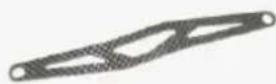
Shock Tower FR/RR TC one10
avant/arrière TC one10
30306004
Akkuhalter TC one10
Battery Cover TC one10
Support d'accu TC one10
30306005
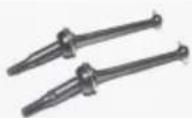
CVD-Kardans vo./hi.TC one10 (2)
CVD Shafts FR/RR TC one10 (2)
Arbre de transmission CVD
avant/arrière TC one10 (2)
30306006
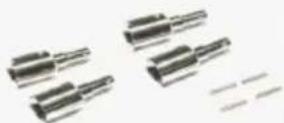
Diff. Outdrive+Pins TC one10 (4)
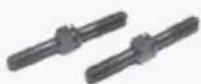
Spurstangen 42 mm TC one10 (2)
Steering Linkage Bars 42mm TC one10 (2)
Barres d'accouplements 42mm TC one1
30306008
Front Upper Linkage Bars 28mm (2)
Rear Upper Linkage/Servo Linkage Bars (2)
Sway Bar Retainer Bolts 12mm (2)
Suspension Inside Hinge Pins (2)
Rear Hub Pins TC one1 (2)
Steering Hub Carrier Pins (2)
Gear Pins 2x8mm TC one1 (8)
Battery Posts and Battery Post Lockers (2)
Spur Gear Posts TC one1 (2)
Steering Hub Carrier Balls + Pads TC one1 (4)
Rotules direction TC one1 (4)
30306019
natural_image
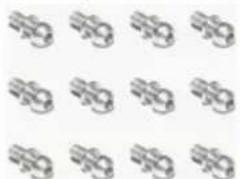
Grid of identical abstract icons resembling stylized faces or symbols, no text or labels presentKugelköpfe 4.8x11 mm (12)
Standard Balls 4.8x11mm (12)
Rotules 4.8x11 mm (12)
30306020
natural_image
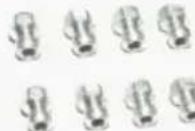
Grid of circular and square patterns with no text or symbolsShims various sizes (32)
Rondelles differents types (32)
30306022
natural_image
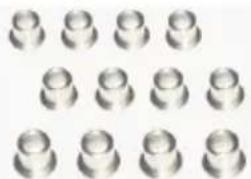
Grid of identical metallic oval shapes arranged in three rows (no text or symbols)Lagerbuchsen 6 mm TC one10 (12)
Bushes 6mm TC one10 (12)
Coussinets 6mm TC one10 (12)
30306023
text_image
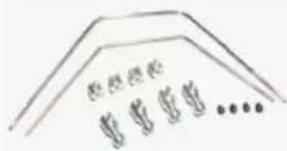
E: E: E: E G: G: G: G ...Stabilisator vo./hi. TC one10
Front/Rear Sway Bar Assembly
Antiroulis avant/arrière TC one10
30306024
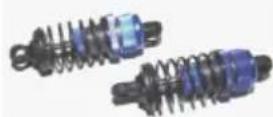
Full Aluminum Oil Filled Shock FR/RR (pair)
Front Bumper Mount+Battery Post
Retainer+Belt Retainer
Front/Rear Diff. Gear Mount+Shock Tower Retainer
+Servo Mo+Wheel Hex.
Support diff./plaques d'amortisseuers/Servo et
entraînemet roues
30306027
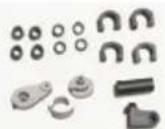
Suspension Pad+Drive Shaft Holder+Belt Mount+ Servo Mount+Antenna Mount
Servo Saver, Blades, Suport de tendeur de
courroie/antanna
30306028
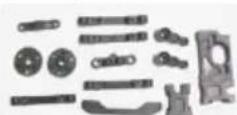
Spur Gear Mount+Suspension Arm Mount
+Gear Mount+Steering Kit Arms
Ball cups various sizes (12)
Coussinets sphériques differents types (12)
30306030
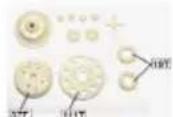
Gears Assembly Standard, Main Gear 111T, Belt pulley 19/37T
Pignon principale standard 111D, poulis 19/37D
30306031
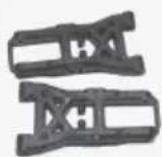
Untere Querlenker vorne (2)
Front Lower Suspension Arms (2)
Rear Lower Suspension Arms (2)
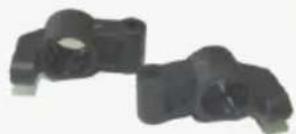
Steering Hub Carriers TC one10 (2)
Lenkhebel TC one10 (2)
Steering Hubs TC one10 (2)
Renvois de direction TC one10 (2)
30306035
natural_image
Two black plastic mechanical components with no visible text or symbolsRear Hubs TC one10 (2)
Supports des roues arrières TC one10 (2)
30306036
natural_image
Simple oval shape with textured outer edge and no text or symbolsRiemen lang vorne Standard 519 mm
Long Belt standard 519mm
Short Belt standard 177mm
natural_image
3D rendered image of a gray mechanical part with four holes (no text or symbols)Schaumstoff-Frontrammer
Front Bumper Foam
Jupe de protection mousse1
30306040
natural_image
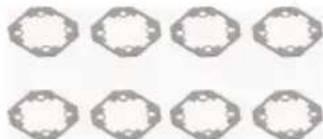
Grid of nine identical gray geometric shapes arranged in two rows (no text or symbols)Differenzialdichtungen TC one10 (8)
Diff. Pad TC one10 (8)
natural_image
Collection of mechanical parts including shafts, flanges, and circular holes (no text or symbols)Karosseriehalter vo./hi. TC one10
Front/Rear Body Posts TC one10
Supports carrosserie avant/arrière TC one10
30306043
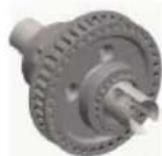
Front/Rear Diff. Complete TC one10
natural_image
Six identical metallic bolt head designs arranged in a 2x2 grid (no text or symbols)Kragenstoppmutter M4 (6)
Flange Lock Nut M4 (6)
Kugellager 5x10x4 mm
Ball Bearing 5x10x4 mm
Kugellager 10x15x4 mm
Ball Bearing 10x15x4 mm
Kugellager 5x8x2.5 mm
Ball Bearing 5x8x2.5 mm
natural_image
Grid of nine identical horizontal black bars on white background (no text or symbols)Wheel Hex Pin 2x10mm (8)
natural_image
Grid of 12 identical black circular shapes arranged in 3x3 pattern (no text or symbols)Motor brushed RC540 black
Motor brushed RC540 black
natural_image
Close-up of a red and black electrical connector with wires (no visible text or symbols)LiPo Battery Post Retainer (3)
30306046
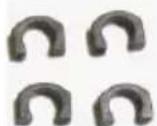
Body TC one10 Pro green + Decals
Carrosserie TC one10 Pro verni jaune
+ autocollantes
30306049
natural_image
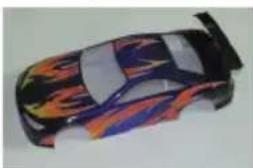
Colorful toy car with flame patterns on its body (no text or symbols visible)Karosserie TC one10 lackiert lila + Decals
Body TC one10 Pro purple + Decals
Carrosserie TC one10 Pro verni violet
+ autocollantes
30201063
natural_image
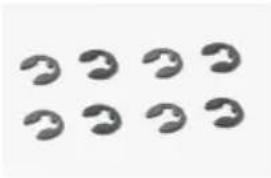
Eight identical abstract curved shapes arranged in two rows (no text or symbols)E-Clip 2mm (8)
E-Clip 2mm (8)
E-Clip 2mm (8)
Schraubenset komplett TC one10
Screw Set TC one10
Lot de visserie complète TC one10
30306050
30201070
Madenschraube M3x3mm (12)
Set Screw M3x34mm (12)
Vis sans tête M3x3mm (12)
30300030
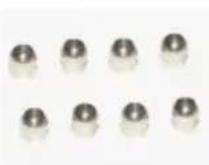
Kugeln Radaufhängung 5x4.85 mm (8)
Suspension Arm Ball 5x4.85 mm (8)
Rotules pour la suspension 5x4.85 mm
30201070

Madenschraube M3x3mm (12)
Set Screw M3x3mm (12)
Vis sans tête M3x3mm (12)
82800005
natural_image
Grid of 12 identical dark oval-shaped objects arranged in two rows (no text or symbols)Madenschraube M3x8mm (12)
Set Screw M3x8mm (12)
Vis sans tête M3x8mm (12)
50100001

Sender XRC-2i 2.4GHz
Transmitter XRC-2i 2.4GHz
Emetteur XRC-2i 2.4GHz
51000001
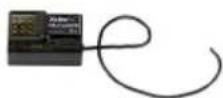
Empfänger RX-2i 2.4GHz
Receiver RX-2i 2.4GHz
Récepteur RX-2i 2.4 GHz
82000828
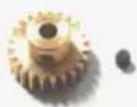
Motorritzel 28 Zähne (Modul 0.5)
Motor Pinion 28T (Module 0.5)
Pignon du moteur 28D (Module 0.5)
82000830
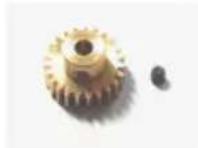
Motorritzel 30 Zähne (Modul 0.5)
Motor Pinion 30T (Module 0.5)
Pignon du moteur 30D (Module 0.5)
82000836
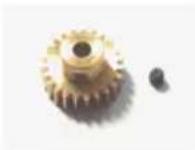
Motorritzel 36 Zähne (Modul 0.5)
Motor Pinion 36T (Module 0.5)
Pignon du moteur 36D (Module 0.5)
82000838
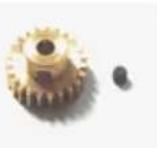
Motorritzel 38 Zähne (Modul 0.5)
Motor Pinion 38T (Module 0.5)
Pignon du moteur 38D (Module 0.5)
82000840
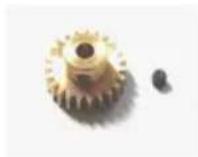
Motorritzel 40 Zähne (Modul 0.5)
Motor Pinion 40T (Module 0.5)
Pignon du moteur 40D (Module 0.5)
82000842
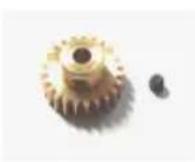
Motorritzel 42 Zähne (Modul 0.5)
Motor Pinion 42T (Module 0.5)
Pignon du moteur 42D (Module 0.5)
61300005
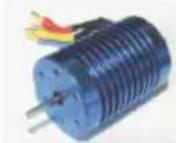
Motor Brushless BLS-540-4370
Motor Brushless BLS-540-4370
CNC Aluminum Steering Hubs (2)
Renvois de direction alum. CNC (2)
30306101
natural_image
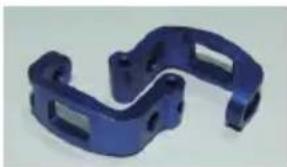
Blue plastic mechanical bracket component (no text or symbols visible)Lenkhebelträger Aluminium CNC gefräst (2) CNC Aluminum Front Uprights (2)
Support de renvoi de direction alum. CNC
30306102
natural_image
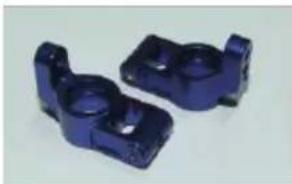
Two blue plastic mechanical components with cylindrical features (no text or symbols visible)Radträger hinten Aluminium CNC gefräst (2) CNC Aluminum Rear Uprights (2)
Supports des roues arrières alum. (2)
30306103
natural_image
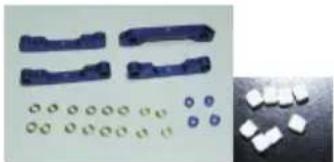
Product photo showing four blue plastic components with various circular and square features, alongside a close-up of white plastic blocks (no text or symbols visible)Querlenkerhalter Aluminium CNC gefräst (4)
CNC Aluminum Suspension Mount (4)
Supports des bras avant/arrière alum.
CNC (4)
30306104
natural_image
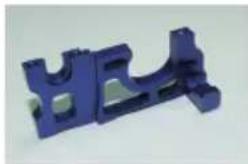
Blue plastic mechanical bracket component (no text or symbols visible)CNC Aluminum Motor Mount
CNC Aluminum FR/RR Gear Box Mount
CNC Aluminum Center Gear Mount
Support d'arbre centrale alum. CNC
30306107
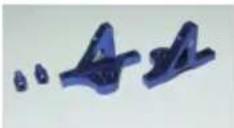
CNC Aluminum Shock Tower Mount
Support plaques d'amortisseuers alum. CNC
30306108
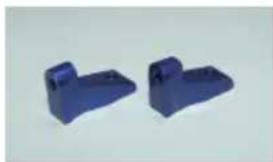
natural_image
Two blue plastic mechanical components with no visible text or symbolsCNC Aluminum Servo Mount
Support de servo alum. CNC
30306121
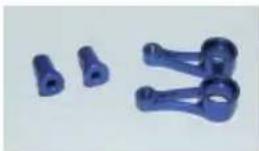
Umlenkhebel + Pfosten Aluminium CNC
CNC Steering Bushes + Steering Post
Leviers de renvoi + support alum. CNC
30306122
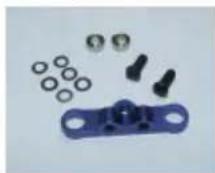
Umlenkhebelverbinder Aluminium CNC
CNC Steering Plate + Ball
EN The XciteRC Modellbau GmbH & Co. KG declare that this product complies with the essential requirements and other relevant regulations of the directives R&TTE 1999/5/EC and RoHS 2011/65/EC.
The detailed Declaration of Conformity can be found at www.XciteRC.com at the respective product link Declaration of Conformity or via E-mail: info@xciterc.de.
text_image
Exploded view diagram of a mechanical assembly with labeled components and part numbers