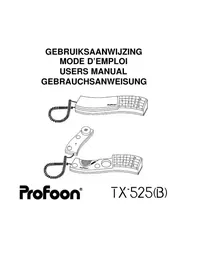
TX525 - Desk Phone PROFOON - Free user manual and instructions
Find the device manual for free TX525 PROFOON in PDF.



| Product type | Desk phone |
| Brand | Profoon |
| Model | TX525 |
| Dialing | Tone and pulse selectable |
| Functions | Hands-free, last number redial, hold (Hold), * and # keys, R/FLASH key (100 ms), pause |
| Ringer volume | Adjustable via switch |
| Power supply | Via telephone line (without batteries) |
| Dimensions (estimated) | 22 x 18 x 8 cm |
| Weight (estimated) | 500 g |
| Housing material | Plastic |
| Handset type | With coiled cord |
| Cord length | Approximately 2 m (estimate) |
| Warranty | 12 months |
| Care and cleaning | Clean with a damp cloth, do not use chemical cleaners |
| Precautions | Do not expose to direct sunlight or humidity; avoid varnished surfaces (rubber marks) |
| Compatibility | Old (pulse) and new (tone) telephone exchanges |
| Electronic services | Compatible with teleservices (telebanking, teleshopping) via * and # keys |
| Repairability | Warranty repair by the importer; contact your dealer |
Frequently Asked Questions - TX525 PROFOON
User questions about TX525 PROFOON
0 question about this device. Answer the ones you know or ask your own.
Ask a new question about this device
Download the instructions for your Desk Phone in PDF format for free! Find your manual TX525 - PROFOON and take your electronic device back in hand. On this page are published all the documents necessary for the use of your device. TX525 by PROFOON.
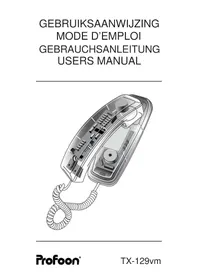
USER MANUAL TX525 PROFOON
TOON/PULS:
UITBELLEN:
TOETS * en #:
TYPE DE NUMÉROTATION (TONE/PULSE):
USAGE
RÉCEPTION D'UN APPEL:
EMISSION D'UN APPEL:
MÉMOIRE DU DERNIER NUMÉRO:
TOUCHE TÉLÉSERVICE:
R/FLASH:
Connect the handsetcord between the handset and base.
Linecord:
Connect the line cord to the TEL LINE connection on the backside of the telephone.
Push the connectors till you hear a click.

TONE/PULSE:
The TX-525(B) has a TONE/PULSE switch to select the required dial-mode:
* select PULSE in case your system requires rotary pulses;
* select TONE in case you are connected to a digital exchange.
Plug the telephone plug into your telephone outlet.
HOW TO USE
INCOMING CALLS:
The volume of an incoming call can be adjusted by the ringer switch on the backside of the unit.
Lift the handset and start the conversation.
OUTGOING CALLS:
Lift the handset and wait for the dialtone. Key in the desired telephone number.
HANDSFREE DIALLING:
Press key H/F to switch on the handsfree dialing function. You may now dial a number without having to hold the handset. As soon as the other party answers your call, lift the handset to start the conversation.
LAST NUMBER REDIAL:
Lift the handset and wait for the dialtone. Press the REDIAL button; the TX-525(B) now automatically redials the last dialed number.
PAUSE:
In case you are calling through a PABX, it is preferable to press the REDIAL button direct after the prefix (mostly 0).
NOTE: If this key is pressed BEFORE one of the number buttons has been pressed, then this key acts as a REDIAL key.
HOLD:
Press HOLD to temporary switch-off the microphone. You may now replace the handset on the cradle.
Lift the handset to resume the conversation.
TELESERVICE BUTTON:
If your telephone is set to pulse dialing, press button */TONE to temporary switch to tone-dialing. Tone dialing is required to gain access to computer services.
If the TX-525(B) is already set to tone-dialing, then you can directly make use of computer services.
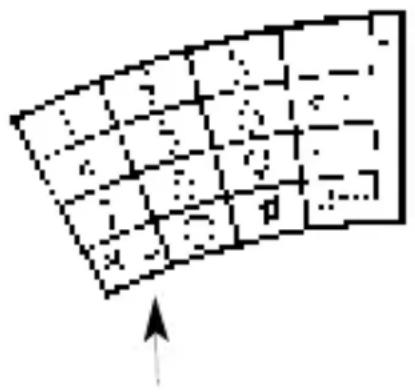
R/FLASH:
The TX-525(B) has a R/FLASH button to transfer calls when connected to a PABX or to gain access to special services from your provider. Consult the manual of your PABX or consult your provider.
![graph TD A["Start"] --> B{Decision} B -->|Yes| C["Process"] B -->|No| D["End"]](/content/2026/02/391155/images/cf6af69f3e0b755a54acabe54aac0f63480510b548de3978e15880feb28b4830.jpg)
The FLASH time is 100 mS.
MAINTENANCE
Do not place the telephone in direct sunlight nor in wet surroundings.
Clean the cabinet only with a damp cloth; do not use chemical cleansers.
Do not place the TX-525(B) on a cellulose based surface; the rubber feet can damage the surface.
Avoid placing in Electro-magnetic fields; this might influence the audio-quality.
INSTALLATION
HÖRER:
TON/PULS:
TELEDIENSTE:
R/FLASH:
LA GARANTIE S'EXPIRE:
- TOON/PULS
- UITBELLEN
- TOETS * EN
- TYPE DE NUMÉROTATION (TONE/PULSE)
- USAGE
- RÉCEPTION D'UN APPEL
- EMISSION D'UN APPEL
- MÉMOIRE DU DERNIER NUMÉRO
- TOUCHE TÉLÉSERVICE
- R/FLASH
- TONE/PULSE
- HOW TO USE
- INCOMING CALLS
- OUTGOING CALLS
- HANDSFREE DIALLING
- LAST NUMBER REDIAL
- PAUSE
- HOLD
- TELESERVICE BUTTON
- MAINTENANCE
- INSTALLATION
- HÖRER
- TON/PULS
- TELEDIENSTE
- LA GARANTIE S'EXPIRE
Brand : PROFOON
Model : TX525
Category : Desk Phone