Metis - Sports Watch HUAWEI - Free user manual and instructions
Find the device manual for free Metis HUAWEI in PDF.



| Product Type | Connected sports watch |
| Brand | Huawei |
| Model | Metis |
| Case material | Plastic and metal |
| Water resistance | Splash resistant (not specified) |
| Screen type | Color touch screen |
| Sensors | Optical heart rate sensor, accelerometer |
| Main functions | Heart rate monitoring, activity tracking, workout programs, notifications |
| Power | Rechargeable lithium-ion battery, contact charging |
| Battery life | Up to 7 days in normal use (estimate) |
| Connectivity | Bluetooth |
| Phone compatibility | Android 4.4 or later, iOS 8.0 or later |
| App | Huawei Wear (Android and iOS) |
| Dimensions | Approximately 45 mm diameter (estimate) |
| Weight | Approximately 50 g (estimate) |
| Care and cleaning | Wipe charging port before use, avoid sharp objects |
| Repairability | Spare parts available via Huawei support |
Frequently Asked Questions - Metis HUAWEI
User questions about Metis HUAWEI
0 question about this device. Answer the ones you know or ask your own.
Ask a new question about this device
Download the instructions for your Sports Watch in PDF format for free! Find your manual Metis - HUAWEI and take your electronic device back in hand. On this page are published all the documents necessary for the use of your device. Metis by HUAWEI.
USER MANUAL Metis HUAWEI
Scan the following QR code, or choose DISCOVER > Help in the app to learn more about using your fitness watch.

For more information, visit http://consumer.huawei.com/en/. Copyright © Huawei Technologies Co., Ltd. 2016. All rights reserved.
This document is for reference only and does not constitute a warranty of any kind, express or implied.



Content
QUICK START....01
DÉMARRAGE RAPIDE....14
Automatically Powering on after Charging
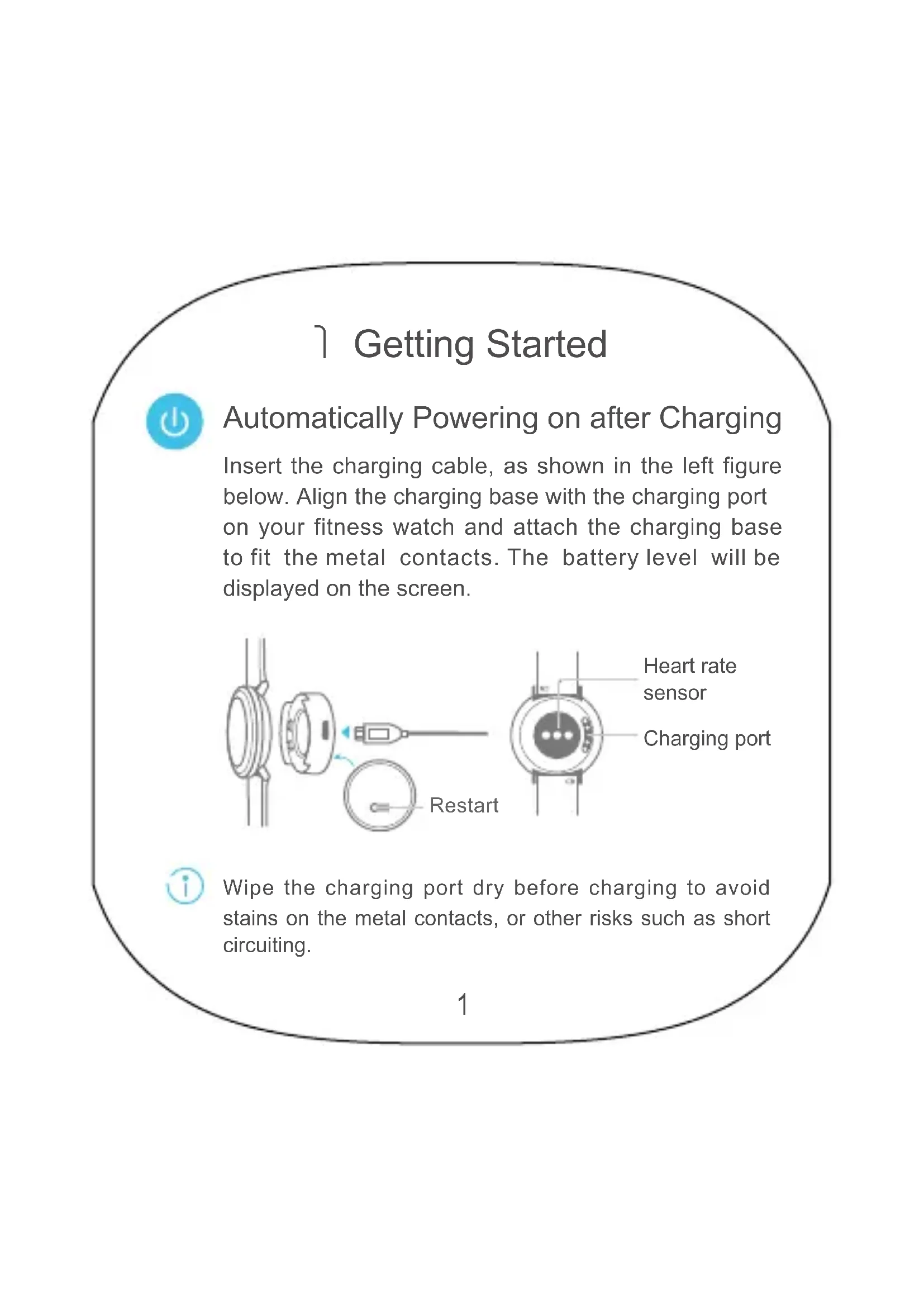
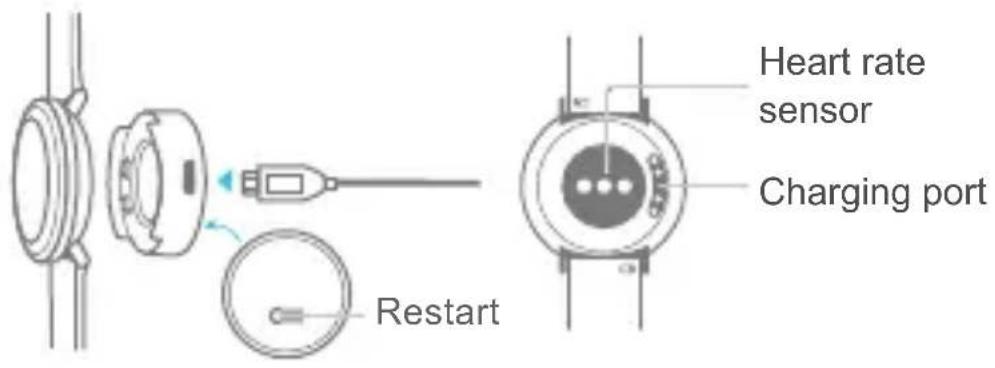
Insert the charging cable, as shown in the left figure below. Align the charging base with the charging port on your fitness watch and attach the charging base to fit the metal contacts. The battery level will be displayed on the screen.

Wipe the charging port dry before charging to avoid stains on the metal contacts, or other risks such as short circuiting.

You can press and hold the reset pinhole at the bottom of the charging base for 10 seconds to restart your fitness watch during charging. To avoid damage, do not insert needles or other sharp objects into the reset pinhole.

Installing the Huawei Wear app
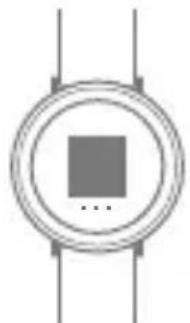
After your fitness watch is turned on, swipe left on the home screen to display the QR code screen. Scan the code with your phone to download and install the Huawei Wear app. Alternatively, download the app from Huawei HiApp or Apple App Store.
natural_image
Simple circular diagram with a central square and three vertical lines, no text or symbols present.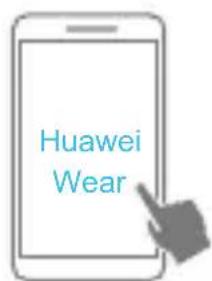

Use a smartphone running Android 4.4 or later, or iOS 8.0 or later.

Connecting Your Fitness Watch and Phone
Open the app, choose DEVICE > + Follow the instructions on the screens of your fitness watch and phone to pair them.

Do not search for your fitness watch on the Bluetooth settings screen of your phone.

Operating Gestures
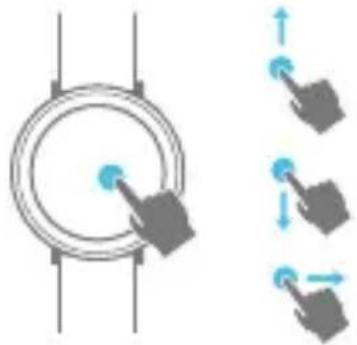
Swipe up or down on your fitness watch to switch between screens, and swipe right to go back. Touch the screen to operate the interface.
natural_image
Diagram showing a circular component with a cursor pointing at it, alongside three directional arrows indicating movement or force (no text or symbols present)Slide from one end of the screen across the center in vertical or horizontal direction to reach the other end of the screen.
2 Heart Rate Monitoring

Manual Single Measurement
Wear your fitness watch properly, and swipe up or down on the screen to display the Heart rate screen. Your fitness watch will then automatically measure your heart rate.
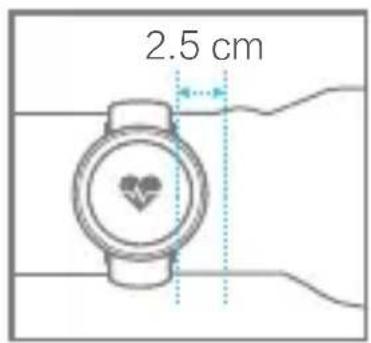
To ensure accurate heart rate measurement, wear your fitness watch properly by referring to the preceding figure. Wearing it too tight or too loose may affect data accuracy.

Heart rate data cannot be used for medical purposes.
On the Heart rate screen, touch to view your heart rate changes in the past four hours. You can view detailed heart rate information in the Huawei Wear app.
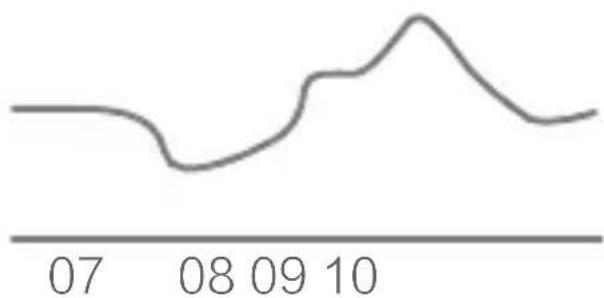
line
| Date | Value | |------|-------| | 07 | ~0 | | 08 | ~-2 | | 09 | ~3 | | 10 | ~2 |RHR: 88
↑ 135 ↓ 82

Automatic Measurement
Your fitness watch automatically measures your heart rate in the workout or training plan mode, and will prompt you if your heart rate has exceeded the heart rate limit.
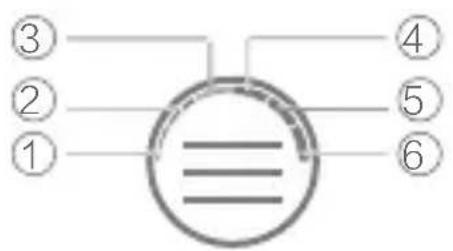
| No. | Heart rate set | Percentage of maximum heart rate (default) |
| 1 - | Less than 50% | |
| 2 | Warm up 50% to 60% | |
| 3 | Fat burn 60% to 70% | |
| 4 | Aerobic 70% to 80% | |
| 5 | Anaerobic 80% to 90% | |
| 6 | Maximum 90% to 100% |

In the app, you can set your heart rate limit and maximum heart rate, and check detailed information about the heart rate set.
3 Sleep Management

Sleep Monitoring
Your fitness watch can automatically monitor your sleeping status. You can view customized and detailed sleeping information in the app.

Smart Alarms
You can set a smart alarm using the app. If you are asleep, it will vibrate to wake you during the specified time period. You can swipe up on the screen to turn off the alarm.
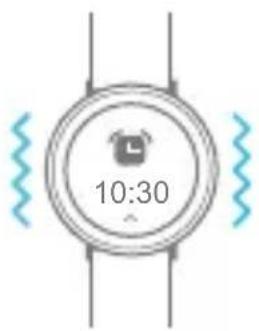

For important events, you can also use the app to set event alarms. Your fitness watch will vibrate at the time you've specified as a reminder.
4 Fitness Monitoring

Motion Detection
Wear your fitness watch properly, and it automatically identifies your movements, including walking and running, and collects your fitness data.

Different Types of Exercise
Swipe up or down on the screen to display the Workout screen, touch 📁, select the exercise type, and start exercising. You can view your exercise data after exercising.
natural_image
Simple line drawing of a running person inside a circle (no text or symbols)
natural_image
Simple line drawing of a cyclist inside a circle (no text or symbols)
...
Running Training
1 Create your running plan in the app, and synchronize it to your fitness watch. Swipe up or down on the screen to display the Training plan screen, and touch 📋 to view the details of your running plan.
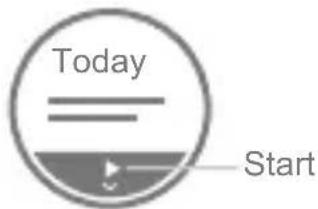
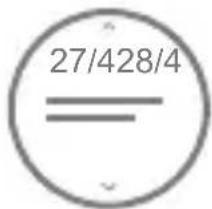
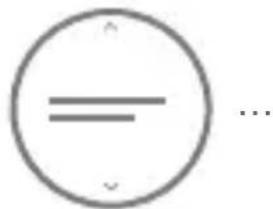
2 Start, pause, or end your running task on your fitness watch. After running, you can view your training report on your fitness watch or in the app.
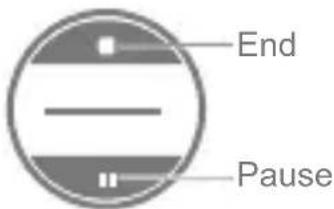
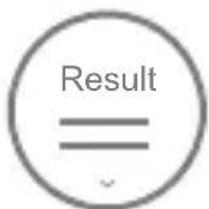
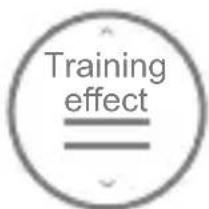

You can also start, pause, or end your running task in the app.
5 Notifications

Incoming Call Notifications
Your fitness watch vibrates for incoming calls. You can swipe up on the screen to reject a call.
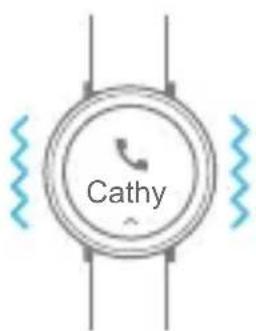

You can mute a call by touching the screen of your fitness watch if you use a phone running iOS 8.0 or later. If Do Not Disturb mode is set in the app, your fitness watch does not vibrate for incoming calls.

Incoming Message Notifications
Your fitness watch vibrates for an incoming message when the corresponding notification is displayed in your phone's status bar. You can view new messages by swiping up on the screen or flipping your wrist.
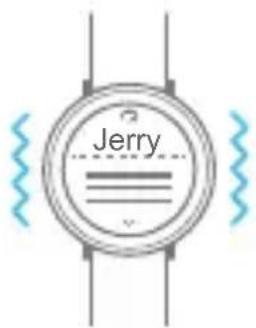

You need to enable your phone's notification function in the status bar, and ensure that the incoming message notification function is enabled in the app (disabled by default).
If your fitness watch detects that you are asleep, or Do Not Disturb mode is set in the app, your fitness watch will not vibrate for incoming messages.
6 Water Resistance

Your fitness watch is 5ATM water-resistant. You can wear it when swimming in freshwater, washing hands, taking a cold shower, washing a car, or walking in the rain.



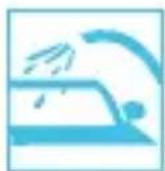


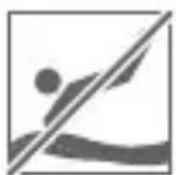
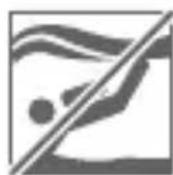
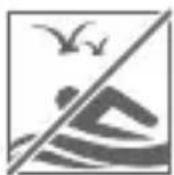
Do not wear your fitness watch when diving, scuba diving, swimming in the sea, or taking a hot shower.
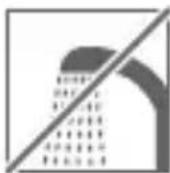

The water-resistant and dust-resistant capacity will be affected if the fitness watch is damaged by external force including dropping and collision.
7 More Information

Removing the Wrist Strap
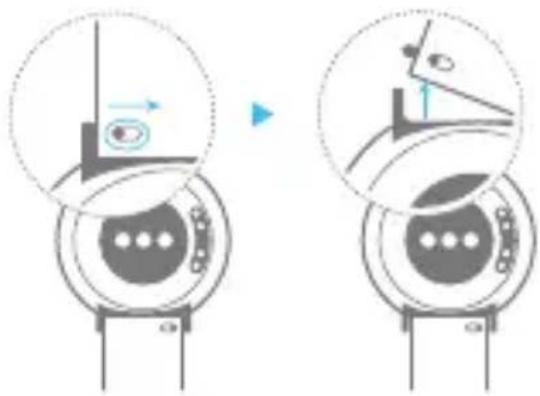
natural_image
Diagram showing two views of a mechanical device with directional arrows and circular components (no text or symbols)
Your fitness watch is made using high quality eco-friendly materials that have passed strict allergy testing. If your skin experiences any discomfort when wearing the fitness watch, stop wearing it and consult a doctor.
DÉMARRAGE RAPIDE
1 Mise en route

natural_image
Simple circular diagram with a central square and three vertical lines, no text or symbols present.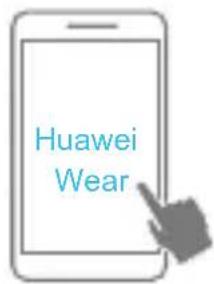

natural_image
Diagram showing a circular component with a blue dot and three directional arrows indicating movement or force (no text or symbols)natural_image
Simple line drawing of a running person inside a circle (no text or symbols)


natural_image
Simple line icon of a treadmill inside a circle (no text or symbols)...
natural_image
Simple circular diagram with a central square and three vertical lines, no text or symbols present.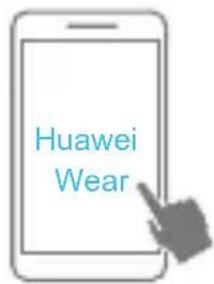

natural_image
Diagram showing a circular component with a pointer and three directional arrows indicating movement or force (no text or symbols)natural_image
Simple line drawing of a running person inside a circle (no text or symbols)
natural_image
Simple line drawing of a bicycle inside a circle, no text or symbols present.
natural_image
Simple line drawing of a treadmill inside a circle (no text or symbols)...
Lauftraining
natural_image
Simple geometric symbol: a circle with a horizontal line and a checkmark at the bottom (no text or labels)...
natural_image
Simple circular diagram with a central square and two vertical lines, no text or symbols present.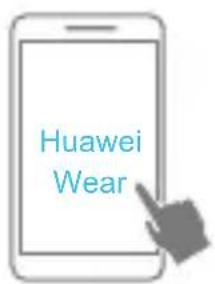

natural_image
Diagram showing a circular component with two arrows indicating movement or force direction (no text or symbols)
natural_image
Simple circular diagram with a central square and two vertical lines, no text or symbols present.

Utilice un smartphone con Android 4.4 o posterior, o iOS 8.0 o posterior.

natural_image
Diagram showing a circular component with a cursor clicking at its center, alongside three hand gestures with blue arrows indicating motion (no text or symbols)natural_image
Simple circular diagram with horizontal lines and a central horizontal line, no text or symbols present.natural_image
Silhouette of a running person inside a circle with the word 'Correr' below (no additional text or symbols)

natural_image
Simple circular diagram with a central square and three vertical lines, no text or symbols present.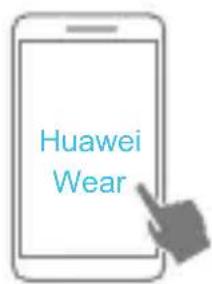

natural_image
Diagram showing a circular mechanical component with three directional arrows indicating movement or force (no text or symbols)natural_image
Simple line drawing of a running person inside a circle (no text or symbols)


Treino de corrida
natural_image
Simple circular diagram with a central square and three surrounding vertical lines (no text or symbols)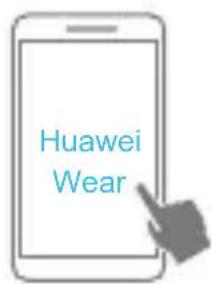

natural_image
Diagram showing a circular component with two arrows indicating movement, alongside three abstract icons (no text or symbols)natural_image
Circular icon with a running figure and the text 'Hardlopen' below it (no additional symbols or text)
natural_image
Simple icon of a walking person inside a circle with the word 'Lopen' below (no additional text or symbols)
natural_image
Circular icon with a cyclist silhouette and the word 'Fietsen' below it (no additional text or symbols)
natural_image
Simple icon of a treadmill inside a circle labeled 'Loopband' (no additional text or symbols)...

Hardlooptraining

natural_image
Simple circular diagram with a central square and two vertical lines, no text or symbols present.

natural_image
Diagram showing a circular component with a pointer and three directional arrows indicating movement or force (no text or symbols)natural_image
Empty rounded rectangle outline with no text, numbers, or symbols
natural_image
Empty rounded rectangle outline with no text, numbers, or symbols
31508089_01
- Content
- Automatically Powering on after Charging
- Installing the Huawei Wear app
- Connecting Your Fitness Watch and Phone
- Operating Gestures
- Heart Rate Monitoring
- Manual Single Measurement
- Automatic Measurement
- Sleep Management
- Sleep Monitoring
- Smart Alarms
- Fitness Monitoring
- Motion Detection
- Different Types of Exercise
- Running Training
- Notifications
- Incoming Call Notifications
- Incoming Message Notifications
- Water Resistance
- More Information
- Removing the Wrist Strap
- DÉMARRAGE RAPIDE
- Mise en route
- Lauftraining
- Treino de corrida
- Hardlooptraining
Brand : HUAWEI
Model : Metis
Category : Sports Watch