CD130 - Cd player/recorder TAMASHI - Free user manual and instructions
Find the device manual for free CD130 TAMASHI in PDF.



| Product type | Portable CD player/recorder with AM/FM radio |
| Brand | Tamashi |
| Model | CD130 |
| Mains power | 230 V~ 50 Hz, 12 W |
| Battery power | 6 C batteries (not included) |
| Dimensions (W x D x H) | 215 x 236 x 116 mm |
| Radio bands | AM (MW): 522-1620 kHz; FM: 87.5-108 MHz |
| Output power | 2 x 1.5 W |
| Playback system | Digital audio CD |
| Programming | Up to 20 tracks |
| Repeat | Single track or entire disc |
| Search | Fast forward and rewind |
| Playback functions | Play, pause, stop |
| Antenna | Built-in FM, AM loop |
| Maintenance | Disc cleaning; repairs by a qualified technician |
| Safety | Do not open the casing, avoid humidity and heat sources |
| Included accessories | User manual |
Frequently Asked Questions - CD130 TAMASHI
User questions about CD130 TAMASHI
0 question about this device. Answer the ones you know or ask your own.
Ask a new question about this device
Download the instructions for your Cd player/recorder in PDF format for free! Find your manual CD130 - TAMASHI and take your electronic device back in hand. On this page are published all the documents necessary for the use of your device. CD130 by TAMASHI.
USER MANUAL CD130 TAMASHI
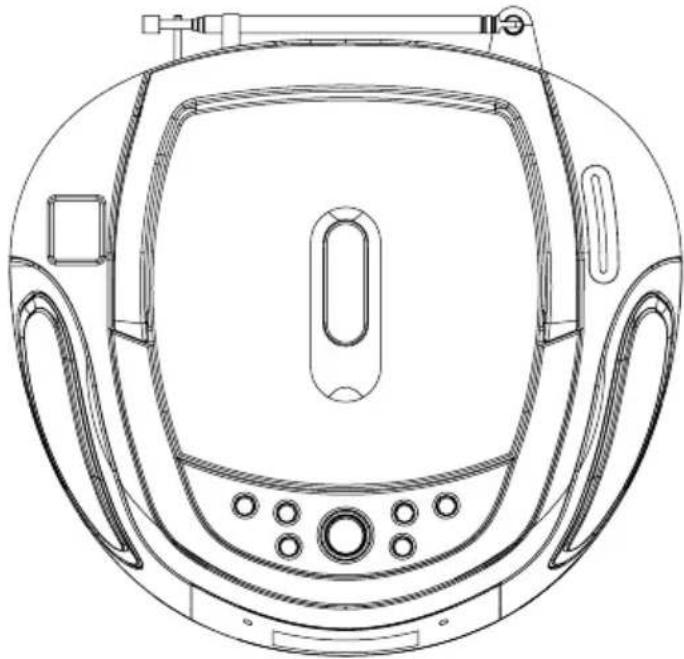
CD/Radio Portable Player
INSTRUCTION MANUAL
WARNING
TO PREVENT FIRE OR SHOCK HAZARD DO NOT EXPOSE THIS APPLIANCE TO RAIN OR MOISTURE.
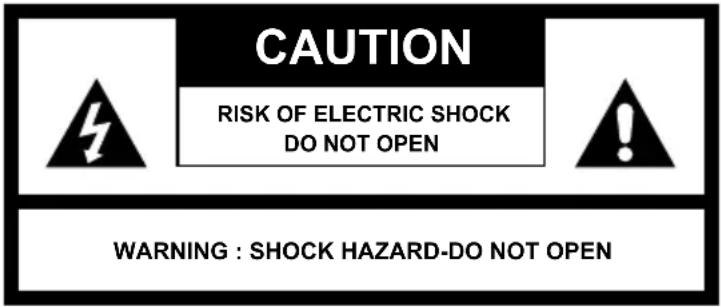
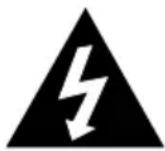
LIGHTNING FLASH WITH ARROWHEAD SYMBOL -
within an equilateral triangle, is intended to alert the user to the presence of uninsulated dangerous voltage within the products enclosure that may be of sufficient magnitude to constitute a risk of electric shock to persons.

EXCLAMATION POINT - within an equilateral triangle, is used to indicate that a specific component shall be replaced only by the component specified in that documentation for safety reason.
The following label has been affixed to the unit, listing the proper procedure for working with the laser beam:
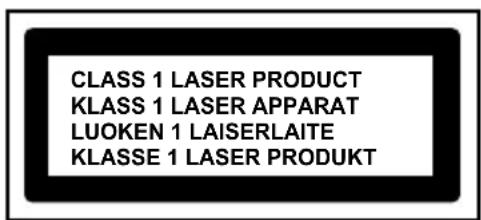
CLASS 1 LASER PRODUCT LABEL -
This label is attached to the place as illustrated to inform that the apparatus contains a laser component.
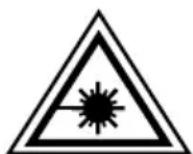
WARNING LABEL INFORMING OF RADIATION -
This label is placed inside the unit. As shown in the illustration. To warn against further measures on the unit. The equipment contains a laser radiating laser rays according to the limit of laser product of class 1.
SAFETY INSTRUCTIONS
-
READ INSTRUCTIONS - All the safety and operating instructions should be read before the appliance is operated.
-
RETAIN INSTRUCTIONS - The safety and operating instruction should be retained for future reference.
-
HEED WARNINGS - All warnings on the appliance and in the operating instructions should be adhered to.
-
FOLLOW INSTRUCTIONS - All operating instructions should be followed.
-
WATER AND MOISTURE - The appliance should not be used near water, for example, near a bathtub, washbowl, kitchen sink, laundrytub, swimming pool or in a wet basement.
-
VENTILATION - The appliance should be situated so that its location or position does not interfere with its proper ventilation. Do not place on bed, sofa, rug or similar surface that may block the ventilation openings, in a built-in installation, such as a bookcase or cabinet that may impede the flow of air through the ventilation openings.
-
HEAT - The appliance should be situate away from heat sources such as radiators, stoves, or other appliances (including amplifiers) that produce heat.
-
POWER SOURCE - The appliance should be connected to power supply only of the type described in the operating instructions or as marked on the appliance.
-
GROUNDING - Precautions should be taken to ensure that the grounding means of an appliance is not defeated.
-
POWER CORD PROTECTION - Power supply cords should be routed so that they are not likely to be walked on or pinched by items placed upon or against them.
-
POWER LINES - An outdoor antenna should be located away from power lines.
-
OBJECT and LIQUID ENTRY - Care should be taken so that objects do not fall and liquids are not spilled into the enclosure through openings.
-
ESD WARNING - The display does not function properly or no reactivity to operation of any the control may due to the electrostatic discharge. Switch off and unplug the set. Reconnect after a few seconds.
-
DAMAGE REQUIRING SERVICE - The appliance should be serviced by qualified service personnel when: a. The power-supply cord or plug has been damaged.
b. Objects have fallen into, or liquid has been spilled into the appliance enclosure.
c. The appliance has been exposed to rain.
d. The appliance has been dropped, or the enclosure damaged.
e. The appliance does not appear to operate normally.
- SERVICING - The user should not attend to service the appliance beyond that described in the user operating instructions. All other servicing should be referred to qualified service personnel.
Notes:
a. Dirty or scratched CD may cause a skipping problem. Clean or replace the CD.
b. If an error display or malfunction occurs, disconnect the AC cord and remove all the batteries. Then turn the power back on.
BEFORE OPERATION
Notes: CONCERNING COMPACT DISCS.
Since dirty, damaged or warped discs may damage the appliance, care should be taken of the followings items:
a. Usable compact discs. Use only compact disc with the mark shown below.
b. CD compact disc only with digital audio signals.
POWER SOURCES
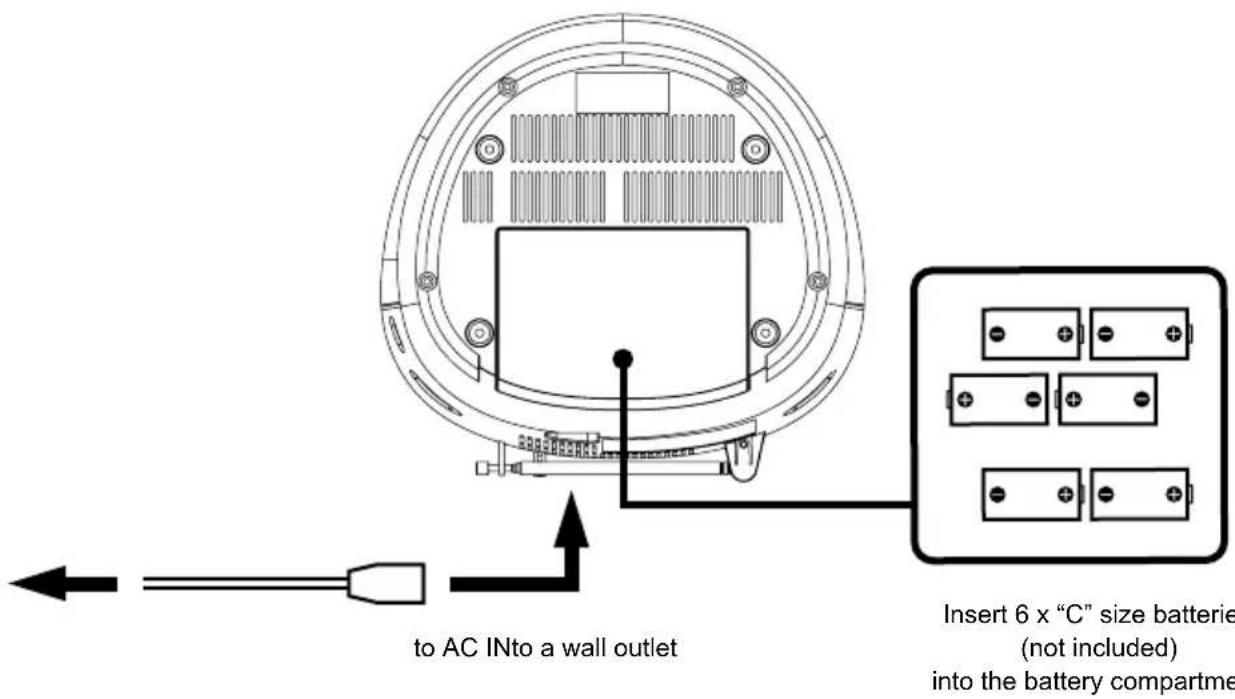
AC POWER
You can power your portable system by plugging the detachable AC power cord into the AC inlet at the back of the unit and into a wall AC power outlet. Check that the rated voltage of your appliance matches your local voltage. Make sure that the AC power cord is fully inserted into the appliance.
BATTERY POWER
Insert 6 x "C" size batteries (not included) into the battery compartment. Be sure that the batteries are inserted correctly to avoid damage to the appliance. Always remove the batteries when appliance will not be used for a long period of time, as this will cause leakage to the batteries and subsequently damage to your set.
Notes:
- Use batteries of the same type. Never use different types of batteries together.
- To use the appliance with batteries, disconnect the AC power cord from it.
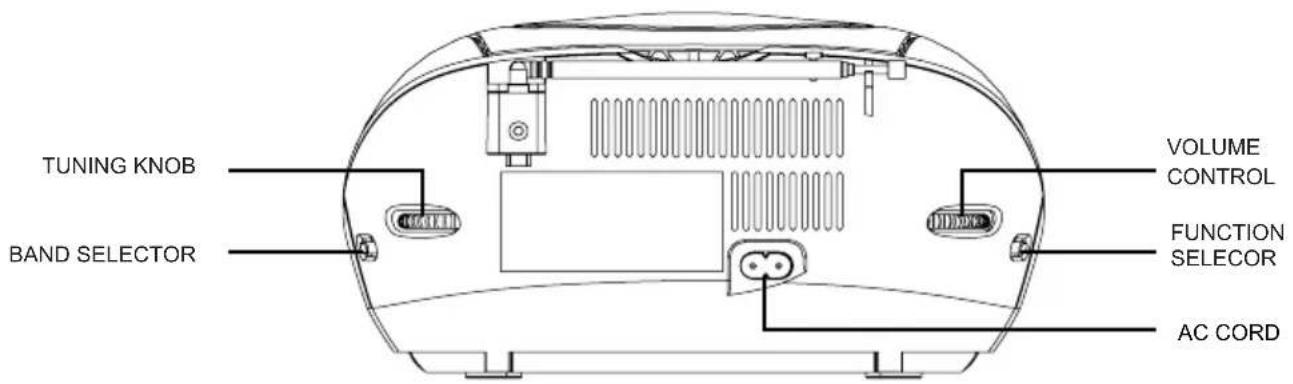
LOCATION OF CONTROL
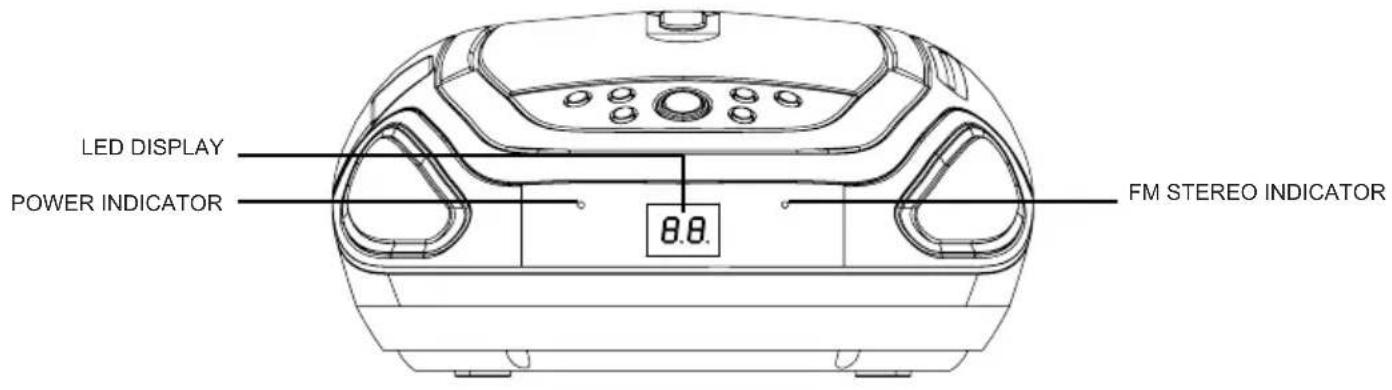
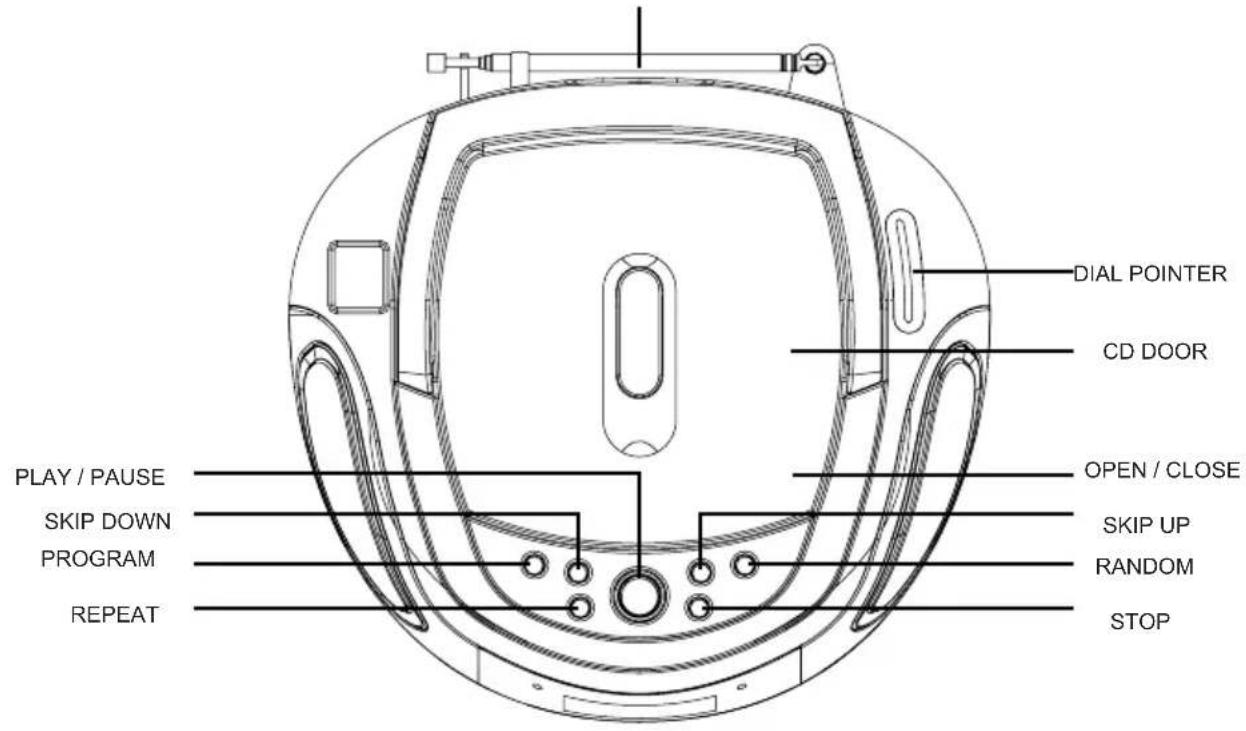
FM ANTENNA
RADIO OPERATION
GENERAL OPERATION
- Set the "FUNCTION" selector to "RADIO" mode.
- Select desired band by using the "BAND" selector.
- Adjust radio frequency to your desired station by using the "TUNING" control.
- Adjust the "VOLUME" control to the desired level.
FM / FM-STEREO RECEPTION
- Set the "BAND" selector to FM mode for MONO reception.
- Set the "BAND" selector to FM ST. mode for FM STEREO reception. The Stereo indicator light up to show FM ST. mode.
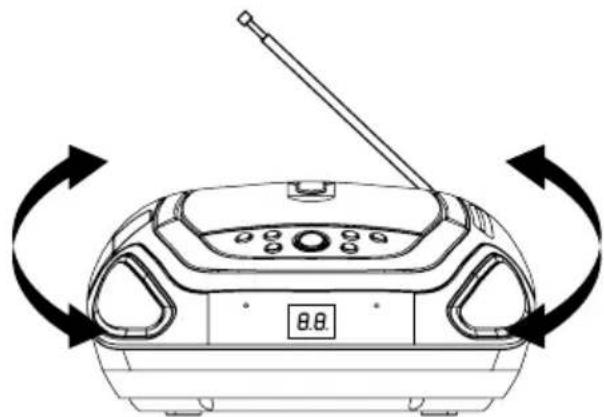
FOR BETTER RECEPTION
- Reorient the antenna for better reception.
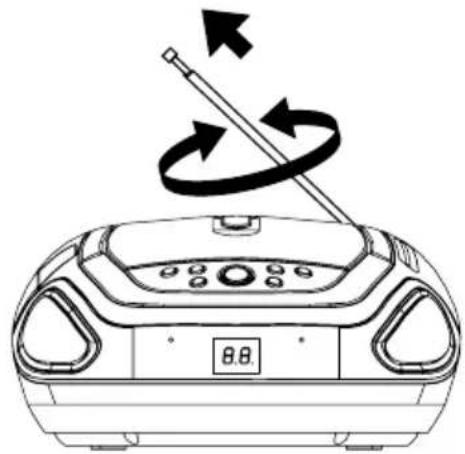
- Reorient the appliance to get better AM reception.
CD OPERATION
GENERAL OPERATION
PLAY / PAUSE Press to start playing CD disc.
Press again to stop playing CD operation temporarily.
Press again to resume playback.
SKIP +▶& Press to go to the next track or back to the previous track.
SKIP - Press and hold while playing until you find the point of the sound.
STOP Press to stop all CD operation.
PLAYBACK
- Set the "FUNCTION" selector to "CD" mode.
- Open the CD door and place a CD disc with the label up in the CD compartment.
- Close the CD door.
- Focus search is performed if disc is inside. Total number of tracks is read and appears on the display.
- Press the "PLAY / PAUSE" button to start playing CD disc.
- Adjust the "VOLUME" control to the desired level.
- Press the "PLAY / PAUSE" button again when you want to stop playback temporarily.
- Press the "STOP" button when finished.
CD OPERATION
PROGRAM
Up to 20 tracks can be programmed for disc play in any order.
Be sure to press the "STOP" button before use.
- Press the "PROGRAM" button, the display will show "01" and flash.
- Select desired track by using the "SKIP +" or "SKIP -" button.
- Press the "PROGRAM" button again to confirm desired track into the program memory.
- Repeat step 2 and 3 to enter additional tracks into the program memory.
- When all the desired tracks have been programmed. Press the "PLAY / PAUSE" button to play the disc in the order you have programmed and the program indicator flashes.
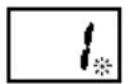
- Press the "STOP" button twice to terminate programmed play and the program indicator will turn off.
REPEAT
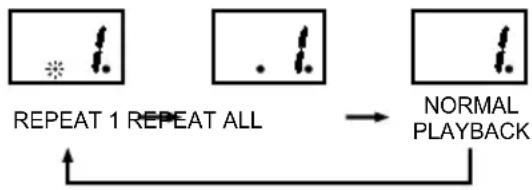
Press the "REPEAT" button before or during playing CD, a single track or all the tracks can be repeated.
Each press switches the repeat mode as follows:
1 - REPEAT 1 (The repeat indicator is flashing.)
2 - REPEAT ALL (The repeat indicator is steadily on.)
3-NORMAL PLAYBACK
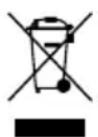
If at any time in the future you should need to dispose of this product please note that Waste electrical products should not be disposed of with household waste. Please recycle where facilities exist. Check with your Local Authority or retailer for recycling advice. (Waste Electrical and Electronic Equipment Directive)
TECHNICAL SPECIFICATIONS
General
Power Requirement AC 230V 50Hz
Power Consumption AC 12 Watts
Dimensions 215(L) x 236(W) x 116(H)mm
Radio Section
Receiving Bands
AM(MW) / FM
Tuning Range / Sensitivity
AM(MW) 522 - 1620 KHz / 2000μV/m
FM 87.5 - 108 MHz / 18μV
Audio Section
Playback System
CD / Radio Portable Player
Power Output 2 × 1.5 ~W
Accessories
Instruction Manual 1
1
SPECIFICATIONS SUBJECT TO CHANGE WITHOUT FURTHER NOTICE.
CLASS 1 LASER PRODUCT
KCLASS 1 LASER APPARAT
LUOKEN 1 LAISERLAITE
KLASSE 1 LASER PRODUKT
PRODUIT LASER DE CLASSE 1
CLASS 1 LASER PRODUCT
CLASS 1 LASER APPARAT
LUOKEN 1 LAISERLAITE
KLASSE 1 LASER PRODUKT
LASERPRODUKT DER KLASSE 1
CLASS 1 LASER PRODUCT
KCLASS 1 LASER APPARAT
LUOKEN 1 LAISERLAITE
KLASSE 1 LASERPRODUCT
LASERPRODUCT VAN KLASSE 1
GEPROGRAMMERDE WEERGAVE
U kunt tot 20 tracks programmeren.
Frequeniebanden AM (MW) / FM
Frequentiebereik / gevoeligheid AM (MW) 522 -1620 kHz / 2000μV/m
FM 87,5 - 108 MHz / 18μV
Audio
Weergavesystem
PRODUTO LASER CLASSE 1
KCLASS 1 LASER APPARAT
LUOKEN 1 LAISERLAITE
KLASSE 1 LASER PRODUKT
PRODUTO LASER DE CLASSE 1
CLASS 1 LASER PRODUCT
KCLASS 1 LASER APPARAT
LUOKEN 1 LAISERLAITE
KLASSE 1 LASER PRODUKT
PRODOTTO LASER DI CLASSE 1
- CD/Radio Portable Player
- WARNING
- LIGHTNING FLASH WITH ARROWHEAD SYMBOL -
- CLASS 1 LASER PRODUCT LABEL -
- WARNING LABEL INFORMING OF RADIATION -
- SAFETY INSTRUCTIONS
- Notes:
- BEFORE OPERATION
- Notes: CONCERNING COMPACT DISCS.
- POWER SOURCES
- AC POWER
- BATTERY POWER
- LOCATION OF CONTROL
- RADIO OPERATION
- GENERAL OPERATION
- FM / FM-STEREO RECEPTION
- FOR BETTER RECEPTION
- CD OPERATION
- PLAYBACK
- PROGRAM
- REPEAT
- TECHNICAL SPECIFICATIONS
- General
- Radio Section
- Audio Section
- Accessories
- PRODUIT LASER DE CLASSE 1
- LASERPRODUKT DER KLASSE 1
- LASERPRODUCT VAN KLASSE 1
- GEPROGRAMMERDE WEERGAVE
- Audio
- PRODUTO LASER DE CLASSE 1
- PRODOTTO LASER DI CLASSE 1
Brand : TAMASHI
Model : CD130
Category : Cd player/recorder