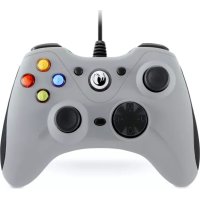
GC100XF - Controller Nacon - Free user manual and instructions
Find the device manual for free GC100XF Nacon in PDF.


| Type de produit | Manette de jeu PC |
| Marque | NACON |
| Modèle | GC100XF |
| Dimensions (H x L x P) | 119 x 154 x 54 mm |
| Poids | 266 g |
| Longueur du câble | Environ 2 m |
| Alimentation | 5V DC, 500 mA (via port USB) |
| Compatibilité | Windows Vista, 7, 8, 10, 11 |
| Modes de communication | DirectInput 8 et XInput (sélectionnable) |
| Boutons et commandes | 2 sticks analogiques, 4 touches d'action, 2 gâchettes, 2 gâchettes hautes, pad numérique, touches BACK, START, HOME, sélecteur D/X, bouton rétroéclairage |
| Fonctionnalités spéciales | Rétroéclairage réglable (prisme, fixe, pulsation, éteint), fonction de retour de force (vibration) |
| Revêtement | Lisse avec incrustations en caoutchouc pour une meilleure prise en main |
| Garantie | 2 ans (vice de matériau ou de fabrication) |
| Nettoyage et entretien | Chiffon doux, propre et humide ; éviter les détergents |
| Précautions d'usage | Utilisation en intérieur, éviter l'humidité, la poussière, les chocs et les températures extrêmes (max 35°C) |
| Température de fonctionnement | Jusqu'à 35 °C |
| Pause recommandée | 15 minutes par heure d'utilisation |
| Service client | Email : support.fr@naongaming.com ; Site : www.naongaming.com ; Tél : 0969370308 (appel non surtaxé) |
Frequently Asked Questions - GC100XF Nacon
User questions about GC100XF Nacon
0 question about this device. Answer the ones you know or ask your own.
Ask a new question about this device
Download the instructions for your Controller in PDF format for free! Find your manual GC100XF - Nacon and take your electronic device back in hand. On this page are published all the documents necessary for the use of your device. GC100XF by Nacon.
USER MANUAL GC100XF Nacon
Email: support.be@naongaming.com
Site Internet: www.naongaming.com
Adresse: Bigben Interactive Belgium s.a./n.v. Boulevard d'Angleterre 2 / Bte 4
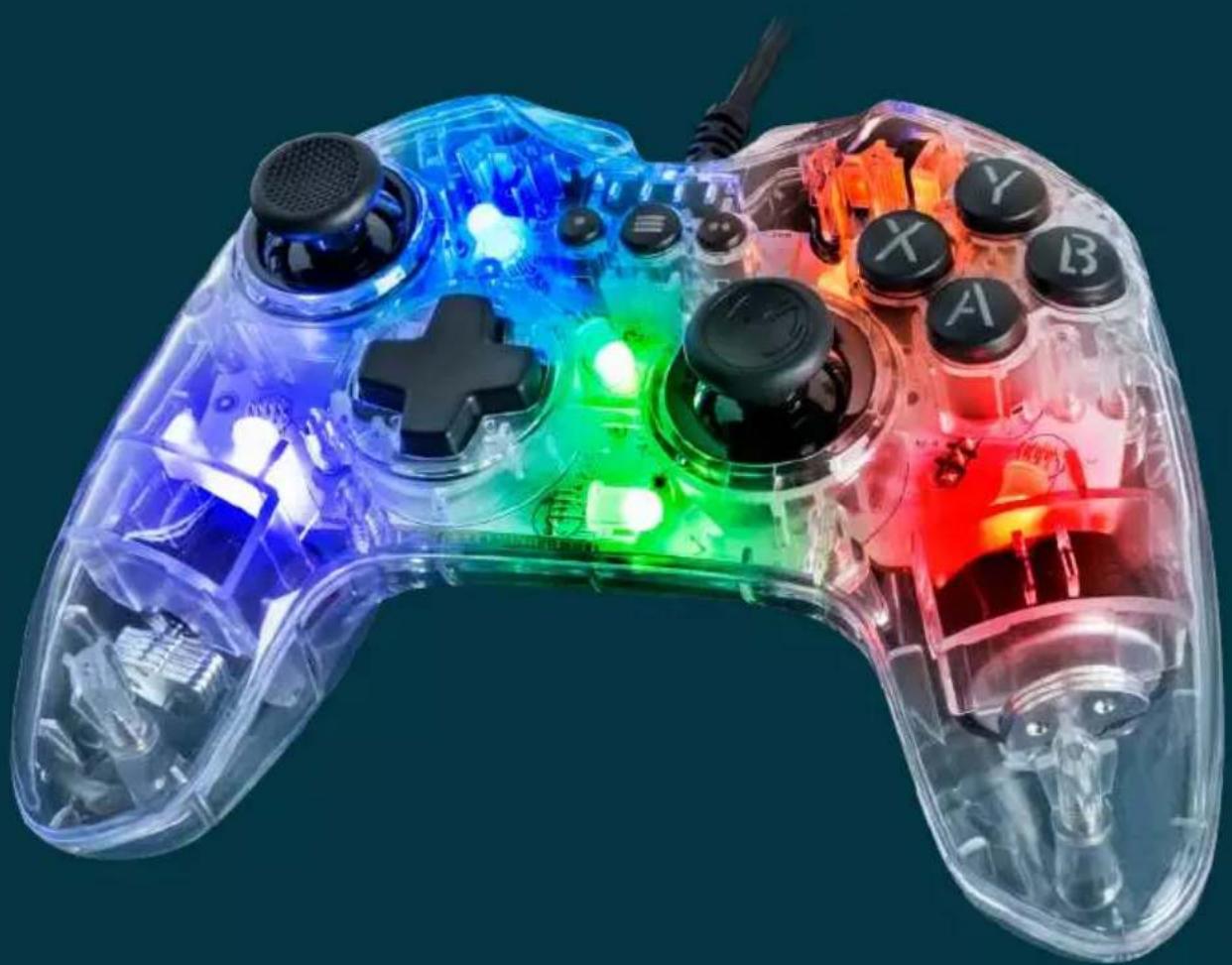
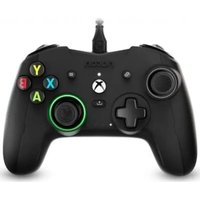
NACON™ GC-100RGB gaming controller for PC.
Thank you for purchasing this NACON product. In case of a malfunction please refer to the support information at the end of this manual. We highly appreciate any feedback which helps us to improve our products. Please keep this instruction manual for future reference.
Guarantee
This product bearing the NACON trademark, is guaranteed by the manufacturer for a period of 2 years from the date of purchase, and will, during this period be replaced with the same or a similar model, at our option, free of charge, if there is a defect due to faulty material, or workmanship.
For any warranty request or claim, please keep your proof of purchase for the duration of the warranty. Without this document, we won't be able to process your request. The original packaging must be kept for all distance purchases (mail order & Internet).
This guarantee does not cover defects arising from accidental damage, misuse or wear and tear. This does not affect your statutory rights.
To access the declaration of conformity, please visit:
www.my.naongaming.com/en-GB/support
Product specifications
Gaming controller for Windows PCs
2 analogue sticks, 4 keys, 2 triggers, 2 high triggers, digital pad, BACK and START keys and D/X selection button.
Switchable DirectX8 and XInput mode for 100% compatibility with all PC games
Soft touch treatment and rubber inlays for perfect grip
2 vibration motors
Compatible with Windows Vista®/7/8/10/11
1 Contents of the package
NACON GC-100RGB gaming controller
Quick IB
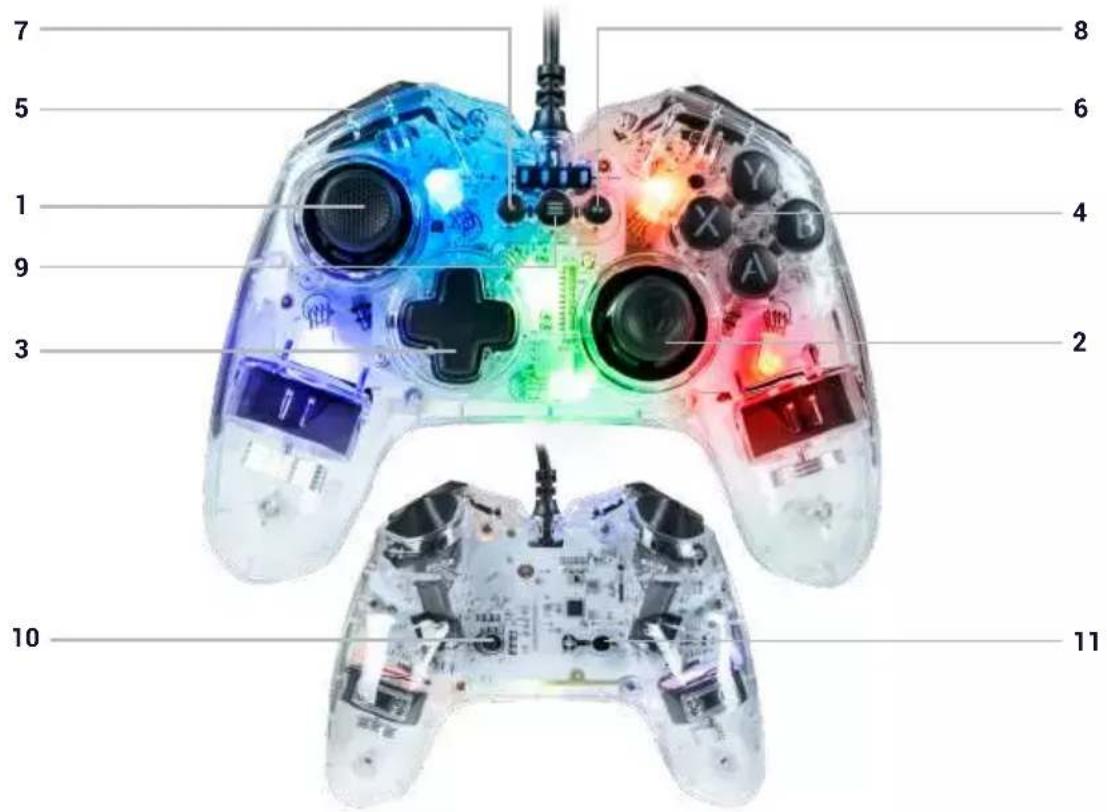
1 Control elements
1.Left analogue stick
2. Right analogue stick
3. D-Pad
4. Action buttons
5. Left trigger and shoulder button
- Right trigger and shoulder button
- BACK button
- START button
9.HOME button - D/X switch
- Backlighting button
I First connectio n with the PC
The NACON GC-100XF controller is also a Plug-n-Play device. In other words, the necessary driver software will be automatically installed when the controller is first connected to your computer. Here is the detailed procedure to follow:
- Turn on your computer, wait for it to start, and go to your Windows desktop.
Find a USB port on your PC that's not in use and connect the USB cable from your NACON GC-100XF controller to it. - Windows will detect the new device and, after a few seconds, start installing the appropriate drivers. The process will be indicated by a small icon in the task bar.
- Installation takes more or less time depending on the speed of your system. At the end of the process, the following message will appear: "You can now use your GC-100XF."
I D/X switch
Modern PC games and your controller communicate in different ways. Your GC-100XF supports the two most common communication modes: DirectX and XInput.
Sometimes, a game only supports one of these two protocols. As these cannot be executed simultaneously, your GC-100XF is equipped with a D/X switch (10) which lets you select one of these two protocols, thus guaranteeing you the possibility of playing all games.
Note: after changing the protocol, please wait a few moments for the controller to switch to the new protocol.
I Backlighting
On the back of your controller, you'll find a button to scroll through the different effects preset in the controller.
Several effects are available: Prism, constant light, pulsing light or off.
Recycling
When this crossed-out wheeled bin symbol is attached to a product it means that the product is covered by the European Directive 2002/96/EC. Please inform yourself about the local separate collection system for electrical and electronic products.
Important Safeguards & Precautions
1/ This product is designed for indoor use only. Do not expose it to direct sunlight or bad weather.
2/ Do not expose the product to splashes, rain, drips or moisture. Do not immerse it in a liquid.
3/ Do not expose to dust, high levels of humidity, extreme temperatures or mechanical shocks.
4/ Do not use and do not open if the equipment is damaged. Do not attempt to repair it.
5/ When cleaning the outside, only use a soft, clean and damp cloth. Detergents can damage the finish and get inside the product.
6/ Do not carry the product while holding it by the cable.
7/ This product is not designed for people (including children) suffering from a physical, sensory or mental handicap, or for users without the necessary and relevant experience or knowledge (unless they have been given advice and instructions on how to use the device from a person responsible for the user).
Do not leave the product unattended, do not leave this product within the reach of children. Not suitable for children under 7 (the cable can get wrapped around the neck).
8/ The maximum operating temperature must not exceed 35^
I Ergonomics
Holding your hand in the same position for a longer period of time can lead to aching and pain. If this occurs repeatedly please consult your doctor.
As a precaution we recommend that you take a 15 minute break every hour.
Technical Specification
- USB controller
Weight: 266g - Height x Width x Depth: 154x119x54mm
Cable length: ca. 2m
Consumption: 5V = 500mA
: DC power supply
I Technical Helpline Information
UK
Email: support@nacongaming.com
Tel.: (+44)08081010970
Australia
Email: support.us@naongaming.com
Tel.: (+61) 1300512410
America
Email: support.us@naongaming.com
Europe Other
Email: support@nacongaming.com
Website: www.naongaming.com
Legal lines
Windows® Vista®/7/8/10 are a registered trademarks of Microsoft Corporation.

nacon
WWW.NACONGAMING.COM

@NaconGaming

laongaming

on International
GC-100
PC GAMING CONTROLLER
Manette de jeu PC
NC5022/PCGC-100RGB
www.my.naongaming.com/de-DE/support
Gaming Controller for Windows PCs
NACON GC-100RGB Gaming Controller
Anleitung
Mail: support.de@naongaming.com
www.naongaming.com/it/my-nacon/supporto
- NACON™ GC-100RGB gaming controller for PC.
- Guarantee
- Product specifications
- Contents of the package
- Control elements
- I First connectio n with the PC
- I D/X switch
- I Backlighting
- Recycling
- Important Safeguards & Precautions
- I Ergonomics
- Technical Specification
- I Technical Helpline Information
- Legal lines
- nacon
- PC GAMING CONTROLLER
Brand : Nacon
Model : GC100XF
Category : Controller