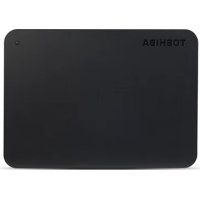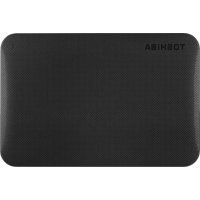
Canvio Ready - External hard drive TOSHIBA - Free user manual and instructions
Find the device manual for free Canvio Ready TOSHIBA in PDF.


Pick your language and provide your email: we'll send you a specifically translated version.
| Product type | Portable external hard drive |
| Brand | Toshiba |
| Model | Canvio Ready |
| Storage capacity | 500 GB, 1 TB or 2 TB |
| Interface | USB 3.0 (backward compatible with USB 2.0) |
| Rotation speed | 5400 RPM |
| Form factor | 2.5 inches |
| Dimensions (L x W x H) | 109 x 78 x 14 mm |
| Weight | Approximately 150 g |
| Power supply | Via USB port (bus-powered) |
| Compatible operating systems | Windows, macOS |
| Box contents | Hard drive, USB 3.0 cable, quick start guide |
| Main functions | Automatic backup, portable storage, password protection (optional) |
| Maintenance and cleaning | Clean with a soft dry cloth. Avoid water and chemicals. |
| Security | Password protection software available |
| Spare parts and repairability | Sealed product, not user-serviceable. Contact Toshiba support. |
| Warranty | 2 years (according to legislation) |
| General information | Compact and lightweight external hard drive, ideal for travel. |
Frequently Asked Questions - Canvio Ready TOSHIBA
How do I format my Toshiba Canvio Ready?
Connect the drive to your computer. Open Disk Management (Windows) or Disk Utility (macOS). Select the drive and choose the desired format (e.g., NTFS, exFAT). Note that formatting erases all data.
My computer does not detect the hard drive, what should I do?
Try a different USB port or cable. Check in Device Manager (Windows) or System Information (macOS) if the drive appears. Restart the computer. If nothing works, test on another computer.
Is the Toshiba Canvio Ready hard drive compatible with Mac?
Yes, it is compatible with macOS. It may require reformatting to exFAT or HFS+ for native write access. The drive comes formatted as NTFS (read-only on Mac without third-party software).
How to transfer files quickly?
Use a USB 3.0 port for optimal transfer speeds (up to 5 Gbps). For large files, copying may take time. Avoid unplugging during transfer.
Can I use this hard drive with a PlayStation or Xbox?
Yes, it is compatible with PS4, PS5, Xbox One, and Xbox Series X|S. The console may require specific formatting (e.g., for Xbox, format as NTFS). Note that formatting erases all data.
What to do if the hard drive makes an abnormal noise?
A clicking or scratching noise may indicate mechanical failure. Stop using it immediately and back up your data if possible. Contact Toshiba support for assistance.
How to protect my data with a password?
Download the Toshiba Storage Security software (available on the Toshiba website). Install it and follow the instructions to set a password. Note that if you forget the password, the data will be inaccessible.
Is it normal for the hard drive to heat up?
Slight heat is normal during heavy use. If the drive becomes very hot to the touch, stop using it and let it cool down. Ensure it is well ventilated.
Can I connect the hard drive to a USB hub?
It is preferable to connect directly to a computer USB port for stable power. Unpowered hubs may not provide enough current, which can cause disconnections.
How to know the remaining capacity on my drive?
On Windows, open File Explorer and click on the drive. The capacity bar is displayed. On macOS, do 'Get Info' on the drive. You can also use the included Toshiba software.
User questions about Canvio Ready TOSHIBA
0 question about this device. Answer the ones you know or ask your own.
Ask a new question about this device
No questions yet. Be the first to ask one.
Download the instructions for your External hard drive in PDF format for free! Find your manual Canvio Ready - TOSHIBA and take your electronic device back in hand. On this page are published all the documents necessary for the use of your device. Canvio Ready by TOSHIBA.