KSLX200R - Car stereo JVC - Free user manual and instructions
Find the device manual for free KSLX200R JVC in PDF.



User questions about KSLX200R JVC
0 question about this device. Answer the ones you know or ask your own.
Ask a new question about this device
Download the instructions for your Car stereo in PDF format for free! Find your manual KSLX200R - JVC and take your electronic device back in hand. On this page are published all the documents necessary for the use of your device. KSLX200R by JVC.
USER MANUAL KSLX200R JVC
natural_image
Simple line drawing of a rectangular frame with rounded corners and a central horizontal bar (no text or symbols)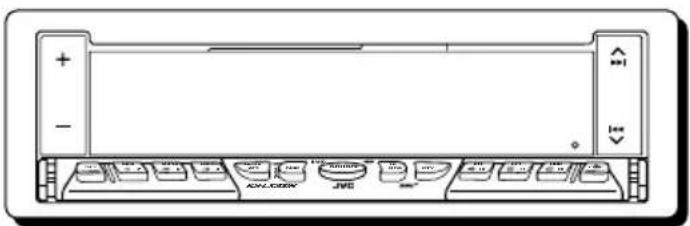
text_image
Diagram of a computer monitor front panel with labeled buttons and status indicators
BBE ^II ®
For installation and connections, refer to the separate manual.
Enter below the password you have entered for your security lock.
Retain this password for future reference.

CONTENTS
LOCATION OF THE BUTTONS ...... 3
Front panel 3
Remote controller.... 4
Preparing the remote controller .... 5
BASIC OPERATIONS ...... 6
Turning on the power 6
RADIO BASIC OPERATIONS ...... 7
Listening to the radio 7
Storing stations in memory 8
Tuning into a preset station.... 9
RDS OPERATIONS ...... 10
What you can do with RDS EON.... 10
Other convenient RDS functions and adjustments 13
TAPE OPERATIONS .... 15
Listening to a tape 15
Finding the beginning of a tune 16
OTHER CONVENIENT TAPE FUNCTIONS 17
SOUND ADJUSTMENTS 18
Adjusting the sound 18
Using the Sound Control Memory 19
Storing your own sound adjustments ..... 20
OTHER MAIN FUNCTIONS ...... 21
Setting the clock 21
Changing the general settings (PSM) ..... 21
Using the security lock.... 25
CD CHANGER OPERATIONS ...... 27
Playing CDs 27
Selecting CD playback modes.... 28
EXTERNAL COMPONENT OPERATIONS29
Playing an external component.... 29
Using a subwoofer 29
DAB TUNER OPERATIONS .... 30
Tuning into an ensemble and one of the services 30
Storing DAB services in memory 31
Tuning into a preset DAB service 32
What you can do more with DAB 33
TROUBLESHOOTING.... 34
MAINTENANCE 36
SPECIFICATIONS 37
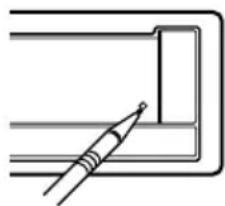
How to reset your unit
natural_image
Simple line drawing of a pen inserted into a rectangular frame (no text or symbols)Press the reset button on the front panel using a ball-point pen or a similar tool.
This will reset the built-in microcomputer.
Note:
Your preset adjustments — such as preset channels or sound adjustments — will also be erased.
Note:
For security reasons, a numbered ID card is provided with this unit, and the same ID number is imprinted on the unit's chassis. Keep the card in a safe place, as it will help the authorities to identify your unit if stolen.
BEFORE USE
* For safety....
- Do not raise the volume level too much, as this will block outside sounds, making driving dangerous.
- Stop the car before performing any complicated operations.
* Temperature inside the car....
If you have parked the car for a long time in hot or cold weather, wait until the temperature in the car becomes normal before operating the unit.
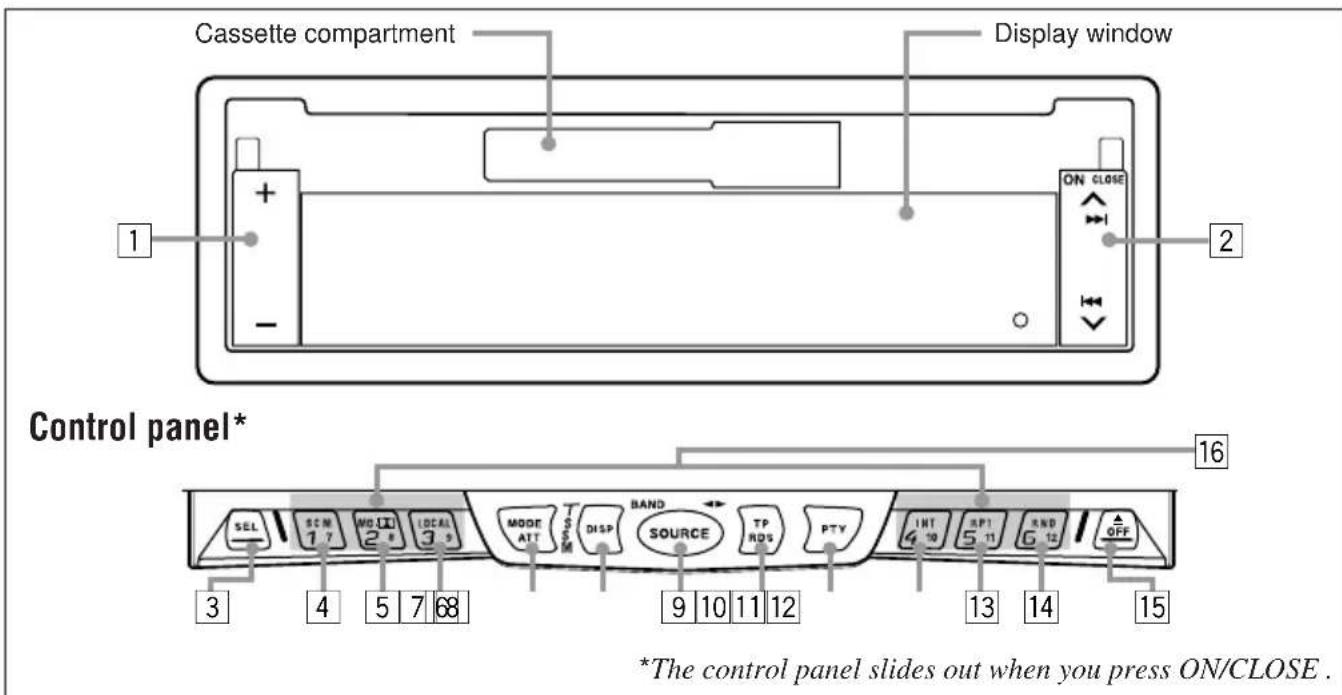
Front panel
text_image
Cassette compartment Display window 1 + - ON CLOSE 2 Control panel* 16 SEL SEM 17 MODI 24 LOCAL 39 MODE ATT TSM DISP BAND SOURCE TP ROS PTY INT 4 10 RP1 5 11 RND 6 12 OFF 3 4 5 7 68 9 10 11 12 13 14 15 *The control panel slides out when you press ON/CLOSE.1+/- button
2 ▲▶▶|/|◀◀ button
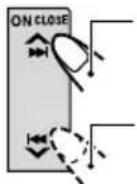
- ▲▶|/◀◀ ▼ also functions as ON or CLOSE button.
3 SEL (select) button
4 SCM (sound control memory) button
5MO/ (ono/Dolby) button
6 LOCAL button
7 MODE ATT (attenuator) button
- Also functions as SSM buttons when pressed together with the DISP button.
8 DISP (display) button
- Also functions as SSM buttons when pressed together with the MODE ATT button.
9 SOURCE button
- Also functions as BAND or ◀.
10 TP (traffic programme)
RDS (radio data system) button
11 PTY (programme type) button
12INT (intro) button
13 RPT (repeat) button
14 RND (random) button
15▲ (eject) OFF button
16 Number buttons
To activate the display demonstration
While holding DISP, press ▶▶▶ until "DEMO" appears on the display.
Various functions and display illumination modes equipped with this unit will be demonstrated repeatedly in sequence. During the display demonstration, "DEMO" flashes on the display.
To turn off the display demonstration, press ▶▶l again for a few seconds while holding DISP.
- The display demonstration will turn off automatically after 1 hour.
How to use the number buttons:
After pressing MODE ATT, the number buttons work as different function buttons (while "MODE" remains on the display.)
To use these buttons as number buttons after pressing MODE ATT, wait for 5 seconds without
pressing any number button so that
"MODE" disappears from the display.
- Pressing MODE ATT again also erases "MODE" from the display.

flowchart
graph LR
    A["MODE ATT"] --> B["SCM 17"]
    A --> C["MO/28"]
    A --> D["LOCAL 39"]
    A --> E["INT 410"]
    A --> F["RPT 511"]
    A --> G["RND 612"]
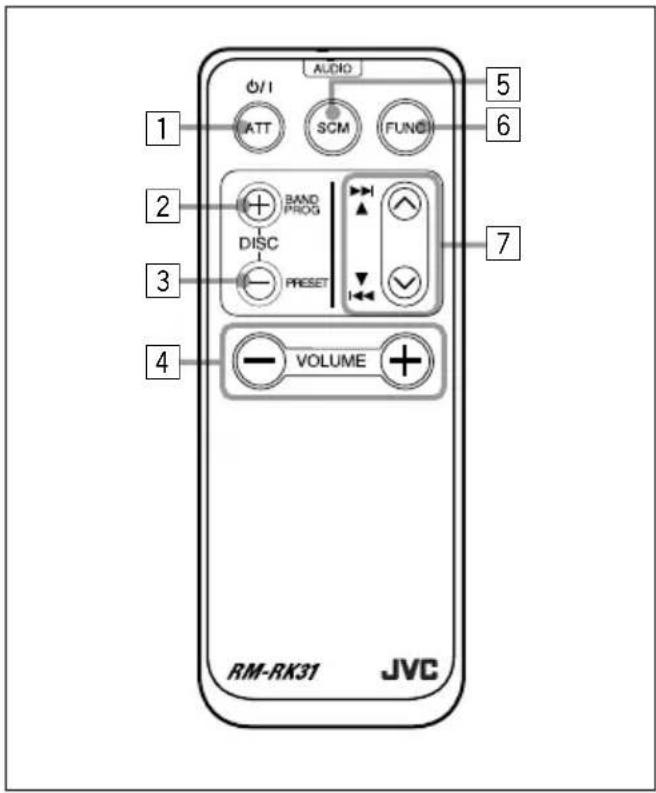
Remote controller
text_image
AUDIO Ø/1 ATT SCM FUND 5 6 2 BAND PROG DISC PRESET 7 3 4 VOLUME RM-RK31 JVC- Turns on the unit if pressed when the unit is turned off.
- Turns off the unit if pressed and held until "SEE YOU" appears on the display.
- Drops the volume level for a moment if pressed briefly.
Press again to resume the volume.
2• Functions as the BAND button while listening to the FM broadcast (or the DAB tuner).
Each time you press the button, the band changes. - Functions as the DISC + button while listening to the CD changer.
Each time you press the button, the disc number increases, and the selected disc starts playing. - Functions as the PROG button while listening to a tape.
Each time you press the button, the tape direction changes alternately.
3• Functions as the PRESET button while listening to the radio (or the DAB tuner.) Each time you press the button, the preset station (or service) number increases, and the selected station (or service) is tuned in.
- Functions as the DISC – button while listening to the CD changer.
Each time you press the button, the disc number decreases, and the selected disc starts playing.
4 Functions the same as the +/- button on the main unit.
NOTE: This button does not function for the preferred setting mode adjustment.
5 Selects the sound mode. Each time you press the button, the mode changes.
6 Selects the source. Each time you press the button, the source changes.
7 • Searches stations while listening to the radio.
- Selects services while listening to the DAB tuner if pressed briefly.
• Searches ensembles while listening to the DAB tuner if pressed for more than 1 second.
- Functions as the fast forward/rewind buttons or multi music scan buttons while listening to a tape.
- Fast-forwards or reverses the track if pressed and held while listening to a CD.
- Skips to the beginning of the next tracks or goes back to the beginning of the current (or previous tracks) if pressed briefly while listening to a CD.
Preparing the remote controller
Before using the remote controller:
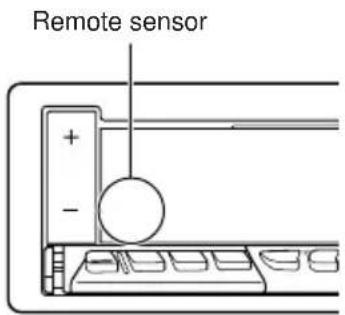
- Aim the remote controller directly at the remote sensor on the main unit. Make sure there is no obstacle in between.
text_image
Remote sensor + - -- Do not expose the remote sensor to strong light (direct sunlight or artificial lighting).
Installing the battery
When the controllable range or effectiveness of the remote controller decreases, replace the battery.
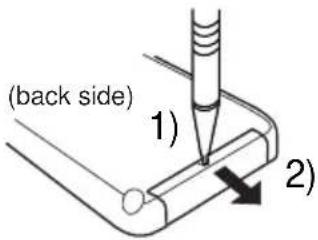
1. Remove the battery holder.
1) Push out the battery holder in the direction indicated by the arrow using a ball-point pen or a similar tool.
2) Remove the battery holder.
text_image
(back side) 1) 2)2. Place the battery.
Slide the battery into the holder with the + side facing upwards so that the battery is fixed in the holder.
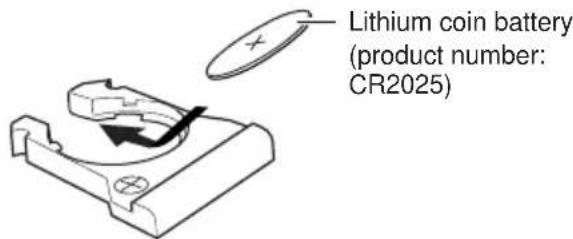
text_image
Lithium coin battery (product number: CR2025)3. Return the battery holder.
Insert again the battery holder pushing it until you hear a clicking sound.
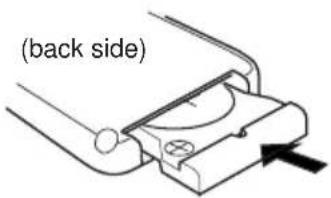
text_image
(back side)WARNING:
- Store the batteries in a place which children cannot reach. If a child accidentally swallows the batteries, immediately consult a doctor.
- Do not recharge, short, disassemble or heat the batteries or dispose of in a fire. Doing any of these things may cause the batteries to give off heat, crack or start a fire.
- Do not leave the batteries with other metallic materials. Doing this may cause the batteries to give off heat, crack or start a fire.
- When throwing away or saving batteries, wrap in tape and insulate; otherwise, it may cause the batteries to give off heat, crack or start a fire.
- Do not poke the batteries with tweezers or similar tools. Doing this may cause the batteries to give off heat, crack or start a fire.
text_image
Diagram showing device panel assembly with labeled parts and directional arrow indicating transformation from component 1 to 2.Turning on the power
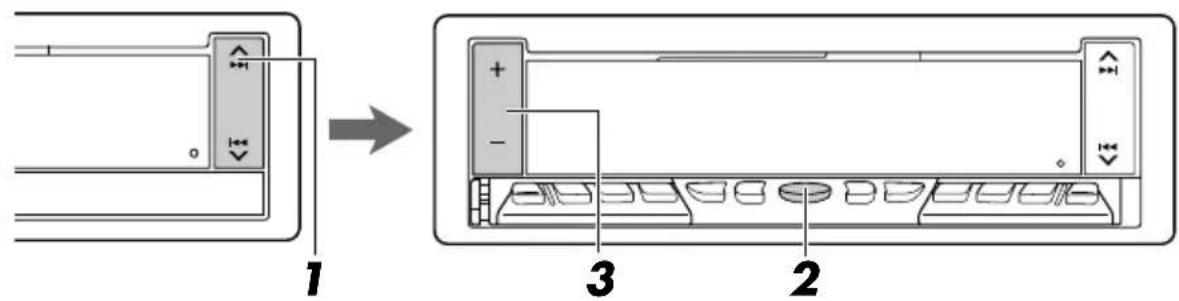
1 Turn on the power.
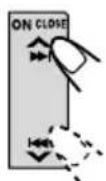
The display illuminates and the control panel comes out.
2 Select the source.
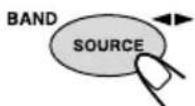
Each time you press the button, the source changes as follows:
→ FM → DAB tuner** → Tape*
→ CD changer** → External component
→ AM → (back to the beginning)
* If a cassette is not in the cassette compartment, you cannot select tape as the source to play.
** Without connecting the CD changer and/or the DAB tuner, you cannot select it as the source to play.
To operate the tuner (FM or AM), see pages 7 – 14.
To operate the tape, see pages 15 - 17.
To operate the CD changer, see pages 27 - 28.
To operate the external component connected to the LINE IN plugs, see page 29.
To operate the DAB tuner, see pages 30 - 33.
3 Adjust the volume.
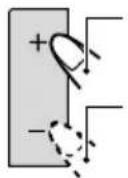
Press + to increase the volume.
Press – to decrease the volume.
VOL 20 SOFT REAT POP SEL
Volume level meter
4 Adjust the sound as you want (see page 18.)
To drop the volume in a moment
Press MODE ATT for more than 1 second while listening to any source. "ATT" starts flashing on the display, and the volume level will drop in a moment. To resume the previous volume level, press the button for more than 1 second again.
To turn off the power
Press and hold ▲ OFF until "SEE YOU" appears on the display.
Note:
When you use this unit for the first time, set the built-in clock correctly, see page 21.
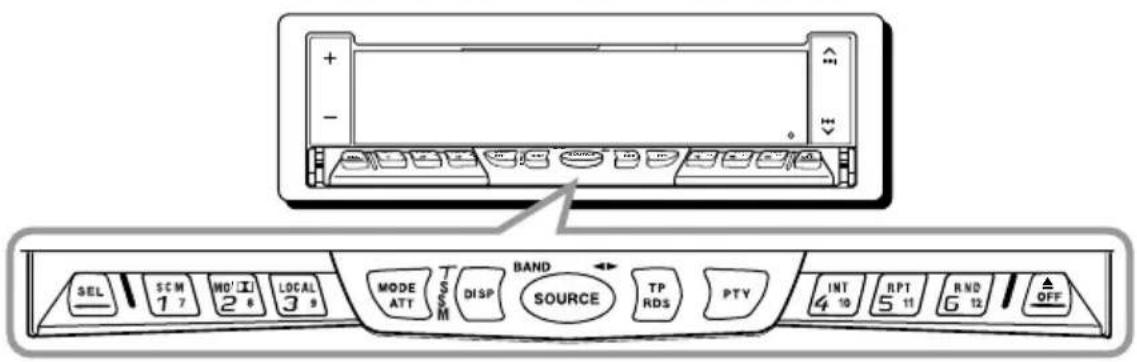
text_image
SEL SCM 1 7 MO' I 2 6 LOCAL 3 9 MODE ATT T S S M DISP BAND SOURCE TP RDS PTY INT 4 10 RPT 5 11 RND 6 12 OFFListening to the radio
You can use either automatic searching or manual searching to tune into a particular station.
Searching a station automatically: Auto search
1 Select the band (FM1-3, AM).
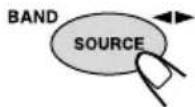
- Press and hold SOURCE (BAND) repeatedly to select the FM band (FM1, FM2 or FM3.)
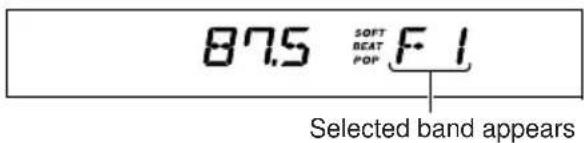
text_image
87.5 SOFT BEAT POP F-1 Selected band appearsNote:
This receiver has three FM bands (FM1, FM2, FM3). You can use any one of them to listen to an FM broadcast.
2 Start searching a station.
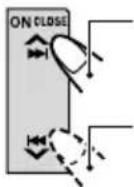
Press ▶▶▶ to search stations of higher frequencies.
Press ◀◀◀ → search stations of lower frequencies.
When a station is received, searching stops.
To stop searching before a station is received, press the same button you have pressed for searching.
To tune in FM stations only with strong signals 1 Press MODE ATT.
"MODE" appears on the display, and the number buttons can work as different function buttons.
2 Press LOCAL, while "MODE" is still on the display, so that the LOCAL indicator lights up on the display.
This function works only while searching FM stations, including SSM preset (see page 8).
Each time you press the button, the LOCAL indicator lights up and goes off alternately.
Searching a station manually: Manual search
1 Select the band (FM1-3, AM).
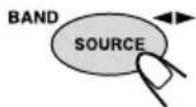
- Press and hold SOURCE (BAND) repeatedly to select the FM band (FM1, FM2 or FM3.)
Note:
This receiver has three FM bands (FM1, FM2, FM3). You can use any one of them to listen to an FM broadcast.
2 Press and hold ▶▶ or ◀◀ until "MANU" (manual) starts flashing on the display.
F1 89.5 SOFT BEAT MANU
3 Tune into a station you want while "MANU" is flashing.
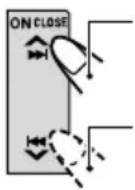
Press ▲▶ to tune into stations of higher frequencies.
Press ◀◀◀ ▼ to tune into stations of lower frequencies.
- If you release your finger from the button, the manual mode will automatically turn off after 5 seconds.
- If you hold down the button, the frequency keeps changing (in 50 kHz intervals for FM and 9 kHz intervals for AM – MW/LW) until you release the button.
When an FM stereo broadcast is hard to receive:
1 Press MODE ATT while listening to an FM stereo broadcast (the STEREO indicator lights up while receiving an FM stereo broadcast).
2 Press MO/While "MODE" is still on the display, so that the MONO indicator lights up on the display.
The sound you hear becomes monaural but the reception will be improved (the STEREO indicator goes off).
Each time you press the button, the MONO indicator lights up and goes off alternately.
Storing stations in memory
You can use one of the following two methods to store broadcasting stations in memory.
- Automatic preset of FM stations: SSM (Strong-station Sequential Memory)
- Manual preset of both FM and AM stations
FM station automatic preset: SSM
You can preset 6 local FM stations in each FM band (FM1, FM2 and FM3.)
1 Select the FM band (FM1–3) you want to store FM stations into.
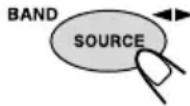
1 Press SOURCE (BAND) to select FM as the source.
2 If necessary, press and hold SOURCE (BAND) repeatedly to select the FM band (FM1, FM2 or FM3.)
Each time you press and hold the button, the FM band changes as follows:

2 Press and hold both buttons for more than 2 seconds.
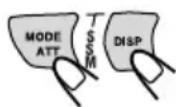
·s 55M·s F1
“SSM” appears, then disappears when automatic preset is over.
Local FM stations with the strongest signals are searched and stored automatically in the band number you have selected (FM1, FM2 or FM3.) These stations are preset in the number buttons — No.1 (lowest frequency) to No.6 (highest frequency.) When automatic preset is over, the station stored in number button 1 will be automatically tuned in.
Manual preset
You can preset up to 6 stations in each band (FM1, FM2, FM3 and AM) manually.
Ex: Storing an FM station of 88.3 MHz into the preset number 1 of the FM1 band
1 Select the band (FM1).
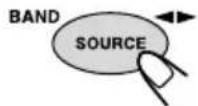
1 Press SOURCE (BAND) to select FM as the source.
2 Press and hold SOURCE (BAND) repeatedly to select the FM1 band.
2 Tune into a station of 88.3 MHz.
Press ▶▶▶ to tune into stations of higher frequencies.
Press ▶▶▶ ▶ tune into stations of lower frequencies.
F1
88.3
SOFT BEAT POP MRNU
3 Press and hold the number button (in this example, 1) for more than 2 seconds.
88.3 SOFT BEAT F11 POP
Band/preset number and
"MEMO" flash alternately for a while.
88.3 SOFF BEAT MEMO POP
4 Repeat the above procedure to store other stations into other preset numbers.
Notes:
- A previously preset station is erased when a new station is stored in the same preset number.
- Preset stations are erased when the power supply to the memory circuit is interrupted (for example, during battery replacement). If this occurs, preset the stations again.
Tuning into a preset station
You can easily tune into a preset station.
Remember that you must store stations first. If you have not stored them yet, see "Storing stations in memory" on page 8.
1 Select the band (FM1-3, AM).
1 Press SOURCE (BAND) to select FM or AM as the source.
2 If necessary, press and hold SOURCE (BAND) repeatedly to select the FM band number (FM1, FM2 or FM3.)
Each time you press and hold the button, the FM band changes as follows:

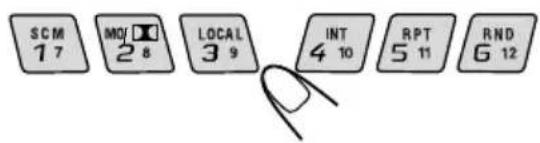
2 Select the number (1 - 6) for the preset station you want.
text_image
SCM 1 7 MOI 2 8 LOCAL 3 9 INT 4 10 RPT 5 11 RND 6 12If the sound quality decreases and the stereo effect is lost while listening to an FM station
In some areas, adjacent stations may interfere with each other. If this interference occurs, this unit can automatically reduce this interference noise (the initial setting when shipped from the factory). However, in this case, the sound quality will be degraded and the stereo effect will be also lost.
If you do not want to degrade the sound quality and to lose the stereo effect, rather than to eliminate the interference noise, see "To change the FM tuner selectivity – FILTER" on page 24.
What you can do with RDS EON
RDS (Radio Data System) allows FM stations to send an additional signal along with their regular programme signals. For example, the stations send their station names, as well as information about what type of programme they broadcast, such as sports or music, etc.
Another advantage of RDS function is called "EON (Enhanced Other Networks)." The EON indicator lights up while receiving an FM station with the EON data. By using the EON data sent from a station, you can tune into a different station of a different network broadcasting your favorite programme or traffic announcement while listening to another programme or to another source such as tape.
By receiving the RDS data, this unit can do the following:
- Tracing the same programme automatically (Network-Tracking Reception)
- Standby Reception of TA (Traffic Announcement) or your favorite programme
• PTY (Programme Type) search - Programme search
• And some other functions
Tracing the same programme automatically (Network-Tracking Reception)
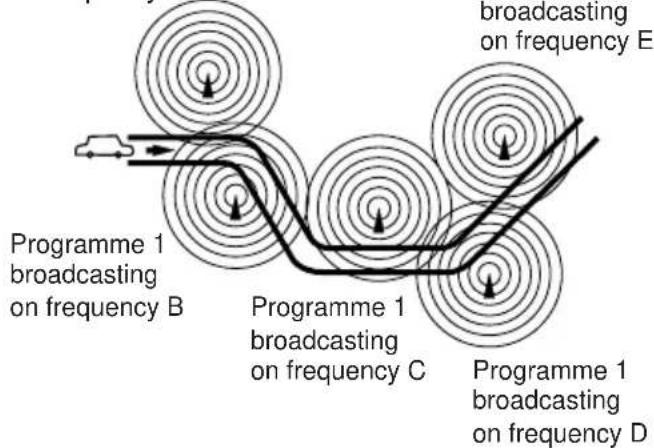
When driving in an area where FM reception is not good, the tuner built in this unit automatically tunes into another RDS station, broadcasting the same programme with stronger signals. So, you can continue to listen to the same programme in its finest reception, no matter where you drive. (See the illustration on the next page.)
Two types of the RDS data are used to make Network-Tracking Reception work correctly — PI (Programme Identification) and AF (Alternative Frequency.)
Without receiving these data correctly from the RDS station you are listening to, Network-Tracking Reception will not operate.
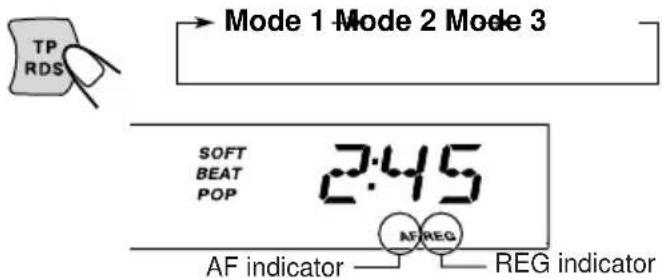
To use Network-Tracking Reception, press and hold TP RDS (Traffic Programme/Radio Data System) for more than 1 second. Each time you press and hold the button, Network-Tracking Reception modes change as follows:
text_image
TP RDS Mode 1 Mode 2 Mode 3 SOFT BEAT POP 2:45 AF REG AF indicator —— REG indicatorMode 1
The AF indicator lights up but the REG indicator does not.
Network-Tracking Reception is activated with Regionalization set to "off."
Switches to another station within the same network when the receiving signals from the current station become weak.
- In this mode, the programme may differ from the one currently received.
Mode 2
Both the AF indicator and the REG indicator light up.
Network-Tracking Reception is activated with Regionalization set to "on."
Switches to another station, within the same network, broadcasting the same programme when the receiving signals from the current station become weak.
Mode 3
Neither the AF indicator nor the REG indicator lights up.
Network-Tracking Reception is deactivated.
Note:
If a DAB tuner is connected and Alternative Reception (for DAB services) is activated, Network-Tracking Reception is also activated automatically. On the other hand, Network-Tracking Reception cannot be deactivated without deactivating Alternative Reception. (See page 33.)
The same programme can be received on different frequencies.
Programme 1
broadcasting
on frequency A
Programme 1
broadcasting
on frequency E
flowchart
graph TD
    A["Programme 1 broadcasting on frequency B"] --> B["Programme 1 broadcasting on frequency C"]
    B --> C["Programming on frequency E"]
    C --> D["Programming on frequency D"]
    style A fill:#f9f,stroke:#333
    style B fill:#ccf,stroke:#333
    style C fill:#cfc,stroke:#333
    style D fill:#fcc,stroke:#333
Using Standby Reception
Standby Reception allows the unit to switch temporarily to your favorite programme (PTY: Programme Type) and Traffic Announcement (TA) from the current source (another FM station, tape and other connected components.)
- Standby Reception will not work if you are listening to an AM station.
TA Standby Reception

When you press TP RDS while listening to an FM station, the TP indicator is lit during reception of a TP (Traffic Programme) station and the TA standby mode is engaged.
- When the station being received is not a TP station, the TP indicator flashes. Press ▶▶ or ▶◀ ▼ to engage the TA standby mode. “SEARCH” appears on the display, and TP station search starts. When a TP station is tuned in, the TP indicator is lit.
■If you are listening to a tape or other connected components and wish to listen to a TP station, press TP RDS to enter the TA standby mode. (The TP indicator lights up.)
If a traffic programme starts broadcasting while the TA standby mode is active, "TRAFFIC" appears and the playback source changes to the FM band. The volume increases to the preset TA volume level (see page 14) and the traffic programme can be heard.
To deactivate the TA standby mode, press TP RDS again.
PTY Standby Reception
When you press PTY while listening to an FM station, the PTY indicator is lit during reception of a PTY station and the PTY standby mode is engaged. The selected PTY name stored on page 12 flashes for 5 seconds.
- When the station being received is not a PTY station, the PTY indicator flashes. Press ▶▶|or|◀◀ ▼ to engage the PTY standby mode. “SEARCH” appears on the display, and PTY station search starts. When a PTY station is tuned in, the PTY indicator is lit.
■If you are listening to a tape or other connected components and wish to listen to a selected PTY broadcast, press PTY to enter the PTY standby mode. (The PTY indicator lights up.)
If the selected PTY programme starts broadcasting while the PTY standby mode is active, the selected PTY name appears and the playback source changes to the FM band. The selected PTY programme can then be heard.
To deactivate the PTY standby mode, press PTY again.
Selecting your favorite programme for PTY Standby Reception
You can select your favorite programme for PTY Standby Reception to store in memory. When shipped from the factory, "NEWS" is stored as the programme type for PTY Standby Reception.
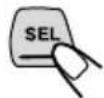
1 Press and hold SEL (select) for more than 2 seconds so that one of the PSM items appears on the display. (PSM: see page 22.)

2 Select "PTY STBY" (standby) if not shown on the display.
3 Select one of twenty-nine PTY codes.
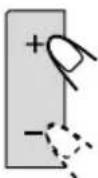
Selected code name appears on the display and is stored into memory.
Each time you press the button, the PTY codes change as follows:
PTY codes
NEWS ⇌ AFFAIRS ⇌ INFO ⇌
SPORT ≌ EDUCATE ≌ DRAMA ≌
CULTURE ⇌ SCIENCE ⇌ VARIED ⇌
POP M ⇌ ROCK M ⇌ EASY M ⇌
LIGHT M ⇌ CLASSICS ⇌ OTHER M ⇌
FOLK M ⇌ DOCUMENT ⇌ (back to the
beginning)
For details, see page 35.
4 Press SEL (select) to finish the setting.
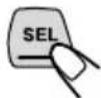
Searching your favorite programme
You can search one of your 6 favorite programme types stored in memory.
When shipped from the factory, the following 6 programme types have been stored in the number buttons (1 to 6.)
To store your favorite programme types, see below.
To search your favorite programme type, see page 13.
| 1 | 2 | 3 |
| POP M | ROCK M EASY M | |
| 4 | 5 | 6 |
| CLASSICS | AFFAIRS | VARIED |
To store your favorite programme types
1 Press and hold SEL (select) for more than 2 seconds so that one of the PSM items appears on the display. (PSM: see page 22.)

2 Select "PTY SRCH" (search) if not shown on the display.
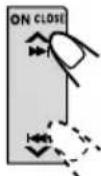
3 Select one of twenty-nine PTY codes. (See left column.)

Selected code name appears on the display.
- If the code already stored in memory is selected, it will flash on the display.
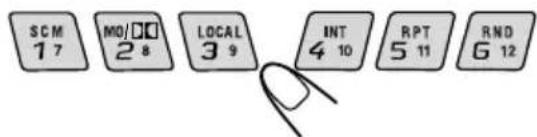
4 Press and hold the number button for more than 2 seconds to store the PTY code selected into the preset number you want.
text_image
SCM 1 7 MO/□□ 2 8 LOCAL 3 9 INT 4 10 RPT 5 11 RNO 6 12PTY preset number appears, and selected code name and "MEMORY" alternate on the display.
5 Press SEL (select) to finish the setting.
To search your favorite programme type
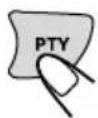
1 Press and hold PTY (programme type) for more than 1 second while listening to an FM station.
The last selected PTY code and preset number appear.

text_image
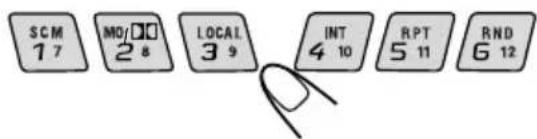
POP M SOFT BEAT POP PTY I2 Select one of the PTY codes stored in preset number buttons (1 to 6.)
text_image
SCM 1 7 MO/□□ 2 8 LOCAL 3 9 INT 4 10 RPT 5 11 RND 6 12PTY search for your favorite programme starts after 5 seconds.
- If there is a station broadcasting a programme of the same PTY code you selected, that station is tuned in.
- If there is no station broadcasting a programme of the same PTY code you selected, the station will not change.
Note:
In some areas, the PTY search will not work correctly.
Other convenient RDS functions and adjustments
Automatic selection of the station when using the number buttons
Usually when you press the number button, the preset station is tuned in.
However, when the preset station is an RDS station, something different will happen. If the signals from that preset station are not sufficient for good reception, this unit, using the AF data, tunes in another frequency broadcasting the same programme as the original preset station is broadcasting.
In case no other station is tuned in, you can also search all receivable frequencies for the same programme (Programme search).
To activate programme search, follow the procedure below.
• Programme search takes a while.
- See also “Changing the general settings (PSM)” on page 21.
1 Press and hold SEL (select) for more than 2 seconds so that one of the PSM items appears on the display.
2 Press ▲▶▶ or ◀◀ ▼ to select "P(Programme)-SEARCH."
3 Press + to select "SRCH ON."
Now programme search is activated.
To cancel programme search, repeat the same procedure and select "SRCH OFF" in step 3 by pressing -.
Changing the display mode while listening to an FM station
You can change the initial indication on the display to either station name (PS NAME) or to station frequency (FREQ), while listening to an FM RDS station.
- See also "Changing the general settings (PSM)" on page 21.
1 Press and hold SEL (select) for more than 2 seconds so that one of the PSM items appears on the display.
2 Press ▲▶▶ or ◀◀◀ ▼ to select "TU DISP" (tuner display).
3 Press + or - to set to the desired indication ("PS NAME" or "FREQ").
Note:
By pressing DISP, you can also change the display while listening to an FM RDS station.
Each time you press the button, the following information appears on the display:
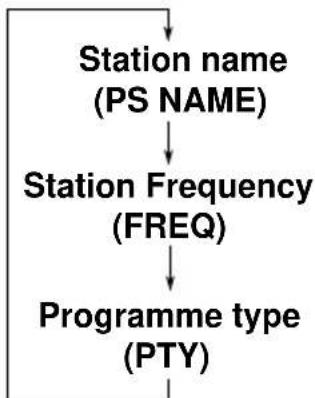
flowchart
graph TD
    A["Station name (PS NAME)"] --> B["Station Frequency (FREQ)"]
    B --> C["Programme type (PTY)"]
- Then, the display goes back to the original indication in several seconds.
Setting the TA volume level
You can preset the volume level for TA Standby Reception. When a traffic programme is received, the volume level automatically changes to the preset level.
- See also "Changing the general settings (PSM)" on page 21.
1 Press and hold SEL (select) for more than 2 seconds so that one of the PSM items appears on the display.
2 Press ▲▶▶ or ◀◀◀ ▼ to select "TA VOL."
3 Press + or - to set to the desired volume. You can set it from "VOL 00" to "VOL 50."
Automatic clock adjustment
When shipped from the factory, the clock built in this unit is set to be readjusted automatically using the CT (Clock Time) data in the RDS signal.
If you do not want to use automatic clock adjustment, follow the procedure below.
- See also "Changing the general settings (PSM)" on page 21.
1 Press and hold SEL (select) for more than 2 seconds so that one of the PSM items appears on the display.
2 Press ▲▶▶ or ◀◀◀ ▼ to select "AUTO ADJ."
3 Press – to select "ADJ OFF."
Now automatic clock adjustment is canceled.
To reactivate clock adjustment, repeat the same procedure and select "ADJ ON" in step 3 by pressing +.
Note:
It takes about 2 minutes to adjust the time using the CT data. So, you should not change the station for more than 2 minutes continuously; otherwise, the clock time will not be adjusted.
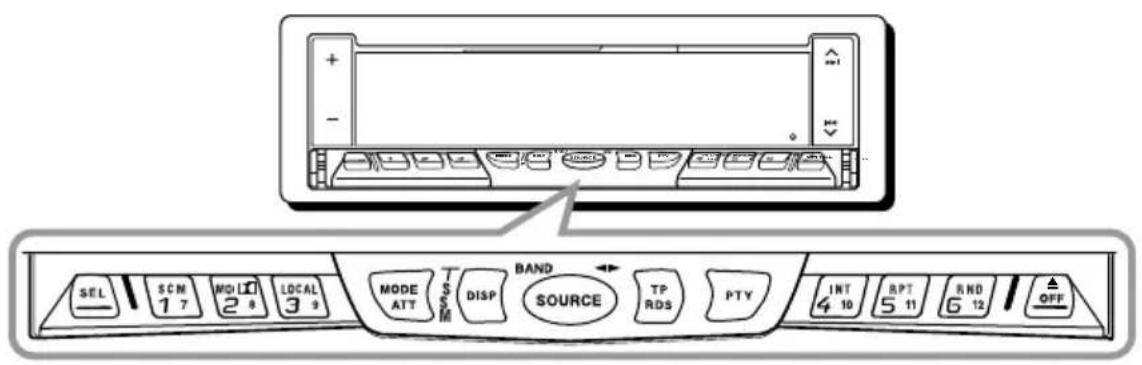
text_image
SEL 1 7 MOD 2 8 LOCAL 3 9 MODE ATT T S M DISP BAND SOURCE TP RDS PTY INT 4 10 RPT 5 11 RND 6 12 OFFListening to a tape
1 Open the cassette compartment.
2 Insert a cassette into the cassette compartment.
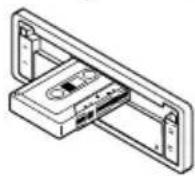
The unit draws the cassette, and tape play starts automatically after the display panel moves up.
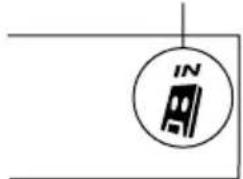
"Cassette in" indicator appears.
natural_image
Simple line drawing of a car with a circular icon containing the letters 'IN' and a vehicle symbol (no text or labels)Notes:
- When a cassette is already in the cassette compartment, select tape as the source by pressing SOURCE (◀) to start tape play.
- When one side of the tape reaches its end during play, the other side of the tape automatically starts playing. (Auto Reverse)
3 Select the tape direction.
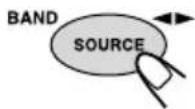
Each time you press and hold SOURCE (◀), the tape direction changes alternately forward ( FWJ PLAY ) and reverse ( REV PLAY ).
To stop play and eject the cassette
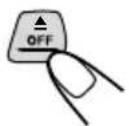
Press ▲ OFF briefly.
Tape play stops and the cassette automatically ejects from the cassette compartment. The source changes to the previously selected one. If you change the source, the tape play also stops (without ejecting the cassette this time).
- You can eject the cassette while the ignition key is turned off by pressing ▲▶▶ or ◀◀◀ √.
To close the display panel, press ▲▶▶ or ◀◀◀ √.
- Turning on or off the ignition key does not close the display panel. To close it, press ▲▶▶ or ▶◀◀ ▼.
CAUTION
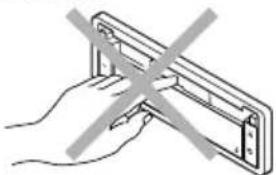
natural_image
Hand holding a metal bracket with a diagonal line crossing through it (no text or symbols)NEVER insert your finger between the display panel and the unit, as it may get caught in the unit.
To fast-forward and rewind a tape
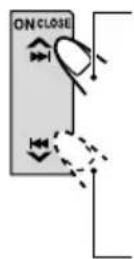
Press ▲▶▶ for more than 1 second to fast-forward the tape. When the tape reaches its end, the tape is reversed and playback starts from the beginning of the other side.
Press ◀◀ ▼ for more than 1 second to rewind the tape. When the tape reaches its end, playback of the same side starts.
To stop fast forward and rewind at any position on the tape, press and hold SOURCE (◀▶). Tape play starts from that position on the tape.
Note:
When the tape reaches its end while fast-forwarding, the tape direction will be changed automatically.
To play back tapes recorded with the Dolby B NR
1 Press MODE ATT.
"MODE" appears on the display.
2Press MO/ while "MODE" is still on the display so that the indicator lights up, and "DOLBY B" appears on the display for several seconds.
To cancel the Dolby B NR, repeat the above procedure again so that the Indicator goes off.
* Dolby noise reduction is manufactured under license from Dolby Laboratories Licensing Corporation.
"DOLBY" and the double-D symbol Dare trademarks of Dolby Laboratories Licensing Corporation.
Prohibiting tape ejection
You can prohibit tape ejection and can "lock" a tape in the cassette compartment.
Press and hold SOURCE (◀) and ▲ OFF for more than 2 seconds. "NO EJECT" flashes on the display for about 5 seconds, and the tape is "locked."
To cancel the prohibition and “unlock” the tape, press and hold SOURCE (◀▶) and ▲ OFF for more than 2 seconds again. “EJECT OK” flashes for about 5 seconds, and this time the tape is “unlocked.”
Note:
If you press ▲ OFF while tape ejection is prohibited, the display panel moves down, but the tape cannot be ejected. (“NO EJECT” appears on the display.)
To move up the display panel, press ▲▶▶| or |◀◀ √.
Finding the beginning of a tune
Multi Music Scan allows you to automatically start playback from the beginning of a specified tune. You can specify up to 9 tunes ahead of or before the current tune.
During playback
Specify how many tunes ahead of or before the current tune the one you want is located.
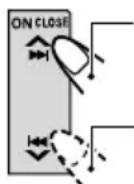
Press ▶▶ to locate a tune ahead of the current tune on the tape.
Press ◀◀◀ to locate a tune before the current tune on the tape.
+3 M M S 50FT BEAT POP 2:57 IN
Each time you press the buttons, the number changes up to ±9 .
When the beginning of the specified tune is located, playback starts automatically.
Notes:
• While locating a specified tune:
- If the tape is rewound to its beginning, playback starts from the beginning of that side.
- If the tape is fast-forwarded to the end, it is reversed and played from the beginning of the other side.
- In the following cases, the Multi Music Scan function may not operate correctly:
- Tapes with tunes having long pianissimo passages (very quiet parts) or non-recorded portions between tunes.
– Tapes with short non-recorded sections. - Tapes with high level of noise or humming between tunes.
- The Dolby NR setting does not match. For example, if Dolby B NR is on and the tape was recorded with no Dolby NR.
Other convenient tape functions
Skipping the blank portions on the tape
You can skip blank portions between the tunes (Blank Skip).
When this function is on, the unit skips blank portions of 15 seconds or more, fast-forwards to the next tune, then starts playing it.
- See also "Changing the general settings (PSM)" on page 21.
1 Press and hold SEL (select) for more than 2 seconds so that one of the PSM items appears on the display. (PSM: see page 22.)
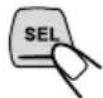
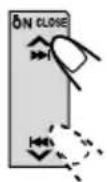
2 Press ▶▶ or ◀◀ to select "B. SKIP" (blank skip).
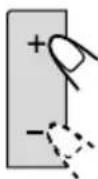
3 Press + to select "ON." Now Blank Skip is activated.
4 Press SEL (select) to finish the setting.

To cancel Blank Skip, repeat the same procedure and select "OFF" in step 3 by pressing –.
Playing the current tune repeatedly
You can play the current tune repeatedly (Repeat Play).
1 Press MODE ATT while playing a tape.
"MODE" appears on the display.
2 Press RPT while "MODE" is still on the display so that the RPT indicator lights up on the display.
Each time you briefly press the button, Repeat Play turns on and off alternately.

text_image
REPEAT SOFT BEAT POP MODE IN OFFLights up when Repeat Play is turned on.
Note:
- In the following cases, Blank Skip and Repeat Play may not operate correctly:
- Tapes with tunes having long pianissimo passages (very quiet parts) or non-recorded portions during tunes.
– Tapes with short non-recorded sections.
- Tapes with high level noise or humming between tunes.
- The Dolby NR setting does not match. For example, if Dolby B NR is on and the tape was recorded with no Dolby NR.
Adjusting the sound
You can adjust the sound characteristics to your preference.
1 Select the item you want to adjust.

Each time you press the button, the adjustable items change as follows:
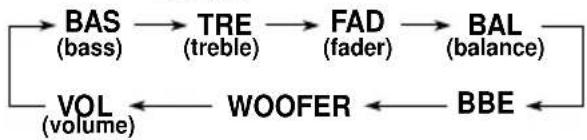
flowchart
graph LR
    A["BAS (bass)"] --> B["TRE (treble)"]
    B --> C["FAD (fader)"]
    C --> D["BAL (balance)"]
    D --> E["BBE"]
    E --> F["WOOFER"]
    F --> G["VOL (volume)"]
    G --> A
| Indication | To do: Range | |
| BAS Adjust | the bass. -06 (min.) | +06 (max.) |
| TRE Adjust | the treble. -06 (min.) | +06 (max.) |
| FAD* Adjust | the front R06 (Rear only)and rear speaker balance. F06 (Front only) | |
| BAL Adjust | the left L06 (Left only)and right speaker balance. R06 (Right only) | |
| BBE See “W | What is OFF, 1, 2, 3 BBE“?” on the next page. | |
| WOOFER | Adjust the subwoofer output level. | 0 (min.)8 (max.) |
| VOL Adjust | the volume. 00 (min.) | 50 (max.) |
* If you are using a two-speaker system, set the fader level to "00."
2 Adjust the level.
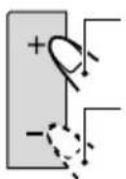
Press + to increase the level.
Press – to decrease the level.
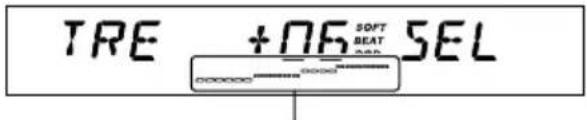
text_image
TRE +06 SOFT BEAT SELEqualization pattern changes as you adjust the bass or treble.
Note:
Normally +/- button works as the volume control. So you do not have to select "VOL" to adjust the volume level.
What is BBE ^II ?
The BBE ^1* function restores the brilliance and clarity of the original live sound in recording, broadcasts, etc.
When a speaker reproduces sound, it introduces frequency-dependent phase shifting, causing high-frequency sounds to take longer to reach the ear than low frequency sounds. The BBE ^1 function adjusts the phase relationship between the low, mid and high frequencies by adding a progressively longer delay time to the low and mid frequencies, so that all frequencies reach the listener's ears at the proper time.
In addition, the BBE ^II function boosts low and high frequencies, which loudspeakers tend to be less efficient in reproducing, through dynamic, program-driven augmentation. When combined with the phase compensation feature, the resulting sound has a clearer, more finely detailed “live” presence.
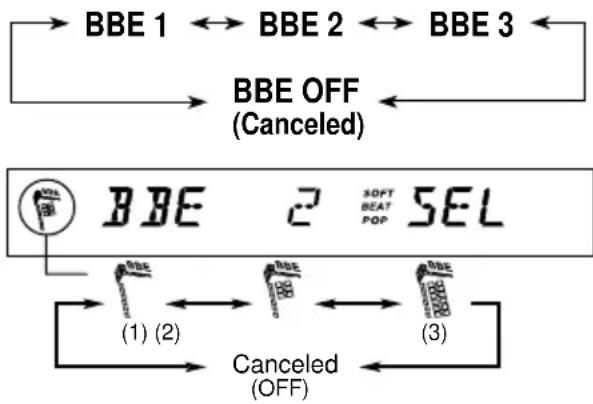
Each time you press + or – in step 2 on the previous page, the BBE ^II function changes as follows:
flowchart
graph TD
    A["BBE 1"] --> B["BBE 2"]
    B --> C["BBE 3"]
    C --> D["BBE OFF (Canceled)"]
    D --> E["BBE"]
    E --> F["SOFT BEAT POP SEL"]
    F --> G["(1) (2)"]
    G --> H["Canceled (OFF)"]
    H --> I["(3)"]
As the number gets higher, the BBE ^11 function becomes stronger.
When shipped from the factory, the BBE ^™ function is set to “2.”
To cancel the BBE ^II function, select "OFF."
* Under license from BBE Sound, Inc. BBE ^II is a trademark of BBE Sound, Inc.
Using the Sound Control Memory
You can select and store a preset sound adjustment suitable for each playback source (Advanced SCM.)
Once you select a sound mode, it is stored in memory. It will be recalled every time you select the same source and will be shown on the display. A sound mode can be stored for each of the following sources — FM1, FM2, FM3, AM, tape and external components.
- If you do not want to store the sound mode separately for each playback source, but want to use the same sound mode for all the sources, see "To cancel Advanced SCM LINK – SCM LINK" on page 23.
1 Press MODE ATT.
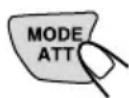
The number buttons can work as different function buttons.

2 Select the sound mode you want.
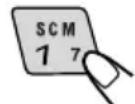
Each time you press the button, the sound mode changes as follows:

flowchart
graph LR
    A["BEAT"] --> B["SOFT"] --> C["POP"] --> D["SCM OFF"]
- If “SCM LINK” is set to “LINK ON” (see page 23), the selected sound mode can be stored in memory for the current source, and the effect applies to the current source.
- If "SCM LINK" is set to "LINK OFF," the selected sound mode effect applies to any source.
CONTINUED ON THE NEXT PAGE
| Indication | For: Preset values | |||
| Bass | Treble | BE II | ||
| BEAT Rock music | or disco +02 00 2 | 0 | 2 | |
| SOFT Quiet background music | +01 | -03 | OFF | |
| POP | Light music | +04 | +01 | OFF |
| SCM OFF | (Flat sound) | 00 00 | 2 | |
Notes:
- You can adjust each sound mode to your preference, and store it in memory.
If you want to adjust and store your original sound mode, see "Storing your own sound adjustments" below. - To adjust the bass and treble reinforcement levels or to turn on/off the BBE ^II function temporarily, see pages 18 and 19. (Your adjustments will be canceled if another source is selected.)
Storing your own sound adjustments
You can adjust the sound modes (BEAT, SOFT, POP) to your preference and store your own adjustments in memory.
- There is a time limit in doing the following procedure. If the setting is canceled before you finish, start from step 1 again.
1 Press MODE ATT.
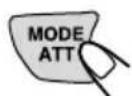
The number buttons can work as different function buttons.
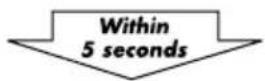
2 Select the sound mode you want.
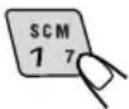
For details, see page 19.
3 Select the item you want to adjust (BAS, TRE, or BBE").
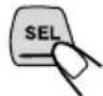
4 Adjust the selected item.
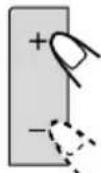
5 Repeat steps 3 and 4 to adjust the other items.
6 Press and hold SCM until the sound mode you have selected flashes on the display.
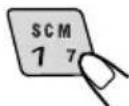
Your adjustment made for the selected sound mode is stored in memory.
7 Repeat the same procedure to adjust other sound modes.
To reset to the factory settings
Repeat the same procedure and reassign the preset values listed in the table on the left column.
Setting the clock
You can also set the clock system either 24 hours or 12 hours.
1 Press and hold SEL (select) for more than 2 seconds so that one of the PSM items appears on the display. (See page 22.)

2 Set the hour.
1 Select "CLOCK H" if not shown on the display.
2Adjust the hour.
1
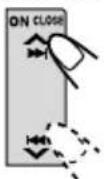
2
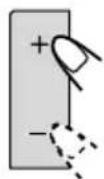
3 Set the minute.
1 Select "CLOCK M."
2Adjust the minute.
1
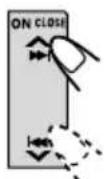
2
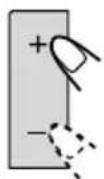
4 Set the clock system.
1 Select "24H/12H."
2 Select "24HOUR" or "12HOUR."
1
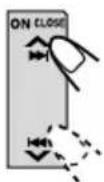
2
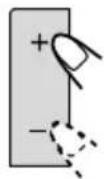
5 Press SEL (select) to finish the setting.
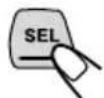
To check the current clock time while the unit is turned off, press + or -.
The power turns on, the clock time is shown for 5 seconds, then the power turns off.
Changing the general settings (PSM)
You can change the items listed on the next page by using the PSM (Preferred Setting Mode) control.
Basic Procedure
1 Press and hold SEL (select) for more than 2 seconds so that one of the PSM items appears on the display. (See page 22.)
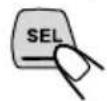
2 Select the PSM item you want to adjust. (See page 22.)
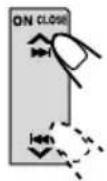
3 Adjust the PSM item selected above.
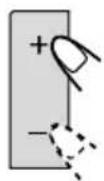
4 Repeat steps 2 and 3 to adjust the other PSM items if necessary.
5 Press SEL (select) to finish the setting.

Preferred Setting Mode (PSM) items
1 Hold. Hold. | 2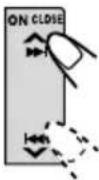 Select. Select. | 3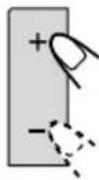 - - | Set.+ | Factory-presetsettings | Seepage |
| CLOCK H | Hour adjustment | AdvanceBack | 0:00 | 21 | |
| CLOCK M | Minute adjustment | Back Advance | |||
| SCM LINK | Sound controlmemory linkage | LINK OFF | LINK ON | LINK ON | 19, 23 |
| 24H/12H | 24/12-hour timedisplay | 12HOUR | 24HOUR | 24HOUR | 21 |
| AUTO ADJ | Automatic clocksetting | ADJ OFF | ADJ ON | ADJ ON | 14 |
| CLOCK | Clock display | OFF | ON | ON | 23 |
| TU DISP | Tuner display | FREQ PS | NAME | PS NAME | 14 |
| PTY STBY | PTY standby | 29 programme types(see pages 12 and 35.) | NEWS | 12 | |
| PTY SRCH | PTY search | (See page 12.) | 12 | ||
| TA VOL | Traffic announcementvolume | VOL 00 - VOL 50 | VOL 20 | 14 | |
| P-SEARCH | Programme search | SRCH ONSRCH OFF SRCH OFF 3 | |||
| DAB AF* | Alternative frequencysearch | AF ONAF ON 33AF | |||
| LEVEL | Level display | AUDIO 1 ↔ AUDIO 2↔ OFF ↔ | AUDIO 2 | 23 | |
| DIMMER | Dimmer mode | AUTO ↔ OFF↔ ON ↔ | AUTO 23 | ||
| TEL | Telephone muting | MUTING 1 ↔ MUTING 2↔ OFF ↔ | OFF | 23 | |
| BEEP | Key-touch tone | BEEP OFF | BEEP ON | BEEP ON | 24 |
| B.SKIP | Blank skip | OFF ON | 17OF | ||
| CUTOFF F | Subwoofer cutofffrequency | LOW ↔ MID↔ HIGH ↔ | MID | 29 | |
| LINE ADJ | Line input leveladjustment | L.ADJ 00 - 05 | L.ADJ 00 | 24 | |
| PANEL | Flat panel | FLAT OFF | FLAT OFFFLAT2ON | ||
| FILTER | Intermediatefrequency filter | WIDE | AUTO | AUTO | 24 |
* Displayed only when the DAB tuner is connected.
- Press SEL (select) to finish the setting.
To cancel Advanced SCM – SCM LINK
You can cancel the Advanced SCM (Sound Control Memory), and unlink the sound modes and the playback sources.
When shipped from the factory, a different sound mode can be stored in memory for each source so that you can change the sound modes simply by changing the sources.
- LINK ON: Advanced SCM (different sound modes for different sources)
- LINK OFF: Conventional SCM (one sound mode for all sources)
To set the clock display - CLOCK
You can set the clock to be shown on the display when the unit is turned on. When shipped from the factory, the clock is set to be shown on the display.
• ON: Clock display is turned on.
- OFF: Clock display is turned off. When "OFF" is selected, the current source name appears instead of the clock display (except when "EXT-LINE IN" is selected as the source).
To select the level meter – LEVEL
You can select the level display according to your preference. When shipped from the factory, "AUDIO 2" is selected.
• AUDIO 1: Level meter illuminates from outside to center.
• AUDIO 2: Alternates level meter (moves from bottom to top) and illumination display.
• OFF: Erases the audio level indicator.
To select the dimmer mode - DIMMER
When you turn on the car head lights, the display automatically dims (Auto Dimmer.)
When shipped from the factory, Auto Dimmer mode is activated.
• AUTO: Activates Auto Dimmer.
• OFF: Cancels Auto Dimmer.
• ON: Always dims the display.
Note on Auto Dimmer:
Auto Dimmer equipped with this unit may not work correctly on some vehicles, particularly on those having a control dial for dimming.
In this case, set the dimmer mode to "ON" or "OFF."
To select the telephone muting – TEL
This mode is used when a cellular phone system is connected. Depending on the phone system used, select either "MUTING 1" or "MUTING 2," whichever mutes the sounds from this unit. When shipped from the factory, this mode is deactivated.
- MUTING 1: Select this if this setting can mute the sounds.
- MUTING 2: Select this if this setting can mute the sounds.
• OFF: Cancels the telephone muting.
To turn on/off the key-touch tone – BEEP
You can deactivate the key-touch tone if you do not want it to beep each time you press a button. When shipped from the factory, the key-touch tone is activated.
- BEEP ON: Activates the key-touch tone.
- BEEP OFF: Deactivates the key-touch tone.
To adjust the line input level - LINE ADJ
Adjust the line input level properly when an external component is connected to the LINE IN plugs. When shipped from the factory, the line input level is set at level "00".
If the input level of the connected component is not high enough, increase the input level properly. Without adjusting the line input level, you may be surprised at a loud sound when you change from the external component to another source.
To make the front panel look flat (hiding the control panel) – PANEL
When operating the receiver using the remote control, you can hide the control panel to make the front panel look flat. When shipped from the factory, "FLAT OFF" is selected.
- FLAT ON: The control panel will not come out when you turn on the unit.
To use the control panel, press
◀◀ ▼so that the control panel comes out. If no operation is done for about 10 seconds, it automatically goes back into the receiver. - FLAT OFF: You can use the control panel normally.
To change the FM tuner selectivity – FILTER
In some areas, adjacent stations may interfere with each other. If this interference occurs, noise may be heard. This unit has been preset to automatically reduce this interference noise (“AUTO”) when shipped from the factory.
- AUTO: When this type of interference occurs, this unit automatically increases the tuner selectivity so that interference noise will be reduced. (But the stereo effect will be also lost.)
- WIDE: Subject to the interference from adjacent stations, but the sound quality will not be degraded and the stereo effect will not be lost.
Using the security lock
You can prohibit the unauthorized use of this unit by the others.
To use the security lock, you need to set the password first. Once you set the password, the unit will ask you to enter the password when you turn on the unit for the first time after re-installation (or after recovering the car battery exhaustion.)
CAUTION: Be careful not to forget the password you have entered; otherwise, you cannot use this unit. Keep the password in your mind and more importantly on paper or some other materials. You can write down your password in the spaces provided on the cover page.
Registering the password
You have to use 4 characters for your password. You can use the following characters: Capital letters (A - Z) and numerals (0 -9).
Note:
When “FLAT ON” is selected, you cannot register password. In this case, select “FLAT OFF” (see page 24) before following the procedure below.
1 Press and hold both buttons for more than 2 seconds.
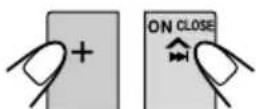
The unit enters password entry mode.
2 Select a character.

text_image
Each time you press the button, character changes as follows: 0 ← 1 ← 2......9 (numerals) Z......CBA (alphabets)
text_image
SOFT BEAT POP CODE3 Move the character entry position to the next.
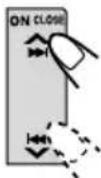

text_image
0_ SOFT BEAT POP CODE4 Repeat steps 2 and 3 until you enter all 4 characters.
5 Press SEL (select) to finish the setting.

The password flashes on the display for a while, then the unit returns to the normal operation mode.
How to Use the Provided CODE Sticker
Attach the provided CODE sticker in a conspicuous position on your car to notify would-be unauthorized users that the security lock function is provided for this unit and, therefore, will foil their efforts.
When Security Lock works?
Once you register the password, “*” appears on the display, and the unit will ask you to enter the password in the following cases:
- When you turn on the unit for the first time after re-installing the unit.
- When you turn on the unit for the first time after replacing the car battery.
To use this unit, you must enter the correct password by following the procedure below.
1 Press + or - to enter a character.
2 Press ▲▶▶ or ◀◀◀ ▼ to move the character entry position.
3 Repeat steps 1 and 2 to enter the entire password (4 letters) correctly, then press SEL (select).
- If you enter the correct password, the security lock is canceled and you can use the unit normally.
- In the following cases, the security lock is not canceled ("ERROR" appears on the display) then the unit turns off. (The unit will never turn on unless you press the reset button on the front panel. See page 2.)
- If you enter an incorrect password then press SEL (select).
- If you cannot finish entering the correct password within 30 seconds.
If you enter an incorrect character while entering the password
Press |◀◀ ▼ to move back the character entry position over the incorrect character, then press + or - to select the correct character.
To change the password
If you want to change the password after you have registered it, follow the procedure below.
1 Press + and ▶▶▶ at the same time for more than 2 seconds.
“* appears on the display.
2 Enter the current password correctly, then press SEL (select).
The unit enters password entry mode.
3 Enter a new password as you want, then press SEL (select).
The password flashes on the display for a while, then the unit returns to the normal operation mode.
- See page 25 for details on how to enter the password.
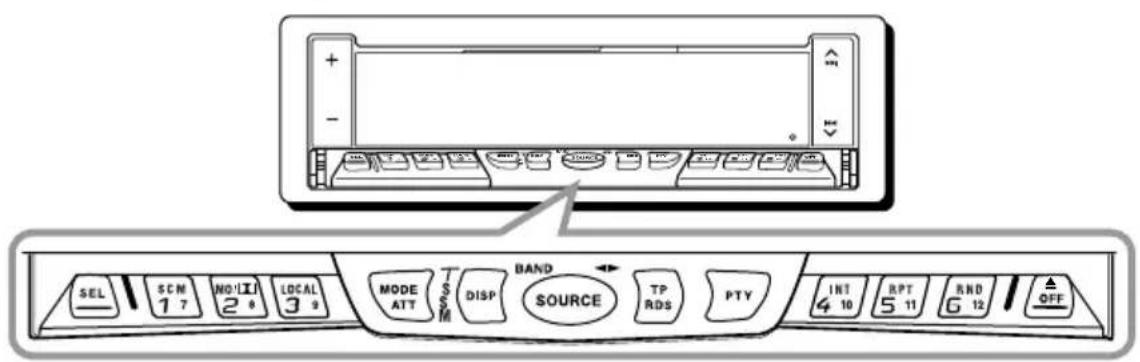
text_image
SEL 1 7 NO!!I 2 6 LOCAL 3 9 MODE ATT DISP BAND SOURCE TP RDS PTY INT 4 10 BPT 5 11 RND 6 12 OFFWe recommend that you use one of the CH-X series with your unit.
If you have another CD automatic changer, consult your JVC IN-CAR ENTERTAINMENT dealer for connections.
- For example, if your CD automatic changer is one of the KD-MK series, you need a cord (KS-U15K) for connecting it to this unit.
Before operating your CD automatic changer:
- Refer also to the Instructions supplied with your CD changer.
- If no discs are in the magazine of the CD changer or the discs are inserted upside down, "NO DISC" will appear on the display. If this happens, remove the magazine and set the discs correctly.
- If "RESET 1" - "RESET 8" appears on the display, something is wrong with the connection between this unit and the CD changer. If this happens, check the connection, connect the connecting cord(s) firmly if necessary, then press the reset button of the CD changer.
Playing CDs
Select the CD automatic changer (CD-CH).
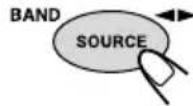
Each time you press the button, the source changes as described on page 6.
Playback starts from the first track of the first disc.
All tracks of all discs are played back.
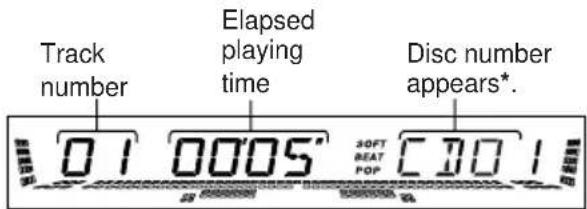
text_image
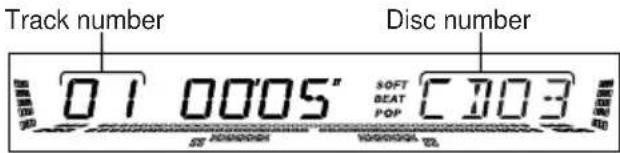
Track number Elapsed playing time Disc number appears*. 01 0005' 30FT BEAT POP CDO 1* When "CLOCK" is set to "ON" (see page 23), the clock time appears.
To fast-forward or reverse the track
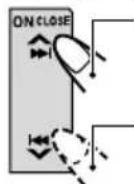
Press and hold ▶▶, while playing a CD, to fast-forward the track.
Press and hold ◀◀◀ , while playing a CD, to reverse the track.
To go to the next track or the previous tracks
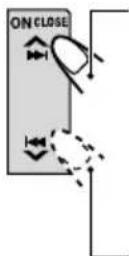
Press ▶▶▶ briefly, while playing a CD, to go ahead to the beginning of the next track. Each time you press the button consecutively, the beginning of the next track is located and played back.
Press ◀◀◀ briefly, while playing a CD, to go back to the beginning of the current track. Each time you press the button consecutively, the beginning of the previous tracks is located and played back.
To go to a particular disc directly
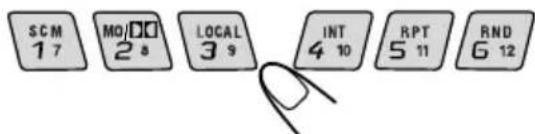
Press the number button corresponding to the disc number to start its playback (while the CD changer is playing.)
text_image
SCM 1 7 MO/DO 2 8 LOCAL 3 9 INT 4 10 RPT 5 11 RND 6 12• To select a disc number from 1 – 6: Press 1 (7) – 6 (12) briefly.
- To select a disc number from 7 – 12: Press and hold 1 (7) – 6 (12) for more than 1 second.
text_image
Track number 01 0005" SOFT BEAT POP C703 Disc numberEx. When disc number 3 is selected
Selecting CD playback modes
- There is a time limit in doing the following procedure. If the setting is cancelled before you finish, start from step 1 again.
To play back tracks at random (Random Play)
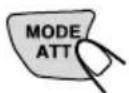
1 Press MODE ATT while playing a CD. "MODE" appears on the display.
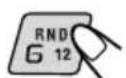
2 Press RND (random), while "MODE" is still on the display, so that the RND indicator lights up on the display.
Each time you press the button, CD random play mode changes as follows:

| Mode | RND Indicator | Plays at random |
| RND1 Lights (random1) disc | All tracks, then the | of the current the tracks of the next disc, and so on. |
| RND2 Flashes (random2) inserted in the magazine. | ||
To play back tracks repeatedly (Repeat Play)
1 Press MODE ATT while playing a CD. "MODE" appears on the display.
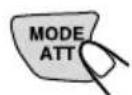
2 Press RPT (repeat), while "MODE" is still on the display, so that the RPT indicator lights up on the display.
Each time you press the button, CD repeat play mode changes as follows:

flowchart
graph LR
    A["RPT1"] --> B["RPT2"]
    B --> C["Canceled"]
    C --> D["-->"]
| Mode | RPT Indicator | Plays repeatedly |
| RPT1 Lights (repeat1) specified track). | ||
| RPT2 Flashes All tracks of the current (repeat2) disc (or specified disc). | ||
To play back only intros (Intro Scan)
1 Press MODE ATT while playing a CD. "MODE" appears on the display.
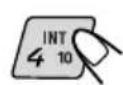
2 Press INT (intro), while "MODE" is still on the display.
Each time you press the button, CD intro scan mode changes as follows:

flowchart
graph LR
    A["INT1"] --> B["INT2"]
    B --> C["Canceled"]
    C --> A
| Mode | Indication | Plays the beginnings (15 seconds) |
| INT1 (intro1) | Track number flashes | Of all tracks on all inserted discs. |
| INT2 (intro2) | Disc number flashes (when it is shown on the display) | Of the first track on each inserted disc. |
Playing an external component
When connecting an external component to the LINE IN plugs on the rear, you can select the component as the sound source.
1 Select the external component (EXT-LINE IN).
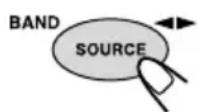
Each time you press the button, the source changes as described on page 6.
2 Operate the external component.
Note:
For the external component connection, see the Installation/Connection Manual (separate volume.)
Using a subwoofer
By connecting a subwoofer to the SUBWOOFER OUT plugs on the rear, you can enjoy enhanced bass sounds and a more realistic theater atmosphere in your car.
- Refer also to the instructions supplied with your subwoofer.
When a subwoofer is connected to this unit, select an appropriate cutoff frequency level for your subwoofer. When shipped from the factory, the subwoofer cutoff frequency is set to "MID".
To set the subwoofer cutoff frequency, follow the procedure below.
- See also “Changing the general settings (PSM)” on page 21.
- LOW: Frequencies higher than 50 Hz are cut off to the subwoofer.
- MID: Frequencies higher than 80 Hz are cut off to the subwoofer.
- HIGH: Frequencies higher than 120 Hz are cut off to the subwoofer.
1 Press and hold SEL (select) for more than 2 seconds so that one of the PSM items appears on the display.
2 Press ▲▶▶ or ◀◀◀ ▼ repeatedly until "CUTOFF F" (frequency) appears on the display.
3 Press + or – to select the desired cutoff frequency.
4 Press SEL (select) again to finish the setting.
To adjust the subwoofer output volume, see "Adjusting the sound" on page 18.
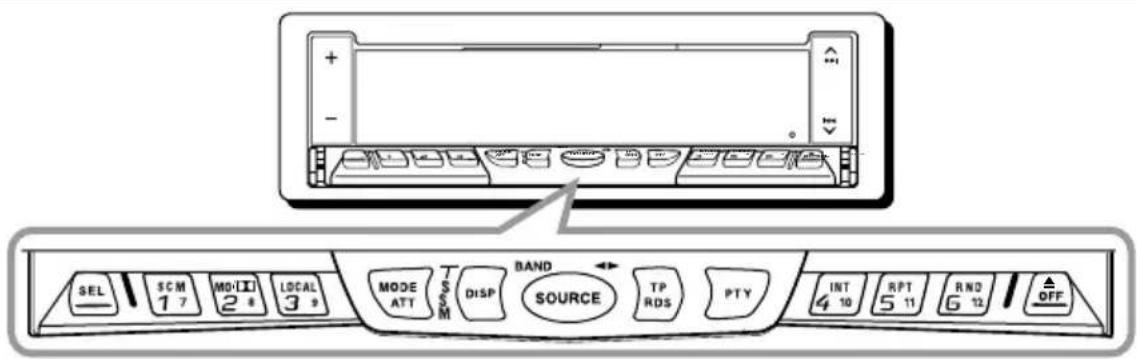
text_image
SEL SCM 1 7 MD-Ⅱ 2 8 LOCAL 3 9 MODE ATT S/SS M BAND DISP SOURCE TP RDS PTY INT 4 10 RPT 5 11 RND 6 12 OFFWe recommend that you use DAB (Digital Audio Broadcasting) tuner KT-DB1500 with your unit. If you have another DAB tuner, consult your JVC IN-CAR ENTERTAINMENT dealer.
• Refer also to the Instructions supplied with your DAB tuner.
What is DAB system?
DAB is one of the digital radio broadcasting systems available today. It can deliver CD quality sound without any annoying interference and signal distortion. Furthermore, it can carry text, pictures and data.
In contrast to FM broadcast, where each programme is transmitted on its own frequency, DAB combines several programmes (called "services") to form one "ensemble."
With the DAB tuner connected with this unit, you can enjoy these DAB services.
Tuning into an ensemble and one of the services
A typical ensemble has 6 or more programmes (services) broadcast at the same time. After tuning into an ensemble, you can select a service you want to listen to.
1 Select the DAB tuner (DAB1-3).
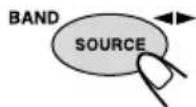
- Press and hold SOURCE (BAND) repeatedly to select the DAB band number (DAB1, DAB2 or DAB3.)
Note:
This receiver has three DAB bands (DAB1, DAB2, DAB3.) You can use any of them to tune into an ensemble.
2 Start searching an ensemble.
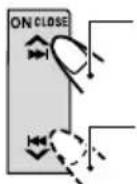
Press ▶▶I to search ensembles of higher frequencies.
Press I◀◀ to search ensembles of lower frequencies.
When an ensemble is received, searching stops.
To stop searching before an ensemble is received, press the same button you have pressed for searching.
3 Select a service you want to listen to.
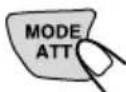
1 Press MODE ATT. "MODE" appears on the display.
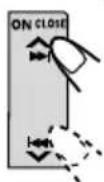
2 Press ▲▶▶ or ◀◀◀ √ to select a service you want, while "MODE" is still on the display.
To change the display information while tuning into an ensemble
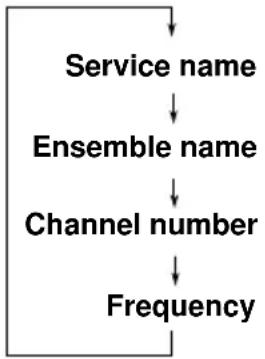
Normally service name is shown on the display. If you want to check the ensemble name or its frequency, press DISP.
Each time you press the button, the following information appears for a while on the display.
flowchart
graph TD
    A["Service name"] --> B["Ensemble name"]
    B --> C["Channel number"]
    C --> D["Frequency"]
To tune in a particular ensemble without searching:
1 Press SOURCE (BAND) to select DAB tuner as the source.
2 Press and hold ▲▶▶ or ▶◀◀ √ for more than 1 second.
3 Press ▲▶▶ or ◀◀◀ ▼ repeatedly until the ensemble you want is reached.
- If you hold down the button, the frequency keeps changing until you release the button.
Storing DAB services in memory
You can preset up to 6 DAB services in each DAB band (DAB1, DAB2 and DAB3) manually.
1 Select the DAB tuner (DAB1-3).
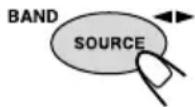
1 Press SOURCE (BAND) to select DAB tuner as the source.
2 If necessary, press and hold SOURCE (BAND) repeatedly to select the DAB band number (DAB1, DAB2 or DAB3.)
Each time you press and hold the button, the DAB band changes as follows:

flowchart
graph LR
    A["DAB1"] --> B["DAB2"]
    B --> C["DAB3"]
2 Tune into an ensemble you want.
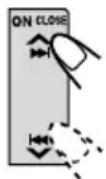
3 Select a service of the ensemble you want.
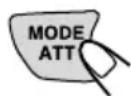
1 Press MODE ATT.
"MODE" appears on the display.
2 Press ▲▶▶ or ◀◀◀ √ to select a service you want, while "MODE" is still on the display.
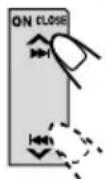
CONTINUED ON THE NEXT PAGE
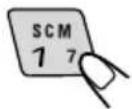
4 Press and hold the number button (in this example, 1) you want to store the selected service into for more than 2 seconds.
SOFT BEAT POP 11
Band/preset number and "MEMO" flash alternately for a while.

SOFT BEAT POP MEMO
5 Repeat the above procedure to store other DAB services into other preset numbers.
Notes:
- A previously preset DAB service is erased when a new DAB service is stored in the same preset number.
- Preset DAB services are erased when the power supply to the memory circuit is interrupted (for example, during battery replacement). If this occurs, preset the DAB services again.
Tuning into a preset DAB service
You can easily tune into a preset DAB service. Remember that you must store services first. If you have not stored them yet, see page 31.
1 Select the DAB tuner (DAB1-3).

1 Press SOURCE (BAND) to select DAB tuner as the source.
2 If necessary, press and hold SOURCE (BAND) repeatedly to select the DAB band number (DAB1, DAB2 or DAB3.)
Each time you press and hold the button, the DAB band changes as follows:

flowchart
graph LR
    A["DAB1"] --> B["DAB2"]
    B --> C["DAB3"]
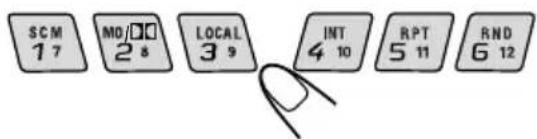
2 Select the number (1 - 6) for the preset DAB service you want.
text_image
SCM 1 7 MO/□□ 2 8 LOCAL 3 9 INT 4 10 RPT 5 11 RND 6 12What you can do more with DAB
Tracing the same program automatically (Alternative Reception)
You can keep listening to the same program
• While receiving a DAB service:
When driving in an area where a service cannot be received, this unit automatically tunes in another ensemble or FM RDS station, broadcasting the same program.
- While receiving an FM RDS station:
When driving in an area where a DAB service is broadcasting the same program as the FM RDS station is broadcasting, this unit automatically tunes into the DAB service.
Note:
When reception switches between DAB and FM, the listening volume level may increase or decrease inconveniently. This change in the volume level results from unequal audio injection levels at broadcaster site, but not from the malfunction of this unit.
To use Alternative Reception
When shipped from the factory, Alternative Reception is activated.
1 Press and hold SEL (select) for more than 2 seconds so that one of the PSM items appears on the display.
2 Press ▲▶▶ or ◀◀◀ ▼ to select "DAB AF" (alternative frequency).
3 Press + or - to select the desired mode.
- AF ON: Traces the program among DAB services and FM RDS stations — Alternative Reception. The AF indicator lights up on the display (see page 10.)
• AF OFF:Deactivates Alternative Reception
Note:
When Alternative Reception (for DAB services) is activated, Network-Tracking Reception (for RDS stations: see page 10) is also activated automatically. On the other hand, Network-Tracking Reception cannot be deactivated without deactivating Alternative Reception.
4 Press SEL (select) again to finish the setting.
What appears to be trouble is not always serious. Check the following points before calling a service center.
| Symptoms | Causes | Remedies |
| ·A cassette tape cannot be inserted. | You have tried to insert a cassette in the wrong way. | Insert the cassette with the exposed tape facing right. |
| ·A cassette tape cannot be ejected. | Cassette ejection is prohibited. | Press and hold ▲ OFF for more than two seconds while pressing SOURCE (◄►). |
| ·Cassette tapes become hot. | This is not a malfunction. | —— |
| ·Tape sound is at very low level and sound quality is degraded. | The tape head is dirty. | Clean it with a head cleaning tape. |
| ·Sound is sometimes interrupted. | Connections are not good. | Check the cords and connections. |
| ·Sound cannot be heard from the speakers. | The volume is turned to the minimum level. | Adjust it to the optimum level. |
| Connections are incorrect. | Check the cords and connections. | |
| ·SSM (Strong-station Sequential Memory) automatic preset does not work. | Signals are too weak. | Store stations manually. |
| ·Static noise while listening to the radio. | The antenna is not connected firmly. | Connect the antenna firmly. |
| ·“NO DISC” appears on the display. | No CD is in the magazine. | Insert CDs into the magazine. |
| CDs are inserted incorrectly. | Insert them correctly. | |
| ·“NO MAG” appears on the display. | No magazine is loaded in the CD changer. | Insert the magazine. |
| ·“RESET 8” appears on the display. | This unit is not connected to a CD changer correctly. | Connect this unit and the CD changer correctly and press the reset button of the CD changer. |
| • “RESET 1” - “RESET 7” appears on the display. | —— | Press the reset button of the CD changer. |
| • This unit does not work at all.• The CD changer does not work at all. | The built-in microcomputer may function incorrectly due to noise, etc. | Press the reset button on the front panel. (The clock setting and preset stations stored in memory are erased.) (See page 2.) |
| • “××” appears on the display. | Security lock is in use. | Enter the password. (See page 25.) |
PTY codes
NEWS: News
AFFAIRS: Topical programmes expanding on current news or affairs
INFO: Programmes which impart advice on a wide variety of topics
SPORT: Sport events
EDUCATE: Educational programmes
DRAMA: Radio plays
CULTURE: Programmes on national or regional culture
SCIENCE: Programmes on natural science and technology
VARIED: Other programmes like comedies or ceremonies
POP M: Pop music
ROCK M: Rock music
EASY M: Easy-listening music
LIGHT M: Light music
CLASSICS: Classical music
OTHER M: Other music
WEATHER: Weather information
FINANCE: Reports on commerce, trading, the Stock Market, etc.
CHILDREN: Entertainment programmes for children
SOCIAL: Programmes on social activities
RELIGION: Programmes dealing with any aspect of belief or faith, or the nature of existence or ethics
PHONE IN: Programmes where people can express their views either by phone or in a public forum
TRAVEL: Programmes about travel destinations, package tours, and travel ideas and opportunities
LEISURE: Programmes concerned with recreational activities such as gardening, cooking, fishing, etc.
JAZZ: Jazz music
COUNTRY: Country music
NATION M: Current popular music from another nation or region, in that country's language
OLDIES: Classic pop music
FOLK M: Folk music
DOCUMENT: Programmes dealing with factual matters, presented in an investigative style
This unit requires very little attention, but you will be able to extend the life of the unit if you follow the instructions below.
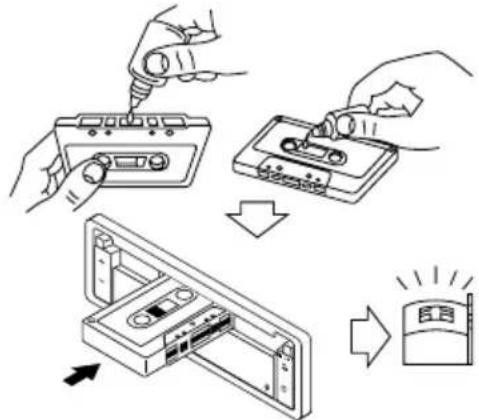
To clean the heads
text_image
Diagram illustrating the process of installing a cassette tape into a CD, with directional arrows indicating steps.- Clean the heads after every 10 hours of use using a wet-type head cleaning tape (available at an audio store.)
When the head becomes dirty, you may realize the following symptoms:
—Sound quality is reduced.
-Sound level decreases.
-Sound drops out.
- Do not play dirty or dusty tapes.
- Do not touch the highly-polished head with any metallic or magnetic tools.
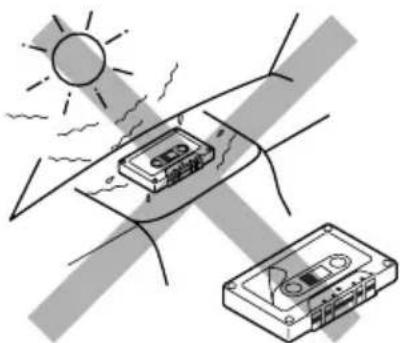
To keep the tape clean
natural_image
Illustration of a sun partially covered by a tape device and a separate cassette tape, with no visible text or symbols.• Always store the tapes to their storage cases after use.
- Do not store tapes in the following places:
-Subject to direct sunlight
—With high humidity
-At extremely hot temperatures
CAUTION:
- Do not play the tapes with peeling labels; otherwise, they can damage the unit.
- Tighten tapes to remove slack since loose tape may become entangled with the mechanism.
- Do not leave a cassette in the cassette compartment after use, as the tape may become slack.
The function below is also provided to ensure the longer life of this unit.
Ignition key-off release/Ignition key-on play
- Turning off the ignition key with a cassette in the compartment automatically releases the tape from the unit's tapehead.
- Turning on the ignition key with a cassette in the compartment starts playback automatically if you turned off the ignition during tape play.
AUDIO AMPLIFIER SECTION
Maximum Power Output:
Front: 45 W per channel
Rear: 45 W per channel
Continuous Power Output (RMS):
Front: 17 W per channel into 4 Ω, 40 Hz to 20 000 Hz at no more than 0.8% total harmonic distortion.
Rear: 17 W per channel into 4 Ω, 40 Hz to 20 000 Hz at no more than 0.8% total harmonic distortion.
Load Impedance: 4 Ω (4 Ω to 8 Ω allowance)
Tone Control Range:
Bass: ±10 dB at 100 Hz
Treble: ±10 dB at 10 kHz
Frequency Response: 40 Hz to 20 000 Hz
Signal-to-Noise Ratio: 70 dB
Line-In Level/Impedance:
1.5 V/20 kΩ load
Line-Out Level/Impedance:
4.0 V/20 kΩ load (full scale)
Output Impedance: 1 kΩ
TUNER SECTION
Frequency Range:
FM: 87.5 MHz to 108.0 MHz
AM: (MW) 522 kHz to 1 620 kHz
(LW) 144 kHz to 279 kHz
[FM Tuner]
Usable Sensitivity: 11.3 dBf (1.0 μV/75 Ω)
50 dB Quieting Sensitivity:
16.3 dBf (1.8 μV/75 Ω)
Alternate Channel Selectivity (400 kHz):
65 dB
Frequency Response: 40 Hz to 15 000 Hz
Stereo Separation: 30 dB
Capture Ratio: 1.5 dB
[MW Tuner]
Sensitivity: 20 μV
Selectivity: 35 dB
[LW Tuner]
Sensitivity: 50 μV
CASSETTE DECK SECTION
Wow & Flutter: 0.11% (WRMS)
Fast-Wind Time: 100 sec. (C-60)
Frequency Response (Dolby NR-OFF):
30 Hz to 16 000 Hz (Normal tape)
Signal-to-Noise Ratio: (Normal tape)
(Dolby NR-ON): 65 dB
(Dolby NR-OFF): 56 dB
Stereo Separation: 40 dB
GENERAL
Power Requirement:
Operating Voltage: DC 14.4 V
(11 V to16 V allowance)
Grounding System: Negative ground
Allowable Operating Temperature: 0°C to +40°C
Mass: 1.7 kg (excluding accessories)
Design and specifications subject to change without notice.
INHALT
natural_image
Simple line drawing of a tool interacting with a rectangular frame (no text or symbols)text_image
Diagram showing a device panel with labeled parts and directional arrows, including components 1, 2, and 3.text_image
Diagram of a computer control panel with labeled buttons and indicators for mode, mode shift, and function controls.Radiohören
text_image
F I 89.5 SOFT BEAT POP MANUF1 88.3 SOFT BEAT MANU POP
text_image
Simple diagram with a circular symbol containing Chinese characters and a vertical line above it.Hinweise:
natural_image
Hand holding a rectangular object with a diagonal line crossing through it, no text or symbols presentflowchart
graph LR
    A["BEAT"] --> B["SOFT"] --> C["POP"] --> D["SCM OFF"]
text_image
Diagram illustrating the process of installing a cassette tape into a display case, with Chinese labels indicating steps and visual indicators.natural_image
Illustration of a sun shining on a cassette tape and a separate cassette tape, both under a shaded sky (no text or symbols)natural_image
Pure technical line drawing of a tool interacting with a rectangular component (no text or symbols)text_image
Diagram showing device panel assembly with labeled parts and directional arrowMise sous tension
text_image
SEL SCM MO LOCAL MODE S DISP SOURCE TP PTY INT RPT RND OFF 1 7 2 3 9 ATT M DISP SOURCE RDS PTY 4 10 5 11 G 12Ecoute de la radio
text_image
POP M SOFT BEAT POP PTY Iflowchart
graph TD
    A["Nom de la station (PS NAME)"] --> B["Fréquence de la station (FREQ)"]
    B --> C["Type de programme (PTY)"]
natural_image
Simple line drawing of a vehicle with a circular icon containing an 'IN' symbol (no text or labels)Remarques:
natural_image
Illustration of a hand holding a smartphone with a crossed-out X symbol (no text or symbols present)flowchart
graph LR
    A["BEAT"] --> B["SOFT"] --> C["POP SCM OFF"]
    C --> D[" "]
flowchart
graph LR
    A["INT1"] --> B["INT2"]
    B --> C["Annulé"]
    C --> A
text_image
Diagram illustrating the process of installing a CD into a cassette tape, with Chinese text labels indicating steps and components.natural_image
Illustration of a sun heating a cassette tape on a curved surface, with no text or symbols present.natural_image
Pure technical line drawing of a tool interacting with a rectangular component (no text or symbols)text_image
Cassette-compartment De display 1 + - ON CLOSE 2Bedieningspaneel*

text_image
Spancel 16 SEL SEM WD LOCAL MODE ATT DISP SOURCE TP RTS PTY INT APT BND OFF 3 4 5 7 68 9 10 11 12 13 14 15text_image
Diagram showing device panel assembly with labeled parts and directional arrow indicating transformationtext_image
Diagram of a computer control panel with labeled buttons and indicators, including SET, MODE, SOURCE, and OFF controls.F1 89.5 SOFT BEAT MANU POP
F1 88.3 SOFT SEAT MANU POP
flowchart
graph TD
    A["Programma 1 op frequentie A"] --> B["Signal flow with arrow"]
    B --> C["Programma 1 op frequentie C"]
    C --> D["Signal flow with arrow"]
    D --> E["Programma 1 op frequentie E"]
    E --> F["Signal flow with arrow"]
    F --> G["Programma 1 op frequentie D"]
    G --> H["Signal flow with arrow"]
    H --> I["Programma 1 op frequentie B"]
    I --> J["Signal flow with arrow"]
flowchart
graph TD
    A["Stationsnaam (PS NAME)"] --> B["Frequentie station (FREQ)"]
    B --> C["Programmagenre (PTY)"]
text_image
SEL SCM MODI LOCAL MODE ATT $M DISP SOURCE TP RDS PTY INT RPT RND OFF 1 7 2 8 3 9 M DISP SOURCE RDS 4 10 5 11 6 12natural_image
Hand holding a rectangular object with a diagonal line crossing through it, no text or symbols present.flowchart
graph LR
    A["BEAT"] --> B["SOFT"] --> C["POP"] --> D["SCM OFF"]
text_image
Diagram illustrating the step-by-step installation of a cassette tape device, showing tool path and component assembly.natural_image
Illustration of a sun bending over a car with a cassette tape, showing no text or symbols11,3 dBf (1,0 μV/75 Ω)
Stereo-scheiding: 30 dB
Vangbereik: 1,5 dB
[MW-zenders]
Gevoeligheid: 20 μV
Having TROUBLE with operation?
Please reset your unit
Refer to page of How to reset your unit
