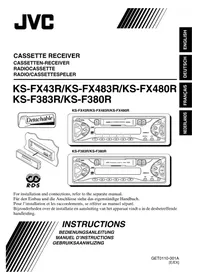
KSFX480R - Car stereo JVC - Free user manual and instructions
Find the device manual for free KSFX480R JVC in PDF.


User questions about KSFX480R JVC
0 question about this device. Answer the ones you know or ask your own.
Ask a new question about this device
Download the instructions for your Car stereo in PDF format for free! Find your manual KSFX480R - JVC and take your electronic device back in hand. On this page are published all the documents necessary for the use of your device. KSFX480R by JVC.
USER MANUAL KSFX480R JVC
For installation and connections, refer to the separate manual.
Thank you for purchasing a JVC product. Please read all instructions carefully before operation, to ensure your complete understanding and to obtain the best possible performance from the unit.
CONTENTS
How to reset your unit 2
LOCATION OF THE BUTTONS 3
Control panel—KS-FX43R/KS-FX483R/ KS-FX480R 3
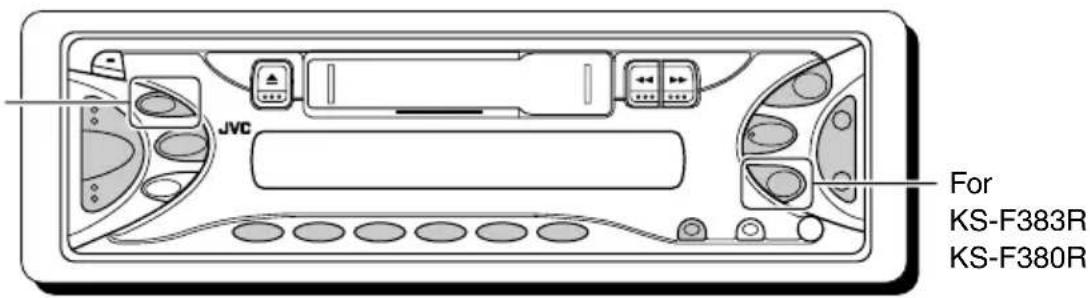
Control panel—KS-F383R/KS-F380R ....... 4
BASIC OPERATIONS 51
Turning on the power 5
Setting the clock 6
RADIO OPERATIONS 7
Listening to the radio 7
Storing stations in memory 9
Tuning in to a preset station 10
RDS OPERATIONS 11
What you can do with RDS 11
Other convenient RDS functions and adjustments 15
TAPE OPERATIONS 18
Listening to a cassette 18
SOUND ADJUSTMENTS 19
Adjusting the sound 19
Selecting preset sound modes 20
Storing your own sound adjustments 20
OTHER MAIN FUNCTIONS 21
Selecting the telephone muting 21
Selecting the CD changer display 21
Detaching the control panel 23
CD CHANGER OPERATIONS (ONLY FOR KS-FX43R/KS-FX483R/KS-FX480R) ... 24
Playing CDs 24
Selecting CD playback modes 25
MAINTENANCE 26
TROUBLESHOOTING 27
SPECIFICATIONS 29
How to reset your unit
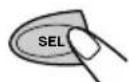
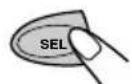
While holding SEL (select), press (stay) on/attenuator) for more than 2 seconds.
This will reset the built-in microcomputer.
Note:
Your preset adjustments—such as preset channels or sound adjustments—will also be erased.
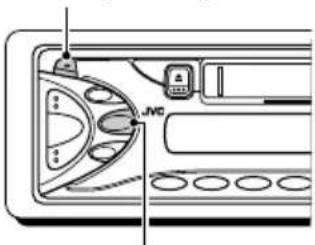
/1ATT (standby/on/attenuator)
SEL (select)
Note:
For security reasons, a numbered ID card is provided with this unit, and the same ID number is imprinted on the unit's chassis. Keep the card in a safe place, as it will help the authorities to identify your unit if stolen.
BEFORE USE
*For safety....
- Do not raise the volume level too much, as this will block outside sounds, making driving dangerous.
- Stop the car before performing any complicated operations.
*Temperature inside the car....
If you have parked the car for a long time in hot or cold weather, wait until the temperature in the car becomes normal before operating the unit.
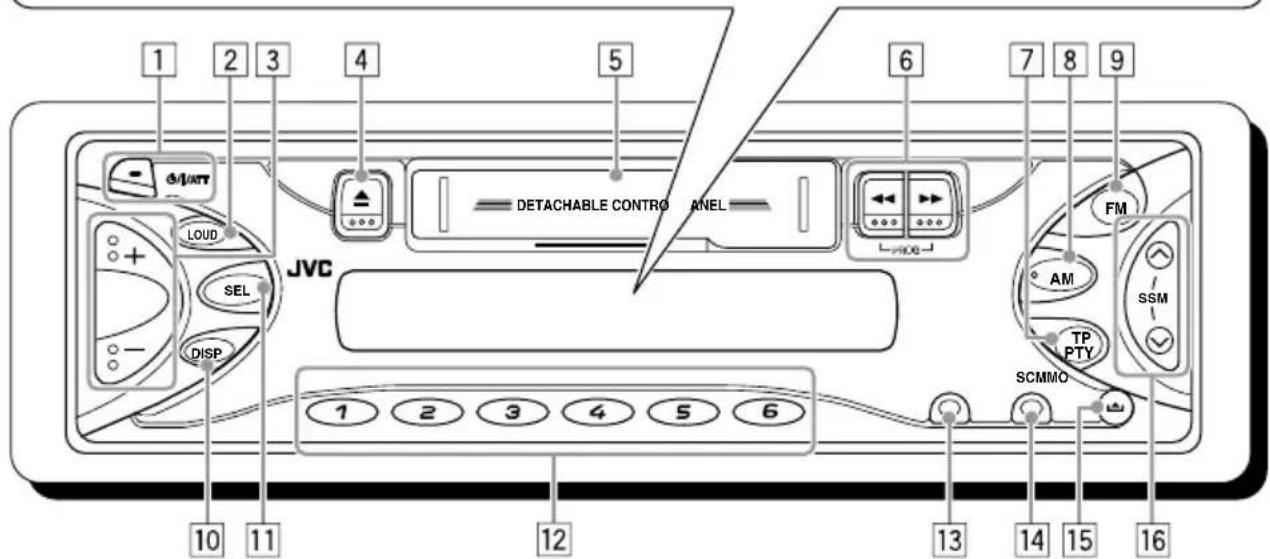
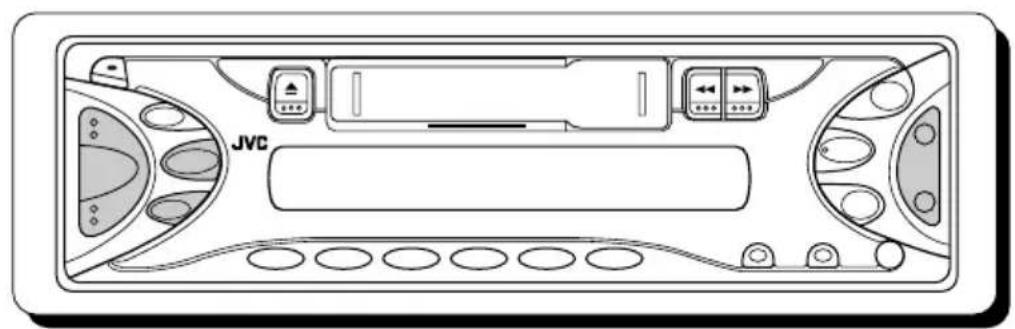
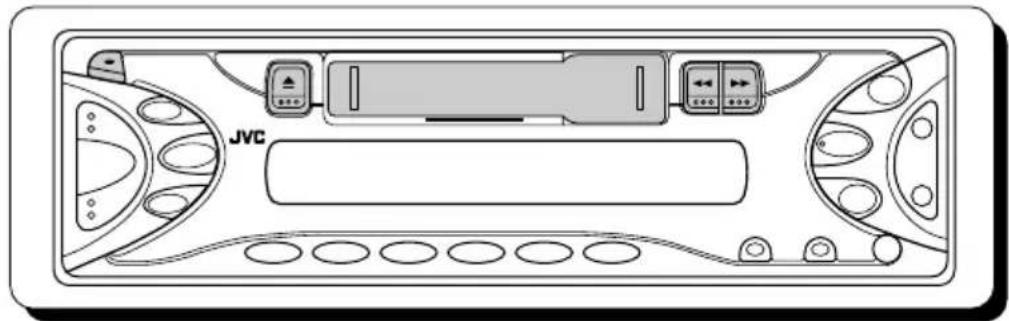
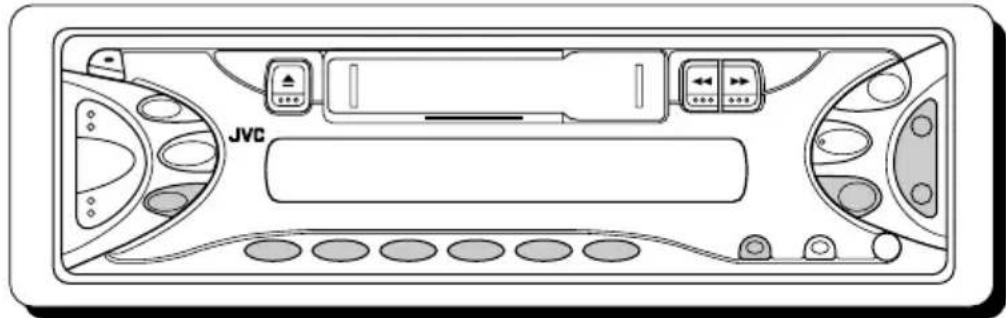
Control panel—KS-FX43R/KS-FX483R/KS-FX480R
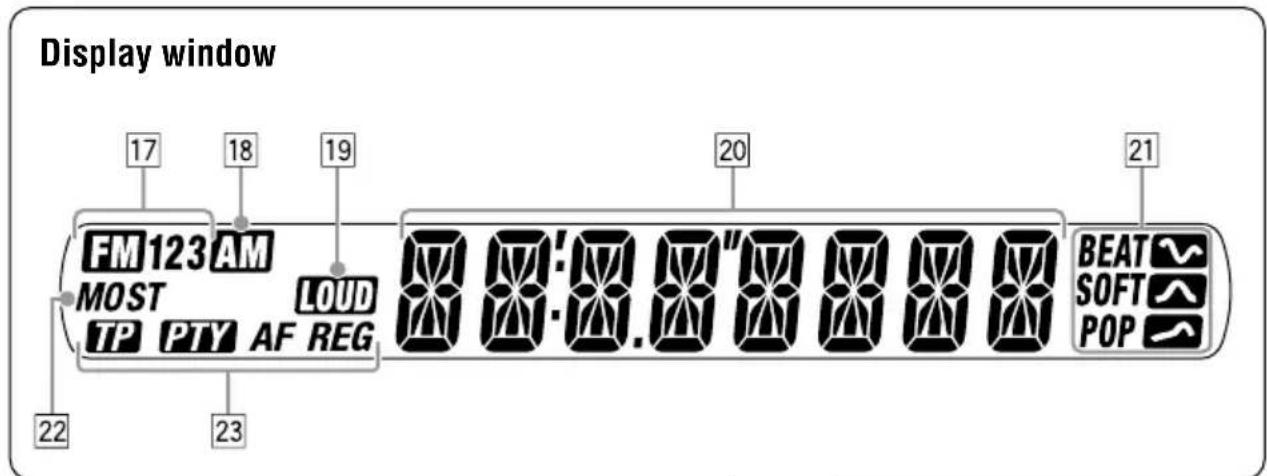
Display window
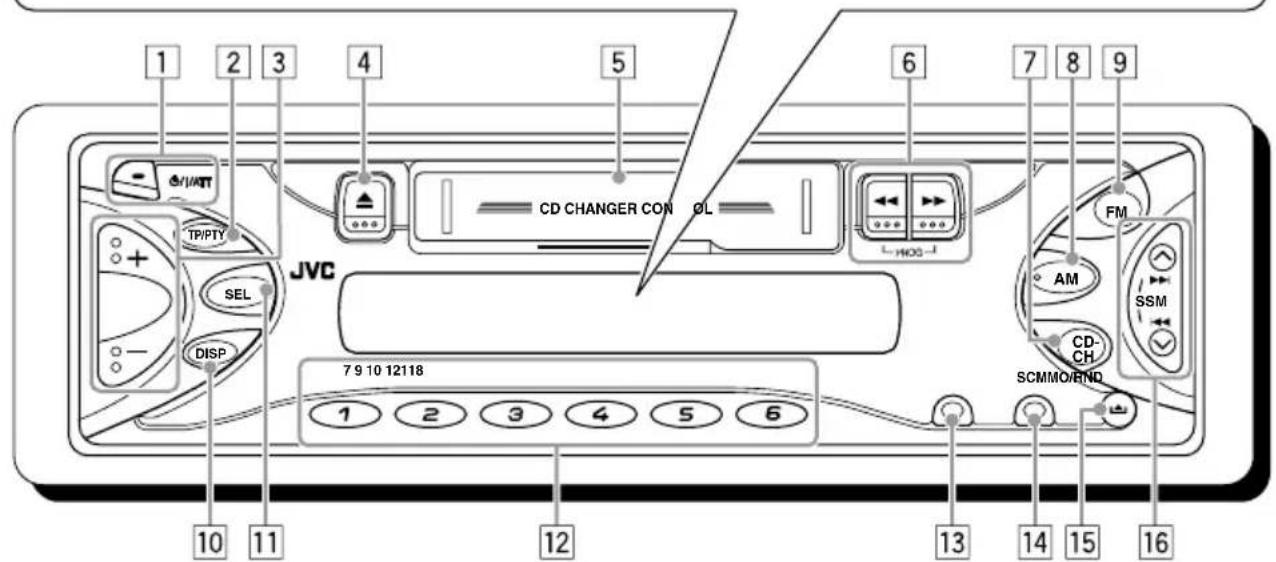
1(standby/attenuator) button
TP/PTY (traffic programme/programme type) button
3+/-buttons
4▲ (eject) button
5 Cassette compartment
6 (PROG: program) buttons
7CD-CH (CD changer) button
8AM button
9FM button
DISP (display) button
SEL (select) button
12Number buttons
MO/RND (monaural/random) button
4SCM (sound control memory) button
15 (control panel release) button
16 1
- Also functions as SSM buttons when pressed together.
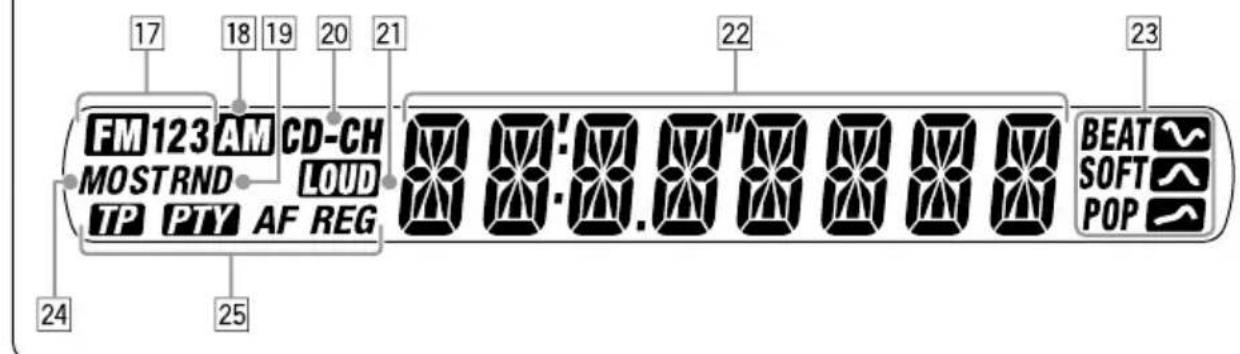
Display window
17FM band indicators (FM1, FM2, FM3)
18AM band indicator
19RND (random) indicator
20CD-CH (CD changer) indicator
21LOUD (loudness) indicator
22Main display
Sound mode indicators BEAT, SOFT, POP
24 Tuner reception indicators MO (monaural), ST (stereo)
25RDS indicators TP, PTY, AF, REG
Control panel—KS-F383R/KS-F380R
1 (stanbyon/attenuator) button
2LOUD (loudness) button
3+/-buttons
4▲ (eject) button
Cassette compartment
6 (PROG: program) buttons
7TP/PTY (traffic programme/programme type) button
8AM button
9 FM button
DISP (display) button
SEL (select) button
12Number buttons
13MO (monaural) button
14SCM (sound control memory) button
15 (control panel release) button
16 buttons
- Also functions as SSM buttons when pressed together.
Display window
17FM band indicators (FM1, FM2, FM3)
18AM band indicator
19LOUD (loudness) indicator
20Main display
Sound mode indicators BEAT, SOFT, POP
22 Tuner reception indicators MO (monaural), ST (stereo)
[23]RDS indicators TP, PTY, AF, REG
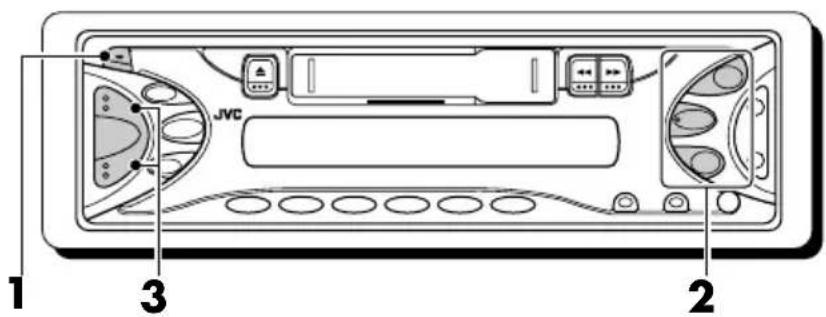
KS-FX43R/KS-FX483R/KS-FX480R
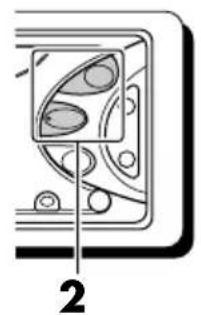
KS-F383R/KS-F380R
Turning on the power
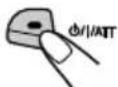
1 Turn on the power.
Notes on One-Touch Operation:
- When you select a source in step 2 below, the power automatically comes on. You do not have to press this button to turn on the power.
- If the cassette is already in the cassette compartment, tape play starts automatically. However, it is not recommended to leave the cassette in the compartment when turning off the power or ignition key. It may damage the tape head and the cassette.
2 Select the source.
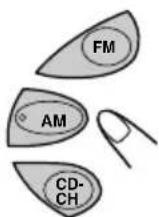
KS-FX43R/ KS-FX483R/KS-FX480R
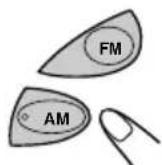
KS-F383R/KS-F380R
To operate the tuner (FM or AM), see pages 7-17.
To operate the tape, see page 18.
Only for KS-FX43R/KS-FX483R/KS-FX480R: To operate the CD changer, see pages 24 - 25.
3 Adjust the volume.
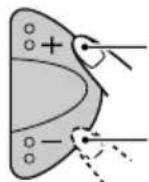
To increase the volume
To decrease the volume
Volume level appears.
4 Adjust the sound as you want. (See pages 19 - 20.)
To drop the volume in a moment
Press while listening to any source. "ATT" starts flashing on the display, and the volume level will drop in a moment. To resume the previous volume level, press the button briefly again.
To turn off the power
Press and hold more than one second. "SEE YOU" appears, then the unit turns off.
Only for KS-FX43R
KS-FX43R is equipped with the steering wheel remote control function.
If your car is equipped with the steering wheel remote controller, you can operate this receiver using the controller.
- See the Installation/Connection Manual (separate volume) for connection to utilize this function.
Setting the clock
You can also set the clock system to either 24 hours or 12 hours.
Press and hold SEL (select) for more than 2 seconds so that one of the PSM items appears on the display. (PSM: see page 22.)
2 Set the hour.
1 Select "CLOCK H" (hour) if not shown on the display.
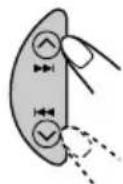
KS-FX43R
KS-FX483R
KS-FX480R
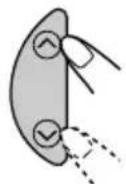
KS-F383R KS-F380R
2Adjust the hour.
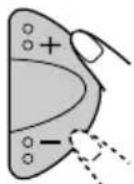
3 Set the minute.
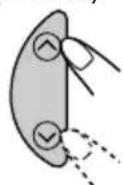
1 Select "CLOCK M" (minute).
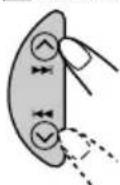
KS-FX43R
KS-FX483R
KS-FX480R
KS-F383R KS-F380R
2Adjust the minute.
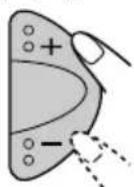
4 Set the clock system.
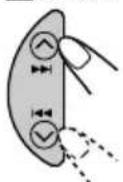
1Select "24H/12H."
KS-FX43R
KS-FX483R
KS-FX480R

KS-F383R KS-F380R
2 Select "24H" or "12H."
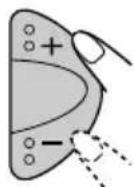
5 Finish the setting.
To check the current clock time or change the display mode
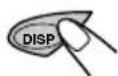
Press DISP (display) repeatedly.
Each time you press the button, the display mode and clock time alternates on the display.
Notes:
- For the indication change during RDS operation, see page 16.
- During CD changer operation (for KS-FX43R/KS-FX483R/KS-FX480R), see page 24.
For
KS-FX43R
KS-FX483R
KS-FX480R
Listening to the radio
You can use either automatic searching or manual searching to tune in to a particular station.
Note:
When a cassette is in the cassette compartment, you cannot select the tuner. Be sure to eject the cassette from the cassette compartment to listen to the radio.
Searching a station automatically: Auto search
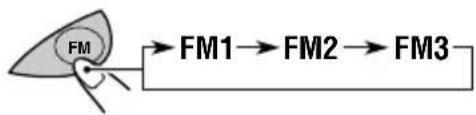
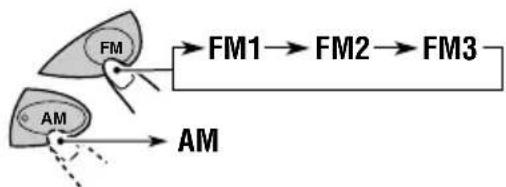
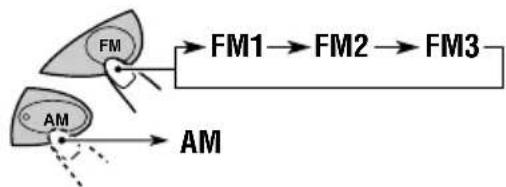
1 Select the band (FM1 - 3, AM).
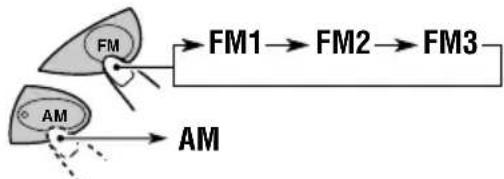
Selected band appears.

Lights up when receiving an FM stereo broadcast with sufficient signal strength.
Note:
This receiver has three FM bands (FM1, FM2, FM3). You can use any one of them to listen to an FM broadcast.
2 Start searching a station.
To search stations of higher frequencies
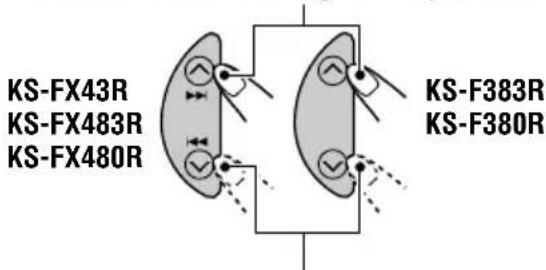
To search stations of lower frequencies
When a station is received, searching stops.
To stop searching before a station is received, press the same button you have pressed for searching.
Searching a station manually: Manual search
1 Select the band (FM1 - 3, AM).
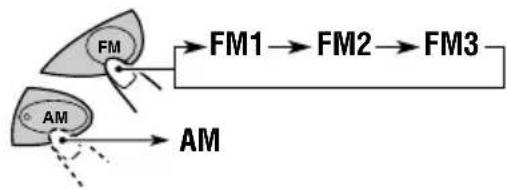
Note:
This receiver has three FM bands (FM1, FM2, FM3). You can use any one of them to listen to an FM broadcast.
2
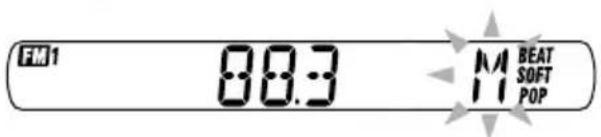
Press and hold /1 (for KS-FX43R/KS-FX483R/KS-FX480R) or / for KS-F383R/KS-F380R) until "M" (manual) starts flashing on the display.
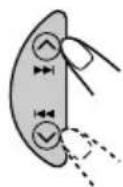
KS-FX43R KS-FX483R KS-FX480R
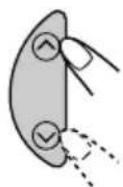
KS-F383R KS-F380R
3
Tune in to a station you want while "M" is flashing.
To tune in to stations of higher frequencies
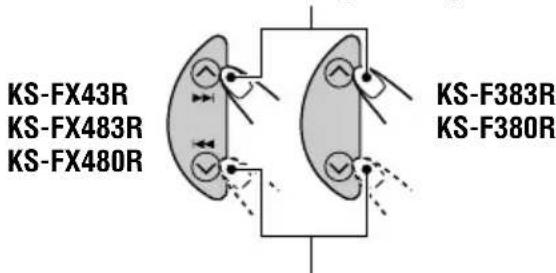
To tune in to stations of lower frequencies
- If you release your finger from the button, the manual mode will automatically turn off after 5 seconds.
- If you hold down the button, the frequency keeps changing (in 50 kHz intervals for FM and 9 kHz intervals for AM—MW/LW) until you release the button.
When an FM stereo broadcast is hard to receive:
Press MO/RND (for KS-FX43R/KS-FX483R/KS-FX480R) or MO (for KS-F383R/KS-F380R) while listening to an FM stereo broadcast.
Each time you press the button, the MO indicator lights up and goes off alternately.


MO (monaural) indicator
When the MO indicator is lit on the display, the sound you hear becomes monaural but the reception will be improved.
Storing stations in memory
You can use one of the following two methods to store broadcasting stations in memory.
Automatic preset of FM stations: SSM (Strongstation Sequential Memory)
- Manual preset of both FM and AM stations
FM station automatic preset: SSM
You can preset 6 local FM stations in each FM band (FM1, FM2, and FM3).
1 Select the FM band (FM1 - 3) you want to store FM stations into.
2 Press and hold both buttons for more than 2 seconds.
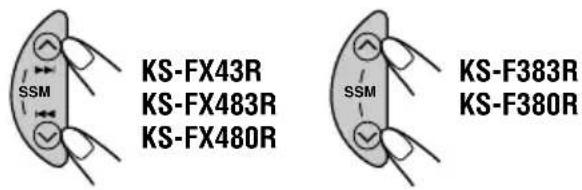

"--SSM--" appears, then disappears when automatic preset is over.
Local FM stations with the strongest signals are searched and stored automatically in the band number you have selected (FM1, FM2, or FM3). These stations are preset in the number buttons—No.1 (lowest frequency) to No.6 (highest frequency). When automatic preset is over, the station stored in number button 1 will be automatically tuned in.
Manual preset
You can preset up to 6 stations in each band (FM1, FM2, FM3, and AM) manually.
Ex.: Storing FM station of 88.3 MHz into the preset number 1 of the FM1 band.
1 Select the band (FM1 - 3, AM) you want to store stations into (in this example, FM1).
2 Tune in to a station (in this example, of 88.3 MHz).
To tune in to stations of higher frequencies
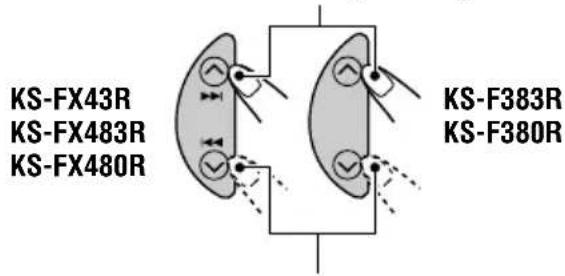
To tune in to stations of lower frequencies

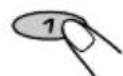
3 Press and hold the number button (in this example, 1) for more than 2 seconds.
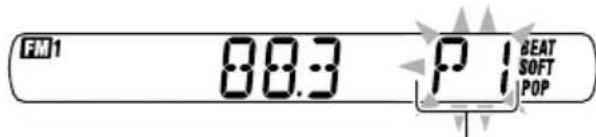
"P1" flashes for a few seconds.
4 Repeat the above procedure to store other stations into other preset numbers.
Notes:
- A previously preset station is erased when a new station is stored in the same preset number.
- Preset stations are erased when the power supply to the memory circuit is interrupted (for example, during battery replacement). If this occurs, preset the stations again.
Tuning in to a preset station
You can easily tune in to a preset station. Remember that you must store stations first. If you have not stored them yet, see "Storing stations in memory" on pages 9 and 10.
1 Select the band (FM1 - 3, AM).
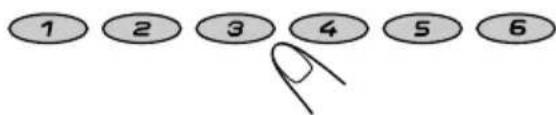
2 Select the number (1 - 6) for the preset station you want.
What you can do with RDS
RDS (Radio Data System) allows FM stations to send an additional signal along with their regular programme signals. For example, the stations send their station names, as well as information about what type of programme they broadcast, such as sports or music, etc.
Another advantage of RDS function is called "Enhanced Other Networks." By using the Enhanced Other Networks data sent from a station, you can tune in to a different station of a different network broadcasting your favorite programme or traffic announcement while listening to another programme or to another source such as tape.
By receiving the RDS data, this unit can do the following:
- Tracing the same programme automatically (Network-Tracking Reception)
- Standby Reception of TA (Traffic Announcement) or your favorite programme
- PTY (Programme Type) search
Programme search - And some other functions
Tracing the same programme automatically (Network-Tracking Reception)
When driving in an area where FM reception is not good, the tuner built in this unit automatically tunes in to another RDS station, broadcasting the same programme with stronger signals. So, you can continue to listen to the same programme in its finest reception, no matter where you drive. (See the illustration on page 17.)
Two types of the RDS data are used to make Network-Tracking Reception work correctly—PI (Programme Identification) and AF (Alternative Frequency).
Without receiving these data correctly from the RDS station you are listening to, Network-Tracking Reception will not operate.
To use Network-Tracking Reception
You can select the different modes of networktracking reception to continue listening to the same programme in its finest reception. When shipped from the factory, "AF" is selected.
- AF: Network-Tracking Reception is activated with Regionalization set to "off."
With this setting, the unit switches to another station within the same network when the receiving signals from the current station become weak. (In this mode, the programme may differ from the one currently received.)
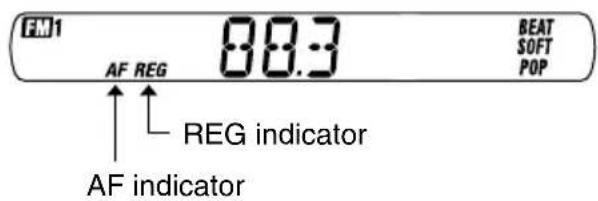
The AF indicator lights up but the REG indicator does not.
- AF REG: Network-Tracking Reception is activated with Regionalization set to "on."
With this setting, the unit switches to another station, within the same network, broadcasting the same programme when the receiving signals from the current station become weak.
Both the AF indicator and the REG indicator light up.
- OFF: Network-Tracking Reception is deactivated. Neither the AF indicator nor the REG indicator lights up.
Press and hold SEL (select) for more than 2 seconds so that one of the PSM items appears on the display. (PSM: see page 22.)
2 Select "AF-REG" (alternative frequency/regionalization reception) if not shown on the display.
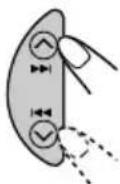
KS-FX43R
KS-FX483R
KS-FX480R
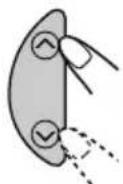
KS-F383R KS-F380R
3 Select the desired mode—"AF," "AF REG," or "OFF."
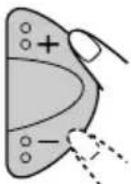
4 Finish the setting.

Using TA Standby Reception
TA Standby Reception allows the unit to switch temporarily to Traffic Announcement (TA) from the current source—another FM station, tape, or other connected components (for KS-FX43R/KS-FX483R/KS-FX480R).
- TA Standby Reception will not work if you are listening to an AM station.
Press TP/PTY to activate TA Standby Reception.

KS-FX43R
KS-FX483R
KS-FX480R

KS-F383R KS-F380R
■When the current source is FM, the TP indicator either lights up or flashes.
- If the TP indicator lights up, TA Standby Reception is activated. If a station starts broadcasting a traffic announcement, "TRAFFIC" appears on the display, and this unit automatically tunes in to the station. The volume changes to the preset TA volume level (see page 16) and the traffic announcement can be heard.
- If the TP indicator flashes, TA Standby Reception is not yet activated since the station being received does not provide the signals used for TA Standby Reception. To activate TA Standby Reception, you need to tune in to another station providing these signals.
Press /1 (for KS-FX43R/KS-FX483R/KS-FX480R) or (for KS-F383R/KS-F380R) to search for such a station.
When a station providing these signals is tuned in, the TP indicator stops flashing and remains lit. Now TA Standby Reception is activated.
When the current source is other than FM, the TP indicator lights up. If a station starts broadcasting a traffic announcement, "TRAFFIC" appears on the display, and this unit automatically changes the source and tunes in to the station.
To deactivate the TA Standby Reception, press TP/PTY again.
Using PTY Standby Reception
PTY Standby Reception allows the unit to switch temporarily to your favorite programme (PTY: Programme Type) from the current source—another FM station, tape, or other connected components (for KS-FX43R/KS-FX483R/KS-FX480R).
- PTY Standby Reception will not work if you are listening to an AM station.
You can select your favorite programme type for PTY Standby Reception.
When shipped from the factory, PTY Standby Reception is turned off. ("OFF" is selected for PTY Standby Reception.)
Press and hold SEL (select) for more than 2 seconds so that one of the PSM items appears on the display. (PSM: see page 22.)
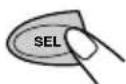
2 Select "PTY STBY" (standby) if not shown on the display.
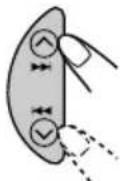
KS-FX43R
KS-FX483R
KS-FX480R
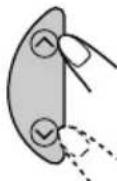
KS-F383R
KS-F380R
3 Select one of the twenty-nine PTY codes. (See page 17.)
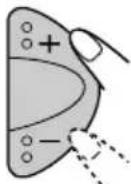
Selected code name appears on the display and is stored into memory.
4 Finish the setting.

■When the current source is FM, the PTY indicator either lights up or flashes.
If the PTY indicator lights up, PTY Standby Reception is activated. If a station starts broadcasting the selected PTY programme, this unit automatically tunes in to the station.
- If the PTY indicator flashes, PTY Standby Reception is not yet activated since the station being received does not provide the signals used for PTY Standby Reception. To activate PTY Standby Reception, you need to tune in to another station providing these signals.
Press 一 一 / 一 一 (for KS-FX43R/
KS-FX483R/KS-FX480R) or (for
KS-F383R/KS-F380R) to search for such a station.
When a station providing these signals is tuned in, the PTY indicator stops flashing and remains lit. Now PTY Standby Reception is activated.
When the current source is other than FM, the PTY indicator lights up.
If a station starts broadcasting the selected PTY programme, this unit automatically changes the source and tunes in to the station.
To deactivate the PTY Standby Reception, select "OFF" in step 3 on the left column. The PTY indicator disappears.
Searching your favorite programme
You can search any one of the PTY codes. In addition, you can store your 6 favorite programme types in the number buttons. When shipped from the factory, the following 6 programme types have been stored in the number buttons (1 to 6).
To store your favorite programme types, see below.
To search your favorite programme type, see page 15.
| 1 | 2 | 3 |
| POP M | ROCK M EASY M | |
| 4 | 5 | 6 |
| CLASSICS | AFFAIRS | VARIED |
To store your favorite programme types
Press and hold TP/PTY for more than 2 seconds while listening to an FM station.

KS-FX43R
KS-FX483R
KS-FX480R

KS-F383R
KS-F380R
FN1
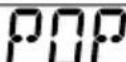
M

The last selected PTY code appears.
2 Select one of the twenty-nine PTY codes. (See page 17.)
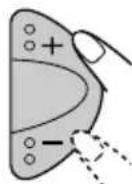
Selected code name appears on the display.
3 Press and hold the number button for more than 2 seconds to store the PTY code selected into the preset number you want.





"MEMORY" and the selected code name will flash alternately on the display.
4 Press and hold TP/PTY for more than 2 seconds to exit from this mode.

KS-FX43R
KS-FX483R
KS-FX480R

KS-F383R
KS-F380R
To search your favorite programme type
Press and hold TP/PTY for more than 2 seconds while listening to an FM station.

KS-FX43R
KS-FX483R
KS-FX480R

KS-F383R KS-F380R

The last selected PTY code appears.
2 To select one of your favorite programme type
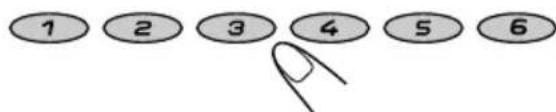
or
To select any one of the twenty-nine PTY-codes
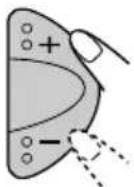

Ex.: When "ROCK M" is selected
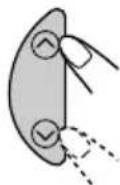
3 Press / / (for KS-FX43R/KS-FX483R/KS-FX480R) or / for KS-F383R/KS-F380R) to start PTY search for your favorite programme.
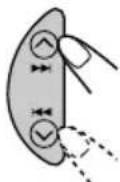
KS-FX43R
KS-FX483R
KS-FX480R
KS-F383R KS-F380R
- If there is a station broadcasting a programme of the same PTY code as you selected, that station is tuned in.
If there is no station broadcasting a programme of the same PTY code as you selected, the station will not change.
Note:
In some areas, the PTY search will not work correctly.
Other convenient RDS functions and adjustments
Automatic selection of the station when using the number buttons
Usually when you press the number button, the preset station is tuned in.
However, when the preset station is an RDS station, something different will happen. If the signals from that preset station are not sufficient for good reception, this unit, using the AF data, tunes in to another frequency broadcasting the same programme as the original preset station is broadcasting. (Programme search)
- The unit takes some time to tune in to another station using programme search.
To activate programme search, follow the procedure below.
1 Press and hold SEL (select) for more than 2 seconds so that one of the PSM items appears on the display. (See page 22.)
2 Press I / (for KS-FX43R/KS-FX483R/KS-FX480R) or (for KS-F383R/KS-F380R) to select "P(Programme)-SEARCH."
3 Press + to select "ON." Now programme search is activated.
4 Press SEL (select) to finish the setting.
To cancel programme search, repeat the same procedure and select "OFF" in step 3 by pressing -.

Changing the display mode while listening to an FM station
You can change the initial indication on the display to station name (PS NAME), station frequency (FREQ), or clock time (CLOCK) while listening to an FM RDS station.
1 Press and hold SEL (select) for more than 2 seconds so that one of the PSM items appears on the display. (See page 22.)
2 Press / (for KS-FX43R/KS-FX483R/KS-FX480R) or (for KS-F383R/KS-F380R) to select "DISPMODE" (display mode).
3 Press + or - to set to the desired indication ("PS NAME," "FREQ," or "CLOCK").
4 Press SEL (select) to finish the setting.
Note:
By pressing DISP (display), you can change the display while listening to an FM RDS station. Each time you press the button, the following information appears on the display:
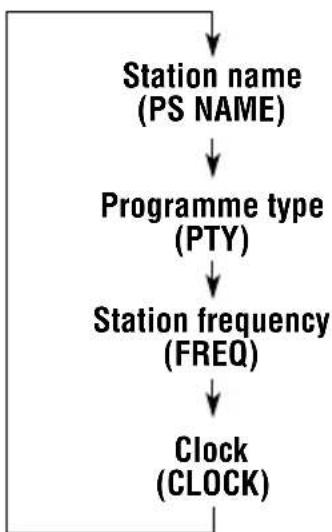
- Then, the display goes back to the original indication in several seconds.
Setting the TA volume level
You can preset the volume level for TA Standby Reception. When a traffic programme is received, the volume level automatically changes to the preset level.
1 Press and hold SEL (select) for more than 2 seconds so that one of the PSM items appears on the display. (See page 22.)
2 Press / ( for KS-FX43R/KS-FX483R/KS-FX480R) or (for KS-F383R/KS-F380R) to select "TA VOL" (volume).
3 Press + or - to set to the desired volume. You can set it from "VOL 00" to "VOL 50."
4 Press SEL (select) to finish the setting.
Automatic clock adjustment
When shipped from the factory, the clock built in this unit is set to be readjusted automatically using the CT (Clock Time) data in the RDS signal. If you do not want to use automatic clock adjustment, follow the procedure below.
1 Press and hold SEL (select) for more than 2 seconds so that one of the PSM items appears on the display. (See page 22.)
2 Press /1 ( for KS-FX43R/KS-FX483R/KS-FX480R) or (for KS-F383R/KS-F380R) to select "AUTO ADJ" (adjustment).
3 Press - to select "OFF." Now automatic clock adjustment is canceled.
4 Press SEL (select) to finish the setting.
To reactivate clock adjustment, repeat the same procedure and select "ON" in step 3 by pressing +.
Note:
You must stay tuned to the same station for more than 2 minutes after setting "AUTO ADJ" to "ON."
Otherwise, the clock time will not be adjusted. (This is because the unit takes up to 2 minutes to capture the CT data in the RDS signal.)
PTY codes
NEWS: News
AFFAIRS: Topical programmes expanding on current news or affairs
INFO:Programmes which impart advice on a wide variety of topics
SPORT: Sport events
EDUCATE: Educational programmes
DRAMA: Radio plays
CULTURE: Programmes on national or regional culture
SCIENCE:Programmes on natural science and technology
VARIED: Other programmes like comedies or ceremonies
POP M: Pop music
ROCK M: Rock music
EASY M: Easy-listening music
LIGHT M: Light music
CLASSICS: Classical music
OTHER M: Other music
WEATHER: Weather information
FINANCE: Reports on commerce, trading, the Stock Market, etc.
CHILDREN: Entertainment programmes for children
SOCIAL: Programmes on social activities
RELIGION: Programmes dealing with any aspect of belief or faith, or the nature of existence or ethics
PHONE IN: Programmes where people can express their views either by phone or in a public forum
TRAVEL: Programmes about travel destinations, package tours, and travel ideas and opportunities
LEISURE: Programmes concerned with recreational activities such as gardening, cooking, fishing, etc.
JAZZ: Jazz music
COUNTRY: Country music
NATION M: Current popular music from another nation or region, in that country's language
OLDIES: Classic pop music
FOLK M: Folk music
DOCUMENT: Programmes dealing with factual matters, presented in an investigative style
The same programme can be received on different frequencies.
Programme 1 broadcasting on frequency A
Programme 1 broadcasting on frequency B
Programme 1 broadcasting on frequency C
Programme 1 broadcasting on frequency E
Programme 1 broadcasting on frequency D
Listening to a cassette
You can play back type I (normal) tapes.
1 Turn on the power.
Note on One-Touch Operation:
If a cassette is already in the cassette compartment, tape play starts automatically. However, it is not recommended to leave the cassette in the compartment when turning off the power or ignition key. It may damage the tape head and the cassette.
2 Insert a cassette into the cassette compartment.
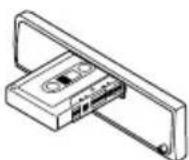
When one side of the tape reaches its end during play, the other side of the tape automatically starts playing (Auto Reverse).
3 Select the tape direction.
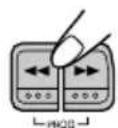
Press both buttons at the same time.
Each time you press both buttons, the tape direction changes alternately—forward (Pand reverse (APE
To stop play and eject the cassette
Press
Tape play stops and the cassette ejects from the cassette compartment. The source changes to the previously selected one.
- You cannot change the source if the cassette is still in the cassette compartment.
To change the source, you must eject the cassette first. - You can also eject the cassette by pressing while the unit is turned off.
To fast-wind a tape
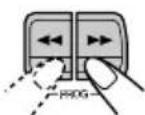
Press in or
The tape will be wound in the direction of the arrows (▶ or ←).
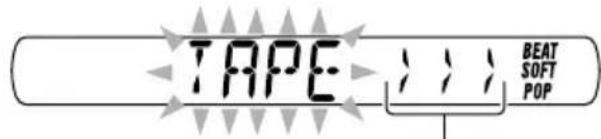
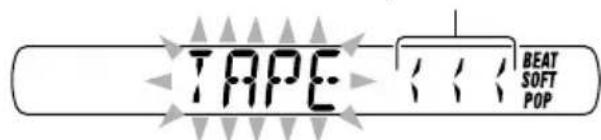
Tape direction
To restart playback, lightly press the other button which is not pressed in (or).
Adjusting the sound
You can adjust the sound characteristics to your preference.
1 Select the item you want to adjust.
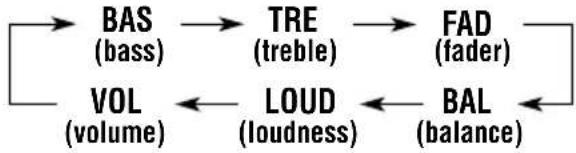
Each time you press the button, the adjustable items change as follows:
For KS-FX43R/KS-FX483R/KS-FX480R:
For KS-F383R/KS-F380R:
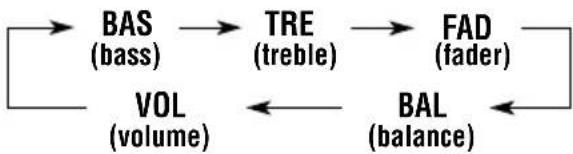
| Indication | To do: Range | |
| BAS Adjust | the bass. -06 (min.) | 1+06 (max.) |
| TRE Adjust | the treble. -06 (min.) | 1+06 (max.) |
| FAD* Adjust | the front R06 (Rear and rear speaker balance. F06 (Front) | only) only) |
| BAL Adjust | the left L06 (Left only) and right speaker balance. R06 (Right only) | |
| LOUD** Bo | ost low and high frequencies to LOUD produce a well-balanced sound at low volume level. | D ON ILOUD OFF |
| VOL | Adjust the volume. | 00 (min.) 150 (max.) |
- If you are using a two-speaker system, set the fader level to "00."
** For KS-FX43R/KS-FX483R/KS-FX480R.
For KS-F383R/KS-F380R, press LOUD to turn on or off the loudness function.
2 Adjust the setting.
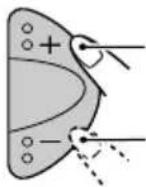
To increase the level or turn on the loudness
To decrease the level or turn off the loudness

Ex.: When you adjust "TRE" (treble)
To turn on or off the loudness function
(For KS-F383R/KS-F380R)
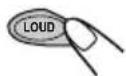
Each time you press LOUD, the loudness function turns on and off alternately.
3 Repeat steps 1 and 2 to adjust the other items.
Note:
Normally the + / - buttons work as the volume control. So you do not have to select "VOL" to adjust the volume level.
Selecting preset sound modes
You can select a preset sound adjustment suitable to the music genre.
Select the sound mode you want.

Each time you press the button, the sound mode changes as follows:

| Indication | For: Preset values | |||
| BAS | TRE LOUD | |||
| SCM OFF (Flat sound) 00 | 00 OFF | |||
| BEAT Rock or disco +02 00 music | ON | |||
| SOFT | Quiet background music | +01 | -03 | OFF |
| POP | Light music +04 | +01 | OFF | |
Notes:
- You can adjust each sound mode to your preference, and store it in memory.
If you want to adjust and store your original sound mode, see "Storing your own sound adjustments" that follows.
- To adjust the bass and treble reinforcement levels or to turn on/off the loudness function, see page 19.
Storing your own sound adjustments
You can adjust the sound modes (BEAT, SOFT, POP) to your preference and store your own adjustments in memory.
- There is a time limit in doing the following procedure. If the setting is canceled before you finish, start from step 1 again.
1 Call up the sound mode you want to adjust.

- See the left column for details.
2 Make adjustments.
- For details, see "Adjusting the sound" on page 19.
3 Repeat step 2 to adjust the other items.
4 Press and hold SCM until the sound mode you have selected in step 1 flashes on the display.

Your adjustment made for the selected sound mode is stored in memory.
5 Repeat the same procedure to store other sound modes.
To reset each sound mode to the factory settings, repeat the same procedure and reassign the preset values listed in the table on the left column.
Selecting the telephone muting
This mode is used when a cellular phone system is connected. Depending on the phone system used, select either "MUTING 1" or "MUTING 2," whichever mutes the sounds from this unit. When shipped from the factory, this mode is deactivated.
Press and hold SEL (select) for more than 2 seconds so that one of the PSM items appears on the display. (See page 22.)
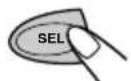
2 Select "TEL" (telephone muting).
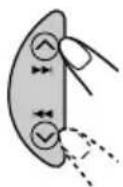
3 Select the desired mode—"MUTING 1," "MUTING 2," or "OFF."
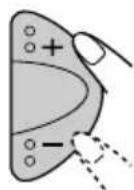
- MUTING 1: Select this if this setting can mute the sounds.
- MUTING 2: Select this if this setting can mute the sounds.
- OFF: Cancels the telephone muting.
4 Finish the setting.
Selecting the CD changer display
Only for KS-FX43R/KS-FX483R/KS-FX480R.
You can change the initial indication on the display either to disc number or to elapsed playing time, while using the CD changer. When shipped from the factory, "DISC" is selected.
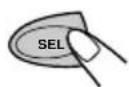
Press and hold SEL (select) for more than 2 seconds so that one of the PSM items appears on the display. (See page 22.)
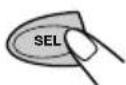
2 Select "CH DISP" (changer display).
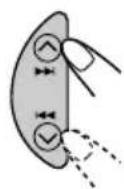
3 Select the desired mode—"DISC" or "TIME."

DISC: Shows the disc number and track number.
- TIME: Shows the elapsed playing time and track number.
4 Finish the setting.
Preferred Setting Mode (PSM) items
- For detailed operations of each PSM item, refer to the pages listed in the table.
| 1 2 SELECT.Hold. KS-FX43R/KS-FX483R/ KS-FX480R KS-F383R/KS-F380R | 3 Set. | Factory- preset settings | See page | |
| - | + | |||
| CLOCK H Hour adjustment | AdvanceBack | 0:00 6 | ||
| CLOCK M Minute adjustment | Back Advance | |||
| 24H/12H 24/12-hour time display | 12H | 24H | 24H | 6 |
| AUTO ADJ Automatic clock setting | OFF 16ON | ON | ||
| DISPMODE Display mode | CLOCK ⇌ PS NAME FREQ ⇌ | PS NAME | 16 | |
| CH DISP* Changer display | TIME | DISC | DISC | 21 |
| AF-REG Alternate frequency/ Regionalization reception | AF ⇌ AF REG OFF ⇌ | AF | 11 | |
| PTY STBY PTY standby | 29 programme types (see page 17) | OFF | 13 | |
| TA VOL Traffic announcement volume | VOL 00 - VOL 50 | VOL 20 | 16 | |
| P-SEARCH Programme search | OFF | ON | OFF | 15 |
| TEL Telephone muting | MUTING 1 ⇌ MUTING 2 OFF ⇌ | OFF | 21 | |
- Press SEL (select) to finish the setting.
- Only for KS-FX43R/KS-FX483R/KS-FX480R.
Detaching the control panel
You can detach the control panel when leaving the car.
When detaching or attaching the control panel, be careful not to damage the connectors on the back of the control panel and on the panel holder.
Detaching the control panel
Before detaching the control panel, be sure to turn off the power.
1 Unlock the control panel.
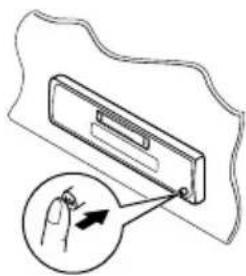
2 Lift and pull the control panel out of the unit.
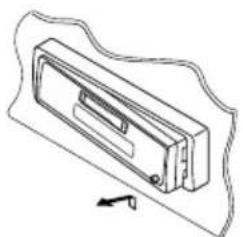
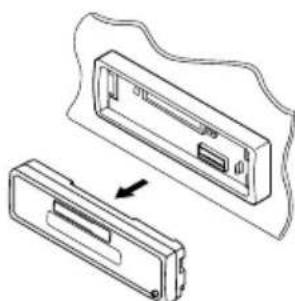
3 Put the detached control panel into the provided case.
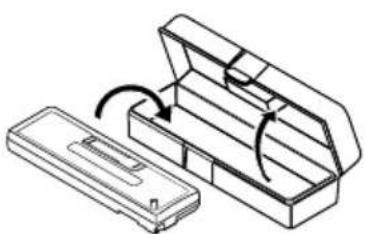
Attaching the control panel
Insert the left side of the control panel into the groove on the panel holder.
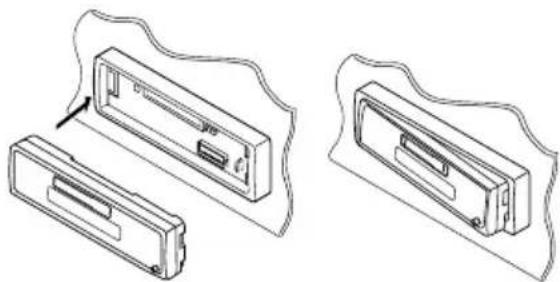
2 Press the right side of the control panel to fix it to the panel holder.
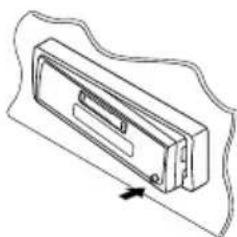
Note on cleaning the connectors:
If you frequently detach the control panel, the connectors will deteriorate.
To minimize this possibility, periodically wipe the connectors with a cotton swab or cloth moistened with alcohol, being careful not to damage the connectors.
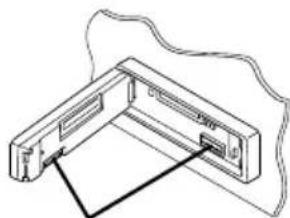
Connectors
This section is only for KS-FX43R/KS-FX483R/KS-FX480R.
We recommend that you use one of the CH-X series with your unit (except for JVC MP3-compatible CD changer).
If you have another CD changer, consult your JVC IN-CAR ENTERTAINMENT dealer for connections.
- For example, if your CD changer is one of the KD-MK series, you need a cord (KS-U15K) for connecting it to this unit.
Before operating your CD changer:
Refer also to the Instructions supplied with your CD changer.
- If no discs are in the magazine of the CD changer or the discs are inserted upside down, "NO CD" will appear on the display. If this happens, remove the magazine and set the discs correctly.
- If no magazine is loaded in the CD changer, "NO MAG" appears on the display. If this happens, insert the magazine in the CD changer.
- If "RESET 1" - "RESET 8" appears on the display, something is wrong with the connection between this unit and the CD changer. If this happens, check the connection and make sure the cords are connected firmly. Then, press the reset button of the CD changer.
Playing CDs
Select the CD changer (CD-CH).
Playback starts from the first track of the first disc. All tracks of all discs will be played back.
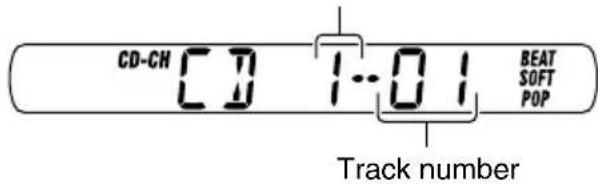
Disc number
Note on One-Touch Operation:
When you press CD-CH, the power automatically turns on. You do not have to press ON/ATT on the power.
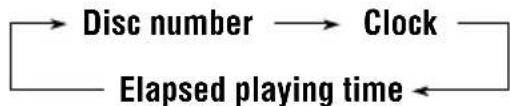
To check the elapsed playing time
Press DISP (display) repeatedly. Each time you press the button, the display mode changes as follows:
To fast-forward or reverse the track
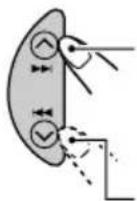
Press and hold while playing a CD, to fast-forward the track.
Press and hold while playing a CD, to reverse the track.
To go to the next or previous tracks
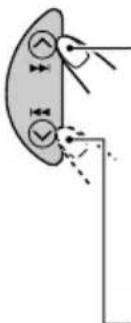
Press briefly, while playing a CD, to go ahead to the beginning of the next track.
Each time you press the button consecutively, the beginning of the next track is located and played back.
Press I Fiefly, while playing a CD, to go back to the beginning of the current track.
Each time you press the button consecutively, the beginning of the previous tracks is located and played back.
To go to a particular disc directly
Press the number button corresponding to the disc number to start its playback (while the CD changer is playing).

To select a disc number from 1-6: Press 1 (7)-6 (12) briefly.
To select a disc number from 7-12: Press and hold 1 (7)-6 (12) for more than one second.
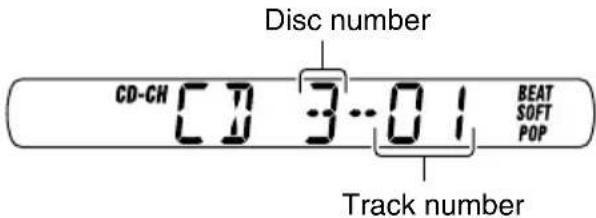
Ex.: When disc number 3 is selected.
Selecting CD playback modes
To play back tracks at random (Random Play)
MO/RND
Each time you press the button, CD random play mode changes as follows:
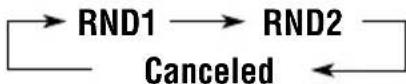
| Mode | RND Indicator | Plays at random |
| RND1 Light (random1) | s All tracks disc, then the | of the current the tracks of the next disc, and so on. |
| RND2 Flash (random2) | hes All tracks inserted in the | of all discs the magazine. |
This unit requires very little attention, but you will be able to extend the life of the unit if you follow the instructions below.
To clean the head
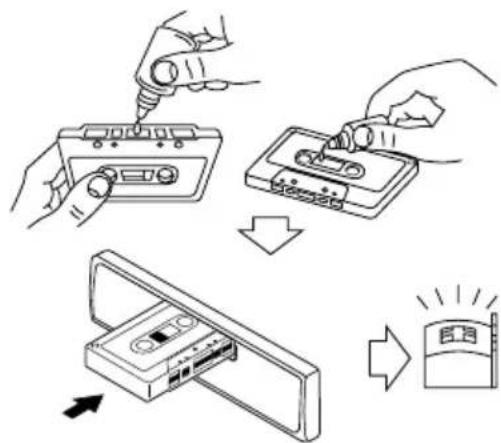
- Clean the head after every 10 hours of use using a wet-type head cleaning tape (available at an audio store). When the head becomes dirty, you may realize the following symptoms:
Sound quality is reduced.
Sound level decreases.
Sound drops out.
- Do not play dirty or dusty tapes.
- Do not touch the highly-polished head with any metallic or magnetic tools.
To keep the tape clean
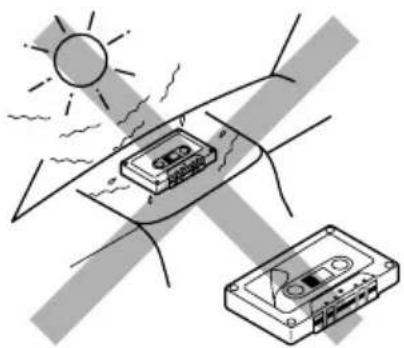
- Always store the cassettes to their storage cases after use.
-
Do not store cassettes in the following places:
-
Subject to direct sunlight
- With high humidity
- At extremely hot temperatures
CAUTION:
- Do not play the cassettes with peeling labels; otherwise, they can damage the unit.
- Tighten tapes to remove slack since loose tape may become entangled with the mechanism.
- Do not leave a cassette in the cassette compartment after use, as the tape may become slack.
What appears to be trouble is not always serious. Check the following points before calling a service center.
| Symptoms | Causes | Remedies | |
| General | ·Sound is sometimes interrupted. | Connections are incorrect. | Check the cords and connections. |
| ·Sound cannot be heard from the speakers. | The volume is set to the minimum level. | Adjust it to the optimum level. | |
| Connections are incorrect. | Check the cords and connections. | ||
| ·The unit does not work at all. | The built-in microcomputer may function incorrectly due to noise, etc. | While holding SEL (select), press Ⓞ/ɪ/ATT (standby/on/attenuator) for more than 2 seconds to reset the unit. (The clock setting and preset stations stored in memory are erased.) (See page 2.) | |
| FM/AM | ·SSM (Strong-station Sequential Memory) automatic preset does not work. | Signals are too weak. | Store stations manually. |
| ·Static noise while listening to the radio. | The antenna is not connected firmly. | Connect the antenna firmly. | |
| Tape playback | ·A cassette tape cannot be inserted. | You have tried to insert a cassette in the wrong way. | Insert the cassette with the exposed tape facing right. |
| ·Cassette tapes become hot. | This is not a malfunction. | —— | |
| ·Tape sound is at very low level and sound quality is degraded. | The tape head is dirty. | Clean it with a head cleaning tape. | |
Only for KS-FX43R/KS-FX483R/KS-FX480R
| Symptoms | Causes | Remedies | |
| CD Changer | ·“NO CD” appears on the display. | No CD is in the magazine. | Insert CDs into the magazine. |
| CDs are inserted incorrectly. | Insert them correctly. | ||
| ·“NO MAG” appears on the display. | No magazine is loaded in the CD changer. | Insert the magazine. | |
| ·“RESET 8” appears on the display. | This unit is not connected to a CD changer correctly. | Connect this unit and the CD changer correctly and press the reset button of the CD changer. | |
| ·“RESET 1”–“RESET 7” appears on the display. | Press the reset button of the CD changer. | ||
| ·The CD changer does not work at all. | The built-in microcomputer may function incorrectly due to noise, etc. | While holding SEL (select), press Ⓞ/ɪ/ATT (standby/on/attenuator) for more than 2 seconds to reset the unit. (The clock setting and preset stations stored in memory are erased.) (See page 2.) | |
AUDIO AMPLIFIER SECTION
Maximum Power Output:
Front: 45 W per channel
Rear: 45 W per channel
Continuous Power Output (RMS):
Front: 17 W per channel into 4 40Hz to 20 000 Hz at no more than 0.8% total harmonic distortion.
Rear: 17 W per channel into 4 40Hz to 20 000 Hz at no more than 0.8% total harmonic distortion.
Load Impedance: 4 Ω (4 Ω to 8 Ω allowance)
Tone Control Range:
Bass: ±10 dB at 100 Hz
Treble: ±10 dB at 10 kHz
Frequency Response: 40 Hz to 20 000 Hz
Signal-to-Noise Ratio: 70 dB
Line-Out Level/Impedance:
KS-FX43R/KS-FX483R/KS-FX480R:
2.0 V/20 kΩ load (250 nWb/m)
KS-F383R/KS-F380R:
1.0 V/20 kΩ load (250 nWb/m)
TUNER SECTION
Frequency Range:
FM: 87.5 MHz to 108.0 MHz
AM: (MW) 522 kHz to 1620 kHz
(LW) 144 kHz to 279 kHz
[FM Tuner]
Usable Sensitivity: 11.3 dBf (1.0 V/75 Ω)
50 dB Quieting Sensitivity:
16.3 dBf (1.8 V/75Ω)
Alternate Channel Selectivity (400 kHz): 65 dB
Frequency Response: 40 Hz to 15 000 Hz
Stereo Separation: 30 dB
Capture Ratio: 1.5 dB
[MW Tuner]
Sensitivity: 20 V
Selectivity: 35 dB
[LWTuner]
Sensitivity: 50 V
CASSETTE DECK SECTION
Wow & Flutter: 0.15% (WRMS)
Fast-Wind Time: 190 sec. (C-60)
Frequency Response: 50 Hz to 14 000 Hz
(Normal tape)
Signal-to-Noise Ratio: 52 dB
Stereo Separation: 40 dB
GENERAL
Power Requirement:
Operating Voltage: DC 14.4 V
(11 V to 16 V allowance)
Grounding System: Negative ground
Allowable Operating Temperature: 0^ to +40^
Dimensions (× × )
Installation Size (approx.):
182mm× 52mm× 150mm
Panel Size (approx.):
188mm× 58mm× 11mm
Mass (approx.):
1.3 kg (excluding accessories)
Design and specifications are subject to change without notice.
2,0 V/20 kΩ Last (250 nWb/m)
KS-F383R/KS-F380R:
1,0 V/20 kΩ Last (250 nWb/m)
TUNER TEIL
Frequenzbereich:
EMPLACEMENT DES TOUCHES 3
Panneau de command—KS-FX43R/ KS-FX483R/KS-FX480R 3
Panneau de command—KS-F383R/ KS-F380R 4
FONCTIONNEMENT DE BASE 5
Mise sous tension 5
FONCTIONNEMENT RDS 1
Si vous appuyez sur CD-CH, l'appareil se met automatiquement sous tension. Vous n'avez pas besoin d'appuyez sur @A A J I I I I I I I I I I I I I I I I I I I I I I I I I I I I I I I I I I I I I I I I I I I I I I I I I I I I I I I I I I I I I I I I I I I I I I I I I I I I I I I I I I I I I I I
EDUCATE: Educatieve programma's
1,0 V/20 kΩ belasting (250 nWb/m)
RADIO
Frequentiebereik:
FM: 87,5 MHz tot 108,0 MHz
AM: (MG) 522 kHz tot 1 620 kHz
(LG) 144 kHz tot 279 kHz
[FM-zenders]
11,3 dBf (1,0 V/75 Ω)
Stereo-scheiding: 30 dB
Vangbereik: 1,5 dB
[MG-zenders]
Gevoeligheid: 20~ V
Having TROUBLE with operation?
Please reset your unit
Refer to page of How to reset your unit
