Watch and Care V131 - Baby monitors Amplicomms - Free user manual and instructions
Find the device manual for free Watch and Care V131 Amplicomms in PDF.



| Product type | Baby monitor (transmitter) |
| Brand | Amplicomms |
| Model | Watch and Care V131 |
| Category | Baby monitors |
| Dimensions (approx.) | 6 × 6 × 8 cm |
| Weight (approx.) | 150 g |
| Power supply | 4 AAA alkaline batteries (not included) or mains adapter |
| Range | Up to 300 m in open field (depending on receiver) |
| Frequency | 2.4 GHz |
| Night vision | Yes (infrared light sensor) |
| Built-in night light | Yes |
| Temperature sensor | Yes |
| Microphone | Yes |
| Two-way communication | Yes (via the receiver) |
| Number of supported cameras | Up to 4 (V130/132) |
| Registration (pairing) | Via button on the back of the transmitter |
| Low battery indicator | Power LED flashes slowly |
| Minimum distance from other devices | 1 meter |
| Care and cleaning | Wipe with a soft, dry cloth. Do not use abrasive products. |
| Safety | Use only the supplied power adapter; do not expose to water. |
| Spare parts and repairability | Standard AAA batteries; mains adapter available from after-sales service |
| General information | Full manual available for models V130/132 |
Frequently Asked Questions - Watch and Care V131 Amplicomms
User questions about Watch and Care V131 Amplicomms
0 question about this device. Answer the ones you know or ask your own.
Ask a new question about this device
Download the instructions for your Baby monitors in PDF format for free! Find your manual Watch and Care V131 - Amplicomms and take your electronic device back in hand. On this page are published all the documents necessary for the use of your device. Watch and Care V131 by Amplicomms.
USER MANUAL Watch and Care V131 Amplicomms
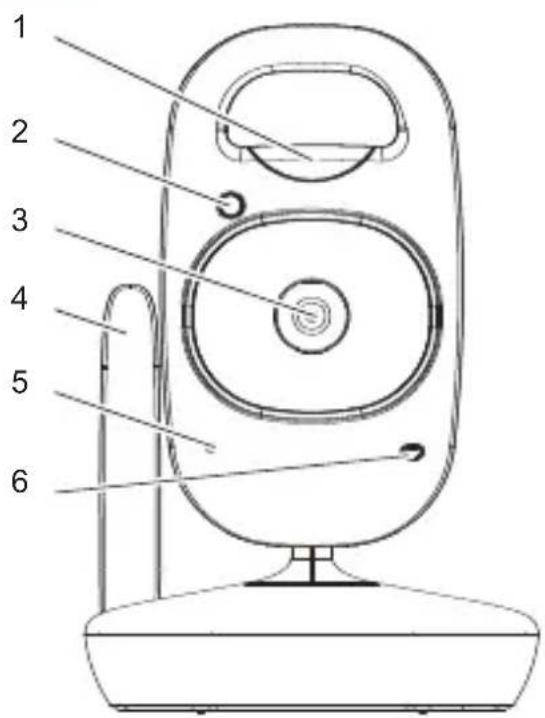
1 Night light
2 Light sensor
3 Camera lens
4 Antenna
5 Microphone
6 Power LED
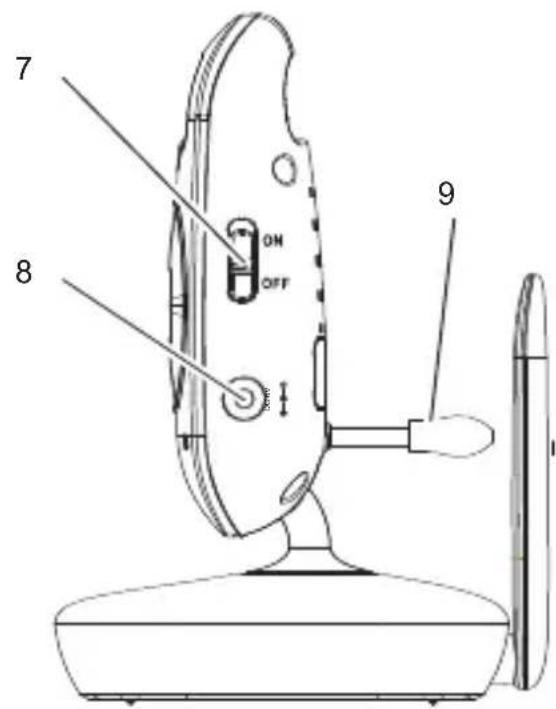
7 ON/OFF switch
8 Socket for power adapter plug
9 Temperature sensor
Connecting and aligning the transmitter
Attention: Position the transmitter with a minimum distance of 1 m to other electronic devices, otherwise there is a risk of mutual disturbance. Point the upper section of the transmitter towards the baby or object you want to monitor. Check that the baby or object is suitably displayed on the receiver.
Operating with batteries (not supplied)
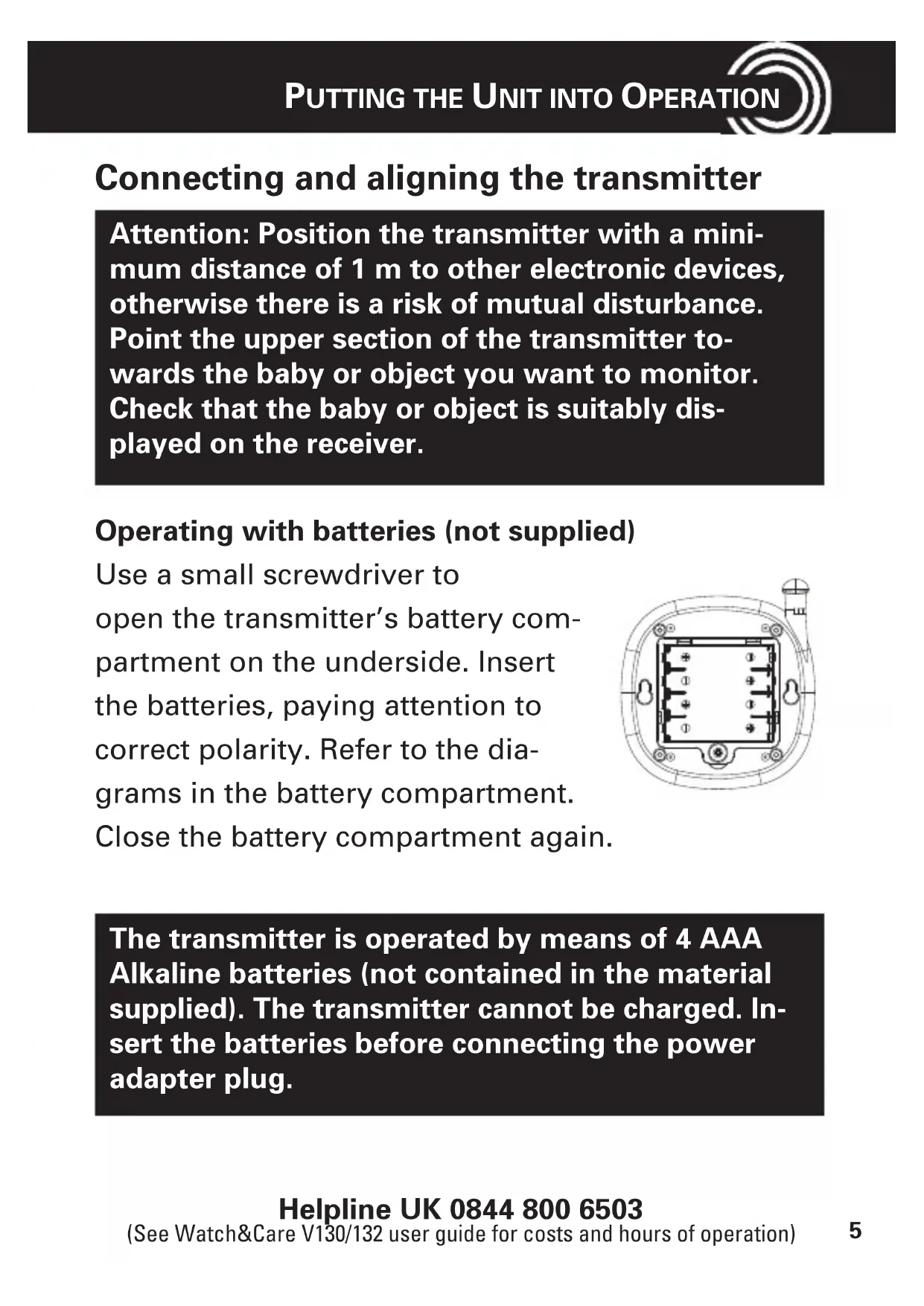
Use a small screwdriver to open the transmitter's battery compartment on the underside. Insert the batteries, paying attention to correct polarity. Refer to the diagrams in the battery compartment. Close the battery compartment again
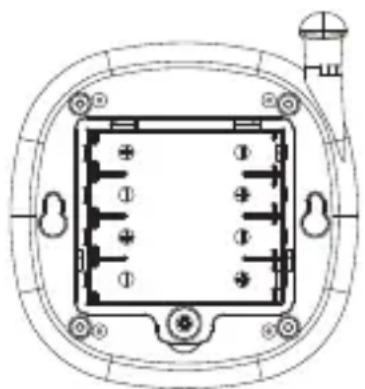
The transmitter is operated by means of 4 AAA Alkaline batteries (not contained in the material supplied). The transmitter cannot be charged. Insert the batteries before connecting the power adapter plug.
In the case of a low battery charge, the Power LED flashes slowly. The batteries must be replaced.
Operating with a power adapter plug
Connect the transmitter as illustrated in the diagram. For safety reasons, only use the power adapter plug supplied.
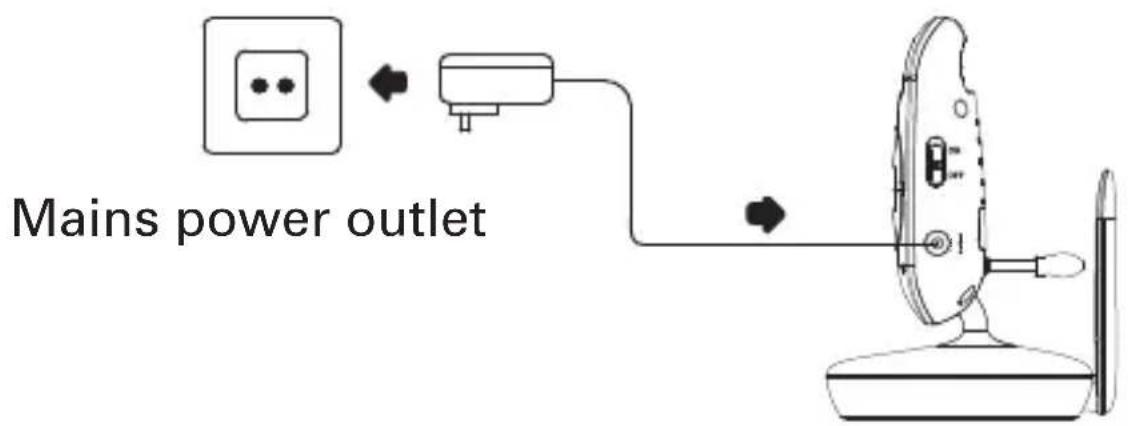
Detailed information for using the transmitter (camera) and instructions for safety and disposal you find in the user guide of your Amplicomms Watch&Care V130/132.
Registration
For operation you will have to register your transmitter (camera) to your Amplicomms Watch&Care V130/132:
1 Switch the transmitter off (switch set to OFF). Remove the batteries of the receiver for a few seconds if necessary.
2 Switch the receiver on.
3 Press and hold down the button un[Cl] appears in the display.
4 Use the buttons to select the desired camera [C1] ... [C4].
5 Press the button briefly. The Link LED flickers for approx. 10 seconds. During this time, you must perform steps 6 and 7.
6 Switch the transmitter on (switch set to ON).
7 Press the registration key on the back side of the transmitter. After a short time the video from the transmitter will appear on the screen if the registration was successful. If the registration failed, "Out of Range" appears on the screen.
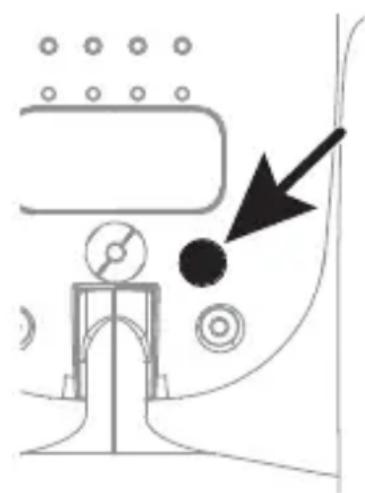
APERCU