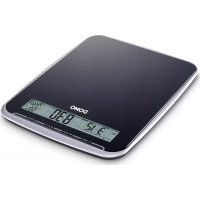
DO9105W - Scale DOMO - Free user manual and instructions
Find the device manual for free DO9105W DOMO in PDF.



| Product Type | Digital Kitchen Scale |
| Brand | DOMO |
| Model | DO9105W |
| Power Supply | 2 AAA 1.5V batteries (not included) |
| Maximum Weighing Capacity | 10 kg |
| Accuracy | 1 g (estimated) |
| Display | LCD Screen |
| Units of Measurement | Changeable (g, kg, lb, oz, etc.) |
| Functions | Weighing, tare/zero, volumetric weighing (water/milk), alarm/timer, time and date display, ambient temperature and humidity |
| Ambient Temperature Range | 0°C to 50°C (accuracy ±0.5°C) |
| Ambient Humidity Range | 30% to 95% (accuracy ±5%) |
| Dimensions (approx.) | 20 × 15 × 2 cm |
| Weight (approx.) | 300 g (without batteries) |
| Material | Plastic |
| Included Accessories | Extendable hook, non-slip pads, stand |
| Care and Cleaning | Clean with a slightly damp cloth; do not immerse in water, do not use abrasive chemicals |
| Safety | Use on a flat, hard surface; avoid shocks; keep out of reach of children under 8 years; household use only |
| Warranty | 2 years |
| Spare Parts | Batteries (AAA); extendable hook; non-slip pads (replacement via after-sales service) |
| Repairability | Repairs by authorized persons only under warranty |
Frequently Asked Questions - DO9105W DOMO
User questions about DO9105W DOMO
0 question about this device. Answer the ones you know or ask your own.
Ask a new question about this device
Download the instructions for your Scale in PDF format for free! Find your manual DO9105W - DOMO and take your electronic device back in hand. On this page are published all the documents necessary for the use of your device. DO9105W by DOMO.
USER MANUAL DO9105W DOMO
CONDITIONS DE GARANTIE
This appliance has a two year warranty period. During this period the manufacturer is responsible for any failures that are the direct result of construction failure. When these failures occur the appliance will be repaired or replaced if necessary. The warranty will not be valid when the damage to the appliance is caused by wrong use, not following the instructions or repairs executed by a third party. The guarantee is issued with the original till receipt. All parts, which are subject to wear, are excluded from the warranty.
If your device breaks down within the 2-year warranty period, you can return the device together with your receipt to the shop where you purchased it.
CONDICIONES DE GARANTÍA
RECYCLAGE-INFORMATIE
RECYCLING INFORMATIONEN
RECYCLING INFORMATION
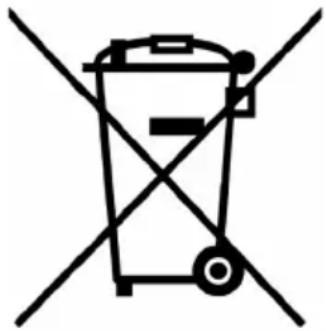
This symbol on the product or on its packaging indicates that this product may not
be treated as household waste. Instead it must be brought to the applicable collection point for recycling of electrical and electronic equipment. By ensuring this product is disposed of correctly, you will help prevent potential negative consequences for the environment and human health, which could otherwise be caused by inappropriate waste handling of this product. For more detailed information about recycling of this product, please contact your local city office, your household waste disposal service or the shop where you purchased the product.
The packaging is recyclable. Please treat package ecologically.

NUL-(Z) OF TARRAFUNCTIE (T)
This appliance may be used by children from the age of 8 and up, and also by persons with a physical or sensorly limitation, as well as mentally limited persons or persons with a lack of experience and knowledge. But only on the condition that these persons have received the necessary instructions on how to use this appliance in a safe way and know the dangers that can occur by using this appliance.
Children cannot be allowed to play with the appliance. Maintenance and cleaning of the appliance may not be done by children, unless they are older than 8 years old and are under supervision. Keep the appliance out of reach of children younger than 8 years old.
This appliance is suitable to be used in a household environment and in similar surroundings such as:
- Kitchen for personnel of shops, offices or other similar professional surroundings
Farms - Hotel or motel rooms and other surroundings with a residential character
Guest rooms or similar
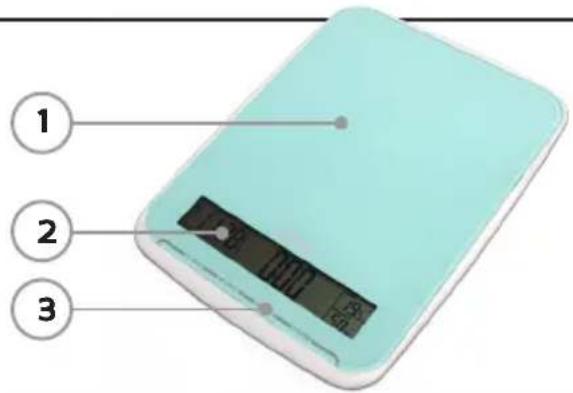
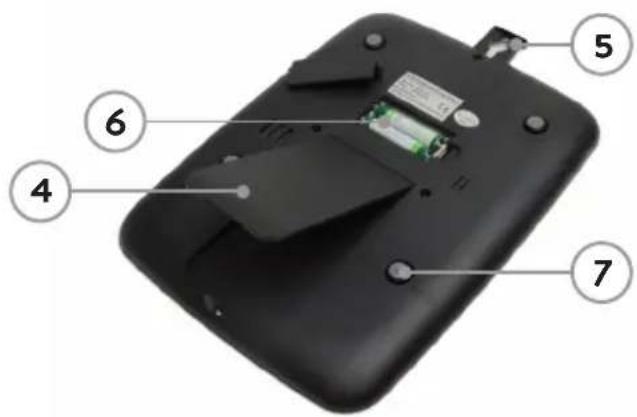
PARTS
- Weighing surface
- LCD display
- Touch buttons
- Stand
- Hook for hanging, slides out
- Battery compartment with lid for 2 AAA batteries (not included)
- Antiskid feet
LCD DISPLAY
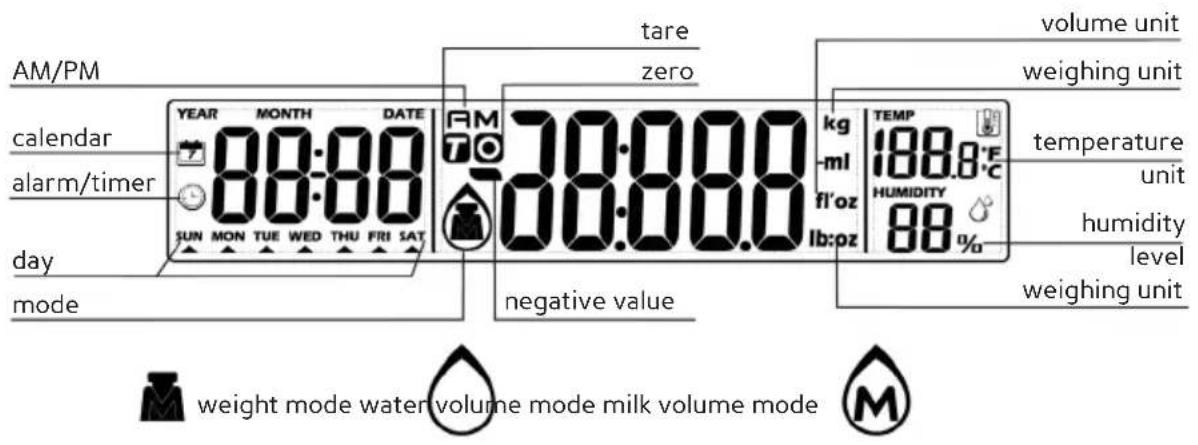
Temperature range: 0 - 50°C up to 0,5°C accurate Humidity range: 30 - 95% up to 5% accurate
BUTTONS

set

selecting weighing unit/ down
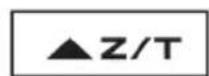
zero/tare/up

switching between weighing and time mode
PLACING THE BATTERIES
Open the lid of the battery compartment at the bottom of your scale.
Place 2 × 1.5V AAA batteries in the compartment, with the plus side at the + sign. First place the flat side of the battery against the spring and then push the other side down. The batteries are not included.
SETTING TIME ANDCALENDAR
- Install the batteries
- The year will start to blink. The year is automatically set to 2012. To change, press the up arrow (or down arrow). To confirm, press T-SET.
- The month will start to blink. Use the arrows to set the month and press T-SET to confirm.
- The day will start to blink. Use the arrows to set the day and press T-SET to confirm.
- The hour will start to blink. Use the arrows to set the hour and press T-SET to confirm.
- The minutes will start to blink. Use the arrows to set the minutes and press T-SET to confirm.
If you want to adjust the year, date or time afterwards, press and hold the T-SET button for 3 seconds when in time mode (not weighing mode). As described above, use the arrows to change and the T-SET button to confirm.
WEIGHING
- Place the scale on a stable and flat surface.
- Press the MODE button to switch from time mode to weighing mode. The display will indicate 0
- Make sure that the scale is set to weight mode, not volume mode, to weigh the weight. If this is not the case, press the UNIT button shortly to switch.
- Make sure that the scale is weighing in the right weighing unit. Press and hold down the UNIT button to change the weighing unit.
- Place the item on the weighing platform. You can now read the weight from the display.
- If nothing is being weighed for 2 minutes, or if there is no other activity during this period, the scale will automatically switch back to time mode.
ZERO (Z) OR TARE (T) FUNCTION
You can weigh different items consecutively without removing any items from the scale.
- Place the first item onto the weighing platform and read the weight.
- Press the Z/T button, so that the display indicates 0 . The scale could also first display - - - - , followed by 0 .
- Now place the next item onto the weighing platform to read the weight of this item.
This means you can first place a bowl on the scale, press the Z/T button and then add ingredients into the bowl. This way you can only weigh the ingredients.
Zero function (O): when the total sum of all items is smaller than or equal to 4% of the maximum capacity (10kg) . The maximum capacity remains unchanged.
Tare function (T): when the total sum of all items is larger than 4% of the maximum capacity (10kg) . The maximum weighing capacity is reduced by the total weight of all items.
WEIGHING VOLUME
- Place the scale on a stable and flat surface.
- Press the MODE button to switch from time mode to weighing mode. The display will indicate 0
- Make sure that the scale is set to volume mode, not weighing mode. If this is not the case, press the UNIT button shortly to change.
- Place a bowl, cup,... onto the weighing platform to catch the liquid.
- Press the Z/T button to set the weight to zero.
- Now pour the water or milk into the bowl, cup,... The LCD display will indicate the volume of the liquid.
ALARM/TIMER
- Press the T-SET button and use the arrows to set the desired time (maximum timer time: 99:55). Confirm with the T-SET button.
- After setting the time, press the T-SET button to start the countdown. If you want to cancel the countdown prematurely: press the T-SET button.
- The timer will count down to 00:00, after which an alarm signal will go off 60 times. After the signal, the scale will automatically return to the time mode.
- Press any button to stop the alarm signal.
WARNING
Lo: replace the battery
Err: overload, remove the item from the scale to avoid damage. Maximum capacity: 10kg
CLEANING AND MAINTENANCE
- Clean the scale with a slightly damp cloth. Never immerse the scale in water or never use any chemical/abrasive cleaning products.
- All plastic parts need to be cleaned immediately after contact with grease, spices, vinegar or strong flavoured or coloured foods. Avoid contact with acidic citrus juices.
- Always use the scale on a hard, flat surface. Do not use the scale on a carpet.
- Do not drop the scale, do not shake it or shock it.
- Handle the scale with care, it is a precision instrument.
- Keep the scale dry.
- If the appliance does not work, first check the batteries.
- Not suited for commercial use.
PRECAUCIONES IMPORTANTES


- CONDITIONS DE GARANTIE
- CONDICIONES DE GARANTÍA
- RECYCLAGE-INFORMATIE
- RECYCLING INFORMATIONEN
- RECYCLING INFORMATION
- NUL-(Z) OF TARRAFUNCTIE (T)
- PARTS
- LCD DISPLAY
- BUTTONS
- PLACING THE BATTERIES
- SETTING TIME ANDCALENDAR
- WEIGHING
- ZERO (Z) OR TARE (T) FUNCTION
- WEIGHING VOLUME
- ALARM/TIMER
- WARNING
- CLEANING AND MAINTENANCE
- PRECAUCIONES IMPORTANTES
Brand : DOMO
Model : DO9105W
Category : Scale