SF50W - Earphones Fonexion - Free user manual and instructions
Find the device manual for free SF50W Fonexion in PDF.
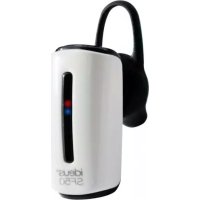


| Product type | Bluetooth hands-free earpiece |
| Brand | Fonexion |
| Model | SF50W |
| Bluetooth version | 3.0 |
| Chipset | CSR6130 |
| Supported profiles | HFP and HSP |
| Maximum range | 10 meters |
| Talk time | ~5 hours |
| Charging time | 2 to 3 hours |
| Power source | Rechargeable battery, charges via micro USB |
| LED indicator | Red (charging, low battery) / Blue (on, connected) |
| Multifunction button | Turn on/off, call control, pairing |
| Attachment clip | Ergonomic, removable |
| Compatibility | Bluetooth devices (smartphones, computers) |
| Weight | Approximately 10 grams |
| Dimensions | Approximately 5 x 2 x 1 cm |
| Material | Plastic, rubber ear tip |
| Box contents | Earpiece, attachment clip, micro USB cable, manual |
| Cleaning | With a dry or slightly damp cloth |
| Safety | Do not immerse, do not expose to heat, do not disassemble |
| Warranty | According to the legislation of the country of purchase |
Frequently Asked Questions - SF50W Fonexion
User questions about SF50W Fonexion
0 question about this device. Answer the ones you know or ask your own.
Ask a new question about this device
Download the instructions for your Earphones in PDF format for free! Find your manual SF50W - Fonexion and take your electronic device back in hand. On this page are published all the documents necessary for the use of your device. SF50W by Fonexion.
USER MANUAL SF50W Fonexion
Distributed by FONEXION SPAIN S.A VAT:ESA48937239 Gran Via 45, 1st Floor, Dpt. 114 48011 · Bilbao (Spain)

KEEP CALM AND TAKE YOUR TIME
Now that you have it in your hands, maybe you can take some time to observe these wonderful diagrams and explanatory drawings... They will help you to make the best of your brand new SF50. Of course, you can skip the texts if they make you bored...

WHAT'S IN THE BOX?
In addition to this nice guide on your hands now, you should be able to find these objects inside the SF50 package.
EAR CLIP
CHARGING CABLE
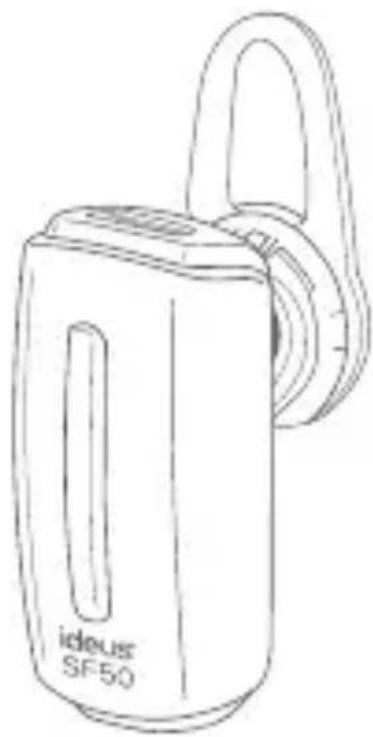
BLUETOOTH SF50 HEADSET
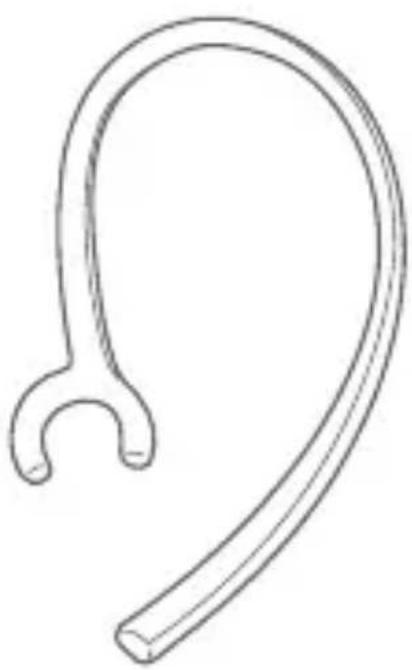
MICRO USB
USB

WHAT I'M SUPPOSED TO DO WITH THIS?
This beetle shaped gadget is the SF50. It is intended to make you feel free when making a phonecall or using your videogames. It is all wireless... Or, well, almost wireless.
You'll find this USB-MICRO USB charging cable on the box too, that will help you charge the device. That's the only cable you'll need.
You'll have an ergonomic piece that will help you to avoid the SF50 falling off your ear - human ears are soft and flexible parts, but don't worry, they are perfectly capable of handling the load of such a light flyweight object.

PLEASED TO MEET YOU
The ideal thing to happen is that you get in touch with the SF50 in a progressive manner, not fiddling with it before reading this user guide. However, like a human you are, it's almost certain that you couldn't resist the temptation of using it already... much before reaching this paragraph.
So it doesn't matter, at least these drawings will entertain you for a little while.
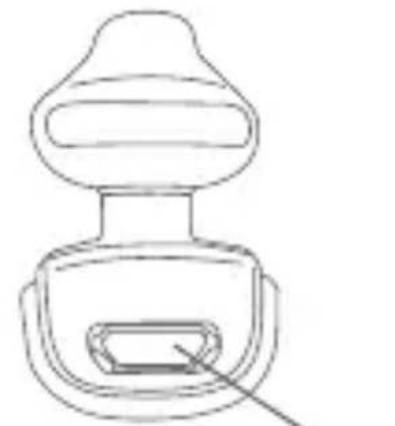
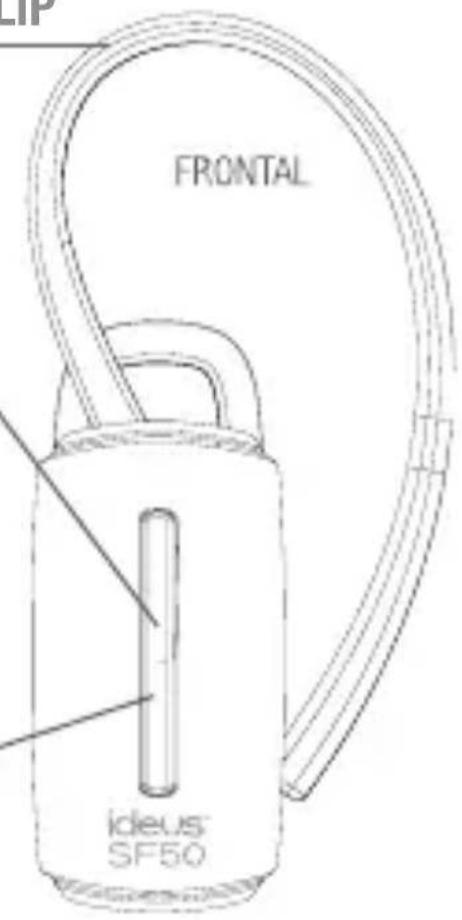
CHARGING HUB
Connect here the MICRO USB side of the cable to start the charging process
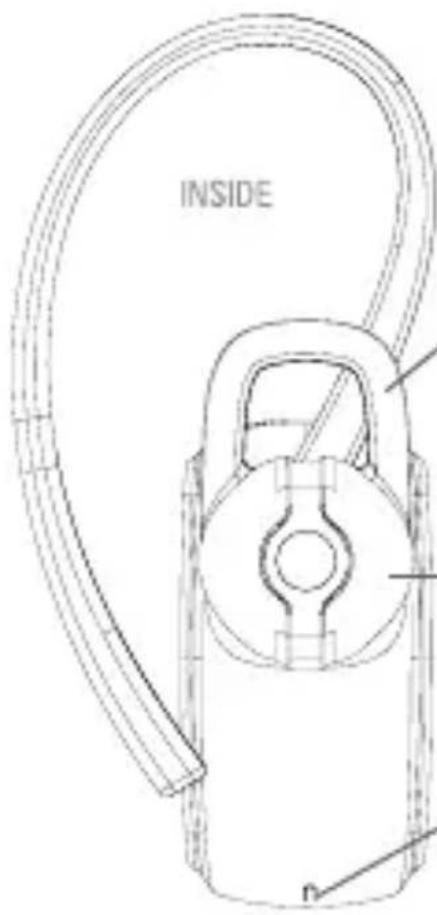
ERGONOMIC CLIP
Not mandatory, but it helps
MULTI FUNCTION BUTTON
One button to rule them all, without any darkness involved though..
LED LIGHTS
Indicate status depending on color and frequencies
RUBBERIZED HOOK
Helps you to maintain the SF50 safely and comfortably attached to your ear
EARPIECE
The bit that goes into your ear.
MICROPHONE
It magically captures your voice to deliver it through the waves.

HASTE MAKES WASTE
Now that you're a little more aware of what's going on, it's time for you to start considering using it... or at least charging it.
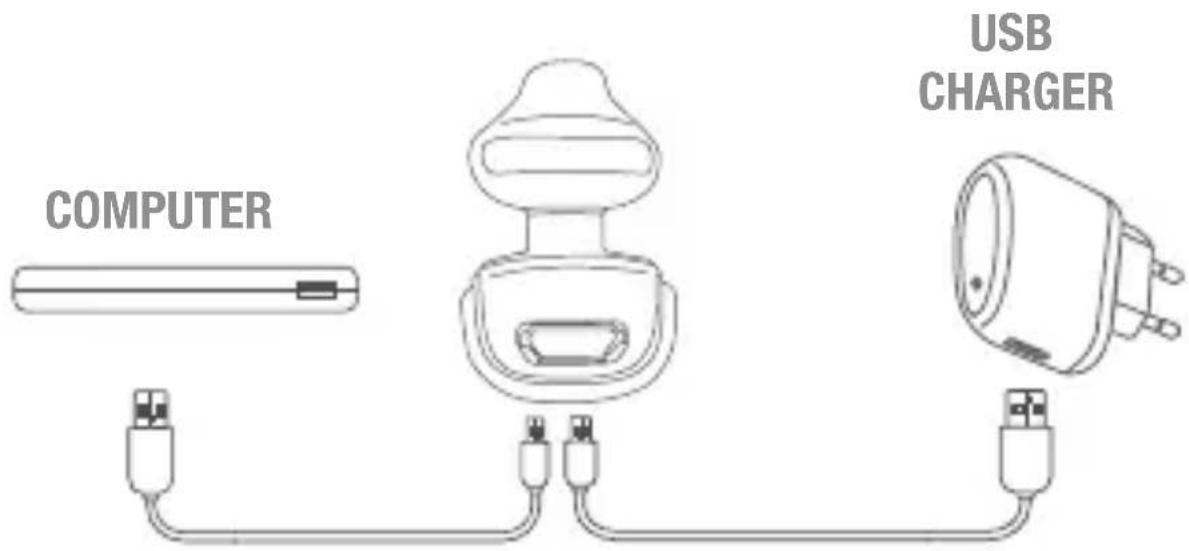
CHARGING THE HEADSET
Before using it for the first time, you should charge the device completely. To do so, connect the Micro USB side of the provided charging cable to the SF50, and find any available USB port in your surroundings (a computer one, a USB travel charger...).
A complete charge might last for 2-3 hours, depending on the power source. You'll know the device is charging when you notice a constant red light is on, and a permanent glowing blue light will let you know that the charging process has been completed successfully.
One charge a month is advisable to make the battery last longer.
SWITCH AND CONNECT
The SF50 only has one button, so it's not that complicated...
TURNING IT ON FOR THE FIRST TIME
Press and hold the button for a few seconds until the red and blue lights blink alternately. With this action, you make the SF50 device available for pairing with any Bluetooth device - presumably your phone.
Access the Bluetooth preferences panel on your device, search for the SF50 and connect it. If any kind of password is required, just input "0000" (it's the default key).
If the pairing process is correct, a blue light will blink twice and then turn off.
TURNING IT ON NORMALLY
If you have successfully paired the SF50 before with your mobile and/or some other devices, the next time you switch on the device, it will recall these links and it won't be necessary to complete the pairing process with them again. Press and hold the button for a second until you see a blue light appear. Then release it.
TURNING IT OFF
Pressing and holding the SF50 unique button for a few seconds will return the SF50 to the abyss where it belongs. Meaning it will cease working until you turn it on again.

WHAT TO DO WITH A PHONE CALL
Since 6” smartphones exist, and we cannot live without WhatsApp, AppStore or Instagram; you may have forgotten that you can also talk with people live through a revolutionary invention called “telephone”. To refresh your memory, here are some of the functions that you can control from your SF50.
Receive a call: Press once to accept it.
Reject a call: Press and hold the button for a few seconds to reject an incoming call.
End a call: Press the button once to finish a phone call.
Redial: To dial again to the latest number, press the button twice.
Voice dialing: With the SF50 on standby, press the button once.
This function will launch the "voice dialing" function on your cellphone (if an iPhone, Siri; if a Samsung, almost certainly "S Voice").
Mute: If you wish the other person on the other side of the telephone line not to hear your words for a while, you can turn the mute mode on by pressing the button twice.
When you're ready to be heard again, just perform the same action.
RESTORE TO DEFAULT VALUES
Press and hold the button, and don't release it until you see the blue and red lights blink three times alternatively. Performing this action, you'll restore the SF50 configuration to default values.
GLOWING SIGNS
The SF50 will wink at you constantly. You don't have to wink it back, but it would be fine if you just could understand what is going on.

Blue light blinking: SF50 ON Red light ON for a second: SF50 OFF Blue and Red light blinking alternatively: Pairing mode ON Blue light blinking every 8 seconds: SF50 connected and ready (on standby) Red light blinking every 20 seconds: Low battery warning Red light ON: Charging Blue light ON: Charging process completed
F.A.Q.
1) Will my SF50 work in my computer?
Yes, it is compatible with any Bluetooth compatible device, as soon as this device supports HSF/HFP profile.
HSP (Headset Profile): offers the basic functions to make possible a communication between a bluetooth device and a headset
HFP (Hands free Profile): offers an improved functionality and advanced controls over some calling functions.
2) Why do I hear noises or interferences during a call?
Beyond the fact of a weak GSM signal, there are some electronic equipments that may cause interferences - such as wireless phones, Wi-Fi routers or radio devices. To dodge these inconveniences, the best thing to do is to move away from these radio-wave sources.
3) Does the SF50 interfere with any other device?
The amount of energy produced by the SF50 is significantly smaller than any other radio wave based device -mobile phones, domestic phones... In addition to that, it is compliant with the Bluetooth standards, so no interference should happen.
4) Are my conversations private?
Ignoring how loud you talk, how many people is around you, or a pro-conspiratorial opinion; we can agree on the private nature of a communication via the SF50. When your device is connected to the SF50, a private link is created. This link is very difficult and unlikely to be interfered, precisely because of the low-energy nature of the Bluetooth signal.
ideus SF50
5) And what if I hear some echo during a phone call?
Try moving to any other area or increasing/decreasing the volume.
6) Can I clean the SF50?
Of course you can, and you should once in a while. But do not ever use any liquid! The best choice is to use a dry cloth.
7) Not all the functions are available.
The available functions the SF50 is compatible with may depend on the device which is connected to. Furthermore - and again, depending on your devices - some of the functions might not be available when 2 devices are simultaneously connected to the headset.

TAKE GOOD CARE
- Do not use voltages higher than the specified.
- Keep the SF50 dry and clean. Do not submerge in liquids or chemicals.
- Do not disassemble, throw fire, or put through a high pressure or temperature. · Do not let unqualified persons or children use it. It is not a toy !!!
- If you see that the battery heats up a bit during charging, don't panic. It's completely normal.
SPECIFICATIONS
Bluetooth version: 3.0
Chipset:CSR6130
Supported profiles: HFP and HSP
Operating range: 10m
Conversation time: + -5h
Standby time: + - 120h
Charging time: 2-3h
Dimensions: 32 15 10 mm
Battery:
Lithium-ion rechargeable battery
Warranty Conditions and Conformity Declaration
FONEXION SPAIN S.A. declares that the Bluetooth headset SF50 is in compliance with the essential requirements and other relevant provisions of the Directive 1999/5/CE.
It's possible for you to download a complete copy of this declaration on the website:
http://www.fonexion.com/doc
The warranty period is governed by the legislation of the country where you purchased the product. You must keep your sales receipt and the original packaging and all its components
to manage the warranty conditions on the establishment where the purchase was made. This warranty does not cover any failure caused by accident, misuse, wear and tear, negligence, lightning, modifications made to the equipment, or any home made attempt of adjustment or repairment made through unauthorized agents.

Distributed by FONEXION SPAIN S.A VAT:ESA48937239 Gran Via 45, 1st Floor, Dpt. 114 48011 · Bilbao (Spain)

TOMA-TE TEU TEMPO
Distributed by FONEXION SPAIN S.A VAT:ESA48937239
Gran Via 45, 1st Floor, Dpt. 114 48011 · Bilbao (Spain)

rechargeable lithium-ion battery
Distributed by FONEXION SPAIN S.A VAT:ESA48937239 Gran Via 45, 1st Floor, Dpt. 114 48011 · Bilbao (Spain)
FONEXION
FONEXION SPAIN S.A
- KEEP CALM AND TAKE YOUR TIME
- WHAT'S IN THE BOX
- WHAT I'M SUPPOSED TO DO WITH THIS
- PLEASED TO MEET YOU
- CHARGING HUB
- ERGONOMIC CLIP
- MULTI FUNCTION BUTTON
- LED LIGHTS
- RUBBERIZED HOOK
- EARPIECE
- MICROPHONE
- HASTE MAKES WASTE
- CHARGING THE HEADSET
- SWITCH AND CONNECT
- TURNING IT ON FOR THE FIRST TIME
- TURNING IT ON NORMALLY
- TURNING IT OFF
- WHAT TO DO WITH A PHONE CALL
- RESTORE TO DEFAULT VALUES
- GLOWING SIGNS
- F.A.Q
- IDEUS SF
- TAKE GOOD CARE
- SPECIFICATIONS
- WARRANTY CONDITIONS AND CONFORMITY DECLARATION
- TOMA-TE TEU TEMPO
- FONEXION
Brand : Fonexion
Model : SF50W
Category : Earphones