EasyManual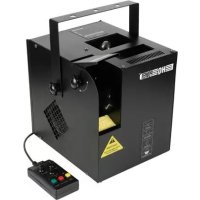
VDP600HZ - Effect machine HQ Power - Free user manual and instructions
Find the device manual for free VDP600HZ HQ Power in PDF.


User questions about VDP600HZ HQ Power
0 question about this device. Answer the ones you know or ask your own.
Ask a new question about this device
Download the instructions for your Effect machine in PDF format for free! Find your manual VDP600HZ - HQ Power and take your electronic device back in hand. On this page are published all the documents necessary for the use of your device. VDP600HZ by HQ Power.
USER MANUAL VDP600HZ HQ Power
To all residents of the European Union Important environmental information about this product This symbol on the device or the package indicates that disposal of the device after its lifecycle could harm the environment. Do not dispose of the unit (or batteries) as unsorted municipal waste; it should be taken to a specialized company for recycling. This device should be returned to your distributor or to a local recycling service. Respect the local environmental rules. If in doubt, contact your local waste disposal authorities. Thank you for choosing HQPower™! Please read the manual thoroughly before bringing this device into service. If the device was damaged in transit, don't install or use it and contact your dealer.
Be very careful during the installation: touching live wires can cause life-threatening electroshocks.
Caution: device heats up during use.
Indoor use only. Keep this device away form rain, moisture, splashing and dripping liquids. Never put objects filled with liquids on top of or close to the device.
Disconnect the device from the mains to clean it, fill the tank or when it is not in use. Handle the power cord by the plug only.
Keep this device away from children and unauthorized users. Never let the machine operate while unattended.
Damage caused by disregard of certain guidelines in this manual is not covered by the warranty and the dealer will not accept responsibility for any ensuing defects or problems. A qualified technician should install and service this device. Do not switch the device on immediately after it has been exposed to changes in temperature. Protect the device against damage by leaving it switched off until it has reached room temperature. This device falls under protection class I. It is therefore essential that the device be earthed. Have a qualified person carry out the electric connection. Make sure that the available voltage does not exceed the voltage stated in the specifications of this manual. Do not crimp the power cord and protect it against damage. Have an authorised dealer replace it if necessary. Note that damage caused by user modifications to the device is not covered by the warranty. Keep the device away from fire and flammable substances.
3. General Guidelines
Refer to the Velleman® Service and Quality Warranty on the last pages of this manual. This device is designed for professional use on stage, in discos, theatres, etc. The device should only be used indoors and connected to an alternating current of 230 VAC, 50 Hz. Do not shake the device. Avoid brute force when installing or operating the device. Do not drink smoke liquid. If ingested, call a doctor immediately. If smoke liquid comes in contact with skin or eyes, rinse thoroughly with water. Familiarise yourself with the functions of the device before actually using it. Do not allow operation by unqualified people. Any damage that may occur will most probably be due to unprofessional use of the device. Use the original packaging if the device is to be transported. All modifications of the device are forbidden for safety reasons. Only use the device for its intended purpose. All other uses may lead to short circuits, burns, electroshocks, crash, etc. Using the device in an unauthorised way will void the warranty. Do not add oils, perfume or any other liquid in the smoke liquid. The installation has to be approved by an expert before the device is taken into service.VDP600HZ
V. 02 – 04/03/2013 4 ©Velleman nv
Connect the device to the mains with the power plug. Do not connect it to a dimming pack. Fog machines are not designed for permanent operation: regular operation breaks will prolong their lives. Permanent pumping may overheat and damage the pump. A duty cycle of 30 % is advisable.
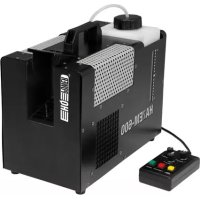
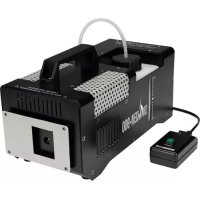
Refer to the illustrations on page 2 of this manual. haze machine
3-pin XLR connections
5-pin DIN remote control connection
liquid tank compartment
continuous output indicator
continuous output button
IMPORTANT installation notes: Check the device for damage before each use. If any damage is noticed, terminate the installation and contact your local dealer. Never use a damaged hazer. Install the device in a location with few passers-by that is inaccessible to unauthorised persons. Make sure there is no flammable material within a 0.5 m radius of the device. Provide at least 30 cm (± 1 ft) of free space around the device for sufficient cooling. The area in front of the air inlet [5] must be free and unobstructed at all times. Beware of dust accumulating on the fan grid. CAUTION: Haze leaves the output nozzle [3] at high temperatures. Risk of burns. Keep at least 1 m (± 3.3 ft) away from the nozzle when the machine is operating. Always follow the safety instructions (§2) and general guidelines (§3).
Remove all packing material from the shipping box. Check that all foam and plastic padding is removed. The hazer can be used free standing or attached to a carrying construction (not incl.). When using a carrying construction: o Have the device installed by a qualified person, respecting EN 60598-2-17 and all other applicable norms. o The carrying construction must be able to support 10 times the weight of the device for 1 hour without deforming. o The installation must always be secured with a secondary attachment e.g. a safety cable (not incl.) connected to the safety hook [2]. o Never stand directly below the device when it is being mounted, removed or serviced. Have a qualified technician check the device once a year and once before you bring it into service. o Overhead mounting requires extensive experience: calculating workload limits, determining the installation material to be used… Have the material and the device itself checked regularly. Do not attempt to install the device yourself if you lack these qualifications as improper installation may result in injuries. o Set the desired inclination angle by using the mounting bracket knobs [13]. Freestanding: o Place the VDP600HZ horizontally on a flat, heat-resistant surface. Remove the liquid tank. The tank is located behind the door [6]. Pour high quality smoke liquid (VDLHLH5) into the tank, being careful not to exceed the maximum fluid level. Use only smoke liquids as specified in this user manual. Place the cap back on the liquid tank and tighten. Push the plastic hose down until the filter is at the bottom of the tank and place the tank back into the tank compartment [6]. Make sure the plastic hose is not squeezed and close the door.VDP600HZ
V. 02 – 04/03/2013 5 ©Velleman nv
When you plan on using the remote controller (see §6), plug it into the remote controller socket [9].
IMPORTANT operation notes: The VDP600HZ does not feature an automatic stop function when running out of fluid; the pump will continue working. Always monitor the tank fluid level during operation as the device can suffer damage when run without fluid! Clean the spray nozzle and make sure nothing is obstructing the output before each use. The device needs some time to heat up before operation. Always wait until the green LED [F] is on before proceeding. If you experience low output, mechanical noise or no output at all, unplug the device immediately. Check the fluid level, the external fuse, the remote control and the power cord. If all appears to be working properly, plug in the unit again. If the device will not function after 30 seconds, discontinue operation to avoid permanent damage. Return the device to your dealer. Remember to drain the tank before transporting the unit. Using the device will produce water drops at the nozzle. This is perfectly normal. A little smoke may continue to escape from the nozzle after operation.
The machine can be operated fully independent, via a remote controller or via DMX. The type of operation is determined by the DIP switches [7]. Function DIP Switches fully independent
6.1 Fully Independent Operation
DIP switch 10 must be set to ON. Set the other DIP switches to obtain the desired haze output. DIP switch 1 through 4 determine the haze output, DIP switch 5 through 9 set the fan speed.
6.2 Remote Controller
DIP switch 10 must be set to OFF. The other DIP switches have no meaning. Refer to the illustration on page 2 and the overview of §4 for the remote control functions. Switch on the VDP600HZ ([10]) and wait until the ready indicator [F] turns green. Manual Burst Press and hold the manual button [I] for as long as haze output is desired. The output flow can be controlled with the flow control knob [C]. Continuous Burst Press the continuous output button [H] once. The red LED [E] turns on and haze is produced continuously. The output flow can be controlled with the flow control knob [C]. Press the continuous output button [H] again to switch back to manual mode. Timed Output Press the timer button [G] once. The yellow LED [D] turns on and haze is produced at intervals as set by the interval control button [A] (max. 60 minutes) during the time as set by the duration control button [B] (max. 15 s per burst). The output flow can be controlled with the flow control knob [C]. Press the timer button [G] again to switch back to manual mode.VDP600HZ
DMX-512 Connection When applicable, connect an XLR cable to the female XLR output of a controller (not incl.) and the other side to the male XLR input [8] of the device. Multiple devices can be linked through serial linking. The linking cable should be a dual core, screened cable with XLR input and output connectors. A DMX terminator is recommended for installations where the DMX cable has to run a long distance or is in an electrically noisy environment (e.g. discos). The terminator prevents corruption of the digital control signal by electrical noise. The DMX terminator is simply an XLR plug with a 120 Ω resistor between pins 2 and 3, which is then plugged into the XLR output socket [8] of the last device in the chain. DMX Start Address All DMX-controlled devices need a digital start address so that the correct device responds to the signals. This digital start address is the channel number from which the device starts to “listen” to the DMX controller. The same starting address can be used for a whole group of devices or an individual address can be set for every device. When all devices have the same address, all the units will “listen” to the control signal on one particular channel. In other words: changing the settings of one channel will affect all devices simultaneously. If you set individual addresses, each device will “listen” to a separate channel number. Changing the settings of one channel will only affect the device in question. In case of the 2-channel mode, you will have to set the start address of the first unit to 1 (CH1-2), the second to 3 (1 + 2) (CH3-4), the third to 5 (3 + 2) (CH5-6), and so on. The highest start address is 511. Note: Channel 1 controls the smoke output, channel 2 the fan speed. Set the desired start address via the DIP switches [7].
8. Cleaning and Maintenance
All screws should be tightened and free of corrosion. The housing, the lenses, the mounting supports and the installation location (e.g. ceiling, suspension, trussing) should not be deformed, modified or tampered with; e.g. do not drill extra holes in mounting supports, do not change the location of the connections… The electric power supply cables must not show any damage. Have a qualified technician maintain the device. Disconnect the device from the mains prior to maintenance activities. Let the device cool down. Clean the machine every 40 hours of operation or every 2 months, whichever comes first. o Dismount and clean the nozzle with vinegar and make sure there are no particles left. o Empty the tank and fill it with smoke machine cleaning liquid (order code VDLCL, not incl.). Operate the machine until the tank is empty. o Reassemble the nozzle and fill with regular smoke liquid for the next operation. There are no user-serviceable parts. Contact your dealer for spare parts if necessary.
dimensions 275 x 227 x 278 mm (without bracket) weight
Use this device with original accessories only. Velleman nv cannot be held responsible in the event of damage or injury resulting from (incorrect) use of this device. For more info concerning this product and the latest version of this manual, please visit our website www.hqpower.eu. The information in this manual is subject to change without prior notice.VDP600HZ
V. 02 – 04/03/2013 7 ©Velleman nv
© COPYRIGHT NOTICE The copyright to this manual is owned by Velleman nv. All worldwide rights reserved. No part of this manual may be copied, reproduced, translated or reduced to any electronic medium or otherwise without the prior written consent of the copyright holder. GEBRUIKERSHANDLEIDING
- All consumer products are subject to a 24-month warranty on production flaws and defective material as from the original date of purchase.
- Velleman® can decide to replace an article with an equivalent article, or to refund the retail value totally or partially when the complaint is valid and a free repair or replacement of the article is impossible, or if the expenses are out of proportion. You will be delivered a replacing article or a refund at the value of 100% of the purchase price in case of a flaw occurred in the first year after the date of purchase and delivery, or a replacing article at 50% of the purchase price or a refund at the value of 50% of the retail value in case of a flaw occurred in the second year after the date of purchase and delivery.
- Not covered by warranty: - all direct or indirect damage caused after delivery to the article (e.g. by oxidation, shocks, falls, dust, dirt, humidity...), and by the article, as well as its contents (e.g. data loss), compensation for loss of profits; - consumable goods, parts or accessories that are subject to an aging process during normal use, such as batteries (rechargeable, non- rechargeable, built-in or replaceable), lamps, rubber parts, drive belts... (unlimited list); - flaws resulting from fire, water damage, lightning, accident, natural disaster, etc.…; - flaws caused deliberately, negligently or resulting from improper handling, negligent maintenance, abusive use or use contrary to the manufacturer’s instructions; - damage caused by a commercial, professional or collective use of the article (the warranty validity will be reduced to six (6) months when the article is used professionally); - damage resulting from an inappropriate packing and shipping of the article; - all damage caused by modification, repair or alteration performed by a third party without written permission by Velleman®.
- Articles to be repaired must be delivered to your Velleman® dealer, solidly packed (preferably in the original packaging), and be completed with the original receipt of purchase and a clear flaw description.
- Hint: In order to save on cost and time, please reread the manual and check if the flaw is caused by obvious causes prior to presenting the article for repair. Note that returning a non-defective article can also involve handling costs.
- Repairs occurring after warranty expiration are subject to shipping costs.
- The above conditions are without prejudice to all commercial warranties. The above enumeration is subject to modification according to the article (see article’s manual).