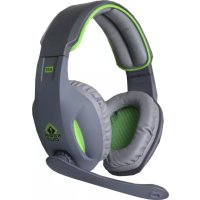
HX9 - Earphones KeepOut - Free user manual and instructions
Find the device manual for free HX9 KeepOut in PDF.



| Product type | Wired gaming headset |
| Brand | KeepOut |
| Model | HX9 |
| Connectivity | USB |
| Surround sound | Virtual 7.1 |
| Microphone | Integrated with noise cancellation |
| Frequency response | 20 Hz - 20 kHz |
| Impedance | 32 Ω |
| Sensitivity | 105 dB |
| Cable length | 2 m |
| Weight | 320 g |
| Compatibility | PC, gaming consoles |
| Included software | KeepOut Gaming Headset 7.1 |
| Sound settings | Equalizer with 12 presets, environment modes |
| Microphone settings | Volume, mute, echo, magic voice |
| Comfort | Padded and adjustable ear cups |
| Maintenance | Clean with a soft dry cloth |
| Safety | Complies with sound level standards |
| Spare parts | Available on request from customer service |
| Repairability | Repairability index not disclosed |
Frequently Asked Questions - HX9 KeepOut
User questions about HX9 KeepOut
0 question about this device. Answer the ones you know or ask your own.
Ask a new question about this device
Download the instructions for your Earphones in PDF format for free! Find your manual HX9 - KeepOut and take your electronic device back in hand. On this page are published all the documents necessary for the use of your device. HX9 by KeepOut.
USER MANUAL HX9 KeepOut
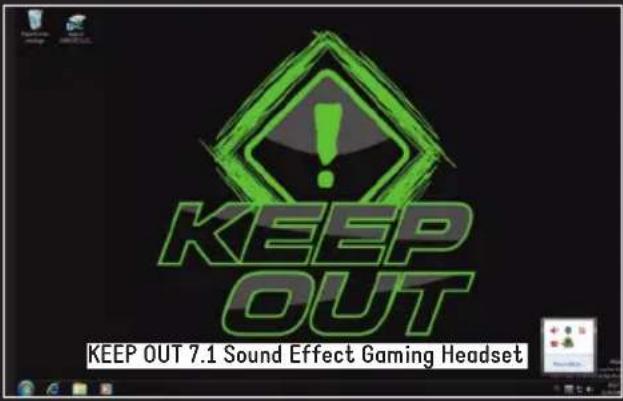
- KEEP OUT 7.1 Sound Effect Gaming Headset Software:
Icono
Por favor, observe la",si imagen, le做不到 el icono KEEP OUT 7.1 Sound Effect Gaming Headset en la).[esquina inferior](derecha de su,[es]cricionario, haga [,clic en el](icono para acceder.
Thank you for choosing the Keep out Gaming Headset.
PRODUCT DESCRIPTION
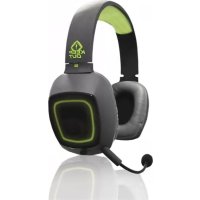
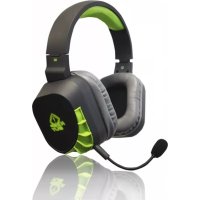
The Keep Out Headsets offer professional audio performance in games. Incorporates more advanced features for players to enter fully into the game. Its high-fidelity speakers produce quality sound 7.1 and create a unique acoustic environment thanks to its comfortable and adaptable soft padded arms. Your microphone incorporates the latest technology for noise suppression and provides excellent communication giving maximum realism to games.
The Keep Out Headsets are the best choice for the winner.
Package Contents
- Headset
- Quick installation guide in various languages.
Note:
Make sure that your package contains the items described above. If any item is missing or damaged, please contact your dealer.
INSTALLATION AND CONFIGURATION
- Connection: Connect the Headset in a free USB port of your PC or game console.
- Installation on Windows: Insert the installation CD into your drive and double-click the icon for My
Computer or My Computer, then double-click the floppy drive where you placed the CD and boot the installation program.
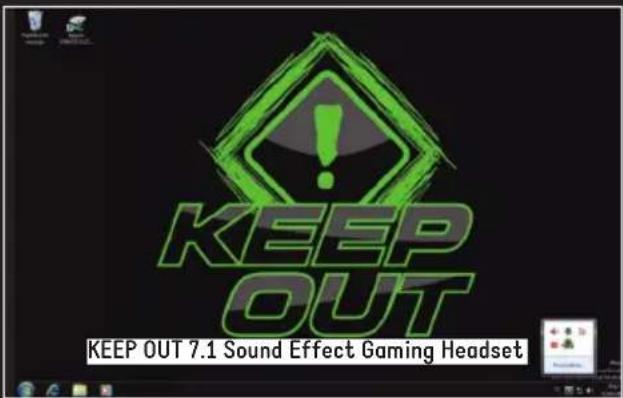
- KEEP OUT 7.1 Sound Effect Gaming Headset Software:
Icon
Please observe the following image, the icon will show KEEP OUT Gaming Headset 7.1 Sound Effect in the lower right corner of your desktop, click the icon to access.
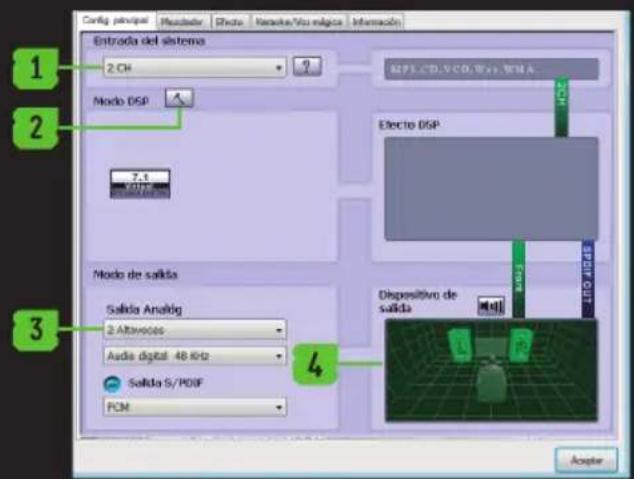
Principal Configuration:
- Entry system, change options 2CH, 4CH, 6CH, 8CH, the [?] On the right shows some tips as follows MP3, WMA, AAC, CD, VCD: 2CH
DVD with Dolby Digital or DTS, WMA-Pro: 6CH
DVD with Dolby Digital or DTS ES: 8CH
3D Games: 8CH.
Note: An unsuitable choice of file type to play can cause poor reproduction. - Mode Settings DSP and DSP effects.
- Analog Output Type: Headphones or speakers.
- Output device, you can adjust the speaker decibels.
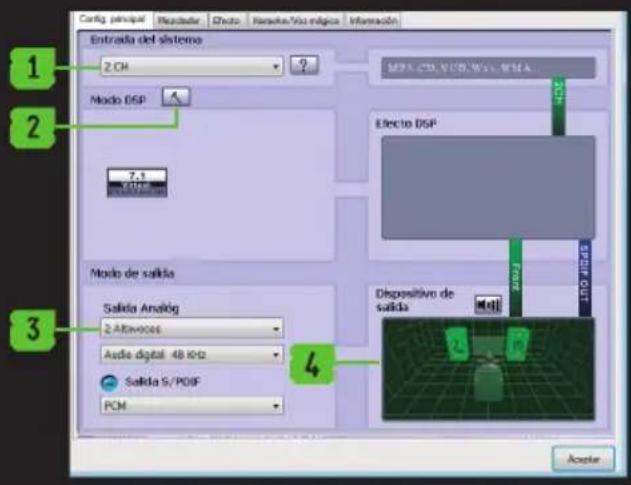
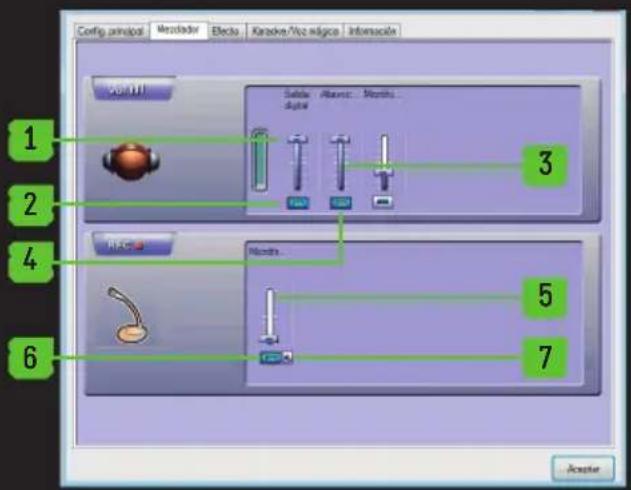
Mixer:
- Volume Control
- Switch on or off the sound
- Microphone Volume Control
- Switch the microphone on or off
- Recording. Microphone Volume Control
- Recording. Switch the microphone on or off.
- Advanced settings of the microphone
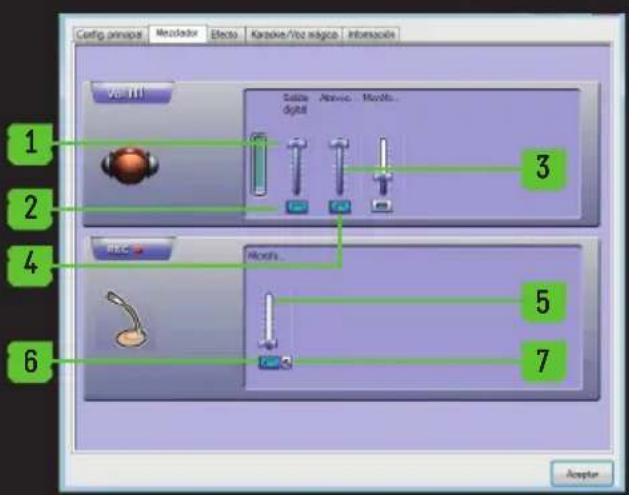
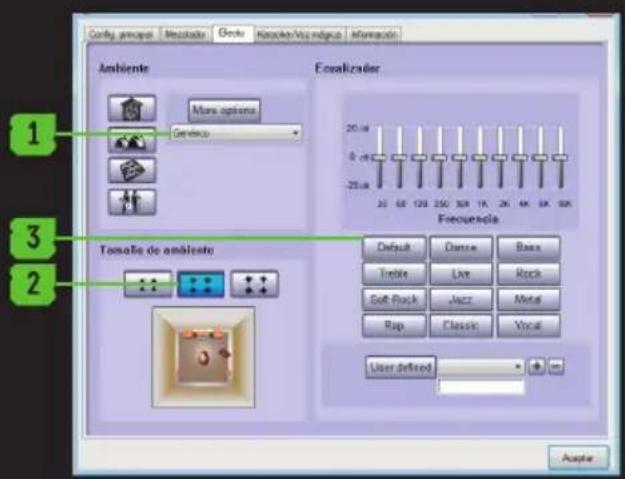
Effect:
- Environment: 23 modes for your choice:
- Size: Small, Medium, Large for election
- Equalizer: 12 kinds for your choice and defined by the user.
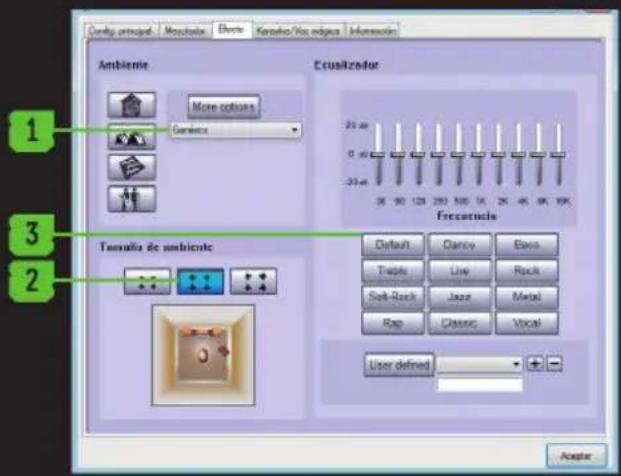
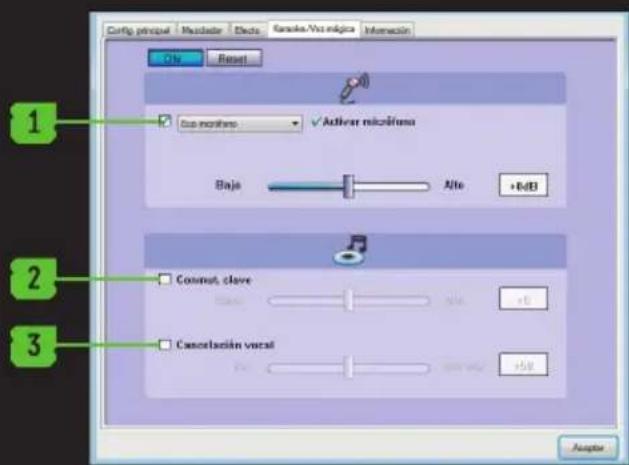
Karaoke / Magic Voice
- Enable / disable and configure the microphone echo
- Enable / disable and configure the playback speed
- Enable / disable and configure the vocal cancel.


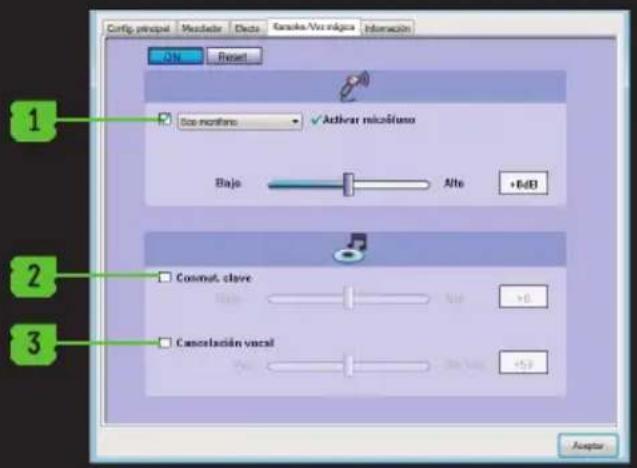
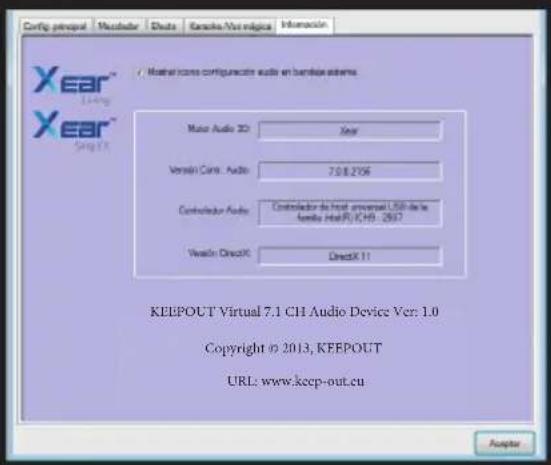
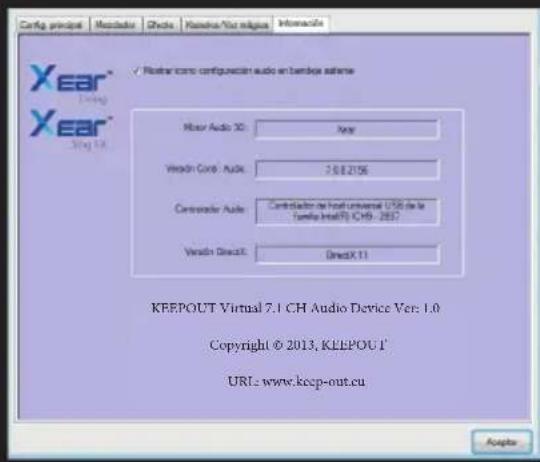
Information Displays information about the software and allows you to display or not the software icon on the desktop.
TECHNICAL SUPPORT
For more information on installing and configuring this product go to our website www.KEEPout.eu or write an email to the following address: support@keep-out.eu.

INTRODUCTION
support@keep-out.eu.



EINLEITUNG
MP3, WMA, AAC, CD, VCD: 2CH
- KEEP OUT 7,1 Sound Effect Software Gaming Headset:
Icona
MP3, WMA, AAC, CD, VCD: 2CH
MP3, WMA, AAC, CD, VCD: 2CH
DVD com Dolby Digital ou DTS, WMA-Pro: 6CH
DVD com Dolby Digital ou DTS ES: 8CH
Jogos 3D:8CH
support@keep-out.eu.

UVOD
Hvala vam na odabiru Drzite Gaming Headset.
PROIZVOD OPIS.
Držite Out slusalice nude profesjalne audio performanceu igrama.Sadrži visaprednih značajki za igrača uci u potpunosti u igru.Njegov high-fidelity zvučnici proizvoditi kvalitetan zvuk 7,1 i stvoriti jeginstven Zahvaljuujuci akusticnost svojim udobnim i prisagodljiv mekih podstavljenim rukama.Vaš mikrofon sadrži najnoviju tehnologiju za suzbijanje buke i pruža odlicnu komunikaciju daje maksimalnu realizma igre.
INSTALACJA I KONFIGURACJA
INSTALACE A KONFIGURACE
MP3, WMA, AAC, CD, VCD: 2CH
DVD c Dolby Digital mnn DTS, WMA-Pro: 6 kaHana
DVD c Dolby Digital iIN DTS ES: 8-kaHaJIeH 3D irpn: 8-kaHaJIeH
3a6eIeKka: HenoJxOJH u36Op Ha TnHa H aai, 3a da ngae MoKe Da IOBeJe Do loWo Bb3POn3BExKaHe.
BG
2.Mode HactpoynDSPnDSPeektn.
3.AhanoorOB u3XoT Tn: cnywaanKn nn robopnten.
4.ИЗхODHOb yCTPOnIcTBo, moXeTe da perylnpate deu6eHN Ha BucOKOrOBOpnteJIte
EeK
- Okonha cpeja: 23 pexmmn 3a Baunna n36op:
- Pa3mep: malkn, cpeHn, rolemn 3a n36opnte
- EknbaaJ3ep: 12 BnOBe 3a Baunna n36Op n DeHnHaPaHn OT noTpe6uTeNa.
Mukcep
- Perynipane Ha cnlaTa Ha 3Byka
2.BKJIIOUBaHe NIN N3KJIIOUBaHe Ha 3ByKa - KoHTpOHa 3Byka Ha MMKpofoHa
4.BkIIOUHTe MNUKpOoHOnn NnN3KJIIOUBaHe Ha
5.3annc.KoHTpoJHa 3Byka Ha MKNpOfoHa
6.3aInc.BKIOUOHTe MMKPOoHa nn N3KNIOUHTe. - Pa3upeHn HacTpoKn Ha MKNpOfoHa.
Kapaoke / Magic Voice
- Pa3peuBaHa / 3a6paHbBaHe i KOHcHypnPaHe exOTO Ha MKNpOfoHa
- Pa3peuBaHe / 3a6paHЯBaHe i KOHФурпаHe Na ckopoCTTa Ha Bb3npOuBexJaHe
- Pa3peuBaHae / 3a6paHЯBaHe i KOHФИгурпаHe Ha BOKaJIHaTa OTKa3.
HΦopmaua
Ioka3Ba HOpMaun 3a coOpyepn BN n03BONBA da NOKa3BaTe nn He COOtyep IKoHaTa Ha pa6OTHnIPIOT.
TEXHnueCKAIOIDPbXKA
3a NOBueHnΦOpMaζηN OTHOCHO NHCtAIIpaHeTo N KOHfNrgpIpaHeTo Ha To3N IpoDyKT B Ha7nra caiT www.KEEPout.eu nIN HAnuWeTe IMeJl Ha cIeHNr aIpec:
support@keep-out.eu.

RO
INTRODUCE
MP3, WMA, AAC, CD-uri, VCD: 2CH
DVD-ul cu Dolby Digital sau DTS, WMA-Pro: 6CH
DVD cu Dolby Digital Sau DTS ES: 8CH
Jocuri 3D:8CH
- KEEP OUT 7.1 Sound Effect Gaming Headset Software:
Ikona
Importado por/Imported by:
APPROX IBERIA S. L.
CIF:B-91202499
Soporte和技术/Technical support:
support@keep-out.eu
The content of this guide is
subject to typographical errors.


48H NON STOP

NO SHARING

FEEL SUPERIOR
www. keep -out.eu
- Icono
- PRODUCT DESCRIPTION
- INSTALLATION AND CONFIGURATION
- Icon
- Principal Configuration:
- Mixer:
- Effect:
- Karaoke / Magic Voice
- TECHNICAL SUPPORT
- INTRODUCTION
- EINLEITUNG
- Icona
- UVOD
- PROIZVOD OPIS.
- INSTALACJA I KONFIGURACJA
- INSTALACE A KONFIGURACE
- BG
- EeK
- Mukcep
- Kapaoke / Magic Voice
- HΦopmaua
- TEXHnueCKAIOIDPbXKA
- RO
- INTRODUCE
- Ikona
Brand : KeepOut
Model : HX9
Category : Earphones