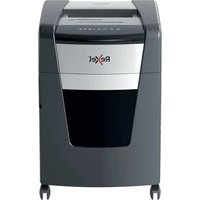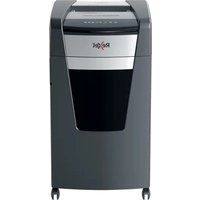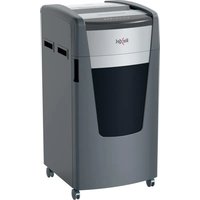
RLS32 - Shredder REXEL - Free user manual and instructions
Find the device manual for free RLS32 REXEL in PDF.


User questions about RLS32 REXEL
0 question about this device. Answer the ones you know or ask your own.
Ask a new question about this device
Download the instructions for your Shredder in PDF format for free! Find your manual RLS32 - REXEL and take your electronic device back in hand. On this page are published all the documents necessary for the use of your device. RLS32 by REXEL.
USER MANUAL RLS32 REXEL
To register and activate the warranty go to www.rexeleurope.com/shredders
GB Instruction Manual
F Manuel d'utilisation
D Bedienungsanleitung
① Manuale d'istruzioni
NL Gebruiksaanwijzing
E Manual de instrucciones
P Manual de Instruções
TR Kullanım Kılavuzu
GR Οδηγίες
DK Brugsvejledning
FI Käyttöopas
NO Bruksanvisning
⑤ Bruksanvisning
PL Instrukcja obsługi
© CZ Návod k obsluze
H Használati útmutató
RUS Руководство по эксплуатации
Specifications
| Models | RLS32 | RLX20 |
| Sheet Capacity - [IMAGE] | 32 sheets(28 sht 207V~50Hz) | 20 sheets(20 sheets 207V~50Hz) |
| Duty Cycle - [IMAGE] | Continuous operation | Continuous operation |
| Volts / Hz | 230V / 50Hz | 230V / 50Hz |
| Amperage | 8.0A | 7.0A |
| Models | RLM11 | RLSM9 |
| Sheet Capacity - [IMAGE] | 11 sheets(11 sheets 207V~50Hz) | 9 sheets(9 sheets 207V~50Hz) |
| Duty Cycle - [IMAGE] | Continuous operation | Continuous operation |
| Volts / Hz | 230V / 50Hz | 230V / 50Hz |
| Amperage | 5.0A | 5.0A |

IMPORTANT: ONLY INSERT ONE CD OR ONE CREDIT CARD AT A TIME.
| English | 4 |
| Français | 8 |
| Deutsch | 12 |
| Italiano | 16 |
| Nederlands | 20 |
| Español | 24 |
| Português | 28 |
| Türkçe | 32 |
| Ελληνικά 36 | |
| Dansk | 40 |
| Suomi | 44 |
| Norsk | 48 |
| Svenska | 52 |
| Polski | 56 |
| Česky 60 | |
| Magyar 64 | |
| Русский 68 |
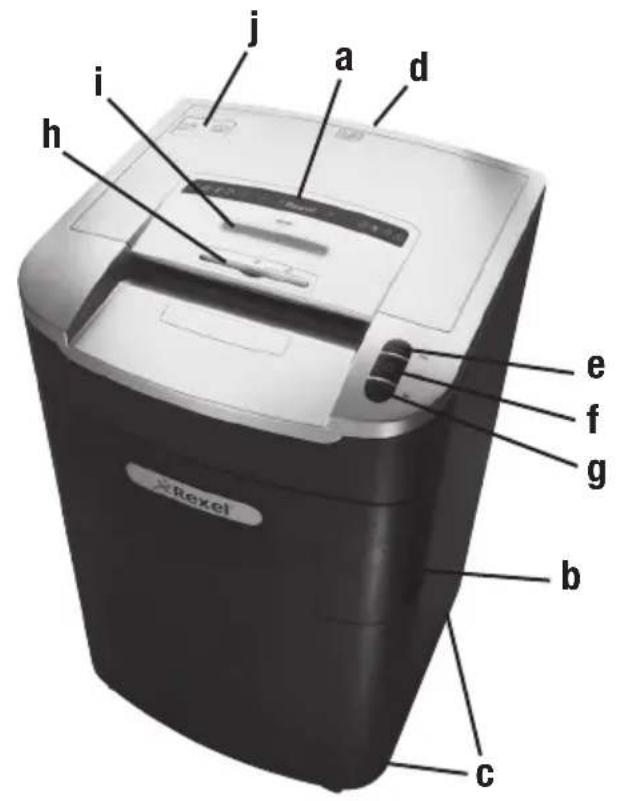
text_image
i j a d h e f g b c × RexelModels: RLS32, RLX20 Models: RLM11, RLSM9
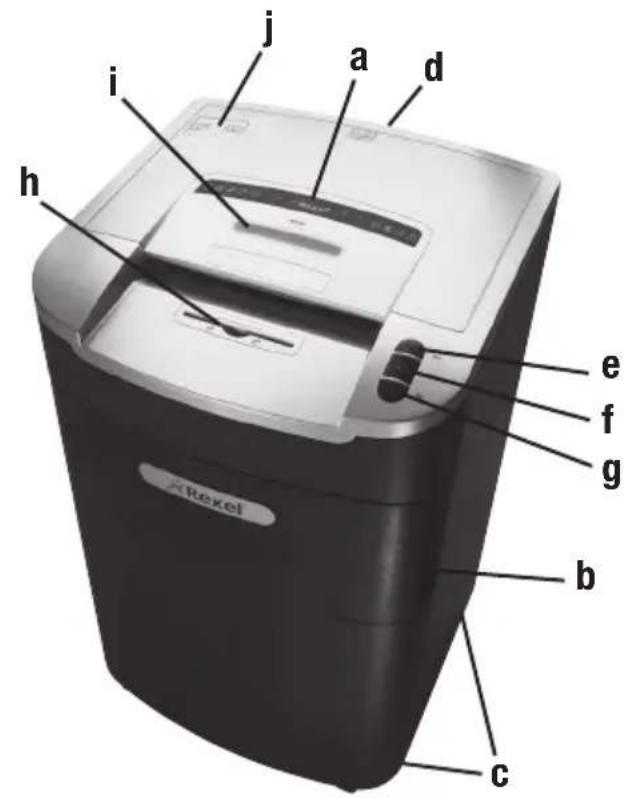
text_image
Krexel a b c d e f g h i j a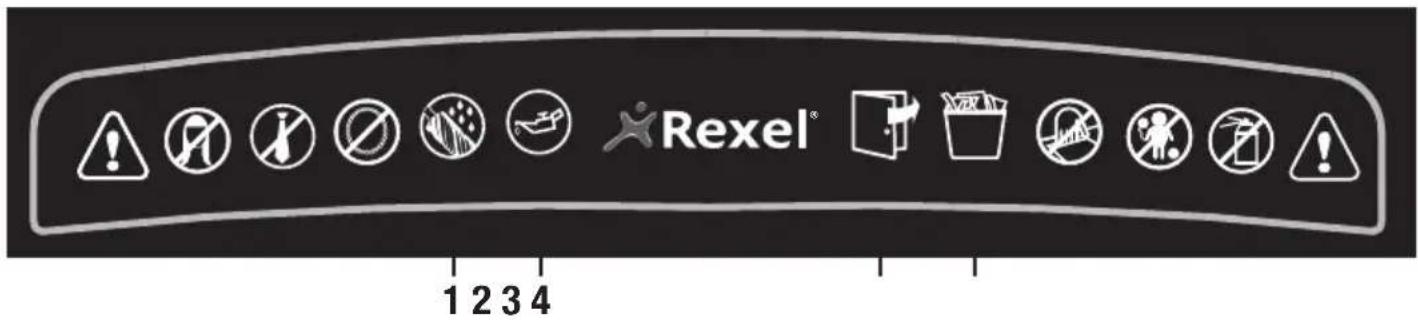
text_image
Rexel® 1 2 3 4Illuminated Panel
Lights and Icons Explained
| 1 | 2 | Decal | Panel | |||||
| 3 | 4 | |||||||
| Colour of LED | Anti-Jam Indicator | Auto | Bin Full | Door Open | Oil Level | Oiling/Auto | ||
| Red | Green | Blue | Red | Red | Red | Green | ||
| Power On/Off Switch | ||||||||
| Auto Mode ⏻ | light | light | ||||||
| Forward Mode ⚠️ | light | light | ||||||
| Reverse Mode ⚡️ | light | light | ||||||
| Mercury Anti-Jam Technology | light | light | ||||||
| Bin Full | light | light | light | |||||
| Door/Bin Open | light | light | light | |||||
| Self Cleaning of Cutters | light | light | ||||||
| Sleep Mode | ||||||||
| Auto Oiling in Operation | light | light | ||||||
| Oil Level Indicator | light | light | ||||||
Introduction
Thank you for choosing this shredder from Rexel. We are sure it will serve you well, but please take a little time to study these instructions to ensure you get the best out of your machine.
a Indicator Panel
b Door for Bin
c Wheels
d On/Off Button
e Reverse Button
f Auto Button
g Forward Button
h CD Slot
i Anti-jam Indicator
j Oil Reservoir Cap
1 Oiling in Operation
2 Oil Level
3 Door Open
4 Bin Full
Safety First

Shredders are safe to use as long as you take a few safety precautions.
- Ensure the machine is plugged into an easily accessible power outlet, and ensure the cable is not likely to trip up a passer by.
- Any attempt to repair this unit by unqualified personnel will invalidate the warranty. Please return to supplier.
- Unplug your shredder before moving it or when it is not in use for an extended period of time.
- Do not operate with a damaged power supply cord or plug, after it malfunctions, or after it has been damaged in any manner.
- Do not overload electrical outlets beyond capacity as this can result in fire or electrical shock.
-
The socket-outlet should be installed near the equipment and shall be easily accessible.
-
Do not alter the attachment plug. The plug is configured for the appropriate electrical supply.
- Do not use near water.
- Do not use aerosol dusters or cleaners.
- Do not spray anything into the shredder.
Although this shredder has been designed to be child safe, it is not advised to operate the machine near children and pets.

We only recommend the use of Rexel branded shredder lubricant to maintain optimum performance and safety. Rexel accepts no liability for product performance or safety if anything other than Rexel branded shredder lubricant is used (Order Code 1760049).

WARNING: Do not use flammable oil. Only Rexel oil 1760049 is recommended.
Shredder Control Panel


ReverseForwardAuto

Safety First

This means you should be careful because long hair can become entangled in the cutting head.

This means don't reach into the feed opening of the cutting head.

This means be careful of ties and other loose clothing which could become entangled in the cutting head.

This means keep children away from shredder.

This means be careful of loose jewelry which could become entangeld in the cutting head.

This means do not shred CD's.

This means do not shred credit cards.

This means oil level.

This means oiling in operation.
Door Open Safety Function
If the door is opened during shredding as a safety precaution the shredder will instantly stop, and the door open symbol on the indicator panel will flash red. To turn back to auto mode simply press the auto button again (f).
Mercury Anti-Jam Technology
Mercury Shredders will only shred stacks of paper that are within the shredders sheet capacity. For example, a shredder with a capacity of 22 sheets will not allow the shredding of more sheets than this.
Sensors in the paper feed area measure the thickness of paper about to be shredded. The ability to shred or not is communicated through red and green lighting. Green means that the stack of paper is within the shredders sheet capacity and OK to shred. Red means that you have too much paper, remove some sheets in order to shred.
Given that you are unable to shred more sheets of paper than the shredder is capable of shredding, paper jams are prevented.
This prevents time wasted through reversing paper and unblocking jams not to mention the mess it can create.
Rare Occasions of Jamming
In the unlikely event of the shredder jamming, use the reverse function to unblock the shredder.
Alternating between the reverse and continuous forward functions will help unblock the feed area.
Initial Setup
The shredder is designed to automatically lubricate the cutting mechanism as required to ensure the product continues to work to its maximum performance and to extend the product life. Before turning on the machine for the first time, please open the oil reservoir cap on the head of the shredder (j) and pour in the 60ml bottle of oil provided as standard. This is sufficient to allow the shredder to start for the first time and to operate continuously for approximately 1 hour shredding before the reservoir will need refilling. Press and hold down the Auto button (f) for 5 seconds to start the pump and prime the system. This operation is only required the very first time the shredder is used. When the 'Oil Refill' indicator is illuminated ☐, flip up the oil reservoir cap (j) and refill the oil reservoir using a bottle of standard Rexel oil (1760049). The automatic oiling operation lasts approximately 2 seconds and you will hear the distribution pump during this time. Auto-oiling operates after 15 minutes of shredding.
Operation
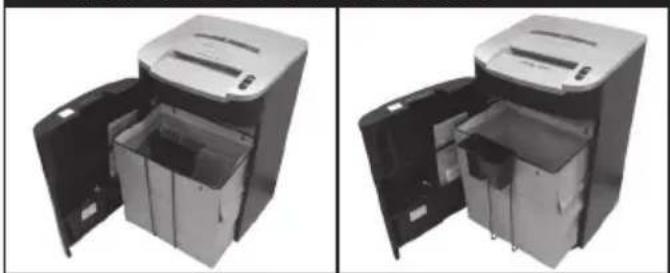
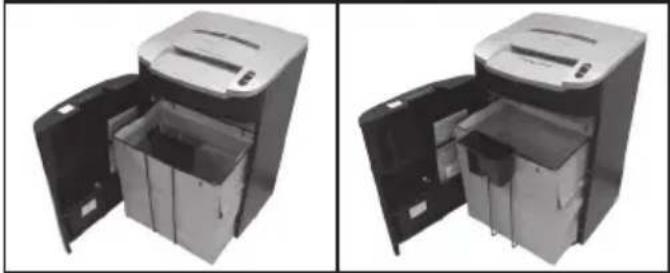
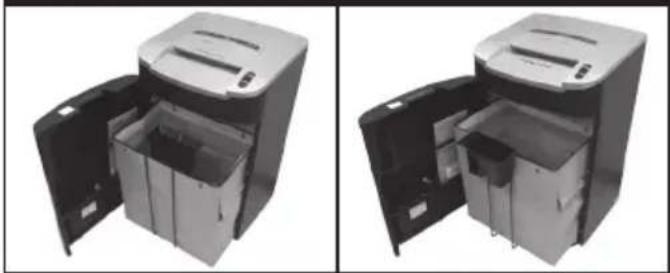
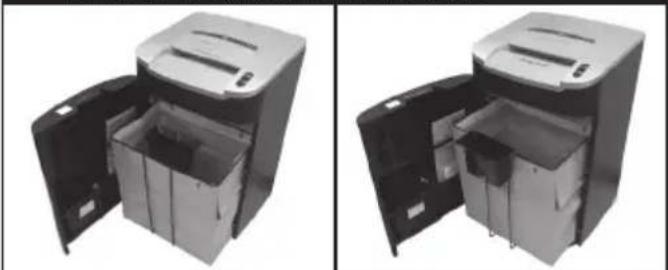
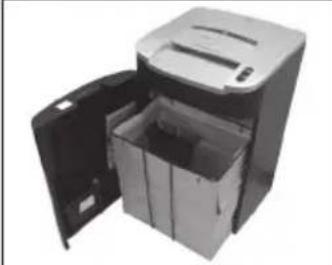
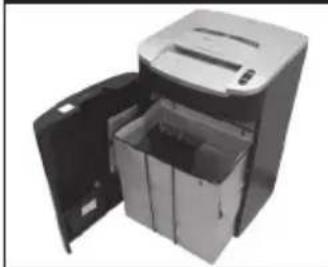
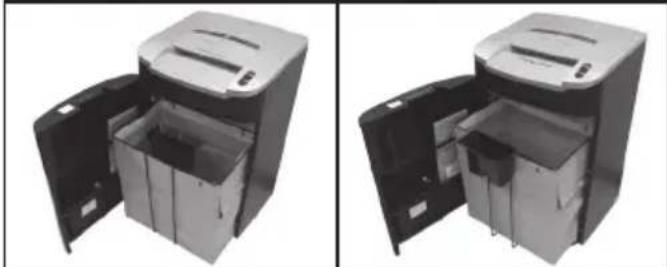
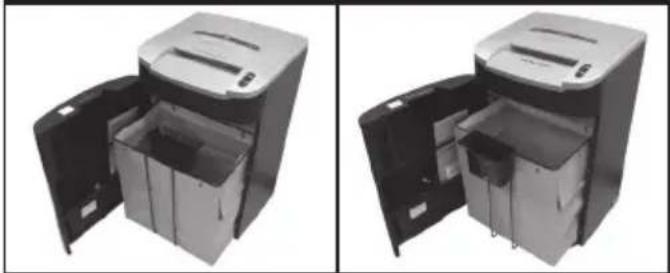
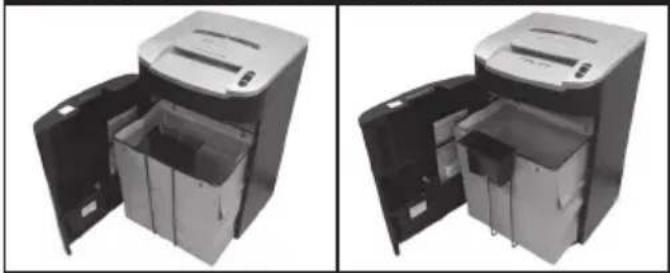
1 RLS32 & RLX20 only. After unpacking the product, pull out the shredder bag frame and remove the CD shard tray, which sits on top of the bag frame. Store this tray on the bag frame as shown and use when you shred CD's or credit cards to separate waste for recycling. On the RLM11 and RLSM9 high security models, the CD tray can be left permanently in position in the shredder.
2 Flip up the oil cap and fill up the reservoir using the 60ml bottle of oil provided*. Close the cap.
3 Connect shredder to mains supply.
4 Check that the on/off switch at the back of the machine is switched to the 'ON' position.
5 Press and hold down the Auto button (f) for 5 seconds to start the pump and prime the system. Only required when the product is used for the first time.
6 To commence shredding, press the auto feed button. This sets the shredder into auto mode.
7 Insert paper to be shredded into the feed area. The shredder will detect the paper and start automatically.
8 If the shredder is left in auto mode for more than 2 minutes without being used, the shredder will automatically turn back to standby mode in order to save power.
9 The shredder will automatically 'wake up' from sleep mode when paper is inserted into the shredder mouth. There is no need to press the Auto button (f).
CD and Credit Card Shredding
1 A separate CD tray is provided to collect the shredded CD shards. On the RLS32 and RLX20, ensure that this is correctly mounted onto the standard shredder bag frame before shredding CD's or credit cards. The RLM11 & RLSM9 models are supplied with a separate CD bin, which fits on the front of the bag frame. CD and credit card shards should be disposed of separately to paper.
RLS32 / RLX20 RLM11 / RLSM9
natural_image
Two views of a portable paper feeding device with open doors and internal compartments (no text or symbols visible)2 Always shred CD's and credit cards through the safety guard slot (h). Only shred 1 credit card or 1 CD at a time.
3 Empty the CD tray or CD bin after 8 credit cards or CD's to avoid waste spilling over into the paper waste bin.
RLS32 & RLX20 only. Remove the CD tray before recommencing to shred paper and store on the bag frame as shown.
Bin Full
When the bin is full the shredder will not function and the bin full symbol will illuminate red.
When this happens you must empty the bin.
- Open the door and slide out the waste sack support frame. Carefully remove the waste sack from the frame.
Once the waste bag has been disposed of and replaced, close the door and press the auto button to resume shredding.
Note: RLX20, RLM11, RLSM9 Models - Once the waste bag has been reinserted and/or cabinet door has been closed, the shredder will run in reverse for three seconds, stop for two seconds and then forward for three seconds to clear away any remaining paper from the cutter mechanism. This 'self-cleaning' mechanism is additional jam prevention technology from Rexel.
Shredder Accessories
Use Rexel shredder paper waste sacks to recycle shredded paper (2102248) or plastic waste sack AS1000 (40070). There are instructions on the paper waste sack on how to fit it to the internal sack support frame. A complimentary oil bottle and waste paper sack is included with the shredder.
Service
We recommend these machines are serviced every 6-12 months by a Rexel service engineer - see the back of this booklet for the contact details of your local service centre.
Guarantee
ACCO Brands Europe warrants its products and their parts against defects in materials and workmanship under normal use for a period of 24 months from the original date of purchase.
During this period we will repair or replace a defective product or part subject to the following warranty conditions:
The warranty applies only to defects in materials and workmanship under normal use and does not extend to damage to the product or parts which result from:-
alteration, repair, modification or service carried out by anyone other than an authorised ACCO Brands Europe service centre.
accident, neglect, abuse or misuse owing to failure to comply with the normal operating procedures for a product of this type.
Nothing in this Warranty shall have the effect of excluding the liability of ACCO Brands Europe in respect of death and personal injury caused by the negligence of ACCO Brands Europe. This Warranty is offered (subject to these terms and conditions) in addition to, and does not affect your statutory rights.
Additional Guarantee
ACCO Brands Europe guarantees the cutting blades of the shredder to be free from defects in material and workmanship for 20 years from the date of purchase by the original consumer.
* Please note that the cutter blades will be progressively worn down by shredding fastened sheets (staples and paperclips) - this is not covered in the warranty. With regards to CD shredding, Rexel large office shredders have been designed to shred up to 500 CDs during the warranty period. Excessive CD shredding will wear the cutters and is not covered within the warranty.
These conditions shall in all respects be governed and construed in accordance with English Law and subject to the exclusive jurisdiction of the English Courts.
Australian Customers
This guarantee does not apply to Australian customers.
See warranty on page 73.
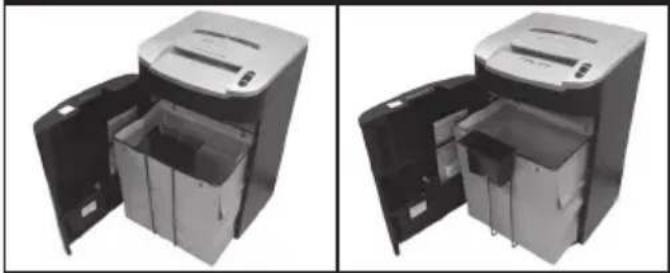
RLS32 / RLX20 RLM11 / RLSM9
natural_image
Two views of a paper feeding machine with open doors and internal compartments (no text or symbols visible)RLS32 / RLX20 RLM11 / RLSM9
natural_image
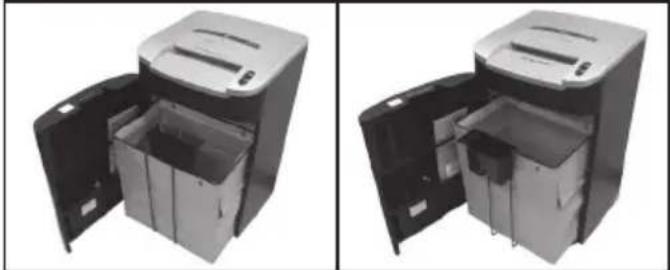
Two views of a mechanical device with open doors and internal compartments (no text or symbols visible)RLS32 / RLX20 RLM11 / RLSM9
natural_image
Two views of a mechanical device with open doors and internal compartments (no text or symbols visible)RLS32 / RLX20 RLM11 / RLSM9
natural_image
Two views of a paper feeding machine with open doors and internal compartments (no text or symbols visible)RLS32 / RLX20 RLM11 / RLSM9
natural_image
Two views of a mechanical device with open doors and internal compartments (no text or symbols visible)RLS32 / RLX20 RLM11 / RLSM9
natural_image
Exterior view of a modern office building (no signage)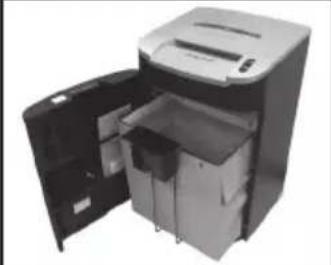
natural_image
Exterior view of a modern office building (no signage)RLS32 / RLX20 RLM11 / RLSM9
natural_image
Exterior view of a mechanical device with an open lid and internal compartments (no text or symbols visible)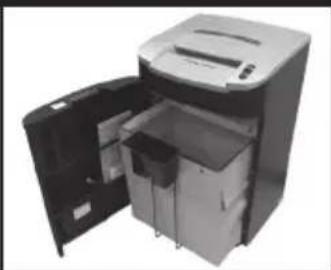
natural_image
Exterior view of a mechanical device with open door and internal compartments (no visible text or symbols)RLS32 / RLX20 RLM11 / RLSM9
natural_image
Two views of a mechanical device with open doors and internal compartments (no text or symbols visible)RLS32 / RLX20 RLM11 / RLSM9
natural_image
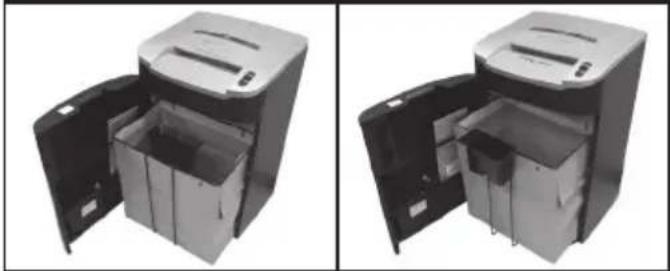
Two views of a portable electronic device with open doors and internal compartments (no text or symbols visible)RLS32 / RLX20 RLM11 / RLSM9
natural_image
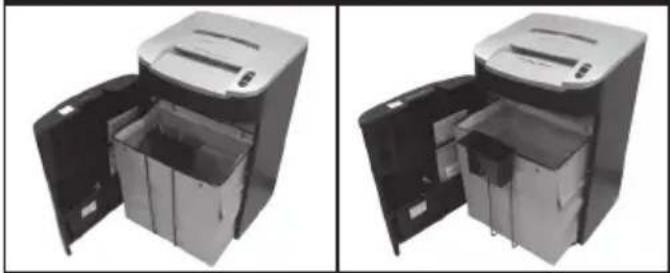
Two views of a mechanical device with open doors and internal compartments (no text or symbols visible)RLS32 / RLX20 RLM11 / RLSM9
natural_image
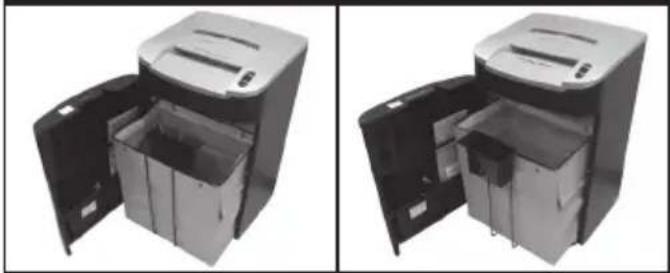
Two views of a paper feeding machine with open doors and internal compartments (no text or symbols visible)2 Makuler alltid CD-er og kredittkort gjennom spalten med sikkerhetsbeskyttelse (h). Makuler kun ett kredittkort eller én CD om gangen.
3 Tøm CD-skuffen eller CD-kurven etter åtte kredittkort eller CD-er for å unngå at dette avfallet blir blandet sammen med det makulerte papiret.
RLS32 / RLX20 RLM11 / RLSM9
natural_image
Two views of a paper feeding machine with open doors and internal compartments (no text or symbols visible)RLS32 / RLX20 RLM11 / RLSM9
natural_image
Two views of a paper feeding machine with open doors and internal compartments (no text or symbols visible)RLS32 / RLX20 RLM11 / RLSM9
natural_image
Two views of a paper feeding machine with open doors and internal compartments (no text or symbols visible)RLS32 / RLX20 RLM11 / RLSM9
natural_image
Two views of a paper feeding machine with open doors and internal compartments (no text or symbols visible)RLS32 / RLX20 RLM11 / RLSM9
natural_image
Two views of a paper feeding machine with open doors and internal compartments (no text or symbols visible)Warranty (in Australia)
ACCO Australia warrants its products and their parts against defects in materials and workmanship under normal use for a period of 24 months from the original date of purchase (please retain proof of purchase). During this period we will repair or replace a defective product or part subject to the following warranty conditions:
The warranty applies only to defects in materials and workmanship under normal use and does not extend to damage to the Product or parts which result from:-
- Alteration, repair, modification or service carried out by anyone other than an authorised ACCO service centre.
- Accident, neglect, abuse or misuse owing to failure to comply with the normal operating procedures for a product of this type.
Nothing in this Warranty shall have the effect of excluding the liability of ACCO in respect of death and personal injury caused by the negligence of ACCO. This Warranty is offered (subject to these terms and conditions) in addition to, and does not affect your rights and remedies under, the Australian Consumer Law and other laws.
Our goods come with guarantees that cannot be excluded under the Australian Consumer Law. You are entitled to a replacement or refund for a major failure and for compensation for any other reasonably foreseeable loss or damage. You are also entitled to have the goods repaired or replaced if the goods fail to be of acceptable quality and the failure does not amount to a major failure.
For any questions relating to your warranty, please contact your local service agent.
Additional Guarantee
ACCO Australia guarantees the cutting blades of the shredder to be free from defects in material and workmanship for an extended warranty period from the date of purchase by the original consumer. Please refer to the table below for the cutter warranty period applicable to your shredder model.
| Shredder Models Extended Cutter Warranty Period | |
| Style, Style+, V35WS, V30WS, Alpha 3 | |
| Auto+60 5 | |
| Promax V65WS, Promax V60WS, Prostyle, Prostyle+, RES1223, REX1023, REM723, SC170, CC175, Auto+80 | 7 |
| V120, V125, P180CD, P185, RSS2030, RSX1630, RSS2232, RSX1632, RSM1130, Auto+100 10 | |
| Auto+250 15 | |
| RDS2250, RDX1850, RDSM750, RDM1150, RDS2270, RDX2070, RDSM770, RDM1170, Auto+500, RLS32, RLX20, RLM11, RLSM9, RLWX19, RLWX30, RLWSFM9, RLWM26, RLWX39, RLWS47, RLWX25, RLWS35 | 20 |
*Please note that the cutter blades will be progressively worn down by shredding fastened sheets (staples and paperclips)- this is not covered by this warranty. Excessive credit card and CD shredding will also invalidate the extended cutter warranty. Some shredder models are NOT designed to shred CDs. Any attempt to do so will invalidate the warranty.
How to Make a Claim
To make a claim under this warranty, contact the ACCO Australia Customer Service Team with your proof of original purchase handy:
ACCO Australia
Level 2, 8 Lord St, Botany NSW 2019
Ph: 1300 366 376
E: sales.au@acco.com
F: 1300 360 944
The customer service team member will advise whether your product should be repaired, replaced or returned and advise the next step for you to take. If the product is validated as still under warranty and deemed faulty, ACCO will bear costs involved with the warranty process. To claim expenses incurred in making a claim under this warranty, contact our Customer Service Team on the details above.
Service
GB ACCO Service Division
Hereward Rise, Halesowen, West Midlands, B62 8AN
Tel: 0845 658 6600, Fax: 0870 421 5576
www.acco.co.uk/service
F Acco Brands France SAS
Service après-vente, ZAC Excellence 2000,
6 rue Robert Schuman, 21800 Chevigny Saint Sauveur
Tel: +33 3 80 68 60 30, Fax: +33 3 80 68 60 49 contact@vmbs.fr
Arnoldstrasse 5, 73614 Schorndorf, Germany
Tel: +49 7181 887 120, Fax:+49 7181 887 198
info.de@acco.com
E ACCO Brands Iberia SL
P Isaac Peral 19, 28820 Coslada (Madrid)
Tel: 902 500 182 ext. 2, Fax: 91 309 6412
⑤ ACCO Brands Nordic AB
DK Makadamgatan 5, 254 64 Helsingborg, Sweden
N Tel: +46 42 38 36 00, Fax: +46 42 38 36 10
is service.nordic@acco.com
LV
EST
LT
cz XERTEC a.s.
SK Kloknerova 2278/24 (vchod z ulice Koštířova, budova CeWe Color - Fotolab)
148 00 Praha 4 - Chodov
Tel: 225 004 411, Fax: 225 004 162
servis@xertec.cz, http://www.xertec.cz
PL ACCO Polska Sp. z o.o
Al. Jerozolimskie 184, 02-486 Warszawa
Tel.+48 22 570-18-29, fax +48 22 570-18-33
www.acco.pl
H OPI Customer Service
Tel.: +359 2 80 99 166
Exportee@accoeu.local
AUS ACCO Australia Pty Ltd
Level 2, 8 Lord St, Botany, NSW, 2019, Australia
Tel: 1300 366 376, Fax: 1300 360 944
sales.au@acco.com
Clonshaugh Business & Technology Park, Clonshaugh, Dublin 17, Ireland
Tel: 01 816 4346, Fax: 01 816 4302
admin@accoservice.eu, www.accorexel.ie
ZA Rexel Office Products (PTY) Ltd
Crusher Road, Crown Ext.3, PO Box 102,
Crown Mines, Johannesburg 2025, South Africa
Tel: +27 (0) 11 837 7723
service@rexelsa.co.za
IND ACCO Brands Asia Pte Ltd
PAK 47 Ayer Rajah Crescent, #05-08/17, Singapore 139947
BD Tel: +65 6776 0195, Fax: +65 6779 1041
webmaster@accobrandsasia.com
JPN GBC-Japan K.K.
14F Harmony Tower, 1-32-2 Honcho, Nakano-ku, Tokyo 164-8721
Tel: (81)-03-5351-1801, Fax: (81)-03-5351-1831
serv@gbc-japan.co.jp, www.gbc-japan.co.jp