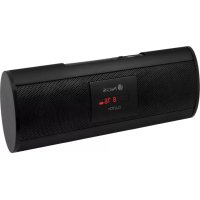
Clutch - Radio NGS - Free user manual and instructions
Find the device manual for free Clutch NGS in PDF.



| Product type | Portable FM radio with speaker |
| Brand | NGS |
| Model | Clutch |
| Power supply | DC 5V via mini-USB port (5V/0.5A charger recommended) |
| Battery | Built-in Li-Ion 530mAh, up to 5 hours of autonomy |
| Output power | 4 W x 2 (stereo) |
| Frequency response | 150 Hz - 18 kHz |
| FM radio | 30 presets, automatic and manual search |
| Audio inputs | USB, SD/MMC, AUX 3.5 mm jack |
| Display | LED |
| Antenna | Built-in FM |
| Main functions | Play/Pause, volume control, navigation (previous/next), mode selection |
| Care and cleaning | Wipe with a soft dry cloth; do not use harsh chemicals |
| Safety | Do not expose to moisture or liquids; unplug before cleaning; respect charging polarity |
| Spare parts and repairability | No user-serviceable parts; contact after-sales service for repairs |
| General information | This product complies with Directive 1999/5/EC; recycle at a waste disposal facility at end of life |
Frequently Asked Questions - Clutch NGS
User questions about Clutch NGS
0 question about this device. Answer the ones you know or ask your own.
Ask a new question about this device
Download the instructions for your Radio in PDF format for free! Find your manual Clutch - NGS and take your electronic device back in hand. On this page are published all the documents necessary for the use of your device. Clutch by NGS.
USER MANUAL Clutch NGS
NGS thanks you for your trust in purchasing this product.
This document provides all the necessary information for a correct setup and data needed to fully enjoy your device.
Visit our website for further details www.ngs.eu.
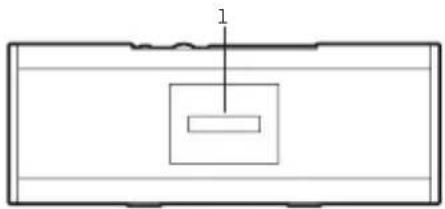
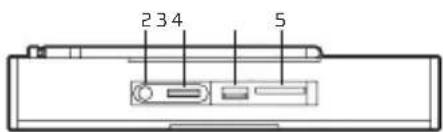
FEATURES
- LED display
- Play/pause
- Volume control
- USB input
- SD/MMC card slot
- M button (mode)
- Back
8.Forward - USB power source
- Power ON LED
- AUX input
- Power switch
- FM antenna
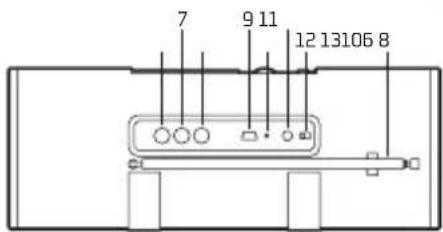
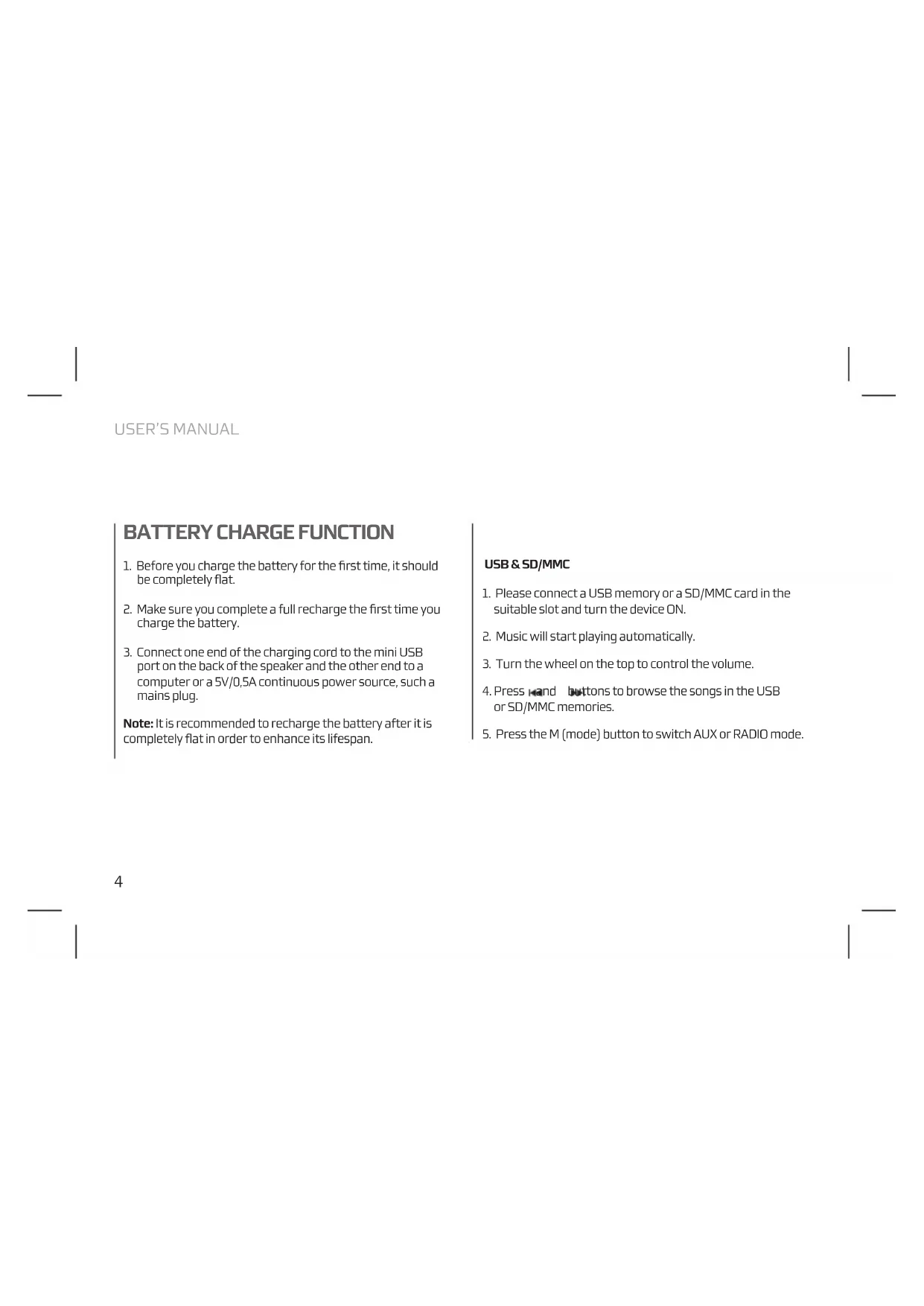
USER'S MANUAL
BATTERY CHARGE FUNCTION
- Before you charge the battery for the first time, it should be completely flat.
- Make sure you complete a full recharge the first time you charge the battery.
- Connect one end of the charging cord to the mini USB port on the back of the speaker and the other end to a computer or a 5V/0,5A continuous power source, such a mains plug.
Note: It is recommended to recharge the battery after it is completely flat in order to enhance its lifespan.
USB & SD/MMC
- Please connect a USB memory or a SD/MMC card in the suitable slot and turn the device ON.
- Music will start playing automatically.
- Turn the wheel on the top to control the volume.
- Press and buttons to browse the songs in the USB or SD/MMC memories.
- Press the M (mode) button to switch AUX or RADIO mode.
RADIO MODE
Automatic search
- Switch ON the device.
- Switch the M button to RADIO mode.
- Press and hold button during 3 seconds to start automatic search. The device will scan and save every available channel.
- Press button to browse the saved tuning.
Manual search
- Switch ON the device.
- Switch the M button to radio mode.
- Press and buttons to browse the available tunings until you find the desired station.
- Press and hold end buttons to browse the saved stations.
USER'S MANUAL
FUNCTION
AUX MODE
- Switch ON the device.
- Switch the M button to AUX mode.
- Connect the audio cable on the rear aux plug.
- Connect the other end of the aux cable to an external audio source (MP3 player, smartphone, etc.).
- Play the music from the external audio source.
- Turn the wheel on the top to control the volume.
TECHNICAL SPECIFICATIONS
FM radio: 30 preset
SD/MMC card slot
USB slot
Jack3,5mm audio input
LED display
Built in internal battery
Battery type: Li-Ion 530mAh
Battery life: 5 hours
Power supply: DC 5V
Output power: 4Wx2
Frequency response: 150Hz -18kHz
If at any time in the future you should need to dispose of this product please note that:
Waste electrical products should not be disposed of with household waste. Please recycle where facilities exist.
Check with your Local Authority or retailer for recycling advice.
(Waste Electrical and Electronic Equipment Directive)

HEREBY, LURBE GRUP S.A, DECLARES THAT THIS FM RADIO IS IN COMPLIANCE WITH THE ESSENTIAL REQUIREMENTS AND OTHER RELEVANT PROVISIONS OF DIRECTIVE 1999/5/EC.

CLUTCH
RADIO FM PORTABLE + HAUT-PARLEUR SD/MMC ET USB

Brand : NGS
Model : Clutch
Category : Radio