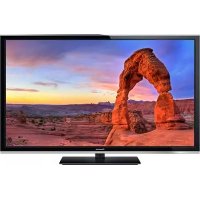
TCP65S60 - Téléviseur PANASONIC - Free user manual and instructions

Find the device manual for free TCP65S60 PANASONIC in PDF.

Page 2
View the manual : Français FR English EN Español ES
Manual assistant
Powered by ChatGPT
Waiting for your message
Product information

Brand : PANASONIC

Model : TCP65S60

Category : Téléviseur

Download the instructions for your Téléviseur in PDF format for free! Find your manual TCP65S60 - PANASONIC and take your electronic device back in hand. On this page are published all the documents necessary for the use of your device. TCP65S60 by PANASONIC.
USER MANUAL TCP65S60 PANASONIC

(U.S. customers only)

42”/50”/55”/60”/65” Class 1080p

(41.9/49.9/55.1/60.1/64.7 inches measured

English Thank you for purchasing this Panasonic product.Please read these instructions before operating your set and retain them for future reference. The images shown in this manual are for illustrative purposes only.TQB2AA0704-1 Scan, watch and discover how

to get the most out of your TV Escanee, observe y descubra

como obtener el máximo de su TV

tcP4250556065s60eng0704-1.indd1tcP4250556065s60eng0704-1.indd1 2012/12/1815:05:042012/12/1815:05:042

■Do not display a still picture for a long time

This causes the image to remain on the plasma screen (“Image retention”).

This is not considered a malfunction and is not covered by the warranty. 4 : 3 12

To prevent the “Image retention”, the screen

saver is automatically activated after a

few minutes if no signals are sent or no

operations are performed.

Typical still images

Channel number and other logos

Do not place the unit where it’s exposed to sunlight or other bright light (including reflections).

Use of some types of fluorescent lighting may reduce the remote control’s transmission range. This product incorporates the following software:(1) the software developed independently by or for Panasonic Corporation,(2) the software owned by third party and licensed to Panasonic Corporation,(3) the software licensed under the GNU LESSER GENERAL PUBLIC LICENSE Version 2.1 (LGPL V2.1) and/ or, (4) open sourced software other than the software licensed under the LGPL V2.1.The software categorized as (3) and (4) are distributed in the hope that it will be useful, but WITHOUT ANY WARRANTY, without even the implied warranty of MERCHANTABILITY or FITNESS FOR A PARTICULAR PURPOSE. Please refer to the detailed terms and conditions thereof shown in the "License" menu on this product.At least three (3) years from delivery of this product, Panasonic will give to any third party who contacts us at the contact information provided below, for a charge no more than our cost of physically performing source code distribution, a complete machine-readable copy of the corresponding source code covered under LGPL V2.1 or the other licenses with the obligation to do so, as well as the respective copyright notice thereof.Contact Information : cdrequest@unipf.jpThe source code and the copyright notice are also available for free in our website below.http://www.unipf.jp/dl/DTV13U/ “PlayReady” is a trademark registered by Microsoft. Please be aware of the following.(a) This product contains technology subject to certain intellectual property rights of Microsoft. Use or distribution of this technology outside of this product is prohibited without the appropriate license(s) from Microsoft.(b) Content owners use Microsoft PlayReady™ content access technology to protect their intellectual property, including copyrighted content. This device uses PlayReady technology to access PlayReady-protected content and/or WMDRM-protected content. If the device fails to properly enforce restrictions on content usage, content owners may require Microsoft to revoke the device’s ability to consume PlayReady-protected content. Revocation should not affect unprotected content or content protected by other content access technologies.Content owners may require you to upgrade PlayReady to access their content.If you decline an upgrade, you will not be able to access content that requires the upgrade. tcP4250556065s60eng0704-1.indd2tcP4250556065s60eng0704-1.indd2 2012/12/1815:05:042012/12/1815:05:043 VIERA Link™ is a trademark of Panasonic Corporation.HDMI, the HDMI logo and High-Definition Multimedia Interface are trademarks or registered trademarks of HDMI Licensing LLC in the United States and other countries. DLNA

® , the DLNA Logo and DLNA CERTIFIED™ are trademarks, service marks, or certification marks of the Digital Living Network Alliance.Manufactured under license under U.S. Patent Nos: 5,956,674; 5,974,380; 6,487,535 & other U.S. and worldwide patents issued & pending. DTS, the Symbol, & DTS and the Symbol together are registered trademarks & DTS 2.0+Digital Out is a trademark of DTS, Inc. Product includes software. © DTS, Inc. All Rights Reserved.Manufactured under license from Dolby Laboratories. Dolby and the double-D symbol are trademarks of Dolby Laboratories.HDAVI Control™ is a trademark of Panasonic Corporation.This product is licensed under the AVC patent portfolio license for the personal and non-commercial use of a consumer to (i) encode video in compliance with the AVC Standard (“AVC Video”) and/or (ii) decode AVC Video that was encoded by a consumer engaged in a personal and non-commercial activity and/or was obtained from a video provider licensed to provide AVC Video. No license is granted or shall be implied for any other use. Additional information may be obtained from MPEG LA, LLC. See http://www.mpegla.com. •

Safety Precautions ····································· 4

Accessories/Optional Accessories ············· 9

Connections ············································· 13

Identifying Controls ·································· 17

First Time Setup ······································· 19

Using eHELP (Built-in Manual) ················ 20

Frequently Asked Questions (FAQ) ········· 21

Care and Cleaning ·································· 22

Specifications ··········································· 23

(for U.S.A. and Puerto Rico only) ············· 25

Customer Services Directory

(for U.S.A. and Puerto Rico) ···················· 26

Limited Warranty (for Canada) ················· 27

Please read before using the unit

To reduce the risk of fire or electric shock, do not expose this apparatus to rain or

Do not place liquid containers (flower vase, cups, cosmetics, etc.) above the set

(including on shelves above, etc.).

Important Safety Instructions

CAUTION RISK OF ELECTRIC SHOCK DO NOT OPEN WARNING: To reduce the risk of electric shock, do not remove cover or back.

No user-serviceable parts inside. Refer servicing to qualified service personnel.

The lightning flash with arrowhead

within a triangle is intended to tell the

user that parts inside the product are a

risk of electric shock to persons.

The exclamation point within a

triangle is intended to tell the

user that important operating and

servicing instructions are in the

papers with the appliance.

1) Read these instructions.

2) Keep these instructions.

3) Heed all warnings.

4) Follow all instructions.

5) Do not use this apparatus near water.

6) Clean only with dry cloth.

7) Do not block any ventilation openings. Install in

accordance with the manufacturer’s instructions.

8) Do not install near any heat sources such

as radiators, heat registers, stoves, or other

apparatus (including amplifiers) that produce

9) Do not defeat the safety purpose of the polarized

or grounding-type plug. A polarized plug has

two blades with one wider than the other. A

grounding type plug has two blades and a

third grounding prong. The wide blade or the

third prong are provided for your safety. If the

provided plug does not fit into your outlet, consult

an electrician for replacement of the obsolete

10) Protect the power cord from being walked on

or pinched particularly at plugs, convenience

receptacles, and the point where they exit from

11) Only use attachments / accessories specified by

12) Use only with the cart, stand,

tripod, bracket, or table specified

by the manufacturer, or sold with

the apparatus. When a cart is

used, use caution when moving

the cart / apparatus combination

to avoid injury from tip-over.

13) Unplug this apparatus during lightning storms or

when unused for long periods of time.

14) Refer all servicing to qualified service personnel.

Servicing is required when the apparatus has

been damaged in any way, such as power-

supply cord or plug is damaged, liquid has been

spilled or objects have fallen into the apparatus,

the apparatus has been exposed to rain or

moisture, does not operate normally, or has been

15) To prevent electric shock, ensure the grounding

pin on the AC cord power plug is securely

tcP4250556065s60eng0704-1.indd4tcP4250556065s60eng0704-1.indd4 2012/12/1815:05:052012/12/1815:05:055

WARNING Small parts can present choking hazard if accidentally swallowed.Keep small parts away from young children.Discard unneeded small parts and other objects, including packaging materials and plastic bags/sheets to prevent them from being played with by young children, creating the potential risk of suffocation. ■Set up This Plasma TV may fall and can cause personal injury or even death if not installed correctly. To prevent personal injury or death, follow these warnings: ● Install the Plasma TV in accordance with the manufacturer’s recommended pedestal or stand, corresponding hardware and installation instructions. This Plasma TV is for use only with the following optional accessories. Use with any other type of optional accessories may cause instability. The following accessories are manufactured by Panasonic Corporation.• Wall-hanging bracket (Angled) TY-WK4P1RW (TC-P42S60, TC-P50S60) TY-WK5P1RW (TC-P55S60, TC-P60S60) TY-WK6P1RW (TC-P65S60) ● Be sure to ask a qualified technician to carry out the installation and set-up. Two or more people are required to install or remove the television. ● Some wall mounts (wall-hanging brackets) are not designed to be mounted to walls with steel studs or old cinder block constructions. Ask your dealer or licensed contractor to properly secure the wall-hanging bracket. ● Do not route the TV’s power cord inside the wall. The power cord was not designed for in-wall mounting.Doing so can lead to fire hazard. ● Do not place the Plasma TV or its stand on a sloped or unstable surface. The Plasma TV may fall or tip over. ● Do not support the Plasma TV on a non-specified pedestal. ● Do not place the Plasma TV on furniture that can easily be used as steps, such as a chest of drawers. ● Do not climb or allow children to climb on the Plasma TV ● Place or install the Plasma TV where it cannot be pushed, pulled over or knocked down. ● Route all cords and cables such that they cannot be tripped over or pulled by curious children. ● Do not place any objects on top of the Plasma TV. If water spills onto the Plasma TV or foreign objects get inside it, a short-circuit may occur, which could result in fire or electric shock. If any foreign objects get inside the Plasma TV, please consult an Authorized Service Center. ● In the unlikely event that you receive a shock from this product, it is possible that your household outlet may be wired improperly. Have an electrician verify that the TV’s outlet is properly wired. If the symptom persists, have the TV serviced by a qualified authorized technician. ● To prevent the spread of fire, keep candles or other open flames away from this product at all times ■AC Power Supply Cord

To prevent fire or electric shock:

● The Plasma TV is designed to operate on a 120 V AC, 60 Hz service. Insert the power cord plug as far as it will go into the wall socket. If the plug is not fully inserted, heat may generate, which could cause a fire. ● The included power cord is for use with this unit only. ● Do not use any power cord other than that provided with this TV. ● Do not handle the power cord plug with wet hands. ● Do not do anything that might damage the power supply cord. ● When disconnecting the power supply cord, hold the plug, not the cord. ● Do not use the power supply cord if the plug or cord is damaged. Replace the cord or contact your Authorized Service Center. ● Do not use a 3-prong to 2-prong AC plug adapters to connect your TV’s plug to the wall outlet. Doing so will defeat the TV plug’s safety feature, which can lead to a shock hazard. If the wall outlet does not accommodate a 3-prong plug, have a qualified electrician replace your outlet and check the associated wiring. ● If water or an object gets inside the Plasma TV, if the Plasma TV is dropped, or if the enclosure becomes damaged, unplug the power supply cord immediately. A short-circuit may occur, which could cause a fire. Contact an Authorized Service Center for an evaluation. ■Radio waves

● Do not place this TV in any medical institutions or locations with medical devices. Radio waves from this TV may interfere with the medical devices and cause accidents due to the malfunction. ● Do not use this TV near any automatic control devices such as automatic doors or fire alarms. Radio waves from this TV may interfere with the automatic control devices and cause accidents due to the malfunction. ● Keep this TV away at least 9 inches (22 cm) from the location where a cardiac pacemaker is implanted. Radio waves from this TV may interfere with the operation of the pacemaker. tcP4250556065s60eng0704-1.indd5tcP4250556065s60eng0704-1.indd5 2012/12/1815:05:052012/12/1815:05:056

■Handling the power supply cord

se rt the power plug fully into the socket outlet. (If the power plug is loose, it could generate heat and cause fire.) ● Ensure that the power plug is easily accessible. ● Ensure the earth pin on the power plug is securely connected to prevent electrical shock.• An apparatus with CLASS I construction shall be connected to a power socket outlet with a protective earthing connection. ● Do not touch the power plug with a wet hand. (This may cause electrical shock.) ● Do not use any power cord other than that provided with this TV. (This may cause fire or electrical shock.) ● Do not damage the power cord. (A damaged cord may cause fire or electrical shock.)• Do not move the TV with the cord plugged in the socket outlet.• Do not place a heavy object on the cord or place the cord near a high-temperature object.• Do not twist the cord, bend it excessively, or stretch it.• Do not pull on the cord. Hold onto the power plug body when disconnecting cord.• Do not use a damaged power plug or socket outlet. ● If a problem occurs (such as no picture or no sound), or if smoke or an abnormal odor is detected from the Plasma TV, unplug the power supply cord immediately. Continued use of the TV under these conditions might cause a fire or permanent damage to the TV. Have the TV evaluated by an Authorized Service Center. Servicing of the TV by unauthorized personnel is strongly discouraged due to its high voltage. CAUTION

● Do not cover the ventilation holes. Doing so may cause the Plasma TV to overheat, which can cause a fire or damage to the Plasma TV.

● Leave a space of 3 15/16” (10 cm) or more at the top, left and right, and 2 3/4” (7 cm) or more at the rear. ● When using the pedestal, keep the space between the bottom of the TV and the pedestal or stand surface clear from objects that may obstruct ventilation. ■When Moving the Plasma TV

● Be sure to disconnect all cables before moving the Plasma TV. Moving the TV with its cables attached might damage the cables which, in turn, can cause fire or electric shock. ● To prevent an electric shock, disconnect the power plug from the wall outlet as a safety precaution before carrying out any cleaning. ● Transport only in upright position. Transporting the unit with its display panel facing upright or downward may cause damage to the internal circuitry. ● Using a dry cloth, clean any dust from the power supply cord and plug regularly. Build-up of dust on the power cord plug can increase humidity, which might damage the insulation and cause a fire.This Plasma TV radiates infrared rays; therefore, it may affect other infrared communication equipment. Install your infrared sensor in a place away from direct or reflected light from your Plasma TV.The TV will still consume some power as long as the power supply cord is connected to the wall outlet. ● Display panel is made of glass. Do not apply strong force or impact to the display panel. This may cause damage resulting in injury. ● The TV is heavy. TV should be handled by 2 or more people. Support as shown to avoid injury by the TV tipping or falling.

tcP4250556065s60eng0704-1.indd6tcP4250556065s60eng0704-1.indd6 2012/12/1815:05:052012/12/1815:05:057

FCC and IC STATEMENT This equipment has been tested and found to comply with the limits for an Other Class B digital device,

pursuant to Part 15 of the FCC Rules. These limits are designed to provide reasonable protection against

harmful interference in a residential installation. This equipment generates, uses and can radiate radio

frequency energy and, if not installed and used in accordance with the instructions, may cause harmful

interference to radio communications. However, there is no guarantee that interference will not occur in a

particular installation. If this equipment does cause harmful interference to radio or television reception, which

can be determined by turning the equipment off and on, the user is encouraged to try to correct the interference

by one or more of the following measures:

• Reorient or relocate the receiving antenna.

• Increase the separation between the equipment and receiver.

• Connect the equipment into an outlet on a circuit different from that to which the receiver is connected.

• Consult the Panasonic Service Center or an experienced radio/TV technician for help.

To assure continued compliance, follow the attached installation instructions and use only shielded

interface cables when connecting to peripheral devices. Some recommended user provided interface

cables may require usage of the attached ferrite core kit(s), refer to interface cable connection

instructions for details. Any changes or modifications not expressly approved by Panasonic Corp. of

North America could void the user's authority to operate this device.

FCC and Industry Canada (IC) RF Exposure Warning:

• This TV is provided with one USB port on rear enclosure for exclusive dedicated use for insertion

of the following optional transmitter: Wireless LAN Adapter with FCC ID:H8N-WLU5150/IC ID:1353A-WLU5150.

• Other transmitters shall not be used, unless specifically recommended when they become

available. Other third-party wireless transmitters have not been RF exposure evaluated for use

with this TV and may not comply with FCC and IC RF exposure requirements.

• The above described transmitter comply with FCC and IC radiation exposure limits set forth for

an uncontrolled environment for mobile use with minimum 8 inches (20 cm) spacing requirement

between transmitters and all person’s body (excluding extremities of hands, wrist and feet) during

wireless modes of operation.

<Only for wireless LAN if capable of transmission in the 5.15 ~ 5.25 GHz frequency band>

This product is restricted to indoor use due to its operation in the 5.15 to 5.25 GHz frequency range.

FCC and IC require this product to be used indoors for the frequency range 5.15 to 5.25 GHz to reduce the

potential for harmful interference to co-channel Mobile Satellite systems. High power radars are allocated

as primary users of the 5.25 to 5.35 GHz and 5.65 to 5.85 GHz bands. These radar stations can cause

interference with and/or damage this product.

Responsible Party: Panasonic Corporation of North America

One Panasonic Way, Secaucus, NJ 07094

Contact Source: Panasonic Consumer Marketing Company of North America

consumerproducts@panasonic.com

This device complies with Part 15 of the FCC Rules and all applicable IC RSS standards.

Operation is subject to the following two conditions:

(1) This device may not cause harmful interference, and (2) this device must accept any interference received,

including interference that may cause undesired operation.

tcP4250556065s60eng0704-1.indd7tcP4250556065s60eng0704-1.indd7 2012/12/1815:05:052012/12/1815:05:058

■About built-in wireless LAN

To use the built-in wireless LAN, using an access point is recommended.

To use the built-in wireless LAN in the access point mode, up to 7 devices are connectable. But the

transfer rate will vary according to communication environment or connected equipments.

Do not use the built-in wireless LAN to connect to any wireless network (SSID*

not have usage rights. Such networks may be listed as a result of searches. However, using them

may be regarded as illegal access.

Check that the Access point supports WPS*

(If it does not support WPS, the encryption key of the Access point is required when configuring

Follow the instructions on the Access point setup screen and configure the appropriate security settings.

For more details on setting of Access point, please refer to operating manual for the Access point.

We recommend using 11n (5 GHz) for the wireless system between the built-in wireless LAN and

Communication is also possible with 11a, 11b, and 11g, but the communication speed may be

If the wireless system of the Access point is changed, devices that could connect by wireless LAN

may no longer be able to connect.

Data transmitted and received over radio waves may be intercepted and monitored.

Keep the TV away from the following devices as much as possible:

Wireless LAN, microwaves, and other devices that use 2.4 GHz and 5 GHz signals. Otherwise, the

TV failures such as malfunction may occur due to the radio wave interference.

When noises occur due to the static electricity, etc., the TV might stop operating for the protection

of the devices. In this case, turn the TV Off with power On / Off switch, then turn it On again.

SSID is a name for identifying a particular wireless network for transmission.

WPS: Wi-Fi Protected Setup

CEA CHILD SAFETY NOTICES WARNING Flat panel displays are not always supported on the proper stands or installed according to the manufacturer’s recommendations. Flat panel displays that are inappropriately situated on dressers, bookcases, shelves, desks, speakers, chests, or carts may fall over and may cause personal injury or even death. The consumer electronics industry (of which Panasonic is a member) is committed to making home entertainment enjoyable and safe. To prevent personal injury or death, be sure to follow the following safety guidelines: TUNE INTO SAFETY: • One size does NOT fit all. Follow the manufacturer’s recommendations for the safe installation and use of your flat panel display. • Carefully read and understand all enclosed instructions for proper use of this product. • Don’t allow children to climb on or play with furniture and television sets. • Don’t place flat panel displays on furniture that can easily be used as steps, such as a chest of drawers. • Remember that children can become excited while watching a program, especially on “larger than life” flat panel displays. Care should be taken to install the display where it cannot be pushed, pulled over, or knocked down. • Care should be taken to route all cords and cables connected to the flat panel display so that they cannot be pulled or grabbed by curious children. WALL MOUNTING: IF YOU DECIDE TO WALL MOUNT YOUR FLAT PANEL DISPLAY, ALWAYS: • Use a mount that has been recommended by the display manufacturer and/or listed by an independent laboratory (such as UL, CSA, ETL). • Follow all instructions supplied by the display and wall mount manufacturers. • If you have any doubts about your ability to safely install your flat panel display, contact your retailer about professional installation. • Make sure the wall where you are mounting the display is appropriate. Some wall mounts are not designed to be mounted to walls with steel studs or old cinder block construction. If you are unsure, contact a professional installer. • A minimum of two people are required for installation. Flat panel displays can be heavy. Panasonic recommends that a qualified installer perform the wall-mount installation. See page 5.The American Academy of Pediatrics discourages media viewing for children younger than two years. For more details, see www.aap.org. tcP4250556065s60eng0704-1.indd8tcP4250556065s60eng0704-1.indd8 2012/12/1815:05:052012/12/1815:05:059

Accessories/Optional Accessories

Remote Control N2QAYB000827 Batteries (2) AA Battery Accessories

Check that all the following items have been included with your TV Power cord Pedestal Assembly (p. 11)Please contact your nearest Panasonic dealer to purchase the recommended optional accessories. For additional details, please refer to the optional accessories installation manual. Electronic Touch Pen

● TY-TP10UThis device provides you to paint or play games on the TV screen.• Available only for specific applications.• This TV can be paired with up to 2 Touch Pens simultaneously.(Pairing condition may differ depending on the registration status for each Bluetooth device.) • You need to connect the Bluetooth adapter* to this TV. (*Included with this optional accessory) Wall-hanging bracket

● TY-WK4P1RW (42"/50") ● TY-WK5P1RW (55"/60") ● TY-WK6P1RW (65")(image) • Tilting angle for this TV:(for 42"/50"/55"/65")0 (vertical) to 10 degrees (for 60")0 (vertical) to 15 degrees M8 Depth of screw:(for 42"/50")Minimum: 0.67 ” (17.0 mm)Maximum: 1.38 ” (35.0 mm) (for 55"/60"/65")Minimum: 0.67 ” (17.0 mm)Maximum: 1.46” (37.0 mm)Back of the TVHoles for wall-hanging bracket installationscrews for attaching the TV to the wall-hanging bracket (not supplied with the TV)(View from the side) a

Product Registration Card (U.S.A.)

for USB Keyboard (1)

In order to maintain the TV’s performance and safety, be absolutely sure to ask your dealer or a

licensed contractor to secure the wall-hanging brackets.

Carefully read the instructions accompanying optional accessories, and be absolutely sure to take

steps to prevent the TV from tipping over.

Do not mount the unit directly below ceiling lights (such as spotlights, floodlights or halogen lights)

that typically give off high heat. Doing so may be warped or damage plastic cabinet parts.

Handle the TV carefully during installation since subjecting it to impact or other forces may cause

Take care when fixing wall brackets to the wall. Always ensure that there are no electrical cables or

pipes in the wall before hanging the bracket.

When using the angled-type wall-hanging bracket, please ensure that there is sufficient space for the

connecting cables not to press against the wall when the TV is tilted forward.

To prevent fall and injury, remove the TV from its fixed wall position when it is no longer in use.

tcP4250556065s60eng0704-1.indd10tcP4250556065s60eng0704-1.indd10 2012/12/1815:05:062012/12/1815:05:0611

Attaching the pedestal to TV Assembly screws (black) Bracket Neck Base

(12) (for 55"/60"/65")

Assembly screws (black)

Attaching the pedestal

4 TC-P42S60TC-P50S60TC-P55S60TC-P60S60TC-P65S60

A A C D E A B (for 55"/60"/65")(for 42"/50") Removing the pedestal from the TV Be sure to remove the pedestal in the following way when using the wall-hanging bracket or repacking the TV. Remove the assembly screws (for 55"/60"/65") / (for 42"/50") from the TV. Lift the TV from the pedestal. Remove the assembly screws from the bracket. Remove the assembly screws from the bottom of the base and pull out the neck. Warning

Do not disassemble or modify the pedestal. Otherwise, the TV may fall over and become damaged, and personal injury may result. Caution

Do not use any pedestal other than that provided with this TV. Otherwise, the TV may fall over and become damaged, and personal injury may result. Do not use the pedestal if it becomes warped or physically damaged.

If you use the pedestal when it is physically damaged, personal injury may result. Contact your

nearest Panasonic Dealer immediately.

During set-up, make sure that all screws are securely tightened.

If sufficient care is not taken to ensure screws are properly tightened during assembly, the pedestal

will not be strong enough to support the TV, and it might fall over and become damaged, and personal

When removing the pedestal, do not remove the pedestal by any methods other than the specified

procedure. (Above) Otherwise, the TV and/or pedestal may fall over and become damaged, and personal injury may result.

tcP4250556065s60eng0704-1.indd11tcP4250556065s60eng0704-1.indd11 2012/12/1815:05:062012/12/1815:05:0612

Incorrect installation may cause battery

leakage and corrosion, resulting in

damage to the remote control.

Do not mix old and new batteries.

Do not mix different battery types (such

as alkaline and manganese batteries).

Do not use rechargeable (Ni-Cd)

(For TC-P42S60/TC-P50S60 only)

Be sure to attach the provided ferrite core to the HDMI cable/USB cable of Keyboard (not supplied) to

reduce interference or electrical noise.

Attach the ferrite core as close as possible to connector on the TV side as shown.

(for USB cable of keyboard)

Close the ferrite core until it clicks.

(for USB cable of keyboard)

For , , connections,

please refer to p. 15

Back of the TV USB1/2

Connect after all other

connections have been

Back of the TV Cable TV VHF/UHF Antenna

Antenna or Cable connection

• NTSC (National Television System Committee): Analog television system

ATSC (Advanced Television Systems Committee):

Digital TV Standards include digital high-definition television (HDTV), standard-definition television (SDTV),

data broadcasting, multi-channel surround sound audio and interactive television.

You need to subscribe to a cable TV service to enjoy viewing their programming.

A high-definition connection can be made using an HDMI or Component Video cable. (p. 15)

When using a Cable box, external equipment and video cables shown in this manual are not supplied

For additional assistance, visit us at: www.panasonic.com/help

Insert it firmly until the tabs on

both sides click into place.

Keep pushing both sides

until they snap and pull.

In some cases, it is not possible to connect depending on the type of cable or

The Green terminal is shared for both the COMPONENT and COMPOSITE (VIDEO IN)

connection. When using COMPOSITE (VIDEO IN) connection, the Yellow connector

(Video) should be inserted into Green connection.

HDMI connection is available if connected audio equipment has ARC (Audio Return Channel) function.

Please refer to eHELP (p. 20) for Network connection, VIERA link connection or other connections.

Panasonic does not guarantee operation and performance of peripheral devices made by other

manufacturers; and we disclaim any liability or damage arising from operation and/or performance

from usage of such other maker’s peripheral devices.

tcP4250556065s60eng0704-1.indd16tcP4250556065s60eng0704-1.indd16 2012/12/1815:05:072012/12/1815:05:0717

Identifying Controls

TV controls/indicators

The TV consumes a small amount of electric energy even when turned off.

Do not place any objects between the TV remote control sensor and remote control.

• An image of the control panel is displayed

on the screen while in use.

C.A.T.S. (Contrast Automatic Tracking System)

Power indicator ( on: red, off: no light)

Front of the TV Remote control sensor

Maximum range for remote is 23 feet (7 meters)

from front of TV set

(Press and hold down for MENU function)

Switches TV On or Off (Standby)

Viewing from external media Closed caption On/Off

Switches surround sound setting

(used for various functions)

Use for digital channels

Accesses NETFLIX service directly

(via Online movies screen)

• This service requires an Internet

• This service might be stopped or the

conditions changed without notice.

Operates the Favorite channel list function

Changes aspect ratio and zoom

Selects Secondary Audio Programming

Exits from menu screen

Displays Online movies screen

Select source to watch

Go back to previous menu

Channel up/down, when viewing from

Numeric keypad to select any channel or

press to enter alphanumeric input in menus

Switches to previously viewed

External equipment operations

* Functions are switched depending on

connected external equipment and

: Press and hold to skip

The first time setup screen is displayed only when the TV is turned on for the first time, after

the power cord is inserted into a wall outlet. (42"/50")(55"/60"/65") Turn the TV on with the POWER button

or (Remote)(TV) Setup the following items

● Select your language ● Select your country ● Select your viewing mode (Be sure to select “Home Use”)If you select “Store Demonstration” by mistake, confirmation screen will be displayed.To display the “ Set viewing mode ” screen again in order to select “ Home Use ” , perform one of the following actions:• Press and hold down the rear POWER button for at least five seconds.• Unplug the power cord for 30 seconds and then plug it in again. ● Configure Network connectionFollow the instructions on screen to complete the Network connection. ● ANT/Cable setupSelect and adjust the settings according to your ANT/Cable environment. Select “Yes” on the confirmation screen to start the scanning process. After scanning is complete, press OK to continue. ● Adjust the ClockSelect the clock mode and adjust other settings.When “Auto” is selected, clock will be set automatically according to Time zone and DST. The TV must be connected to the Internet to use this feature. ● Complete First time setupCompletion screen is displayed.To watch TV via a Cable box, Satellite receiver, or any other source (DVD, DVR, gaming device, etc.), press the INPUT button and select the appropriate input. tcP4250556065s60eng0704-1.indd19tcP4250556065s60eng0704-1.indd19 2012/12/1815:05:072012/12/1815:05:0720

Display eHELP [Top page]When you enter eHELP again after exiting, the confirmation screen is displayed while the TV is turned on.You can select “TOP PAGE” or “LAST PAGE”. Select the desired page from the menu Next Select Next Select Next(If available)Scroll up/down(If available the scroll bar appears.)Submenus Desired pageCategories Menus Select To exit eHELP To return to the previous menu/layer ■ Jump to menu item Display the menu related to the explanation page. ● The menu is not available depending on situation or condition. Using eHELP (Built-in Manual) eHELP is a built-in manual that explains how to easily operate the TV's features. Press the eHELP button to access the guide. tcP4250556065s60eng0704-1.indd20tcP4250556065s60eng0704-1.indd20 2012/12/1815:05:072012/12/1815:05:0721

Frequently Asked Questions (FAQ)

Why doesn’t the remote

Check that the batteries are fresh, are of the same type and are

installed with the correct polarity (+ & -).

To operate other devices, such as changing channels when using

Cable or Satellite boxes, or operating non-Panasonic Blu-ray

players, use the remote supplied with the device.

Why is there no picture

or just a blue, black or

Ensure that the power cord is plugged in and the TV is turned on

(front red LED light should be on, not blinking).

Press the INPUT button on the remote to select the correct input

Ensure all connections are correct and secure.

When using external video source, such as a Cable/Satellite

box or DVD player, ensure that the device is on and functioning

Press MENU on the TV’s remote control. If the menu is displayed,

then the TV is working; recheck above steps.

Why is the screen blank

and the power indicator

The TV has gone into shutdown mode to protect itself. Try

unplugging it for a few minutes and connecting it again. If there

was a temporary power surge on the AC line it may now be OK. If

the blinking returns, call 1-877-95-VIERA (U.S.A.) or 1-866-330-

First, unplug the power cord plug from the wall outlet.

The front of the display panel has been specially treated. Wipe the panel surface gently using only a cleaning

cloth or a soft, lint-free cloth.

If the surface is particularly dirty after cleaning up the dust, soak a soft, lint-free cloth in diluted, mild liquid

dish soap (1 part mild liquid dish soap diluted by 100 times the amount of water), and then wring the cloth to

remove excess liquid. Use this cloth to wipe the surface of the display panel, then wipe it evenly with a dry

cloth of the same type until the surface is dry.

Do not scratch or hit the surface of the panel with fingernails or other hard objects. Furthermore, avoid

contact with volatile substances such as insect sprays, solvents, and thinner; otherwise, the quality of the

surface may be adversely affected.

If the cabinet becomes dirty, wipe it with a soft, dry cloth.

If the cabinet is particularly dirty, soak the cloth in diluted, mild liquid dish soap and then wring the cloth dry.

Use this cloth to wipe the cabinet and then wipe it dry with a dry cloth.

Do not allow any mild liquid dish soap to come into direct contact with the surface of the TV.

If water droplets get inside the unit, operating problems may result.

Avoid contact with volatile substances such as insect sprays, solvents, and thinner; otherwise, the quality of

the cabinet surface may be adversely affected or the coating may peel off.

Do not let articles made from rubber or PVC be in contact with the TV for long periods of time.

Wipe the surfaces with a soft, dry cloth. If the unit is particularly dirty, clean it using a cloth soaked with water

to which a small amount of mild liquid dish soap has been added and then wipe with a dry cloth.

Do not use products such as solvents, thinner, or household wax for cleaning, as they can damage the

Note: If using a chemically-treated cloth, follow the instructions supplied with the cloth.

Do not attach sticky tape or labels, as they can make the surface of the pedestal dirty. Do not allow long-

term contact with rubber, vinyl products, or the like. (Doing so will cause deterioration.)

Wipe the plug with a dry cloth at regular intervals.

Note: Moisture and dust can lead to fire or electrical shock.

tcP4250556065s60eng0704-1.indd22tcP4250556065s60eng0704-1.indd22 2012/12/1815:05:082012/12/1815:05:0823

(Rated power / Standby power)

(41.9 inches measured diagonally)

(49.9 inches measured diagonally)

Operating Conditions

COMPONENT IN RCA PIN (Y, PB, PR, AUDIO-L, AUDIO-R)

Including pedestal 40.8 lb. (18.5 ) NET 53.0 lb. (24.0 ) NET TV Set only 35.3 lb. (16.0

Power Source AC 120 V, 60 Hz

(Rated power / Standby power)

(55.1 inches measured diagonally)

(60.1 inches measured diagonally)

(64.7 inches measured diagonally)

Operating Conditions

COMPONENT IN RCA PIN (Y, PB, PR, AUDIO-L, AUDIO-R)

50.7 " × 32.2 " × 13.2 "

(1,287 mm × 816 mm × 333 mm)

55.0 " × 34.6 " × 13.2 "

(1,397 mm × 878 mm × 333 mm)

59.1 " × 36.9 " × 14.2 "

50.7 " × 30.0 " × 3.2 "

(1,287 mm × 762 mm × 80 mm)

55.0 " × 32.5 " × 3.2 "

(1,397 mm × 824 mm × 80 mm)

59.1 " × 34.8 " × 3.2 "

(1,500 mm × 882 mm × 80 mm)

Including pedestal 66.2 lb. (30.0 ) NET 75.0 lb. (34.0 ) NET 84.9 lb. (38.5 ) NET TV Set only 57.4 lb. (26.0

) NET 66.2 lb. (30.0 ) NET 75.0 lb. (34.0 ) NET

tcP4250556065s60eng0704-1.indd23tcP4250556065s60eng0704-1.indd23 2012/12/1815:53:522012/12/1815:53:5224

Wireless LAN Standard Compliance and

The frequency and channel differ depending on the country.

Design and Specifications are subject to change without notice. Mass and Dimensions shown are

tcP4250556065s60eng0704-1.indd24tcP4250556065s60eng0704-1.indd24 2012/12/1815:05:092012/12/1815:05:0925

Limited Warranty (for U.S.A. and Puerto Rico only)

Panasonic Consumer Marketing Company of North America,

Division of Panasonic Corporation of North America

Limited Warranty Coverage

If your product does not work properly because of a defect in materials or workmanship, Panasonic Consumer Marketing Company of

North America (referred to as “the warrantor”) will, for the length of the period indicated on the chart below, which starts with the date of

original purchase (“Limited Warranty period”), at its option either (a) repair your product with new or refurbished parts, (b) replace it with a

new or a refurbished equivalent value product, or (c) refund your purchase price. The decision to repair, replace or refund will be made by the warrantor.

TV CATEGORIES PARTS LABOR SERVICE Up to 42” (diagonal)

1 (ONE) YEAR 1 (ONE) YEAR Carry-In

46” (diagonal) and larger On-Site

During the “Labor” Limited Warranty period there will be no charge for labor. During the “Parts” Limited Warranty period, there will be no charge for parts. You must carry-in your product or arrange for on-site service during the Limited Warranty period. If non-rechargeable batteries are

included, they are not warranted. This Limited Warranty only applies to products purchased and serviced in the United States or Puerto

Rico. This Limited Warranty is extended only to the original purchaser of a new product which was not sold “as is”. A purchase receipt or other proof of the original purchase date is required for Limited Warranty service. On-Site or Carry-In Service For On-Site or Carry-In Service in the United States and Puerto Rico call 1-877-95-VIERA (1-877-958-4372). On-site service where applicable requires clear, complete and easy access to the product by the authorized servicer and does not include

removal or re-installation of an installed product. It is possible that certain on-site repairs will not be completed on-site, but will require that

the product or parts of the product, at the servicer’s discretion be removed for shop diagnosis and/or repair and then returned.

Limited Warranty Limits And Exclusions

This Limited Warranty ONLY COVERS failures due to defects in materials or workmanship, and DOES NOT COVER normal wear and

tear or cosmetic damage, nor does it cover markings or retained images on the glass panel resulting from viewing fixed images (including,

among other things, non-expanded standard 4:3 pictures on wide screen TVs, or onscreen data in a stationary and fixed location such

as network logos, video games and banners). The Limited Warranty ALSO DOES NOT COVER damages which occurred in shipment,

or failures which are caused by products not supplied by the warrantor, or failures which result from accidents, misuse, abuse, neglect,

bug infestation, mishandling, misapplication, alteration, faulty installation, set-up adjustments, misadjustment of consumer controls,

improper maintenance, power line surge, lightning damage, modification, or commercial use (such as in a hotel, office, restaurant, or other

business), rental use of the product, service by anyone other than a Factory Service Center or other Authorized Servicer, or damage that is attributable to acts of God.

THERE ARE NO EXPRESS WARRANTIES EXCEPT AS LISTED UNDER “LIMITED WARRANTY COVERAGE”. THE WARRANTOR IS NOT LIABLE FOR INCIDENTAL OR CONSEQUENTIAL DAMAGES RESULTING FROM THE USE OF THIS PRODUCT, OR ARISING OUT OF ANY BREACH OF THIS LIMITED WARRANTY. (As examples, this excludes damages for lost time, cost of having someone remove or re-install an installed unit if applicable, or travel to and from the servicer. The items listed are not exclusive, but are for illustration only.)

ALL EXPRESS AND IMPLIED WARRANTIES, INCLUDING THE LIMITED WARRANTY OF MERCHANTABILITY, ARE LIMITED TO THE PERIOD OF THE LIMITED WARRANTY.

Some states do not allow the exclusion or limitation of incidental or consequential damages, or limitations on how long an implied Limited Warranty lasts, so the exclusions may not apply to you. This Limited Warranty gives you specific legal rights and you may also have others rights which vary from state to state. If a problem with

this product develops during or after the Limited Warranty period, you may contact your dealer or Service Center. If the problem is not

handled to your satisfaction, then write to the warrantor’s Consumer Affairs Department at the addresses listed for the warrantor.

PARTS AND SERVICE (INCLUDING COST OF AN ON-SITE SERVICE CALL, WHERE APPLICABLE)

WHICH ARE NOT COVERED BY THIS LIMITED WARRANTY ARE YOUR RESPONSIBILITY.

tcP4250556065s60eng0704-1.indd25tcP4250556065s60eng0704-1.indd25 2012/12/1815:05:092012/12/1815:05:0926

Customer Services Directory (for U.S.A. and Puerto Rico) Customer Services Directory (United States and Puerto Rico)Obtain Product Information and Operating Assistance, locate your nearest Dealer or Service Center, purchase Parts and Accessories, or make Customer Service and Literature requests by visiting our Web Site at: http://www.panasonic.com/help or, contact us via the web at: http://www.panasonic.com/contactinfo You may also contact us directly at:1-877-95-VIERA (958-4372)Monday-Friday 9 am-9 pm; Saturday-Sunday 10 am-7 pm, EST. ■ For hearing or speech impaired TTY users, TTY: 1-877-833-8855 Accessory Purchases (United States and Puerto Rico)Purchase Parts, Accessories and Instruction Books on line for all Panasonic Products by visiting our Web Site at: http://www.pstc.panasonic.com or, send your request by E-mail to: npcparts@us.panasonic.com You may also contact us directly at: 1-800-332-5368 (Phone) 1-800-237-9080 (Fax Only) (Monday - Friday 9 am to 9 pm, EST.)Panasonic National Parts Center20421 84th Avenue South,Kent, WA 98032(We Accept Visa, MasterCard, Discover Card, and American Express) ■ For hearing or speech impaired TTY users, TTY: 1-866-605-1277

tcP4250556065s60eng0704-1.indd26tcP4250556065s60eng0704-1.indd26 2012/12/1815:05:092012/12/1815:05:0927

Limited Warranty (for Canada)

Panasonic Canada Inc.

5770 Ambler Drive, Mississauga, Ontario L4W 2T3

PANASONIC PRODUCT – LIMITED WARRANTY Panasonic Canada Inc. warrants this product to be free from defects in material and workmanship under normal use and for a period as

stated below from the date of original purchase agrees to, at its option either (a) repair your product with new or refurbished parts, (b)

replace it with a new or a refurbished equivalent value product, or (c) refund your purchase price. The decision to repair, replace or refund will be made by Panasonic Canada Inc. Viera TV (46” & over) In-home service One (1) year, parts (including panel) and labour.

Viera TV (under 46”) Carry-in service One (1) year, parts (including panel) and labour.

In-home Service will be carried out only to locations accessible by roads and within 50 km of an authorized Panasonic service facility.

In-home service requires clear, complete and easy access to the product by the Authorized Servicer and does not include removal or

re-installation of an installed product. If removal is required to service the product, it will be at the discretion of the Servicer and in no event will Panasonic Canada Inc. or the Servicer be liable for any special, indirect or consequential damages. This warranty is given only to the original purchaser, or the person for whom it was purchased as a gift, of a Panasonic brand product

mentioned above sold by an authorized Panasonic dealer in Canada and purchased and used in Canada, which product was not sold “as is”, and which product was delivered to you in new condition in the original packaging.

IN ORDER TO BE ELIGIBLE TO RECEIVE WARRANTY SERVICE HEREUNDER, A PURCHASE RECEIPT OR OTHER PROOF OF DATE OF ORIGINAL PURCHASE, SHOWING AMOUNT PAID AND PLACE OF PURCHASE IS REQUIRED LIMITATIONS AND EXCLUSIONS This warranty ONLY COVERS failures due to defects in materials or workmanship, and DOES NOT COVER normal wear and tear or cosmetic damage. The warranty ALSO DOES NOT COVER damages which occurred in shipment, or failures which are caused by products not supplied by Panasonic Canada Inc., or failures which result from accidents, misuse, abuse, neglect, mishandling,

misapplication, alteration, faulty installation, set-up adjustments, misadjustment of consumer controls, improper maintenance, power line

surge, lightning damage, modification, introduction of sand, humidity or liquids, commercial use such as hotel, office, restaurant, or other

business or rental use of the product, or service by anyone other than a Authorized Servicer, or damage that is attributable to acts of God. Dry cell batteries are also excluded from coverage under this warranty.

THIS EXPRESS, LIMITED WARRANTY IS IN LIEU OF ALL OTHER WARRANTIES, EXPRESS OR IMPLIED, INCLUDING ANY IMPLIED WARRANTIES OF MERCHANTABILITY AND FITNESS FOR A PARTICULAR PURPOSE. IN NO EVENT WILL PANASONIC CANADA INC. BE LIABLE FOR ANY SPECIAL, INDIRECT OR CONSEQUENTIAL DAMAGES RESULTING FROM THE USE OF THIS PRODUCT OR ARISING OUT OF ANY BREACH OF ANY EXPRESS OR IMPLIED WARRANTY.

examples, this warranty excludes damages for lost time, travel to and from the Authorized Servicer, loss of or damage to media or images, data or other memory or recorded content. This list of items is not exhaustive, but for illustration only.) In certain instances, some jurisdictions do not allow the exclusion or limitation of incidental or consequential damages, or the exclusion of

implied warranties, so the above limitations and exclusions may not be applicable. This warranty gives you specific legal rights and you may have other rights which vary depending on your province or territory.

WARRANTY SERVICE For product operation and information assistance, please contact: Our Customer Care Centre: 1-800 #: 1-866-330-0014 or visit our website: https://concierge.panasonic.ca For product repairs, please contact Viera Customer Care Agent using the above contact info.

IF YOU SHIP THE PRODUCT TO A SERVICENTRE Carefully pack and send prepaid, adequately insured and preferably in the original carton.Include details of the defect claimed, and proof of date of original purchase. tcP4250556065s60eng0704-1.indd27tcP4250556065s60eng0704-1.indd27 2012/12/1815:05:092012/12/1815:05:09Customer’s Record

The model number and serial number of this product can be found on its back cover. You should

note this serial number in the space provided below and retain this book, plus your purchase receipt,

as a permanent record of your purchase to aid in identification in the event of theft or loss, and for

Warranty Service purposes.

Model Number Serial Number

Modelo Número de serie

Panasonic Consumer Marketing Company of North America,

Division of Panasonic Corporation of North America

One Panasonic Way, Secaucus

2013 Panasonic Corporation of North America. All Rights Reserved.

USA Only: Disposal may be regulated in your community due to

environmental considerations. For disposal or recycling information,

please visit Panasonic website:

http://www.panasonic.com/environmental

new_0704.fm Page 1 Thursday, December 20, 2012 1:26 PM2

Conexiones ·············································· 13

Identificación de los controles ·················· 17

Ajuste Inicial ············································· 19

Usando eAyuda (manual electrónico) ······ 20

Preguntas frecuentes ······························· 21

Cuidados y limpieza ································· 22

Especificaciones ······································ 23

ATSC (Advanced Television Systems Committee):

COMPONENT IN RCA PIN (Y, PB, PR, AUDIO-L, AUDIO-R)

COMPONENT IN RCA PIN (Y, PB, PR, AUDIO-L, AUDIO-R)

) NETO 66,2 lb. (30,0 ) NETO 75,0 lb. (34,0 ) NETO

Mesures de sécurité ··································· 4

Accessoires/Accessoires en option ··········· 9

Connexions ·············································· 13

Emplacement des commandes ················ 17

Réglage initial ·········································· 19

Utilisation de l’aide électronique

(manuel intégré) ······································· 20

Foire aux questions (FAQ) ······················· 21

Entretien et nettoyage ····························· 22

Spécifications ··········································· 23

Garantie limitée ········································ 25

autres raccordements.

(48,0 po × 27,0 po × 55,1 po)

WEP (64 bits/128 bits)

Modèle Numéro de série

Panasonic Consumer Marketing Company of North America,

Division of Panasonic Corporation of North America

One Panasonic Way, Secaucus