 ManualGo.com
 HL 830 - Four TEKA - Free user manual and instructions
Find the device manual for free HL 830 TEKA in PDF.


Download the instructions for your Four in PDF format for free! Find your manual HL 830 - TEKA and take your electronic device back in hand. On this page are published all the documents necessary for the use of your device. HL 830 by TEKA.
USER MANUAL HL 830 TEKA
Simplified Instructions for Use
da luz do visor entre as 00:00 e as 6:00
ENGLISH Control Panel
1 Function selector.
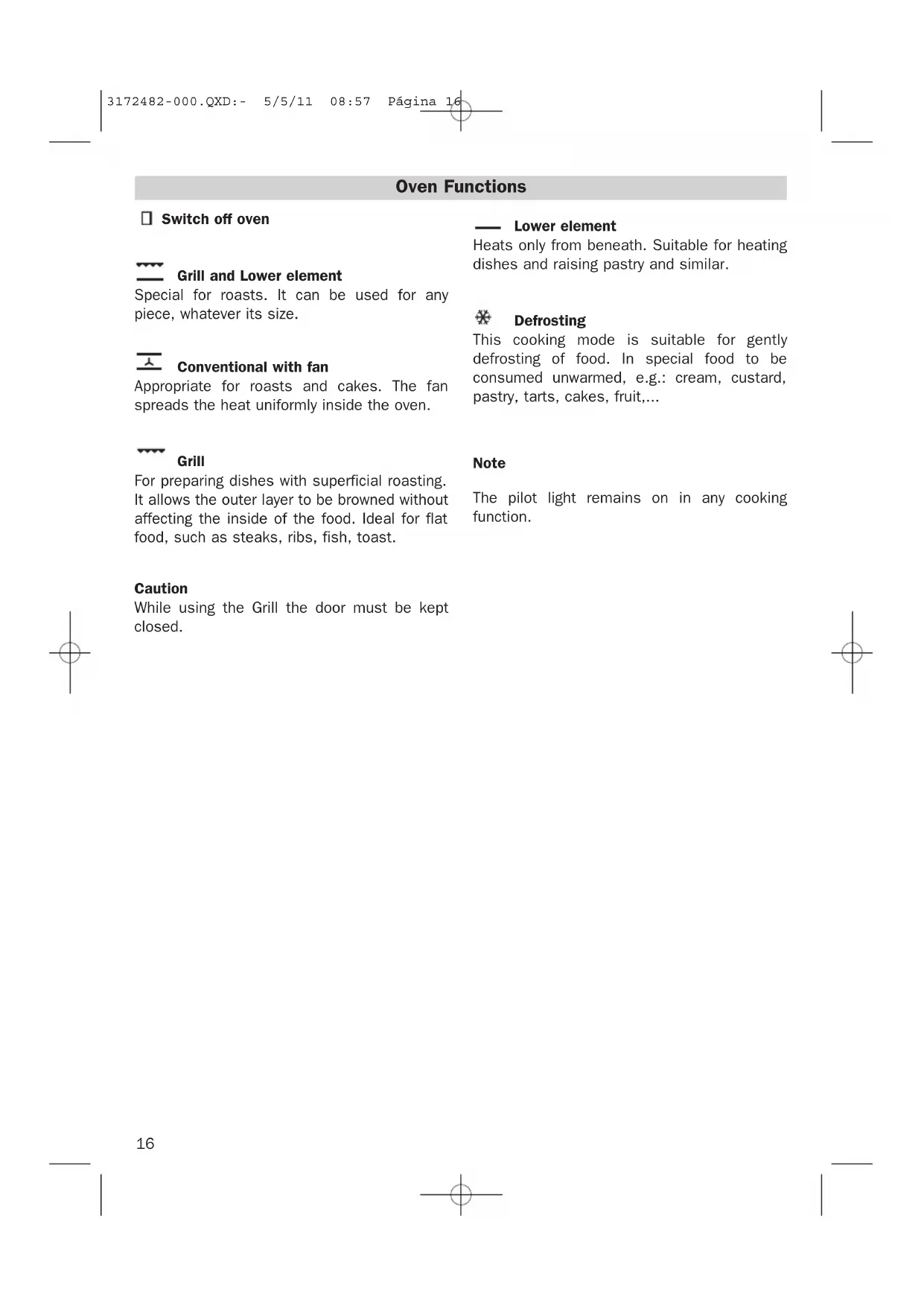
Grill and Lower element
Special for roasts. It can be used for any
piece, whatever its size.
Conventional with fan
Appropriate for roasts and cakes. The fan
spreads the heat uniformly inside the oven.
For preparing dishes with superficial roasting.
It allows the outer layer to be browned without
affecting the inside of the food. Ideal for flat
food, such as steaks, ribs, fish, toast.
While using the Grill the door must be kept
Heats only from beneath. Suitable for heating
dishes and raising pastry and similar.
This cooking mode is suitable for gently
defrosting of food. In special food to be
consumed unwarmed, e.g.: cream, custard,
pastry, tarts, cakes, fruit,...
The pilot light remains on in any cooking
3172482-000.QXD:- 5/5/11 08:57 Página 1617
The electronic clock features Touch-Control
technology. To operate, simply touch the glass
control symbols with your fingertip.
The touch control sensitivity continuously
adapts to ambient conditions. Make sure the
glass surface of the control panel is clean and
free of obstacles when plugging in the oven.
If the clock does not respond correctly when
you touch the glass, unplug the oven for a few
seconds and then plug it in again. Doing this
causes the sensors to adjust automatically so
that they will react once more to fingertip con-
Electronic Clock Settings
Symbol : lights up when the clock timer
Symbol : lights up to indicate that the
Symbol : indicates that the oven is trans-
mitting heat to the food.
+ / – Sensors : enable you to select a time.
Sensors , and : enable you to
programme the electronic clock functions.
• When you turn on the oven, you will see the
clock flashing 12:00.
• Set the clock by touching the + or – sensor.
You will hear 2 beeps confirming that the
• To change the time, press the + and – sen-
sors at the same time. The current time will
then flash on the screen. Change the time
by pressing the + or – sensors. Two beeps
will then confirm that the new time has
NOTE The clock light has a night mode so the dis-
play light will dim between 00:00 and 6:00
• After setting the clock, the oven is ready for
use. Select a cooking function and tem-
• During cooking, symbol will light up to
indicate that heat is being transmitted to
• This symbol turns itself off when the selec-
ted temperature has been reached.
• Set the controls to to turn off the oven.
CAUTION After cooking, you will notice that the oven
cooling system is still on. This is normal and
is used to cool the oven down quickly.
3172482-000.QXD:- 5/5/11 08:57 Página 1718
Electronic Clock Settings
Timer Alarm: The alarm will go off at the pro-
grammed time, even if the oven has finished
Cooking Time: This function allows you to pro-
gramme the cooking time, after which the
oven will turn off automatically.
Cooking Stop Time: This setting allows you to
programme the time for cooking to stop, after
which the oven will turn off automatically.
Cooking Time and Cooking Stop Time: This
setting allows you to programme the cooking
time and cooking stop time. The oven switches
on automatically at the set time and operates
for the selected cooking time (Cooking Time).
It then switches off automatically at the indi-
cated time (Cooking Stop Time).
Child Safety Function. This function locks the
electronic clock, preventing small children
from playing with it.
Programming the Timer Alarm
1. Touch sensor with your fingertip until
symbol starts flashing on the display.
The clock will also flash 00:00.
2. Select the time after which you want the
alarm to sound by pressing the + or – sen-
3. You will hear 2 beeps to confirm that the
time has been set. The clock will start
counting down from the selected time and
symbol will flash slowly.
4. When the time is up, the alarm will go off
and symbol will flash quickly.
5. Touch any sensor to stop the alarm.
Symbol will switch off.
If you want to change the timer alarm, simply
touch sensor with your fingertip and
then press the + or – sensor. You will hear 2
beeps to confirm that the time has been chan-
ged. The clock will start counting down from
the new time and symbol will flash
NOTE You cannot see the current time on the display
when the timer alarm is set.
Programming Cooking Time
1. Touch sensor with your fingertip until
the AUTO symbol starts to flash and 00:00
appears on the display.
2. Select the cooking time by pressing the +
3. You will hear 2 beeps, the AUTO symbol will
flash slowly and the display will show the
time left before the oven switches off auto-
4. Select a cooking function and temperature.
5. Once the cooking time is up, the oven will
turn off, an alarm will sound and the AUTO
symbol will flash quickly.
6. Touch any sensor to stop the alarm and to
turn off the AUTO symbol. The oven will
7. Set the controls to to turn off the oven.
You can change the remaining cooking time at
any time by touching sensor with your fin-
gertip until the AUTO symbol starts to flash
quickly. Now touch the + or – sensor to change
NOTE You cannot see the current time on the display
when the cooking time is set.
3172482-000.QXD:- 5/5/11 08:57 Página 1819
ENGLISH Programming the Cooking Stop Time
1. Touch sensor with your fingertip until
the AUTO symbol starts to flash.
2. Select the cooking stop time by pressing
3. You will hear 2 beeps, the display will show
the current time and the AUTO symbol will
flash slowly to indicate that the oven will
switch off automatically.
4. Select a cooking function and temperature.
5. When the cooking time is up, the oven will
turn off, an alarm will sound and the AUTO
symbol will flash quickly.
6. Touch any sensor to stop the alarm and to
turn off the AUTO symbol. The oven will
7. Set the controls to to turn off the oven.
You can change the stop cooking time at any
time by touching sensor with your finger-
tip until the AUTO symbol starts to flash
quickly and you see the stop time on the dis-
play. Now touch the + or – sensor to change
Programming Cooking Time and Cooking
1. Touch sensor with your fingertip until
the AUTO symbol starts to flash and 00:00
appears on the display.
2. Select the cooking time by pressing the +
3. You will hear 2 beeps, the display will show
the remaining cooking time, and the AUTO
symbol will flash slowly.
4. Touch sensor until the AUTO symbol
starts to flash quickly. The display will
show the current time and the programmed
5. Select the cooking stop time by pressing
6. You will hear 2 beeps and the display will
show the current time.
7. Select a cooking function and temperature.
8. The oven will remain off and the AUTO light
will be on. The oven is now programmed.
9. When it is time to start cooking, the oven
will turn on and will operate for the pro-
grammed cooking time.
10.While cooking, the display will show the
cooking time remaining and the AUTO
symbol will flash slowly.
11.When the cooking time is up, the oven will
turn off, an alarm will sound, and the
AUTO symbol will flash quickly.
12.Touch any sensor to stop the alarm and to
turn off the AUTO symbol. The oven will
13.Set the controls to to turn off the oven.
If you want to change the remaining cooking
time while the oven is on, press sensor
until the AUTO symbol starts to flash quickly.
Now press the + or – sensor to change the
Child Safety Function
This function can be selected at any time
while using the oven.
To activate the function, press the + and –
sensors at the same time for several
seconds. You will hear a beep and the display
will show the word SAFE. The clock is locked.
If the oven is off and you activate the child
safety function, it will not work even if a coo-
king function is selected.
If this function is activated while you are coo-
king, it will only lock the electronic clock set-
If a clock sensor is touched while the child
safety function is on, the word SAFE will appear
on the display. The clock is locked.
3172482-000.QXD:- 5/5/11 08:57 Página 1920
To disable the function, press the + and – sen-
sors at the same time for several seconds
until you hear a beep.
In the event of a power failure, your electronic
clock settings will be erased and 12:00 will
flash on the clock display. Reset the clock and
Our contribution to enviromental protection: we use recycled paper.