ManualGo.com
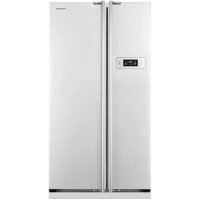
 RL52VEBSW - Fridge SAMSUNG - Free user manual and instructions
Find the device manual for free RL52VEBSW SAMSUNG in PDF.


Download the instructions for your Fridge in PDF format for free! Find your manual RL52VEBSW - SAMSUNG and take your electronic device back in hand. On this page are published all the documents necessary for the use of your device. RL52VEBSW by SAMSUNG.
USER MANUAL RL52VEBSW SAMSUNG
English Refrigerator
imagine the possibilities Thank you for purchasing a Samsung product.To receive a more complete service, please register your product at www.samsung.com/register
Free Standing Appliance This manual is made with 100% recycled paper.02_ safety information
• Before operating the
appliance, please read this
manual thoroughly and retain
it at a safe place near the
appliance for your future
• Use this appliance only for
its intended purpose as
described in this instruction
This appliance is not
intended for use by persons
(including children) with
reduced physical, sensory
or mental capabilities, or
lack of experience and
knowledge, unless they have
been given supervision or
instruction concerning use
of the appliance by a person
responsible for their safety.
• Warnings and Important
Safety Instructions in this
manual do not cover all
possible conditions and
situations that may occur.
It is your responsibility to use
common sense, caution,
and care when installing,
maintaining, and operating
• Because these following
operating instructions
cover various models, the
characteristics of your
refrigerator may differ slightly
from those described in this
manual and not all warning
signs may be applicable.
If you have any questions
or concerns, contact your
nearest service center or find
help and information online at
Important safety symbols and
WARNING Hazards or unsafe
practices that may result
CAUTION Hazards or unsafe
practices that may result
Unplug the power plug
from the wall socket.
Make sure the machine
is grounded to prevent
These warning signs are here to
prevent injury to you and others.
Please follow them explicitly.
After reading this section, keep
it in a safe place for future
SEVERE WARNING SIGNS FOR TRANSPORTATION AND SITE
• When transporting and
installing the appliance,
care should be taken to
ensure that no parts of
the refrigerating circuit
- Refrigerant leaking from the
pipe work could ignite or
cause an eye injury.
WARNING If a leak is detected, avoid
any naked flames or potential
sources of ignition and air the
room in which the appliance is
standing for several minutes.
• In order to avoid the creation
of a flammable gas-air mixture
if a leak in the refrigerating
circuit occurs, the size of the
room in which the appliance
may be sited depends on the
amount of refrigerant used.
• Never start up an appliance
showing any signs of damage.
If in doubt, consult your dealer.
refrigerator will be sited must
be 1m³ in size for every 8g of
R-600a refrigerant inside the
The amount of refrigerant in
your particular appliance is
shown on the identification
plate inside the appliance.04_ safety information
SEVERE WARNING SIGNS FOR INSTALLATION
• Do not install the
refrigerator in a damp
place or place where it
- Deteriorated insulation of
electrical parts may cause an
electric shock or fire.
• Do not place this refrigerator
in direct sunlight or expose to
the heat from stoves, room
heaters or other appliance.
• Do not plug several appliances
into the same multiple power
The refrigerator should always
be plugged into its own
individual electrical which has
a voltage rating that matched
- This provides the best
performance and also
prevents overloading house
wiring circuits, which could
cause a fire hazard from
• If the wall socket is loose, do
- There is a risk of electric
• Do not use a cord that shows
cracks or abrasion damage
along its length or at either
• Do not bend the power cord
excessively or place heavy
• Do not use aerosols near the
- Aerosols used near the
refrigerator may cause an
• This refrigerator must be
properly installed and
located in accordance
with the manual before it
• Connect the power plug in
proper position with the cord
- If you connect the power plug
upside down, wire can get cut
off and cause fire or electric
• Make sure that the power plug
is not squashed or damaged
by the back of the refrigerator.
• When moving the refrigerator,
be careful not to roll over or
damage the power cord.
- This constitutes a fire hazard.
• The appliance must be
positioned so that the plug is
accessible after installation.safety information _05
• The refrigerator must be
- You must ground the
refrigerator to prevent any
power leakages or electric
shocks caused by current
leakage from the refrigerator.
• Never use gas pipes,
telephone lines or other
potential lightening rods as
- Improper use of the ground
plug can result in electric
• If the power cord is
replaced immediately by
the manufacturer or its
• The fuse on the refrigerator
must be changed by a
qualified technician or service
- Failing to do so may result
in electric shock or personal
CAUTION SIGNS FOR INSTALLATION
opening in the appliance
enclosure or mounting
• Allow the appliance to stand
for 2 hours after installation.
SEVERE WARNING SIGNS FOR USING
• Do not insert the power
plug with wet hands.
• Do not store articles on the
top of the appliance.
- When you open or close the
door, the articles may fall and
cause personal injury and/or
• Do not put items filled
- If spilled, there is a risk of fire
• Do not let children hang on
- Failure to do so may cause
serious personal injury.
• Do not leave the doors of the
refrigerator open while the
refrigerator is unattended and
do not let children enter inside
of the refrigerator.
- There is a risk of children
entrapment and serious
personal injury because of low
• Never put fingers or other
objects into the dispenser
- Failure to do so may cause
personal injury or material
• Do not store volatile or
flammable substances
such as benzene, thinner,
alcohol, ether or LP gas in the
- The storage of any of
such products may cause
• Do not store low temperature-
sensitive pharmaceuticals
products, scientific materials
or other low temperature-
sensitive products in the
- Products that require strict
temperature controls must not
be stored in the refrigerator.
• Do not place or use electrical
appliance inside the
refrigerator, unless they are of
a type recommended by the
• Do not use a hair dryer to dry
the inside of the refrigerator.
Do not place a lighted candle
in the refrigerator for removing
- This may result in electric
• Do not touch the inside walls
of the freezer or products
stored in the freezer with wet
- This may cause frostbite.
• Do not use mechanical
devices or any other means
to accelerate the defrosting
process, other than those
• This product is intended
only for the storage
of food in a domestic
• Bottles should be stored
tightly together so that they do
• If a gas leak is detected, avoid
any naked flames or potential
sources of ignition and air the
room in which the appliance is
standing for several minutes.
• Use only the LED Lamps
provided by manufacturer or
• Children should be supervised
to ensure that they do not
play with and/or climb into the
• Do not disassemble or
repair the refrigerator by
- You run risk of causing a fire,
malfunction and/or personal
In case of malfunction, please
contact your service agents.
noise, a burning or smell
or smoke, unplug the
power plug immediately
and contact your nearest
- Failing to do so may result in
electric or fire hazards.
Keep ventilation opening in
the appliance enclosure or
mounting structure clear of
• If you experience difficulty
when changing the light,
contact service agents.
• If the products equipped
with LED Lamp, do not
disassemble Lamp Cover and
LED Lamp by yourself.
- Please contact your service
• If any dust or water is in
refrigerator, pull out power
plug and contact your
Samsung Electronics service
- There is a risk of fire.08_ safety information
CAUTION SIGNS FOR USING
• To get best performance
- Do not place foods too closely
in front of the vents at the
rear of the appliance as it can
obstruct free air circulation in
the refrigerator compartment.
- Wrap the food up properly or
place it in airtight containers
before put it into the
• Do not place carbonated
or fizzy drinks in the freezer
Do not put bottles or glass
containers in the freezer.
- When the contents freeze, the
glass may break and cause
personal injury and property
- Changes or modifications may
result in personal injury and/or
Any changes or modifications
performed by a 3rd party on
this completed appliance
is neither covered under
Samsung warranty service,
nor is Samsung responsible
for safety issues and damages
that result from 3rd party
• Do not block air holes.
- If the air holes are blocked,
especially with a plastic bag,
the refrigerator can be over
If this cooling period lasts too
long, the water filter may break
and cause water leakage.
- Do not put any newly
introduced food for freezing
near to already frozen food.
• Please observe maximum
storage times and expiry
dates of frozen goods.
• Fill water tank, ice tray, water
cubes only with potable water.
• Do not apply strong shock
or excessive force onto the
- Broken glass may result in a
personal injury and/or property
damage.safety information _09
CAUTION SIGNS FOR CLEANING AND MAINTENANCE
water inside or outside
- There is a risk of fire or electric
• Do not spray inflammable gas
near the refrigerator.
- There is a risk of explosion or
• Do not spray cleaning
products directly on the
- Printed letters on the display
• Remove any foreign
matter or dust from the
But do not use a wet
cleaning the plug, remove
any foreign material or
dust from the power plug
- Otherwise there is a risk of fire
• Unplug the refrigerator
performing maintenance.
CAUTION SEVERE WARNING SIGNS FOR DISPOSAL
• Ensure that none of the
pipes on the back of the
appliance are damaged
• R-600a or R-134a is used as
Check the compressor label
on the rear of the appliance
or the rating label inside the
refrigerator to see which
refrigerant is used for your
When this product contains
flammable gas (Refrigerant
R-600a), contact your local
authority in regard to safe
disposal of this product.
Cyclopentane is used as an
insulation blowing gas. The
gases in insulation material
require special disposal
Please contact your local
authorities in regard to the
environmentally safe disposal
of this product.Ensure that
none of the pipes on the
back of the appliances are
damaged prior to disposal.
The pipes shall be broke in the
butane refrigerant (R-600a),
a natural gas with high
environmental compatibility
that is, however, also
When transporting and
installing the appliance, care
should be taken to ensure that
no parts of the refrigerating
circuit are damaged.
• When disposing of this
product or other refrigerators,
remove the door/door seals,
door latch so that small
children or animals cannot
become trapped inside.
Leave the shelves in place so
that children may not easily
Children should be supervised
to ensure that they do not play
with the old appliance.
• Please dispose of the
packaging material for this
product in an environmentally
ADDITIONAL TIPS FOR PROPER USAGE
• In the event of a power failure,
call the local office of your
Electricity Company and ask
how long it is going to last.
- Most power failures that are
corrected within an hour
or two will not affect your
refrigerator temperatures.
However, you should minimize
the number of door openings
while the power is off.
- Should the power failure last
more than 24 hours, remove
• If keys are provided with the
refrigerator, the keys should
be kept out of the reach of
children and not in vicinity of
• The appliance might
not operate consistently
(possibility of temperature
becoming too warm in
refrigerator) when sited for an
extended period of time below
the cold end of the range of
temperature for which the
refrigerating appliance is
• Do not store food which spoils
easily at low temperature,
such as bananas, melons.safety information _11
• Your appliance is frost free,
which means there is no
need to manually defrost
your appliance, as this will be
carried out automatically.
• Temperature rising during the
defrost can comply with ISO
But if you want to prevent an
undue rise in the temperature
of the frozen food while
defrosting the appliance,
please wrap the frozen food in
several layers of newspaper.
• Any increase in temperature of
frozen food during defrosting
can shorten its storage life.
• The temperature of two
star section (sections) or
compartment (compartments)
which have two star symbol
) is slightly higher than
other freezer compartment
(compartments). The two
star section (sections) or
compartment (compartments)
is (are) based on the
instruction and/or the
condition as delivered.12_ safety information
We hope you enjoy state-of-the-art features and
effi ciencies that this new appliance offers.
• This refrigerator must be properly installed and
located in accordance with the manual before it
• Use this appliance only for its intended purpose
as described in this instruction manual.
• We strongly recommend that any servicing be
performed by a qualified individual.
• Please dispose of the packaging material for this
product in an environmentally friendly manner.
Pull the power plug out of the socket before
changing the interior light of the refrigerator.
- Otherwise, there is a risk of electric shock.
Selecting the best location for the
• A location without direct exposure to sunlight.
• A location with flat floor surface.
• A location with enough space for the refrigerator
door to open easily.
• Allow sufficient space to the right, left, back and
top for air circulation.
If the refrigerator does not have enough space,
the internal cooling system may not work
• Please ensure that appliance can be moved freely
in the event of maintenance & service.
• Height of the product may be different
depending on the models.
• Allow clearance to the right, left, back and top
This will help reduce power consumption and
keep your energy bills lower.
• Do not install the refrigerator in a place with the
temperature lower than 10°C.
Pull the unit straight out when installing,
servicing or cleaning behind the refrigerator
and push it straight back after work is
Make sure your fl oor can support fully
loaded refrigerator.
Remove paper on spacer and then attach
two spacers (Gray block) on the back side
of refrigerator for better performance.
Make sure two spacers fi x like below image
when you install the refrigerator.
It is improving the refrigerator performance. SpacerSpacer setting up your refrigerator CAUTION or 960mm50mm 50mm 1,165mm600mm560mmat leastat leastWARNING14_ setting up
2. Remove the Top cover. Make sure to disconnect
the wire underneath the Top cover.
Be careful not to damage the electrical wires
when removing the Top cover.
3. Disconnect the wire and then remove 3 bolts on
the top of the refrigerator.
Make sure the Fridge door is closed fi rmly.
4. Remove the Fridge door from the Middle hinge
by carefully lifting the door straight up.
Fridge door is heavy, be careful not to injure
yourself when removing the Fridge door.
5. Disassemble the Middle hinge by removing 2
bolts and a screw on the right side.
Remove the Freezer door from the Bottom hinge
by carefully lifting the door straight up.
Freezer door is heavy, be careful not to
injure yourself when removing the Freezer
REVERSING THE REFRIGERATOR DOOR Samsung recommends that reversing of
the door opening is only completed by
Samsung approved Service providers. This
will be on a chargeable basis and at the
Any damage caused while attempting to
reverse the door opening is not covered
under the appliance manufactures
warranty. Any repairs requested due to
this circumstance will be completed on a
chargeable basis at the customers expense.
1. Remove 4 screws on the Top cover of the
Make sure your refrigerator is unplugged
attach the Front leg cover on the bottom of the
11. Switch the side of the Middle hinge cap,
Screw cap and a Screw from left to the right side.
12. Remove the screw on the bottom right side of
Switch the Door stopper and the Hinge grommet
from the right to the left.
13. Switch the Hinge grommet and the Grommet cap on
the top of the Freezer door.
REVERSING THE REFRIGERATOR DOOR
6. Separate the Front leg cover after removing 2
7. Unscrew 2 bolts tightening the Bottom hinge
and also unscrew a bolt on the left side by the
front leg where removed Bottom hinge will be
Before removing the Bottom hinge, slightly
turn the front legs clockwise for easier
disassembling and assembling.
8. Switch the position of the Bottom hinge shaft.
Remove the screw on the Auto guide and remove
the Bottom hinge shaft with 11mm wrench.
Attach the Bottom hinge shaft on the left and put
the reversed Auto Guide back.
9. Attach the Bottom hinge on the bottom left side
of the refrigerator where a bolt was previously
Screw remaining bolt on the bottom right side of
the refrigerator for the future usage.
shaft. Flip the Top hinge and reattach the Top
19. Switch the side of the Door cap and the Hinge
grommet on the top of the Fridge door.
20. Reassemble the Top hinge by reversing the step
19. (Make sure to use the Top left hinge cover
which can be found underneath the Top table.)
Put the assembled hinge on the left side of the
Make sure that red tape on the wire is
positioned on the end of the Top left hinge
REVERSING THE REFRIGERATOR DOOR
14. Carefully put the Freezer door back on.
Assemble the Middle hinge with 2 bolts on the
A screw will be remained after reversing
freezer door. And it does not affect
performance of the refrigerator.
15. Remove the screw on the bottom right side of
Switch the Door stopper and the Hinge grommet
from the right to the left.
16. Remove the Wire cover on the top of the Fridge
door with flat head driver and then take out the
Top hinge and wires from right side of Fridge
17. Detach the Top right hinge cover from the Top
hinge and pull the wires out from the Top right
the Freezer door gaskets
and then attach them
after rotating them 180˚.
After reversing the doors, make sure
the Fridge and Freezer door gaskets are
properly arranged. If not, there might
be a noise or dew formed which affects
perfomance of the refrigerator.
REVERSING THE DOOR HANDLE (TYPE A)
1. Remove 2 screws underneath the Fridge door
and then take off 2 Cap sheets and remove 2
screws on the Freezer door.
2. Slightly push down the Fridge handle and then
remove it by pulling it toward to you.
Slightly push up the Freezer handle and then
remove it by pulling it toward to you.
Disassemble the door handle carefully. Hooks
inside of the door handles can break easily.
REVERSING THE REFRIGERATOR DOOR
21. Carefully put the Fridge door back on.
Then tighten 3 bolts to assemble the Top hinge.
• You must reverse the Type B door handle
before putting the Fridge door back.
Please refer to page 18.
• For Door handle Type A, make sure to
switch the door handle after reversing the
22. Connect wires and then assemble the Wire cover
on the top of the Fridge door.
23. Change the position of the Top hinge cap.
Connect the wire under the Top cover and put
the Top cover back to its original position.
24. Tighten 4 screws back
CAUTION18_ setting up
3. Change the positions of the Handle slider and
spring from the left side to the right side.
Make sure to change position of the Handle slider
cap from the right side to the left side.
4. Assemble the door handle by following step 2
and 1 in reverse order.
This procedure must be done before
‘Reversing the Refrigerator Door’ step 23.
LEVELLING THE REFRIGERATOR If the front of the appliance is slightly higher than
the rear, the door can be opened and closed more
Turn the adjusting legs clockwise to raise and
counter-clockwise to lower the height.
Case 1) The appliance tilts down to the left.
• Turn the left adjusting leg in the direction of the
arrow until the appliance is level.
Case 2) The appliance tilts down to the right.
• Turn the right adjusting leg in the direction of the
arrow until the appliance is level.
3. Assemble the handles after switching the side of
the Fridge handle and the Freezer handle.
4. Tighten 2 screws underneath the Fridge door and
then assemble 2 screws and 2 Cap sheets on
REVERSING THE DOOR HANDLE (TYPE B)
1. Remove 2 screws underneath the Fridge door
and then pull the Handle cover.
Disassemble the Handle cover carefully.
Hooks inside of the Handle cover can break
2. Remove 2 screws on the Handle grommets.
Touch the Fridge button to set the
fridge to desired temperature from
the range between 1°C and 7°C.
Default set temperature is set on 3°C
and each time you press the Fridge
button, temperature will change in following order
and temperature indicator will display the desired
When the temperature setting is done, the set
temperature is displayed initially for 5 seconds and
then indicator will display the actual temperature of
Touch the Freezer button to set
the freezer to desired temperature
from the range between -14°C and
-25°C. Default set temperature is
set on -20°C and each time you touch the Freezer
button, temperature will change in following order
and temperature indicator will display the desired
When the temperature setting is done, the set
temperature is displayed initially for 5 seconds and
then indicator will display the actual temperature of
Fridge or Freezer temp indicator will blink
when temperature in the fridge or freezer
compartment goes up dramatically by
storing warm food or frequent door opening.
(Fridge or Freezer temperature indicator will
stop blinking when temperature in the fridge
or freezer is become normal.
If temperature indicator does not stop
blinking after several hours, please contact
your service center.
Lighting (Hold 3sec for Alarm)
Touch the Lighting button to activate
the Lighting Function and the light
underneath fridge door will be on.
The light keeps on while Lighting
function is activated.
If you want to adjust the brightness of the light,
touch the Lighting button again.
(Adjusting brightness may not be available
depending on the models.)
To deactivate the Lighting function, touch the
Lighting button again until the light is off.
Touch the Lighting button for longer than 3 seconds
to activate the Alarm function.
Alarm indicator will light up and the refrigerator will
alert you with alarm sound if the refrigerator door is
kept open for longer than 2 minutes.
To deactivate the Alarm function, touch the Lighting
button for longer than 3 seconds.
• Lighting activated : Light stay on.
• Lighting deactivated : If you open the
freezer door with the fridge door closed
the Light will be turned on.
operating your refrigerator
Light off Light off Light on Light on (Bright) (Bright) Light on Light on (Medium) (Medium) Light on Light on (Dark) (Dark)20_ operating
Press the Coldest button one or
more times to lower the temperature
of the refrigerator.
Temperature indicator will change
from cold to coldest.
Default set temperature is the Mid-
When all lights are on, the temperature is at its
times to raise the temperature of the
Temperature indicator will change
from coldest to cold.
Default set temperature is the Mid-
When one light is on, the temperature is at its cold.
• There are five temperature settings,
represented by five indicator lights.
• The freezer temperature will be adjusted
automatically according to the refrigerator
temperature (as stated in below).
• If you need to freeze large amount of food stuff,
set the temperature of refrigerator as the coldest
temperature at least 24 hours before.
• Temp indicator will blink when temperature
in the fridge or freezer compartment goes up
dramatically by storing warm food or frequent
Temperature indicator will stop blinking when
temperature in the fridge or freezer becomes
If temperature indicator does not stop blinking
after several hours, please contact your service
Touch the Vacation button to activate
the Vacation function.
Vacation indicator will light up and the
refrigerator will set the temperature to
15°C to minimize the power consumption when you
are going on a long vacation or business trip or you
do not need to use the refrigerator.
While Vacation function is activated, freezer
compartment remains on.
• Vacation function will be automatically
deactivated if you adjust fridge temperature
while Vacation function is on.
• Make sure to remove foods in the fridge
compartment before using Vacation
Touch the Power Freeze button to
activate the Power Freeze function.
Power Freeze indicator will light up and
the refrigerator will speed up the time
to needed to freeze products in the freezer.
Power freeze function will be activated for 72 hours
and freezer indicator will display -25°C.
The Power Freeze function switches off
When the Power Freeze process is completed, the
Power freeze indicator switches off and the freezer
switches back to the previous temperature setting.
When you use this function, the energy consumption
To deactivate the Power Freeze function, touch the
Power Freeze button again.
If you need to freeze large amount of food
stuff, activate Power Freeze function at least
Temperature of Freezer(Fridge)operating _21
02 OPERATING CHECKING THE CONTROL PANEL (TYPE C)
HOME You can go to the home screen with the main functions of the refrigerator. 2 ALARMThe alarm will alert you if the refrigerator door is kept open for longer than 2 minutes.To cancel the alarm, touch the Alarm button again.You can activate/deactivate the Child Lock function by touching this button for 3 seconds. 3 LIGHTINGYou can turn the lighting underneath the fridge door on or off. 4 SLIDE SHOW You can use this function to see images saved in the Photo Album. • For more information about using Control
panel (Type C), refer to LCD Control
Manual enclosed with this manual.
• If you need to freeze large amount of food
stuff, activate Power Freeze function at
least 24 hours before.
• Some of the feature such as Water Tank,
Cool Select Zone, Cooler Zone and
Photosynthetic Fresh can be different and
may not be available depending on the
• To get more space in the freezer, you can
drawers. If Additional Freezer
is provided, you can
It does not affect thermal and mechanical
A declared storage volume of the freezer
compartment is calculated with these parts
Additional Freezer Shelf (Optional)
• The coldest parts of the refrigerator is the
This is the best place to store delicate
• Glass bottles containing liquids should never
be stored in the freezer as the glass can shatter
when the contents freeze.
USING THE FOLDABLE SHELF You can fold the foldable
shelf if you need to
containers or products on
the shelf underneath.
1. Slightly lift up the shelf
and slide it inward.
2. Lift up the tucked shelf towards the rear wall.
3. You can simply pull the folded shelf in reverse
procedure to use the fully extended shelf.
Shelf can fall out, handle with care when
using or cleaing the shelf.
USING THE WATER DISPENSER Filling the water
You can fi ll the water with the
water tank sitting inside of the
refrigerator or you can remove
the water tank to fi ll the water.
1. Open the round cap and
fill the water tank up with
• Do not fill up the water tank
too much (just over 4.2
As it could overflow when
the door opens and closes.
2. Close the round cap by pushing down on it until
it clicks into place.
Do not put anything other than water in the
USING COOL SELECT ZONE™
You can store various foods such as cheese, meat,
poultry fi sh and other foods at ideal temperature to
preserve the taste of food.
• If you want to cool down food quickly, store
food in Cool Select Zone and press Quick Cool
• Cool Select Zone will cool food for 60 minutes.
• When Quick Cool mode is completed,
the Cool Select Zone drawer will automatically
set the mode to Cool.
• When you select Soft Freeze mode, temperature
of the Cool Select Zone will be set on -5°C.
• When you select Zero Zone mode, temperature
of the Cool Select Zone will be set on 0°C.
• When you select Cool mode, temperature of the
Cool Select Zone will be set on 3°C.
1. Fill the tray up to 80% with
2. Place the ice tray in the top
3. Wait until the ice cubes are
4. Twist the ice tray slightly to
take out the ice cubes.
It is recommended that you wait for about
1~2 hour with the temperature set to Power
Freeze for the ice cubes to form.
CAUTION CAUTION CAUTIONoperating _23
02 OPERATING When the water dispenser is not used
1. Fix the Dispenser cock tightly into the dispenser
• When the Dispenser cock is pulled out for a
long time, Refrigerator may not operate properly
because cold air will leak.
2. Place a Variety guard in the location of the Water
tank and store beverage bottle.
• Two 1.5 liter bottles can be placed.
USING THE PHOTOSYNTHETIC FRESH (OPTIONAL)
Feature of photosynthetic fresh LED Plants breathe only without light.
However, if there is light, plants can breathe and
photosynthesize at the same time.
Therefore, if you keep the vegetables in dark
refrigerator, they continue breathing and it makes
organic matter in vegetables decrease and wither
If you keep vegetables and fruits in fresh safe
drawer, you can keep them fresher because they
can breathe and photosynthesize in there at the
Do not look directly at the Photosynthetic
Fresh LED for a long time.
It may cause an eye trouble.
Operating photosynthetic fresh
• Photosyn thetic Fresh
LED is installed on the
back of the fresh safe
It keeps vegetable and
fruits stored in fresh
safe drawer fresher by
• To maximize the effect, keep the vegetables and
fruits in the transparent vinyl bag or itself.
Effect may decrease if vegetables and fruits are in
the opaque boxes, containers or black vinyl bag.
Getting water from the dispenser
1. Place a glass underneath the
2. Push it gently against the water
dispenser lever with your glass.
• Make sure the glass is in
line with the dispenser to
prevent the water from
• Water dispenser may not be available depending
Installing a regular bottle
1. Press the fixing lever, lift the
Water tank upwards and
2. Remove the Dispenser cock
from the Water tank.
3. Put the Dispenser cock on the
regular mineral water bottle
and rotate them clockwise to
lock the Dispenser cock.
4. Put the water bottle with
the Dispenser cock in the
• Gurgling sounds may
enters the water bottle
from regular mineral
water or beverage bottles.
• Some regular mineral water or beverage
bottles may not fit the Dispenser cock
depending on their size.
• If water does not come out satisfactorily
when you press the lever, press the lever again.
• Do not use carbonated drinks.
When you press the lever, beverage may
spurt out due to the pressure of carbonic gas
accumulated in the upper part of beverage bottle.
• For better hygiene, beverages with a high sugar
content (juice, soft drinks) are not recommended.
• You can use bottled mineral water or boiled
tap water as long as it does not contains any
CAUTION CAUTION24_ operating
Press the locking device on the rear left and right
side of the cooler zone cover and pull the cooler
zone cover to remove it.
CLEANING THE REFRIGERATOR Do not use Benzene, Thinner or Clorox™ for
They may damage the surface of the
appliance and can create a risk of fi re.
Do not spray the refrigerator with water
while it is plugged in, as it may cause an
Do not clean the refrigerator with benzene,
thinner or car detergent for risk of fi re.
REPLACING THE LED LAMP When the interior or exterior LED lamp has gone out,
do not disassemble the lamp cover and LED lamp
Please contact your service agents.
• Photosynthetic Fresh LED is always on when the
fridge door is opened.
LED will turn on and off repeatedly when the door
In winter time, if you set the desired
temperature of fridge as 1°C and store
vegetables for a long time, vegetables can
REMOVING THE INTERIOR PARTS Shelves
Gently lift up the shelves
with both hands and pull it
toward you. (Glass shelf/
Firmly grab the door
guards with both hands
and lift it up gently to
remove the door guards.
Firmly grab the water tank
with both hands and lift it up
towards you gently to remove
Pull the drawers out fully
then slightly lift it up to
remove the drawers. (Fresh
safe drawer / Cool select
zone drawer / Cooler zone
drawer / Freezer Drawers )
WARNING CAUTIONtroubleshooting _25
PROBLEM SOLUTION The appliance is not
operating at all or the
temperature is too high.
• Check if the power plug is correctly connected.
• Is the temperature control on the front panel correctly set?
• Does sun shine on the appliance or are there any heat sources nearby?
• Is the back of the appliance too close to the wall?
refrigerator is frozen.
• Is the temperature control on the front panel set to the coldest
• Is the surrounding temperature too low?
• Check if the appliance is installed on a stable and even floor.
• Is the back of the appliance too close to the wall?
• Have any foreign objects fallen behind or under the appliance?
• Is the noise coming from the compressor in the appliance?
• A ticking sound occurs when the various accessories contract or
appliance are warm and
condensation starts to
• Heat-proof pipes are installed in the front corners of the appliance to
prevent condensation from forming.
When the surrounding temperature rises, this may not always be
effective. However, this is not abnormal.
• In very humid weather, condensation may form on the outer surface of
the appliance when the moisture in the air comes into contact with the
cool surface of the appliance.
You can hear a liquid
• This is the refrigerant, which cools the inside of the appliance.
There is a bad smell
inside the appliance.
• Is there any spoiled food inside of the refrigerator?
• Make sure that strong smelling food (for example, fish) is wrapped so
that it is airtight.
• Clean out your refrigerator periodically and throw away any spoiled or
There is a layer of frost
on the appliances walls.
• Are the air outlet vents blocked by food stored inside the refrigerator?
• Space the food out as much as possible to improve ventilation.
• Is the door fully closed?
Condensation forms on
the inside wall of the
appliance and around
• Food with a high water content is stored uncovered with a high humidity
level or the door has been left open for a long time.
• Store the food with a cover or in sealed containers.memomemoAmbient Room Temperature Limits This fridge/freezer is designed to operate in ambient temperatures specifi ed by its temperature class marked on the rating plate.Class Symbol Ambient Temperature range(°C)Extended Temperate SN +10 to +32Temperate N +16 to +32Subtropical ST +16 to +38Tropical T +16 to +43Internal temperatures may be affected by such factors as the location of the fridge/freezer, ambient temperature and the frequency with which you open the door.Adjust the temperature as required to compensate for these factors. English
Correct Disposal of This Product
(Waste Electrical & Electronic Equipment) (Applicable in countries with separate collection systems)This marking on the product, accessories or literature indicates that the product and its electronic acces-sories (e.g. charger, headset, USB cable) should not be disposed of with other household waste at the end of their working life. To prevent possible harm to the environment or human health from uncontrolled waste disposal, please separate these items from other types of waste and recycle them responsibly to promote the sustainable reuse of material resources.Household users should contact either the retailer where they purchased this product, or their local government offi ce, for details of where and how they can take these items for environmentally safe recycling. Business users should contact their supplier and check the terms and conditions of the purchase con-tract. This product and its electronic accessories should not be mixed with other commercial wastes for disposal.
Contact SAMSUNG WORLD WIDE If you have any questions or comments relating to Samsung products, please contact the SAMSUNG customer care center. COUNTRY CALL WEBSITE MENA U.A.E 800-SAMSUNG (800 - 726 7864)www.samsung.com/ae/support (English)www.samsung.com/ae_ar/support (Arabic)OMAN 800-SAMSUNG (800 - 726 7864)www.samsung.com/ae/support (English)www.samsung.com/ae_ar/support (Arabic)KUWAIT 183-CALL (183-2255)www.samsung.com/ae/support (English)www.samsung.com/ae_ar/support (Arabic)BAHRAIN 8000-GSAM (8000-4726)www.samsung.com/ae/support (English)www.samsung.com/ae_ar/support (Arabic)QATAR 800-CALL (800-2255) www.samsung.com/ae/support (English)www.samsung.com/ae_ar/support (Arabic)EGYPT08000-72678616580www.samsung.com/eg/supportALGERIA 021 36 11 00 www.samsung.com/n_africa/supportPAKISTAN 0800-Samsung (72678) www.samsung.com/pk/supportTUNISIA 80-1000-12 www.samsung.com/n_africa/supportJORDAN0800-2227306 5777444www.samsung.com/Levant/support (English)SYRIA 18252273 www.samsung.com/Levant/support (English)MOROCCO 080 100 22 55 www.samsung.com/n_africa/supportSAUDI ARABIA 920021230www.samsung.com/sa/supportwww.samsung.com/sa_en/support (English)SAUDI ARABIA 9200-21230 www.samsung.com/sa (Arabic)TURKEY 444 77 11 www.samsung.comFrançais Réfrigérateur
Lighting (Hold 3sec for Alarm)
• When you select Cool mode, temperature of the
Cool Select Zone will be set on 3°C.
FABRICATION DE GLACE
ƿƇŴȚȶ ȜȢȶǍŮ ǍƅżLjȚ ȰƾƭƶŽȚ ȔƾƭŹ ǜž
get the best energy efķciency of this product, please leave
all selves, drawers and baskets on their original position
.(like as illustration in page (15
.ǙƁNjŽ ǀžNjƒȚ ȔǾżǞŮ ȲƾƫůǽȚ ǟűǍ
ǍƁnjƎ ǟƭŴǞŽȚ ǀƴƫƱƓȚ ǍƁnjƎ