ManualGo.com
RSH5TURS - Fridge SAMSUNG - Free user manual and instructions
Find the device manual for free RSH5TURS SAMSUNG in PDF.
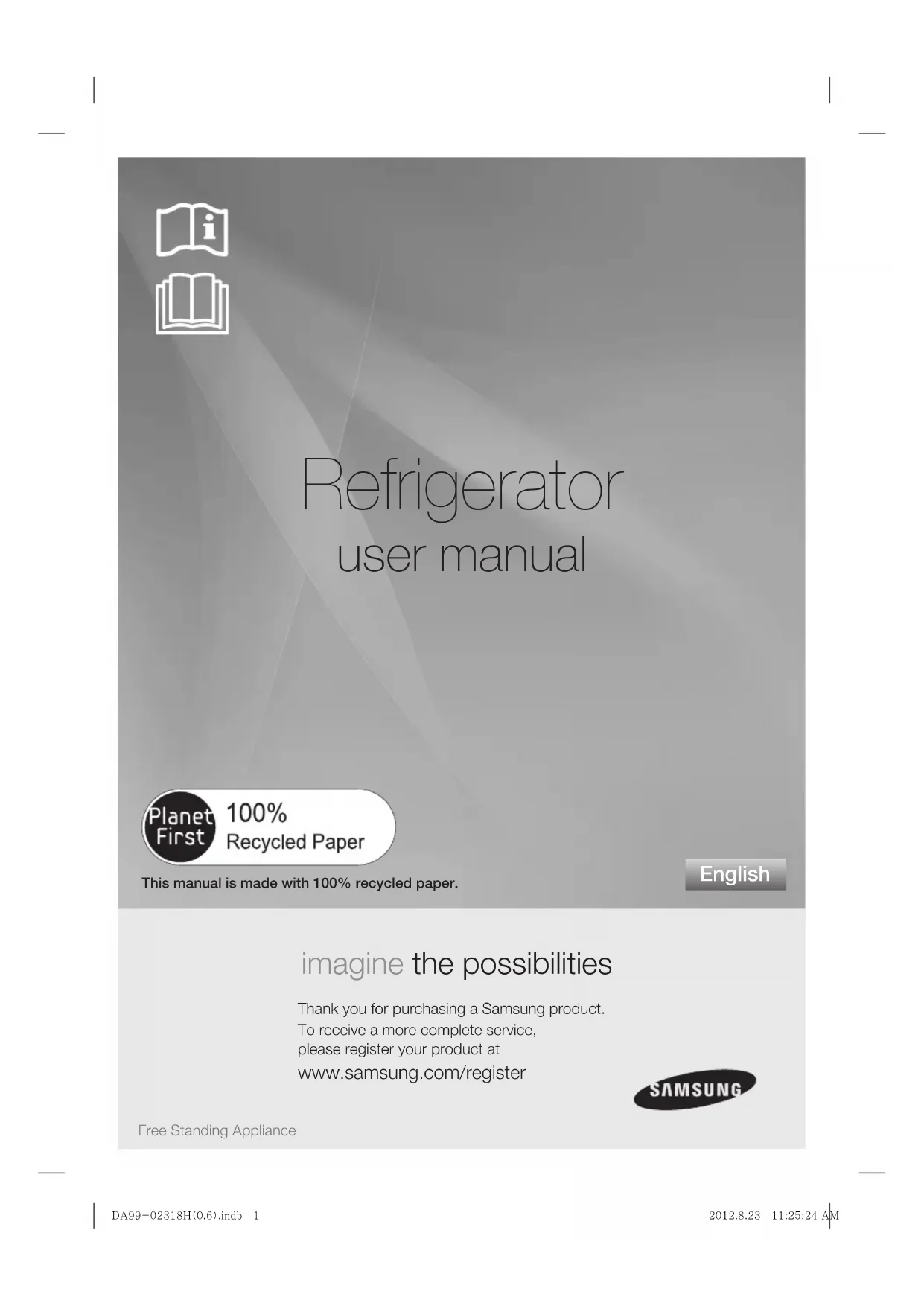


Download the instructions for your Fridge in PDF format for free! Find your manual RSH5TURS - SAMSUNG and take your electronic device back in hand. On this page are published all the documents necessary for the use of your device. RSH5TURS by SAMSUNG.
USER MANUAL RSH5TURS SAMSUNG
imagine the possibilities Thank you for purchasing a Samsung product.To receive a more complete service, please register your product at www.samsung.com/register
• Before operating the appliance, please read
this manual thoroughly and retain it at a
safe place near the appliance for your future
• Use this appliance only for its intended
purpose as described in this instruction
manual. This appliance is not intended for use
by persons (including children) with reduced
physical, sensory or mental capabilities, or
lack of experience and knowledge, unless they
have been given supervision or instruction
concerning use of the appliance by a person
responsible for their safety.
• Warnings and Important Safety Instructions
in this manual do not cover all possible
conditions and situations that may occur. It
is your responsibility to use common sense,
caution, and care when installing, maintaining,
and operating your appliance.
• Because these following operating instructions
cover various models, the characteristics of
your refrigerator may differ slightly from those
described in this manual and not all warning
signs may be applicable. If you have any
questions or concerns, contact your nearest
service center or fi nd help and information
online at www.samsung.com.
Important safety symbols and
precautions : WARNING Hazards or unsafe practices that
may result in severe personal
injury or death. CAUTION Hazards or unsafe practices that
may result in minor personal
injury or property damage.
Follow directions carefully.
Unplug the power plug from the
Make sure the machine is grounded
to prevent electric shock.
Call the contact center for help.
These warning signs are here to prevent
injury to you and others.
Please follow them carefully.
After reading this section, keep it in a safe
place for future reference.
CE Notice This product has been determined to be in compliance with the Low Voltage Directive (2006/95/EC), the Electromagnetic Compatibility Directive (2004/108/EC) and the Eco-Design Directive(2009/125/EC) implemented by Regulation (EC) No 643/2009 of the European Union.
SEVERE WARNING SIGNS FOR TRANSPORTATION AND SITE
• When transporting and installing the
appliance, care should be taken to ensure
that no parts of the refrigerating circuit are
- Refrigerant leaking from the pipe work could
ignite or cause an eye injury. If a leak is detected,
avoid any naked fl ames or potential sources of
ignition and air the room in which the appliance
is standing for several minutes.
• In order to avoid the creation of a fl ammable
gas-air mixture if a leak in the refrigerating
circuit occurs, the size of the room in which the
appliance may be sited depends on the amount
of refrigerant used.
• Never start up an appliance showing any signs
of damage. If in doubt, consult your dealer. The
room where the refrigerator will be sited must
be 1m³ in size for every 8g of R600a refrigerant
inside the appliance. The amount of refrigerant
in your particular appliance is shown on the
identifi cation plate inside the appliance. WARNING DA99-02318H(0.6).indb Sec2:2DA99-02318H(0.6).indb Sec2:2 2012.8.23 11:25:25 AM2012.8.23 11:25:25 AMsafety information _3
SEVERE WARNING SIGNS FOR INSTALLATION
Do not install the refrigerator in a damp place
or place where it may come in contact with
- Deteriorated insulation of electrical parts may
cause an electric shock or fi re.
• Do not place this refrigerator in direct sunlight or
expose to the heat from stoves, room heaters or
• Do not plug several appliances into the same
multiple power board.
The refrigerator should always be plugged into
its own individual electrical which has a voltage
rating that matched the rating plate.
- This provides the best performance and also
prevents overloading house wiring circuits, which
could cause a fi re hazard from overheated wires.
• If the wall socket is loose, do not insert the
- There is a risk of electric shock of fi re.
• Do not use a cord that shows cracks or abrasion
damage along its length or at either end.
• Do not bend the power cord excessively or
place heavy articles on it.
• Do not use aerosols near the refrigerator.
- Aerosols used near the refrigerator may cause
an explosion or fi re.
• This refrigerator must be properly installed
and located in accordance with the manual
• Connect the power plug in proper position with
the cord hanging down.
- If you connect the power plug upside down, wire
can get cut off and cause fi re or electric shock.
• Make sure that the power plug is not squashed
or damaged by the back of the refrigerator.
• When moving the refrigerator, be careful not to
roll over or damage the power cord.
- This constitutes a fi re hazard.
• The appliance must be positioned so that the
plug is accessible after installation.
• The refrigerator must be grounded.
- You must ground the refrigerator to prevent
any power leakages or electric shocks caused by
current leakage from the refrigerator.
• Never use gas pipes, telephone lines or other
potential lightening rods as ground.
- Improper use of the ground plug can result in
• If the power cord is damaged, have it
replaced immediately by the manufacturer or
• The fuse on the refrigerator must be changed by
a qualifi ed technician or service company.
- Failing to do so may result in electric shock or
CAUTION SIGNS FOR INSTALLATION
• Keep ventilation opening in the appliance
enclosure or mounting structure clear of
• Allow the appliance to stand for 2 hours after
SEVERE WARNING SIGNS FOR USING
• Do not insert the power plug with wet
• Do not store articles on the top of the appliance.
- When you open or close the door, the articles
may fall and cause personal injury and/or
• Do not put items fi lled with water on the
- If spilled, there is a risk of fi re or electric shock.
• Do not let children hang on the door.
- Failure to do so may cause serious personal
• Do not leave the doors of the refrigerator open
while the refrigerator is unattended and do not
let children enter inside of the refrigerator.
- There is a risk of children entrapment and serious
personal injury because of low temperature.
• Never put fi ngers or other objects into the
- Failure to do so may cause personal injury or
• Do not store volatile or fl ammable substances
such as benzene, thinner, alcohol, ether or LP
gas in the refrigerator.
- The storage of any of such products may cause
WARNING CAUTION WARNING DA99-02318H(0.6).indb Sec2:3DA99-02318H(0.6).indb Sec2:3 2012.8.23 11:25:26 AM2012.8.23 11:25:26 AM4_ safety information
• Do not store low temperature-sensitive
pharmaceuticals products, scientifi c
materials or other low temperature-sensitive
products in the refrigerator.
- Products that require strict temperature controls
must not be stored in the refrigerator.
• Do not place or use electrical appliance inside
the refrigerator, unless they are of a type
recommended by the manufacturer.
• Do not use a hair dryer to dry the inside of the
refrigerator. Do not place a lighted candle in the
refrigerator for removing bad odors.
- This may result in electric shock or fi re.
Do not touch the inside walls of the freezer or
products stored in the freezer with wet hands.
- This may cause frostbite.
• Do not use mechanical devices or any other
means to accelerate the defrosting process,
other than those recommended by the
• Do not damage the refrigerant circuit.
• This product is intended only for the
storage of food in a domestic environment.
• Bottles should be stored tightly together so that
they do not fall out.
• If a gas leak is detected, avoid any naked fl ames
or potential sources of ignition and air the room
in which the appliance is standing for several
• Use only the LED Lamps provided by
manufacturer or service agents.
• Children should be supervised to ensure that
they do not play with and/or climb into the
• Do not disassemble or repair the
refrigerator by yourself.
- You run risk of causing a fi re, malfunction and/
or personal injury. In case of malfunction, please
contact your service agents.
• If the appliance generates a strange noise,
a burning or smell or smoke, unplug the
power plug immediately and contact your nearest
- Failing to do so may result in electric or fi re
hazards. Keep ventilation opening in the
appliance enclosure or mounting structure clear
• If you experience diffi culty when changing the
light, contact service agents.
• If the products equipped with LED Lamp, do
not disassemble Lamp Cover and LED Lamp by
- Please contact your service agents.
• If any dust or water is in refrigerator, pull
out power plug and contact your Samsung
Electronics service center.
- There is a risk of fi re.
CAUTION SIGNS FOR USING
• To get best performance of product,
- Do not place foods too closely in front of
the vents at the rear of the appliance as it can
obstruct free air circulation in the refrigerator
Wrap the food up properly or place it in airtight
containers before put it into the refrigerator.
• Do not place carbonated or fi zzy drinks in the
freezer compartment. Do not put bottles or glass
containers in the freezer.
- When the contents freeze, the glass may break
and cause personal injury and property damage.
• Do not change the functionality of or modify the
- Changes or modifi cations may result in personal
injury and/or property damage. Any changes or
modifi cations performed by a 3rd party on this
completed appliance is neither covered under
Samsung warranty service, nor is Samsung
responsible for safety issues and damages that
result from 3rd party modifi cations.
• Do not block air holes.
If the air holes are blocked, especially with a plastic
bag, the refrigerator can be over cooled. If this
cooling period lasts too long, the water fi lter may
break and cause water leakage.
- Do not put any newly introduced food for
freezing near to already food.
• Please observe maximum storage times and
expiry dates of frozen goods.
• Fill water tank, ice tray, water cubes only with
• Use only the ice maker provided with the
• The water supply to this refrigerator must only
be installed/connected by a suitably qualifi ed
person and connect to a potable water supply
In order to operate the ice maker properly, water
• Do not directly spray water inside or
outside the refrigerator.
- There is a risk of fi re or electric shock.
• Do not spray infl ammable gas near the
- There is a risk of explosion or fi re.
• Do not spray cleaning products directly on the
- Printed letters on the display may come off.
Remove any foreign matter or dust from the
power plug pins. But do not use a wet or damp
cloth when cleaning the plug, remove any foreign
material or dust from the power plug pins.
- Otherwise there is a risk of fi re or electric shock.
• Never put fi ngers or other objects into the
dispenser hole and ice chute.
- It may cause personal injury or material damage.
• Unplug the refrigerator before cleaning and
performing maintenance.
SEVERE WARNING SIGNS FOR DISPOSAL
• Ensure that none of the pipes on the
back of the appliance are damaged prior to
• R600a or R134a is used as a refrigerant.
Check the compressor label on the rear of
the appliance or the rating label inside the
refrigerator to see which refrigerant is used for
your refrigerator. When this product contains
fl ammable gas (Refrigerant R600a), contact your
local authority in regard to safe disposal of this
product. Cyclopentane is used as a insulation
blowing gas. The gases in insulation material
require special disposal procedure. Please
contact your local authorities in regard to the
environmentally safe disposal of this product.
Ensure that none of the pipes on the back of the
appliances are damaged prior to disposal. The
pipes shall be broke in the open space.
• If the appliance contains iso-butane refrigerant
(R600a), a natural gas with high environmental
compatibility that is, however, also combustible.
When transporting and installing the appliance,
care should be taken to ensure that no parts of
the refrigerating circuit are damaged.
• When disposing of this product or other
refrigerators, remove the door/door seals, door
latch so that small children or animals cannot
become trapped inside. Leave the shelves in
place so that children may not easily climb
inside. Children should be supervised to ensure
that they do not play with the old appliance.
Please dispose of the packaging material for this
product in an environmentally friendly manner.
ADDITIONAL TIPS FOR PROPER USAGE
• In the event of a power failure, call the local offi ce
of your Electricity Company and ask how long it is
- Most power failures that are corrected within
an hour or two will not affect your refrigerator
temperatures. However, you should minimize the
number of door openings while the power is off.
- Should the power failure last more than 24 hours,
remove all frozen food.
• If keys are provided with the refrigerator, the
keys should be kept out of the reach of children
and not in vicinity of the appliance.
• The appliance might not operate consistently
(possibility of temperature becoming too warm
in refrigerator) when sited for an extended period
of time below the cold end of the range of
temperature for which the refrigerating appliance
• Do not store food which spoils easily at low
temperature, such as bananas, melons.
• Your appliance is frost free, which means there
is no need to manually defrost your appliance,
as this will be carried out automatically.
• Temperature rising during the defrost can
comply with ISO requirement. But if you want
to prevent an undue rise in the temperature of
the frozen food while defrosting the appliance,
please wrap the frozen food in several layers of
• Any increase in temperature of frozen food
during defrosting can shorten its storage life. CAUTIONWARNING DA99-02318H(0.6).indb Sec2:5DA99-02318H(0.6).indb Sec2:5 2012.8.23 11:25:26 AM2012.8.23 11:25:26 AM6_ safety information
SETTING UP YOUR SIDE-BY-SIDE REFRIGERATOR ···································7
OPERATING THE SAMSUNG SIDE-BY-SIDE REFRIGERATOR ····················16
TROUBLESHOOTING ····················································································· 22
- Install the appliance in a cool, dry room with
adequate ventilation.
Ensure that it is not exposed to direct sunlight and
never put it near a direct source of heat (radiator, for
- Never block any vents or grilles on the appliance.
- Allow warm food to cool down before placing it in
- Put frozen food in the refrigerator to thaw.
You can then use the low temperatures of the
frozen products to cool food in the refrigerator.
- Do not keep the door of the appliance open for too
long when putting food in or taking food out.
The shorter time for which the door is open, the less
ice will form in the freezer.
- Clean the rear of the refrigerator regularly. Dust
increases energy consumption.
- Do not set temperature colder than necessary.
- Ensure suffi cient air exhaust at the refrigerator base
and at the back wall of the refrigerator.
Do not cover air vent openings.
- Allow clearance to the right, left, back and top when
This will help reduce power consumption and keep
your energy bills lower.
DA99-02318H(0.6).indb Sec2:6DA99-02318H(0.6).indb Sec2:6 2012.8.23 11:25:26 AM2012.8.23 11:25:26 AMsetting up _7
01 SETTING UP CAUTION setting up your side-by-side
GETTING READY TO INSTALL THE REFRIGERATOR Congratulations on the purchase of your Samsung Side-By-Side Refrigerator. We hope you will enjoy the many state-of-the-art features and effi ciencies that this new appliance has to offer. Selecting the best location for the
refrigerator • Select a location with easy access to the water supply.• Select a location without direct exposure to sunlight.• Select a location with level (or nearly level) fl ooring.• Select a location with enough space for the refrigerator doors to open easily.• Overall space required in use. Refer to drawing and dimension as below.• Please ensure that appliance can be moved freely in the event of maintenance & service. When moving your refrigerator To prevent fl oor damage be sure the front levelling legs are in the up position (above the fl oor). Refer to ‘Levelling the refrigerator’ in the manual (at page 11).To protect the fi nish of the fl ooring, place the protection sheet such as packing carton under the refrigerator.When installing, servicing or cleaning behind the refrigerator, be sure to pull the unit straight out and push back in straight after fi nishing.at least 50mmat least 50mm Leg Screw Driver 25mm 25mm 50
DA99-02318H(0.6).indb Sec4:7DA99-02318H(0.6).indb Sec4:7 2012.8.23 11:25:26 AM2012.8.23 11:25:26 AM8_ setting up
REMOVING THE REFRIGERATOR DOORS If your entrance won’t allow the refrigerator to pass
easily through it, you can remove the doors.
1. Removing the Front Leg Cover
First, open both the freezer and refrigerator doors,
and then take off the front leg cover by removing the
three screws counter-clockwise.
Separating the Water Supply Line from
1. Remove the water line by pressing the coupler
and pulling the water line
Do not cut the water line. Gently separate it from
2. Removing the freezer door
A few things to mention fi rst.
• Make sure that you lift the door straight up so the
hinges are not bent or broken.
• Be careful not to pinch the water tubing and wire
harness on the door.
• Place doors on a protected surface to prevent
scratching or damage.
1. With the Freezer door closed, remove the upper
using a screwdriver, and then
disconnect the wires by gently pulling them apart
and the ground screw
by turning counter-clockwise, and take off the
. Be careful that the door does not
fall on you as you are removing it
3. Next, remove the door from the lower hinge
carefully lifting the door straight up
Be careful not to pinch the water tubing and
wire harness on the door.
4. Remove the lower hinge
DA99-02318H(0.6).indb Sec4:8DA99-02318H(0.6).indb Sec4:8 2012.8.23 11:25:28 AM2012.8.23 11:25:28 AMsetting up _9
01 SETTING UP Removing the Fridge Door 1. With the door closed, remove the upper hinge cover 1 using a screwdriver.2. Remove hinge screws 2 and the ground screw 3 by turning counter-clockwise, and take off the upper hinge 4 . Be careful that the door does not fall on you as you are removing it3. Remove the door from the lower hinge 5
by lifting the door straight up 6
. 4. Remove the lower hinge 7 from the bracket 8
by gently lifting the lower hinge upwards.
REATTACHING THE REFRIGERATOR DOORS Once you have safely placed your refrigerator where you plan for it to stay, it is time to put the doors back on.
Reattaching the Freezer Door 1. Replace the freezer door by inserting the water line 1 back into the lower corner of the door and then into the hole on the lower hinge 2
. Gently pull the water line back down so that it runs straight, with no kinks or bends.2. Insert the upper hinge shaft 3 into the hole on the corner of the freezer door 4
. Make sure the hinge is level between the upper hinge hole 5 and the hole of the cabinet 6 and reattach the hinge screws 7 and ground screw 8 by turning in a clockwise direction.Reconnect the wires.3. Place the front part of the upper hinge cover 9
on the front of the upper hinge 10 and reattach with the screw. 4
2. Fit the hole in the corner of the fridge door
over the lower hinge
. Make sure the hinge is level
between the upper hinge hole
the top of the cabinet
and the ground screw
in a clock wise direction.
4. Place the front part of the upper hinge cover
on the front of the upper hinge
Reattaching the Water Supply Line
1. Insert the water line
2. The Water Line must be fully Inserted to the center
of transparent coupler to prevent water leakage
3. Insert the clip in the install pack and check that it
holds the line fi rmly.
Reattaching the Front Leg Cover
Before attaching the cover, check water
connector for leakage.
Replace the front leg cover by turning the three
screws clockwise, as shown in the fi gure.
Center of transparent Center of transparent coupler coupler clip A (1/4”) clip A (1/4”) (6.35mm) (6.35mm) DA99-02318H(0.6).indb Sec4:10DA99-02318H(0.6).indb Sec4:10 2012.8.23 11:25:35 AM2012.8.23 11:25:35 AMsetting up _11
01 SETTING UP LEVELLING THE REFRIGERATOR Now that the doors are back on the refrigerator, you will want to make sure the refrigerator is level so you can then make fi nal adjustments. If the refrigerator is not level, it will not be possible to get the doors perfectly even.The front of the refrigerator is also adjustable. When the Freezer door is lower than
the fridge Insert a fl at-blade screwdriver into a notch on the Leg, turn it clockwise or counter clockwise to level the freezer. When the Freezer door is higher than
the fridge Insert a fl at-blade screwdriver into a notch on the Leg, turn it clockwise or counter clockwise to level the fridge.Refer to the next section for the best way to make very minor adjustments to the doors.
MAKING MINOR ADJUSTMENTS TO THE DOORS Remember, a level refrigerator is necessary for getting the doors perfectly even. If you need help, review the previous section on levelling the refrigerator.In the process for adjusting both the doors is the same. Open the doors and adjust them, one at a time, as follows:1. Unscrew the nut
1 from the lower hinge until it reaches the upper end of the bolt 2
. When you release the nut 1 , make sure that you use the Allen wrench provided 3 to loosen the bolt 2 in a counter-clockwise direction. You should then be able to unscrew the nut 1
with your fi ngers.2. Adjust the height difference between the doors by turning the bolt 2
or counter clockwise . When you turn clockwise , the door will move up.3. After adjusting the doors, turn the nut 1
clockwise until it reaches the lower end of the bolt, then tighten the bolt again with the wrench 3 to fi x the nut in place 1
. If you do not secure the nut fi rmly, the bolt may release. Leg Screw DriverScrew Driver Leg Adjustment part When the door of the freezer is higher than the fridge 3
CHECKING THE WATER DISPENSER LINE (OPTIONAL)
A water dispenser is just one of the helpful features
on your new Samsung refrigerator. To help promote
better health, the Samsung water fi lter removes
unwanted particles from your water. However, it
does not sterilize or destroy microorganisms. You
will need to purchase a water purifying system to do
that. In order for the icemaker to operate properly,
water pressure of 138 ~862 Kpa is required. Under
normal conditions, a 170 cc paper cup can be fi lled
in 10 seconds. If the refrigerator is installed in an area
with low water pressure (below 138 Kpa), you can
install a booster pump to compensate for the low
pressure. Make sure the water storage tank inside
the refrigerator is properly fi lled. To do this, press the
water dispenser lever until the water runs from the
Water Line installation Kits are included. You can
fi nd it in one of the freezer drawers.
INSTALLING THE WATER DISPENSER LINE For Interior model
Parts for water line Installation
Connecting to the water supply line
1. fi rst, shut off the main water supply line.
2. locate the nearest cold, drinking water line.
3. follow the Water line Installation Instructions in the
4. After connecting the water supply to the water
fi lter, turn your main water supply back on and
dispense about 1l to clear and prime the water
Connecting the water line to the
1. Remove the dust cap from the water line on the
rear of the unit and fi t a compression nut from the
2. Remove the water pipe from the install kit and fi t a
compression nut to one end.
3. Join the two pipes together using the compression
joint from the install kit ensuring that the joint is
4. Join the other end of the install pipe to the main
water supply and turn on the water to check for
Only connect the water line to a drinkable water
If you have to repair or disassemble the water
line, cut off 6.5mm of the plastic tubing to
make sure you get a snug, leak-free connection.
Before being used, the leakage in these
places should be examined CAUTIONThe water line must be connectedto the cold water pipe. If it is connected to the hot water pipe, it may cause thepurifi er to malfunction.
Water line fi xer and screws
Water Filter Close Main Close Main Water pipe Water pipe Close Main Close Main Water pipe Water pipe NO GAP NO GAP Remove Remove
Water Line Water Line from unit from unit Water Line Water Line from Kit from Kit No gap No gap Loosen a Loosen a
CAUTION DA99-02318H(0.6).indb Sec4:12DA99-02318H(0.6).indb Sec4:12 2012.8.23 11:25:42 AM2012.8.23 11:25:42 AMsetting up _13
• Samsung Warranty does not cover WATER LINE INSTALLATION.
• The cost of connection to a water supply is at the
customer expense, unless included in the delivery
charge (refer to the delivery agreement with the
• Please contact Plumber or Authorised Installer for
the installation if needed.
• If Water leakage occurs due to improper
installation, Please contact installer.
INSTALLING THE WATER DISPENSER LINE For Exterior model
Parts for water line Installation
Connecting to the water supply line
Connect the water pipe with coupler and tap.
1. Close the main water tap.
2. Connect coupler “A” to the tap.
select the location where the purifi er is to
install. (Model with the purifi er)
- If you wish to reassemble the water inlet and outlet
sides of the purifi er during purifi er installation, see
the reference illustration.
- Cut the water line attached to the purifi er to the
appropriate place after measuring the distance
between the purifi er and the cold water tap. Water line fi xer and screwsPipe connectorWater linePurifi er lock-clipPurifi erCAUTIONThe water line must be connected to the cold water pipe. If it is connected to the hot water pipe, it may cause the purifi er to malfunction.WARRANTY INFORMATIONThis water line installation is not covered by the refrigerator or ice maker manufacturer’s warranty.Follow these instructions carefully to minimise the risk of expensive water damage. Note: If the coupler does not fi t on the current tap, gothe nearest authorised service dealer and purchase the right couplers fi ttings. DA99-02318H(0.6).indb Sec4:13DA99-02318H(0.6).indb Sec4:13 2012.8.23 11:25:44 AM2012.8.23 11:25:44 AM14_ setting up
Replacement Instructions
1. Shut off water supply.
2. Note the Flow direction on the fi lter.
3. Insert water supply tube into the inlet side of the
fi lter until the tube stop.
4. After inserting tube, put together the clip strongly.
The Clip fi x the tube.
5. Turn on the water and check for leaks. If leaks
occur, repeat step 1,2,3,4. If leaks persist,
discontinue use and call your supporting dealer.
6. Flush fi lter for 5 minutes before use.
Remove any residual matter inside the
purifi er. (Model with the purifi er)
- Open the main water tap to check whether water
is running through the water tube on the water inlet
side of the purifi er.
- If water does not come out through the line, check
whether the tap is open.
- Leave the tap open until clean water is running
out and any residual matter that built up during
manufacturing has been removed.
Attach the purifi er lock-clip.
- Hold the purifi er lock-clip in the appropriate position
(under the sink for example) and fi x it tightly into
place where to screw.
Secure the purifi er in position.
- Fix the purifi er in position, as shown in the fi gure on
the right. COUPLER “A” TAP COUPLERSIDE OFPURIFIERWATER INLETSIDE OF PURIFIERLINE OUTLET90 degreePURIFIER WATERCAUTION Locking Clip Locking Clip Insert Locking Clip After Insert Locking Clip After tube seated tube seatedWATER SUPPLYINLET SIDEPERMEATFLOW DIRECTION Note : You must also ensure that the cut is square and not at any sort of angle as this could cause a leakWATER LINEPURIFIERWATEROUTLET SIDEOF PURIFIERPURIFIER LOCK-CLIPWATER TUBEPURIFIER LOCK-CLIPPURIFIER DA99-02318H(0.6).indb Sec4:14DA99-02318H(0.6).indb Sec4:14 2012.8.23 11:25:45 AM2012.8.23 11:25:45 AMsetting up _15
01 SETTING UP Connect the water line to the
- Remove the compressor cover of the refrigerator.
- Connect the water line to the valve, as shown in
- When connected, check if there is any leakage.
If any, repeat the connection.
- Reattach the compressor cover of the refrigerator.
Secure the water line.
- Using clip ”A”, fi x the water
line to the wall (the back of
- When the water line is
secure, make sure whether
the water line is not
excessively bent, pinched or
Removing any residual matter inside
the water supply line after installing
1. Turn ON the main water supply & turn OFF the
valve to the water supply line.
2. Run water through the dispenser until the water
runs clear (approx. 1L). This will clean the water
supply system and remove air from the lines.
3. Additional fl ushing may be required in some
4. Open the refrigerator door and make sure there
are no water leaks coming from the water fi lter.
A newly installed water fi lter cartridge may cause
water to briefl y spurt from the water dispenser.
This is due to air getting into the line. It should
pose no problem to operation.
Check the amount of water supplied
1. Lift up the icemaker cover and gently pull out.
2. When you press the Test button for 3 seconds,
the ice cube container is fi lled with water from the
water supply tap. Check to make sure the amount
of water is correct (see the illustration below).
If the water level is too low, the ice cubes will be
small. This is a water pressure problem from with
in the main water pipes, not the refrigerator. WATER LINEINSTRUCTIONSCOMPRESSOR COVER OFREFRIGERATORCONNECTION NUTCLIP AWATER LINEIce maker 1 Feeler Arm 2 Test buttonCheck the water level DA99-02318H(0.6).indb Sec4:15DA99-02318H(0.6).indb Sec4:15 2012.8.23 11:25:45 AM2012.8.23 11:25:45 AM16_ operating
operating the SAMSUNG
side-by-side refrigerator
OPERATING THE REFRIGERATOR USING THE CONTROL PANEL /
DIGITAL DISPLAY When not in use the temperature display will
turn off, this is normal.
POWER FREEZE BUTTON Speeds up the time needed
to freeze products in the
freezer. This can be helpful
if you need to quickly freeze
items that spoil easily or if the
temperature in the freezer
has warmed dramatically (For
example, if the door was left
FREEZER BUTTON Press the Freezer button
to set the freezer to your
desired temperature, You can
set the temperature between
-14°C (8°F) and -25ºC (-14°F).
ICE TYPE BUTTON Use this button to choose
Cubed, Crushed or to turn
the Ice feature off.
FILTER CHANGE BUTTON When you change the fi lter,
press this button for 3
seconds to reset the fi lter
VACATION BUTTON If you are going on vacation
or business trip or you do not
need to use the refrigerator,
press the Vacation button.
When you select vacation
button for fridge compartment
off, display LED of Vacation
It is strongly requested
to remove foods in the
fresh-food compartment
and do not leave the
select Vacation function.
CHILD LOCK FUNCTION By pressing the Vacation
button and the Fridge button
simultaneously for 3 seconds,
all buttons will be locked. The
Water dispenser lever and
the Ice lever will not work
either. To cancel this function,
Press these two buttons for 3
FRIDGE BUTTON Press the Fridge button to
set the fridge to your desired
You can set temperature
between 1°C and 7°C (34°F
and 45°F). When you use Power Freeze the energy consumption of the refrigerator will increase.Remember to turn it off when you don’t need it and return the freezer to your original temperature setting.If you need to freeze large amount of food stuff, activate Power Freeze function at least 24 hours before. 5
02 OPERATING CONTROLLING THE TEMPERATURE CONTROLLING THE FREEZER TEMPERATURE The freezer temperature can be set between -14°C
(8°F) and -25ºC (-14°F) to suit your particular needs.
Press the Freezer button repeatedly until the desired
temperature is shown in the temperature display.
Keep in mind that foods like ice cream may melt at
The temperature display will move sequentially from
-14°C (8°F) and -25ºC (-14°F). When the display
reaches -14ºC (8°F), it will begin again at -25ºC
Five seconds after the new temperature is set the
display will again show the actual current freezer
temperature. However, this number will change as
the Freezer adjusts to the new temperature.
The top and bottom guards in the freezer of
this model are the two star sections, so the
temperature in two star sections are slightly
higher than other freezer compartment.
CONTROLLING THE FRIDGE TEMPERATURE The refrigerator temperature can be set between 7ºC
(46°F) and 1ºC (34°F) to suit your particular
needs. Press the Fridge button repeatedly until the
desired temperature is shown in the temperature
display. The temperature control process for the
Fridge works just like the Freezer process. Press the
Fridge button to set your desired temperature. After
a few seconds, the Fridge will begin tracking towards
the newly set temperature. This will be refl ected in the
The temperature of the freezer or the refrigerator
may rise from opening the doors too frequently,
or if a large amount of warm or hot food is
placed in either side.
This may cause the digital display to blink.
Once the freezer and refrigerator return to their
normal set temperatures the blinking will stop.
If the blinking continues, you may need to “reset”
Try unplugging the appliance, wait about 10
minutes and then plug back in.
USING THE ICE AND COLD WATER DISPENSER Press the Ice Type button to select the type of ice
Ice is made in cubes. When you select
“Crushed”, the icemaker grinds the ice cubes
Place your glass underneath the ice outlet and push
gently against the ice dispenser lever with your glass.
Make sure the glass is in line with the dispenser to
prevent the ice from bouncing out.
Using the Water Dispenser
Place a glass underneath the water outlet and
push gently against the water dispenser lever with
your glass. Make sure the glass is in line with the
dispenser to prevent the water from splashing out.
No Ice Select this if you want to turn off the icemaker DA99-02318H(0.6).indb 섹션2:17DA99-02318H(0.6).indb 섹션2:17 2012.8.23 11:25:48 AM2012.8.23 11:25:48 AM18_ operating
• Do not put your fi ngers, hands or any
other unsuitable objects in the chute or
- It may result in personal injury or material
• Never put fi nger or any other objects in
the dispenser opening.
- It may cause injury.
• Use only the ice maker provided with the
• The water supply to this refrigerator must
only be installed/connected by a suitably
qualifi ed person and connect to a potable
• In order to operate the ice maker properly,
water pressure of 138 ~ 862 Kpa is
• If you have a long vacation or business
trip and won’t use water or ice
dispensers, close the water valve.
- Otherwise, water leakage may occur.
• Wipe excess moisture from the inside and
leave the doors open.
- Otherwise, odor and mold may develop.
To get more space, you can remove the top
freezer drawer since it does not affect thermal
and mechanical characteristics. A declared
storage volume of frozen food storage
compartment is calculated with this drawer
USING THE COOLSELECT ZONE™ DRAWER (OPTIONAL)
• You can use the Quick Cool feature with the
• “Quick Cool” allows 1~3 canned beverages to cool
• To cancel this function, press the “Quick Cool”
button again. CoolSelect Zone
previous temperature.
• When “Quick Cool” ends, it returns to the “Cool”
temperature setting.
• Drips loss and quality deterioration of meats
reduces the freshness of foods.
After “Thaw” is selected, warm and cold air is
alternately supplied into the CoolSelect Zone
• Depending on the weight of meat, thawing time
can be selected for 4 hrs, 6 hrs, 10 hrs, and 12 hrs
• When “Thaw” ends, CoolSelect Zone
returns to “Zero Zone” condition.
• When “Thaw “ ends, there are no juice in the meats
and they are half-freezed condition so it is easy to
cut them for cooking.
• To cancel this option, press any button except
• The approximate thawing time of meat and fi sh are
shown below. (Based on 1inch thickness)
12hours 1000g (2.2Ib)
Depending on the size and thickness of meat
and fi sh, the thawing time may vary.
The above weight represents the total weight of
food in the CoolSelect Zone
Ex) The total thawing time for 400g frozen beef
and 600g frozen chicken will be 10 hours.
With the “Thaw” option, food which is not
needed to thaw in the CoolSelect Zone
TM Drawer should be removed. WARNINGCAUTIONWARNING DA99-02318H(0.6).indb 섹션2:18DA99-02318H(0.6).indb 섹션2:18 2012.8.23 11:25:49 AM2012.8.23 11:25:49 AMoperating _19
02 OPERATING Zero Zone (0ºC)
• When “Zero Zone” is chosen, the temperature
of the CoolSelect Zone
TM Drawer is kept at 0 ºC
regardless of the set refrigerator temperature.
• “Zero Zone” temperature helps keep meat or fi sh
• When “Cool” is chosen, the temperature will be the
same as the set temperature of the refrigerator. The
digital panel shows the same temperature as that of
Depending on the beverages, the cool-down
For “Quick Cool” option, food stored in
REMOVING THE FREEZER ACCESSORIES Cleaning and rearranging the interior of the freezer is
1. Remove the Glass shelf by pulling the shelf out as
far as it will go. Then, gently lift it up and remove it.
2. Remove the door bin by holding the door bin with
both hands and then gently lift it up.
3. Remove the Plastic drawer by pulling it out and
slightly lifting it up.
4. Remove the Icemaker bucket by lifting up and
Do not use excessive force when removing the
Otherwise, the cover may break and cause
injury. WARNING DA99-02318H(0.6).indb 섹션2:19DA99-02318H(0.6).indb 섹션2:19 2012.8.23 11:25:50 AM2012.8.23 11:25:50 AM20_ operating
CAUTION REMOVING THE FRIDGE ACCESSORIES
1. Remove the spill Proof Glass Shelf by pulling the
shelf out as far as it will go. Then, gently lift it up
and gently remove it.
2. Remove the Vegetable & Fruit Drawer by
pressing on the indentations found on the inside
left and right sides of the Veggie Box/Dry Box
with one hand, lift it up
a little bit while pulling
it forward and take it
out of the refrigerator.
3. Remove the Gallon Door Bin by holding the bin
with both hands and gently lifting it up.
4. The Z Shelf is attached to the cabinet wall.
Remove the wine shelf by sliding it up and gently
lifting the shelf out of the tabs.
Ensure that the Z Shelf is fi tted as shown in
the diagram and not upside down.
accessories, make sure that
no food is in the way.
When possible, remove the food altogether to
reduce the risk of accidents.
To get the best energy effi ciency of this product,
please leave all selves, drawers and baskets on
their original position like as illustration in page
CLEANING THE REFRIGERATOR Do not use benzene, thinner, or Clorox,
Chloride for cleaning.
They may damage the surface of the
appliance and may cause a fi re.
Do not spray the refrigerator with water
while it is plugged in, as it may cause an
Do not clean the refrigerator with benzene,
thinner or car detergent for risk of fi re.
REPLACING THE INTERIOR LIGHT For LED lamp, please contact service engineer
to replace it. WARNINGCAUTION DA99-02318H(0.6).indb 섹션2:20DA99-02318H(0.6).indb 섹션2:20 2012.8.23 11:25:50 AM2012.8.23 11:25:50 AMoperating _21
02 OPERATING CHANGING THE WATER FILTER To reduce risk of water damage to your
property DO NOT use generic brands of
water fi lers in your SAMSUNG Refrigerator.
USE ONLY SAMSUNG BRAND WATER FILTERS. SAMSUNG will not be legally
responsible for any damage, including, but
not limited to property damage caused by
water leakage from use of a generic water
SAMSUNG Refrigerators are designed to
work ONLY WITH SAMSUNG Water Filter.
The “Filter Indicator” light lets you know when it is
time to change your water fi lter cartridge.
When the fi lter indicator light changes to red, it is time
to change the fi lter.
To give you some time to get a new fi lter, the light will
come on up just before the capacity of the current
Changing the fi lter on time provides you with the
freshest, cleanest water from your fridge.
1. Remove the water fi lter from the box and
put a month indicator sticker on the fi lter as
2. Place a sticker on the fi lter that dates six
months in the future. For example, if you
are replacing the water fi lter in March, put
the “SEP” (September) sticker on the fi lter
to remind you to replace in September.
Normally fi lter life is about every 6 months.
3. Next, remove the fi xed cap by turning it
4. Remove the new fi lter’s protective cap and
remove the old fi lter.
5. Position and insert the new fi lter into the fi lter
Slowly turn the water fi lter clockwise 90º to
align with the indication mark on the cover,
locking the fi lter in position. Make sure
that the indicator is lined up with the “lock”
position. Do not over tighten.
6. Once you have completed this process, hold the
Ice Type button for 3 seconds to reset the fi lter
7. Lastly, Dispense 1L of water through water
dispenser and throw away. Make sure that water
fl ows clearly again before drinking.
A newly installed water fi lter cartridge may
cause water to briefl y spurt from the water
dispenser. This is due to air getting into the line.
It should pose no problem to operation.
Ordering replacement fi lters
To order more water fi lter cartridges, contact your
authorised Samsung dealer.
USING THE DOORS The refrigerator doors are equipped with a door
opening and closing feature that ensures that the
doors close all the way and are securely sealed.
After opening beyond a certain point, the door will
“catch” and remain open. When the door is ajar
ahead of the catch that allows it to stay open, it will
close automatically.
PROBLEM SOLUTION The refrigerator
does not work at all
or it does not chill
• Check that the power plug is properly connected.
• Is the temperature control on the display panel set to the correct
temperature? Try setting it to a lower temperature.
• Is the refrigerator in direct sunlight or located too near a heat source?
• Is the back of the refrigerator too close to the wall and therefore keeping air
The food in the fridge is
• Is the temperature control on the display panel set to the correct
temperature? Try setting it to a warmer temperature.
• Is the temperature in the room very low?
• Did you store the food with a high water content in the coldest part of the
fridge? Try moving those items into the body of the fridge instead of keeping
them in the CoolSelect Zone™ drawer.
• Check that the refrigerator is level and stable.
• Is the back of the refrigerator too close to the wall and therefore keeping air
• Was anything dropped behind or under the refrigerator?
• A “ticking” sound is heard from inside the refrigerator. This is normal and
occurs because various accessories are contracting or expanding in relation
to the temperature of the refrigerator interior.
The front corners of
the appliance are hot
• Some heat is normal as anti-condensators are installed in the front corners
of the refrigerator to prevent condensation.
• Is the refrigerator door ajar? Condensation can occur when you leave the
door open for a long time.
Ice is not dispensing.
• Did you wait for 12 hours after installation of the water supply line before
• Is the water line connected and the shut-off valve open?
• Did you manually stop the ice making function? Make sure Ice Type is set to
• Is there any ice blocked within the ice maker bucket?
• Is the freezer temperature too warm? Try setting the freezer temperature
• This is normal. The bubbling comes from the refrigerant coolant liquid
circulating through the refrigerator.
There is a bad smell in
• Has a food item spoiled?
• Make sure that strong smelling food (for example, fi sh) is wrapped so that it
• Clean out your freezer periodically and throw away any spoiled or suspect
walls of the freezer.
• Is the air vent blocked? Remove any obstructions so air can circulate freely.
• Allow suffi cient space between the foods stored for effi cient air circulation.
• Is the freezer door closed properly?
Water dispenser is not
• Is the water line connected and the shut-off valve open?
• Has the water supply line tubing been crushed or kinked?
Make sure the tubing is free and clear of any obstruction.
• Is the water tank frozen because the refrigerator temperature is too low?
Try selecting a warmer setting on the main display panel.
DA99-02318H(0.6).indb 섹션3:22DA99-02318H(0.6).indb 섹션3:22 2012.8.23 11:25:57 AM2012.8.23 11:25:57 AMmemo
DA99-02318H(0.6).indb 섹션3:23DA99-02318H(0.6).indb 섹션3:23 2012.8.23 11:25:57 AM2012.8.23 11:25:57 AMAmbient Room Temperature Limits
This refrigerator is designed to operate in ambient temperatures specifi ed by its
temperature class marked on the rating plate.
Class Symbol Ambient Temperature range (°C)
Extended Temperate SN +10 to +32
Temperate N +16 to +32
Subtropical ST +16 to +38
Tropical T +16 to +43
Internal temperatures may be affected by such factors as the location of the refrigerator,
ambient temperature and the frequency with which you open the door. Adjust the
temperature as required to compensate for these factors.
Correct Disposal of This Product
(Waste Electrical & Electronic Equipment)
(Applicable in countries with separate collection systems)
This marking on the product, accessories or literature indicates that the product and
its electronic accessories (e.g. charger, headset, USB cable) should not be disposed
of with other household waste at the end of their working life. To prevent possible
harm to the environment or human health from uncontrolled waste disposal, please
separate these items from other types of waste and recycle them responsibly to pro-
mote the sustainable reuse of material resources.
Household users should contact either the retailer where they purchased this product,
or their local government offi ce, for details of where and how they can take these
items for environmentally safe recycling.
Business users should contact their supplier and check the terms and conditions
of the purchase contract. This product and its electronic accessories should not be
mixed with other commercial wastes for disposal.
DA99-02318H(0.6).indb 섹션3:24DA99-02318H(0.6).indb 섹션3:24 2012.8.23 11:25:58 AM2012.8.23 11:25:58 AMKühlschrank
AUFSTELLEN IHRER KÜHLGEFRIERKOMBINATION···································7
BETRIEB DER KÜHLGEFRIERKOMBINATION VON SAMSUNG ··················16
FEHLERSUCHE ······························································································22
IMPOSTAZIONE DEL FRIGORIFERO SIDE-BY-SIDE ····································7
FUNZIONAMENTO DEL FRIGORIFERO SAMSUNG SIDE-BY-SIDE ···········16
RISOLUZIONE DEI PROBLEMI ·····································································22
technique Samsung Electronics.
INSTALLATION DE VOTRE RÉFRIGÉRATEUR SIDE-BY-SIDE ······················7
FONCTIONNEMENT DE VOTRE RÉFRIGÉRATEUR SIDE-BY-SIDE ·············16
DÉPANNAGE ···································································································22
compartiment congélation.
compartiment CoolSelect Zone