HIF6850USMP - Hi-fi system ROADSTAR - Free user manual and instructions
Find the device manual for free HIF6850USMP ROADSTAR in PDF.

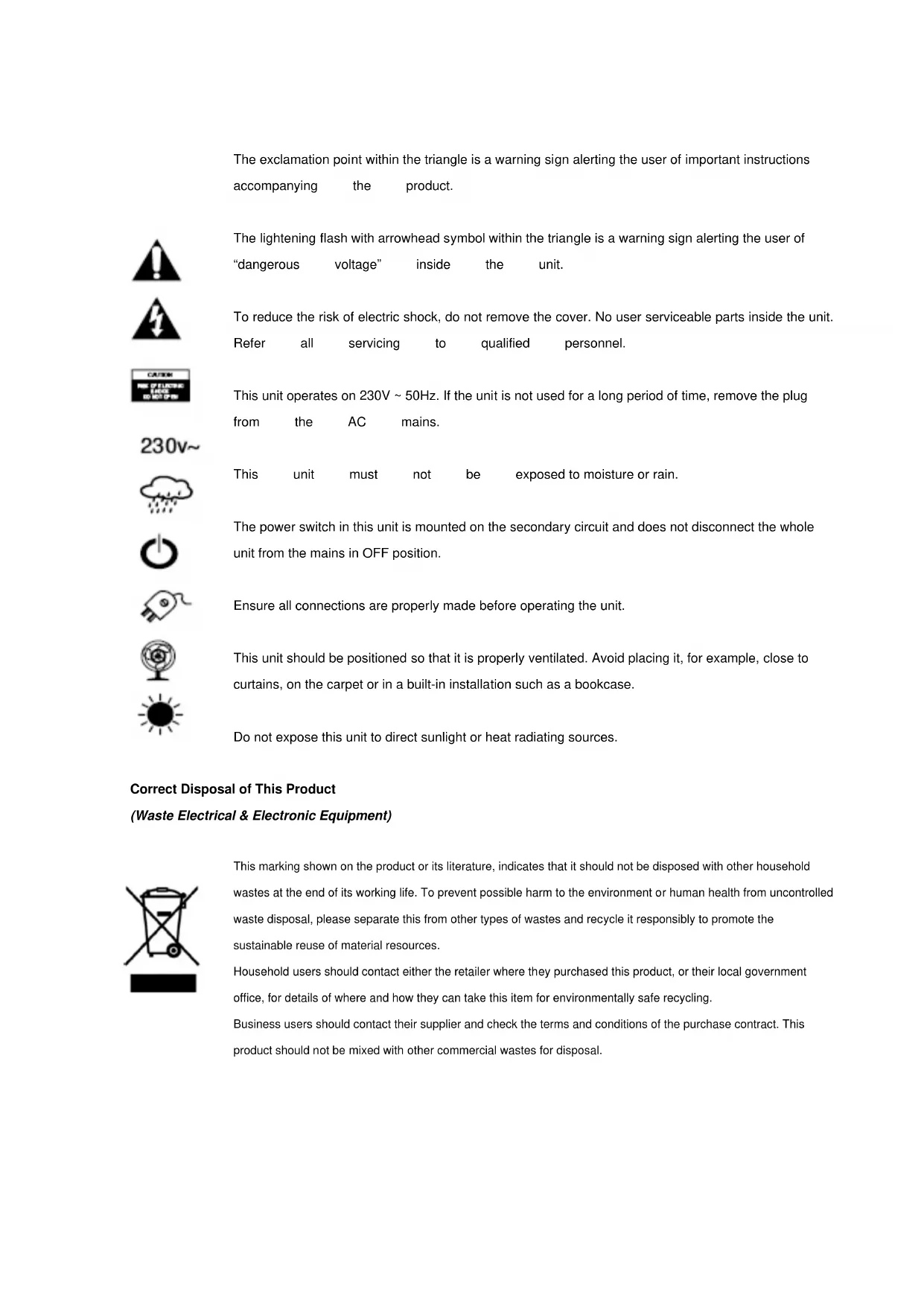


| Product type | Micro hi-fi system |
| Brand | Roadstar |
| Model | HIF6850USMP |
| Power supply | AC 230V-50Hz |
| Remote control batteries | 2 x AAA (1.5V) |
| Output power | 2 x 5 Watts |
| FM band | 87.5 - 108 MHz |
| Compatible audio formats | CD, CD-R/RW, MP3, WMA |
| Playback media | CD, USB, SD/MMC card, cassette, AUX |
| Functions | PLL radio, CD/MP3 player, cassette player, cassette recording, alarm, timer, preset equalizer, ID3 |
| Connections | 3.5mm headphone jack, AUX input (RCA), USB port, SD/MMC slot |
| Included accessories | Remote control, FM wire antenna |
| Care and cleaning | Unplug before cleaning, use a soft dry cloth |
| Safety | Do not open, avoid laser exposure, do not use abrasives |
| Repairability | Refer to qualified technician |
Frequently Asked Questions - HIF6850USMP ROADSTAR
User questions about HIF6850USMP ROADSTAR
0 question about this device. Answer the ones you know or ask your own.
Ask a new question about this device
Download the instructions for your Hi-fi system in PDF format for free! Find your manual HIF6850USMP - ROADSTAR and take your electronic device back in hand. On this page are published all the documents necessary for the use of your device. HIF6850USMP by ROADSTAR.
USER MANUAL HIF6850USMP ROADSTAR
MICRO CD/MP3 HI-FI SYSTEM WITH FM PLL RADIO USB/SD SLOT
HIF-6850USMP
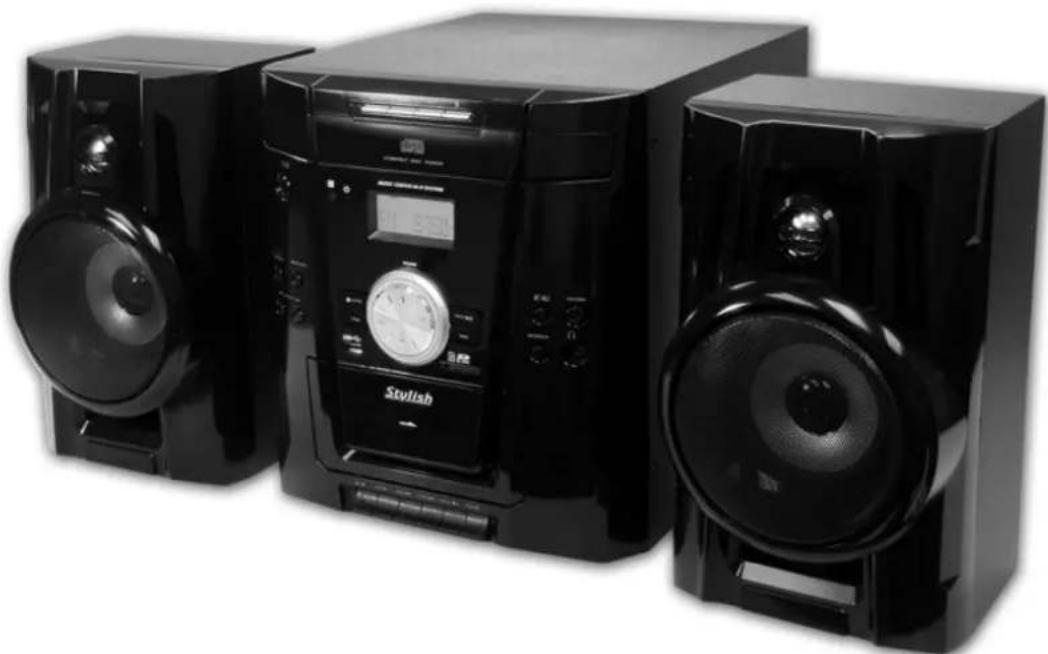
INSTRUCTION MANUAL
The exclamation point within the triangle is a warning sign alerting the user of important instructions accompanying the product.
The lightening flash with arrowhead symbol within the triangle is a warning sign alerting the user of "dangerous voltage" inside the unit.
To reduce the risk of electric shock, do not remove the cover. No user serviceable parts inside the unit. Refer all servicing to qualified personnel.
This unit operates on 230V 50Hz . If the unit is not used for a long period of time, remove the plug from the AC mains.
This unit must not be exposed to moisture or rain.
The power switch in this unit is mounted on the secondary circuit and does not disconnect the whole unit from the mains in OFF position.
Ensure all connections are properly made before operating the unit.
This unit should be positioned so that it is properly ventilated. Avoid placing it, for example, close to curtains, on the carpet or in a built-in installation such as a bookcase.
Do not expose this unit to direct sunlight or heat radiating sources.
Correct Disposal of This Product
(Waste Electrical & Electronic Equipment)

This marking shown on the product or its literature, indicates that it should not be disposed with other household wastes at the end of its working life. To prevent possible harm to the environment or human health from uncontrolled waste disposal, please separate this from other types of wastes and recycle it responsibly to promote the sustainable reuse of material resources.
Household users should contact either the retailer where they purchased this product, or their local government office, for details of where and how they can take this item for environmentally safe recycling.
Business users should contact their supplier and check the terms and conditions of the purchase contract. This product should not be mixed with other commercial wastes for disposal.


230v~



LOCATION OF CONTROLS MAIN UNIT
Usage of controls or adjustments or performance of procedures other than those specified herein may result in hazardous radiation exposure.
This unit should not be adjusted or repaired by anyone except qualified service personnel.
Important:
Since movement of the CD mechanism and the sensitive circuitry may cause interference to the radio tuner nearby, switch this unit off while operating other radio devices
Precautions for use
Installation
- Unpack all parts and remove protective material.
- Do not connect the unit to the mains before checking the main voltage and before all other connections have been made.
Do not cover any vents and make sure that there is a space of several centimeters around the unit for ventilation.
Connection
- Connect the AC cord (29) to the AC outlet, the unit will go to standby mode and the Standby LED indicator (3) will light up.
- Connect the speaker wire to the Speaker Terminal (27) located on the back of unit.
- Turn on the unit (5), if the LCD display (17) is on with backlighting, it means the power supply is normal. Now your system is ready to play the music.
Setting the clock
- Set unit in standby mode.
- Press & hold the "Mem/Clk-Adj" button (6), display will flash "24HR" press the Skip Up or Skip Down button (23/10) to select the clock format between 12 or 24Hour. Then press the "Mem/Clk-Adj" button (6).
- The first digit of " 0:00 " is flashing on the LCD display (17). Press Skip Up or Skip Down button (23/10) to set the correct hour. Press " Mem/Clk-Adj " button (6) to store the correct hour.
- The third & fourth digit of " 00 " is flashing, press the Skip Up or Skip Down button (23/10) to set the correct minutes. Then press "Mem/Clk-Adj" button (6) to store the correct minute.
The clock setting mode will automatically quit if no button is being pressed in a period of about 5 seconds after pressing the "Mem/_clk-Adj" button.
The pre-set time will be re-set completely if dis-connecting the main power supply. You are recommended to switch the system into standby mode for convenience usage.
Listening to radio
Manual tuning
- Switch on the unit by On/Standby button (5), then press Function button (19) to select "Tuner" mode.
- Tune to the required station by pressing the Tuning Up or Down button (23/10).
- Tuen the Volume knob (25) to the desired volume level.
Auto tuning
- Press Function button (19) to select "Tuner" mode.
- Press and hold the Tuning Up or Down button (23/10) for 1-2 seconds and then release.
- The unit will start seeking automatically and stop until a radio station is reached.
- Repeat step 2 & 3 until the desired radio station is being reached.
- Press Volume knob (25) to the desired volume level.
Preset stations
You can store up to 10 radio stations in the memory
Set to tuning mode.
- Turn to the desired radio station by "Manual" or "Auto" tuning method.
- Press and hold the Mem/Clk-Adj" button (6) until the "MEM" indicator and preset station number are flash on LCD display (17)
- Press "Folder / Pre-up ▲/down▼" button (9) to select the desired station memory for storage.
- Press "Mem/Clk-Adj" button (6) again to confirm the setting.
- Repeat step 1 to 4 to store other stations.
- Now you can select the presets stations in order by pressing the "Folder / Pre-up ▲/down▼ button (9)
The pre-set memories will be cancelled completely if dis-connecting the main power supply. You are recommended to switch the system into standby mode for convenience usage.
There are 5 seconds for program state, after 5 sec. This state would resume to normal tune mode automatically.
You can overwrite a present station by storing another frequency in its place.
FM-Stereo reception
- Press the "St/Mono" button (8) repeatedly, the FM programs are receiving in mono and stereo mode repeatedly. In particular when stereo signals are weak, it is preferable to receive the program in Mono.
- If stereo signal is being received, the stereo indicator " (ST) " will appear on LCD display (17) to show FM Stereo program is now receiving.
Hints for best reception:
FM : the receiver has a build-in FM wire antenna (26) hanging at the rear cabinet, this wire should be totally unraveled and extended for the best reception.
Playing Compact Disc
- Getting start
- Press Function button (19) to select "CD" mode.
- Press CD Tray Open/Close button (15) to open the CD tray.
- Place a CD with the printed side facing up inside the tray & then close the CD tray by press the CD Tray Open/Close button(15) again.
-
Focus search will performing and the LCD display (17) will show the total number of tracks & total playing time. Then, the
-
unit will start to automatically.
- Turn the Volume knob (25) to the desired volume level.
- Play / Pause mode
- To interrupt, press the "Play/Pause button (20) once, and the playing time will be freeze on the LCD display (17). Press again to resume normal playback.
- Stop mode
- If "Stop" button (8) is pressed during play or pause mode, system will go to stop mode.
- Skip mode (skip up / skip down
- During play or pause mode, if "skip up" button (23) is pressed. It will go to next track and display the track no. and then remain the play or pause mode.
- During play or pause mode, if "skip down" button (10) is pressed. It will go to the previous track, original track no. is display and remain the play or pause mode.
For MP3 Disc
- After focus search is performing, the total number of track and album will be shown on the LCD display (17). The unit will start to plat directly.
- Press "Folder/Pre-Up down" (9) I to select the folder number.
- Press "Skip Up" or Skip Down "按钮 (23/10) to select the track number.
ID3/Display function
Press the " ID3 " button (22) repeatedly, the LCD display (3) show " file - ... "during playback of MP3/WMA file, the song file/album/song/artist name/clock time is being displayed in sequence. Press the " ID3 " button (22) until display shows the running time to disable the function.
Remark:-
- In that case of no name or not supportive languages had been assigned for the track, LCD display will blank (17) when press the ID3 button.
- No Title/Album name can be recognized if the input format on the Disc is not supporting by the system.
- The system support only English and Arabic number for ID3 function.
MP3 track format requirement:-
Bit rate : 32 kbps~320kbps, sampling rate : 32khz, 44.1khz and 48 kHz decodable
The performance of playing MP3 Disc is various from the quality of recording disc and the method of recording. Furthermore, the searching lead-time for MP3-CD is longer than normal CD due to difference format.
- Repeat/Random mode
Press the "Play Mode" button (7) during playback to select repeat and random function, a single track, all the tracks repeat or folder repeat(MP3 only) and random can be played in difference mode as follow:
For CD
(1) repeat 1
(2) repeat all track
(3) random
(4) off mode

Play mode
Indicator
Repeat track
on LCD display
Repeat all

& flashing
Random

Off mode
For MP3 Disc

| Play mode | on LCD display |
| Repeat single track | & flashing |
| repeat all tracks | FOLDER1 |
| Repeat single folder | R AN |
| Rand m o d e | |
| Off mode |
Repeat play
You can listen the desired track or whole disc repeat by this function.
- Random play
You can listen all the tracks in a random order by this function.
CD programming
Up to 20 tracks can be programmed for disc play in any order. Before use, be sure to press the "stop" button (8).
- Set in CD mode & stop the CD playback.
- Press the "Mem/_clk-Adj" button (6) and "MEM" will appear on LCD display (17).
- Select a desired track by pressing skip up or down button (23/10).
- Press the "Mem/Clk-Adj" button (6) to store the track into memory.
- Repeat steps 3 and 4 to enter additional tracks into the memory if necessary.
- When all the desired tracks have been programmed, press "Play/Pause button (20) to play the disc in assigned order.
- Press "Stop" button (8) to stop playback, press Stop button again to clear all stored memory.
The programming mode will automatically stop if no button is being pressed in a period of about 10 seconds after pressing the "Mem/Clk-Adj" button.
Playback of MP3 song via USB storage media or memory Card
The system is able to decode and playback all MP3 /WMA file which stored in the memory media with USB connecting port or SD/MMC memory card.
- Set the system at standby mode first or other function except SD or USB mode.
- Plug-in the USB pen-drive with the face up & make sure it going into completely or insert the memory card in the direction of the arrow as shown in the label on the up side of the memory card slot. Insert straight without bending.
- Connecting the USB upside down or backwards could damage the audio system or the storage media (USB thumb drive/SD/MMC card). Check to be sure the direction is correct before connection.
- Set function button (19) to " D" SD/MMC card or " ↔ " USB mode.
- The system will start reading the storage media automatically after connecting, and LCD display (17) will show the total number of MP3/WMA files being detected.
- Repeat the same playback procedure as playing CD/MP3 disc as above.

Remark
The system can detect and read the file under MP3/WMA format only at USB/SD mode but not other music file format.
If connect the system to MP3 player via the USB socket, due to variances in MP3 encoding format, some MP3 player may not be able to play via the USB socket. This is not a malfunction of the system.
USB port does not support connection with USB extension cable and is not designed for communication with computer directly
Removing of USB / memory card
To remove the USB / memory card, turn off the power or switch the function mode to either CD, Aux, Tape or Tuner first. For USB port - un-plug it by pulling out the USB socket directly, for memory card - pull out the SD/MMC card straightly without bending.
Listing to tape
General operation
Stop / eject key Press to stop all deck operation. Press again to open the cassette door.
Fast Forward key Press to start rapid tape winding in either forward or reverse
& Fast Rewind key direction. Press Stop keys when the cassette spools stop turning.
Play key Press to start playing tape.
Pause key Press to stop tape operation temporarily. Press again to resume play.
Record key Press together with play key to start tape recording.
Playback
- Press Function button (19) to select "Tape" mode.
Put in the cassette tape.
Press play "key to active playback - Turn the Volume knob (25) to the desired volume level.
Use pause key when you want to stop playback temporarily.
Press Stop / Eject key when finished.
Recording
The cassette deck can record all functions model (CD/Tuner/USB/SD/Aux) as following procedures:
- Select the function which you want to record to cassette tape.
- Insert a blank cassette tape in cassette deck.
- Press "record" & "play" key to start recording.
- Start the playback of the music source which you want to record to tape
- Press "pause" keys and then "stop/eject" key at cassette deck when finish.
More features
A. Sleep function
- Press " Sleep" button (on Remote) "SLP-90" will shown on the LCD display (17).
- Keep pressing the button to adjust the sleep timer in the order of 90 > 80 > 70 > ... 10 minutes respectively and sleep icon "zz" will indicate on LCD.
- System will stop and go to standby mode automatically after running the selected time.
- To cancel the sleep mode, press "Sleep" button until "SLP-off" displayed and the "zzz" indicator disappear on LCD display.
B. Alarm clock setting
This function allows the system to turn on automatically and wake you up by CD , Tuner, USB or SD mode respectively.
Press and hold the "Alarm" button(1) to enter the alarm setting mode, the first digits of clock will flashing with alarm icon. Press Skip Up → / Down → button (23/10) to set the hour & then press "Alarm" button (1) again to confirm. Then press Skip Up → / Down → button (23/10) to set the minutes & press "Alarm" button (1) to confirm the alarm time, press Skip Up → / Down → button (23/10) to select wake up mode & press "Alarm" button (1) to confirm. Then turn the Volume knob (25) to adjust the wake up volume level. Press the alarm to complete the alarm setting.
Remark:-
If there is no music source being detected (such as CD or USB) when the preset time is reached, system will default to "Tuner" function for wake up mode automatically. The system will preset at the latest radio frequency being listened before switching off
For Tuner wake up, the system will preset at the latest radio frequency being listened before switching off.
There are about 4 seconds for alarm setting mode, this system will return to normal mode automatically if no keys being pressed in this time frame.
During the alarm on mode, press the "On/Standby " button(5) will switch off the system.
Active/de-active timer function
- To active the alarm function, press the "Alarm" button (1) repeatedly until the alarm indicator "0" is shown on LCD display (17).
- To cancel alarm function by press again "Alarm" button(1) until the timer indicator "A" disappear.
C. Mute function(on Remote)
Press to terminate the sound output from speaker temporarily and press again to resume normal playback.
D. Pre-set EQ function
This unit provides 4 differences sound mode to enhance your listening experience. You can select the desired effect by pressing the "Preset EQ" button (18) repeatedly at following sequence:

E. Display function
For convenience usage, press "Display/ID3" button (22) when system is on at any mode, the LCD display (17) will show the current time.
F. Snooze function
During the alarm on mode, press "Snoopze" button(2) once to terminate the alarm mode temporarily, and system will re-start again after 9 minutes on each press. To cancel the alarm, press the "Alarm" (1) button or On/Standby button (5) while system is on.
Aux-in connection
Connect another audio device, e.g. (portable) CD player, MP3 player, (portable) Cassette player, etc. to this system via a audio cord with RCA plugs (not supplied).
Connect one end of this cord to the external device and the other end to the Aux-in jack (28) on the back of the unit. When connected in this way and select to Aux mode by Function button (19). it is possible to play back the music already on the connected device.
Remote control transmitter
Control functions
Battery installation (battery not provided)
The infra-red transmitter require 2 pcs AAA size battery for operation
Button description
On/standby Press to power on / standby the system
Mem / Clk-adj
In standby mode: press & hold to adjust clock In CD/USD/SD/Tuner mode: press to preset memory
Play/pause In CD/USB/SD mode : press to start playback / pause mode
Skip up → /down Press to select previous / next tracks at CD/USB/SD mode Tune+/- Press to step up/down of radio frequency at tuner mode
Folder/Pre Up-Down In Tuner mode: press to select preset memory up/down In USB/SD mode: press to select folder up/down
-10/+10 In CD mode: skip up/down 10 tracks
Volume - / + Press to adjust volume level up/down
Alarm Press to adjust alarm clock or active/de-active alarm function
Snoopze Terminate the alarm mode temporarily
Mute Press to active mute function
Preset EQ Press to select difference EQ mode for enjoyment
Sleep press to active sleep function
Display/ID3 To active the id3 function
Play mode In CD mode : press to active random/repeat function
Open Open the CD tray
Stop /St-Mono In CD/USB/SD mode : press to stop the playback In Tuner mode : select stereo/mono mode
Function Select the function between CD/Tuner/Cassette/USB/SD/Aux

TECHNICAL SPECIFICATIONS:
PowerSupply
AC:230V\~50Hz
Battery: 2 × UM-4, 3V for remote control
RadioFrequencyCoverage
FM:87.5-108MHz
CDPlayer
Pick Up: 3-Beam, Semiconductor Laser
D/ACoverter: 16-Bit Linear 2x Oversampling
General
Headphones: 3.5mm stereo jack plug, 8-32 Ohm
Output Power 2 x 5 Watts
Design and specifications are subject to change without notice

is a registered Trademark of Roadstar S.A. - Switzerland All rights reserved
MICRO-CD-/MP3-HIFI-ANLAGE MIT PLL-RADIO USB-/SD-STECKPLATZ
HIF-6850USMP

Stop /St/Mo [Stop/Stereo/Mono]
Function [Funktion]
is a registered Trademark of Roadstar S.A. - Switzerland All rights reserved

Roadstar®
CHAINE HI-FI MICRO CD/MP3 AVEC RADIO PLL ET PORTS UBS/CARTE SD
HIF-6850USMP

MODE D'EMPLOI
EMPLACEMENT DES BOUTONS DE COMMANDE BLOC PRINCIPAL
Mode Skip (skip up / skip down
Mem / Clk-Adj [Mémoriser/Heure]
Play/pause [Lecture/Pause]
Play mode [Mode Lecture]
Correct Disposal of This Product
(Waste Electrical & Electronic Equipment)

Display/ID3 (Pantalla/ID3)
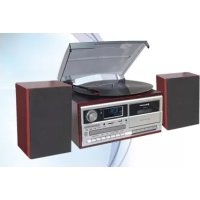
- MICRO CD/MP3 HI-FI SYSTEM WITH FM PLL RADIO USB/SD SLOT
- Correct Disposal of This Product
- (Waste Electrical & Electronic Equipment)
- LOCATION OF CONTROLS MAIN UNIT
- Important:
- Precautions for use
- Installation
- Connection
- Setting the clock
- Listening to radio
- Manual tuning
- Auto tuning
- Preset stations
- FM-Stereo reception
- Hints for best reception:
- Playing Compact Disc
- - Getting start
- - Play / Pause mode
- - Stop mode
- - Skip mode (skip up / skip down
- For MP3 Disc
- ID3/Display function
- Remark:-
- - Repeat/Random mode
- Repeat play
- - Random play
- CD programming
- Playback of MP3 song via USB storage media or memory Card
- Remark
- Removing of USB / memory card
- Listing to tape
- General operation
- Playback
- Recording
- More features
- Sleep function
- Alarm clock setting
- Active/de-active timer function
- Mute function(on Remote)
- Pre-set EQ function
- Display function
- Snooze function
- Aux-in connection
- Remote control transmitter
- Control functions
- Button description
- TECHNICAL SPECIFICATIONS:
- MICRO-CD-/MP3-HIFI-ANLAGE MIT PLL-RADIO USB-/SD-STECKPLATZ
- Roadstar®
- CHAINE HI-FI MICRO CD/MP3 AVEC RADIO PLL ET PORTS UBS/CARTE SD
- EMPLACEMENT DES BOUTONS DE COMMANDE BLOC PRINCIPAL
- Mode Skip (skip up / skip down
Brand : ROADSTAR
Model : HIF6850USMP
Category : Hi-fi system