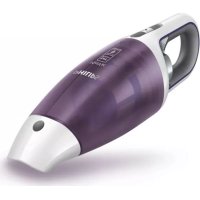
MiniVac FC6145 PHILIPS

MiniVac FC6145 - Aspirateur PHILIPS - Free user manual and instructions

Find the device manual for free MiniVac FC6145 PHILIPS in PDF.

Page 6
Manual assistant
Powered by ChatGPT
Waiting for your message
Product information

Brand : PHILIPS

Model : MiniVac FC6145

Category : Aspirateur

Download the instructions for your Aspirateur in PDF format for free! Find your manual MiniVac FC6145 - PHILIPS and take your electronic device back in hand. On this page are published all the documents necessary for the use of your device. MiniVac FC6145 by PHILIPS.

USER MANUAL MiniVac FC6145 PHILIPS

Register your product and get support at

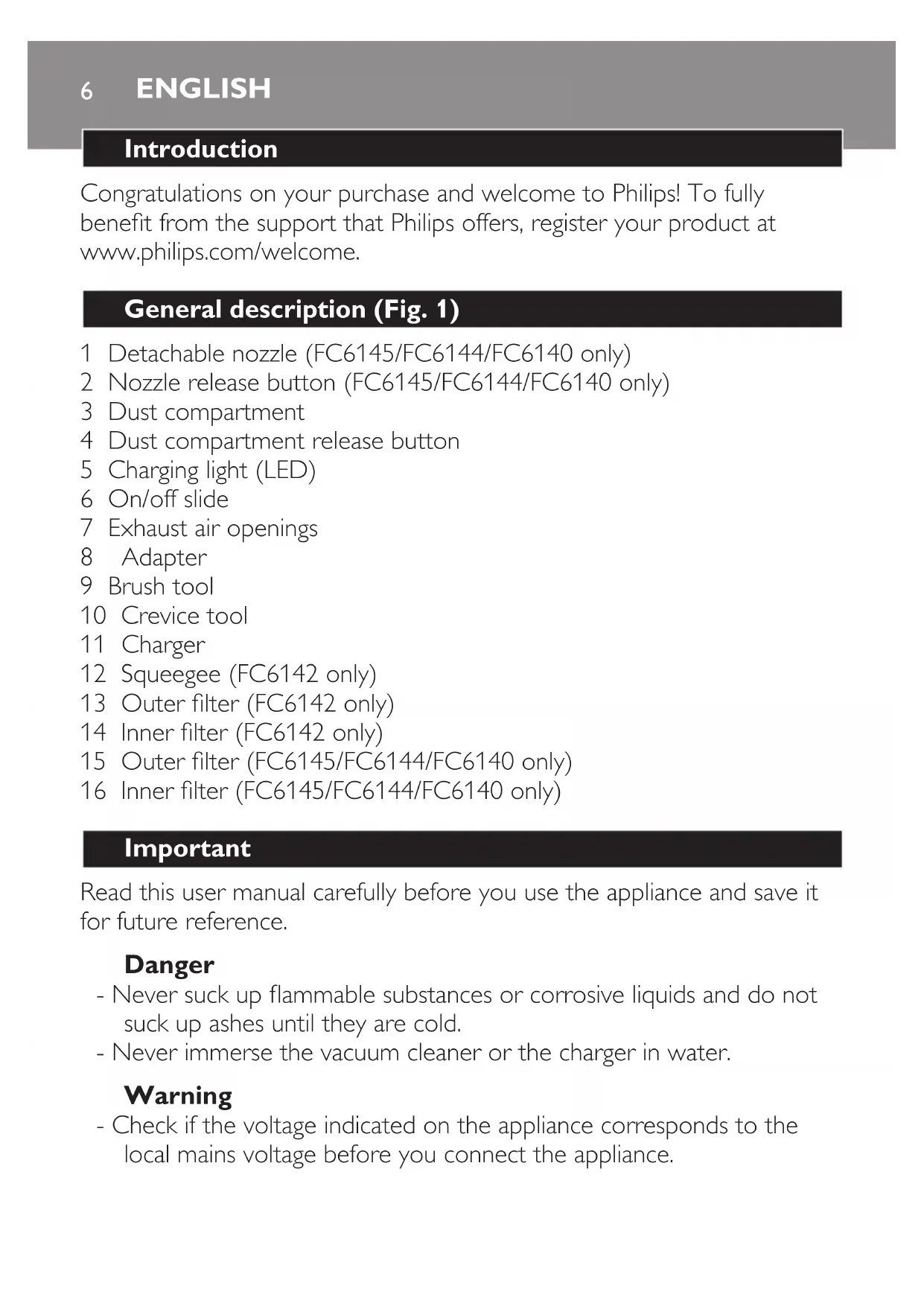
Congratulations on your purchase and welcome to Philips! To fully

benet from the support that Philips offers, register your product at

www.philips.com/welcome.

4 Dust compartment release button

5 Charging light (LED)

7 Exhaust air openings

12 Squeegee (FC6142 only)

13 Outer lter (FC6142 only)

14 Inner lter (FC6142 only)

15 Outer lter (FC6145/FC6144/FC6140 only)

16 Inner lter (FC6145/FC6144/FC6140 only)

Read this user manual carefully before you use the appliance and save it

for future reference.

- Never suck up ammable substances or corrosive liquids and do not

suck up ashes until they are cold.

- Never immerse the vacuum cleaner or the charger in water.

- Check if the voltage indicated on the appliance corresponds to the

local mains voltage before you connect the appliance.

ENGLISH- Do not use the appliance if the plug, the mains cord or other parts

- The adapter and the charger of this appliance cannot be replaced. If

the adapter or charger is damaged, the appliance must be discarded.

- This appliance is not intended for use by persons (including children)

with reduced physical, sensory or mental capabilities, or lack of

experience and knowledge, unless they have been given supervision

or instruction concerning use of the appliance by a person

responsible for their safety.

- Children should be supervised to ensure that they do not play with

- Remove the adapter from the wall socket before you clean the

- Only charge the vacuum cleaner with the adapter and charger

supplied. During charging, the adapter feels warm to the touch. This is

- Do not hold the appliance with the dust compartment pointing

upwards and do not tilt the appliance to one side when you suck up

- Always switch off the vacuum cleaner after use.

- The voltage on the contact strips in the charger is low (max. 12 volts)

and therefore not dangerous.

- Never block the exhaust air openings during vacuuming.

- Switch off the appliance when you recharge it.

- Always use the vacuum cleaner with the lter unit assembled.

- When you have used the appliance to suck up liquids, empty and dry

the dust compartment before you store the appliance in the charger.

- To avoid the risk of electric shock, be careful when you drill holes in

the wall to attach the charger, especially close to a wall socket.

Electromagnetic elds (EMF)

This Philips appliance complies with all standards regarding

electromagnetic elds (EMF). If handled properly and according to the

instructions in this user manual, the appliance is safe to use based on

scientic evidence available today.

ENGLISH 7Preparing for use

Installing the charger

1 Attachthechargertothewallasshowninthegure.(Fig.2)

If you attach the charger to the wall, the space between the screw holes

2Youcanalsoplacethechargeronahorizontalsurface(e.g.atable

3 Windexcessmainscordaroundthereelinthebackofthecharger

andpassthecordthroughtheslot(Fig.4).

Charging the appliance

Charge the appliance for at least 16 hours before you use it for the rst

1 Make sure the appliance is switched off.

2 Put the adapter in the wall socket.

3 Placethevacuumcleaneronthecharger(Fig.5).

- Make sure you place the opening in the back of the vacuum cleaner

on the hook of the charger (Fig. 6).

, The charging light goes on to indicate that the appliance

ischarging(Fig.7).

Note: The charging light stays on as long as the appliance is in the plugged-in

Note: The charging light does not give any information about the battery

charge level of the vacuum cleaner.

The appliance comes with the following accessories:

- a brush tool to clean delicate surfaces;

- a crevice tool to vacuum corners or narrow gaps;

- a squeegee to suck up liquid (FC6142 only).

1 Take the accessory you want to use from the charger.

2Attachtheaccessorytothenozzleoftheappliance(Fig.10).

Sucking up liquid (FC6142 only)

1 Connect the squeegee to the nozzle of the appliance.

2 Hold the appliance with the nozzle pointing downwards at an angle

Never hold the appliance with the nozzle pointing upwards when there

is liquid in the dust compartment.

Do not tilt the appliance to one side or shake the appliance when there

is liquid in the dust compartment.

3 Placethesqueegeeonthesurfacetobecleaned.

Make sure the squeegee stays in contact with the surface.

4 Suck up the liquid.

Stop sucking up liquid when the liquid level inside the dust

compartment has reached the maximum indication.

5 Empty and dry the dust compartment each time you have used the

appliance to suck up a liquid.

1 Whenyouhaveusedtheappliancetosuckupliquid(FC6142only),

always empty and dry the dust compartment after use.

2 Clean the appliance and the charger with a damp cloth.

ENGLISH 9Emptying and cleaning the dust compartment (FC6145/

Make sure you empty and clean the dust compartment regularly.

To empty the dust compartment quickly:

1 Pressthenozzlereleasebutton(1)andtakethedetachablenozzle

offtheappliance(2)(Fig.11).

2 Shake the contents of the dust compartment out into a

compartmentwiththeprojectionontheappliance.Firstattachthe

Make sure you clean the lter unit regularly.

1 Turntheouterlteranticlockwise(1)andremoveitfromthelter

holder(2)(Fig.16).

Leave the inner lter attached to the lter holder.

ENGLISH102Cleantheinnerlterandtheouterlterwithabrushorwitha

normal vacuum cleaner if they are very dirty.

Note: If necessary , you can clean the inner lter and the outer lter in cold

or lukewarm water. Dry the inner and outer lter thoroughly before you use

the lter unit again.

3 Placetheouterlterbackontothelterholder(1)andturnit

clockwisetoattachit(2).(Fig.17)

4 Putthelterunitbackintothedustcompartment(Fig.18).

Note: Make sure you insert the lter unit in the correct way.

Emptying and cleaning the dust compartment and lter

Make sure you empty and clean the dust compartment and the lter unit

Note: If there is liquid in the dust compartment, empty the dust

compartment and wipe it dry.

4 Ifnecessary,cleanthedustcompartmentwithadampcloth.

5 Turntheinnerlteranticlockwise(1)andremoveitfromtheouter

Leave the inner lter attached to the lter holder.

6 Cleantheinnerlterandtheouterlterwithabrushorwitha

normal vacuum cleaner if it is very dirty.

Note: If necessary, you can clean the inner lter and the outer lter in cold or

lukewarm water. Dry the inner and outer lter thoroughly before you use the

Note: Make sure you insert the lter unit in the correct way.

9 Toreattachthedustcompartment,aligntheslotonthedust

compartmentwiththeprojectionontheappliance.Firstattachthe

1 You can store the vacuum cleaner and the accessories on the

We advise you to replace the inner lter after a prolonged period of use

or if you can no longer clean it properly.

Replacing the inner lter (FC6145/FC6144/FC6140)

ENGLISH12Note: Make sure you insert the lter unit in the correct way.

7 Putthelterunitbackintothedustcompartment(Fig.18).

Note: Make sure you insert the lter unit in the correct way.

Ordering accessories

To purchase accessories for this appliance, please visit our online shop at

www.shop.philips.com/service. If the online shop is not available in

your country, go to your Philips dealer or a Philips service centre. If you

have any difculties obtaining accessories for your appliance, please

contact the Philips Consumer Care Centre in your country. You nd its

contact details in the worldwide guarantee leaet.

- Do not throw away the appliance with the normal household waste

at the end of its life, but hand it in at an ofcial collection point for

recycling. By doing this, you help to preserve the

environment (Fig. 26).

ENGLISH 13- The built-in rechargeable batteries contain substances that may

pollute the environment. Remove the batteries when you discard the

appliance. Do not throw away the batteries with the normal

household waste, but hand them in at an ofcial collection point. You

can also take the appliance to a Philips service centre. The staff of this

centre will remove the batteries for you and will dispose of them in

an environmentally safe way (Fig. 27).

If you are not going to use the appliance for a longer period of time,

remove the adapter from the wall socket to save energy.

Disposing of the rechargeable batteries

NiMHbatteriesmayexplodewhenexposedtohightemperaturesor

Onlyremovetherechargeablebatteriesiftheyarecompletelyempty.

Remove the rechargeable batteries in the following way.

1 Letthevacuumcleanerrununtilitstops,undothescrewsand

openthevacuumcleaner(Fig.28).

batteries(Fig.29).

If you need service or information or if you have a problem, please visit

the Philips website at www.philips.com/support or contact the Philips

Consumer Care Centre in your country. You nd its phone number in the

worldwide guarantee leaet. If there is no Consumer Care Centre in your

country, go to your local Philips dealer.

This chapter summarises the most common problems you could encounter

with the appliance. If you are unable to solve the problem with the

information below, visit www.philips.com/support for a list of frequently

asked questions or contact the Consumer Care Centre in your country.

ENGLISH14Problem Solution

The batteries may be low. Recharge the batteries.

You may not have placed the appliance on the

charger properly. Place the appliance on the charger

properly. the charging light goes on to indicate that

the appliance is charging.

You may not have put the adapter properly in the

wall socket. Put the adapter properly in the wall

The contact points on the appliance and/or on the

charger may be dirty. Wipe them clean with a dry

The appliance may have been switched on while it

was on the charger. Make sure the appliance is

switched off when you charge it.

If the appliance still does not work, take the

appliance to your dealer or a service centre

authorised by Philips for examination.

Make sure that the adapter is inserted properly in

the wall socket and that the appliance is switched off.

The dust compartment may not be attached

properly to the appliance. Attach the dust

compartment properly to the appliance.

The dust compartment may be full. Empty the dust

The lter unit may be clogged. Clean the inner lter

and the outer lter (see chapter ‘Cleaning’).

English 15Problem Solution

The dust compartment may be full. Empty the dust

The dust compartment may not be attached

properly to the appliance. Attach the dust

compartment properly to the appliance.

Perhaps the lter unit is not placed properly in the

dust compartment. Place the lter unit properly in

the dust compartment.

The dust compartment may be full. Empty the dust

The accessory may be clogged. Remove the

obstruction from the accessory.

The lter unit may be clogged. Clean the inner lter

and the outer lter (see chapter ‘Cleaning’).

Perhaps the squeegee is not attached to the nozzle.

Attach the squeegee to the nozzle when you want

Perhaps you do not hold the appliance in the right

way. Hold the appliance with the nozzle pointing

downwards at an angle of 30°. Do not tilt the

appliance to one side and make sure the squeegee

touches the surface to be cleaned.

English16Problem Solution

The lter unit may be wet. Make sure the inner lter

and the outer lter are dry before you place the

lter unit in the dust compartment.

You may not have put the lter unit in the dust

compartment. Never use the appliance without the

Perhaps the lter unit is not placed properly in the

dust compartment. Place the lter unit properly in

the dust compartment.

Perhaps the amount of liquid in the dust

compartment exceeds the maximum indication.

Empty the dust compartment immediately and dry it.

Never let the dust compartment ll up with liquid

beyond the maximum indication.