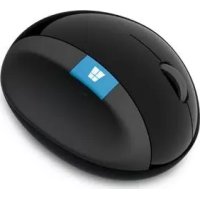
Sculpt Ergonomic Mouse - Mouse MICROSOFT - Free user manual and instructions
Find the device manual for free Sculpt Ergonomic Mouse MICROSOFT in PDF.

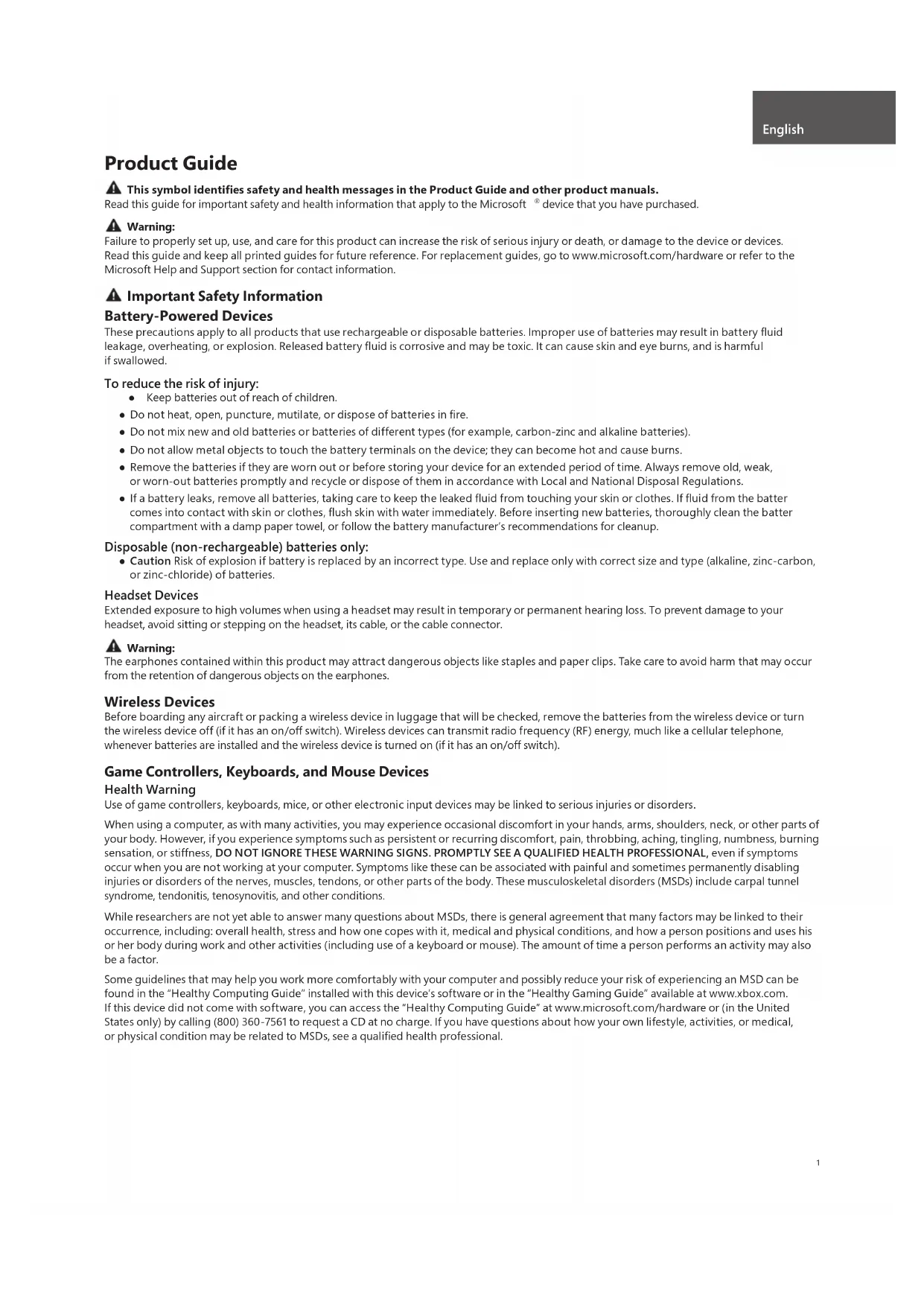


| Product Type | Ergonomic wireless mouse |
| Brand | Microsoft |
| Model | Sculpt Ergonomic Mouse |
| Dimensions (L x W x H) | Approximately 120 x 70 x 40 mm |
| Weight (with batteries) | Approximately 150 g |
| Power source | 2 AA batteries (alkaline or rechargeable) |
| Battery life | Up to several months depending on use |
| Sensor type | Optical LED (Class 1) |
| Sensor resolution | 1000 dpi (typical) |
| Connectivity | Wireless via USB receiver (2.4 GHz or 27 MHz frequency depending on variant) |
| Wireless range | Up to 10 meters |
| Buttons | 5 buttons: left click, right click, scroll wheel, back button, forward button |
| Scroll wheel | Tactile scroll wheel with click |
| Ergonomic design | Sculpted shape for optimal comfort, integrated thumb rest |
| Compatibility | Windows, Mac OS, Linux (plug-and-play) |
| Operating temperature | +5°C to +35°C |
| Maintenance and cleaning | Clean with a dry cloth; do not use liquids |
| Safety | Compliant with CE, FCC and IEC 60825-1 (Class 1 laser) standards |
| Spare parts and repairability | Not user-repairable; contact Microsoft support |
| Warranty | Limited warranty of 1 to 3 years depending on region |
| Included accessories | Mouse, USB receiver, 2 AA batteries, quick start guide |
Frequently Asked Questions - Sculpt Ergonomic Mouse MICROSOFT
User questions about Sculpt Ergonomic Mouse MICROSOFT
0 question about this device. Answer the ones you know or ask your own.
Ask a new question about this device
Download the instructions for your Mouse in PDF format for free! Find your manual Sculpt Ergonomic Mouse - MICROSOFT and take your electronic device back in hand. On this page are published all the documents necessary for the use of your device. Sculpt Ergonomic Mouse by MICROSOFT.
USER MANUAL Sculpt Ergonomic Mouse MICROSOFT
International Technical
Support Numbers
(partial list only) 96
Product Guide
This symbol identifies safety and health messages in the Product Guide and other product manuals.
Read this guide for important safety and health information that apply to the Microsoft device that you have purchased.
A Warning:
Failure to properly set up, use, and care for this product can increase the risk of serious injury or death, or damage to the device or devices. Read this guide and keep all printed guides for future reference. For replacement guides, go to www.microsoft.com/hardware or refer to the Microsoft Help and Support section for contact information.
Important Safety Information
Battery-Powered Devices
These precautions apply to all products that use rechargeable or disposable batteries. Improper use of batteries may result in battery fluid leakage, overheating, or explosion. Released battery fluid is corrosive and may be toxic. It can cause skin and eye burns, and is harmful if swallowed.
To reduce the risk of injury:
- Keep batteries out of reach of children.
- Do not heat, open, puncture, mutilate, or dispose of batteries in fire.
- Do not mix new and old batteries or batteries of different types (for example, carbon-zinc and alkaline batteries).
- Do not allow metal objects to touch the battery terminals on the device; they can become hot and cause burns.
- Remove the batteries if they are worn out or before storing your device for an extended period of time. Always remove old, weak, or worn-out batteries promptly and recycle or dispose of them in accordance with Local and National Disposal Regulations.
- If a battery leaks, remove all batteries, taking care to keep the leaked fluid from touching your skin or clothes. If fluid from the batter comes into contact with skin or clothes, flush skin with water immediately. Before inserting new batteries, thoroughly clean the batter compartment with a damp paper towel, or follow the battery manufacturer's recommendations for cleanup.
Disposable (non-rechargeable) batteries only:
- Caution Risk of explosion if battery is replaced by an incorrect type. Use and replace only with correct size and type (alkaline, zinc-carbon, or zinc-chloride) of batteries.
Headset Devices
Extended exposure to high volumes when using a headset may result in temporary or permanent hearing loss. To prevent damage to your headset, avoid sitting or stepping on the headset, its cable, or the cable connector.
A Warning:
The earphones contained within this product may attract dangerous objects like staples and paper clips. Take care to avoid harm that may occur from the retention of dangerous objects on the earphones.
Wireless Devices
Before boarding any aircraft or packing a wireless device in luggage that will be checked, remove the batteries from the wireless device or turn the wireless device off (if it has an on/off switch). Wireless devices can transmit radio frequency (RF) energy, much like a cellular telephone, whenever batteries are installed and the wireless device is turned on (if it has an on/off switch).
Game Controllers, Keyboards, and Mouse Devices
Health Warning
Use of game controllers, keyboards, mice, or other electronic input devices may be linked to serious injuries or disorders.
When using a computer, as with many activities, you may experience occasional discomfort in your hands, arms, shoulders, neck, or other parts of your body. However, if you experience symptoms such as persistent or recurring discomfort, pain, throbbing, aching, tingling, numbness, burning sensation, or stiffness, DO NOT IGNORE THESE WARNING SIGNS. PROMPTLY SEE A QUALIFIED HEALTH PROFESSIONAL, even if symptoms occur when you are not working at your computer. Symptoms like these can be associated with painful and sometimes permanently disabling injuries or disorders of the nerves, muscles, tendons, or other parts of the body. These musculoskeletal disorders (MSDs) include carpal tunnel syndrome, tendonitis, tenosynovitis, and other conditions.
While researchers are not yet able to answer many questions about MSDs, there is general agreement that many factors may be linked to their occurrence, including: overall health, stress and how one copes with it, medical and physical conditions, and how a person positions and uses his or her body during work and other activities (including use of a keyboard or mouse). The amount of time a person performs an activity may also be a factor.
Some guidelines that may help you work more comfortably with your computer and possibly reduce your risk of experiencing an MSD can be found in the "Healthy Computing Guide" installed with this device's software or in the "Healthy Gaming Guide" available at www.xbox.com. If this device did not come with software, you can access the "Healthy Computing Guide" at www.microsoft.com/hardware or (in the United States only) by calling (800) 360-7561 to request a CD at no charge. If you have questions about how your own lifestyle, activities, or medical, or physical condition may be related to MSDs, see a qualified health professional.
Photosensitive Seizures
A very small percentage of people may experience a seizure when exposed to certain visual images, including flashing lights or patterns that may appear in video games. Even people who have no history of seizures or epilepsy may have an undiagnosed condition that can cause these "photosensitive epileptic seizures" while watching video games.
These seizures may have a variety of symptoms, including light headedness, altered vision, eye or face twitching, jerking or shaking of arms or legs, disorientation, confusion, or momentary loss of awareness. Seizures may also cause loss of consciousness or convulsions that can lead to injury from falling down or striking nearby objects.
Immediately stop playing and consult a doctor if you experience any of these symptoms. Parents should watch for or ask their children about the above symptoms - children and teenagers are more likely than adults to experience these seizures. The risk of photosensitive epileptic seizures may be reduced by taking the following precautions:
Sit farther from the television screen.
Use a smaller television screen.
- Play in a well-lit room.
- Do not play when you are drowsy or fatigued.
If you or any of your relatives have a history of seizures or epilepsy, consult a doctor before playing.
All Devices
Do Not Attempt Repairs
Do not attempt to take apart, open, service, or modify the hardware device or power supply. Doing so could present the risk of electric shock or other hazard. Any evidence of any attempt to open and/or modify the device, including any peeling, puncturing, or removal of any of the labels, will void the Limited Warranty.
Choking Hazard
This device may contain small parts which may be a choking hazard to children under 3. Keep small parts away from children.
Usage and Cleaning
Use in accordance with these instructions:
- Do not use near any heat sources.
- Only use attachments/accessories specified by Microsoft.
Clean only with dry cloth. - Do not allow this product to become wet. To reduce the risk of fire or shock, do not expose this product to rain or other types of moisture.
Adhesive Mounting
Some devices use adhesive tape to mount components in your workspace. DO NOT mount on antiques, heirlooms, or other valuable or irreplaceable items. After mounting, removing the adhesive may damage the cosmetic coating and/or leave an adhesive residue.
Tablet Stands
To avoid damaging equipment placed on the tablet stand, do not overload or bump it, causing it to collapse or tip over.
Laser and LED Specific cations
Caution Use of controls or adjustments, or performance of procedures other than those specified herein may result in hazardous radiation exposure.
Laser Devices
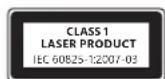
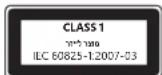
This device complies with International Standard IEC 60825-1:2007-03 for a Class 1 laser product. This device also complies with 21 CFR 1040.10 and 1040.11 except for deviations pursuant to Laser Notice No. 50, dated June 24, 2007.
Optical (LED) Mouse
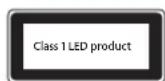
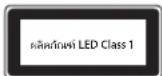
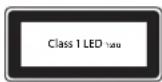
This product has been evaluated to comply with International Standard (IEC 60825-1:2001-08) and IEC 62471 (2006-07). This product uses LEDs that are considered Class 1 (IEC 60825-1:2001-08).
Regulatory Information
Not intended for use in machinery, medical or industrial applications.
Any changes or modifications not expressly approved by Microsoft could void the user's authority to operate this device.
This product is for use with NRTL Listed (UL, CSA, ETL, etc.), and/or IEC/EN 60950-1 compliant (CE marked) Information Technology equipment. No serviceable parts included. This device is rated as a commercial product for operation at +41^ (+5^) to +95^ (+35^) .
This Class B digital apparatus complies with, as applicable, Part 15 of the U.S. Federal Communications Commission (FCC) rules, Canadian ICES-003, RSS-Gen, RSS-210 and RSS-310. Operation is subject to the following two conditions: (1) this device may not cause interference, and (2) this device must accept any interference received, including interference that may cause undesired operation.
To comply with RF exposure requirements, the following operating configurations must be satisfied: the antenna has been installed by the manufacturer and no changes can be made. The wireless devices must not be co-located or operating in conjunction with any other antenna or transmitter. Except for headset and handheld devices, wireless devices must be at least 20cm between the antenna of the wireless device and all persons.
For 802.11a devices only
This product is restricted to indoor use only to reduce any potential for harmful interference with licensed operation in the 5.15 to 5.25 GHz frequency range.
Microsoft Corporation; One Microsoft Way; Redmond, WA 98052-6399; U.S.A. United States: (800) 426-9400 Canada: (800) 933-4750
Statement of Compliance with EU Directives
Hereby, Microsoft Corporation declares that this product is in compliance with the essential requirements and other relevant provisions of Directives, 2006/95/EC, 2004/108/EC and 1999/5/EC, as applicable.
Company: Microsoft Ireland Operations Ltd.
Address: The Atrium Building 3
Carmenhall Road, Sandyford Industrial Estate, DUBLIN 18
Country:
Ireland
Telephone number: +353 1295 3826
Fax number: +353 1706 4110

Complies with IDA Standards DB102868
Complies with IDA Standards DB100398
Category II Equipment
27 MHz Devices
RF output power: < 54dB V / m at 3m
Keyboard with two channels - RF frequencies: 27.095MHz (channel 1), 27.195MHz (channel 2)
Keyboard with a single channel - RF frequency: 27.195MHz or 27.095MHz
Mouse with two channels - RF frequencies: 27.045MHz (channel 1), 27.145MHz (channel 2)
Mouse with a single channel - RF frequency: 27.145MHz or 27.045MHz
This Category II radiocommunication device complies with Industry Canada Standard RSS-310.
Radio and TV Interference Regulations
The Microsoft hardware device(s) can radiate radio frequency (RF) energy. If not installed and used in strict accordance with the instructions given in the printed documentation and/or onscreen help files, the device may cause harmful interference with other radio-communications devices (for example AM/FM radios, televisions, baby monitors, cordless phones, etc.). There is, however, no guarantee that RF interference will not occur in a particular installation.
To determine if your hardware device is causing interference to other radio-communications devices, disconnect the device from your computer or remove the device's batteries (for a battery operated device). If the interference stops, it was probably caused by the device. If the interference continues after you disconnect the hardware device or remove the batteries, turn the computer off and then on again. If the interference stopped when the computer was off, check to see if one of the input/output (I/O) devices or one of the computer's internal accessory boards is causing the problem. Disconnect the I/O devices one at a time and see if the interference stops.
If this hardware device does cause interference, try the following measures to correct it:
- Relocate the antenna of the other radio-communications device (for example AM/FM Radios, televisions, baby monitors, cordless phones, etc) until the interference stops.
- Move the hardware device farther away from the radio or TV, or move it to one side or the other of the radio or TV.
- Plug the computer into a different power outlet so that the hardware device and radio or TV are on different circuits controlled by different circuit breakers or fuses.
If necessary, ask your computer dealer or an experienced radio-TV technician for more suggestions. For more information about interference issues, go to the FCC Web site at: http://www.fcc.gov/cgi/consumerfacts/interference.html. You can also call the FCC at 1-888-CALL FCC to request Interference and Telephone Interference fact sheets.
Disposal of Waste Batteries and Electrical & Electronic Equipment
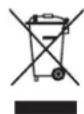
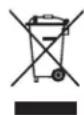
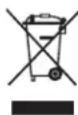
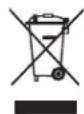
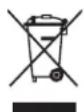
This symbol on the product or its batteries or its packaging means that this product and any batteries it contains must not be disposed of with your household waste. Instead, it is your responsibility to hand this over to an applicable collection point for the recycling of batteries and electrical and electronic equipment. This separate collection and recycling will help to conserve natural resources and prevent potential negative consequences for human health and the environment due to the possible presence of hazardous substances in batteries and electrical and electronic equipment, which could be caused by inappropriate disposal. For more information about where to drop off your batteries and electrical and electronic waste, please contact your local city/municipality office, your household waste disposal service, or the shop where you purchased this product. Contact weee@microsoft.com for additional information on WEEE and waste batteries.
Guiadoproduo
Piles jetables (non rechargeable) quintum :
Installation adhesive
Adresse: The Atrium Building 3
Carmenhall Road, Sandyford Industrial Estate, DUBLIN 18
Pays:
Irlande
Carmenhall Road, Sandyford Industrial Estate, DUBLINO 18
Paese: Irlanda
Carmenhall Road, Sandyford Industrial Estate, DUBLIN 18
Pais:
Irlanda
Piles jetables (non rechargeable) quintum :
Installation adhesive
Adres: The Atrium Building 3
Carmenhall Road, Sandyford Industrial Estate, DUBLIN 18
Land:
lerland
Telefoonnummer: +353 1295 3826
Faxnumber: +353 1706 4110

Verwerken van afgedankte batterijen en afgedankte elektrische en elektronische apparaten
Adresse: The Atrium Building 3
Carmenhall Road, Sandyford Industrial Estate, DUBLIN 18
Land: Irland
Telefon: +35312953826
Fax: +353 1 706 4110

Ateuovon: The Atrium Building 3
Carmenhall Road, Sandyford Industrial Estate, DUBLIN 18
Xwpa:lpavdelta
Aptooc TnEewpovou: +35312953826
Aptθμoc Fax: +353 1706 4110

Anoppiyn axpnotw mataipi w kOw c kai nAektpikoou kai nAektpovikou eonlaioou
To ouβoAo auto enavw oto npoiov, otic mntapiec tou n otouakeuaia onmaivei oto npoiov auto, kai onoioeohnote
mntatapiec nepiexei, dev npenei va atoppiinvtovta ie ta oikiaa anoppmuata. Avtieta, evai dkiac euvunva napadwaete
to npoiov oe kaioo ediko onmeio auuoync yia tvv avakukwnot wv mntapiwv kaowc kai tou nkektpkoouk naektpovkaou
Eoiiaou. Autn n Exwpiatn ovllayon kai avakukwan tho bonnoe stny eoikovomn qauikovtopw v ktnv anotpon
twv niabuv apnvntikw entttweuw yia tvv aovpwnv ueia kai to nepiackov, tic onoeic mnpoei va pokalaeoi n akataaan
antoppipn, loywo tn iOavnic napovoiac enikivdvww ovuiw otic mntapiec, to nkektpko kai to nkektpovko Eotlaio.
Tia nepiooatepe c npnpopoeic oxetik a ta oneia ontuopeite va apnoete ra nkektpka kai nkektpvokaac onppiuata
kai tic mntapiec oac, etikovwnote me to deno oou mtopeite va apnoete ra nkektpka kai nkektpvikaac onppiuata
kai tic mntapiec oac, etikovwnote me to deno oou mtopeite va apnoete ra nkektpka kai nkektpvikaac onppiuata
to onio ayopaaote to npoiov auto. Ia npooetec, nnpopopiec oxetik a te WEEK kynr npoppipn mntapwiw, enikovwnote
te tnv nektpovkn dievthuvan weee@microsoft.com.
Manual do Produto
Carmenhall Road, Sandyford Industrial Estate, DUBLIN 18
Pais:
Irlanda
Sirket: Microsoft Ireland Operations Ltd.
Adres: The Atrium Building 3
Carmenhall Road, Sandyford Industrial Estate, DUBLIN 18
Ulke: Irlanda
Telefon numaras: +353 1295 3826
Adresse: The Atrium Building 3
Carmenhall Road, Sandyford Industrial Estate, DUBLIN 18
Land:
Irland
Telefonnummer: +353 1 295 3826
Faxnumber: +353 1706 4110

Osoite: The Atrium Building 3
Carmenhall Road, Sandyford Industrial Estate, Dublin 18
Maa: Irlanti
Puhelinnumero: +353 1295 3826
Faksinumero: +353 1706 4110

Adress: The Atrium Building 3
Carmenhall Road, Sandyford Industrial Estate, DUBLIN 18
Land:
Irland
Telefonnummer: +353 1295 3826
Faxnumber: +353 1 706 4110

Microsoft Corporation; One Microsoft Way; Redmond, WA 98052-6399; U.S.A. United States: (800) 426-9400; Canada: (800) 933-4750
电话:(86) 21-6188-8888
传真:(86)21-34292977
技术支持电话
Microsoft Corporation, One Microsoft Way, Redmond, WA 98052-6399, U.S.A. (800) 426-9400 [T]
1.吉昌的明昌马乌洛:多子
2.信中回是自的上:MicrosoftCorporation
3.総支部電:2012年
4.制王/制国:MicrosoftCorporation/China
大
i
uuaaunauauuul u" uuu "auuunauuuuauuuuuuuuuuuuuuuuuuuuuuuuuuuuuuuuuuuuuuuuuuuuuuuuuuuuuuuuuuuuuuuuuuuuuuuuuuuuuuuuuuuuuuuuuuuuuuuuuuuuuuuuuuuuuuuuuuuuuuuuuuuuuuuuuuuuuuuuuuuuuuuuuuuuuuuuuuuuuuuuuuuuuuuuuuuuuuuUU
A
nuiuunnnnnnnnnnnnnnnnnnnnnnnnnnnnnnnnnnnnnnnnnnnnnnnnnnnnnnnnnnnnnnnnnnnnnnnnnnnnnnnnnnnnnnnnnnnnnnnnnnnnnnnnnnnnnnnnnnnnnnnnnnnnnnnnnnnnnnnnnnnnnnnnnnnnnnnnnnnnnnnnnnnnnnnnnnnnnnnnn
A
ounnniownnnae
WANNNNNTNNNNNNNNNNNNNNNNNNNNNNNNNNNNNNNNNNNNNNNNNNNNNNNNNNNNNNNNNNNNNNNNNNNNNNNNNNNNNNNNNNNNNNNNNNNNNNNNNNNNNNNNNNNNNNNNNNNNNNNNNNNNNNNNNNNNNNNNNNNNNNNNNNNNNNNNNNNNNNNNNNNNNNNNNNNNNNNNNNNNNNNNNNNNNNNNNNNNNNNN
yuaunnau
waiiunusannnnsnnnssnnnnnnn nnnnnnnnnnnnnnnn
nwwnnnnnnnnnnnnnnnnnnnnnnnnnnnnnnnnnnnnnnnnnnnnnnnnnnnnnnnnnnnnnnnnnnnnnnnnnnnnnnnnnnnnnnnnnnnn
Nannnnn nnnn nn nnnn nnnn nnnn nnnn nnnn nnnn nnnn nnnn nnnn nnnn nnnn nnnn nnnn nnnn nnnn nnnn nnnn nnnn nnnn nnnn nnnn nnnn nnnn nnnn nnnn nnnn nnnn nnnn nnnn nnnn nnnn nnnn nnnn nnnn nn
muaaunannnnnnaaennnnn aannnnnnnnnnnnnnnnnnnnnnnnnnnnnnnnnnnnnnnnnnnnnnnnnnnnnnnnnnnnnnnnnnnnnnnnnnnnnnnnnnnnnnnnnnnnnnnnnnnnnnnnnnnnnnnnnnnnnnnnnnnnnn
Aeeppe eeppeeppeeppeeppeeppeeppeeppeeppeeppeeppeeppeeppeeppeeppeeppeeppeeppeeppeeppeeppeeppeeppeeppeeppeeppeeppeeppeeppeeppeeppeeppeeppeeppeeppeeppeeppeeppeeppeeppe
A 费尔德瓦纳尼:
Mrcf 10000000000000000000000000000000000000000000000000000000000
A Mahvatvapuoyu suyurkata janaNekarati
贝尼一-
gatitkejoozimkokokumkrnne k
Adresa: The Atrium Building 3
Carmenhall Road, Sandyford Industrial Estate, DUBLIN 18
Država:
Irska
Telefonski broj: +353 1295 3826
Broj faksa: +353 1706 4110

Odlaganje otpadnih baterija te elektricne i elektronicke opreme
Ovaj simulb na proizvodu ili baterijama, odnosno pakiranju proizvoda znaci da proizvod i baterije koje sadrzi ne smijete odlagati u kućanski optrad. Umjesto toga dužni ste predat proizvod u odgovarajućem reciklaznom dvoristu u kojem se reciklaraju baterije i elektricka i elektronicka oprema. Zasebn o priukuplanje i reciklaranje pridonosi zašiti prirodnih resursa i sprječava moguce negativne posljedice po ljudsko zdravljé i okoliš zbog moguce prisutnosti opasinvi tvari u baterija i elektrickoj, odnosno elektronickoj opremi, što要考虑 biti uzrokovano neprimjerenim odlaganjem. Dodatne informaciye o odlaganju baterija i elektrickog, odnosno elektronickog optada zatražite od lokalnog gradskog/opcinskog ureda, servisi za odlaganje kućanskog optada ili u ducanu u kojem ste kupili proizvod. Dodatne informaciye o standardu WEEE i optradnim baterijama potrazite na adresi weee@microsoft.com.
Přiručka k produktu
Tento symbol v teto a dalsich priruckach identifikuje informace tykajici se bezpecnosti a zdrvi.
Adresa: The Atrium Building 3
Carmenhall Road, Sandyford Industrial Estate, DUBLIN 18
Zemé: Irsko
Telefonni cislo: +353 1295 3826
Fax: +353 1 706 4110

Cime: The Atrium Building 3
Carmenhall Road, Sandyford Industrial Estate, DUBLIN 18
Ország:
Ireland
(Írország)
Telefonszam: +353 1 295 3826
Faxszam: +353 1706 4110

Adres: The Atrium Building 3
Carmenhall Road, Sandyford Industrial Estate, DUBLIN 18
Państwo:
Irlandia
Nr Telefonu: +353 1 295 3826
Nr faksu: +353 1 706 4110

Company: Microsoft Ireland Operations Ltd.
Adres: The Atrium Building 3
Carmenhall Road, Sandyford Industrial Estate, DUBLIN 18
Tará: Irlanda
Numar de telefon: +3531295 3826
Numar defax: +353 17064110

Eliminarea deseurilor de baterii si de echipamente electrice si electronice
ToIbkoIaIb6BaTapeek (HepeepaJxKaembIX)
BHMaHHe! Ecln 6atapeo 3aMeHt6batapee HEnpabInbHorO TnA, MoKet npOn30Tu B3pbIb. NcNoIb3yIte 6atapen ToIbKO npabNbHorO TnA n pa3Mepa (ueLoHbE, yIneuHKOBBe IINu cNHKoxOpnDhBe).
TapHHTypbI
IInTeBHOe nCnOJIb3OBaHHe HayuHKnOB npn BbICOKOM yPOBHe rPOMKcTm MoKe TnpNBeCTN K BPemEHHO HIN NOCTOHHNOITEpe Cnyxa. 106bI n36exaTb NobpeXdHnra rapHNTypbl, He caIITecb Hn He HAcTynaTe Ha Hee, ee Ka6eHn nn pa3bEmbl.
BecnpoBOHbIe yCtpoiCTBa
Ipea nocakov B cmolet n ynakobko yctpoCTBa B 6araX n3BleKeTe 6atae n3 6ecnpoBOHO rCPOCTBA nn BBKIOHTe er (npi HAIuHn BbIKIOUateJI). KaN COTOBi TeLEFOH, 6ecnpoBOHOe YcTPOCTBO MOXET CLYJKITb NCTOCHNKOM paDIOUCACTOTHOrO (P) I3nyehn, ecn B HEM yCTaHOBHeB 6atae n yCtPOCTBO BKIOUeHO (pni HAIuHn BBKIOUATEJI).
NrpObIe yCtpoIcTbA, KlaBnAtypbl Mblu
PpeynpeKdHne 6 onachoctn JIA 3doobba
IcnoB3OBaHne IrpOByx yctpoNCTB, KlaBnAtypbl, Mblu nn Dpynx 3LeKtpoHHbIX yctpoNCTB BBOda INHΦOpMaun MOKeT 6bItb CBr3aHO c cepbe3HbIMn TpaBMamn n 3a6oJIeBAHNMA.
Pnp npdoonjntbno paote Ha KOMNtotepe HNOyT B03HkaTb 6oJe3HeHbte Ouyue H Bpykax, 3aIacTBx, nIee a, wee nn dpynx qactx Teia. Ondako npn noarBleHHn noctoHHbx nIN NOBTOPOXxC HeDMOrAHn, 6oJe, nybcau, nOKaIBaHn, nOtepn yBCTBnTeJIbHOCTn, XKcHEnu INOn OceHeneHn HE ITHOPUPYITE 3TN TPEBOXHbIE CmNTOMbl. HEMEDJHEHO OBPATNTECB K BPAY, daKe cIn 3TN CmNTOMbl BO3HkaOT He BO Bpempaotb3a KOMNtOpom. NIOobHbce CmNTOMbl MoryT 6bTB CBraHbC 6oJe3HeHbIMn, a HOrda n PnpBOdAaMn KINBaLIHOCtN NobpeXdEHNMa INI 3aOBeBaHnMn HEPBHO CNTeMbI, MBIU, cyOXNIN INI dpYnx qacteT Teia. K Takim KocTHo-MbiuehBIM 3aOBeBaHnM OTOHcTc SInHpOM KaHaNA 3aIapCTb, TEHNHT, TEHDcHOBIT NdpYne.
Hecmptra hto yto KocTHo-MbIeuehIbe 3a60lebaHn noka eue HeIOCTaTOUHO n3yueHbI, cyuectbyeT O6uee MHeHne, yTo IN BO3HKnHOBeHne onpeJeTcM HOrHMn fakTopamn, BkJIoua: o6uim COCTOHNm EdoopBn I CaMOUYBnEM CTpeccAmn CnOcoBamn N ppeOJolEHHa, MeiunHckmN n fniueckmN nokaznnm, a TaKke noioKeHem, B KOTOpom YeNoBek pa60Taet N BblOnHnet dpyrne deICTBna (BKIOUaA NOb3OBaHne KlaBnAtypoN mblb). 3NaumMbIM fakTopom MoXe TaKxe BbICTyNaB BpEm, B TeueHne KOTOporo YeNoBek BblonHnet pa60ty.
HekotopbIe npabNla, KOtOpBle nomOryT caEnaTb pa6Oy Ha KOMNbHOtepe ydo6He n CHn3ntb pncK Bo3HNKHObeHnKoCTHO-MbIeHbIX 3a0BeBaHn, nIOXeHbI b pykoBOcTBe «PpInuNtbl 6e3OnaHCHpa6Otbl HA KOMNbHOtepe», NocTaBIAeMOM BmEcTe c PnporpaMMhIM o6ecneueHem dAanHORo yCTPOINCTBA, INn B DOkUmeHTE «PykoBOcTBNo 6e3OnaHcOHTnIrp», DOCTyNHOM HA Be6-caITe Ww.xBox.com. EcnI 3TO yCtpoiB No cO7aBnTcEBA 6e3 POrpaMmHO 6oeCneueHnN, MoXHO O3HaKoMnTbcra C pykoBOcTBOM «PnpinuNbIe 6e3OnaHCH PA6ObTIb H a KOMNbHOtepe», NOctEB NBe-CAiT Ww.mrcfom.com/hardware nn (ToIbKO JLA CIUA) 3aKa3AB 6eCnIaTHb I KOMNaKT-dnck no TenephiHy (800) 360-7561. PnHnAnu BonPoCoB O TOM, Ka3dOpOBBe n FmNueceKeO coTcHHe, onpeJeHHbIe NOBCEdHBHbIe 3aHrTn I CTINJb Xn3Hn MOrY TBnTb Ha BO3HNKHObeHne KOCTHo-MbIeUeHbIX 3a6OJIeBAHn, 6paTntcB K KBaIIHnFUnpoBAHHomBy Bpauy.
Cydoopoxhble n 3nnleTnueckne npnnaKn B pe3yIbTaTe CBETOBORO BO3DeiCTBNA
Oueh MaIbI pnoeHT IIOe MoKeT NcIbIbTaBtpnctTybl npn BO3dienCTBnHEKOTopbIX BN3yAaNbHbX n3o6paXehn, BkIOHOAR MIRAOUne ORHN INPcYHKN, IMEOnuieCBA BnDeoInrpaX. DaXe y IIOeY, y KOTopbIX paHbSe He Na6IoudaINCB npCTpybl INN 3NIJIeCN, npn HEKOTopbIX YcIOBHX MOYr BO3NkaT TaKNe EAnIeNTuueckne PpnaJaN CBeToCyBCTBntelBOCTN BO BPem pOCMOTpa BnDEoINrP.
Takne npncTynbMoryt mMeMbpa3nHbce cmmTombb, BkHoua aerKoe roBokpyKeHne, n3MeHeHHoe 3peHne, noeprmbaHnBeK, MbluNlUca, pyK uN HOr, de3OpneHTauHIO, 3aMeuaTeNbCTBO uN KpAeKoBpeMeHHyIO NOtePio BocnpnTNA. Tn npctTybMoryT TaKxe BblBaTb NotepHO Co3HaHnN uN KOHyIbCmN, KOToBpeMoryT pInBeCTu TpaBme OT naDeHn Nn yDapa o KaKne-Jn6o PpeMetbl.
HemeJeHNO npeKpaTne irpy u 6oPaTHTeCb K BpaU npu o6hApyeHHn KaKOrO-ln6o N3 3TNxCmNTOMOB. PoInteIN O6ra3aHbI CJIeHTB 3a Bo3MOXHOCTbIO pnoBLeHnY kaz3AHbIX Bblwe CmNTOMOB y CBONx DeTeN INHTepeCOBaTcB OUYueHnA M, KOtOpBle OHN NCbITbBAHOT npuIrpe:DeTIu NOpOCTKN B60JIbWe CTeneHN, Yem B3PocBle, NOBepxeHb DaHHBM pacCTpoiCTBaM. PnCK CBTooyBCTBnHbIX 3nnIeNTNUeCKNX PPnADKO MOKHO CH3NTB, Co6JHOa DcEduyHOUIne PpeoctOPOXHOCTN.
Heo6xoJIMO CnTe b Ha 60JIbWe paccToHmOn oT TeIeKpaHa.
-Повьтесь ekpaHOM MeHBшero pa3Mepa.
- IrgpaTBe BXOPOoOCBeeHcHOM NOMEeHnN.
HeIrpaIteB COHHOM IIN yTOMJIeHHOM COCTOHN.
Ecn y Bac nIy Koro-Imo3 Baunx poDCTBeHHNKOB OTMeaHnCb npncTybl nn 3nnleCn, o6paTntcB K BpaY nepeHaJOM irpb.
Bce yctpoCTBa
He nbitaeTecb camoCTOATEJbHO peMOHTnPOBaT yCTPOICTBO
He pa36npaIte, He BckpbBaIte, He pemOHtpuYte H He moHnOuPpyTe yctpoNCTBO nII 6LOK nITAHNA. 3TN DeNCTBMA MOrYT npNBecTN K npaKeHHIO 3JNEKTPnuECKIM TOKOM I CTb NCTOCHOCTe. PpH HauHcN CBNDETeLBCTB NOnbTKN OTKpbTb NIN N3MeHNb YcTPOCTBO, BKJIQUaHaHeceHne capanIH, npOKoIOB U ydaJIeHne 3TNIKETOK, rapaHTINHbIe 6ra3aTEbCTBA CHTAOTcR HeDeiCTBNTHBIM.
Onachoctb ydywb
3To yctpoiCTBO MOxET coepKATb MeIKNHe DeTALIN, KOtOpBle npeCTabJIaHOT onaHocTB dIaTee Do 3 ne. He donyckaTe nonadAHn 3TNX deTaleB pyknpe6hka.
3Kcnnyataunn uNTKa
NcnoIb3yIte yCTPOINCTBA B COOTBETCTBIM C daHHbIMN HHCTpyKUAMN:
He nCnoIb3yIte yCTpoIcTBOp PdOM CnCTOuHnKaMm TeTnla.
- IVcnoJb3yIte ToJIbKO npncnOco6JIeHna/AKCEccyApbl, OoO6peHHble K cncNoJIb3OBAHnHO KopnpaueM MaIKpocOΦT.
- PpOu3BOaNTe YNCTKy TOnbKO cyXoY TaKaHbIO.
He donyckaTe nonadHnBaHnHa yctpoCTBO. YTo6bI yMeHbWntb pnc Bo3ropaHn nn ydapa ToKOM, He noDBepraTe npodyKT BO3deNCTBnIO DOxJr nn Dpynx BnOB BnAri.
KpenenneHa KneiKoO ochobe
Длкрпеленя KMноentOB HeKOTOpbix yctpoiCTBa ha paoboyem Mecte nCnoIb3yetc Kkekay leHa. HE CJIEDYET KpeNTb TaKne yctpoiCTBa Na ppeMeTax, He noDJIeKaUx BOCCTaHOBLeHIO NII ppeCTaBIAJIOX aHTNHyIO, fAmINbHyIO NpyryIO ueHHocTB. B npotNBHom Clyuae npn CHaTIn KKeIKO rKpeIeHnO OHO MoKET NOBpeNTb KOCMTNUeCKoe NOKpbITNe NOBepXHOCTN N/INN OCTaBtB Ha HeN CJIeDbI KKeIKO BeueCTBa.
IpaTbKn dna nlaHwethbx NK
Yto6bIyCTpoCTBO He ynpanoC nOcTABKN He NOBpeDnIOcb, He ToJIkaTe ee H He KnaTe Ha Hee TAnHe pEmtB.
XapakTeepntKnIa3epoB u CBeToNDoB
BnmaHne! NcnoIb3OBaHne KaKx-ln6 cpeCTB ynpabHeHn HacTpoKn nn BbInoJIHeHne npoeDpy, He yKa3aHHbIX B daHHOM pykoOCTBe, MOry T npnbEctN K onachOMy 0bnueHIO.
Ja3epHbIe yctpoiCTBa
JaHHe yCTpoCTBO COOTBeTCTBye T MeKdyHApOdHomy CTaHdapTy IEC 60825-1:2007-03ДЯla Na3epHbix yCTpoIcTB Klaacca 1.3To yCTpoIcTBO TaKxte COOTBeTCTBye CTaHdaptam 21 CFR 1040.10 n CFR 1040.11, Kpome NcklHOeHH, Yka3aHHbIX BByeDMJIeHHN 50 O na3epHoI npOyUcIN o 24 nOHA 2007 rOda.
Ontuuecka (cBetoNIOHaMbIb
DahHoe n3dEne 6bIIO npoteCTnPOBaHO n pni3HaHO COOTBeTCTBTOUIM MEXyHApOAnOMY CTaHApTy (IEC 60825-1:2001-08), a TaKxe IEC 62471 (2006-07). B daHHoN m3dEInn NcNoJIb3ObaHbI CBeToNDhBiE INHdkAToPbI, COOTBeTCTBHyOnne KlaCCy1 (IEC 60825-1:2001-08).
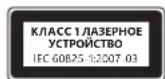
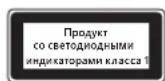
HΦopMaζη O COOTBETCTBn 3aKoHOdaTeJbHbIM Tpe6ObaHnA
He npedha3haeHOnIcNoJIb3ObaHnB B pOmbIuIeHHbIX, MeuIuINHcknx IIn IpnONBOdCTBeHHbIX cIeJAX.
JIIO6bIe I3MeHEnH yCTpOInCTBa, He OoO6peHHbIe RaBbIM 6pa3OM KopnpaueNe MaIKpocOΦT, MOryT npBecTN K yTpate npaba H erO kcnnyatauio.
DAnHHb npOdyKT ppeHa3NaueH dIra nCnOJIb3OBAHnca C uΦpOBbIM o6OpyIOBaHnem, yKaaAHbIM Ia6opatOpneN RNTL (UL, CSA, ETL n T. d.) H/nn COOTBeTcBtUoM CTaHapTy IEC/EN 60950-1 (MapKnpoBka CE).
He coepxit deTanei, noIeXaunx pemonty. DaHHoe yCTPOCTBO MOKET kCNIyATnPOBaTbC B TEMpePAtpHom dnaana3ohe 5-35 ^ C
ДлcoTBeTCTBn Tpe6oBaHnM RF OTHocnteIbHO paIIOuAcToTHOrO n3JyUeHn Heo6xOIMo co6IIOaTb cIeMyOme npaBnla 3KcNlyaTaunn: anTeHHaYCTaHaBnBaIEcT pOn3BOdnteMe; kaKe-Im6o e nn3MeHeHn 3aIpeueHe. BeCpOBoDhbe yCTpoiCTBa He doJXHb HaxOHTbcr prAOM IIN pa6oTaTB COBMeCTHO CIObOJ dpYrOAnTeHHo INI nepeDaTuNKOM. AHTeHHa BecPpOBoDHO rOyctPoIcTBa (Kpome rapHNTyp nHaJaONHHbIX yCTpoiCTB) DOJXHa paCpOJaTaBC Ha paCtOraHHn He MeHee 20 cm OTJeOBeka.
ToIbKO yCTpOcTB cTAndApTa 802.11a
AaHHe n3dEne pa3peaaeTc NcNoIb3ObaTb TOLbKO B NOMeueHIn, YTO6bl CHN3NTb IIO6ble BO3MOXhBie BpeHbIe NOMEXN BO BpeMnIuHepoBaHHo pa60tB b dnaana3Ohe yactot ot 5,15 do 5,25 T.
Microsoft Corporation; One Microsoft Way; Redmond, WA 98052-6399; U.S.A. CUSA: KaHada (800) 426-9400; (800) 933-4750
Ytln3aun6atapeu, 3eKtpnueckoro n 3eKtpoHoro 06opydOBAHNA
Haunue 3to 3nka Ha npdyke, nn Ha ero 3eMeHax nataHry, nn Ha ero ynakobKe yka3bIbaet, tTO daHHbI npdykT n er0
6atapen HnB3y YtINn3npoBaTB BmecTe C 6bITOBbIMN OTOdAMn. CneDyET DOCTABNT b npdyKT B COOTBeTcTBYIOU nyHK T pInemKn
npepeabOtKn 6atapen, 3eKtpnueckoro n 3eKtpoHnro 06OpDobAHn. Pa3deNbHbI c6Op n pepepa6OtaK nomoraHOT coxpanHb
npnpOdbHe pecypcbn IpeDoTbpATnbT NOteHuaNbHoe HeratNBHO BnAHNHe Na3DopOBBe IIODe n OkpyKaiouYoCpeNy.
K KOTOPOMy MoKeT npBecTN HeNpabINbHnay yTnIN3aLna, n3-3a BO3MOxHO rPncTyCTBn ONaChbIX BeueCtB B 3JIeKTPnuyeCKOM
n 3JIeKTPoHOM o6OpdyobAHnn.ДЯ nOlyuyeHn DONoJInHeIbHbIX CBeDeHn O npYHK tax npneMa 6aTape, JJIeKTPnueCKTO
n 3JektpoHOrO o6OpyDobAHnI O6paTntecb B MeCThBle OprAhbl Blaactn, cnyk6by c6opa 6bTOBbIX OTXoOB INN B NYHK Tnpno6peTeHHa DAHHOR npOdykTa. O6paTntecb no aDpccy weee@mrcrosoft.com IINI NOlyeHnEDOnOIHTeBHO INHOpMaunn IO WEEE (AnpeKtNbA EC 6bOTxodax 3JektpuHeCKOrO n 3JektpoHOrO o6OpyDobAHnI NytINImaCmN 3JeMeHToB nITaHnI.

Príručka k produktu
Microsoft Ireland Operations Ltd.
Adresa: The Atrium Building 3
Carmenhall Road, Sandyford Industrial Estate, DUBLIN 18
Krajina:
Irsko
Telefonne císlo:
+35312953826
Naslov: The Atrium Building 3
Carmenhall Road, Sandyford Industrial Estate, DUBLIN 18
Država:
Irska
Telefonska stevilka: +353 1295 3826
Stevilka faksa: +353 1706 4110

Odlaganje opadnih baterij ter elektricne in elektronske opreme
Uo6 yHnKHytn nookdxhenno 6bnadhaHHa nndabui Inaanwetib, He nepebahtaxyute Ta He wTOBxaTe ii, 06 BOHa He Bnala Ta He nepebephynac.
TexhiHixapaKTepeNtIKNa3epHnx i cBtIOdoIqHnx npncTpoIB
Ybar! BnKOpncTahHnElenmTeB KepyBaHHaNpNpCTocyBaHb a6o BnKoHaHHaN, He npeD6aueHNx y cboMy nociHky, MoKe np3BecTN do He6e3neHoro padiauiHoro onpOMiHHeHH.
Ja3ephi npictpoi
LcI npncptiB iDIOBIAe MxHapOaHOMy cTaNapTy IEC 60825-1:2007-03 nlaeepnix npncptoiB kacy 1. LcI npncpti TAKOX 3aDOBOJbHc BmOram 21 CFR 1040.10 i 1040.11, 3a BnHATKOM BiXIneHb, BnKJaDeHNx y nobIDomHeHi «Laser Notice» N950, daTOBaHOMy 24 cepBn 2007 p.
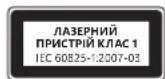
OntuHa (cbitioiDHa) Mw
UeBnBip6BIDIOBAE MIXHAPoDNm CTaHapTAM (IEC 60825-1:2001-08)i IEC 62471 (2006-07).Y Bnpo6i BnKOpNCTOByHOCTCBnCBITIOI, BiHEceHi Do KnaCy 1 (IEC 60825-1:2001-08).
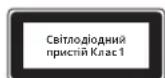
Hopmatubha iHΦopmaia
Bupi6 He npu3haueHn dIy BIKOpncTaHn 3 MaunHnAmn i BepcTaTAM, B MeunHnx a6o npomcnobux cntEmax.
Byb-ki 3mHn nn moiikaiu, no He oTpmaJn Ooiui Horo cxbaenHn Kopnpauu MaKpocoT, MoKyTB npniBectn do npinnHeHH npab KOpntyBaa 3actocobbyatn ue npctpi.
LeBnBip6 MoKBe BnKOpncTObyBaTnca 3 OblaHaHnHm Dla iHΦopMauiHx TexHoIor, Io BiNobiAc cTaHapTaM, Bu3HaHm NRTL (UL, CSA, ETL, i. H.), Ta/a6o IEC/EN 60950-1 (MapkyBaHH CE).
Pnctpi He MCTtB dTaeJe, 10o nptpebyto bocnyrobyBaHHa. Lcien pncpti BbaXaetbca cepHm Bnpo6om, knn moke npaObaTu y diaian30hi temnepatyp biD +5^ do +35^
Дясуmicho3BUMORAMpaioactoTHOrOBINPOMiHOBaHHFCChe6xIDHO doTPMByTaTcA TAKHXeknnyatauichN KOHfipyauii: aHTeHaMa 6ytbCTAHOBJIeHa BnPO6HNIKOM i KODHI 3mIHHe OONyCKAOTbc. Be3npoBOIOI npicTpoi He MAOTb 6yttnpO3MIueHi 6JIn3bKO OINHODHO a60 npaIOBAtn CIIbHO 3 6y-b-koIO IHWOIO aHTeHOIO a60 nepeDaayem. 3a BHNATKOM raphitypn Ta npotatNBHX npicTpOIB, 6e3npoBOOBI npicTpoi He6xIDHO po3taowByBatn Ha BiCTani He MeHwe HIX 20 cm Bi d anHTEH 63npoBOOBOrO npicTpOTo Ta pncTyHix IIOde.
Jnue dI npncptpoB 802.11a
Cen npnctpi npn3naeHno nneBnKopncTahnn y npniueHH 3 MeTOO 3MeHueHH 6yNb-RAKx MOKINBnx WkiDnBnx nepekoq ni dac liueh3oBaHOI po60r B vactOTHomy diaana3OH 5,15-5,25 T.
Microsoft Corporation; One Microsoft Way; Redmond, WA 98052-6399; U.S.A. CIIJA: (800) 426-9400 Canada: (800) 933-4750
Ytni3aicnpaocobahnx 6atapee, ekeTpnuHoro ekeKtpoHoro 06laHaHHA
Taka no3haoka Hn Bpu6i, 6aTapei nn ynaokoi 03hauac, 0e ne Bnp6 a6o 6aTapei do horo 3abopnoho ytni3ybaatn pao m iDomahim CmTTTAM. Hatomict Bu Hecete BiNDobalbHCTBa TpaHcnpOpyBAAHH Bpu6o do BiNDOBHORIO mcia 3bnpanra nepo6k Hapae, eektponHO Ta eektpnHOrO o5aHaHHA. Take OKpe me 3bpanha i npoe6ka donomara 36epiratn npupohhi pcucpi n3ao6frrn NotehuHIM HeaTtBHMn Hacldknn 3doPob8IpoJnoed i DOBkiN; HnpabunbHa ytni3iauz MoKe npz3BeCIn Do MOxJIbBO rno OnsuHHe Nbe63neuHnx peovHN, 0o MCTbCBn B atapex, eektpHommy J eektpnuHOMy
06laHaHHI.3aDoklaHIMM BIDOMCTMn pO MICu npHmOy cnpaobAHnx 6aTape, eektpnHoro Ta eektpnoHORo
06laHaHH 3BepTaTeCra DoMICeBOi McbKO/MyHUnnaJIbHOi admiHcTpaui, CnyXbN BuBe3EHn no6yTOBOro CMITRA 60 y Ma3HN, De 6yB
pnpdabHn TOBap. 3BepHtbcra 3a aPecoHO weee@microsoft.com dIra OTPMaHH daTkoBI iHOpMaui Ioo WEEE (DInpeKTHBa EC npo
biXoDn eEeKTPnuHORo Ta eEeKTPoHHORo 6oaHaHH) iYtnlisaui IeMeHTIB KINBHeHHA.
J
. 11111111111111111111111111111111
i 1
:
a 10000000000000000000000000000000000000000000000000000000000000
JUJIJIJIJIUGUUGUUGU
aolo aoLw Uloglo
aJbUy JI 0g
a a a a a a a a a a a a a a a a a a a a a a a a a a a a a a a a a a a a a a a a a a a a a a a
aJ 13
:UyoyjzilljblsoJlui
2g jj 1. aagb jai jgl g jia jia jia jia jia jia jia jia jia jia jia
Jagall no jalill Jaiy aaiil agoggll aizll jilglg lgsio jals gol
aJb g. dJg dljR jlll aaaa Jzjjgge g 1yjlllglg
a a a a a a a a a a a a a a a a a a a a a a a a a a a a a a a a a a a a a a
auiu auiu uaiuaaiu aaiu uioggul gaiu ayjg
b(lgz)s(y))0g 0o
()
Jllaoggjiuwgl
jlll lcc aio o jz
i j 1111111111111111111111111111111
4.4uLgglJlJUgoUcglqJolllJUUcglaclawUlc
ai ≤ ( L1 + L) b_i ≥ 1
aaii aai i g i kslll jglj lalbllg rj piaa qill aai yq dai jla jg bgsj jg jg jg
s - sglal l j s 10 a - aLw l 12 s j aLw w 8j 1 J . (Jaw / Jaw
(1juii / juii / juii / iiaai gjo ciik |) lguiuugg ujiu
wglallgjglalglggljylo
a 1
.0011111111111111111111111111111 0000000000000000000000000000000
g 1 g 1 g 1 g 1 g 1 g 1 g 1 g 1 g 1 g 1 g 1 g 1 g 1 g 1 g 1 g 1 g 1 g 1 g 1 g 1 g 1 g 1 g 1 g 1 g 1 g 1 g 1 g 1 g 1 g 1 g 1 g 1 g 1 g 1 g
15c gla 112 jyssllg yessll g kglg lglg 10g 11g 11g 11g 11g 11g 11g 11g 11g 11g 11g 11g 11g 11g 11g 11g 11g 11g 11g 11g 11g 11g 11g 11g 11g 11g 1
blw 1sL jw wll pJU JU UgU JUs Uu
Jgll gll jglb lglal no llglall blaaag rj gsslll ylc Jgll g o dclall gll w no gll gll gll gll gll gll gll gll gll gll gll gll gll gll gll gll gll gll gll gll gll gll gll gll gll gll gll gll gll gll gll gll gll gll gll gll gll gll gll gll gll gll gll gll gll gll gll gll gll gll gell
c
a a a a a a a a a a a a a a a a a a a a a a a a a a a a a a a a a a a a a a a a a a a a a a a a
.
laoojol jgjaliawlloosai
·
Lao 13! g waleu Jw Cx 13! a#y
aill llll lal lal aal 10 g 11g 11g 11g 11g 11g 11g 11g 11g
a_b = 1
jglzll
g j. 1 . g i j 1 1 1 1 1 1 1 1 1 1 1 1 1 1 1 1 1 1 1 1 1 1 1 1 1 1 1 1 1 1 1
glll l 10
IIEC 62471 (2006-07) Jgll (IEC 60825-1:2001-08) gJgll Jgll Jgll Jgll Jgll Jgll Jgll Jgll Jgll Jgll Jgll Jgll Jgll Jgll Jgll Jgll Jgll Jgll Jgll Jgll Jgll Jgll Jgll Jgll Jgll Jgll Jgll Jgll Jgll Jgll Jgll Jgll Jgll Jgll J
auiubu loglsso
Jjlll yai go gaiyaiyai jilbglgaiiall li n no jalali lgl ayiyai yai aai bll ogai gl lylbll g iiaai ll g jlll g jlll g jlll g jlll g jlll g jlll g jlll g jlll g jlll g jlll g jlll g jlll g jlll g jlll g jlll g jlll g jlll g jlll g jlll g jlll g jlll g jlll g jlll g jlll g jlll g jll l g jlll g jlll g jlll g jlll g jlll g jlll g jlll g jlll g jlll g jlll g jlll g jlll g jlll g jlll g jlll g jlll g jlll g jlll g jlll g jlll g jlll g jlll g jlll g jlll g jll
M 10000000000000000000000000000000000000000000000000
aall aagajg aalll gacaaal 2012 Microsoft Corporation
Microsoft CIs aegal Jai Cls Windowsg IntellIMuseg IntellIeYog Microsoft
Jauuall gulu uai jai cui 15 15 15 15 15 15 15 15 15 15 15 15 15 15 15 15 15 15 15 15 15 15 15
#
A
Microsoft 1nnn nn nnnn nn nnnn nn nnnn nn nnnn
n nnnn n nn nnnn nnnn nnnn nnnn nnnn nnnn nnnn nnnn nnnn nnnn nnnn nnnn nnnn nnnn nnnn nnnn nnnn nnnn nnnn nnnn nnnn nnnn nnnn nnnn nnnn nnnn nnnn nnnn nnnn nnnn nnnn nnnn nnnn nnnn nn
NINO NIOI 2IUN yTID A
nibioDbyipnn npnn
n n nnnn nn nnnn nn nnnn nn nnnn nn nnnn nn nnnn nn nnnn nn nnnn nn nnnn nn nnnn nn nnnn nn nnnn nn nnnn nn nnnn nn nnnn nn nnnn nn nnnn nn nnnn nn nnnn nn nnnn nn nnnn nn nnnn nn nnnn nn nnnn nn nnnn nn nnnn
:nyn nn npn
.
.
nbn nnnn nn nnnn nnnn nnnn nnnn nnnn nnnn
·n
IN NNI IN NIN,NNN NIN NNNN NNNN NNNN NNNN NNNN
nniin niipn noopn npnn nn
IN yyn dy yana nbbionn on. ny in nydy ay yana nbbny bny npni nbbion by nn Nyn, nibit nbio DN
yipn nn ynn nnnnnnnnnnnnnnnnnnnnnnnnnnnnnnnnnnnnnnnnnnnnnnnnnnnnnnnnnnnnnnnnnnnnnnnnnnnnnnnnnnnnnnnnnnnnnnnnnnnnnnnnnnnnnnn
niblionny
:niyny-nnibio
yN-ON, pBx) jI aonl iJn bnnn nn nnnn nn nn nn nn nn nn nn nn nn nn nn nn nn nn nn nn nn nn nn nn nn nn nn nn nn nn nn nn nn nn nn nn nn nn nn nn nn nn nn nn nn nn nn nn nn nn nn nn nn nn nn nn nn nn nn nn nn nn nn nn nn nn nn nn nn nn nn nn nn nn nn nn nn nn nn nn nn nn
.
JINN JPNN
yinnn nnnn nn nnnn nn nnnn nn nnnn nn nnnn
bnn nn by n, bby bn by, by nnt in na
D'binN D'pan
(12/nybn and 10)IN nIN IN OINN IN pnnn nn bion nON,PTY yon oIN N INOy nBn an Bn) BYIN IN pnnn npninn nbion ny 22,100 (RF) TIN nIN nIN nIN Dpnn
(12) n 与 n
yipnni npninnipnnp
NIN NIN
i 1
n nn n nn n nn n nn n nn n nn n nn n nn n nn n nn n nn n nn n nn n nn n nn n nn n nn n nn n nn n nn n nn n nn n nn n nn n nn n nn n nn n nn n nn n nn n nn n nn n nn n nn n nn n nn n nn n nn n nn n nn n nn n nn n nn n nn n nn n nn n nn n nn n nn n nn n nn
n nn nnnnnnnnnnnnnnnnnnnnnnnnnnnnnnnnnnnnnnnnnnnnnnnnnnnnnnnnnnnnnnnnnnnnnnnnnnnnnnnnnnnnnnnnnnnnnnnnnnnnnnnnnnnnnnnnnnnnnnn
wnn nn nnnn nn nnnn nn nnnn nn nnnn nn nnnn nn nnnn nn nnnn nn nnnn nn nnnn nn nnnn nn nnnn nn nnnn nn nnnn nn nnnn nn nnnn nn nnnn nn nnnn nn nnnn nn nnnn nn nnnn nn nnnn nn nnnn nn nnnn nn nnnn nn nnnn nn nannn nn nnnn nn nnnn nn nnnn nn nnnn nn nnnn nn nnnn nn nnnn nn nnnn nn nnnn nn nnnn nn nnnn nn nnnn nn nnnn nn nnnn nn nnnn nn nnnn nn nnnn nn nnnn nn nnnn nn nnnn nn nnnn nn nnnn nn nnnn nn nnnn nn nennn nn nnnn nn nnnn nn nnnn nn nnnn nn nnnn nn nnnn nn nnnn nn nnnn nn nnnn nn nnnn nn nnnn nn nnnn nn nnnn nn nnnn nn nnnn nn nnnn nn nnnn nn nnnn nn nnnn nn nnnn nn nnnn nn nnnn nn
NINNIINININININ
ynn yin nyn oioi in anann nn bni, ninn niin niin noyn ny npnn nni nnoo ninn npinn ninn npnn npnn npnn npnn npnn npnn npnn npnn npnn npnn npnn npnn npnn npnn npnn npnn npnn npnn npnn npnn npnn npnn npnn npnn npnn npnn npnn npnn npnn npnn npnn npnn npnn npnn npnn npnn npnn npnn npnn npnn npnn npnn npnn npnn npnn npnn npnn npnn npnn npnn npenn npnn npnn npnn npnn npnn npnn npnn npnn npnn npnn npnn npnn npnn npnn npnn npnn npnn npnn npnn npnn npnn npnn npnn npnn npnn npnn npnn npnn npnn npnn npnn npinn pinn
n nnnn nn nnnn nnnn nnnn nnnn nnnn nnnn nnnn nnnn nnnn nnnn nnnn nnnn nnnn nnnn nnnn nnnn nnnn nnnn nnnn nnnn nnnn nnnn nnnn nnnn nnnn nnnn nnnn nnnn nnnn nnnn nnnn nnnn nnnn nnnn nn
-
ynnn nnnn nn nnnn nn nnnn nn nnnn nn nnnn nn nnnn nn nnnn nn nnnn nn nnnn nn nnnn nn nnnn nn nnnn nn nnnn nn nnnn nn nnnn nn nnnn nn nnnn nn nnnn nn nnnn nn nnnn nn nnnn nn nnnn nn nnnn nn nnnn nn nnnn nn nnnn
-
nunon
- nui npnbo
.7NIN7nPNW
. IN DIOIN
pwnny 99n ynn n9n IN Dispn nn n nn nnnn n
Dpnnn b
nynnnn
nni nnnn nn nnnn nnnn nnnn npnn nnnn npnn nnnn npnn nnnn npnn nnnn npnn nnnn npnn nnnn npnn nnnn npnn nnnn npnn nnnn npnn nnnn npnn nnnn npnn nnnn npnn nnnn npnn nnnn npnn nnnn npnn nnnn npnn nnnn npnn nnnn npnn nnnn npnn nnnn npann nnnn npann nannn npann nannn npann nannn npann nannn npann nannn npann nannn npann nannn npann nannn npann nannn npann nannn npann nannn npann nannn npann nannn npann nannn npann nannn npann nannn npann nannn npann nannn npann nannn npann nannn npann nennnp
n no
.0n np nnnn nn nnnn 1
W
jwnn nn nnnn
.
. Microsoft T-By I
. nnnn nnniy
n n n n n n n n n n n n n n n n n n n n n n n n n n n n
np2tn nyxynn20n
DIN IN NIN NIN DNNN DIO, NIPN BY P2N NNTN NNN NNN NNN NNN NNN NNN NNN NNN NNN NNN NNN NNN NNN NNN NNN NNN NNN NNN NNN NNN NNN NNN NNN NNN NNN NNN NNN NNN NNN NNN NNN NNN NNN NNN NNN NNN NNN NNN NNN NNN NNN NNN NNN NNN NNN NNN NNN NNN NNN NNN N
Tablet- D Tyn
inno nnnn nn nnnn nn nnnn nn nn nn nn nn nn nn nn nn nn nn nn nn nn nn nn nn nn nn nn nn nn nn nn nn nn nn nn nn nn nn nn nn nn nn nn nn nn nn nn nn nn nn nn nn nn nn nn nn nn nn nn nn nn nn nn nn nn nn nn nn nn nn nn nn
LED-1
nnpnnn nnnn nn nnnnnnnnnnnnnnnnnnnnnnn
wupnn
-1 21 CFR 1040.10 du da dn n t pnn .1 iion wicn IEC 60825-1:2007-03 nni -iin npnn niy n nn .2007,24 nn ,Laser Notice No. 50 npiyn nn ta 1040.11
(LED) 10917
wnnnn n nn. (IEC 60825-1:2001-08) and IEC 62471 (2006-07) nn nn nn nn nn nn nn .Class 1 (IEC 60825-1:2001-08)-
nnpN NvDyT
1.000000 IN 000017,000000 000000 000000 000000 000000 000000
nnt pnn bynb wannn nn n 205 by Microsoft 1- by uinn
CE IDO DY) IEC/EN 60950-1 DIN TIN IN/(1,('D'UL,CSA,ETL nnd)NRTL NNDNNDNNDNNDNNDNNDNNDNNDNNDN
+35C ty +5°C bynnnnonn nn non nnnnnnnnnnnnnnnnnnnnnnn
pnnn nnnn nn nnnn nnnn nnnn nnnn nnnn nnnn nnnn nnnn nnnn nnnn nnnn nnnn nnnn nnnn nnnn nnnn nnnn nnnn nnnn nnnn nnnn nnnn nnnn nnnn nnnn nnnn nnnn nnnn nnnn nnnn nnnn nnnn nnnn nnnn nn
802.11a npnn ny
.5.25 GHz 5.15 nnnn nnynnnn nn nnnn nn nnnn nn nnnn nn (0800) 933-4750: (800) 9400-426: .Microsoft Corporation; One Microsoft Way; Redmond, WA 98052-6399; U.S.A.
n nnnn nn nnnn nn nnnn nn nnnn nn nnnn nn nnnn nn nnnn nn nnnn nn nnnn nn nnnn nn nnnn nn nnnn nn nnnn nn nnnn nn nnnn nn nnnn nn nnnn nn nnnn nn nnnn nn nnnn nn nnnn nn nnnn nn nnnn nn nnnn nn nnnn nn nnnn
n nn nnnn nnnn nnnn nnnn nnnn nnnn nnnn nnnn nnnn nnnn nnnn nnnn nnnn nnnn nnnn nnnn nnnn nnnn nnnn nnnn nnnn nnnn nnnn nnnn nnnn nnnn nnnn nnnn nnnn nnnn nnnn nnnn nnnn nnnn nn
n nnn nn nnn nnn nnn nnn nnn nnn nnn nnn nnn nnn nnn nnn nnn nnn nnn nnn nnn nnn nnn nnn nnn nnn nnn nnn nnn nnn nnn nnn nnn nnn nnn nnn nnn nnn nnn nnn nnn nnn nnn nnn nnn nnn nnn nnn nnn nnn nnn nnn nnn nnn nenn nnn nnn nnn nnn nnn nnn nnn nnn nnn nnn nnn nnn nnn nnn nnn nnn nann
nupbnynnnnno nno
International Technical Support Numbers (Partial List Only)
Argentina
Technical Support (Australian Callers Only): 13 20 58
Technical Support (International Callers): 517-6812-7773
+61238702200
Technical Support (Fax):
+61298702468
Austria
Microsoft Österreich Kundersupport
Telefonnummer: 08c00123.345
Belgium and Luxembourg
02/503.31.13 (Belgium)
80024353(Luxemburg)
Bolivia
Technical Support Phone: 86-21-96081318
Technical Support (Toll Free): 800-820-3800
Colombia
Personal Support+358 (09) 817 10 400 (IVR option 3-2)
Professional Support: +358 (09) 817 10 400 (option 4-2)
France
0825827829Numero indigo:0,15TTC/min
http://support.microsoft.com/contactus/?ws=support
Germany
Technischer Support
master?ws=support#tab3
Inepu
8015003000(MaotuknXpewan)
Technical Support Phone: (852) 23889600
Technical Support Phone (Macao SAR Toll Free): 0800-760
Fax:852)256752B2
Italia
Technical Support Phone (Tel Free): 0120-54-2244
Korea
Customer Service Center (Tol):
1577-9700 (Domestic), 82-2-567-7881 (International)
Latin American Countries
www.micrsofof.com/latam/contactenos
Mexico
Tax (Toll): (52) (5) 267-2119
Netherlands
Technical Phone Support (Thuisgebruikers)
+31(0)205001500 (option 2)
You can also visit our website.
http://support.microsoft.com/contactus/for questions or
visit http://support.microsoft.com/OAS for technical online support information
New Zealand
Technical Support Phone: 0800-444-335
Norway
Personal Support +47 23 500 500 (option 2+2)
Professional Support +47 23 500 777
Panamá
Moscow Local Number: 74953167171
South Africa
Technical Support Phone: 0860225567 (inside South Africa)
(Shared call)
International Dialing: +27 11 990 5000
Fax Number +27119905320
Email support: http://support.microsoft.com
Southeast Asia
Covering Indonesia, Malaysia, Singapore, and Thailand
+80064276/38
Spain
Sopone Tecnico (para Espana): 502197198
Personal Support: +46 8 55 99 00 00
Professional Support: +46 8 751 09 80
Taiwan
Technical Support Phone: 886-2-2999-88-33
Technical Support (Toll Free): 0800-00-88-33
Turkey
Technical Support Phone (Toll): +90 212 33 68 999
(Tol) 4446787 (Inside Turkey only)
United Kingdom
Technical Support Phone: 0844 800 2400 (National Rate)
Uruguay
You can also visit our website.
http://support.microsoft.com/contactus/ for questions or
visit http://support.microsoft.com/QAS for technical queries.
support information

- Product Guide
- Battery-Powered Devices
- To reduce the risk of injury:
- Disposable (non-rechargeable) batteries only:
- Headset Devices
- Wireless Devices
- Game Controllers, Keyboards, and Mouse Devices
- Health Warning
- Photosensitive Seizures
- All Devices
- Do Not Attempt Repairs
- Choking Hazard
- Usage and Cleaning
- Adhesive Mounting
- Tablet Stands
- Laser and LED Specific cations
- Laser Devices
- Optical (LED) Mouse
- Regulatory Information
- For 802.11a devices only
- Statement of Compliance with EU Directives
- Category II Equipment
- MHz Devices
- Radio and TV Interference Regulations
- Disposal of Waste Batteries and Electrical & Electronic Equipment
- Guiadoproduo
- Installation adhesive
- Piles jetables (non rechargeable) quintum :
- Verwerken van afgedankte batterijen en afgedankte elektrische en elektronische apparaten
- Anoppiyn axpnotw mataipi w kOw c kai nAektpikoou kai nAektpovikou eonlaioou
- Manual do Produto
- 大
- ounnniownnnae
- yuaunnau
- 贝尼一-
- gatitkejoozimkokokumkrnne k
- Odlaganje otpadnih baterija te elektricne i elektronicke opreme
- Přiručka k produktu
- Eliminarea deseurilor de baterii si de echipamente electrice si electronice
- BecnpoBOHbIe yCtpoiCTBa
- NrpObIe yCtpoIcTbA, KlaBnAtypbl Mblu
- PpeynpeKdHne 6 onachoctn JIA 3doobba
- Cydoopoxhble n 3nnleTnueckne npnnaKn B pe3yIbTaTe CBETOBORO BO3DeiCTBNA
- Bce yctpoCTBa
- He nbitaeTecb camoCTOATEJbHO peMOHTnPOBaT yCTPOICTBO
- Onachoctb ydywb
- 3Kcnnyataunn uNTKa
- KpenenneHa KneiKoO ochobe
- IpaTbKn dna nlaHwethbx NK
- XapakTeepntKnIa3epoB u CBeToNDoB
- Ja3epHbIe yctpoiCTBa
- Ontuuecka (cBetoNIOHaMbIb
- HΦopMaζη O COOTBETCTBn 3aKoHOdaTeJbHbIM Tpe6ObaHnA
- ToIbKO yCTpOcTB cTAndApTa 802.11a
- Ytln3aun6atapeu, 3eKtpnueckoro n 3eKtpoHoro 06opydOBAHNA
- Príručka k produktu
- Odlaganje opadnih baterij ter elektricne in elektronske opreme
- TexhiHixapaKTepeNtIKNa3epHnx i cBtIOdoIqHnx npncTpoIB
- Ja3ephi npictpoi
- OntuHa (cbitioiDHa) Mw
- Hopmatubha iHΦopmaia
- Jnue dI npncptpoB 802.11a
- Ytni3aicnpaocobahnx 6atapee, ekeTpnuHoro ekeKtpoHoro 06laHaHHA
- J
- #
- International Technical Support Numbers (Partial List Only)
- Argentina
- Austria
- Bolivia
- Colombia
- France
- Germany
- Italia
- Korea
- Latin American Countries
- Mexico
- Netherlands
- New Zealand
- Norway
- Panamá
- South Africa
- Southeast Asia
- Spain
- Taiwan
- Turkey
- Uruguay
Brand : MICROSOFT
Model : Sculpt Ergonomic Mouse
Category : Mouse