Xorb Wireless - Speaker GEAR4 - Free user manual and instructions
Find the device manual for free Xorb Wireless GEAR4 in PDF.



User questions about Xorb Wireless GEAR4
0 question about this device. Answer the ones you know or ask your own.
Ask a new question about this device
Download the instructions for your Speaker in PDF format for free! Find your manual Xorb Wireless - GEAR4 and take your electronic device back in hand. On this page are published all the documents necessary for the use of your device. Xorb Wireless by GEAR4.
USER MANUAL Xorb Wireless GEAR4
Manual for Xorb Wireless
Job No: 1162
SKU PG706EUK V 1.0
Created 30 August 2012
Modified August 31, 2012 2:5 PM
Artworker
Print Solutions
√ Litho, printed black only
Material 100gm white uncoated
Sample Retcode
Width 124mm
Height 124mm
Pages 48+6pp cov
Model: PG706EUK
Power adapter: SHF1500200U1BA
DC Input: 15V—2A ⊙—C—⊗
USB Output: 6V—2.1A


FCC ID: YNKPG766
IC: 6840A-PC766
Made in China V1.0 1162
gear4
natural_image
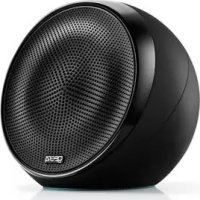
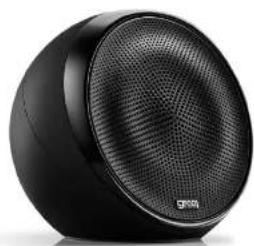
Black spherical electronic device with textured grille and 'GROVO' logo (no visible text or symbols on body)Xorb™ Wireless
User Manual
Thank you for buying the GEAR4 Xorb Wireless 2.1 stereo speaker for Smartphones, Tablets and MP3 Players. Please read this manual before use and retain it for future reference.
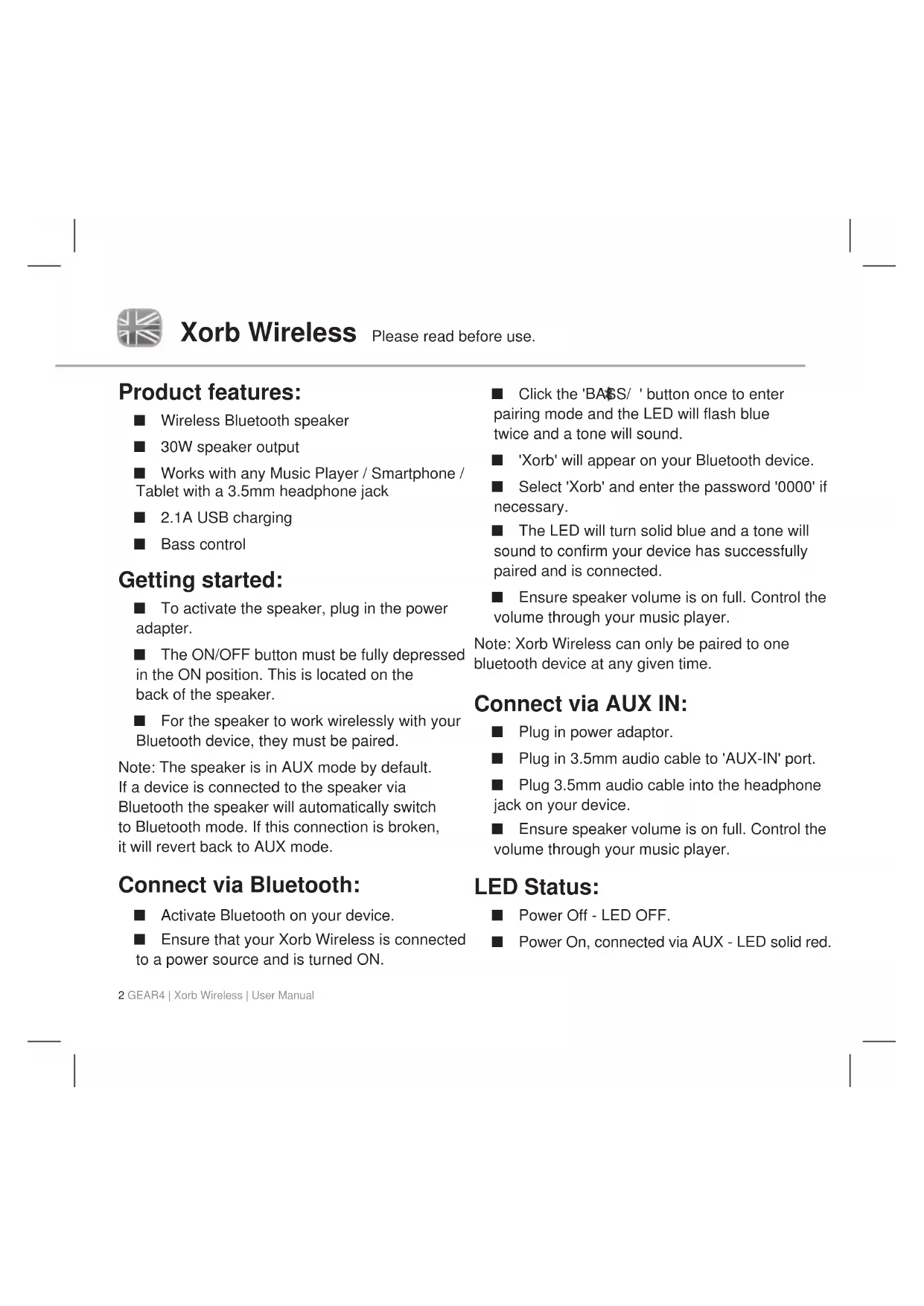
■ Wireless Bluetooth speaker
■ 30W speaker output
■ Works with any Music Player / Smartphone / Tablet with a 3.5mm headphone jack
■ 2.1A USB charging
■ Bass control
Getting started:
■ To activate the speaker, plug in the power adapter.
■ The ON/OFF button must be fully depressed in the ON position. This is located on the back of the speaker.
■ For the speaker to work wirelessly with your Bluetooth device, they must be paired.
Note: The speaker is in AUX mode by default. If a device is connected to the speaker via Bluetooth the speaker will automatically switch to Bluetooth mode. If this connection is broken, it will revert back to AUX mode.
Connect via Bluetooth:
■ Activate Bluetooth on your device.
■ Ensure that your Xorb Wireless is connected to a power source and is turned ON.
■ Click the 'BASS/ ' button once to enter pairing mode and the LED will flash blue twice and a tone will sound.
■ 'Xorb' will appear on your Bluetooth device.
■ Select 'Xorb' and enter the password '0000' if necessary.
■ The LED will turn solid blue and a tone will sound to confirm your device has successfully paired and is connected.
■ Ensure speaker volume is on full. Control the volume through your music player.
Note: Xorb Wireless can only be paired to one bluetooth device at any given time.
Connect via AUX IN:
- Plug in power adaptor.
■ Plug in 3.5mm audio cable to 'AUX-IN' port.
■ Plug 3.5mm audio cable into the headphone jack on your device.
■ Ensure speaker volume is on full. Control the volume through your music player.
LED Status:
■ Power Off - LED OFF.
■ Power On, connected via AUX - LED solid red.
■ Power On, connected via Bluetooth - LED solid blue.
■ Pairing Mode - LED flashes blue twice.
■ Energy Saving mode - LED OFF.
2.1A USB Charging:
- Charge your Smartphone, Tablet or Music player using the 2.1A charging port on the speaker.
■ Simply plug your charge cable into the back of the speaker and then into your device.
Energy Saving Mode
If music is not playing or is very low for 1 hour this product will automatically go into Standby Mode to help conserve energy. The LED will be off in Standby Mode.
■ Turn the speaker off and on again to wake up.
Register your Xorb Wireless speaker to activate your warranty and receive product updates at www.gear4.com/register
Copyright © 2012 Disruptive Limited. All rights reserved. Reproduction in part or in whole is prohibited.
GEAR4 and Xorb are trade marks of Disruptive Limited.
WARNING
To reduce the risk of fire or electric shock, do not expose this unit to rain or moisture.
CAUTION
Use of controls or adjustments of performance or procedures other than those specified may result in hazardous radiation exposure.
Batteries (battery pack or batteries installed) shall not be exposed to excessive heat such as sunshine, fire or the like.
UNPACKING AND INSTALLATION
Unpack your unit carefully. We recommend that you save the packaging in case you ever need to store your unit. To avoid damage, never place the unit or its batteries near radiators, in front of heating vents, under direct sunlight or near water.
FOR YOUR SAFETY
- When disconnecting the power supply, pull the plug first. Do not pull the cord by itself.
- Never handle the power plug with wet hands, as this could cause fire or electric shock.
– Refer servicing to qualified personnel only. - Do not open the housing.
- Do not twist or pinch the power supply cord. If the plug or power supply cord needs to be replaced, ensure that it complies with the manufacturer's recommendation.
– Unplug the unit during lightning storms and when unused for extended periods of time.
DISPOSAL
According to the European Directive 2002/96/EC all electrical and electronic products must be
collected separately by a local collection system. Please act according to your local rules and do not dispose of your old products with your normal household waste.
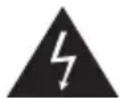
The lightning flash with arrowhead symbol, within an equilateral triangle, is intended to alert user to the presence of uninsulated ‘Dangerous Voltage’ within the product’s enclosure that may be of sufficient magnitude to constitute risk of electric shock to person.
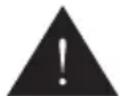
The exclamation point within an equilateral triangle is intended to alert user to the presence of important operating and maintenance (servicing) instruction in the literature accompanying the appliance.

CAUTION
RISK OF ELECTRIC SHOCK DO NOT OPEN

CAUTION: TO REDUCE THE RISK OF ELECTRIC SHOCK, DO NOT REMOVE COVER (OR BACK). NO USER-SERVICEABLE PARTS INSIDE. REFER SERVICING TO QUALIFIED SERVICE PERSONNEL.
FCC RULES
You are cautioned that changes or modifications not expressly approved by the party responsible for compliance could void the user's authority to operate the equipment. This equipment has been tested and found to comply with the limits for a Class B digital device, pursuant to part 15 of the FCC rules.
These limits are designed to provide reasonable protection against harmful interference in a residential installation. This equipment generates, uses and can radiate radio frequency energy and, if not installed and used in accordance with the instructions, may cause harmful interference to radio communications.
However, there is no guarantee that interference will not occur in a particular installation. If this equipment does cause harmful interference to radio or television reception, which can be determined by turning the equipment off and on, the user is encouraged to try to correct the interference by one or more of the following measures:
– Reorient or relocate the receiving antenna.
– Increase the separation between the equipment and receiver.
- Connect the equipment into an outlet on a circuit different from that to which the receiver is connected.
- Consult the dealer or an experienced radio/TV technician for help.
Operation is subject to the following two conditions:
1) This device may not cause interference and
2) This device must accept any interference, including interference that may cause undesired operation of the device.
INDUSTRY CANADA
This device complies with Industry Canada licence-exempt RSS standard(s). Operation is subject to the following two conditions:
1) this device may not cause interference, and
2) this device must accept any interference, including interference that may cause undesired operation of the device.
Under Industry Canada regulations, this radio transmitter may only operate using an antenna of a type and maximum (or lesser) gain approved for the transmitter by Industry Canada. To reduce potential radio interference to other users, the antenna type and its gain should be so chosen that the equivalent isotropically radiated power (e.i.r.p.) is not more than that necessary for successful communication.
This Class B digital apparatus complies with Canadian ICES-003.
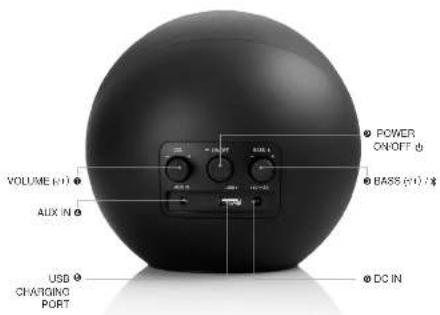
Commandes de Xorb Wireless :
① VOLUME (-/+)
② MARCHE / ARRÊT
③ BASSE (-/+) /*
④ PRISE D'ENTRÉE POUR AUTRES LECTEURS
⑤ PORT DE CHARGEMENT USB
⑥ ENTRÉE CC
Controlos do Xorb Wireless:
Bediening Xorb Wireless:
① VOLUME (-/+)
② AAN / UIT
③ BAS (-/+) /*
4 LINE IN (VOOR ANDERE MUZIEKSPELERS)
⑤ USB-OPLAADPOORT
⑥ GELIJKSTROOMINVOER
Productkenmerken:
AF HENSYN TIL DIN SIKKERHED
GEAR4 One Year Warranty
Disruptive Limited, trading as GEAR4, warrants this product to be free from defects in workmanship and materials at the point of sale. Subject to this product being used in accordance with its instructions for use, the product shall continue to be free from defects, for a period of one (1) year from the date of original purchase.
Any damage or defects caused by a failure to follow the instructions which relate to this product or as the result of an accident, abuse, misuse, misapplication, product modification, faulty ancillary equipment, improper voltage or current, lightning or other acts of God, commercial non-home use, normal wear and tear, shipping damage or loss, damage to digital media players or damage caused by the actions of anyone other than Disruptive Limited are expressly excluded from the warranty stated above.
Disruptive Limited will, at its sole election, repair or replace any product that proves to be defective in either or both of workmanship or materials and as covered by this warranty. If the product is no longer manufactured or is out of stock at or after the time Disruptive Limited learns of the warranty claim, Disruptive Limited may, at its sole election, replace your product with a similar product. Disruptive Limited's liability is limited to the repair or replacement, of any defective product under warranty and any incidental or consequential damages are expressly excluded to the fullest extent permitted by law. This warranty is not transferable and does not extend to users other than the person who originally purchased the product.
Nothing in this manual shall limit or exclude liability of Disruptive Limited for death or personal injury resulting from Disruptive Limited's negligence, for fraud or fraudulent misrepresentation or breach of the terms implied by Section 12 of the Sale of Goods Act 1979.
This warranty gives you specific legal rights in addition to the ones afforded you by the laws of your country. This warranty is not intended to operate to limit such legal rights.
Australian Consumer Law
In Australia, the Trade Practices (Australian Consumer Law) Amendment Regulations 2010 (No. 1) apply. Our goods come with guarantees that cannot be excluded under the Australian Consumer Law. You are entitled to a replacement or refund for a major failure and for compensation for any other reasonably foreseeable loss or damage. You are also entitled to have the goods repaired or replaced if the goods fail to be of acceptable quality and the failure does not amount to a major failure.
Return Policy / Warranty Service
Warranty claims will only be valid when proof of purchase is supplied to Disruptive Limited to evidence that the product was purchased from an authorised Disruptive Limited dealer and that the claim is within one (1) year of purchase. To make a warranty claim you must first contact Disruptive Limited by email to support@gear4.com stating your name, full postal address, contact telephone number, the name of the product and its serial number, date and place of purchase and a detailed description of the problem you are experiencing.
If the defect is covered by this warranty then you will be provided with an authorisation number and instructions for return shipment. Where possible, you must send to Disruptive Limited the damaged or defective product. The returned product MUST be accompanied by the original proof of purchase. We highly recommend that you retain a copy of this proof of purchase for your records. Disruptive Limited shall not be responsible for lost or damaged products during shipment. Any product returned without the original proof of purchase will be returned without being examined or tested and such return shall be at the customer's expense.
To avoid any additional charges, all returns and exchanges must include the original packing materials, product box, all included accessories which may include, but not necessarily be limited to, power adapters or power cords, connecting cables, remote controls, adapters, inserts, cards and instruction manuals. The absence of any of the aforementioned items may mean that you incur a charge for their replacement. Disruptive Limited shall not be liable for any indirect or direct consequential loss.
Contact details:
Disruptive Limited
Windsor House
Turnpike Road
High Wycombe
Buckinghamshire
HP12 3NR
United Kingdom
tel: +44 (0) 1494 435 530
e-mail: support@gear4.com
web: www.gear4.com
Xorb Wireless controls
Commandes de Xorb Wireless
Bedienelemente des Xorb Wireless
Box contents
Contenu du coffret
Packungsinhalt
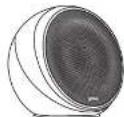
Xorb Wireless
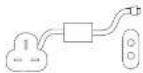
Power supply (UK & EU)
Alimentation (GB & EU)
Neutral (GB & EU)

User manual
Notice of attrition
Berulzer manbuch

3.5mm Audio Cable Cable audio 8.5 mm 2.5 mm Audiokabel