aub50 - Phone DORO - Free user manual and instructions
Find the device manual for free aub50 DORO in PDF.



| Product type | Doro AUB 50 Landline Phone |
| Brand | Doro |
| Model | AUB 50 |
| Power supply | Via telephone line (not specified) |
| Ringer volume adjustment | Slide switch on the side |
| R (Recall) key | Adjustable timing 100 ms or 300 ms (default 300 ms) |
| Mute (Secret) key | Cuts the handset microphone |
| Redial (last number) key | Redials the last dialed number |
| Message waiting indicator | Adjustable message waiting indicator |
| Dialing type | Tone (DTMF) or pulse (dial) dialing |
| Line connection | Standard telephone jack |
| Wall mounting | Possible, 83 mm fixing centers |
| Maintenance and cleaning | Clean with a soft cloth, avoid moisture |
| Safety | European Declaration of Conformity (R&TTE and RoHS) |
| Warranty | 2 years from date of purchase |
| After-sales service | Telephone technical support (€0.34/min) |
| Dimensions | Not specified (estimated: 20 cm x 15 cm x 8 cm) |
| Weight | Not specified (estimated: 400 g) |
Frequently Asked Questions - aub50 DORO
User questions about aub50 DORO
0 question about this device. Answer the ones you know or ask your own.
Ask a new question about this device
Download the instructions for your Phone in PDF format for free! Find your manual aub50 - DORO and take your electronic device back in hand. On this page are published all the documents necessary for the use of your device. aub50 by DORO.
USER MANUAL aub50 DORO
text_image
DORO AUB 50 1 ABC2 DEF3 GHI4 JKL5 MNO6 PORS7 TUV8 WXYZ9 * 0 #doro AUB 50
text_image
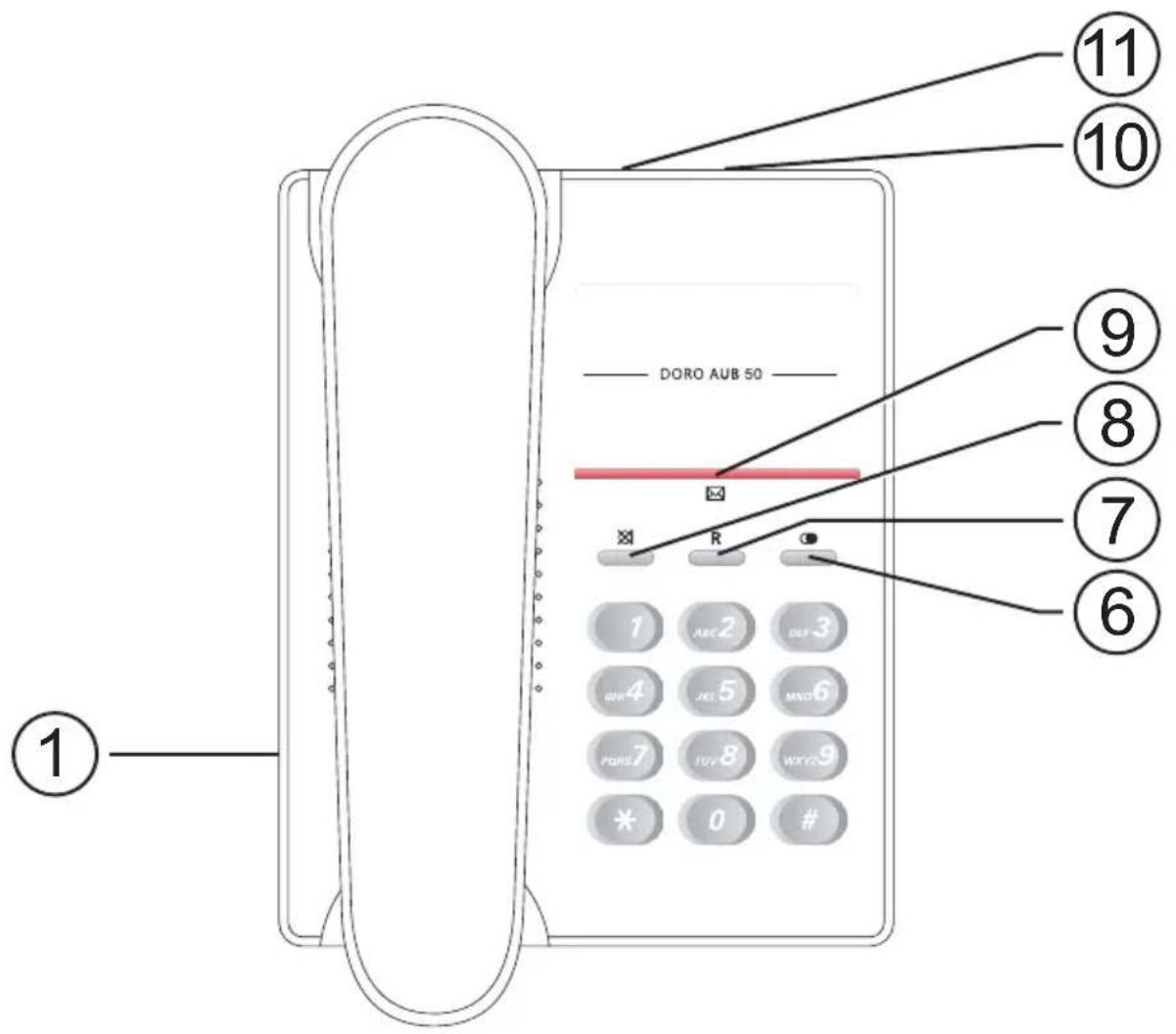
DORO AUB 50 ① ⑩ ⑪ ⑩ ⑧ ⑦ ⑥ 11 10 R 1 ABC2 DEF3 4 JEL 5 MAX6 7 FUV 8 WXY9 * 0 # ⑨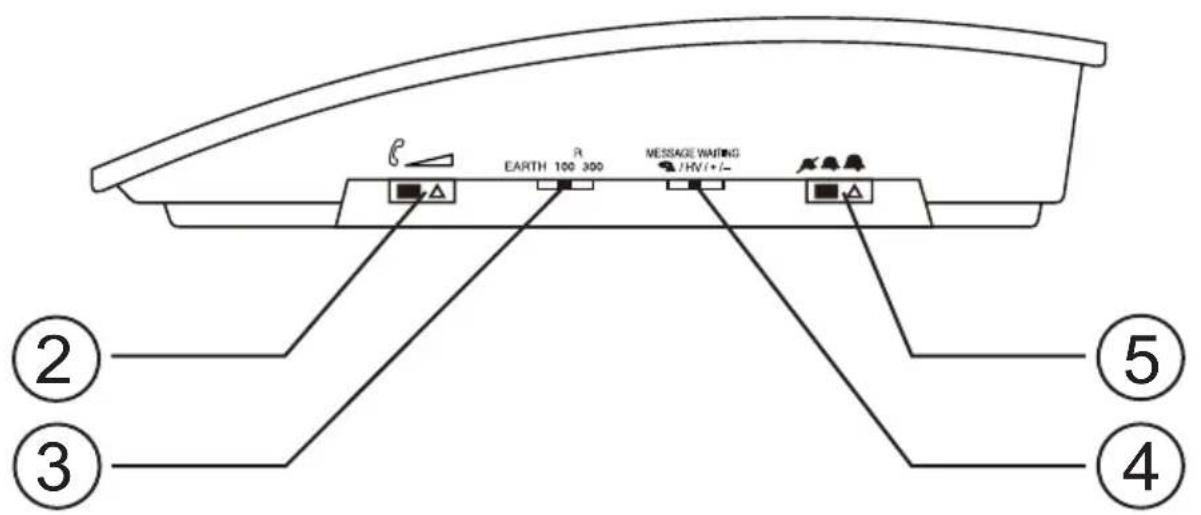
text_image
EARTH 100 300 MESSAGE WAITING /HV(+/-) ② ③ ④ ⑤English
1 Handset socket
2 Handset volume
3 Recall selection
4 Message waiting selection
5 Ringer volume
6 Redial button
Svenska
The earpiece of the handset may attract small ferromagnetic objects such as staples and pins, care should be taken when placing the handset near these items.
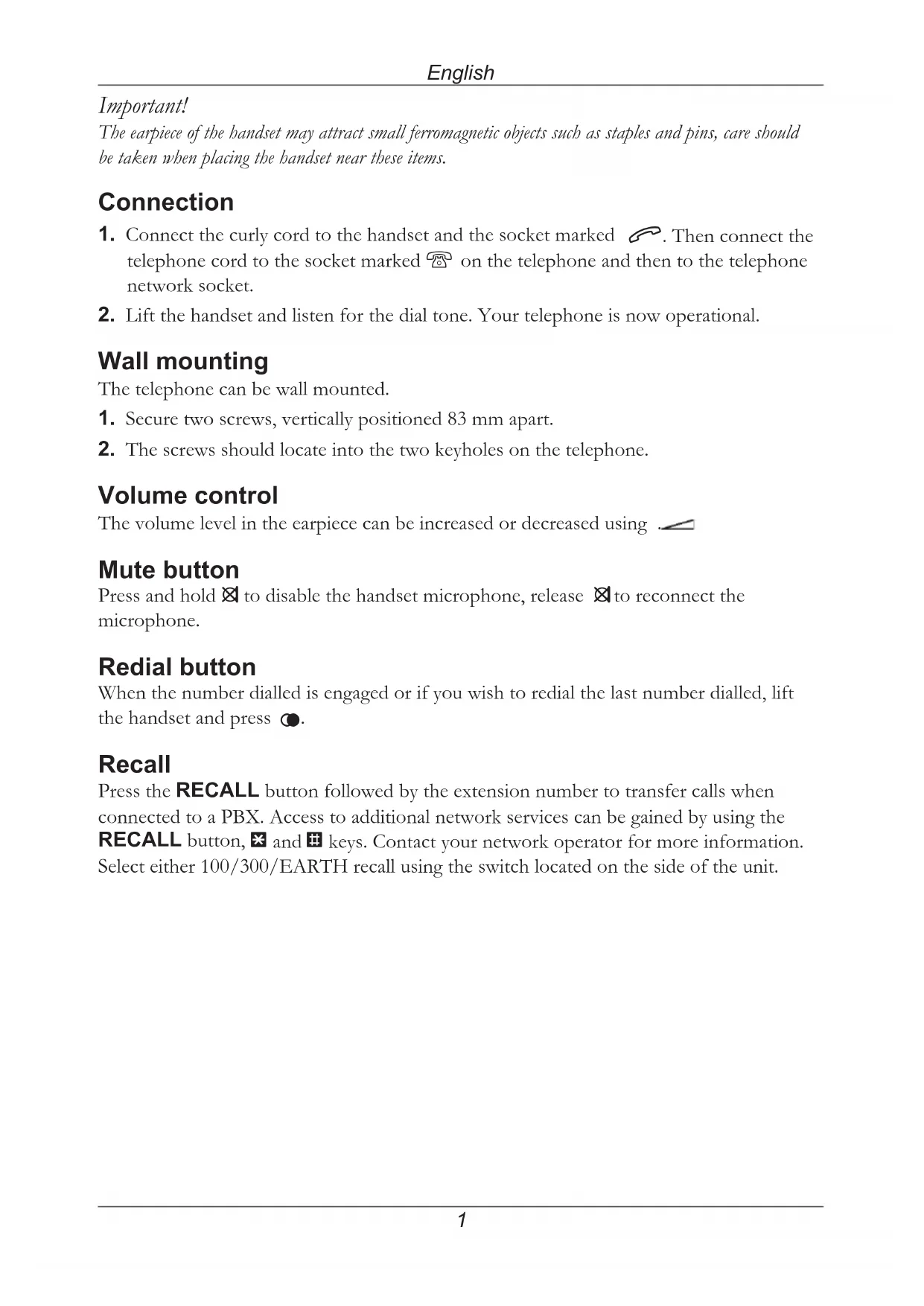
Connection
- Connect the curly cord to the handset and the socket marked 📞. Then connect the telephone cord to the socket marked 📞 on the telephone and then to the telephone network socket.
- Lift the handset and listen for the dial tone. Your telephone is now operational.
Wall mounting
The telephone can be wall mounted.
- Secure two screws, vertically positioned 83 mm apart.
- The screws should locate into the two keyholes on the telephone.
Volume control
The volume level in the earpiece can be increased or decreased using
Mute button
Press and hold ✉ to disable the handset microphone, release ✉ to reconnect the microphone.
Redial button
When the number dialled is engaged or if you wish to redial the last number dialled, lift the handset and press Ⓞ.
Recall
Press the RECALL button followed by the extension number to transfer calls when connected to a PBX. Access to additional network services can be gained by using the RECALL button, ✕ and ⏻ keys. Contact your network operator for more information. Select either 100/300/EARTH recall using the switch located on the side of the unit.
Technical information
Selector switches are located on the right and rear side of the telephone.
These switches control technical parameters for connection to PBX equipment.
IMPORTANT NOTE: These switches should only be adjusted by qualified personnel.
Recall time and earth/time
Selection of 100/300ms timed loop break for recall functionality.
The standard setting is 100 ms.
Selection of earth recall method.
Tone/Pulse
Selection of either dialling method depending on PBX.
Message Waiting Indicator
Some PBX systems have a function called Message Waiting.
The switch is located on the right hand side of the telephone.
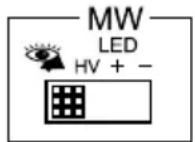
The MW function operates differently depending on the PBX in question. Please contact the system controller for more information. The following four alternatives are available: +, -, ringer indicator ( ) and high DC voltage (HV). When the telephone is used in systems without a telephone exchange ( ) should be selected.
Declaration of conformity
Doro hereby declares that this product, Doro AUB 50, conforms with the essential requirements and other relevant regulations contained in the Directive 1999/5/EC (R&TTE), 2002/95/EC (ROHS).
A copy of the manufacturer's declaration is available at www.doro.com/dofc.
Troubleshooting
Check that the telephone cord is undamaged and properly plugged in.
Disconnect any additional equipment that may be connected.
If the problem is resolved the fault is with the other equipment.
Test the equipment on a known working line. If the product works, then the fault is probably with your line. If you are still experiencing difficulties, contact the place of purchase.
UK
If you cannot resolve the fault using the faultfinder section, technical support is available by email on tech@doro-uk.com or via a premium rate telephone number: 0905 895 0854, calls cost 50 pence per minute (prices correct at the time of publication).
You can also contact us in writing (regarding any Spares or Technical query):
Customer Services
Alternatively you can write to:
Customer Services
Doro UK Ltd
1 High Street
Chalfont St Peter
Buckinghamshire
SL9 9QE
UK
Further contact details are available on our website: www.doro-uk.com.
Guarantee
This product is guaranteed for a period of 1 year from the date of purchase. Proof of purchase is required for any service or support required during the guarantee period. This guarantee shall not apply to a fault caused by an accident or a similar incident or damage, liquid ingress, negligence, abnormal usage, not reasonably maintained or any other circumstances on the purchaser's part. Furthermore, this guarantee shall not apply to a fault caused by a thunderstorm or any other voltage fluctuations.
This guarantee does not in any way affect your statutory rights. (As a matter of precaution, we recommend disconnecting the telephone during a thunderstorm.)