 ManualGo.com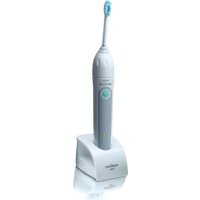
Sonicare Elite HX7351 - Brosse a dents PHILIPS - Free user manual and instructions
Find the device manual for free Sonicare Elite HX7351 PHILIPS in PDF.


Download the instructions for your Brosse a dents in PDF format for free! Find your manual Sonicare Elite HX7351 - PHILIPS and take your electronic device back in hand. On this page are published all the documents necessary for the use of your device. Sonicare Elite HX7351 by PHILIPS.
USER MANUAL Sonicare Elite HX7351 PHILIPS
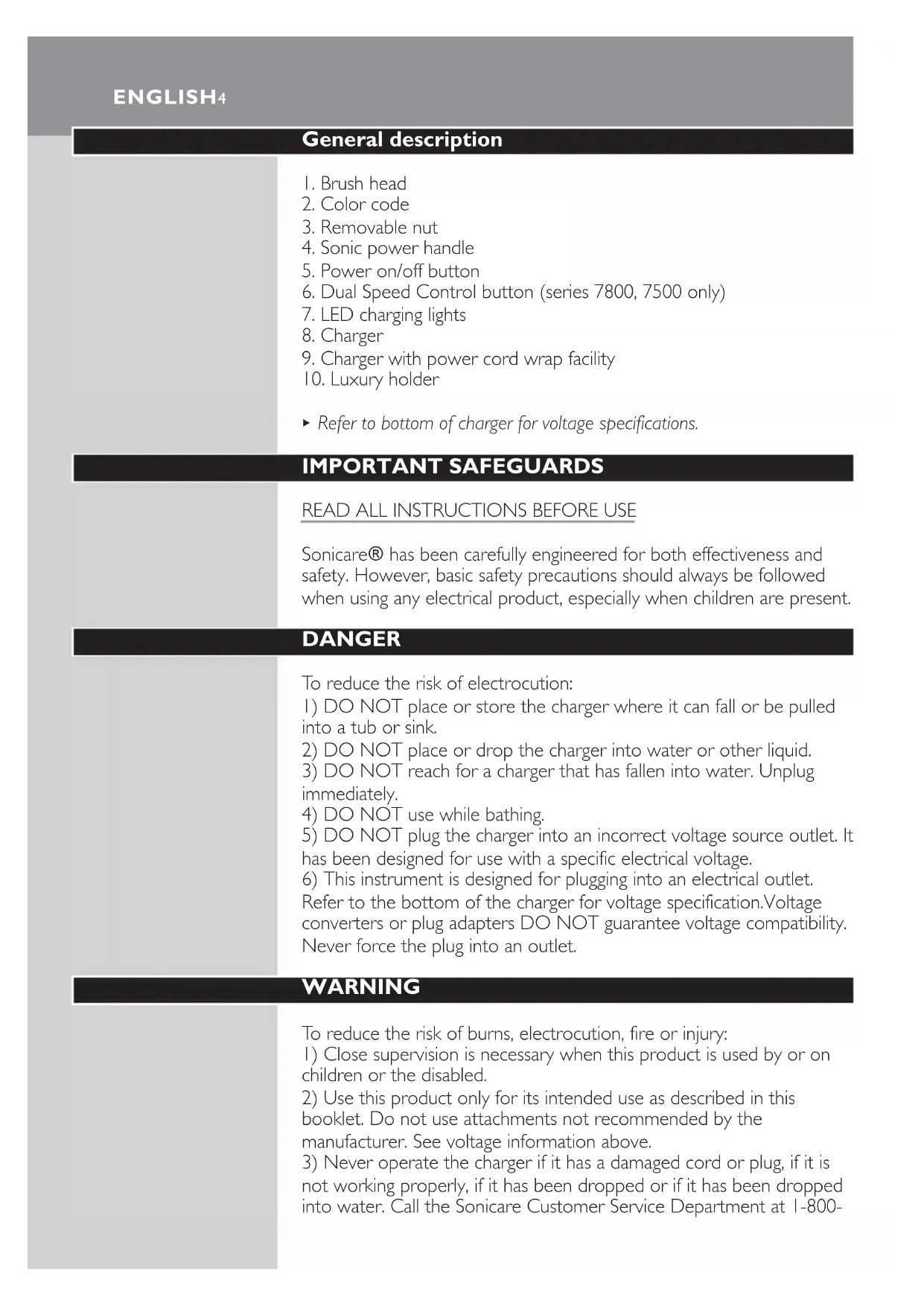
7. LED charging lights
9. Charger with power cord wrap facility
B Refer to bottom of charger for voltage specifications.
IMPORTANT SAFEGUARDS READ ALL INSTRUCTIONS BEFORE USE Sonicare\ has been carefully engineered for both effectiveness and
safety. However, basic safety precautions should always be followed
when using any electrical product, especially when children are present.
DANGER To reduce the risk of electrocution:
1) DO NOT place or store the charger where it can fall or be pulled
2) DO NOT place or drop the charger into water or other liquid.
3) DO NOT reach for a charger that has fallen into water. Unplug
4) DO NOT use while bathing.
5) DO NOT plug the charger into an incorrect voltage source outlet. It
has been designed for use with a specific electrical voltage.
6) This instrument is designed for plugging into an electrical outlet.
Refer to the bottom of the charger for voltage specification.Voltage
converters or plug adapters DO NOT guarantee voltage compatibility.
Never force the plug into an outlet.
WARNING To reduce the risk of burns, electrocution, fire or injury:
1) Close supervision is necessary when this product is used by or on
children or the disabled.
2) Use this product only for its intended use as described in this
booklet. Do not use attachments not recommended by the
manufacturer. See voltage information above.
3) Never operate the charger if it has a damaged cord or plug, if it is
not working properly, if it has been dropped or if it has been dropped
into water. Call the Sonicare Customer Service Department at 1-800-
ENGLISH4682-7664 (in North America) for further instructions. Outside North
America contact your local Philips Customer Care Center.
4) Keep the cord away from heated surfaces.
1) Avoid using a brush head with crushed or bent bristles. Damaged
bristles may break off while brushing. In order to prevent this, replace
the brush head with a new one every 6 months or sooner if signs of
2) Similar to starting with any new manual or electric oral hygiene
product, consult your dental professional before using this product if
you have had oral or gum surgery in the previous 2 months.
3) Contact your dental professional if excessive bleeding occurs after
using this product or bleeding continues to occur after 1 week of use.
4) If you have any questions concerning usage with a pacemaker,
consult your physician or pacemaker manufacturer prior to use.
Sonicare is believed to be safe for use with many common
5) The Sonicare toothbrush is a personal care device and is not
intended for use on multiple patients in a dental office or institution.
6) This product is designed for cleaning teeth and gums only. Do not
use it for any other purpose.
SAVE THESE INSTRUCTIONS Preparing for use
To attach the Sonicare brush head:
1 Align the front of the brush head with the front of the
toothbrush handle. Match the bars on the brush head with the
notches inside the top of the handle and slide the brush head
2 Turn the brush head nut clockwise until it is firmly tightened. If
the brush head rattles during use, tighten the nut further.
Charging your Sonicare\
Sonicare comes with the batteries completely discharged and should
be charged for at least 24 hours during the first few days of use.
1 To charge your Sonicare, place the handle in the charger with
the Sonicare logo facing forward. Be sure the bottom of the
handle sits back securely in the charger, making complete
◗ When the handle is placed incorrectly in the charger, the green
charge indicator LED may illuminate, but charging will not take
Handles of other Sonicare models will not fit in this charger and will
therefore not charge effectively. Do not attempt to force a handle into
this charger as this will cause damage.
◗ You can use your favorite toothpaste with your Sonicare.
◗ The brush head comes with a convenient travel cap. Remove the
travel cap from the brush head before turning on your Sonicare.
◗ Place the brush head in your mouth before turning on your
Sonicare, and be sure it is turned off before removing it from your
mouth, otherwise toothpaste may splatter.
◗ You may experience a slight tickling or tingling sensation after
using an electronic toothbrush such as Sonicare for the first time.
As you become accustomed to brushing with Sonicare this
sensation will diminish.
◗ Rinse the brush head and bristles after each use.
◗ Clean the brush head weekly, including under the nut.
◗ A fully charged Sonicare will provide approximately 2 weeks of
typical use (2 minutes of brushing twice a day), making it easy to
take your Sonicare along without the charger.
ENGLISH6Remember: voltage converters and plug adapters DO NOT guarantee
voltage compatibility.Always check for voltage compatibility.
Tips for specific oral care needs
In areas where staining occurs, a few seconds of additional brushing
time may be spent to assist with stain removal.
The brush should be placed at an angle between your brackets and
gumline. Using light pressure, gently move the bristles in a small circular
motion so the long bristles reach between your teeth for 2 seconds.
Then gently turn (roll) the brush handle so the bristles clean the
bracket and the rest of the tooth before you move the bristles to the
next tooth. Continue this until you have brushed all of your teeth.
◗ Dental restoration
Use Sonicare on dental restorations (e.g. implants, caps, crowns, bridges
and fillings) as you would on your normal tooth surfaces to reduce
plaque build-up and improve gum health.Work the bristles around all
areas of the restoration for thorough cleaning.
◗ Periodontal pockets
Your dental professional may have indicated that you have periodontal
pockets, deep pockets where plaque bacteria collect. If this is the case,
after brushing for a full 2 minutes, spend extra time gently brushing
these areas to improve your gum health.You may want to take
advantage of the Programmable Quadpacer\ timer feature on the
7800 series model (see Programmable Quadpacer timer section).
Proper brushing technique
Follow these simple steps to maximize your brushing experience:
1 Before turning the Sonicare on, place the bristles of the brush
head along the gumline with the longer bristles placed between
2 Slightly tilt the handle so that the bristles are placed on the
gumline at an angle.
3 Hold the handle with a light 'fingertip' grip and turn the
4 Gently move the vibrating brush head in a slightly circular
motion so the longer bristles reach between your teeth.After
a few seconds, glide the bristles to the next section and pause
while you gently circulate the bristles again. Continue this
ENGLISH 7routine throughout your 2-minute brushing cycle to effectively
remove plaque in hard-to-reach places.
5 To maximize Sonicare's effectiveness apply only light pressure
and let the Sonicare toothbrush do the brushing for you. Do
6 The angled brush head and slender neck help you reach the
back teeth and the tooth surfaces on the inside of the mouth.
Be sure to adjust your brushing to use the angle to your
advantage and keep as many bristles in contact with the teeth
7 To make sure you brush evenly throughout the mouth, divide
your mouth into 4 sections: outside top, inside top, outside
bottom and inside bottom teeth. Begin brushing in section 1
(outside top teeth) and brush for 30 seconds before moving to
section 2 (inside top teeth). Continue brushing for 30 seconds
in each section progressing through all 4 sections until you've
brushed for 2 minutes. If activated, the Quadpacer\ timer will
beep every 30 seconds to signal you to move to the next
8 After having completed the 2-minute brushing cycle, your
Sonicare will automatically turn off. If you want, you can turn
the toothbrush back on for another brushing cycle and spend
additional time brushing the chewing surfaces of your teeth.
9 You may also brush your tongue, with the toothbrush turned
on or off, as you prefer.
10 You may experience a slight tickling or tingling sensation when
using the Sonicare for the first time.As you become
accustomed to brushing with the Sonicare, this sensation will
Remember to floss daily.
Features that simplify brushing:
Easy-start\ brushing power ramp-up
◗ All Sonicare models come with the Easy-start feature activated,
which helps you get used to brushing with Sonicare.
◗ Brushing power will gently increase to full power over the first 14
◗ The Easy-start feature is active if you hear 2 beeps immediately
3after turning on your Sonicare. Once the appliance has reached
optimal brushing power (after the 14th brushing), you will no longer
hear the double beep at the beginning of your brushing routine.
B Note: Each of the first 14 brushings must be at least 1 minute in length
to properly advance through the Easy-start ramp-up cycle.
To turn off or reactivate the Easy-start feature:
1 Attach your brush head to the handle.
2 Place the handle in the plugged-in charger.
3 To deactivate Easy-start:
Press and hold the power button for 2 seconds.You will hear 1 beep to
indicate that the Easy-start feature had been deactivated.
4 To reactivate Easy-start:
Press and hold the power button until you hear 2 beeps.This indicates
that the Easy-start feature is active again.
Using the Easy-start feature beyond the initial ramp-up period is not
recommended and reduces Sonicare's effectiveness in removing
The Easy-start feature should be deactivated when Sonicare is used in
Smartimer\ 2-minute timer
◗ All Sonicare models come with the Smartimer feature, which
automatically sets the brushing time to the 2 minutes
recommended by dental professionals.After these 2 minutes, your
Sonicare will automatically turn off. If you wish to brush for a
longer period, simply press the power button and another 2-
minute cycle will start.
◗ If you wish to pause or stop brushing during your 2-minute cycle,
press the power button. If you press the power button again, the
Smartimer will resume where you left off.
B The Smartimer will automatically reset to the beginning of a 2-minute
-brushing is paused for 30 seconds or longer;
- the handle is returned to the charger.
ENGLISH 9Quadpacer\ 30-second interval timer
◗ Quadpacer makes sure that you brush all sections of your mouth
evenly and thoroughly.At 30-second intervals (at 30, 60 and
90 seconds in case of a 2-minute brushing cycle), you will hear a
short beep and a pause in brushing action.This is your signal to
move to the next section of your mouth.
Programmable Quadpacer timer (series 7800)
The Programmable Quadpacer timer offers you the option of
customizing the Quadpacer performance in 1 of 3 ways:
◗ You may opt to keep the factory default setting of a 2-minute
brushing time with Quadpacer beeps activated.
◗ You may choose to extend your brushing time to 2.5 minutes by
adding an additional timing interval of 30 seconds.
◗ You may choose a 2-minute brushing time, but with the Quadpacer
To change the Quadpacer settings:
1 Place the handle in the charger that is plugged into a live
2 Press the Dual Speed Control button briefly and note which
3 Press and hold the Dual Speed Control button. Continue to
hold the button while the LEDs slowly cycle through the timing
interval setting options:
◗ Green LED in position 4: Quadpacer active (factory default
◗ Green LED in top (5th) position: 2.5 minute setting - Quadpacer
active with additional timing interval of 30 seconds.
◗ Yellow LED in bottom (1st) position: no timing intervals set -
Quadpacer not active.
4 To program the desired setting, release the button when the
LED corresponding to your choice lights up.
B Note: Selecting 2.5 minutes brushing time reduces the number of
brushings available from a charged battery.
Dual Speed Control (series 7800, 7500)
The Dual Speed Control feature allows you to choose between 2
speed settings: Normal speed for optimum brushing performance, or
Reduced speed when an even more gentle action is desired.
Each time you turn your Sonicare on, it will begin brushing at the
Normal speed setting.To change the speed setting:
1 From Normal to Reduced speed: press the Dual Speed Control
button once during brushing.
2 From Reduced to Normal speed: press the Dual Speed Control
button a second time during brushing.
A distinctive two-tone beep indicates that the speed setting has been
It is recommended that you brush at the Normal speed setting to
maintain optimal results.
The Normal setting should be selected when Sonicare is used in clinical
Battery Charge Indicator
◗ If the battery charge of your Sonicare is low, you will hear 3 beeps
after you have brushed your teeth for 2 minutes and the charge
indicator LED will blink yellow for 30 seconds.
A low charge indication signifies that 3 or fewer 2-minute brushings
When not in use, keep your Sonicare in the charger to maintain a full
Charge Indicator (series 7800, 7500)
◗ When the handle is placed in the charger, the green charge
indicator LEDs will blink in a rising pattern as the battery charges.
The number of blinking LEDs indicates the level to which the
battery has been charged.
When the battery reaches full charge, the LEDs stop blinking and start
ENGLISH 11to burn continuously.About once a minute, the charge indicator LEDs
go out momentarily and then come back on.This indicates that the
battery is being maintained at full charge.The full charge indication will
persist until the handle is removed from the charger.
The blinking yellow LED indicates that fewer than 3 brushings remain.
Charge Indicator (series 7300)
◗ When the handle is placed in the charger, the charge indicator
LED will blink green as the battery charges.When the battery
reaches full charge, the charge indicator LED will burn green
continuously until the handle is removed from the charger.
When your Sonicare is turned on or off, the charge indicator LED will
blink yellow if the battery charge is low.
Luxury Brush Holder (series 7800, 7500)
◗ Some Sonicare models come with a Luxury Brush Holder (series
◗ The Luxury Brush Holder can be mounted to the wall with 2
screws (3.0 x 30mm) and 2 wall plugs (not included).
Caring for your Sonicare
Simple tips for care
By following these simple steps, you should get years of worry-free
1 Rinse the brush head and bristles after each use.
2 Clean the brush head weekly, including under the nut.
3 To remove the nut:
◗ Press down gently on the grey seal area.
Avoid using sharp objects to push on the seal as this may cause
◗ Push the nut up over the end of the brush head.
4 To replace the nut, slip the nut over the brush head shaft and
insert the lower part of the brush head into the handle.Turn
the nut clockwise until it is firmly tightened and the nut snaps
5 Clean the handle weekly.
6 Clean the charger periodically.
Unplug the charger before cleaning.
7 Examine the power cord periodically. Do not use the charger if
the power cord is damaged.
8 Use the cord wrap facility in the bottom of the charger to
UNPLUG the charger before cleaning. After cleaning the charger
completely dry the charger before plugging it into an electrical outlet.
Mild soap, water and a moist cloth are recommended for cleaning your
Brush head replacement
To maintain optimal brushing results, Sonicare brush heads should be
replaced every 6 months or sooner if signs of wear appear.
Use only Sonicare Elite\ series replacement brush heads.
ENGLISH 13Battery recycling HANDLE CONTAINS NICKEL CADMIUM BATTERY. BATTERYMUST BE RECYCLED OR DISPOSED OF PROPERLY.The battery inside your Sonicare cannot be replaced, but is easilyremoved for recycling.At the end of product life and prior to disposal,please remove the battery from the handle by following theinstructions below. Please note that this process is not reversible.To help protect our environment, we encourage you to recycle atapproved recycling locations. Do not dispose of the battery in normalhousehold waste. CAUTION Caution should be exercised when using any household tools (such asa screwdriver) to remove the battery.1 Deplete the battery of any charge by removing the handle fromthe charger, turning the Sonicare on and allowing it to run untilit stops. Repeat this step until the product will no longeroperate. C 2 Remove the soft-touch rib by inserting a screwdriver under itand breaking it out. C 3 Remove the nut from the brush head and place it onto thehandle.Tighten the nut onto the handle (A) until the housingcomes loose and then pull the nut forward (B). C 4 Insert a screwdriver between the electronic circuit board andthe plastic part close to each end of the battery; twist andbreak the connection between the battery and the electroniccircuit board in 2 locations. C 5 Separate the rechargeable battery from the appliance by meansof a screwdriver.For information about Sonicare's battery recycling program orinstructions on recycling your Sonicare, call 1-800-682-7664 (NorthAmerica) or, outside North America, contact your local PhilipsCustomer Care Center.ENGLISH14
- NORMAL WEAR AND TEAR, INCLUDING CHIPS, SCRATCHES,
ABRASIONS, DISCOLORATION OR FADING IMPLIED WARRANTIES ANY IMPLIED WARRANTIES, INCLUDING IMPLIED WARRANTIES OF MERCHANTABILITY AND FITNESS FOR A PARTICULAR PURPOSE, SHALL BE LIMITED TO THE DURATION OF THE EXPRESS WARRANTIES SET FORTH IN THE PHILIPS WORLDWIDE GUARANTEE LEAFLET. SOME STATES DO NOT ALLOW LIMITATION ON HOW LONG AN IMPLIED WARRANTY LASTS,
SO THE ABOVE LIMITATION MAY NOT APPLY TO YOU.
NEGLIGENCE,TORT, OR ANY OTHER LEGAL THEORY. SUCH DAMAGES INCLUDE,WITHOUT LIMITATION, LOSS OF SAVINGS OR REVENUE; LOSS OF PROFIT; LOSS OF USE;THE CLAIMS OF THIRD PARTIES INCLUDING,WITHOUT LIMITATION, DENTISTS AND DENTAL HYGIENISTS;AND COST OF ANY SUBSTITUTE EQUIPMENT OR SERVICES. SOME STATES DO NOT ALLOW THE EXCLUSION OR LIMITATION OF INCIDENTAL OR CONSEQUENTIAL DAMAGES, SO THE ABOVE LIMITATION OR EXCLUSION MAY NOT APPLY TO YOU.
Recharge your Sonicare for at least 24 hours.
Verify your Sonicare is plugged into a live electrical outlet and not into
an outlet controlled by a light switch.
You may need to re-attach or replace the brush head.
You may experience a slight tickling/tingling sensation when using
Sonicare for the first time. As you become accustomed to brushing
with Sonicare, this sensation will diminish.
Sonicare should produce a gentle hum during operation.Tightening the
brush head nut can eliminate excessive rattling. If rattling does not stop,
you may need to replace the brush head.
This can be avoided by keeping the brush head properly oriented, with
the brush head placed on the gumline at an angle of 30 to 40 degrees.
The handle may need recharging.
The Easy-start feature may be on and needs to be deactivated (see
'Special features').
In case of a series 7800, 7500 model: the Dual Speed Control button
may have been set to Reduced speed.
You may need to clean your brush head.
You may need to replace your brush head.
Clean the handle, brush head and charger thoroughly (see 'Caring for
Replace the brush head with a new one.
The blinking yellow LED indicates that fewer than 3 brushings remain.
Recharge your Sonicare for at least 24 hours.
This function provides additional time for brushing troublesome areas
where plaque collects and gum disease starts. It is recommended you
use the extra 30 seconds of brushing time to re-brush troublesome
areas, massage your gums, or brush your tongue (see 'Special features').
The Sonicare toothbrush does not work
I feel a tickling sensation when I use Sonicare.
The brush head rattles when I use Sonicare.
The brush head chatters against my teeth.
Brushing seems less powerful.
The LED blinks yellow.What does this mean?
The appliance has an extra 30 seconds of
brushing time.What is this for?
Troubleshooting Guide
If you are unable to solve your problem by means of the troubleshooting guide below, in North
progamable Quadpacer)
ESPAÑOL44Printed in U.S.A.
Printed on 100% recycled paper
Imprimé sur du papier recyclé à 100%
Protected by U.S. and international patents. Other patents pending.
© 2003 Philips Oral Healthcare, Inc. All rights reserved. PHILIPS and the Philips shield are registered
trademarks of Koninklijke Philips Electronics N.V. Easy-Start, Quadpacer, Smartimer, Sonicare, Elite,
and the Sonicare logo are registered trademarks of Philips Oral Healthcare, Inc.
Philips Oral Healthcare, Inc.
35301 SE Center Street
Outside North America: