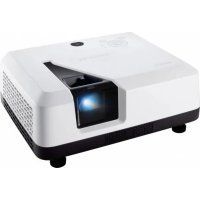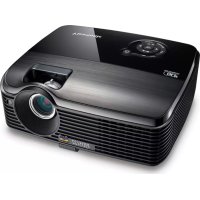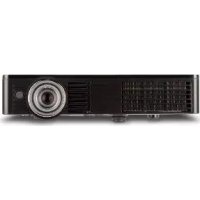
PLEDW500 - Projector VIEWSONIC - Free user manual and instructions
Find the device manual for free PLEDW500 VIEWSONIC in PDF.


User questions about PLEDW500 VIEWSONIC
0 question about this device. Answer the ones you know or ask your own.
Ask a new question about this device
Download the instructions for your Projector in PDF format for free! Find your manual PLEDW500 - VIEWSONIC and take your electronic device back in hand. On this page are published all the documents necessary for the use of your device. PLEDW500 by VIEWSONIC.
USER MANUAL PLEDW500 VIEWSONIC
Europe: http://www.viewsoniceurope.com/uk/kbase/article.php?id=639
Taiwan: http://recycle.epa.gov.tw/recycle/index2.aspx
text_image
Terre Terre
natural_image
Line drawing of an electrical outlet plug with a red arrow indicating upward motion (no text or symbols)natural_image
Line drawing of a plug with a red arrow pointing to the pin (no text or symbols)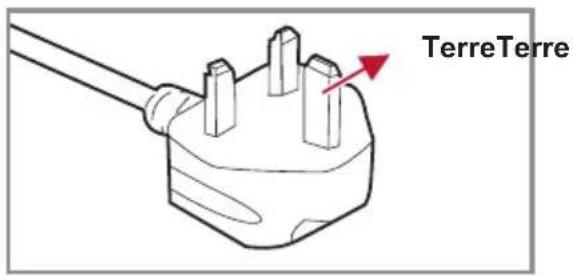
text_image
TerreTerreOPTIONS | LED Réglages ...... 37
OPTIONS | Avancé 38
Media Arena 39
Comment procéder 39
Structure 42
RÉGLAGE 42
RÉGLAGES | Photo 43
natural_image
Illustration of a projector with ventilation slots and a circular button (no text or symbols)natural_image
Coiled cable with two connectors and a power plug, no text or symbols visiblenatural_image
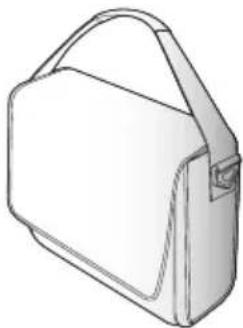
Diagram of a cable and connector assembly (no text or symbols visible)Câble VGA Sac souple de transport
natural_image
Line drawing of a handbag with handle and side panel (no text or symbols)Documentation:
text_image
Technical diagram of an electronic device with labeled parts 8 and 9, showing internal components and mounting points.(Vu d'en dessous)
text_image
1 100% 50% 30% 20% 10% 5% 0% 100% 50% 30% 20% 10% 5% 0% 100% 50% 30% 20% 10% 5% 0% 100% 50% 30% 20% 10% 5% 0% 100% 50% 30% 20% 10% 6% 0% 100% 50% 30% 20% 10% 6% 0% 100% 50% 30% 20% 10% 6% 0% 100% 50% 30% 20% 10% 6% 0% 100% 50% 30% 20% 9.78 100% 50% 30% 20% 9.78 100% 50% 30% 20% 9.78 100% 50% 30% 20% 9.78 100% 50% 30% 20% 9.78 100% 50% 30% 100% 50% 100% 50% 100% 50% 100% 1 12
text_image
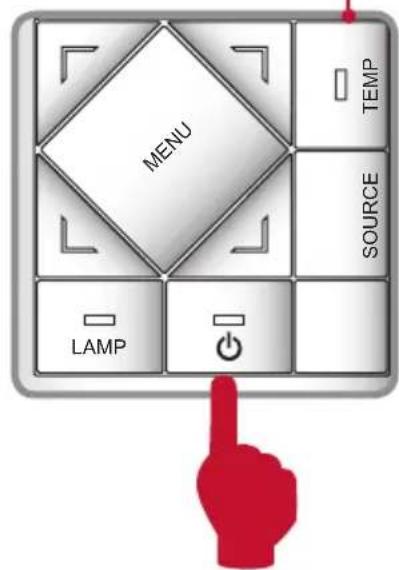
MENU LAMP SOURCE TEMPou
2
text_image
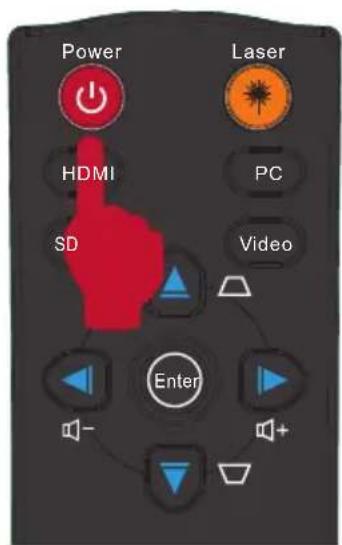
Power Laser HDMI PC SD Video Enternatural_image
Technical diagram of an electronic device casing with internal components and red laser lines indicating light paths (no text or symbols present)Pieds en caoutchouc
Pied ajustable
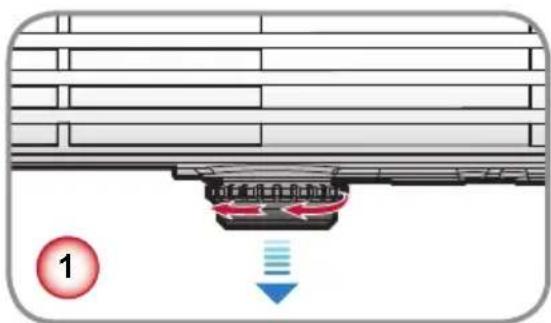
text_image
Diagram showing airflow or fluid flow from a container with a downward arrow indicating direction, labeled with number 1.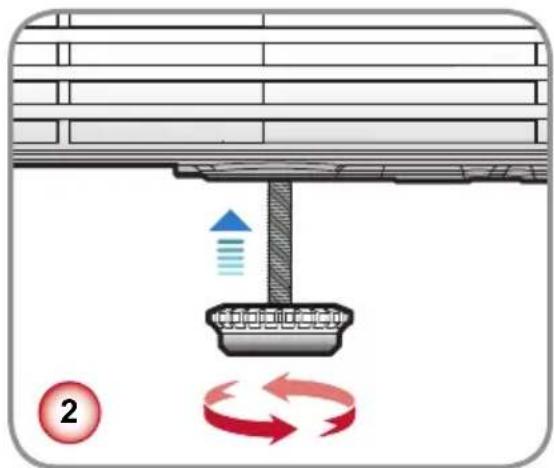
text_image
Diagram illustrating airflow or circulation around a mechanical component with labeled arrows and a numbered circle indicator.natural_image
Illustration of a camera lens assembly (no text or symbols)Adjust the color temperature. At higher temperature, the screen looks colder; at lower temperature, the screen looks warmer.
Echelle chroma.
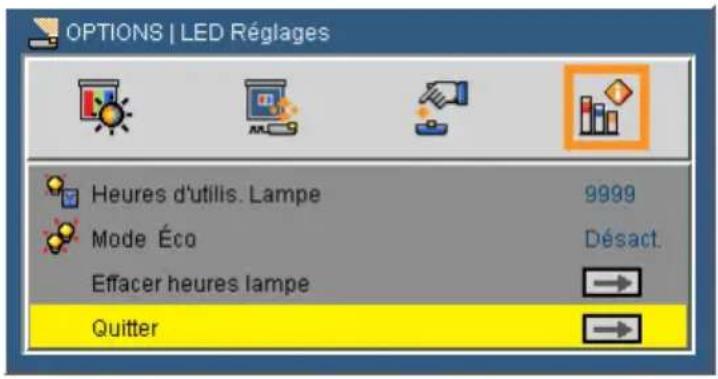
OPTIONS | LED Réglages
To Project using Wireless Presentation
1 Select PLED-W500 from laptop/PC's wireless access point menu.
2 Open MirrorOp Lite Software, key in IP 192.168.100.10 and choose Connect to start projection.
To Install Wireless Presentation
1 Select PLED-W500 from laptop/PC's wireless access point menu.
2 Open a Web browser and enter the wireless IP 192.168.100.10. The WEB Manager shows up.
3 Choose Download and OS to start download MirrorOp Lite.
4 Install MirrorOP Lite.
5 Open MirrorOp Lite Software to start projection.
Note: Disable firewall if encounter connection difficulty.

text_image
PLED-W500 Unsecured wireless network Connected ★text_image
MobiShow Select a receiver Search WPS 192.168.100.10 (WPS)text_image
iPod 10:36 - 17MB 96 % ./Documents Delete Sample.ptg Devices Pig MediaCenter PhotoSender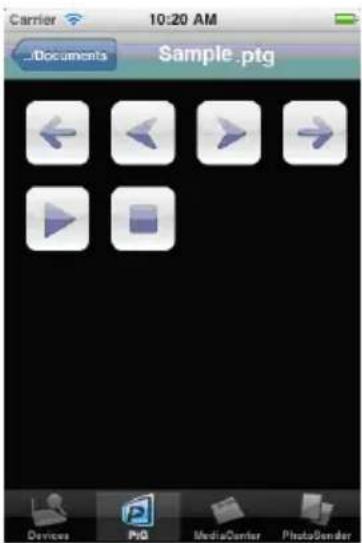
text_image
Carrier 10:20 AM ...Documents Sample .ptg Devices PG MediaCenter PhotoSender| 1 | Czech | 6 | Germany | 11 | Polish | 16 | Thai |
| 2 | Danish | 7 | Hungarian | 12 | Iberian Portuguese | 17 | Turkish |
| 3 | Dutch | 8 | Italian | 13 | Russian | 18 | Vietnamese |
| 4 | English | 9 | Japanese | 14 | Spanish | 19 | Traditional Chinese |
| 5 | French | 10 | Korea | 15 | Swedish | 20 | Simplified Chinese |
2. Internationalisation and languages
| Feature | Support | Notes |
| International language formatting | Partial | Some local date formats, special layout styles. |
| Vertical text (as used in Chinese) | No | |
| Local numbering sequence formats | No |
3. Police
| Feature | Support | Notes |
| Fonts embedded in MS Office documents | No | |
| Fonts linked and downloaded with documents (eg HTML) | No | |
| Compressed TrueType fonts for MS Windows Mobile | No | |
| Bitmap fonts | No | |
| Hinting of glyph shapes | No | |
| Vertical reading or vertical cursor advance | No | |
| Multiple colours within font glyphs | No |
| Feature | Support | Notes |
| Gradient fill | Most | Vertical, horizontal, diagonal, centre-square two colour gradients. |
| Line dash style | No | Shown as solid lines |
| Arrowhead end styles | Partial | Not all line ending shapes |
| Shape control point | Most | The control points of most shapes behave consistently with MS Office. |
| Text within autoshapes | Partial | Text can appear in autoshapes in Excel and PowerPoint. |
| Action button images | No |
- MS Word
| Feature Support Notes | Support | Notes |
| Bold text Partial Not supported in Simple Chinese font. | ||
| Text alignment:● Fully Justified | No Displayed as left aligned text. | |
| Tab stops Partial | Supports default tab stops and custom position tab stops. Supports left aligned tab stops only. Tabs with leader characters are not supported. | |
| Tables with Indentation, Bullets, Numbering and style changes | Partial | Multiple numbered lists in different columns, and some style features are not supported |
| Table border styles Partial | Supports- single solid line- double solid line | |
| Nested tables Partial | Some nested tables are incorrectly displayed | |
| Vertical cell merging No | ||
| Page margins and borders Partial | Page margins are supported, but we do not display page borders | |
| Document Views Partial | ePAGE always opens up a document in 'print' view format. | |
| Comments | No | |
| Footnotes/endnotes | No | |
| Change tracking | No | |
| Continuous sections | No | Continuous section breaks will be shown as "next page breaks". If a document has multiple continuous section breaks within a page, FileViewer will display this as multiple pages. |
| Fields and equations | No | |
| "Ruby" Kanji and Kana | No | |
| Line styles | Most | Only solid line styles are supported. All line weights are supported |
| Line dash styles | Some | Only solid dash styles are supported.Dashed and dotted lines are rendered as solid lines |
| Gradient fill colours in autoshapes | Most | Horizontal, vertical, diagonal, centre-square |
| Supports Word Art | No | |
| Flows text around positioned images according to rules set within the original Word document● Square wrapping style● Tight wrapping style | Partial | Image is positioned either to left or right margin, and text flowed to one side. |
| Flows text around positioned images according to rules set within the original Word document● Variable (edited) wrap points | No Image | will appear with square wrapping. |
- MS Excel
| Feature | Support | Notes |
| Supports page size No | Not meaningful as view shows worksheet, not print view | |
| Supports headers and footers:• Workbook name• Current date• Current time• Page number plus/minus n• Total pages in workbook• Ampersand character | No | |
| Displays cell row and column headings | No | |
| Retains “frozen titles” for rows and columns when scrolling | No | |
| Displays page breaks within a worksheet (both horizontal and vertical breaks) | No | Not needed as sheet is not printed |
| Supports background image on worksheets | No | |
| Supports cell background fill pattern | No | |
| Provides facility to either hide or display rows, columns or sheets that are hidden | No | |
| Supports scenarios, displays names of scenarios contained in worksheet | No | Displays only the default scenario |
| Provides facility to select scenario and display cell contents accordingly | No | |
| Supports all number formats:• Number • Percentage• Currency • Fraction• Accounting • Scientific• Date • Special• Time • Custom | Partial | Individual number format support is detailed in the section “Number format support” |
| Bold text | Partial | When used with a bold font installed. Not supported in Chinese Simple font. |
| Indentation | No | |
| Displays comments associated with a cell | No | |
| Supports hyperlinks to other files and web pages No | ||
| Supports hyperlinks attached to graphics and images | No | |
| Displays screen tips associated with hyperlinks | No | |
| Animated GIF images contained in Excel documents. | No | |
| Line styles | Most | Only solid line styles are supported. All line weights are supported |
| Line dash styles Some | Only solid dash styles are supported. Dashed and dotted lines are rendered as solid lines | |
| Text boxes | Partial | Including vertical alignment of text within box, but not text formatting or styling. |
| Autoshapes Most | Refer to the section on ‘Autoshapes’ for more information. | |
| Feature Support Notes | Support | Notes |
| Gradient fill colours in autoshapes Most | Horizontal, vertical, diagonal, centre-square | |
| Supports WordArt No | ||
| Marks cells that have been changed using the Excel Highlight Changes command | No | |
| Displays lists according to any filters that are applied | No | |
| Supports pivot tables No | ||
| Displays form controls (buttons, check boxes, listboxes etc) | Partial | Displays ActiveX Controls, not ‘regular’ Form Controls. Also, ActiveX Controls are only displayed as static (non-interactive) objects. |
| Runs macros or scripts associated with form controls | No | |
| Displays phonetic guides for Japanese text:HiraganaFull width katakanaHalf width katakana | No |
- Graphique CMS Excel
| Feature Support Notes | Support | Notes |
| Supports Excel 95 (BIFF7) charts No | ||
| Supports Excel 5 (BIFF5) format charts No | ||
| Chart Legends Partial | ||
| Data Labels No | ||
| Grid Lines Partial | ||
| Tickmarks on lines Partial | ||
| Rotated text in charts | No | |
| Supports Organisation charts | No | |
| Supports Radar charts | No | |
| Supports Scatter charts | No | |
| Supports Area charts No | ||
| Supports Surface charts | No | |
| Supports Bubble charts | No | |
| Supports Doughnut charts | No | |
| Supports Stock charts | No | |
| Supports Combination charts | No | |
| Supports Chart data tables | No | |
| Displays chart embedded within a chart which is a separate page | No | |
| Error bars | No | |
| Line markers | No | |
| Bitmap fill patterns | No | |
| 3D effects in any chart | No |
- MS PowerPoint
| Feature Support Notes | Support | Notes |
| Bold text | Partial Not supported in Simple Chinese font. | |
| Numbered lists | No | |
| Line dash styles | Some | Only solid dash styles are supported.Dashed and dotted lines are rendered as solid lines |
| Animations and slide transitions | No | |
| Hyperlinks and actions | No | |
| Smart Art diagrams | No | |
- Adobe PDF
| Feature Support Notes | Support | Notes |
| Supports later PDF documents using backwards compatible features | Partial | The PDF format has been carefully designed to encourage backwards compatibility, allowing older applications to read newer files in many cases. This is supported where feasible. |
| Bold text | Partial Not supported in Simple Chinese font. | |
| Table border styles | Partial | Supports- single solid line- double solid line |
| Transformed images | Partial | Supports image rotation by 90, 180, 270 degrees, flipped images |
| Monochrome and Colour contentDeviceGrayDeviceRGBDeviceCMYKCalGray*CalRGB*IndexedDeviceN | Most | Calgray and CalRGB are treated as DeviceGray and DeviceRGB |
text_image
78.63 25.89 51.20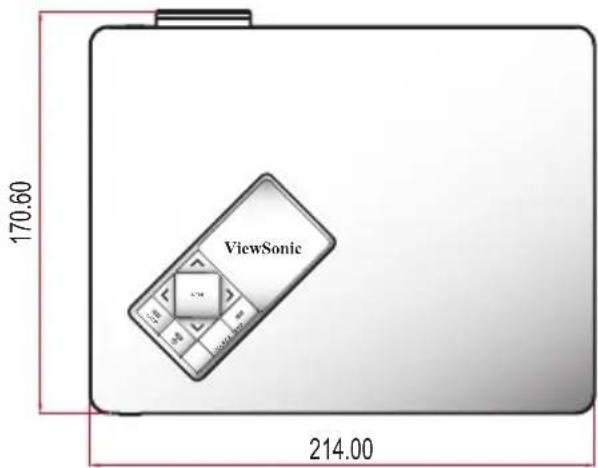
text_image
170.60 ViewSonic 214.00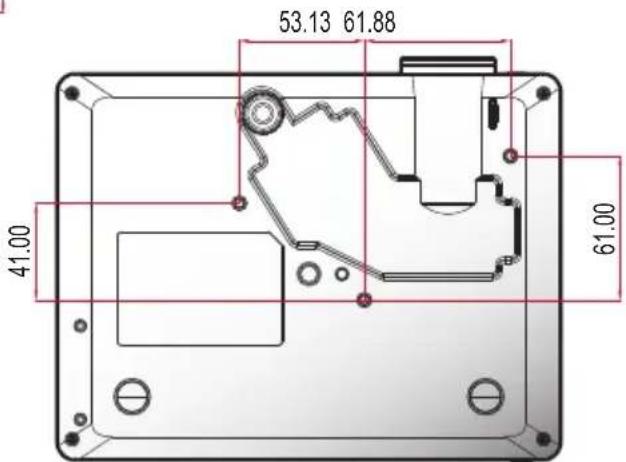
text_image
53.13 61.88 41.00 61.00Unité : mm
Spécifications
4.3: Projector Warranty
PRJ LW01 Rev. 1h 06-25-07

natural_image
Illustration of three colorful birds with blue, purple, and red caps on a green surface against a red background (no text or symbols)ViewSonic®