RZ05-0475 - Speaker RAZER - Free user manual and instructions
Find the device manual for free RZ05-0475 RAZER in PDF.


User questions about RZ05-0475 RAZER
0 question about this device. Answer the ones you know or ask your own.
Ask a new question about this device
Download the instructions for your Speaker in PDF format for free! Find your manual RZ05-0475 - RAZER and take your electronic device back in hand. On this page are published all the documents necessary for the use of your device. RZ05-0475 by RAZER.
USER MANUAL RZ05-0475 RAZER
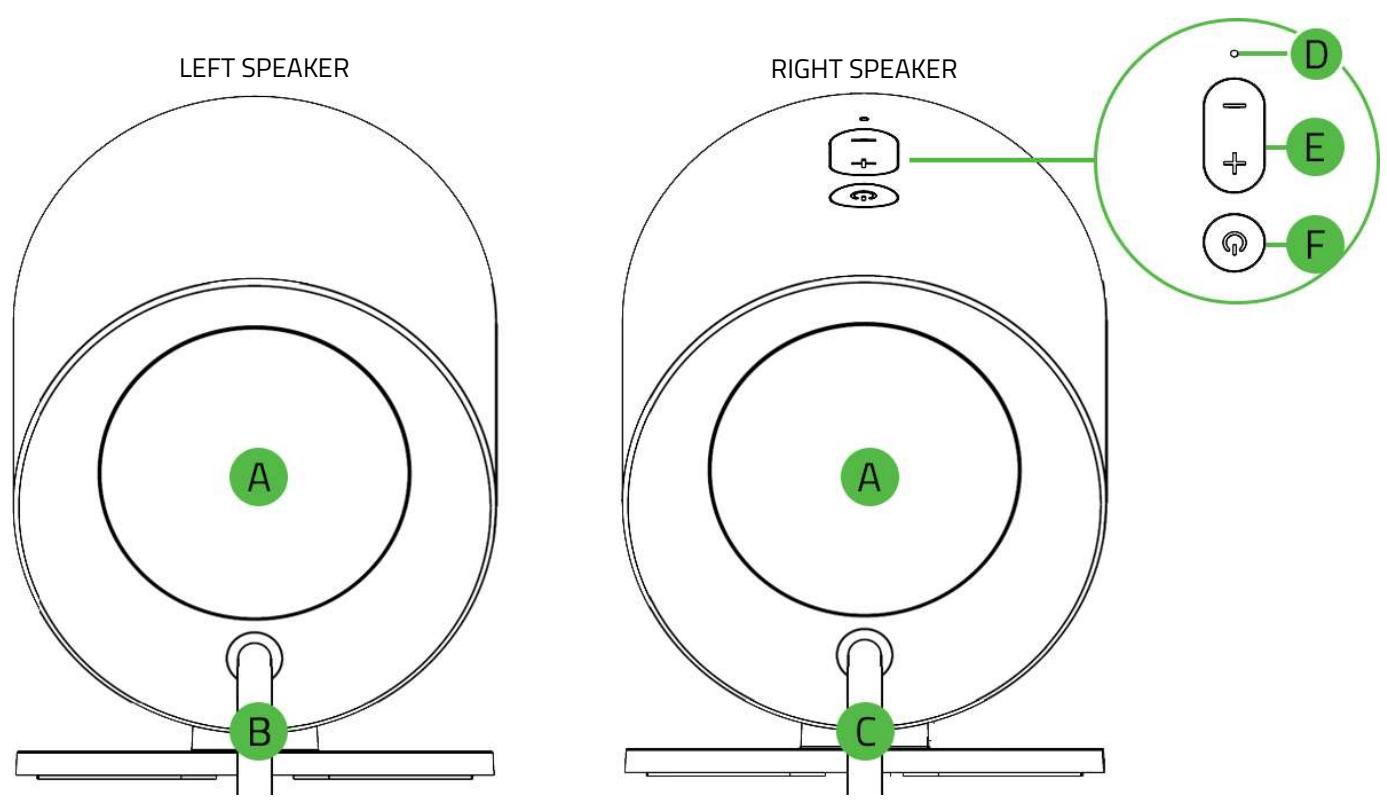
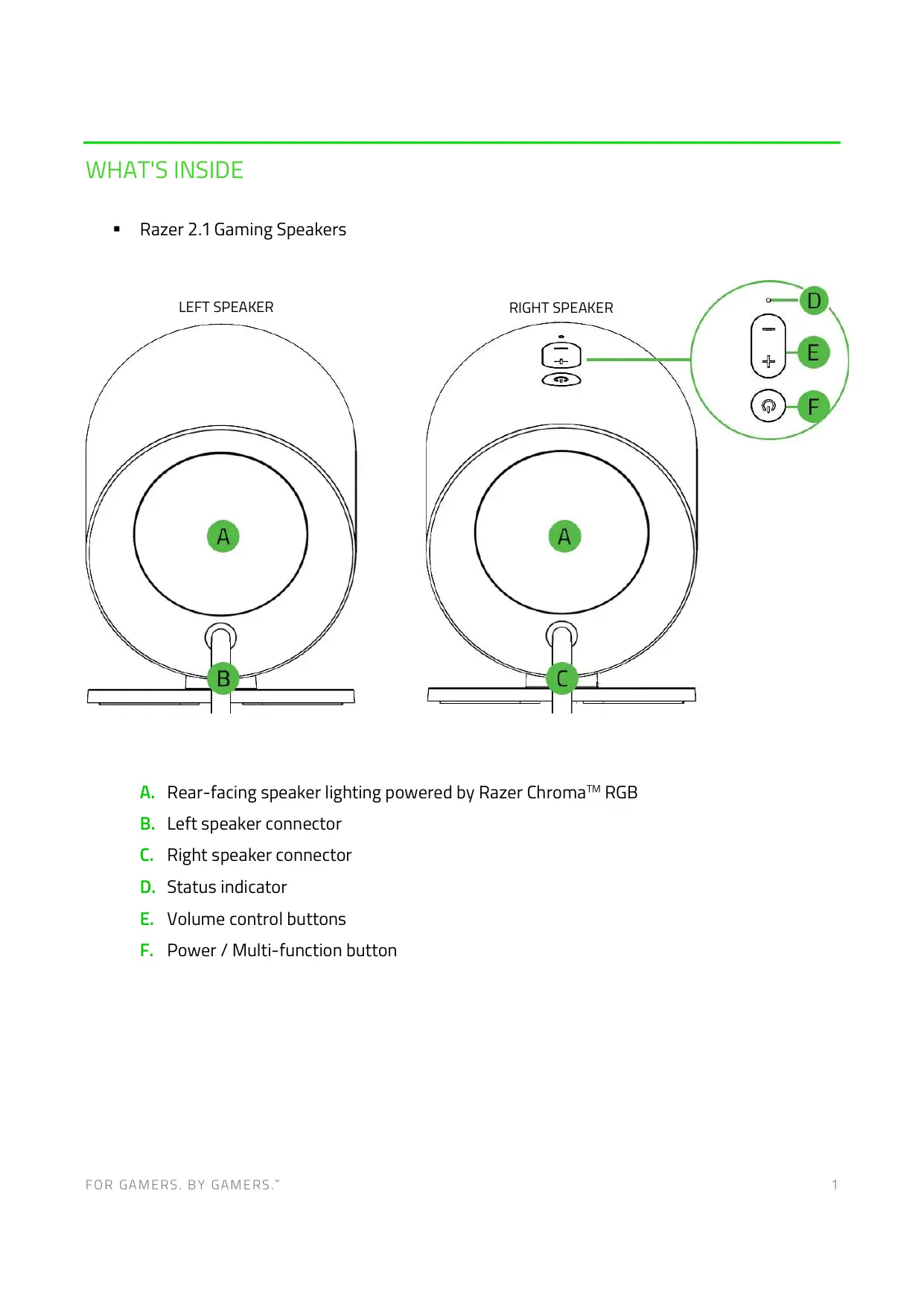
Razer 2.1 Gaming Speakers
A. Rear-facing speaker lighting powered by Razer Chroma™ RGB
B. Left speaker connector
C. Right speaker connector
D. Status indicator
E. Volume control buttons
F. Power / Multi-function button
Subwoofer
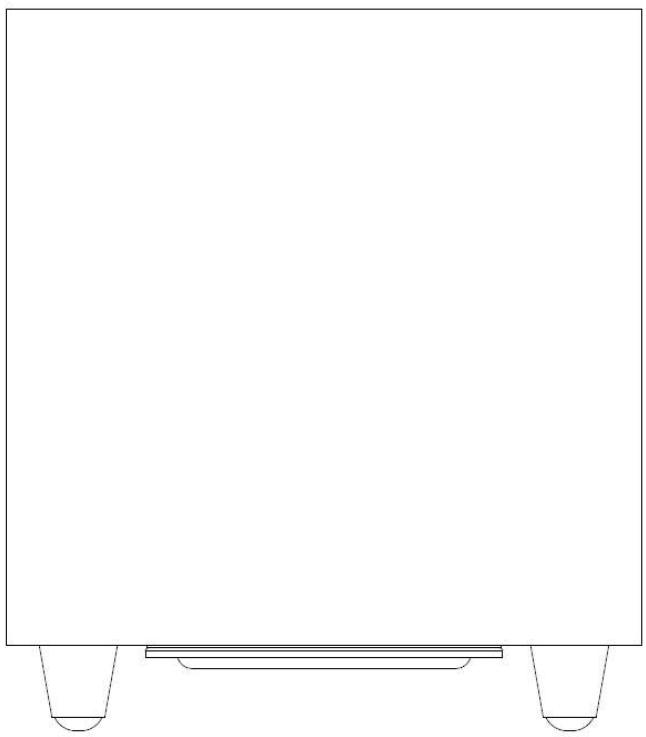
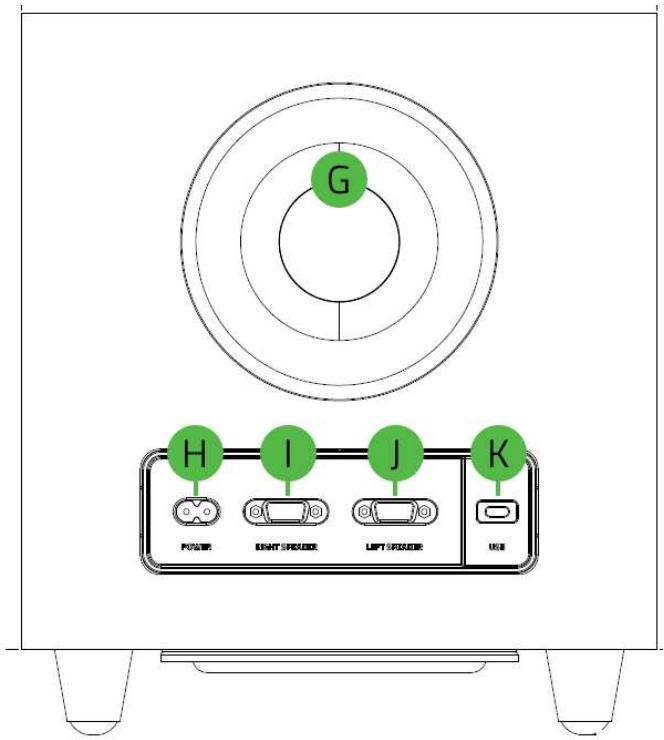
G. Rear-facing bass port
H. Power port
I. Right speaker port
J. Left speaker port
K. USB Type C port
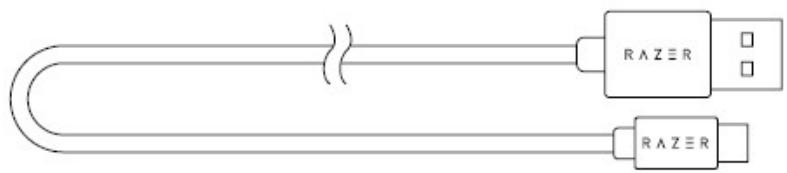
USB Type A to USB Type C cable
Regional power cords*
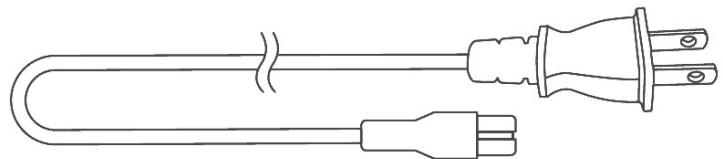
*May vary for specific regions.
Important Product Information Guide
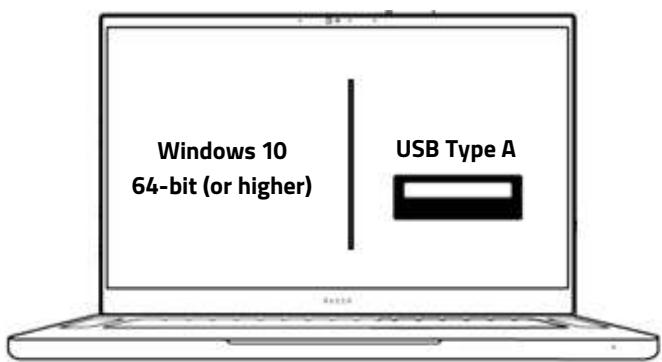
WHAT'S NEEDED
OR

LET'S GET YOU COVERED
Register your product and score exclusive benefits razerid.razer.com/warranty
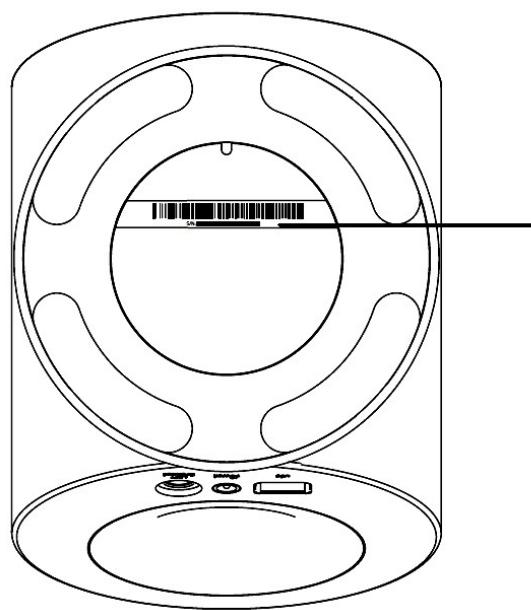
Your product's serial number can be found here.
SETTING UP YOUR RAZER 2.1 GAMING SPEAKERS
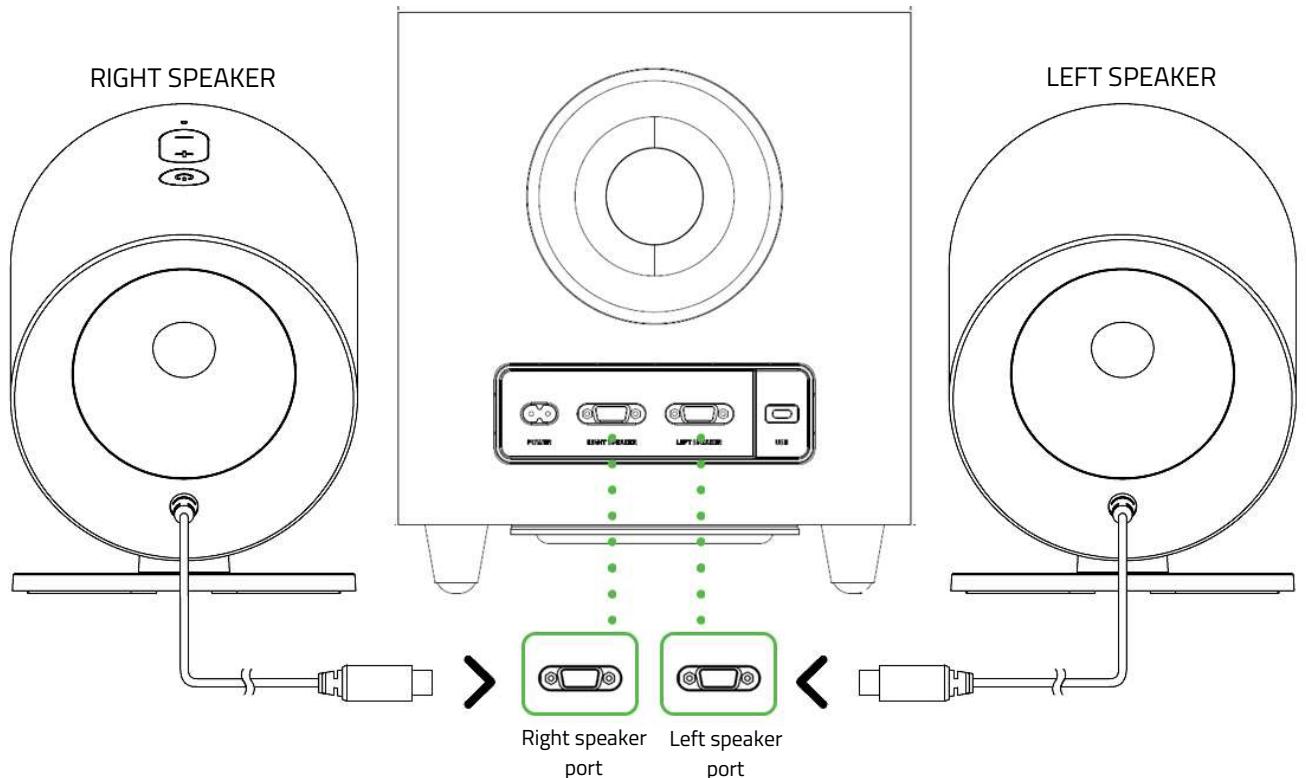
Before plugging any connector into a speaker port, align its pins correctly to the correct port. Tighten each connector's screws, so it remains fastened in place. To unplug, loosen a connector's screws first; DO NOT FORCEFULLY UNPLUG a connector from the subwoofer.
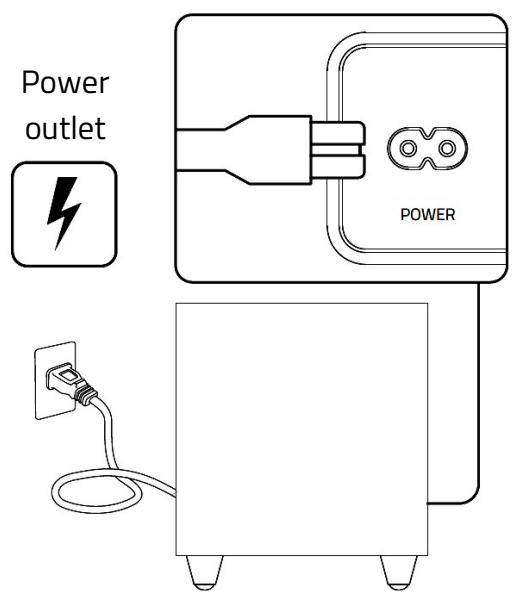
2.
CONNECTING TO YOUR GAMING SPEAKERS
A. VIA PC MODE
1.
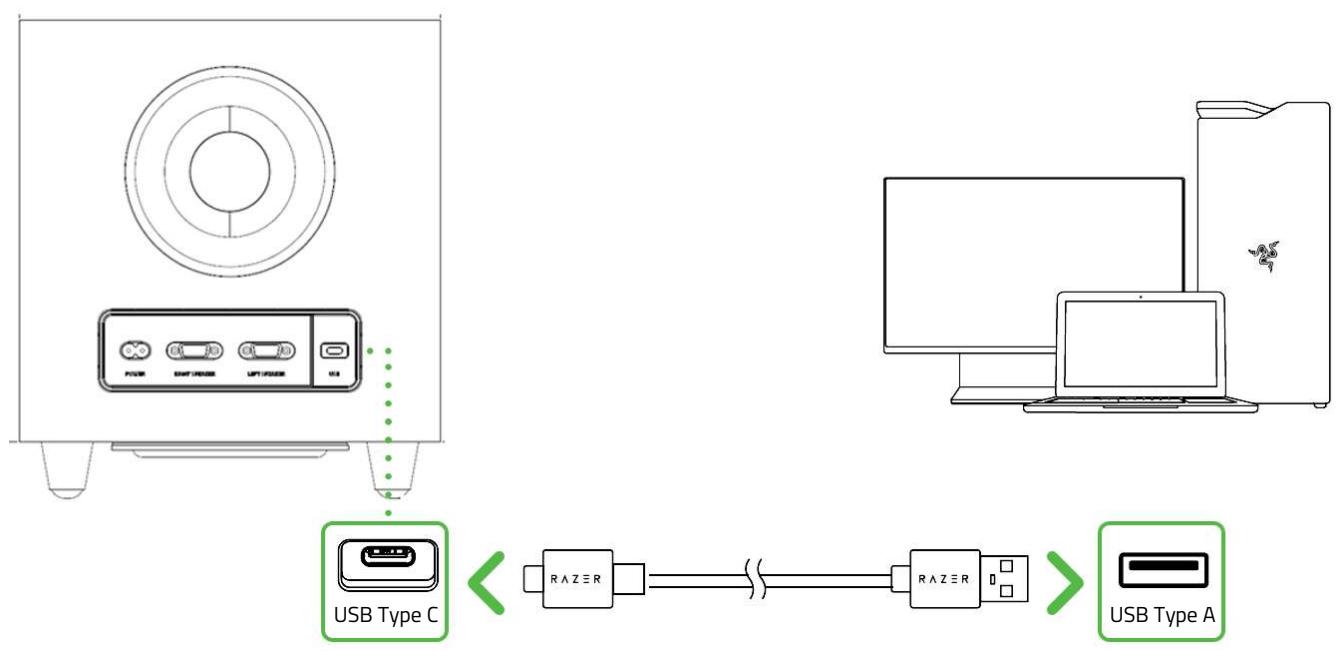
2.

3.


When using the gaming speakers with compatible devices, make sure to set the Razer 2.1 Gaming Speakers as its default input and output device (if applicable).
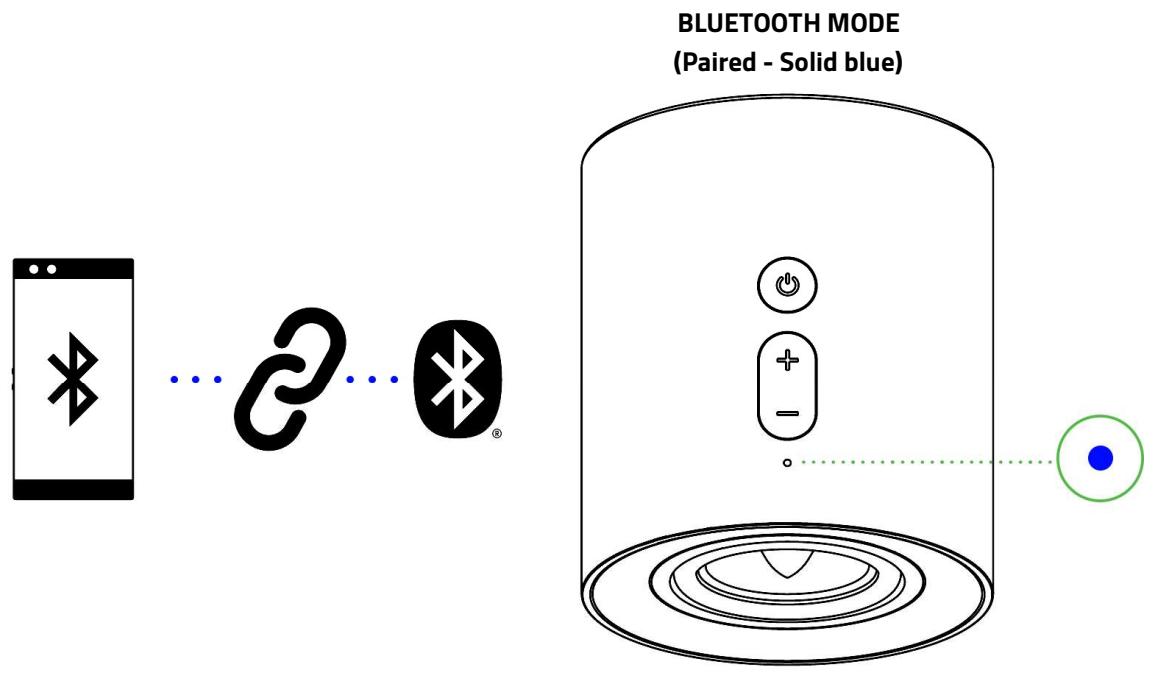
B. VIA BLUETOOTH MODE
1.
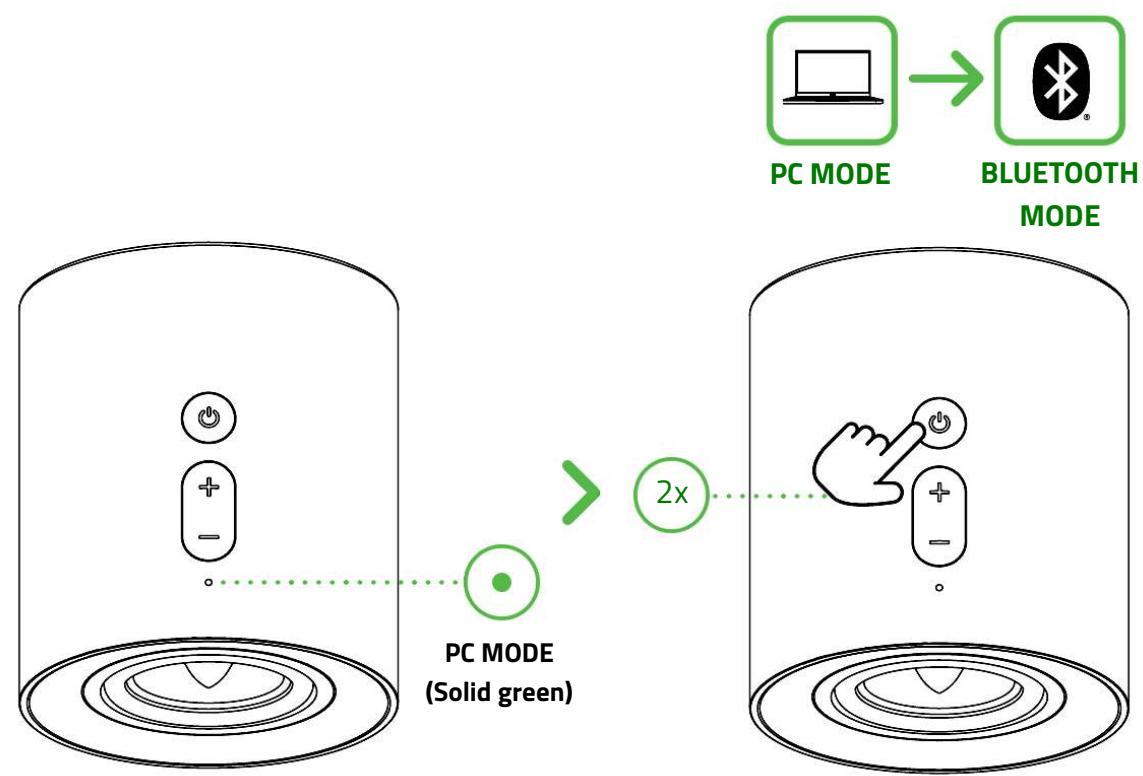
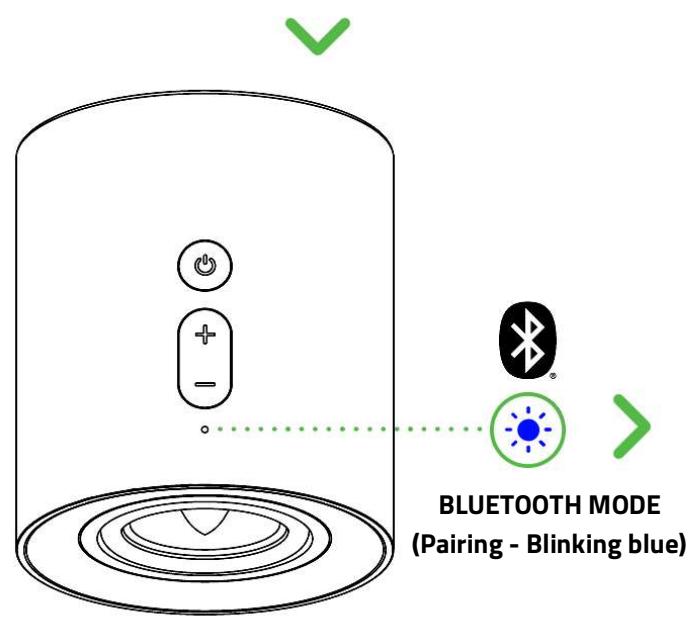
2.
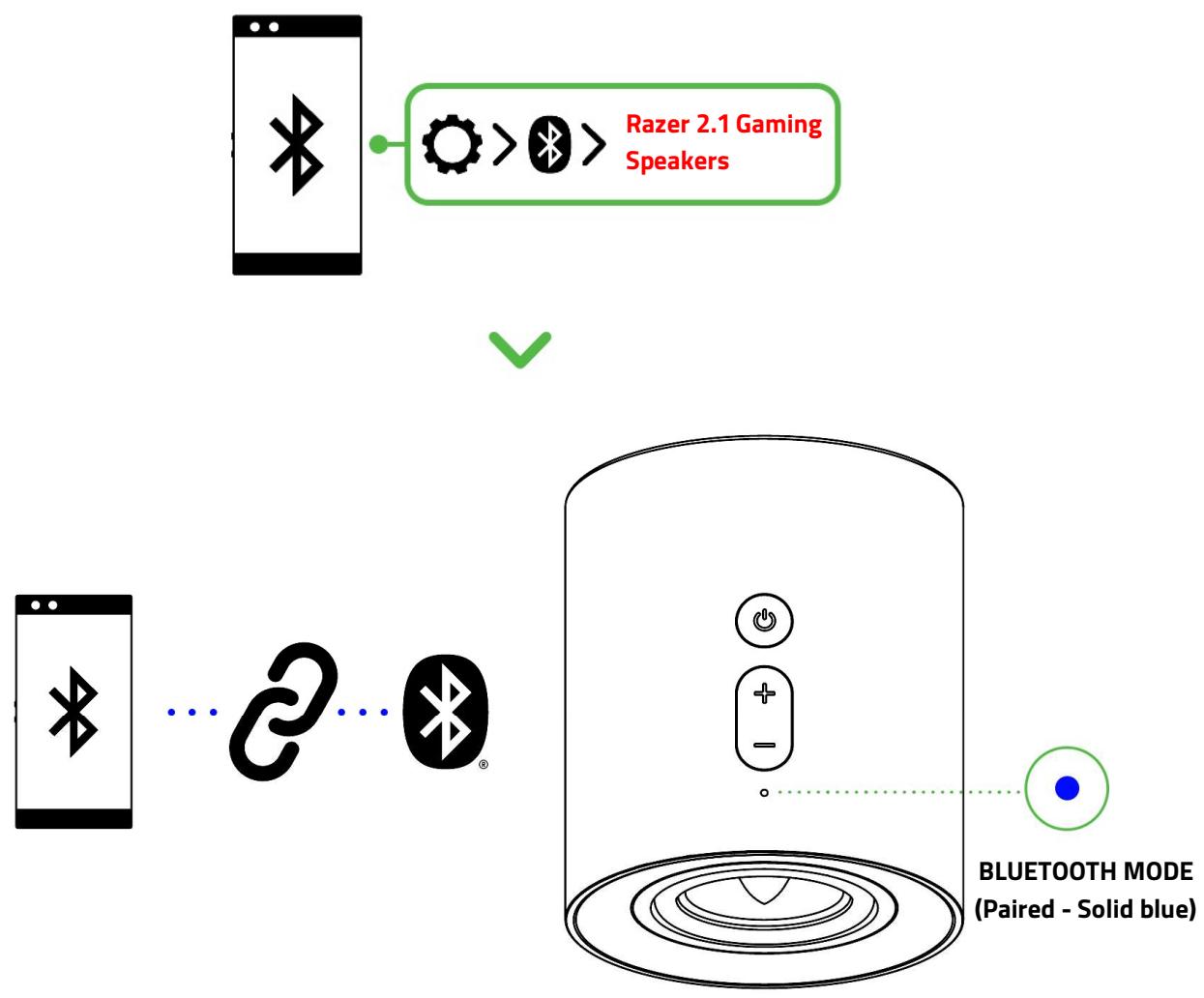
Instructions are for first-time pairing only. When connecting to your gaming speakers, remember to keep them within 1 meter of your mobile device. Once paired, your gaming speakers will automatically reconnect to your mobile device whenever you switch to Bluetooth mode.
USING YOUR GAMING SPEAKERS
SWITCHING BETWEEN AUDIO SOURCES
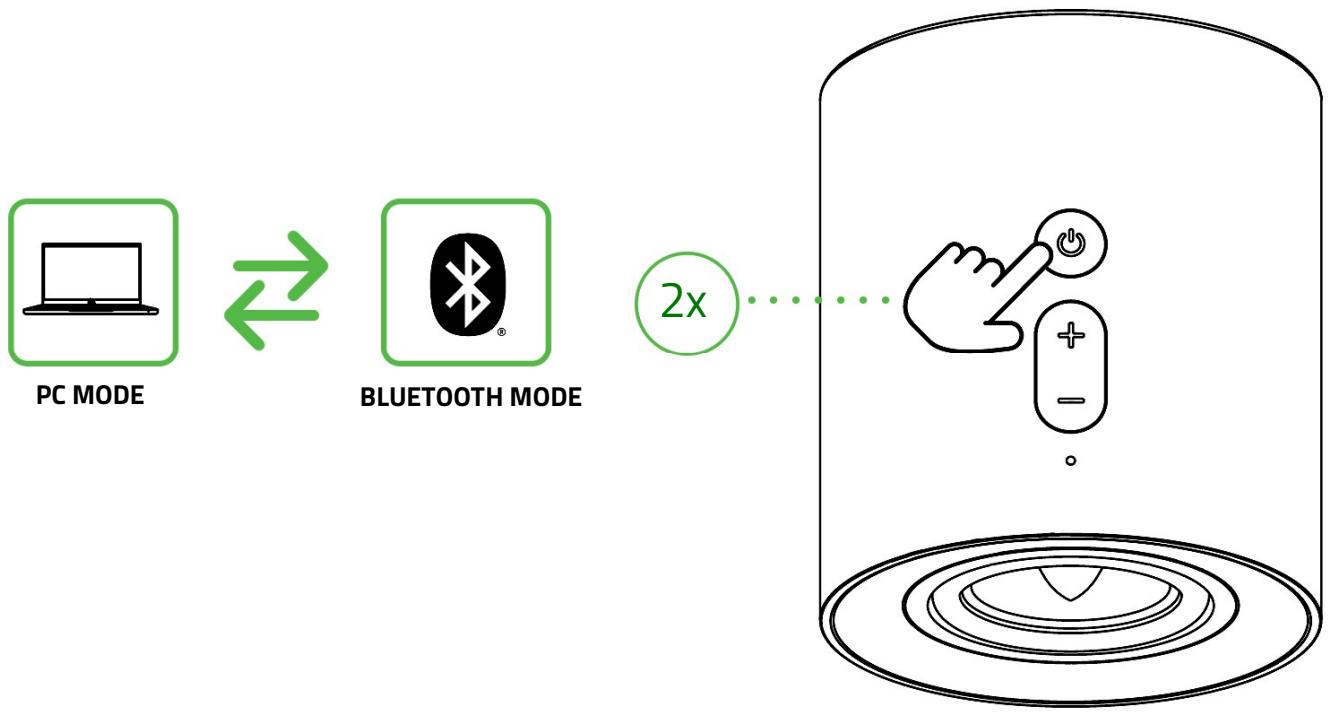
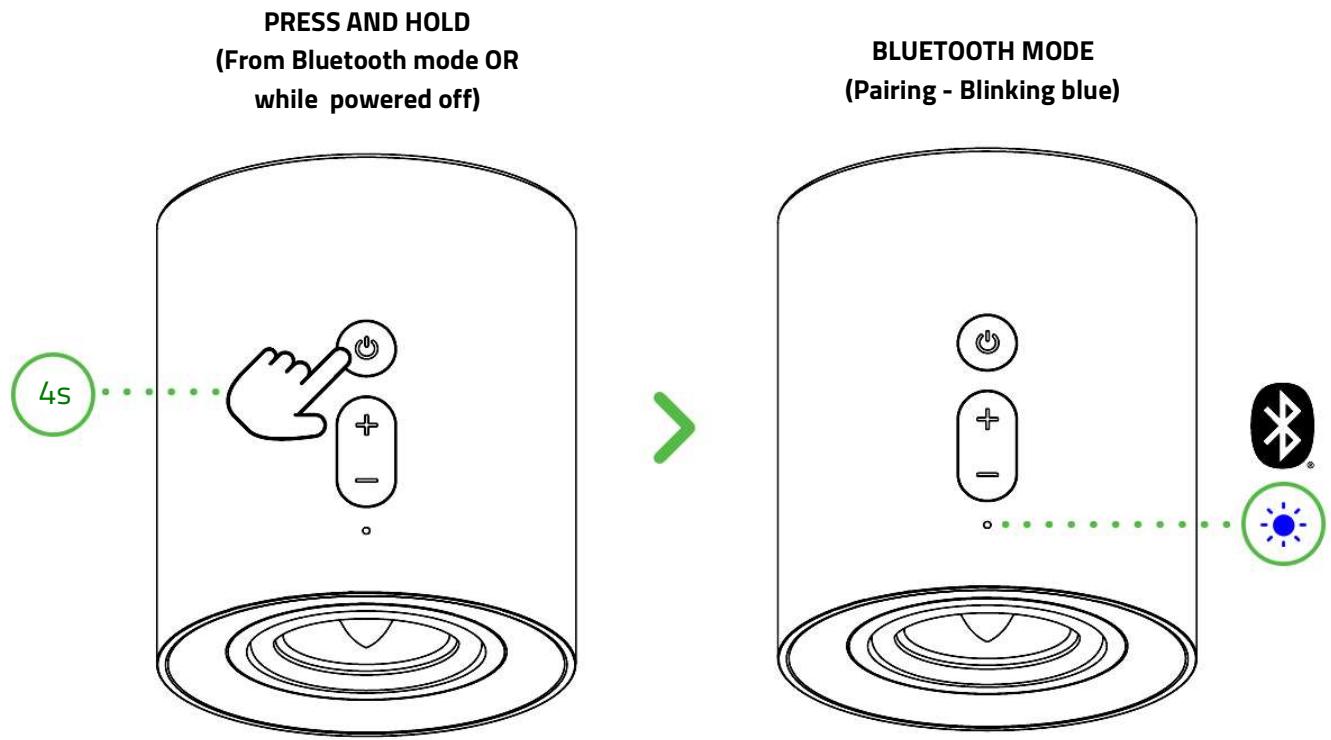
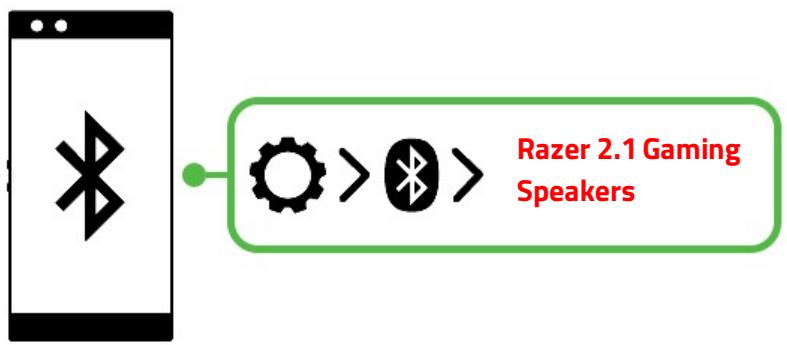
REACTIVATING BLUETOOTH PAIRING MODE (FOR NEW DEVICES)
1.
2.
3.
PERSONALIZE YOUR EXPERIENCE
RAZER SYNAPSE*
Use the Razer Synapse app to customize your speakers' lighting, personalize an EQ preset, and adjust other advanced features for a truly immersive listening experience.

Install Razer Synapse when prompted or download the installer from razer.com/synapse.
THX® SPATIAL AUDIO*
Unleash the full potential of the Razer 2.1 Gaming Speakers by enabling 360^ positional audio for a natural and lifelike experience through Razer Synapse.

*Only available on Windows® 10 64-bit (or higher).
Find out more about your brand-new PC gaming speakers at support.razer.com
SAFETY AND MAINTENANCE
SAFETY GUIDELINES
To achieve maximum safety while using your Razer 2.1 Gaming Speakers, we suggest that you adopt the following guidelines:
Should you have trouble operating the device properly and troubleshooting does not work, unplug the device and contact the Razer hotline or go to support.razer.com for assistance.
Don't take apart the device, and don't attempt to operate it under abnormal current loads. Doing so will void your warranty.
Before plugging any connector into a speaker port, align its pins correctly to the correct port. Tighten each connector's screws, so it remains fastened in place. To unplug, loosen a connector's screws first; DO NOT FORCEFULLY UNPLUG a connector from the subwoofer.
Before relocating your gaming speakers, correctly unplug all cables first to avoid damaging any cable connector.
Keep the device away from liquid, humidity, or moisture. Operate the device only within the specific temperature range of 0^ C ( 32^ F ) to 40^ C ( 104^ F ). Should the temperature exceed this range, unplug and/or switch off the device to let the temperature stabilize to an optimal level.
Listening to excessively loud volumes over extended periods can damage your hearing. Furthermore, legislation of certain countries permits a maximum sound level of 86db to affect your hearing for 8 hours a day. We, therefore, recommend that you reduce the volume to a comfortable level when listening for prolonged periods. Please, take good care of your hearing.
MAINTENANCE AND USE
The Razer 2.1 Gaming Speakers requires minimum maintenance to keep it in optimum condition. Once a month, we recommend you clean each speaker using a soft cloth or cotton swab to prevent dirt buildup. Don't use soap or harsh cleaning agents.
LEGALESE
COPYRIGHT AND INTELLECTUAL PROPERTY INFORMATION
©2022 Razer Inc. All rights reserved. Razer, the triple-headed snake logo, Razer logo, "For Gamers. By Gamers.", and "Razer Chroma" logo are trademarks or registered trademarks of Razer Inc. or affiliated companies in the United States and other countries. All other trademarks are the property of their respective owners.
The Bluetooth® word mark and logos are registered trademarks owned by Bluetooth SIG, Inc., and any use of such marks by Razer is under license.
Windows and the Windows logo are trademarks of the Microsoft group of companies.
Razer Inc. ("Razer") may have copyright, trademarks, trade secrets, patents, patent applications, or other intellectual property rights (whether registered or unregistered) concerning the product in this guide. Furnishing of this guide does not give you a license to any such copyright, trademark, patent or other intellectual property right. The Razer 2.1 Gaming Speakers (the "Product") may differ from pictures whether on packaging or otherwise. Razer assumes no responsibility for such differences or for any errors that may appear. Information contained herein is subject to change without notice.
LIMITED PRODUCT WARRANTY
For the latest and current terms of the Limited Product Warranty, please visit razer.com/warranty.
LIMITATION OF LIABILITY
Razer shall in no event be liable for any lost profits, loss of information or data, special, incidental, indirect, punitive or consequential or incidental damages, arising in any way out of distribution of, sale of, resale of, use of, or inability to use the Product. In no event shall Razer's liability exceed the retail purchase price of the Product.
GENERAL
These terms shall be governed by and construed under the laws of the jurisdiction in which the Product was purchased. If any term herein is held to be invalid or unenforceable, then such term (in so far as it is invalid or unenforceable) shall be given no effect and deemed to be excluded without invalidating any of the remaining terms. Razer reserves the right to amend any term at any time without notice.
REGULATORY
FCC COMPLIANCE STATEMENTS
This device complies with Part 15 of the FCC Rules. Operation is subject to the following two conditions:
(1) this device may not cause harmful interference, and
(2) this device must accept any interference received, including interference that may cause undesired operation.
Any changes or modifications not expressly approved by the party responsible for compliance could void the user's authority to operate this equipment.
This equipment has been tested and found to comply with the limits for a Class B digital device, pursuant to Part 15 of the FCC Rules. These limits are designed to provide reasonable protection against harmful interference in a residential installation. This equipment generates, uses and can radiate radio frequency energy and, if not installed and used in accordance with the instructions, may cause harmful interference to radio communications.
However, there is no guarantee that interference will not occur in a particular installation.
If this equipment does cause harmful interference to radio or television reception, which can be determined by turning the equipment off and on, the user is encouraged to try to correct the interference by one or more of the following measures:
- Reorient or relocate the receiving antenna.
- Increase the separation between the equipment and receiver.
- Connect the equipment into an outlet on a circuit different from that to which the receiver is connected.
- Consult the dealer or an experienced radio/TV technician for help.
This equipment complies with FCC radiation exposure limits set forth for an uncontrolled environment. This transmitter must not be co-located or operating in conjunction with any other antenna or transmitter. This equipment should be installed and operated with minimum distance 20cm between the radiator and your body.
ISED COMPLIANCE STATEMENTS
This device contains licence-exempt transmitter(s)/receiver(s) that comply with Innovation, Science and Economic Development Canada's licence-exempt RSS(s). Operation is subject to the following two conditions:
(1) This device may not cause interference.
(2) This device must accept any interference, including interference that may cause undesired operation of the device.
This equipment complies with ISED radiation exposure limits set forth for an uncontrolled environment. This transmitter must not be co-located or operating in conjunction with any other antenna or transmitter. This equipment should be installed and operated with a minimum distance of 20cm between the radiator and your body.