RZ04-0496 - Headphones RAZER - Free user manual and instructions
Find the device manual for free RZ04-0496 RAZER in PDF.


User questions about RZ04-0496 RAZER
0 question about this device. Answer the ones you know or ask your own.
Ask a new question about this device
Download the instructions for your Headphones in PDF format for free! Find your manual RZ04-0496 - RAZER and take your electronic device back in hand. On this page are published all the documents necessary for the use of your device. RZ04-0496 by RAZER.
USER MANUAL RZ04-0496 RAZER
RAZER GAMING HEADSET
RZ04-0496
IMPORTANT PRODUCT INFORMATION GUIDE
WHAT'S INSIDE
Razer Gaming Headset
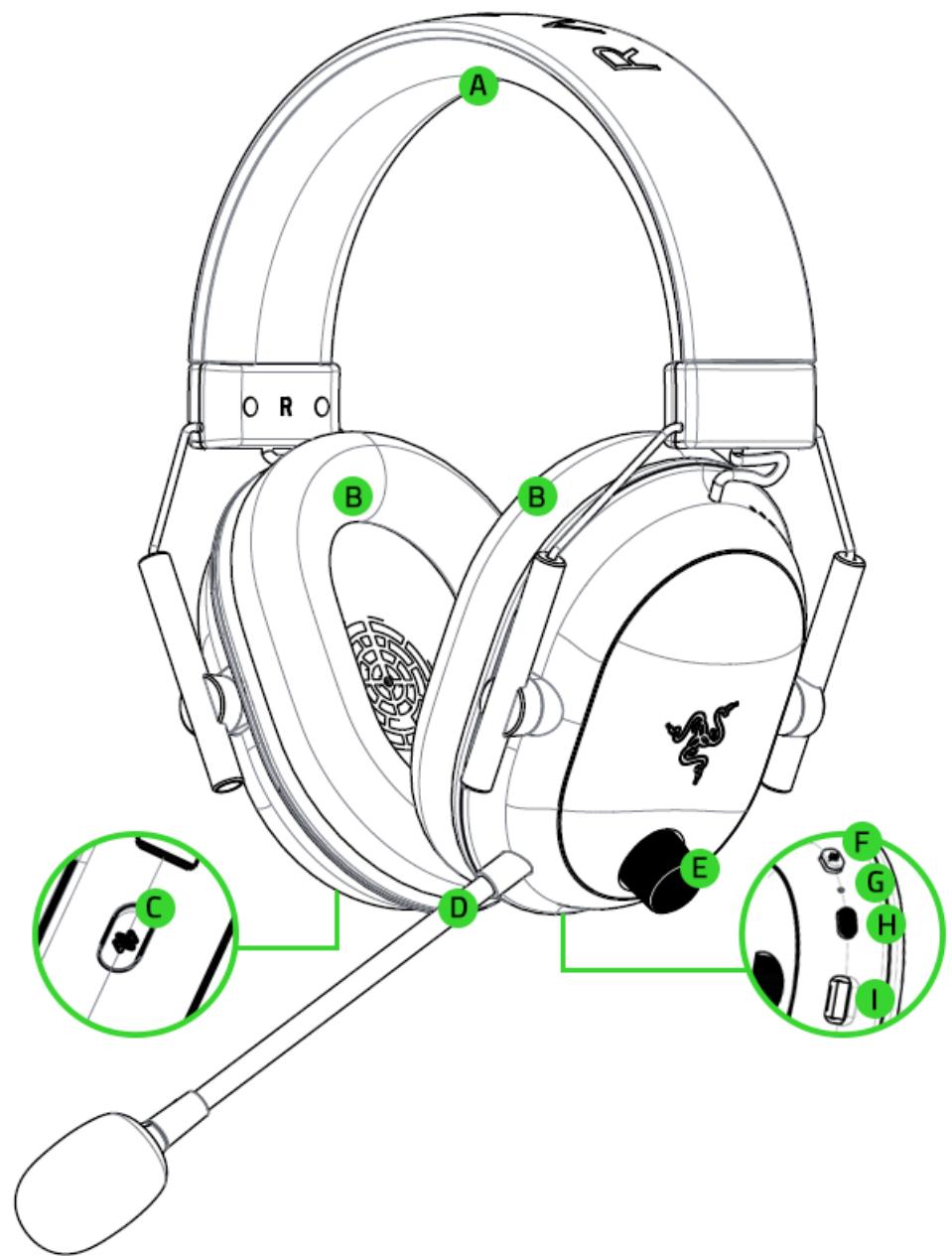
A. Adjustable padded headband
B. Ultra-soft breathable memory foam ear cushions
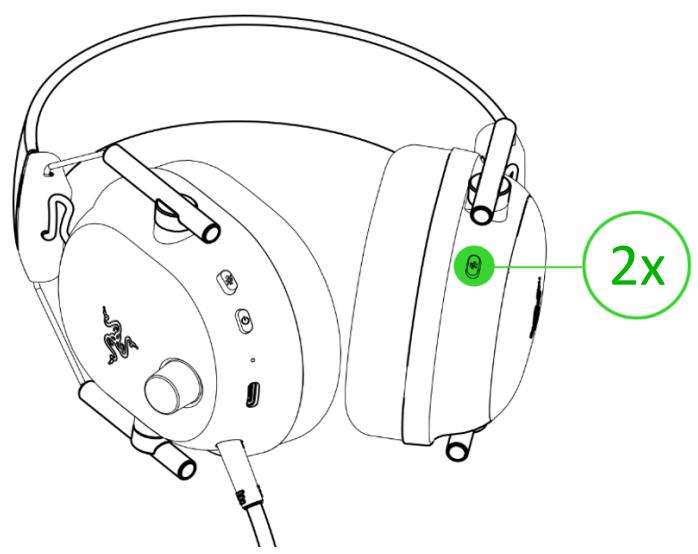
C. Razer SmartSwitch / EQ button
D. Razer HyperClear Super Wideband Mic
E. Volume knob
F. Mic mute button
G. Status indicator
H. Power button
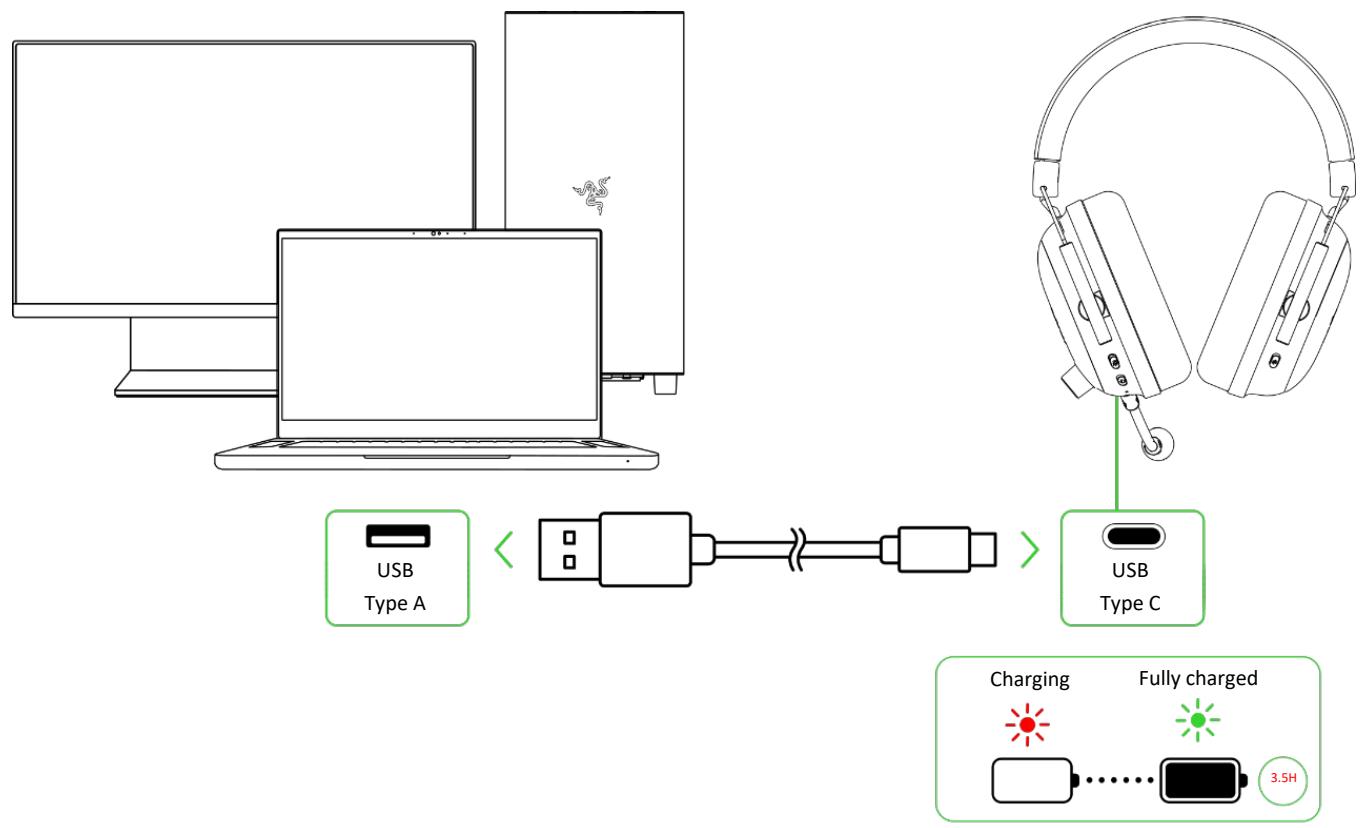
I. Charging port
Razer Gaming Headset and Wireless Dongle
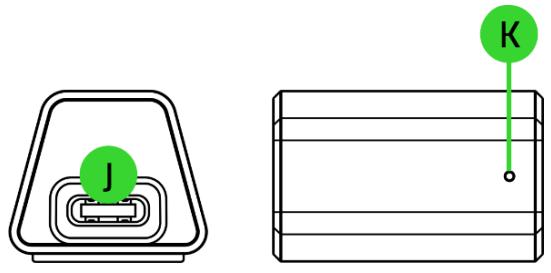
J. USB Type C port
K. Indicator LED
USB Type A to USB Type C charging cable

Important Product Information Guide
(Razer Gaming Headset contents Gaming Headset Model:RZ04-0496, Wireless Dongle Model:RC30-0496)
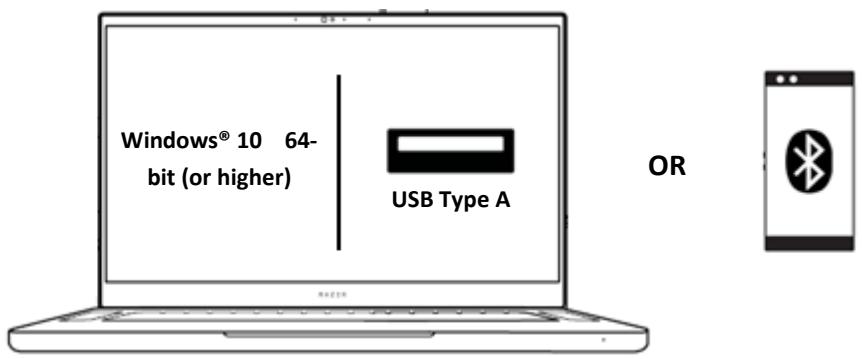
WHAT'S NEEDED
LET'S GET YOU COVERED

Register your product and score exclusive benefits
razerid.razer.com/warranty
SETTING UP YOUR RAZER GAMING HEADSET
CHARGING YOUR HEADSET
CONNECTING YOUR HEADSET
A. Via Razer™ HyperSpeed Wireless (2.4 GHz) mode
1.
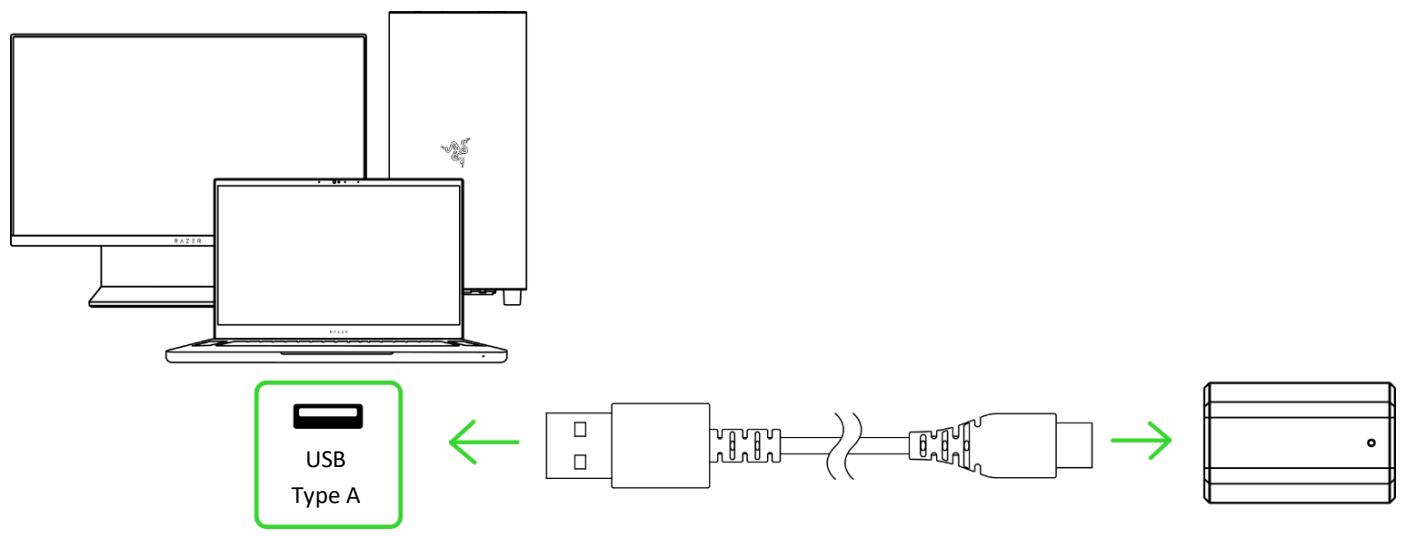
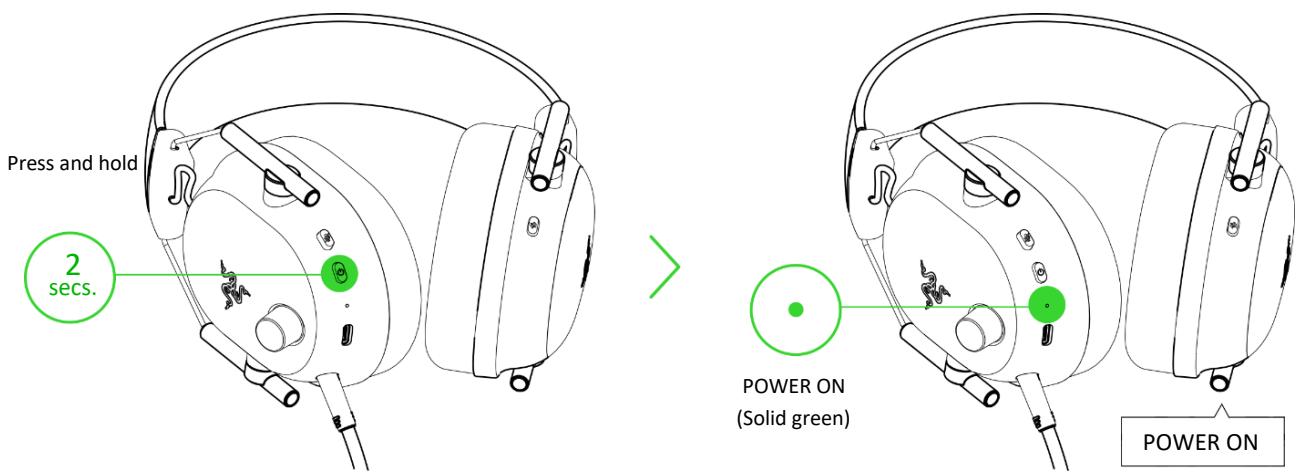
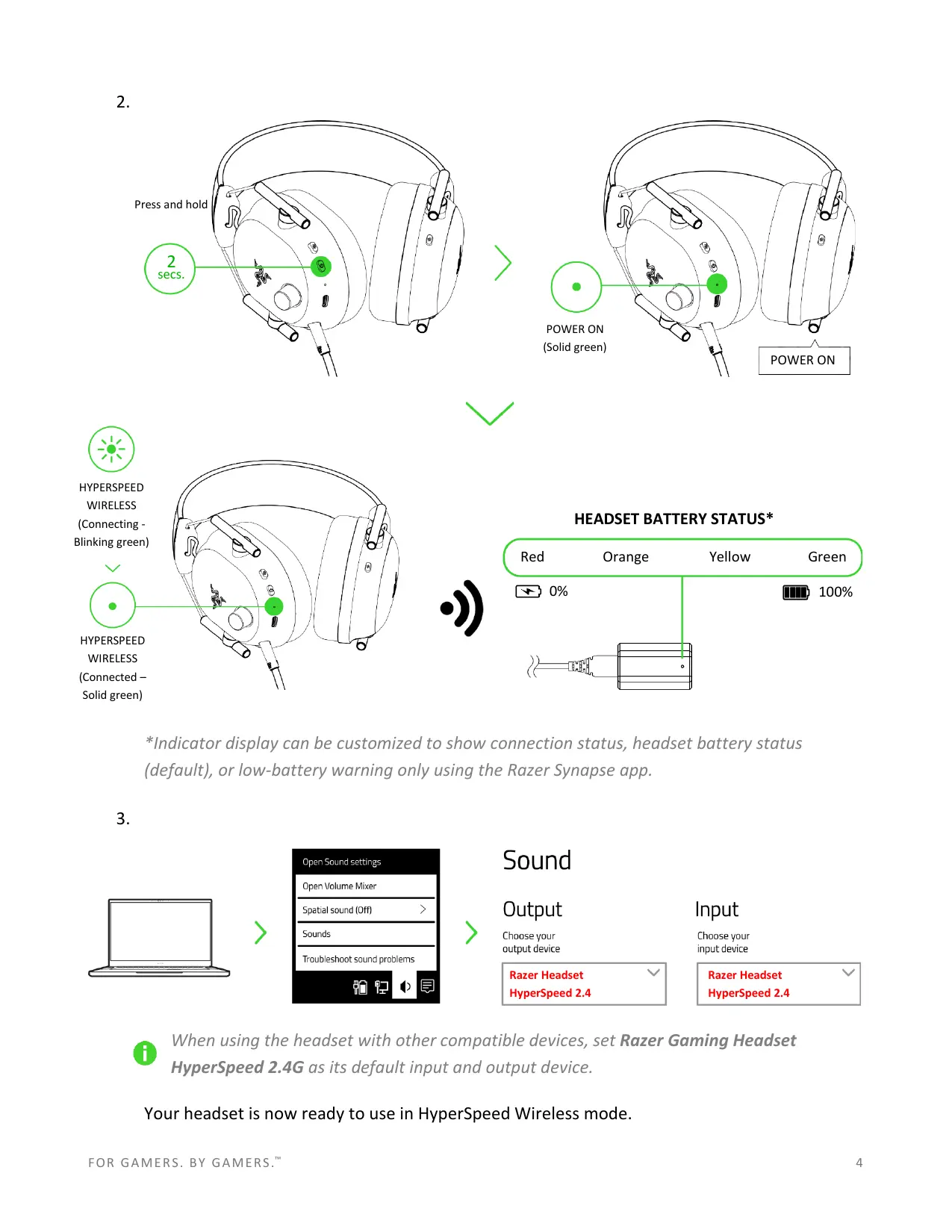
2.
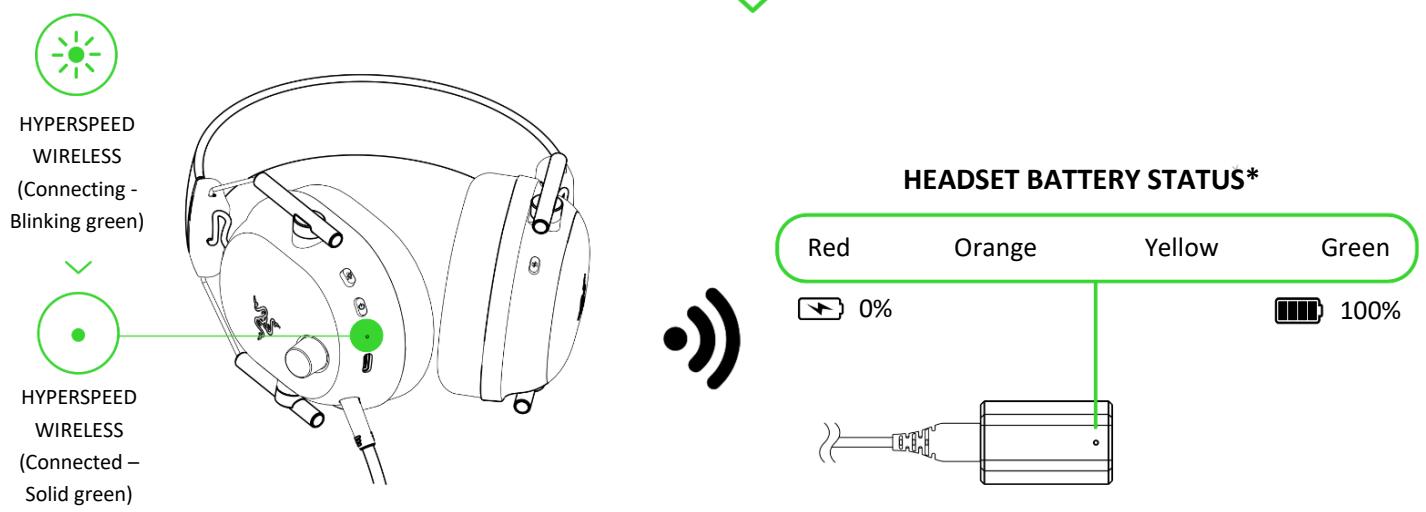
*Indicator display can be customized to show connection status, headset battery status (default), or low-battery warning only using the Razer Synapse app.
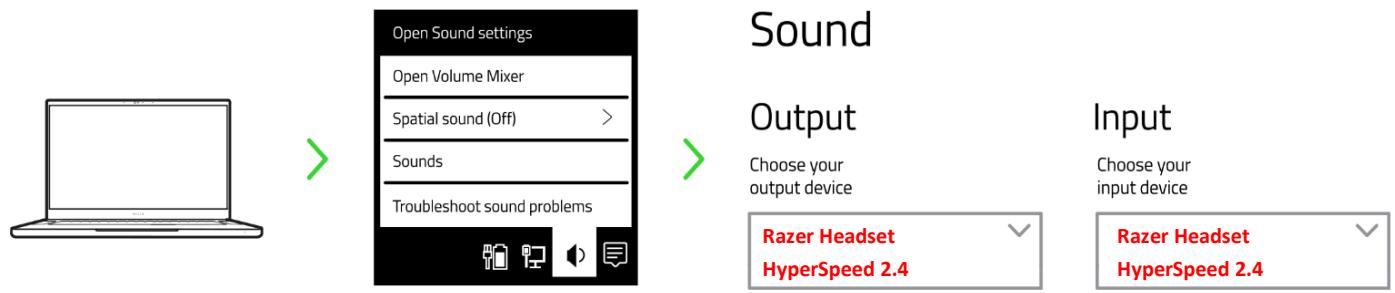
3.

When using the headset with other compatible devices, set Razer Gaming Headset HyperSpeed 2.4G as its default input and output device.
Your headset is now ready to use in HyperSpeed Wireless mode.
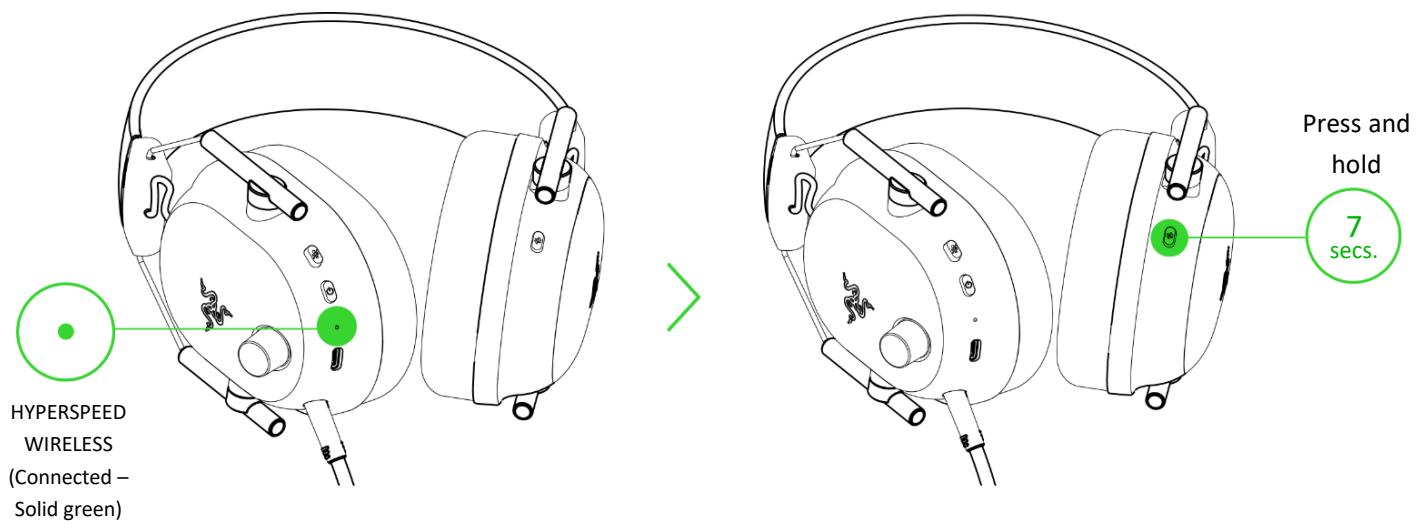
B. Via Bluetooth mode
1.
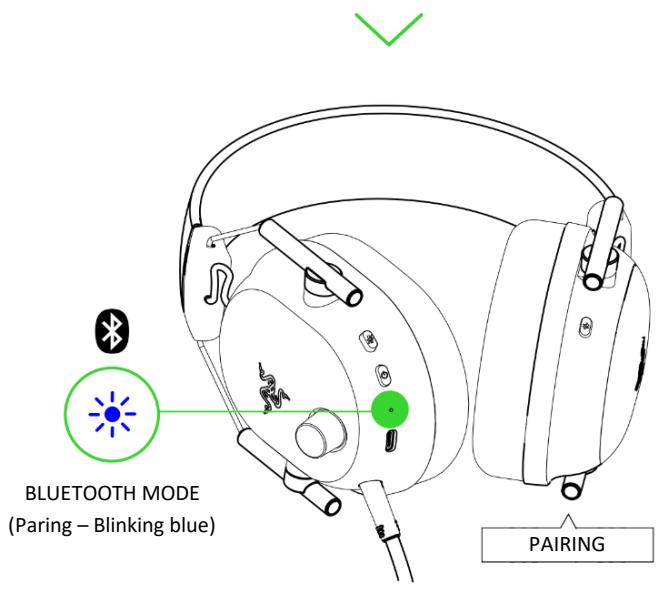

Alternatively, you can reactivate Bluetooth pairing mode by pressing and holding the power button while the headset is powered off.
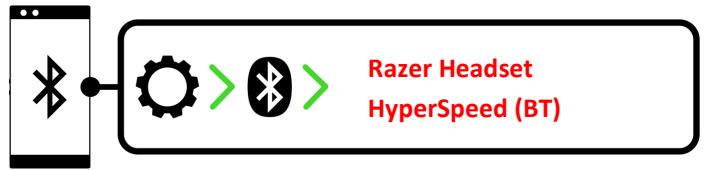
2.
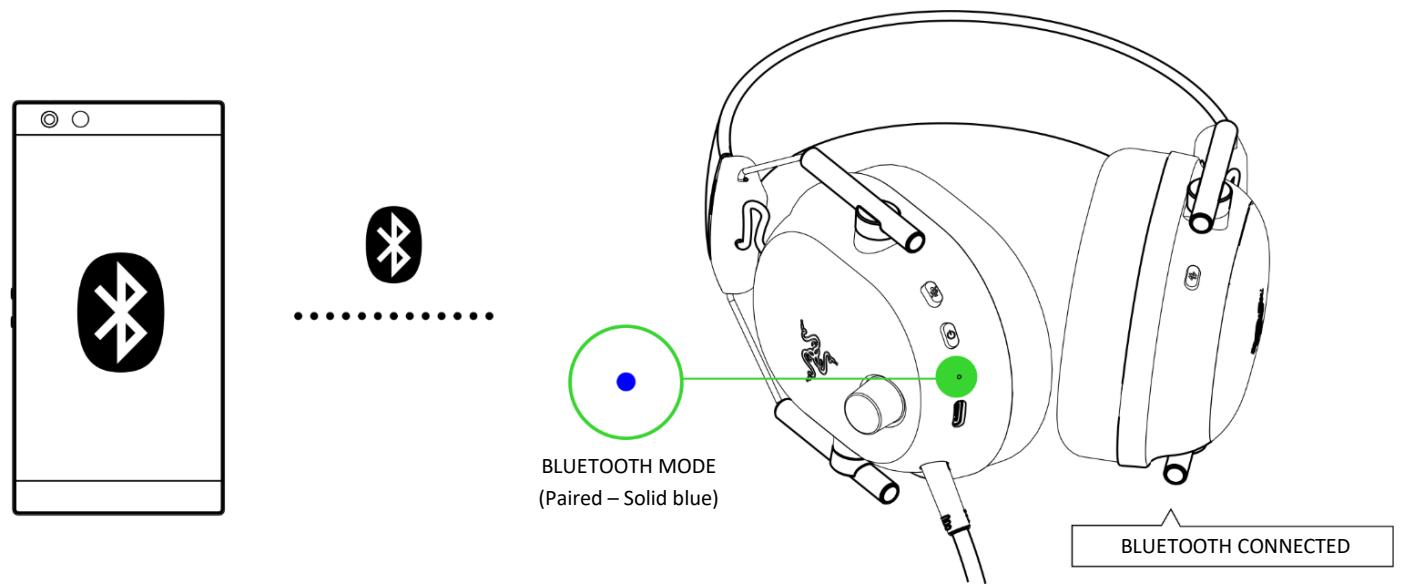
3.
Your headset is now ready to use in Bluetooth mode.

CYCLING BETWEEN EQ PRESETS
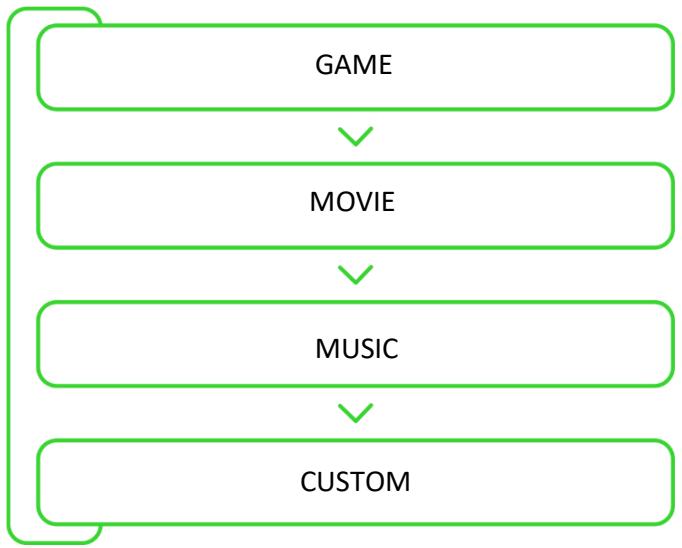

By default, the headset is set to Game. A voice prompt will be heard as you switch between EQ presets.
HYPERSPEED WIRELESS MODE

BLUETOOTH MODE
Using Bluetooth as the audio source will reconnect the headset to the last known device. Pairing mode will be activated if no device is found.
PERSONALIZE YOUR EXPERIENCE
RAZER SYNAPSE (PC)*
Use the Razer Synapse app to customize your headset's EQ, toggle Do Not Disturb to block incoming calls while gaming, enable mic noise cancellation, and fine-tune other advanced features.
Install Razer Synopsis when prompted or download the installer from razer.com/synapse.
ACTIVATE THX® SPATIAL AUDIO*
Unleash the full potential of your Razer Gaming headset by enabling 360^ positional audio for a natural and lifelike experience through Razer Synapse.

SPATIAL AUDIO
*Only available on Windows 10 64-bit and above.
Find out more about your definitive wireless esports headset at support.razer.com
SAFETY AND MAINTENANCE
SAFETY GUIDELINES
To achieve maximum safety while using your Razer Gaming Headset, we suggest that you adopt the following guidelines:
Should you have trouble operating the device properly and troubleshooting does not work, unplug the device and contact the Razer hotline or go to support.razer.com for assistance.
Don't take apart the device and don't attempt to operate it under abnormal current loads. Doing so will void your warranty.
Keep the device away from liquid, humidity, or moisture. Operate the device only within the specific temperature range of 0^ ( 32^ ) to 40^ ( 104^ ). Should the temperature exceed this range, unplug and/or switch off the device to stabilize the temperature to an optimal level.
When not in use, keep away the headset's mic foam from sunlight.
We recommend stretching the headset gently apart before placing them over your head to minimize headband stress. However, please avoid overstretching the headset beyond its technical limits.
The device isolates external ambient sounds even at low volumes, resulting in lowered awareness of your external surroundings. Please remove the device when engaging in activities requiring active awareness of your surroundings.
Listening to excessively loud volumes over extended periods can damage your hearing. Furthermore, legislation of certain countries permits a maximum sound level of 86db to affect your hearing for 8 hours a day. We, therefore, recommend that you reduce the volume to a comfortable level when listening for prolonged periods. Please, take good care of your hearing.
MAINTENANCE AND USE
The Razer Gaming Headset requires minimum maintenance to keep it in optimum condition. Once a month, we recommend you clean the device using a soft cloth or cotton swab to prevent dirt buildup. Don't use soap or harsh cleaning agents.
BATTERY WARNING
The Razer Gaming Headset contains a Li-ion rechargeable battery. In general, the life expectancy of such batteries is dependent upon usage. If you suspect that the Li-ion rechargeable battery inside the Razer Gaming Headset may be drained (has a low charge), try charging it.
Caution: Don't open, mutilate, or expose to conducting materials (metal), moisture, liquid, fire, or heat. Doing so may cause batteries to leak or explode, resulting in personal injury. Battery life varies with usage.
FCC Statement
This equipment has been tested and found to comply with the limits for a Class B digital device, pursuant to part 15 of the FCC Rules. These limits are designed to provide reasonable protection against harmful interference in a residential installation. This equipment generates, uses and can radiate radio frequency energy and, if not installed and used in accordance with the instructions, may cause harmful interference to radio communications. However, there is no guarantee that interference will not occur in a particular installation. If this equipment does cause harmful interference to radio or television reception, which can be determined by turning the equipment off and on, the user is encouraged to try to correct the interference by one or more of the following measures:
—Reorient or relocate the receiving antenna.
—Increase the separation between the equipment and receiver.
Connect the equipment into an outlet on a circuit different from that to which the receiver is connected.
—Consult the dealer or an experienced radio/TV technician for help.
This equipment must not be collocated or operating in conjunction with any other antenna or transmitter.
End users and installers must be provided with antenna installation instructions and consider removing the no-collocation statement.
The SAR limit of USA (FCC) is 1.6 W/kg averaged over one gram of tissue. This device has also been tested against this SAR limit.
This device complies with Part 15 of the FCC Rules. Operation is subject to the following two conditions:
(1) this device may not cause harmful interference, and
(2) this device must accept any interference received, including interference that may cause undesired operation.
Caution!
Any changes or modifications not expressly approved by the party responsible for compliance could void the user's authority to operate the equipment.
Canada Statement
This device contains licence-exempt transmitter(s)/receiver(s) that comply with Innovation, Science and Economic Development Canada's licence-exempt RSS(s). Operation is subject to the following two conditions:
(1) This device may not cause interference.
(2) This device must accept any interference, including interference that may cause undesired operation of the device.
This transmitter must not be co-located or operating in conjunction with any other antenna or transmitter. This equipment should be installed and operated with a minimum distance of 0mm between the radiator and your body.
Declaration of Conformity
Hereby, Razer Inc. declares that the radio equipment type gaming headset RZ04-0496 and wireless dongle RC30-0496 are in compliance with Directive 2014/53/EU. The full text of the EU declaration of conformity is available at the following internet address: razer.com/legal/compliance
2.4G equipment
Operating frequency range: 2402-2480MHz, Headset
- Maximum out power(E.I.R.P): 11.69 dBm (14.76mW), 1Mbps, 2.4G SRD
11.67dBm (14.69mW), 2Mbps, 2.4G SRD
11.66 dBm (14.66mW), 3Mbps, 2.4G SRD
- Maximum out power(E.I.R.P): 9.96 dBm (9.91mW), 1Mbps, BLE
9.62 dBm (9.16mW), 1Mbps, BLE
Operating frequency range: 2402-2480MHz, Dongle
- Maximum out power(E.I.R.P): 10.31 dBm (10.74mW), 1Mbps, 2.4G SRD
10.26 dBm (10.62mW), 2Mbps, 2.4G SRD
10.36 dBm (10.86mW), 3Mbps, 2.4G SRD