459 - Headphones RAZER - Free user manual and instructions
Find the device manual for free 459 RAZER in PDF.


User questions about 459 RAZER
0 question about this device. Answer the ones you know or ask your own.
Ask a new question about this device
Download the instructions for your Headphones in PDF format for free! Find your manual 459 - RAZER and take your electronic device back in hand. On this page are published all the documents necessary for the use of your device. 459 by RAZER.
USER MANUAL 459 RAZER
IMPORTANT PRODUCT INFORMATION GUIDE
WHAT'S INSIDE
- Wireless Earphones (459), Charging Case (459C)
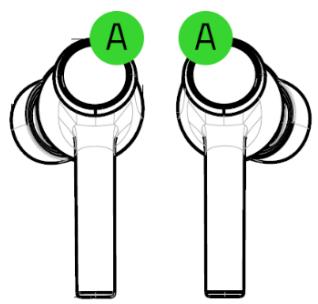
A. Backlit function button Powered by Razer Chroma™ RGB
Wireless charging case
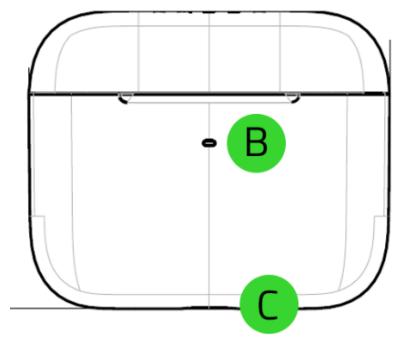
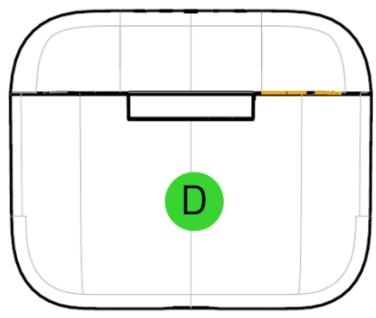
B. Status indicator
C. USB-C charging port
D. Wireless charging surface
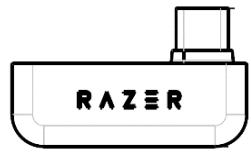
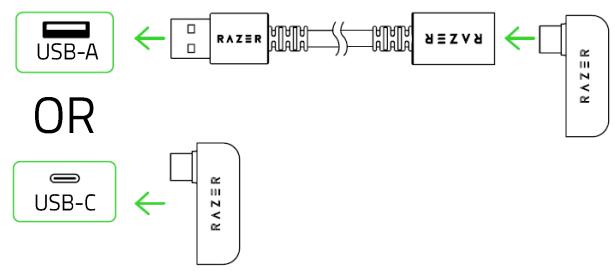
USB-C wireless dongle
USB-A to USB-C charging cable
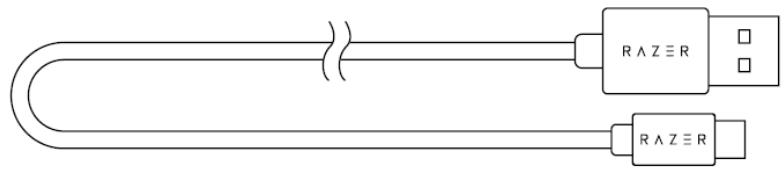
USB-A to USB-C adapter cable

Silicon ear-tips in 3 sizes (S, M*, L)
*Pre-installed with the earbuds.
WHAT'S NEEDED
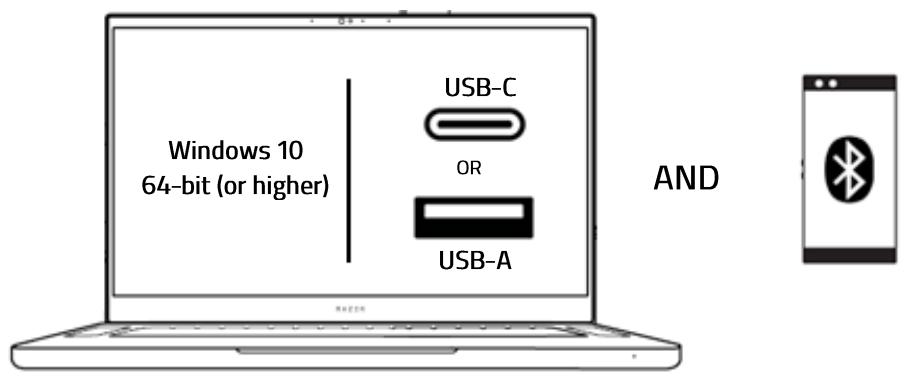
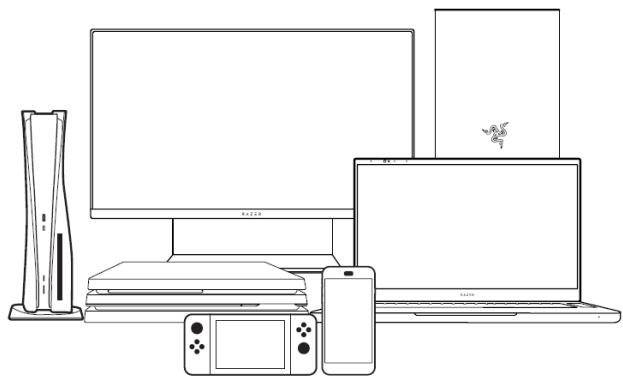
Compatible with Android, iOS, iPadOS, PC, PlayStation®4, PlayStation®5, and Nintendo Switch.
LET'S GET YOU COVERED
Register your product and score exclusive benefits razerid.razer.com/warranty
SETTING UP YOUR WIRELESS EARPHONES & CHARGING CASE
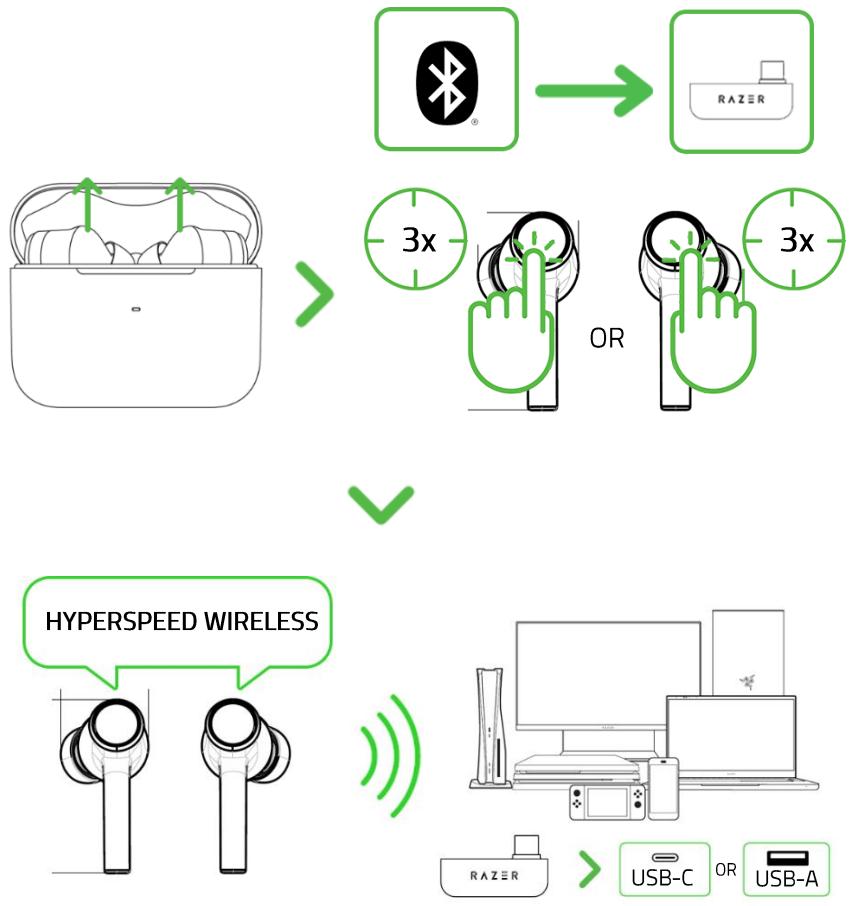
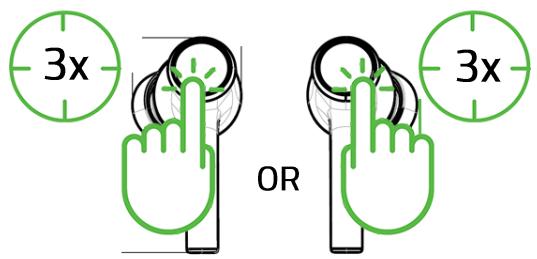
When trying to connect your Razer product, remember to keep it within 1 meter of your mobile device. By default, the earbuds will first search for the USB-C wireless dongle before activating pairing mode.
2.
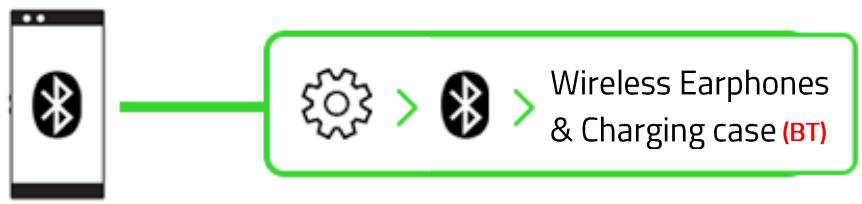
3.
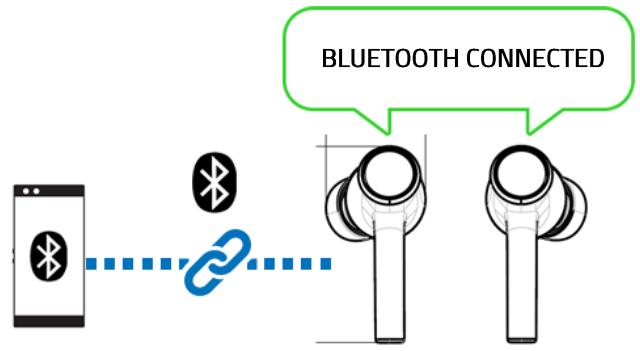
If the earbuds fail to connect to your device, the earbuds will stay in search mode then power off after 3 minutes. If this happens, place the earbuds back inside the charging case and repeat the steps above.
B. Via USB-C wireless dongle (2.4GHz)
1.
2.
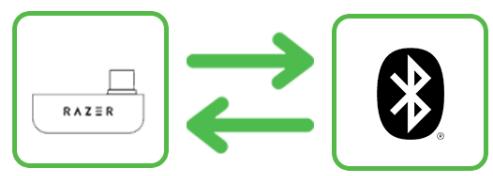
When using the earbuds with a compatible device, set Wireless Earphones & Charging case (2.4) as the default input and output device (if applicable).
PERSONALIZE YOUR MOBILE EXPERIENCE
RAZER AUDIO APP (MOBILE)
Remap touch gestures, toggle Do Not Disturb to block incoming calls while gaming, customize EQ settings, and even experience full RGB lighting customization from your mobile device.

Razer Audio


Download on the
App Store

GET IT ON
Google Play
0 Only available on iOS 12 / Android 8.1 Oreo (or higher) devices with Bluetooth 5.0 connectivity
Find out more about your cross-platform wireless earbuds at support.razer.com
SAFETY AND MAINTENANCE
SAFETY GUIDELINES
To achieve maximum safety while using your Wireless Earphones & Charging case, we suggest that you adopt the following guidelines:
Should you have trouble operating the device properly and troubleshooting does not work, unplug the device and contact the Razer hotline or go to support.razer.com for assistance.
Do not take apart the device and do not attempt to operate it under abnormal current loads. Doing so will void your warranty.
Only the earbuds are rated up to IPX4 or designed to resist water splashes from any direction, NOT the wireless charging case. Should your earbuds get wet, dry them thoroughly with a soft, dry cloth before use or charging.
Don't expose the earbuds under running water, or immerse or submerge them in any liquid such as (but not limited to): acidic substances, sea or saltwater, pool water, and alcoholic beverages.
Keep the wireless charging case away from liquid, humidity, or moisture. Before charging your earbuds, make sure they are completely dry before placing them inside the wireless charging case.
Operate the device only within the specific temperature range of 0^ (32°F) to 40^ (104°F). Should the temperature exceed this range, unplug and/or switch off the device to let the temperature stabilize to an optimal level.
Your earbuds isolate external ambient sounds even at low volumes, resulting in lowered awareness of your external surroundings. Please remove the earbuds when engaging in activities that require active awareness of your surroundings.
Listening to excessively loud volumes over extended periods can damage your hearing. Furthermore, legislation of certain countries permits a maximum sound level of 86db to affect your hearing for 8 hours a day. We, therefore, recommend that you reduce the volume to a comfortable level when listening for prolonged periods. Please, take good care of your hearing.
MAINTENANCE AND USE
The Wireless Earphones & Charging case requires minimum maintenance to keep it in optimum condition. Once a month we recommend you clean it using a soft cloth or cotton swab to prevent dirt buildup. Do not use soap or harsh cleaning agents.
LEGALESE
COPYRIGHT AND INTELLECTUAL PROPERTY INFORMATION
©2022 Razer Inc. All rights reserved. Razer, the triple-headed snake logo, Razer logo, "For Gamers. By Gamers." and "Razer Chroma" are trademarks or registered trademarks of Razer Inc. and/or affiliated companies in the United States and other countries. Actual product may differ from pictures. All other trademarks are the property of their respective owners. Warranty not valid outside of product's intended region.
Android, Google, Google Logo, Google Play, and the Google Play logo are registered trademarks of Google LLC.
Apple, the Apple logo, and iPhone are trademarks of Apple Inc., registered in the U.S. and other countries. App Store is a service mark of Apple Inc.
The Bluetooth® word mark and logos are registered trademarks owned by Bluetooth SIG, Inc., and any use of such marks by Razer is under license.
USB Type- C^TM and USB- C^TM are trademarks of USB Implementers Forum.
Windows and the Windows logo are trademarks of the Microsoft group of companies.
Razer Inc. ("Razer") may have copyright, trademarks, trade secrets, patents, patent applications, or other intellectual property rights (whether registered or unregistered) concerning the product in this guide. Furnishing of this guide does not give you a license to any such copyright, trademark, patent or other intellectual property right. The Wireless Earphones & Charging case (the "Product") may differ from pictures whether on packaging or otherwise. Razer assumes no responsibility for such differences or for any errors that may appear. Information contained herein is subject to change without notice.
LIMITED PRODUCT WARRANTY
For the latest and current terms of the Limited Product Warranty, please visit razer.com/warranty.
LIMITATION OF LIABILITY
Razer shall in no event be liable for any lost profits, loss of information or data, special, incidental, indirect, punitive or consequential or incidental damages, arising in any way out of distribution of, sale of, resale of, use of, or inability to use the Product. In no event shall Razer's liability exceed the retail purchase price of the Product.
GENERAL
These terms shall be governed by and construed under the laws of the jurisdiction in which the Product was purchased. If any term herein is held to be invalid or unenforceable, then such term (in so far as it is invalid or unenforceable) shall be given no effect and deemed to be excluded without invalidating any of the remaining terms. Razer reserves the right to amend any term at any time without notice.
Regulatory Information
USA
This equipment has been tested and found to comply with the limits for a Class B digital device, pursuant to part 15 of the FCC Rules. These limits are designed to provide reasonable protection against harmful interference in a residential installation. This equipment generates, uses and can radiate radio frequency energy and, if not installed and used in accordance with the instructions, may cause harmful interference to radio communications. However, there is no guarantee that interference will not occur in a particular installation. If this equipment does cause harmful interference to radio or television reception, which can be determined by turning the equipment off and on, the user is encouraged to try to correct the interference by one or more of the following measures:
—Reorient or relocate the receiving antenna.
—Increase the separation between the equipment and receiver.
Connect the equipment into an outlet on a circuit different from that to which the receiver is connected.
—Consult the dealer or an experienced radio/TV technician for help.
FCC Radiation Exposure Statement
This device complies with FCC radiation exposure limits set forth for an uncontrolled environment and it also complies with Part 15 of the FCC RF Rules. This equipment must not be co-located or operating in conjunction with any other antenna or transmitter. End-users and installers must be provide with antenna installation instructions and consider removing the no-collocation statement.
FCC Radiation Exposure Statement
This device complies with FCC radiation exposure limits set forth for an uncontrolled environment and it also complies with Part 15 of the FCC RF Rules. This equipment must be installed and operated in accordance with provided instructions and the antenna(s) used for this transmitter must be installed to provide a separation distance of at least 15cm from all persons and must not be co-located or operating in conjunction with any other antenna or transmitter. End-users and installers must be provided with antenna installation instructions and consider removing the no-collocation statement.
This device complies with Part 15 of the FCC Rules. Operation is subject to the following two conditions:
(1) this device may not cause harmful interference, and
(2) this device must accept any interference received, including interference that may cause undesired operation.
Caution!
Any changes or modifications not expressly approved by the party responsible for compliance could void the user's authority to operate the equipment.
Canada
This device contains licence-exempt transmitter(s)/receiver(s) that comply with Innovation, Science and Economic Development Canada's licence-exempt RSS(s). Operation is subject to the following two conditions:
(1) This device may not cause interference.
(2) This device must accept any interference, including interference that may cause undesired operation of the device.
The device meets the exemption from the routine evaluation limits in section 2.5 of RSS 102 and compliance with RSS-102 RF exposure, users can obtain Canadian information on RF exposure and compliance.
This transmitter must not be co-located or operating in conjunction with any other antenna or transmitter. This equipment should be installed and operated with a minimum distance of 10 centimeters between the radiator and your body.
The SAR limit of USA (FCC) is 1.6 W/kg averaged over one gram of tissue. This device has also been tested against this SAR limit.
Canada SAR
The SAR limit of Canada (ISED) is 1.6W / kg averaged over one gram of tissue. This device has also been tested against this SAR limit.
Product registration numbers:
FCC ID: RWO-459
IC:8092D-459
ENGLISH
STATEMENT OF COMPLIANCE WITH EU DIRECTIVE
Hereby, Razer (Europe) GmbH, declares that this Wireless earphones model:459, Charging case model: 459C is in compliance with the essential requirements and other relevant provisions of Directive 2014/53/EU and 2015/863/EU. The full text of the EU declaration of conformity is available at the following internet address: www.razer.com
BATTERY INFO
Risk of fire or explosion or defeat the safeguard of equipment if the battery is replaced by an incorrect type. Replace only with the same or equivalent type. Disposal of a battery into fire or a hot oven, or mechanically crushing or cutting of a battery, that can result in an explosion.
High or low extreme temperatures or low air pressure at high altitude that the battery can be subjected to during use, storage or transportation.
Leaving the battery in an extremely high temperature and/or low air pressure surrounding environment that can result in an explosion or the leakage of flammable liquid or gas.
BATTERY WARNING
The Wireless Earphones and charging case contains Li-ion rechargeable batteries. In general, the
life expectancy of such batteries is dependent upon usage. If you suspect that the Li-ion rechargeable battery inside Wireless earphones and charging case may be drained (has a low charge), try charging it. Caution: Do not open, mutilate, or expose to conducting materials (metal),
moisture, liquid, fire, or heat. Doing so may cause batteries to leak or explode, resulting in personal injury. Do not leave the rechargeable batteries discharged or unused for extended periods. Battery life varies with usage.
Wirelessearphone (Left):
Radio Frequency: Bluetooth
Operating Frequency: 2402-2480MHz
Output power: <10dBm
Wirelessearphone(Right):
Radio Frequency: Bluetooth
Operating Frequency: 2402-2480MHz
Output power: <10dBm
Charging Case
110kHz~205kHz: 24.66dBuA/m