ManualGo.com
1411744-5-B - Smart toilet KOHLER - Free user manual and instructions
Find the device manual for free 1411744-5-B KOHLER in PDF.



Download the instructions for your Smart toilet in PDF format for free! Find your manual 1411744-5-B - KOHLER and take your electronic device back in hand. On this page are published all the documents necessary for the use of your device. 1411744-5-B by KOHLER.
USER MANUAL 1411744-5-B KOHLER
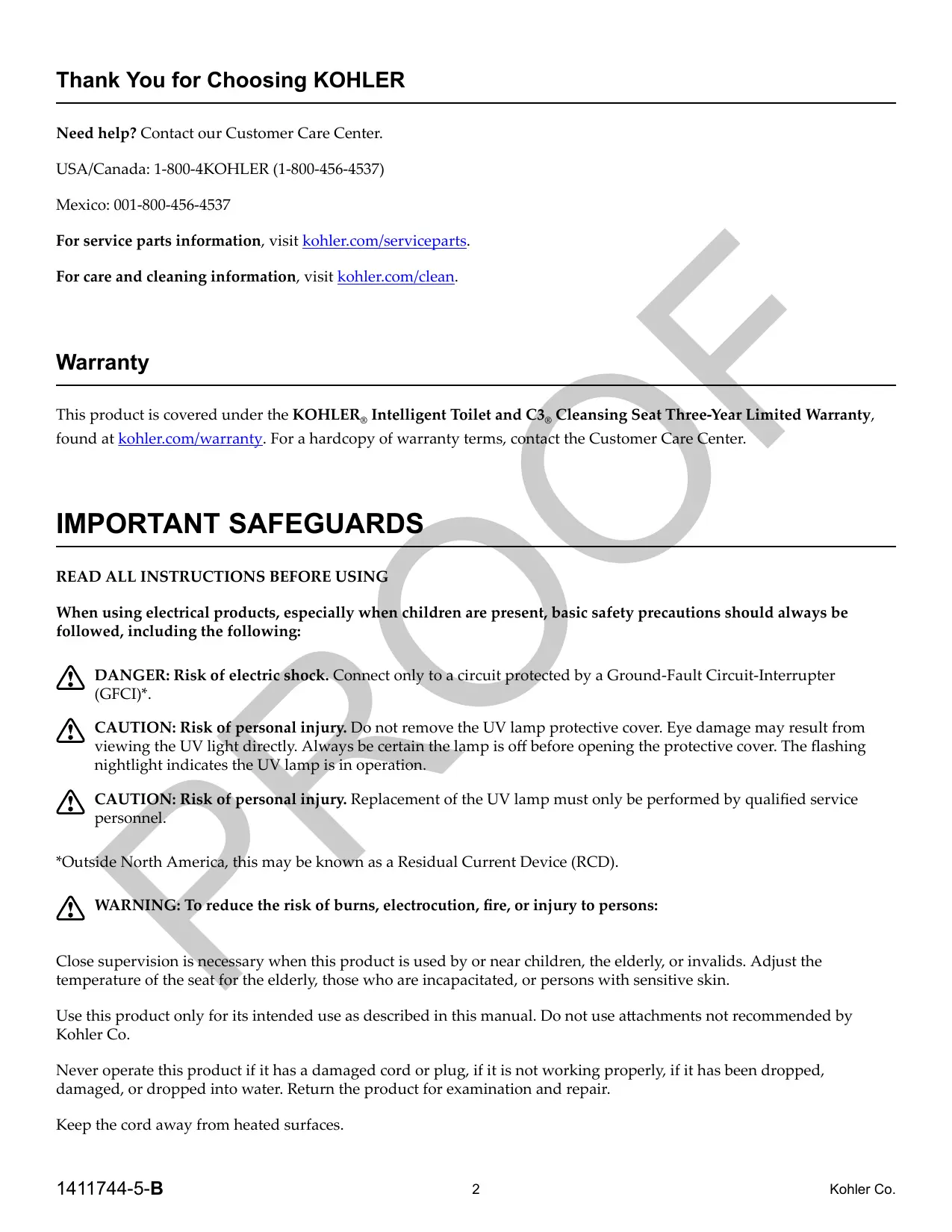
Thank You for Choosing KOHLER Need help? Contact our Customer Care Center. USA/Canada: 1-800-4KOHLER (1-800-456-4537) Mexico: 001-800-456-4537 For service parts information, visit kohler.com/serviceparts. For care and cleaning information, visit kohler.com/clean. Warranty This product is covered under the KOHLER, Intelligent Toilet and C3, Cleansing Seat Three-Year Limited Warranty, found at kohler.com/warranty. For a hardcopy of warranty terms, contact the Customer Care Center. IMPORTANT SAFEGUARDS
READ ALL INSTRUCTIONS BEFORE USING
When using electrical products, especially when children are present, basic safety precautions should always be followed, including the following: A DANGER: Risk of electric{shock. Connect only toa circuit protected by a Ground-Fault Circuit-Interrupter (GECI*. A CAUTION: Risk of personal injury. Do not remove the UV lamp protective cover. Eye damage may result from viewing the UV light directly. Always be certaimthe lamp is off before opening the protective cover. The flashing nightlight indicates the UV lamp is in operation. À CAUTION: Risk of personal injury. Replacement of the UV lamp must only be performed by qualified service personnel. “Outside North America, this may be known as a Residual Current Device (RCD). A WARNING: To reduce the risk of burns, electrocution, fire, or injury to persons: Close supervision is necessary when this product is used by or near children, the elderly, or invalids. Adjust the temperature of the seat for the elderly, those who are incapacitated, or persons with sensitive skin. Use this product only for its intended use as described in this manual. Do not use attachments not recommended by Kohler Co. Never operate this product if it has a damaged cord or plug, if it is not working properly, if it has been dropped, damaged, or dropped into water. Return the product for examination and repair. Keep the cord away from heated surfaces. 1411744-5-B 2 Kohler Co.
Never block the air openings of the product. Keep the air openings free of lint, hair, and the like. Never use while sleeping or drowsy. Never drop or insert any object into any opening or hose. Do not use outdoors or operate where aerosol spray products are being used or where oxygen is being administered. Connect this product to a properly grounded outlet only. See the "Grounding instructions” section. This product conforms to applicable provisions of US 21 CFR, Chapter 1, Subchapter J, Radiological Health.
SAVE THESE INSTRUCTIONS
Grounding Instructions This product should be grounded. In the event of an electrical short circuit, grounding reduces the risk of electric shock by providing an escape wire for the electric current. This product is equipped with a cord having a grounding wire with a grounding plug. The plug must be plugged into an outlet that is properly installed and grounded. A DANGER: Risk of electric shock. Improper use of the grounding plug can result in 4 risk of electric shock. If repair or replacement of the cord or plug is necessary, do not connect the grounding wire to either flat blade terminal. The wire with insulation having an outer surface that is green with or without yellow stripes is the grounding wire. Check with a qualified electrician or service personnel if the grounding instructions are not completely understood, or if in doubt whether the product is properly grounded: This product is factory equipped with a specific electric cord and-plug to permit connection to a proper electric circuit. Make sure that the product istconnected to an outlet having the same configuration as the plug. No adapter should be used with this product. Donot modify the plug provided — if it will not fit the outlet, have the proper outlet installed by a qualified electrician. If the product must be reconnected for use on a different type of electric circuit, the connection should be made by qualified service personnel. Do not use an extension.cord with the product. Kohler Co. 3 1411744-5-B
Features Deodorizer Docking Station (Under Panel) Remote Control Cleansing Wand Bowl Light Manual Flush Button Seat Ambient Light NS Occupancy Sensor. Z))) _— Seat Sensor Lid Sensor Microphone Operation Options D Remote Control - When païred with the toilet, the remote control operates the main features of the toilet. Refer to the “Remote Control” sections for more information. D KOHLER Konnect -Provides accessito additional toilet features, allows changes to feature settings, and the ability to enable/disable automatic features.The KOHLER Konnect app is available for download to a mobile device. D Voice Control(Microphone) - Allows control of toilet features using Amazon Alexa. An Amazon account is required to enable your productwith Alexa voice control. Flush Options D Users may chooseéco flush which uses 0.8 gallon (3.0 L) of water per flush or full flush which uses 1.0 gallon (3.8 L) of water per flush4 D Automatic Flush - When enabled, this feature automatically flushes the toilet approximately 90 seconds after the user stands up, lowers the seat, or leaves the area. D Manual Flush - Allows the toilet to be flushed manually, without using the remote control or the KOHLER Konnect app. The manual flush button is located on the side of the toilet. Refer to the “Back Panel” section. Lid D Lid Sensor - When the lid auto open/close feature is enabled, a motion sensor on the front of the toilet automatically opens the lid. The motion sensor range can be set to near, medium, or far. Sensor range may vary depending on your bathroom layout. 1411744-5-B 4 Kohler Co.
Seat D Seat Sensor - A blue light on the right side of the toilet, which is projected on the floor, allows the seat to be raised and lowered without touching the toilet. Break the beam of light using your foot to open or close the seat. D Heated Seat - When activated, the seat features an adjustable heating option that will keep the seat warm. Cleansing Features D Front/Rear Wash - Front and rear wash feature adjustable positioning, adjustable water temperature, adjustable water pressure, and pulsate and oscillate water action. D Dryer - The dryer features adjustable air temperature. D Cleansing Wand - The cleansing wand features self cleaning UV options, lighted tip, and removable spray tip for servicing. The wand can be extended for cleaning using the remote control or the KOHLER Konnect App. Lighting D Ambient Light - Lighting options are controlled by the KOHLER Konnect app. D Bowl Light - Light located on the end of the cleansing wand illuminates the bowl when the toilet is activated. The light only illuminates when the room is dark. D Nightlight - The bowl light automatically illuminates in low light conditions. Audio D Welcome Music - When enabled, welcome music will play upon activation ofthettoilet. D Key Sounds - When enabled, sounds indicate the activation of some toilet features. D Streaming - Music can be streamed from any Bluetooth® enabled device. D Voice Control - An Amazon account is required to enable your product with Alexa voice control. The Bluetooth® word mark and logos are registered trademarks owned by Bluetooth SIG, Inc. and any use of such marks by Kohler Co. is under license, Other trademarks and trademames are those of their respective owners. Cleaning D Deodorizer - Contains a replaceable cartridge. Refer torthe “Servicing the Deodorizer and Battery Pack” section. Automatic BowlMist - Spray mist from the wand pre-rinses the bowl before use. Automatic Wand Rinse- The wandiis cleaned with water before and after each use. Automatic Wand Cleaning - The wandis sanitized daily with UV light. Cleaning Mode - Temporarily disables automatic flush and extends the cleansing wand to allow manual cleaning of the toilet and wand. Power D Power Save - Conserves energy by reducing the heated seat temperature when the toilet is not in use. This feature can be preprogrammed using the KOHLER Konnect app. D Battery Backup - The battery pack provides emergency power to the toilet in the event of a power outage. Kohler Co. 5 1411744-5-B
Back Panel Stop Button Light Sensor Deodorizer Pair Button Flush Button Speaker Air Filter Ambient Light Supply Hose Button Operations D Power ON - Press one of the two buttons on the back panel to turn ON power to the toilet. D Stop Button (Power OFF) - Manually stops an activated cleansing feature. When in an idle state, press and hold for 2 seconds to turn OFF power to the toilét. [ Pair Button - Pairs the remote control to the toilet. D Flush Button - Manually flushes the toilet without using the remote control or the KOHLER Konnect app. Other Features D Speakers - Internal Speaker operation is controlled by the KOHLER Konnect app. D Deodorizer- Contains a replaceable cartridge. Refer to the “Servicing the Deodorizer and Battery Pack” section. D Light Sensor - Senses changing light conditions of the room. D Ambient Light - Lighting options are controlled by the KOHLER Konnect app. D Supply Hose - Water supply to the toilet.
Power Cord - Electrical supply to the toilet. 1411744-5-B 6 Kohler Co.
Remote Control - Setup Remote Control Back Plate Docking Station Cover Pair Button Charging the Remote Control NOTE: The remote control must be charged to operate. When charging is needed, the indicator lights above the front and rear wash icons will be orange. D Verify that three AAA batteries are properly installed in the docking station. Remove the screw from the bottom of the cover to access the battery compartment. D Verify that three AAtbatteries are properly installed in the remote control. Twist and remove the back plate of the remote control to access the battery compartment. D Placethe remote control on the dockingstation. D Theremote controlLis fully charged when the indicator lights above the front and rear wash icons are no longer orange. Pairing to the Toilet NOTE: The remote control cannot be paired while the toilet is occupied. D Move the remote control within close proximity to the toilet. D Press and hold the dryer icon on the remote control until the indicator lights above the icon flash. D Press the pair button on the back of the toilet. When pairing is successful, the indicator lights will stop flashing. Kohler Co. 7 1411744-5-B
Voice Rear Wash Stop Lighting IMPORTANT! To activate features using the remote control, the remote must be charged, and paired with the toilet. Refer to the “Remote Control - Setup” section.
(a) Press the power button to turn the remote control ON or OFF. Flush - Short press for full flush at 1.0 gpf (3:8 Ipf). Press and hold for 2-3 seconds for eco flush at 0.8 gpf (3.0 Ipf). Front Wash - While seated, pressitolactivate the cleansing wand for front wash. Rear Wash - While seated, press to activate the cleansingwand for rear wash. Dryer - While seated, press to activate air flow. This feature will stop automatically after 4 minutes, or can be stopped by pressing the stop icon. Stop - Press to stop an activated cléansing feature. Press and hold to turn OFF the remote control. Play/Pause - Press to play music. Press again to pause. Voice - Press to activate voice control. Mute - Press to turn the microphone ONjor OFF. Lighting Press to change the ambient lighting theme. Volume - Turnthe ring clockwise or counterclockwise to adjust the volume. 1411744-5-B 8 Kohler Co.
Servicing the Deodorizer and Battery Pack Deodorizer NOTE: The deodorizer cartridge and battery packaäre located under the top left removable panel on the back of the toilet. D Unplug the toilet power cord from the electrical outlet. D Using a 2.5 mm hex wrench, remove and retain the screw from the back of the left top panel. D Remove the panel and set aside in a safe place during servicing. D When servicing is complete, reinstall the panel and secure with the screw. Deodorizer Replacement NOTE: The deodorizer should be replaced every.2 years or when effectiveness decreases. D Remove the deodorizer cartridgeassembly by grasping it and gently pulling it out. D Remove thedeodorizer filter from.the housing. D Insert the replacement filter into the housing. D Reinstall the deodorizer cartridge assembly. Battery Pack Replacement NOTE: The battery pack provides emergency power to the toilet in the event of a power outage. D Replace the battery pack as needed. D Contact the Customer Care Center to order a replacement pack. Kohler Co. 9 1411744-5-B
Servicing the Cleansing Wand Spray Tip Rear Wash NOTE: The spray tip on the cleansing wand can become clogged with mineral deposits from the water, reducing spray performance. The spray tip should be cleaned periodically. The length of time between each cleaning will depend on water quality.
(a) To deploy the cleansing wand, select “CLEANING MODE” in the KOHLER Konnect app. Manually clean the wand. Remove the wand spray tip bÿ inserting à small thin object intoithe hole on the underside of the wand, pushing the spray tip up. Inspect the spray tip. Ifthere is mineral buildup, remove the minerals by soaking the spray tip in a cleaning solution of 50% vinegar and 50% water. Remove any mineral deposits. from the spray tip opening in the cleansing wand. Replace thespray tip if needed. IMPORTANT! To avoid damage to the spray tip as the wand retracts, the spray tip must sit flush with the wand.
Reinstallthe spray tip or install a new spray tip. Make sure the tip is flush with the wand. 1411744-5-B 10 Kohler Co.
Troubleshooting This troubleshooting guide is for general aid only. For warranty service, contact your dealer, wholesale distributor, or call 1-800-4KOHLER. NOTE: When the remote control is not in use, it will enter standby mode. Press any icon on the remote control to activate the screen. Start Up When the toilet is first installed or the power fails, when power is restored or turned onsthe toilet will automatically go into start-up mode. If the toilet does not function correctly upon completing the start-up sequence, or it fails to start, Contact the Customer Care Center using the information located in the front of this manual. Blockage To clear the toilet when there is a blockage, a standard plunger with an insert works best. Small Children The automatic flush and cleansing features are activated by a sensor located inside the seat: Small children may not be tall enough to be detected by the sensor. Flush Troubleshooting Symptoms Probable Cause Recommended Action
1. Toilet does not flush. A. Toilet is blocked. A. Use a plunger to remove the blockage. For
BaTheïremote control is not extreme blockage a snake may be used. paired with the toilet: B. Pair the remote control to the toilet. Refer to C. The remote control is not the ‘Remote Control - Setup” section. working. C. Refer to the “Remote Control Troubleshooting” section.
2. Automatic flush does not A. Automatic flush is not A. Use the KOHLER Konnect app to enable
work. enabled. automatic flush. B. User is a small child. B. Children less than 48' (1.2 m) tall may not activate this sensor inside the seat. Flush the toilet using the remote control.
3. No water flow 10 the toilet. | A. Water supply is not turned A. Turn ON the water supply.
4. Toilet flushes unexpectedly. | A. Automatic flush is enabled. A. When automatic flush is enabled, the toilet will
flush 10 seconds after the user stands up. To disable automatic flush, use the KOHLER Konnect app.
5. No water in the bowl or the | A. The water has evaporated A. Flush the toilet to refill the bowl.
water slowly dissipates. when there is extended period of time between uses. Kohler Co. 1411744-5-B
Lid and Seat Troubleshooting the full open position. Symptoms Probable Cause Recommended Action
1. Lid strikes back wall when | A. Flange rough-in is too close to | A. Adjust the finished wall or flange to an 11-3/4"
opening. the wall. Rough-in should be (298 mm) or greater rough-in. minimum of 11-3/4" (298 mm).
2. Lid does not open A. Sensors are not enabled. A. Use the KOHLER Konnect app to enable the
automatically. B. Motion sensor is not set with seat sensors. the correct sensitivity level. B. Use the KOHLERKonnect app to adjust the sensitivity level”
3. Seat does not open when A. Side sensor is blocked. A. Remove any items sitting Within the sensor
the side sensor is activated. | B. Side sensor lens is dirty. range. The sensor is located on the right side of the toilet base. B. Clean all dirt,or debris from the sensor lens. The lens is located on the right side of the toilet base, near the middle.
4. Lid and/or seat raises when | A. Sensor sensitivity is set too A. Use the KOHLER Konnect app to adjust the
it should not. high. sensitivity level. B. There is an object in the hinge | B. Toilet can sense objects in the hinge area. area of the lid. Remove any objects from the hinge area.
5. Lid sways when it reaches | A. Some lid swaÿ is normal. A. No action required for minimal lid sway.
Cleansing Troubleshooting erratically or stops. interrupted. Symptoms Probable Cause Recommended Action
1. Cleansing wand does not A. Cleaning cycle of cleansing A. Use the KOHLER Konnect app to retract the
fully retract. was interrupted. wand. B. Thecleansing wand spray tip | B. Reinstall the spray tip. Refer to the “Servicing is not installed correctly. the Cleansing Wand” section.
2. Cleansing wand does not A. The seal protecting against A. Use the KOHLER Konnect app to extend the
fully extend, and while waterflow into the cleansing cleansing wand. Clean the wand using a liberal activated emits a grinding seatis dry. application of liquid soap. Rinse the wand, noise. then apply more liquid soap for lubrication. Retract the wand.
3. The bowi light/located in A. The light is not enabled. A. Use the KOHLER Konnect app to enable the
the tip of the cleansing light. wand, does not work.
4. Cleansing wand partially A. This is normal operation. A. No action needed.
retracts, hesitates, then When the cleansing wand fully retracts. hesitates, it is being rinsed off, then it fully retracts.
5. Cleansing wand moves A. The cleansing wand cycle was | A. Turn the power to the toilet off using the
power button on the back of the toilet, wait 10 seconds, turn the power back on. 1411744-5-B
6. Dryer air is too hot.
A. Temperature is set too high. A. Use the KOHLER Konnect app to lower the temperature.
7. Dryer does not start
immediately. A. The wand has not completed retracting after the cleansing wash cycle has been completed. A. There is a brief delay while the wand fully retracts, then extends again for the dryer cycle.
8. Cleansing wand fails to
extend, cleansing features cannot be activated. A. User is a small child. B. The cleansing wand is not responding to the remote control. A. Children less than 48! (1.2 m) tall may not activate this sensor inside the seat. Flush the toilet using the remote control: B. Turn the power to the toilet off using the power button on the back of the toilet, wait 10 seconds. Turn the power back on. Power Troubleshooting Symptoms Probable Cause Recommended Action
1. There is no power to the
toilet. A. Toilet is not plugged in or the GFCIis tripped. A. Plug in the toilet or confirm that the GFCI has not been tripped.
2. Toilet beeps when
unplugged or plugged in. A. This is normal operation. A. No action needed. Lights Troubleshooting Symptoms Probable Cause Recommended Action
1. Back panel lights do not
illuminate. A. The light is not enabled. B. The light is burned out. A. Use the KOHLER Konnect app to enable the light. B. Contact the Customer Care Center.
2. The welcome light and/or
nightlight are not lit. A. The welcome light and/or nightlight are not enabled. A. Use the remote control to enable the lights.
3. The back panel lights are
1. The remote control is not
turning on. A. The batteries are not properly installed. B. The batteries are drained. A. Reinstall the batteries. Refer to the “Remote Control - Setup” section. B. Replace the batteries. Refer to the “Remote Control - Setup” section. Kohler Co.
2. The remote control is not A. The remote control is too far A. Move the remote control closer to the toilet to
connecting to the toilet. from the toilet to receive a regain a connection. signal. B. Pair the remote control to the toilet. Refer to B. The remote control is not the “Remote Control - Setup” section. paired with the toilet. Compliance
FCC ID: N82-KOHLERO50
Contains FCC ID: N82-KOHLERO36, Z64-CC3235MOD, 2AOFDLSD4RF043610D0 Remote Control (1418125) FCC ID: N82-KOHLERO45 This device complies with Part 15 of the FCC Rules. Operation is subject to the following two conditions: (1) this device may not cause harmful interference, and (2) this device must accept any interference received, including interference that may cause undesired operation. Changes or modifications not expressly approved by the party responsible for compliancé could void the user's authority to operate the equipment. This equipment has been tested and found to comply with the limits for a Class B digital device, pursuant to Part 15 of the FCC Rules. These limits are designed to provide reasonable protection against harmful interference in a residential installation. This equipment generates, uses, and can radiate radio frequency energy and, if not installed and used in accordance with the instructions, may cause harmful interference to radio communications. However, there is no guarantee that interference will notoceur.in a particular installation. If this equipment does cause harmful interference to radio or television reception, which can be determined by turning the equipment off and on, the user is encouraged to try to correct the interference by one of the following measures: + Reorient or relocate the réceiving antenna. + Increase the separation between the equipment and receiver. + Connect the equipment into an outlet on a circuit different from that to which the receiver is connected. + Consult the dealer or an experienced radio/TV technician for help. RF Exposure Warning (for K-30754-PA) This tranSmitter with its antenna complies with FCC's RF exposure limits for general population/uncontrolled exposure. This device must not beco-located or operated in conjunction with any other antenna or transmitter. This device should be operated with a minimum distance of 7-7/8" (200 mm) between the radiator and your body. IC: 4554A-KOHLERO50 Contains IC: 4554A-KOHLEROG36, 4511-CC3235MOD, 25210-LSD043610D0 Remote Control (1418125) IC: 4554A-KOHLERO45 This device complies with Industry Canada license-exempt RSS standard(s). Operation is subject to the following two conditions: (1) this device may not cause interference, and (2) this device must accept any interference, including interference that may cause undesired operation of the device. This transmitter with its antenna complies with Industry Canada RF Exposure Limits for General Population/ Uncontrolled Exposure. 1411744-5-B 14 Kohler Co.
+ The device for operation in the band 5150-5350 MHz is only for indoor use to reduce the potential for harmful interference to co-channel mobile satellite systems. + The maximum antenna gain permitted for devices in the bands 5250-5350 MHz and 5470-5725 MHz shall comply with theei.r.p. limit; and + The maximum antenna gain permitted for devices in the band 5725-5825 MHz shall comply with the e.i.r.p. limits speci ied for non point-to-point operation as appropriate. This Class B digital apparatus complies with Canadian ICES-003. ISED RF exposure statement: This equipment complies with ISED radiation exposure limits set forth for an uncontrolled environment. This equipment should be installed and operated with minimum distance 20cm between the radiator& your body.This transmitter must not be co-located or operating in conjunction with any other antenna or transmitter. Kohler Co. 15 1411744-5-B
OKOHLER. ©2021 Kohler Co. 1411744-5-B