907X - Camera HASSELBLAD - Free user manual and instructions
Find the device manual for free 907X HASSELBLAD in PDF.



User questions about 907X HASSELBLAD
0 question about this device. Answer the ones you know or ask your own.
Ask a new question about this device
Download the instructions for your Camera in PDF format for free! Find your manual 907X - HASSELBLAD and take your electronic device back in hand. On this page are published all the documents necessary for the use of your device. 907X by HASSELBLAD.
USER MANUAL 907X HASSELBLAD
CFV100C DIGITAL BACK
- Lock Button
- Speaker
- Tilting Touch Display
- Ambient Light Sensor
- Menu Button
- Delete Button
7.CircleButton - Browse Button
- ON/OFF Button
10.StatusLED
11.CFexpress Card Slot
12. Battery Release Lever
13. Battery
14.Focal Plane Mark
15.USB-C Port
16.Shutter Control Port
17. Flash Sync Input
18. Flash Sync Output
19.ELX Output
20.Hot Shoe Contacts
907X CAMERA BODY
- Strap Lugs
- Function Button
- Control Dial
4.Shutter Release Button -
Lens Removal Button
-
Protective Cover Index
- Control Grip Contacts
- Control Grip Screw Hole
- 1 / 4'' Tripod Thread
10.5.2mm Blind Hole
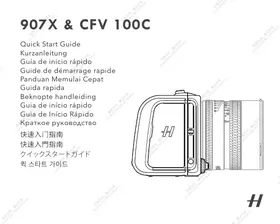
907X & CFV 100C
The all-new HASSELBLAD™ CFV 100C medium format digital back can be used on most V System cameras from 1957 and later, such as Hasselblad 500 series, 200 series, and SWC, to reintroduce classics and provide creative possibilities.
The CFV 100C digital back and 907X camera body form a medium format digital camera. With the compact design and a large 100-megapixel back-side illuminated (BSI) CMOS sensor, the camera boasts 16-bit colour depth and a dynamic range of 15 stops. Hasselblad Natural Colour Solution (HNCS) technology is integrated into the camera's system, delivering superb, true-to-life colours that match what the human eye sees. A vast range of high-quality lenses including XCD, HC, HCD, XPan, and V System are supported.[1]
The CFV 100C digital back is equipped with a 3.2-inch 2.36-million-dot tilting touch display. The display can be tilted up to 90 degrees, allowing for different shooting styles. The digital back offers more storage with a built-in 1TB SSD. Users can expand the capacity further with a CFexpress Card Type B. Hot shoe contacts are on top of the digital back so that a flash can be connected using the hot shoe adaptor.
The built-in Wi-Fi connectivity of the digital back allows users to create a portable photography workflow, with wireless shooting, editing and exporting of images using Phocus Mobile 2 on an iPhone or iPad. [2] Full tethered operations via USB 3.1 connection include high-speed tethered shooting and real-time RAW image processing using the Mac or Windows version of the Phocus software. [2] Both the Phocus Mobile 2 app and Phocus software use HNCS to deliver true-to-life colours.
[1] Relevant system adaptor is required to use HC, HCD, XPan, and V System lenses.
[2] Phocus Mobile 2 is compatible with iPad models with 3GB of RAM or more and with iPhone X or later models running iOS 15.0 or later. Phocus is compatible with computers with 8GB of RAM or more running on macOS 10.15 or later, or Windows 7 64-bit or later. Visit the official Hasselblad website for more information.


Download the CFV 100CUser Manual for more information: https://www.hasselblad.com/my-hasselblad/downloads
部件介绍
CFV100C数码后背
https://www.hasselblad.com/my-hasselblad/downloads
907X & CFV 100C
SAFETY GUIDELINES
By using this product, you signify that you have read, understand, and accept the terms and conditions of this
guideline, user manual, and all instructions at https://www. hasselblad.com/my-hasselblad/downloads/. EXCEPT AS EXPRESSLY PROVIDED IN AFTER-SALES SERVICE POLICIES AVAILABLE AT https://www.hasselblad.com/support/limitedwarranty-statement/, THE PRODUCT AND ALL MATERIALS AND CONTENT AVAILABLE THROUGH THE PRODUCT ARE PROVIDED "AS IS" AND ON "AS AVAILABLE BASIS" WITHOUT WARRANTY OR CONDITION OF ANY KIND.
Safety at a Glance
CFV 100C Digital Back and 907X Camera Body
1. Usage
- Place the devices on a flat and stable surface. Otherwise, the devices may fall, causing serious damage to the digital back or camera body.
- DO NOT use the devices in an environment that is wet, smoky, dusty, or contains flammable gases or materials.
- Make sure to waterproof the devices during thunderstorms.
Otherwise, it may lead to a fire hazard.
- The devices should be used at a temperature from -10^ to 45^ C (14° to 113^ F). Otherwise, the performance may be affected, which may decrease the service life of the devices.
- Immediately power off the devices and remove the battery when there is any abnormality, including, but not limited to, smoke and strange odours. Contact HASSELBLAD™ or a Hasselblad authorised dealer for further assistance.
-
DO NOT disassemble or modify the digital back or camera body. Doing so invalidates the warranty.
-
DO NOT stand too close in front of the flash unit when it is activated, or eyesight may be temporarily affected.
- The built-in SSD of the digital back is for temporary data storage only. Make sure to back up data in time to prevent data loss. When the digital back is stored for an extended period (approximately one year) with its power off or due to environmental factors such as high temperature, SSD data may be damaged or lost.
- Make sure that the memory card used is in good condition. DO NOT remove the memory card when the status LED on the digital back is blinking. Otherwise, the data may be lost, and the memory card may be damaged.
- Respect the privacy of others when using the devices. Make sure to comply with local regulations and privacy laws.
2. Storage and Transportation
- If the digital back will not be in use for an extended period, back up the SSD data, remove the battery, and store the digital back in a dry and well-ventilated location. It is recommended to use a camera dry box, dehumidifier cabinet, or silica gel sachets.
- Place the devices out of the reach of children.
DO NOT place heavy objects on the devices. - DO NOT store the devices in an environment with a temperature higher than 45^ ( 113^ ) or lower than -10^ ( 14^ ).
3. Maintenance
- Keep the devices clean and free of dirt and buildup. Attach the protective cover to the digital back or camera body when the lens or camera is detached. Otherwise, dust and dirt may be attracted to the sensor.
-
The devices are delicate. Follow the instructions strictly in the user manual to clean the devices.
-
It is recommended to contact Hasselblad or a Hasselblad authorised dealer for professional help when cleaning the devices.
Battery
1. Usage
- DO NOT allow liquids to come into contact with the battery. DO NOT use the battery in wet weather conditions. DO NOT drop the battery into water. Otherwise, an explosion or fire may occur.
- DO NOT use swollen, leaking, or damaged batteries. In such situations, contact Hasselblad or a Hasselblad authorised dealer for further assistance.
- The battery should be used at a temperature from -10^ to 45^ C (14° to 113^ F). Higher temperatures can cause an explosion or fire. Lower temperatures will reduce the performance of the battery.
DO NOT disassemble or pierce the battery in any way. - Electrolytes in batteries are highly corrosive. If any electrolytes come into contact with your skin or eyes, immediately wash the affected area with water and seek medical attention.
- DO NOT use a battery if it was involved in a crash or heavy impact.
- DO NOT connect positive and negative battery terminals with a cable or other metal objects. Otherwise, the battery will short circuit.
- DO NOT drop or strike the battery. DO NOT place heavy objects on the battery or charger.
- Clean the battery terminals with a clean, dry cloth if there is any noticeable buildup to reduce the risk of connection failure.
- Extinguish any battery fire using water, sand, or a dry powder fire extinguisher.
2. Charging
DO NOT charge the battery near flammable materials or on flammable
surfaces such as carpet or wood. DO NOT leave the battery unattended when charging.
- Disconnect the charger when not in use. Examine the charger regularly for damage to the cord, plug, enclosure, or other components. DO NOT use a charger that is damaged in any way.
- Charge the battery at a temperature from 5^ to 40^ ( 41^ to 104^ ). The ideal charging temperature is 22^ to 28^ ( 72^ to 82^ ). Charging at the ideal temperature can prolong battery life.
3. Storage and Transportation
- DO NOT leave the battery near heat sources such as a furnace or heater, under direct sunlight, or inside a vehicle in hot weather.
- DO NOT transport damaged batteries. If a battery is damaged, dispose of it in a suitable recycling container by strictly following local regulations.
- DO NOT store the battery for an extended period after fully discharging. Otherwise, the battery may over-discharge and cause irreparable damage to the battery cell.
- If a battery with a low battery level has been stored for an extended period, the battery will be in deep hibernation mode. Charge to wake the battery.
- The battery should be stored in a cool, ventilated, and dry environment without direct sunlight at a temperature from 20^ to 30^ C ( 68^ to 86^ F) and the battery level should be kept between 40 - 60% . A good storage environment can effectively extend the service life of the battery.
- Discharge the battery to 30% or lower before carrying it on a flight. Only discharge the battery in a fireproof location.
4. Disposal
- Dispose of the battery in a suitable recycling container only after fully discharging it. The battery contains hazardous chemicals. DO NOT
place the battery in regular waste containers. Follow local laws and regulations regarding the disposal and recycling of batteries.
Specifications
| CFV 100C Digital Back (Model: CFV 100C) | |
| Battery | Rechargeable Li-ion battery (7.27V DC/3400mAh) |
| Wi-Fi | |
| Protocol | 802.11b/a/g/n/ac/ax Wi-Fi with 2×2 MIMO |
| Operating Frequency* | 2.4000-2.4835GHz 5.150-5.250GHz 5.725-5.850GHz |
| Transmitter Power (EIRP) | 2.4GHz: <26dBm (FCC) <20dBm (CE/SRRC/MIC) 5.1GHz: <23dBm (FCC) <23dBm (CE/SRRC/MIC) 5.8GHz: <20dBm (FCC/SRRC) <14dBm (CE) |
| Bluetooth | |
| Protocol | Bluetooth 5.1 |
| Operating Frequency | 2.4000-2.4835GHz |
| Transmitter Power (EIRP) | <8dBm |
- Due to local regulations, the 5.8GHz frequency is prohibited in some countries, and the 5.1GHz frequency is only allowed for indoor use in some countries.
To check for the complete specifications, visit the official Hasselblad website or download the Hasselblad CFV 100C User Manual.
#
Supplier's Declaration of Conformity
Product Name:CFV 100C
Model Number:CFV100C
Responsible Party: Hasselblad Bron Inc.
Responsible Party Address: 1080 Garden State Road Ste1 Union NJ 07083 USA
Website: www.hasselblad.com
We, Hasselbad Bron Inc., being the responsible party, declares that the above mentioned model was tested to demonstrate complying with all applicable FCC rules and regulations.
This device complies with Part 15 of the FCC Rules. Operation is subject to the following two conditions: (1) it must be able to operate in the presence of a high level of interference, and (2) this device must accept any interference received by including interference that may cause undesired operation.
Any changes or modifications not expressly approved by the party responsible for compliance could void the user's authority to operate the equipment.
This equipment has been tested and found to comply with the limits for a Class B digital device, pursuant to part 15 of the FCC Rules. These limits are designed to provide reasonable protection against harmful interference in a residential installation. This equipment generates, uses and can radiate radio frequency energy and, if not installed and used in accordance with the instructions, may cause harmful interference to radio communications. However, there is no guarantee that interference will not occur in a particular installation. If this equipment does cause harmful interference to radio or television reception, which can be determined by turning the equipment off and on, the user is encouraged to try to correct the interference by one or more of the following measures:
-Reorient or relocate the receiving antenna.
-Increase the separation between the equipment and receiver.
-Connect the equipment into an outlet on a circuit different from that to which the receiver is connected.
-Consult the dealer or an experienced radio/TV technician for help.
This equipment complies with FCC radiation exposure limits set forth for an uncontrolled environment. End user is not located in the same area as the intended location of the transmission. This transmitter must not be co-located or operating in conjunction with any other antenna or transmitter.
The portable device is designed to meet the requirements for exposure to radio waves established by the Federal Communications Commission (USA).
These requirements set a SAR limit of 1.6W / kg averaged over one gram of tissue. The highest SAR value reported under this standard during product certification for use when properly worn on the body.
ISED Compliance Notice
CANICES-003(B)/NMB-003(B)
This device contains licence-exempt transmitter(s)receiver(s) that comply with Innovation, Science and Economic Development Canada's licence-exempt RSS(s). Operation is subject to the following two conditions: (1) This device may not cause interference.(2) This device must accept any interference, including interference that may cause undesired operation of the device.
This equipment complies with RSS-102 radiation exposure limits set forth for an uncontrolled environment. End user must follow the specific operating instructions for satisfying RF exposure compliance. This transmitter must not be co-located or operating in conjunction with any other antenna or transmitter. The portable device is designed to meet the requirements for exposure to radio waves established by the CNR-102.
These requirements set a SAR limit of 1.6W / kg averaged over one gram of tissue. The highest SAR value reported under this standard during product certification for use when properly worn on the body.
The device for operation in the band 5150-5250 MHz is only for indoor use to reduce the potential for harmful interference to co-channel mobile satellite systems.
KC Compliance Notice
EU Compliance Statement: Victor Hasselblad AB hereby declares that this device (CFV 100C) is in compliance with the essential requirements and other relevant provisions of the Directive 2014/53/EU.
A copy of the EU Declaration of Conformity is available online at www.hassellblad.com/legal/euro-compliance/ EU contact address: Uveekingsgsatan 2, 41756 Göteborg, Sweden
GB Compliance Statement: Victor Hassellbad AB hereby declares that this device (CFV 100C) is in compliance with the essential requirements and other relevant provisions of Radio Equipment Regulations 2017.
A copy of the GB Declaration of Conformity is available online at www.hasselblad.com/legal/euro-compliance/
Déclaration de cumplemente: UE: Victor Hasselbad AB par la presente declara que cette disposito (CFV 100C) compte l'es requisits basiques y el resto de provisiones relevantes de la Dirección 2014/53/EU.
DAS members: 1.270 W/kg
Avriyapao TzjNAnJGnS ZmuuOpFwGnEE E8iTBeTa NkExptPwKa OToE6UeuvOnw www.hasselbad.com/legal/ euro-compliance/.
AieuBuvon enikovwiaocnV EE: Utecklingsgatan 2,41756 Goteborg,Sweden
ELI vastuskunitius Koleseva teabat Victor Hasselblad AB, see see seaf (CFV 100C) on koskolas direktivi 2014/53/OLuliste rouetae je muade asjokahost sättegata.
Environmentally friendly disposal
Old electrical appliances must not be disposed of together with the residual waste, but have to be disposed of separately. The disposal at the communal collecting point via private persons is for free. The owner of old appliances is responsible to bring the appliances to these collecting points or to similar facilities. The owner of the new appliances has a personal effort, you contribute to recycle valuable raw materials and the treatment of toxic substances.
This device is restricted to indoor use when operating in the 5150-5350MHz frequency range in all EU/EFTA member states, Turkey and UK.
CAUTION: RISK OF EXPLOSION IF BATTERY IS REPLACED BY AN INCORRECT TYPE. DISPOSE OF USED BATTERIES ACCORDING TO THE INSTRUCTIONS.

FR
W52: In case of AP, "only indoor use"
Thailand Warning Message
Mexico Warning Message
Use of the Made for Apple badge means that an accessory has been designed to connect specifically to the Apple product(s) identified in the badge and has been certified by the developer to meet Apple performance standards. Apple is not responsible for the operation of this device or its compliance with safety and regulatory standards.
Please note that the use of this accessory with an Apple product may affect wireless performance.
To check the Compliance Information of your device, go to the Main Menu, tap the General Settings icon on the Touch Display, swipe through the list, and select About.