ManualGo.com
S300 Xi - Network audio player ELIPSON - Free user manual and instructions
Find the device manual for free S300 Xi ELIPSON in PDF.


Download the instructions for your Network audio player in PDF format for free! Find your manual S300 Xi - ELIPSON and take your electronic device back in hand. On this page are published all the documents necessary for the use of your device. S300 Xi by ELIPSON.
USER MANUAL S300 Xi ELIPSON
Dear customer, Thank you for choosing our Elipson Stream $300 Xi. Please take the time to read this manual careful before installing your device. It contains al the safety and operating instructions that should be followed. We strongly recommend that you keep both packaging and this user manual for future use: SUMMARY
Ill. General informations 17 in the box 17 Front panel 18 Rear panel 19 Application 20
IV. Using the Stream $300 Xi 22
Wi-Fi connection 22 Resetting parameters 22
V. In case of breakdown 23
VI. FCC, CE & UKCA statements 24
VIL. Warranty. 28 WARNING MAKE SURE TO READ THIS INSTRUCTION MANUAL
BEFORE TURNING THE POWER ON
OR HOOKING UP THIS DEVICE.
Elipson $300 Xi network streamer is a perfect solution for connecting your basic audio setup to your home network. It works with any integrated amplifier, preamplifier or powered speaker by connecting directly to a line or optical Toslink input, taking advantage of the digital-to-analogue conversion of your current device. Its wireless (Wi-Fi and Bluetooth) and wired (Ethernet) connection options provide instant access to millions of music tracks in high definition. As part of our Elipson Multiroom product range, the streamer S300Xi is equipped With the latest Google Cast & AirPlay2 technologies, allowing you to control your music from anywhere in your home. Browse and play your audio files from streaming services or your own music library using your WiFi network and your Elipson Multiroom smartphone app. If you don't have WiFi, you can connect via Bluetooth or wired Now it's your turn to enjoy the Elipson experience.
1- Stream S300 Xi device
1- Led power (ON : white / Stand by : red - low consumption)
4- Ethernet port (switchable from the back)
5- Led for network mode {[flashing white : in process / solid white : connected)
2- Switch to select front or back ethernet port
DOI o DOC (6 KL © EL) KE
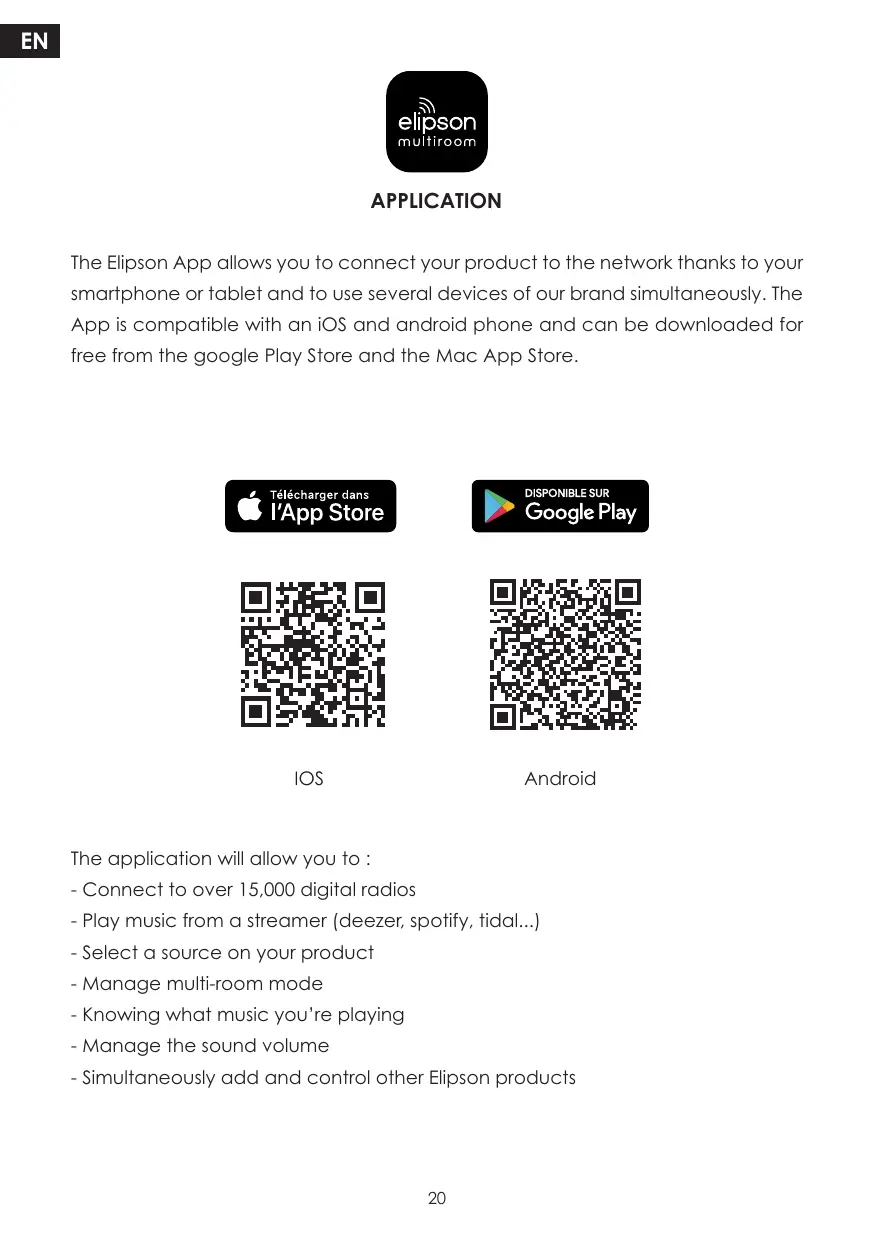
elipson multiroom APPLICATION The Elipson App allows you to connect your product to the network thanks to your smartphone or tablet and to use several devices of our brand simultaneously. The App is compatible with an iOS and android phone and can be downloaded for free from the google Play Store and the Mac App Store. 10S Android The application will allow you to : - Connect to over 15,000 digital radios - Play music from a streamer (deezer, spotify, tidal.….] - Select a source on your product - Manage multi-room mode - Knowing what music you're playing - Manage the sound volume - Simultaneously add and control other Elipson products
[ Works with l (A) Apple AirPlay 2 | T7 Chromecast | built-in @ Bluetooth = Spoti Use your phone, tablet or computer as a remote control for Spotify. Go to spotify.com/connect to learn how. The Spotify Software is subject to third party licenses found here: https://www.spotify.com/connect/ihird-party-licenses.
After connecting the streamer to your amplifier, plug in the power supply. Depending on your system, you can either use the optical output on an external DAC or connect the analogue output to an amplifier [line or AUX input). WI-FI CONNECTION : In order to successfully connect your Elipson Stream S300 Xi to your home network follow the detailed instructions in our Elipson Multiroom application. Do not hesitate to refer to the tutorials on our website if you encounter any difficulties during the process. RESETTING PARAMETERS : Press and hold the “RESET" button on the front of the unit until the “Power”, “LAN”, “BT", AUX", LEDs flash simultaneously. Once therestorationis complete, the unit will automatically start the Wi-Fi network connection procedure.
DO NOT USE ANY KIND OF CLEANING SOLUTION OR CLEANER ON THESE UNITS. IF FOR SOME REASON THE DEVICE NEEDS TO BE REPAIRED, PLEASE CONTACT US IMMEDIATELY. WE WILL ISSUE A RETURN AUTHORIZATION NUMBER. THIS UNIT A SHOULD NOT BE SHIPPED BACK TO ELIPSON WITHOUT THE RA#. DO NOT ATTEMPT TO OPEN OR DISMANTLE THIS DEVICE. THIS WILL VOID THE WARRANTY ! POSSIBLE BREAKDOWN : The product connects and disconnects from the Wi-Fi network. + __ Check that the broadband of your Wi-Fi network is sufficient. + __ Check that the device is not too far from the router + __ Prefer the ethernet connection via an RJ45 cable No sound on a channel: + __ Check the connection to the amplifier
1. This device complies with Part 15 of the FCC Rules. Operation is subject to
the following two conditions: {1) This device may not cause harmful interference,and {2] This device must accept any interference received, including interference that may cause undesired operation.
2. Changes or modifications not expressly approved by the party responsible
for compliance could void the user's authority to operate the equipment. NOTE: This equipment has been tested and found to comply with the limits for a Class B digital device, pursuant to Part 15 of the FCC Rules. These limits are designed to provide reasonable protection against harmful interference in a residential installation. This equipment generates uses and can radiate radio frequency energy and, if not installed and used in accordance with the instructions, may cause harmful interference to radio communications. However, there is no guarantee that interference will not occur in a particular installation. If this equipment does cause harmful interference to radio or television reception, which can be determined by turning the equipment off and on, the user is encouraged to try to correct the interference by one or more of the following measures: Reorient or relocate the receiving antenna. Increase the separation between the equipment and receiver. Connect the equipment into an outlet on a circuit different from that to which the receiver is connected. Consult the dealer or an experienced radio/TV technician for help.
CAUTION The WEEE symbol indicates this ELPSON product complies with the European Paiament and Council Directive 2012/19/EU concerning Waste Electrical and Electronic Equipment (WEEE]. This product must be appropriately recycled or processed in accordance With these directives. Consult your local waste disposal authority for guidance. WARRANTY These device has a limited 2 year warranty. This warranty includes 2 year parts and repair labor on all components. The warranty extendk only to the original purchaser of the product and not to any subsequent owner. Eipson's obligation under these warranties is limited to repairing or replacing any component found defective in material or workmanship under normal conditions of use with an equal and/or current product. These warranties shall not apply to products which have been abused, modified, or disassembled. Products to be repaired or retumed under this warranty must be returned to the factory through an authorized Epson dealer with all transportation and insurance charges prepaid.
TO CLAIM REPAIR UNDER WARRANTY
To claim repair or service under warranty you simply have to contact your local Epson dealer, from whom your equipment has been purchased. To ensure that you will be able to ship your damaged product in comect manner, always retain the original packaging of your Elipson equipment. If you cannot contact your original dealer, or if ou are using your Elipson product outside the purchase country, you should contact Epson national distributor in the residence country, who will advise where the equipment can be serviced. You can also visit our web site to check our contact information : www.elipson.com To validate your warranty, you need to produce, as a proof of purchase, your original purchase invoice specifying the date of purchase and stamped by your dealer.
ELIPSON'S POLICY IS TO CONTINUOUSLY INCORPORATE IMPROVEMENTS INTO OUR PRODUCTS. ALL SPECIFICATIONS ARE SUBJECT TO CHANGE WITHOUT NOTICE. TO FIND OUT MORE ABOUT THE ADVANCED OPTIONS OF THIS PRODUCT OR IF YOU HAVE ANY QUESTIONS, PLEASE VISIT OUR WEBSITE :
GFipson 2023 - Eipson is a trademark of AV Industry