ZB-7 - Headphones Veho - Free user manual and instructions
Find the device manual for free ZB-7 Veho in PDF.



User questions about ZB-7 Veho
0 question about this device. Answer the ones you know or ask your own.
Ask a new question about this device
Download the instructions for your Headphones in PDF format for free! Find your manual ZB-7 - Veho and take your electronic device back in hand. On this page are published all the documents necessary for the use of your device. ZB-7 by Veho.
USER MANUAL ZB-7 Veho
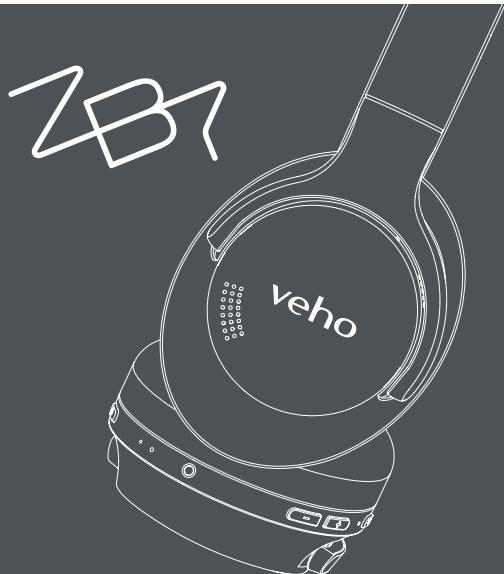
Wireless Headphones ZB-7
Veho Global Group, PO Box 436, Southampton, SO30 9DH, UK
Veho Europe, 25 Place de la Madeleine, 75008 Paris


FCC ID:2AASMZB-7

This signf, f t h t t t t t t t t t t t t t t t t t t t t t t t t t t t t t t t t t t t t t t t t t t t t t t t t t t .
The Bluetooth® word mark and logos are registered trademarks owned by Bluetooth SIG, Inc. and any use of such marks by ZEO Global GROUP LIMITED is under license. Other trademarks and trade names are those of their respective owners.

VEP-024-ZB7-B
veho.
Contents
English 6
Francais 20
Espanol 34
Italiano 48
Deutsche 62
Dansk 76
Portugues 90
中文 104
日本語 118
Hello
Bonjour
H a l l o
Hola
Hej Ciao
你好Olá
にんにちは
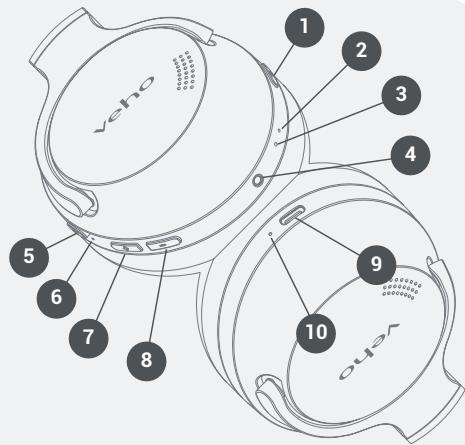
Guide to the headphones
- Power button
- Power status LED
- Microphone
- 2.5mm audio port
- Active noise cancelling
- Active noise cancelling LED
- Volume + / Next track
- Volume - / Previous track
- USB-C charging port
- Charging status LED
EN
6
Charging
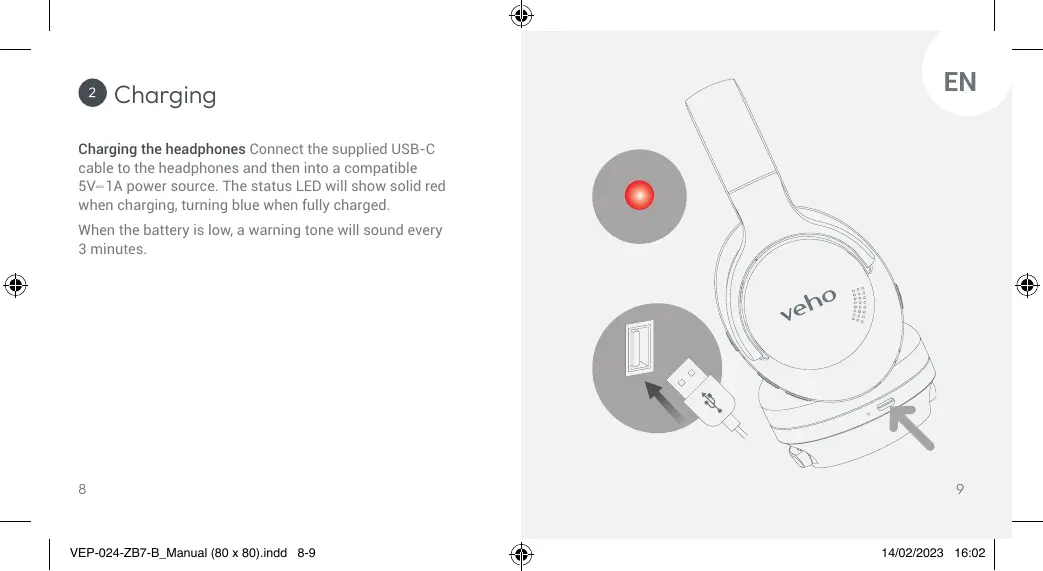
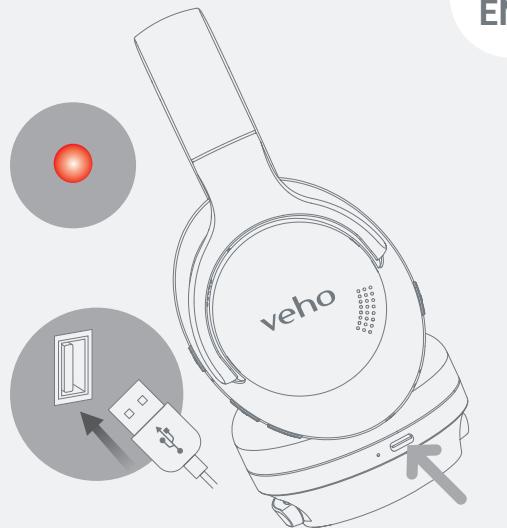
Charging the headphones Connect the supplied USB-C cable to the headphones and then into a compatible 5V-1A power source. The status LED will show solid red when charging, turning blue when fully charged.
When the battery is low, a warning tone will sound every 3 minutes.
EN
3 Pairing
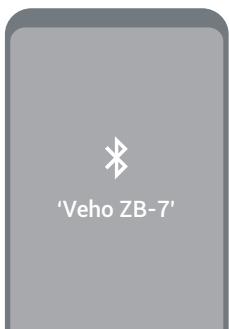
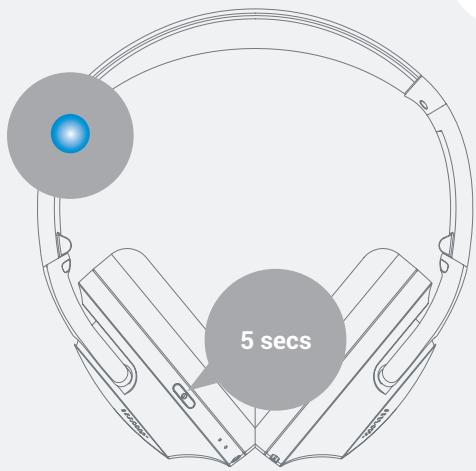
Pairing with a device Ensure the headphones are off. Press and hold the power button for 5 seconds, and wait until a 'Pairing' tone sounds and the power status LED flashes red/blue. Select 'Veho ZB-7' from the Bluetooth® menu on your device.
10
EN
11

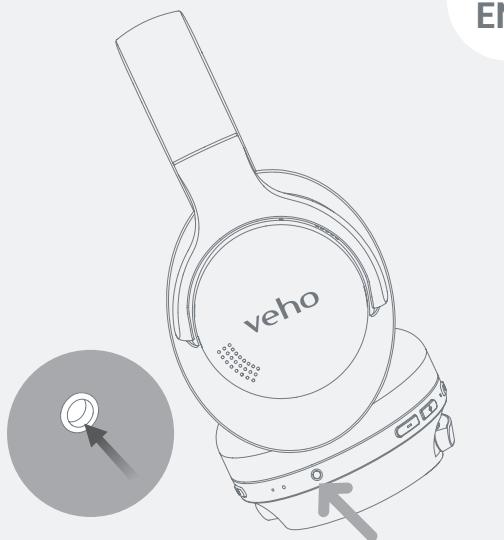
Line-in cable
Using the Line-in cable Connect the supplied 2.5mm audio cable from the headphone audio port to your device. The headphones will default to line-in mode whilst the audio cable is connected.
12
13
5 Functions
Power on/off Press and hold the power button for 3 seconds to turn on, the power status LED will flash blue. Press and hold the power button for another 3 seconds to turn off, the power status LED will flash red.
Play/pause Press the power button once to play and once again to pause.
Volume up/Next track Press the (+) button for 2 seconds to skip to the next track. Press once to increase the volume.
Volume down/Previous track Press and hold the (-) button for 2 seconds to skip to the previous track. Press once to reduce the volume.
EN
Voice assistant Simultaneously press and hold the volume + and volume - buttons for 2 seconds.
Active Noise Cancellation (ANC) Press the ANC button once to change modes between on/off/ambient mode. Active Noise Cancellation uses the microphone and speakers to reduce background and surrounding noises.
Bass control Press and hold the ANC button for 2 seconds to change modes between bass up/normal.
Multipoint connection Pair the headphones to a Bluetooth® device, disable Bluetooth® on this device and repeat pairing instructions with a second device. Multipoint connection allows the headphones to maintain simultaneous connections with two source devices.
EN
Reset Ensure the headphones are disconnected from devices. Simultaneously press and hold the power and volume - buttons for 5 seconds.
Answering/ending calls Press the power button once to answer an incoming call. Press once again to end the call.
Rejecting calls Press and hold the power button for 2 seconds to reject an incoming call.
Call mute/unmute Press and hold the volume + button for 3 seconds.
NOTE: This equipment has been tested and found to comply with the limits for a Class B digital device, pursuant to part 15 of the FCC Rules. These limits are designed to provide reasonable protection against harmful interference in a
residential installation. This equipment generates uses and can radiate radio
frequency energy and, if not installed and used in accordance with the instructions, may cause harmful interference to radio communications. However, there is no
guarantee that interference will not occur in a particular
VEP-024-ZB7-B Manual (80 x 80), Indd 16-17 Installation. If this equipment does cause harmful
Call switch Simultaneously press and hold the volume + and volume - buttons for 2 seconds during a call to switch between the headphones and mobile device.
Number radial Double click the power button to radial the most recent contact on your call log.
Specifications
| Bluetooth® version | V5.0 |
| Driver size | 40mm |
| Speaker sensitivity | 117 ±3dB |
| Impedance | 32Ω |
| Frequency response | 20Hz-20KHz |
| ANC reduction | 32 dB |
| Input voltage | 5V-1A |
| Battery size | 500mAh |
| Charge time | Approx. 72 minutes |
| Play time | Up to 32 hours |
| Charging port type | USB-C |
| Wireless range | Up to 10 meters |
| Dimensions | 164.2mm x 190.6mm x 89.1mm |
| Weight | 230g |
EN

Support
Should you need to contact Veho for support or troubleshooting for your ZB-7 Headphones, please contact us via our chat box on our website at:
vho-world.com
Guide des écouteurs
Pebble PZ-12 Rugged Portable
Power Bank - 10,000mAh
Black, White, Orange, Blue
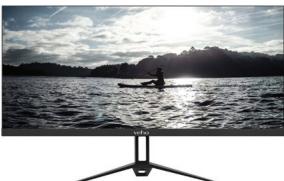
UW-29 Ultra-wide flat slim bezel 29" pro display / VHM-001-29UW

NOTE: This equipment has been tested and found to comply with the limits for a Class B digital device, pursuant to part 15 of the FCC Rules. These limits are
designed to provide reasonable protection against harmful interference in a
residential installation. This equipment generates uses and can radiate radio
frequency energy and, if not installed and used in accordance with the instructions, may cause harmful interference to radio communications. However there is no guarantee that interference will not occur in a particular installation. If this equipment does cause harmful interference to radio or television reception, which can be determined by turning the equipment off and on, the user is encouraged to try to correct the interference by one or more of the following measures:
- Reorient or relocate the receiving antenna.
- Increase the separation between the equipment and receiver.
-Connect the equipment into an outlet on a circuit different from that to which the receiver is connected.
-Consult the dealer or an experienced radio/TV technician for help
Changes or modifications not expressly approved by the party responsible for compliance could void the user's authority to operate the equipment.
This device complies with Part 15 of the ICC Rules. Operation is subject to the following two conditions: (1) this device may not cause harmful interference, and (2) this device must accept any interference received, including interference that may cause undesired operation.
This device contains licence- exempt transmitter(s)/receiver(s) that comply with Innovation, Science and Economic Development Canada's licence- exempt RSS(s). Operation is subject to the following two conditions:
(1) This device may not cause interference.
(2) This device must accept any interference, including interference that may cause undesired operation of the device.
EC DECLARATION OF CONFORMITY
Hereby, Veho UK LTD declares that the radio equipment type (VEP-024-ZB7-B) is in
compliance with Directive 2014/53/EU. The full text of the EU Declaration of Conformity is
available at https://veho-world.com/compliance/
Frequency band(s) - 20Hz-20KHz
Maximum radio-frequency power - ≤10dBm