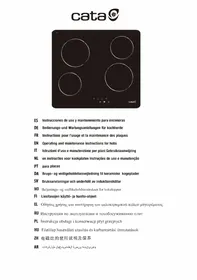
TN 604 - Ceramic hob CATA - Free user manual and instructions
Find the device manual for free TN 604 CATA in PDF.



| Product type | Ceramic glass hob |
| Brand | CATA |
| Model | TN 604 |
| Number of cooking zones | 4 cooking zones |
| Control type | Touch control with touch keys |
| Power levels | 9 levels per zone (1 to 9) |
| Special functions | Double/triple circuit on some zones, automatic shut-off, residual heat indicator, child lock |
| Power supply | 220-240 V ~ 50/60 Hz |
| Maximum power | 6400 W (adjustable to 3600 W) |
| Dimensions (W x D x H) | 58 x 51 x 5 cm (estimate) |
| Approximate weight | 8 kg |
| Surface type | Ceramic glass |
| Maintenance and cleaning | Use a scraper for residues, mild cleaner and non-abrasive cloth |
| Safety | Automatic shut-off (time limit), protection against accidental start (10 s), key lock |
| Residual heat indicator | Display "H" while the zone is hot (>60 °C) |
| Acoustic signal | Short for a key press, prolonged intermittent after 10 s of continuous pressing |
| Installation | Built-in, electrical connection by qualified personnel |
| Spare parts | Contact authorized after-sales service |
| Repairability | Entrust to a competent technician (power cable, etc.) |
| Standards | Directives 2014/35/EU and 2014/30/EU |
Frequently Asked Questions - TN 604 CATA
User questions about TN 604 CATA
0 question about this device. Answer the ones you know or ask your own.
Ask a new question about this device
Download the instructions for your Ceramic hob in PDF format for free! Find your manual TN 604 - CATA and take your electronic device back in hand. On this page are published all the documents necessary for the use of your device. TN 604 by CATA.
USER MANUAL TN 604 CATA
THIS APPLIANCE IS DESIGNED FOR DOMESTIC USE ONLY. THE MANUFACTURER SHALL NOT IN ANY WAY BE HELD RESPONSIBLE FOR WHATEVER INJURIES OR DAMAGES ARE CAUSED BY INCORRECT INSTALLATION OR BY UNSUITABLE, WRONG OR ABSURD USE.
The manufacturer declares that this product meets all the essential requirements for low voltage electrical material set out in European directive 2014/35/EU and for electromagnetic compatibility as required by European directive 2014/30/EU.
PRECAUTIONS
- When one makes use of heating elements, we advise receptacles with flat bottom having same diameter or lightly higher than that of the hot area.
- Avoid overflows of liquid, therefore when boiling has happened, or in any case when liquid is heated, reduce the heat supply.
- Don't leave the heating elements on without receptacles on the top or with void pots and pans.
- Do not use any alluminium foil or place any foodstuffs wrapped in alluminium foil directly on the hob - do not place any metal objects such as knives, forks, spoons and lids on the hob surface as they will heat up.
- When cooking in a non-stick pan without seasoning, do not exceed 1-2 min
utes' pre-heating time.
- When cooking food that may easily stick, start at a low power output level and then slowly increase while regularly stirring.
- If the surface of the hob is damaged, immediately disconnect the appliance from the mains to prevent the possibility of electric shock.
- Never use a steam cleaner to clean the hob.
- The appliance and accessible parts may be hot during operation.
- Take care to avoid touching the heating elements.
- Children less than 8 years of age should be kept at a safe distance unless continuously supervised.
- This appliance may be used by children aged 8 or over and by persons with reduced physical, sensory or mental capabilities or lack of experience and knowledge, if they are supervised and have received suitable instructions on safe use of the appliance and understand the dangers involved. Children must not play with the appliance. User maintenance and cleaning should not be carried out by children except under constant supervision.
- Cooking with grease or oil may be dangerous and cause a fire if left unattended. NEVER try to extinguish a fire with water. Rather, disconnect the appliance and then cover the flames with a cover or sheet, for example.
- Fire hazard: do not store elements on
cooking surfaces.
- Only counter top protectors designed for use with the cooking appliance and listed in the manufacturer's instructions should be used as suitable protection for the counter top incorporated in the appliance. Use of unsuitable protectors may cause accidents.
- WARNING: Accessible parts will become hot when in use. To avoid burns and scalds children should be kept away.
Insert in the fixed wiring a mean for disconnection from the supply mains having a contact separation in all poles that provide full disconnection under overvoltage category III conditions, in accordance with the wiring rules. The plug or omnipolar switch must be easily reached on the installed equipment.
This appliance is not intended to be used via an external timer or a remote control system.
The manufacturers decline any responsibility in the event of non-compliance with what is described above and the accident prevention norms not being respected and followed.
To avoid all risk, if the power cable becomes damaged, it must only be replaced by the manufacturer, by an authorised service centre, or by a qualified electrician.
User's Instructions
Installation
All operations relative to installation (electric connection) should be carried out by skilled personnel in conformity with the rules in force.
As for the specific instructions see part pertaining to installer.
Use TOUCH CONTROL HEATING ELEMENTS
Touch sensitive keys
All operations can be performed using touch sensitive keys (capacitive sensors) located on the front of the control board; each key has a corresponding display. All actions are confirmed by an audible signal.
TOUCH CONTROL (Fig. 2)
1 ON/OFF
2 Minus -
3 Plus +
4 Double / Triple Circuit
5 Cooking zone
6 Setting level display
7 Dual circuit pilot light
Switching the Touch Control on/off
After mains voltage is applied, the touch control initialises for approximately one second before it is ready for use.
All displays and LEDs flash for approximately one second after resetting. Once this period is complete, all displays and LEDs switch off and the touch control is in standby mode.
Press the ON/OFF (1) button to switch the touch control on. The cooking zone displays indicate "0". If a cooking zone is in "hot" (high temperature) mode, the display will alternately indicate "H" and "0".
After switching the touch control on, it will remain active for 20 seconds. If no cooking zone is selected, the touch control automatically switches back to standby mode.
The touch control can only be switched on by pressing the ON/OFF (1) button.
Pressing the ON/OFF (1) button at the same time as other buttons will have no effect and the touch control will remain on standby.
The touch control can be switched off at any time using the ON/OFF (1) button. This is even the case when the control has been locked by the child safety feature.
The ON/OFF (1) button always takes priority in the switching off function.
Automatic off
Once switched on, the touch control automatically switches off after 20 seconds of inactivity. After selecting a cooking zone, the automatic off time is divided into 10 seconds, after which the zone is deselected and, after another 10 seconds, the touch control switches off.
Switching a cooking zone on/off
If the touch control is switched on, the cooking zone can be selected by pressing the button (5) of the corresponding zone.
The display (6) of the zone selected lights up, while the remaining displays are dimmed. If the cooking zone is "hot", "H" and "0" are alternately displayed.
Press the PLUS (3) or MINUS (2) button to select a setting and the zone will begin to heat up.
Once the cooking zone has been selected, the setting can be selected by keeping the PLUS (3) button pressed down. The setting begins at level 1 and increases by 1 level every 0.4 seconds. When setting "9" is reached, the setting will not be changed further.
If the setting level has been selected using the MINUS (2) button, the start level is "9" (maximum level). Keep the button pressed down to lower the active level by 1 every 0.4 seconds. When setting "0" is reached, there will be no further setting changed. The setting can only be changed by pressing the MINUS (2) or PLUS (3) button again.
Switching a cooking zone off
Select the zone to be switched off using the corresponding button (5). The display (6) of the zone selected lights up, while the remaining displays are dimmed. Press the PLUS (3) and MINUS (2) buttons at the same time and the setting level of the zone is changed to 0. Alternatively, the MINUS button (2) can be used to reduce the setting level to 0.
If a cooking zone is "hot", "H" and "0" will be alternately displayed.
Switching all cooking zones off
Press the ON/OFF (1) button to immediately switch off all zones at any time. In standby mode, an "H" is displayed in all cooking zones that are "hot". The remaining displays will be switched off.
Setting level
The cooking zone can be set to 9 levels that are indicated by the numbers "1" to "9" on the seven-segment LED displays (6).
Residual heat indicator
This informs the user that the glass is at a dangerous temperature in the event of touching the area located around the cooking zone. The temperature is determined by a mathematical model and any residual heat is indicated by a "H" on the corresponding 7-segment display.
Heating and cooling are calculated based on:
The selected setting level (between "0" and "9")
The ON/OFF time.
After switching off the cooking zone, the corresponding display will indicate "H" until the temperature in the zone has dropped below the critical level (≤ 60^)
Automatic off function (operating time limitation)
In terms of the setting level, if no operation occurs each cooking zone switches off after an established maximum time.
Each operation in the cooking zone condition (using the PLUS (3) and MINUS (2) or dual zone) restarts the maximum operating time of the zone by resetting it to its initial value.
Protection against unintended switching on
- If the electronic control detects a button being held down for approx. 10 sec. it will switch off automatically. The control sends out an audible error signal to warn the user that the sensors have detected the presence of an object. The displays indicate error code "E R 0 3". If the cooking zone is in "hot" mode, "H" will be indicated alternately on the display with the error signal.
- If no cooking zone is activated within 20 seconds after switching on the touch control, it will return to standby mode.
- When the control is switched on, the ON/OFF button has priority over all other button and, therefore, the control can be switched off at any time, even when several buttons are pressed at the same time or a button is kept held down.
- In standby mode, no effect will be caused by buttons being kept held down. However, before the electronic control can be switched back on, it has to detect that no button is pressed down.
Button lock (child safety feature)
- Child safety feature:
Button lock: (Fig.7A)
To activate the child safety feature after having switched on the Touch control, press de rear left cooking zone selection button at the same time as the MINUS button (2) for 3 seconds, followed by just the rear left cooking zone selection button. An "L" standing for LOCKED (child safety feature preventing unintended switch on) will be indicated on all displays. If a cooking zone is in "hot" mode, "L" and "H" will be alternately displayed.
This operation must take place within a 10 successive seconds and no button other than those described must be pressed. Otherwise, the sequence will be interrupted and the hob will not be locked.
The electronic control remains locked until it unlocked by the user, even if it has been switched off and back on meanwhile. Not even touch control resetting (after a voltage drop) will interrupt the button lock.
Cancelling the button lock: (Fig.7B)
After switching the touch control on, the child safety feature can be disabled. Press the rear left cooking zone selection button and the MINUS button (2) for 3 seconds, followed by just the MINUS button (2). If all operations are carried out in the right order within 10 seconds, the button lock will be cancelled and the touch control switched off. Otherwise, the sequence will be considered incomplete and the touch con
trol will remain locked and will switch off after 20 seconds. Switch the touch control back on using the ON/OFF button and all displays will be indicate "0", the decimal points will flash and the touch control will be ready for cooking. If a cooking zone is in "hot" mode, "0" and "H" will be alternately displayed.
Control of multiple circuits
Hobs without double or triple circuit, see Fig. 2A
Hob with double zone. (Fig. 2B)
When a dual cooking zone is activated, the two circuits are switched on at the same time. Activation of the external circuit is indicated by a pilot light (7) in the bottom right corner of the display. If only the internal circuit is to be switched on, the external circuit can be switched off using the dual circuit button (4). Press the dual circuit button (4) again to re-activate the external circuit and the corresponding pilot light (7) will switch on.
Sound signal (buzzer)
The following activities are indicated by a buzzer during use:
-
Normal button pressing by a short sound.
-
Buttons kept pressed down for more than 10 sec. by a long, intermittent sound.
Maintenance (Fig. 4)
By means of a scraper immediately remove any alluminium foil bits, food spills, grease splashes, sugar marks and other high sugarcontent food from the surface in order to avoid damaging the hob.
Subsequently clean the surface with some towel and appropriate product, rinse with water and dry by means of a clean cloth. Under no circumstance should sponges or abrasive cloths be used; also avoid using aggressive chemical detergents such as oven sprays and spot removers.
Installer's Instructions
Installation
These Instructions are for the qualified technician, as a guide to installation, adjustment and maintenance, according to the laws and standards in force. These operations must always be carried out when the appliance has been disconnected from the electric system.
Positioning (Fig. 5)
1 Front view
2 Front side
The appliance can be fitted into a working area as illustrated on the figure. Apply the seal supplied over the whole perimeter of the working area.
Electrical connection
Prior to carrying out the electrical connection, please ensure that:
the plant characteristics are such as to follow what is
indicated on the matrix plate placed at the bottom of the working area;
- that the plant is fitted with an efficient earth connection, following the standards and law provisions in force.
- The earth connection is compulsory in terms of the law.
Should there be no cable and/or plug on the equipment, use suitable absorption material for the working temperature as well, as indicated on the matrix plate. Under no circumstance must the cable reach a temperature above 50^ of the ambient temperature.
Power Limitation (TN 604/A)
- Swith on power, and keep the hob off.
- Press the zone selecting key (5) and (8) together for 3 seconds. The indicators will show "P" and "S".
- Press (2) key,indicator will show "E", "P" and "S".
- Press (3) key,indicator will show "E", "t", "P" and "S".
- The press key (2) and (3) together, the indicators will show the maximum power value "XX00".
- Press the key (3) alternatively, you can set the maximum output power to 6400W or 3600W alternatively.
- Press key (2) and (3) together again will save the setting and exit the setting.
After finishing setting, the MCU can remember the power limited setting even cut off the power.
If the power off or turn off the hob during setting, the setting value will not save;
It can be Exit the setting by press the on/off ket or press the key (2) and (3) together.
QUESTO PRODOTTO è STATO CONCEPITO PER UN IMPIEGO DI TIPO DOMESTICO. IL COSTRUTTORE DECLINA OGNI RESPONSABILITA NEL CASO DI EVENTUALI DANNI A COSE O PERSONE DERIVANTI DA UNA NON CORRETTA INSTALLAZIONE O DA USO IMPROPRIO, ERRONEO O ASSURDO.
OBS!-FORHOLDSREGLER-ADVARS-LER
Mht. kogezonerne anbefales nedensta-ende:
Knappsparr (sakerhetsmekanism for barn)
Hnctpykun nn IJIy IIOJIb3OBaTeJI MoHTaK
Bce Opeaunn IO MOHTaKy (JIEKTPHuecKHe IIOJKIIOUeHH) IOJIHKbI IPOH3BOJITbC TOLIK BOKAJIHΦHIIPOBAHHBIM IepcoHaJIOM H COOTBeCTBHN C cyIeCTBYIOHMN HOPMATBAMN.
B Pa3JIe "IIJMA MOHTaXHnKa" IIpHBeIeHbI Bce IIOIpo6-HOCTM MOHTaJa.
IIpHMeHeHne 3JIEMEHTbI HAFPEBAHnA TOUCH CONTROL (yipabJIeHne IprKochoBHeHem)
KJIaBbHJIJIeKtOHaJxKaTHIaJIJIeHIIJIeKTOHAKATNII (JIINceHCopblTIIaEMKoCTHbIXdAHTKOB) IpeDHa3HAueHbI JIIIBIIOJIHeHHJIIO60I OIIepaIIN H pAcIOJOKeHbI Ha foPoHTaJIbHOJ cactn KAPToOKH, INPcHMeI JILKAKOJI KAPToOKH IIpeLycMOTpeH COOTBeCTByIOUHIM DCIIIE. BbIOJIHeHHJIIO60I DeIcTBHII IOITBepKJaAETC 3BYKOBbIM CnIHAlOM.
CEHCOPHOE YIIPABJIEHNE (Pnc.2)
1 BkJIIOueHHe/BBKJIIOueHHe—《BKJI/BbIKJI》
2 KhoIIka «MHHYC» -
3 KhoIIKa «ПЛIOC» +
4Двоинoi/Tpoинoi KOHTyp
5Bb60bpBapOCH03OBi
6Дисплій уровьmaошноctn
7 INHINKATOP BKJIIOUeHENI BOHOH 3OHBi HArpeBa
BkJIOueHHe N BbIKJIOueHHe cehcOpHOro yIpaJIeHHa
IocJIe IIOKIIHouEHHK 3JIeKTPoCeTH cEHcOpHoe yIpaBJIe HHe HHHuaJIH3npyETcI pIHMePHO B TeueHHe 1 c.
PnB KIIIOUeHNN BCE IINCIJIEN H INDIKAtoptbMnAOT B TceueHNE IIN6IIN3HTeJbHO OIOHO cekyHbI. IocJIe TORO KAk BCE IINCIJIEN H INDIKAtoptbIporacHyT, fYHKIIIN ceHCOPHOrO yIpaBJIeHNcTAHyT IOCTUYHbIMN IJIa HcIOJIb- 30BAHNJ.
ДяВКЛЮЧЕНСЕнсорHOrуYPnpaBJeHnHaJKMHTe KHOIIkyBКЛIOчEHN1(1).
HaIINCIIIEAXBAPOuHbIX3OHIOIaBHtC3NaueHHe 0 .EcINKakai-JIN6oH3BAPOuHbIX3OHrOpua,HaIINcIIe8byTIOIepemEHNOOT6paKaTaBcA H N 0
Cehcnphoe yIipabJIeHne octaetcAkTHBbIM B TeueHHe 20 cekyIHL IIOCE J BKIIIOUeHHN. ECLIN B TeueHHe 3TOrO BpeMeHN He IIPOHCXoIHNT BbIbopa 3OHb HaRpeBaHHN, Cehcnphoe yIipabJIeHne abTOMaTHueCKn IIpeXoIH NT BpeKHM OKHaHHN.
CeHcOpHoe ynpabJIeHne BKJIOHaeTcI IIpH HaKaTHN ToJIbKO Ha OJHy KHOINKy BKJIOHeHHa (1).
EcIN OHOBpemHNO C KHOIIKO BKIIIOueHHN (1) IPOn3BOIHTcnaKaTHHe Na KaKyIO-JIb6O npTyIO KHOIIky, cehCopHOe yIpaBJIeHHe OCTaETcBpeKHMoe OKNJaHHN.
BbKIOUHHe cEHCOPHO yIpaJIeHHI IPOIN3BOJNTcI bIOMOIIbTO JKe KHOKN. 3TO MOKHO cJeIaTb DaKe B TeX cIyAax, KOrDa yIpaJIeHHe 3aIoKHpObaHO OTei.
KHOIIKa BKVIOHcEHn (1) HMeET IINpHOpHTET IIPh BBIKHOeHH.
ABTomatueckoe BbIKJIOUeHne
IocJIe BkJIIOUeHnIy cTpoHCTBa ceHCOPHe yIpabJIeHne ABOMATNHueCKN BbIKJIOHaTeCyepe3 20 cekyH, B cIyae OTCYCTBnA KAKOH-JIN6o AKTHBHOCTN IIOJIb3OBAteJIa. Ype3 10 cekyH IIocJIe TOrO KaK BbIbpaH aBapOHHa 30ha, BblOp 30HbI OTMHeHcTcA, a IeH epe3 10 cekyH D bIKJIIOuAeTc eHCOPHe yIpabJIeHne.
BkIIOueHHe/BBKIOueHHe BapOHO30HbI
IIpn BKJIIOUeHHOM ceHCOPHom yIpaBJIeHHH MOKHO BbI-6paTb JIOOyIO BApOHyIO 3OHy HJaKaTHEm KHOIIKN BbIOopa COOTBTCTBYIOIIe 30Hb (5).
ДисПлй Вьбарнов 30нь (6) 3aRopaetcshЛь gee, a octaJIbHbI DeNcПлeN rachyT. Ecln 3OHa HapReBaetc, to IooUpeJHO OTOБраЖaIOTc cMHBOJIb «H» N «O».
HaxHMaJ KHOIIKN IJIIOC (3) H MHHYC (2), MOKHO BbIbpaTb Heo6xoIHMByPoBeHb MoIHOCTn, H 30HaHHeT HaIpeBaTbc.
Bb6paB BapOHyIO 30Hy, MoKHO HacTpoHb yPoBeHb MoIIOCTH, HaKHMa KHOIIKy «IJIIOC» (3); HauHHa c
yobHn 1 yBeliHueHHe Ha OINH IIaIg 6yIeT IPOHCxOJHTb KaJIbIe 0,4 c. YpOBeHb 9 YBJIeTcRA MAKCmMaJIbHbIM yobHEM MOIHOCTHN.
IIph NaCTpoHKe yPOBbMoIIOHOCTN IIpH NIOOMIIN KHOIIKN (MHHVC)2) IepBOHaUaJIbHbIyPOBEb 6yIET paBeH 9 (MAKCHMaJIbHbIyPOBEb).EJIIN UJEPKHBaTb 3Ty KHOIIKN HAkaToI, yPOBEb MOIIOHOCTN 6yIET CHNKAATbc Ha OIIHN KAJIbIe 0,4 cekyn. bYPOBEb 0 JABJIeTcM NHmMaJIbHbIM yPOBEm MOIIOHOCTN.IJIpeRyIHPoBAHnIyPOBb MoIHOCTH HeO6xoIMmoCHOBa HxKaTaB KHOIIKN «IIJIIOC» (2) HIN «MHHC» (3).
BbIKJIIOueHHeBaOpHoi 30HbI
BbI6epHTe 30Hy, KOtOpTy Heo6xoJHMo OTKIOHHTb, IIpN IIOOMIe COOTBTCTBYIOUeH KHOIIKN (5). IHCIIJIe BbI6paHNOI 30HbI (6) 3aTropHTcR ChIbHee, a OcTaJIbHbIe IcHcIIJIe IOrACHTy. IIpi OJIOHBpeMeHHOM HkaATIN KHOIIOK «JIIOHC» (3) Ic «MHHC» (2) ypoBeHb MoIHocTH BbI6paHNOI 30HbI ycTaHabJIbHaETc Ha «O». B KaIECTBe aJIbTePHTAHbI MoJOHO HcIOJIb3OaBTb KHOIIKN «MHHC» (2), TTO6bI CHIN3HTb ypoBEH MOIHocTH Do «O».
EcHn KaKaJ-JHbO H3 BapOHybIX 30N TOprya, Ha DnCIIeE 6yUyt IOnepemHeo OTo6paKaTbSc H n 0
BbIKJIIOUeHHe BcEx BApOuHbIX 30H
HaKaB KHOIIky BKJIOueHnI (1) MoKHO cpa3y BbIKJIIOUHTb BCE BapOuHbIe 30HbI. B peKHMe OKnJaHnHa dNcIIJIeBCEX rOpaHx BApOuHbIX 3OH oTO6paKaetc cMBOJI «H). BCE ocTajlbHbe IINcIIJIen 6dyT OTKJIIOueHbI.
YpOBeHb MoIHHOCTH
Дян actpoIGNKMOIINOCTH BAPOHN3OH IIpeIyCMOTpeHb9 yOpBHei, KOTOpBie 6O3HaauTcIuΦpAMn OT 1do 9Ha7-cerMeHTbIX CBETOnHOHNbIX IInCHJIeEX (6).
HnHKatop octatoohoro tenla
OTN HINKATOP IpeyIpeJaeTIOJIb3OBeTJIa 06 OIIacHCTNI PHKOCHOBHeHH K KepAMHuecko NIOBepXHOCTN BApOHNO 30Hb, IMEOHIE BBICOKYIO TEMNEPATpy. 3HAeHHe TEmIEpAtpby OIIpeJeJIeTcR HCxOJa H3 MaTeMaTHeCKO MOJIeH, IN CJIyuae HAJIHNUO OCTaTOHOrO TEJIHa COOTBEcTByUIOEM 7-CErMeHTHom DHCIIeE OTO6paKaTeCn CMBOJ (H).
CteIeHb HaraBHa OXJIaKJDeHnPaCCHTbIBaetcHaOHOBE CJIeIyUIOHX IapamETPOB:
BbI6paHnHbIyPOBeHb MoIHIOCTN (OT 0 I0 9);
BpeMa pa6bToI.
IocJIe BbIKJIOueHnB aOpOHO30HbHa JINcIIe6yIET OTO6paKaTbcra CmBOJI «H》,Ioka paCpuTeHna TeMpePaTypa 30HbI He OIpyCTHcTcI IO 6e3oIIaChORo yPOBn(≤60°C)BCOOTBeTCTBNi C MaTeMaTHueCKo MOJeJIbIO.
Функша abTomatHueckoro otKJIIOUeHHa (OgpaHueHHne BpeMeHH pa60tBJ)
B 3aBnHmocTH OT yCTaHOBJeHHORO yOBHRA MOIHOCTH KAKdA BapOuHa 30Ha OTKJIIOUaETC IIO HcTeueHHN OIIpeJIeHHORO BpemeHH, cJJN B TeueHne 3aJaHHORO IpomEkyTkA BpemeHH 3Ta 30Ha He peryIHPoBaJIOcb.
KaJIOe H3MeHHeHcOCToHHa 3OHbI IIpH IIOMOIIHN KHOIOK «JIIOC» (3), «MHHYC» (2) IN KOHKN BkJOHOeHHa IBOHON 3OHbI HaPBeA IIpHBOIDNT K TOMy, YTO IIpeJeBHOeBpempa60tbyHaunHaeT OTCHTbIbATbc7aHOBO.
3aunta ot cIyauHoro BKJIOueHn
-ПриДЛИТЕЛБHOMнжКатинHaKHOIIKY(ДOLJIIE10c)HArpeB6yIeT ABOTOMATNueCKH OTKJIOUeH.ECJINHa ceHCOPHOH KHOIIKE HAOJOITCR KAKOJ-JINHO IpeIMET,yCTPOICTBOH3dA3T 3ByKOBOI CnTHaJI OIIH6KN.PriN 3ToM HaDnICJIeE OTObpa3HTcK KOI OIIH6Kn «E R 03').EcJIN 3OHa rOpYaH,HaIICIJIe 6bUTI IOIIepeMeHHO OTObpaKaIbCSKoI OIIH6KN 和CMBOJI «H').
BcIyuee ecJIN B TeueHne 20 cekHyI IIOscIe BKJIIOUeHHa ceHCOPHO rYIIpaBJIeHHN He 6yIeT aKTHBnPOBaHa HN OJHa H3 BapOuHbIX 3OH, IIJITa ABTomATHueckN IpeKJIIOHTCBA B pEKHM OKHNJaHHN.
BKJIIOUeHHom ceHCOPHom yIpaBJIeHHN KHOIIKA BKJIIOUeHHN HMEET IIINOPHTET HAJI BCEMNI OCTaJIbHIIMN KHOIIKAMN. 3TO IOIIOBJRE TBKJIIOUYNTB IIINTY B JIO6OBI MOMEH,JaKe B CJYae OIOHOBpeMeHHO HIN JIINTeJIbHORIO HAKATTH HECKOJIbKHX KHOIIOK.
BpeKHMe OJHdAHHN IIpH IJIHTeJIbHOM HaKaTHN KHOIIOK He IIPOHCXODIHT HKNaKAHX N3MeHeHNI. B JIO6OM cIJyae DITTO YTO6bI CHOBA BKJIIOHTb 3JIeKTPOHHoe yIpaBJIeHNE, y6eIHTecB, YTO6bI HN OJHa KHONKa HE bBJIa HAkaTata.
Блорвka khoNK (ZaHTa ot dete)
-ФункпязаиntыOTДTeH:
Блokнровka Кhoиок (Pис.7A)
Длв BKЛIOHUEHHФУнKIIIN6630JIaNACHOITJeTeH,ПОСЛБКИОЕHHCEHcOpHOrOуIpaJIeHHA,HAKMHTe KHOIIKYBbIOPApIeBOI3aJIHeI3OHIbI pIrTOOBJIeHHOДIOHOBMeHHoC KHOIIKO MINUS (MHHyC) (2)ВТeЧЕНЗ3ceKHyIcpa3yJKe IIOJIe KHOIIKNBbIOPaIeBOI3aJIHeI3OHIbI pIrTOOBJIeHHA. Ba XECIISJIEXX OTObPAsITcCHMBOI《L》,O6O3HaUaOHII6JIOKNPOBky(6IOKIOPBKaOTcJUaHHORO BkIIIOHEnH).EcJIHKaKaJI-H6O3HaTROPaJH6OyTIIIOpeMeHHO OTObPaKaTbC CHMBOIbI «L» H«H.BPemO OTHOBPeMeHHO HAKATnHE He OJOJIKHo PIEbIbIb10 cekYHd.IpH 3OM HeJIb3Я HAKHMAtb HNKaKHXKHOIIOK,KpOME ONHCaHHbIX BbIIe. BIpOTHBOM ClyuaeIOcIeIOBATEJIbHOCTb JIeCTBnI IppeBaHa NIIHtAHe 3a6IOKHPuyetc.
3JIeKtpoHHe yIpaBJIeHne 6yIET 3a6IOKpObaHO daKe Ipn BbIKIOUeHN H IOcJIeIyUHMe BkIJIOUeHN IIO MoM eHTa CHTIN 6IOKpOBKN IOJIb3OBAteJIeM. IOBtOpHoe BKIOUeHN EIIITbI (IOcJIe OTKIIOUeHN IIHTaHH) He CHImaET 6IOKpOBKN yIpaBJIeHN.
CHHTHE6IOKHPOBKN KHOHOKyIpaJIeHHN (Pnc.7B)
IocJIe BkIIHoeHHceHCOPHO yIPaBHeHHy fHKIIHH 3aIIHTbOTJeTeMHoMeKet 6bITJEAaKTBNbPOBaHa. JIa 3TOrO Heo6xOIOHMO OINOBpeMeHHo HaaKbT H yEpXKBaTbB bTEueHne 3 cekYnI KpaHIOU IOBeVIO KHOIIky BbObaP aBpoHNo 30hbl N KOIOKy MIHVC (2), a3TeM eIe pa3 hKaHb KhoIKy MHNYC) (2).EcJIin BCE tN OpeaHH bblIOJIeHb Yka3aHHOM IopRJaE B TeueHne 10 cekyH, 6IOKpOBKa KHOIOK 6yIET cHraT, H cehcOpoe yipabJIeHne 6yIET BkIJOUeHO. B IpOTHBOM cIyae IpoIeess CHaTHI 6IOKpOBKn 6yIET IpePBaH KaK He3aBepHIeHHb, 6IOKpOBKa OCTaHETcA kTbHBO, H cehcOpoe yipabJIeHne OTKIIQUHTC qYe3 20 cekyH.
PnIIOJIeJyUHIIeM BKJIOUeHH CcHcOpHOrO yIppaJIeH NIIpN IIOMOII KHOIIKN BKJIOUeHH Ha BCex IHCIIJIeX OTO6pa3HTc3HaueHHe 0 , DecrTHHbte TOkHN HauHyT
MHrTaB, a IIJHTa 6yIeT rOToBA JIJI HcIOJIb3OBaHH. EcJH KAKaJa-JIb6o 3OHa rOpraa, Ha IINcIIeE 6yUT IIOpeMeHHHO OTO6paKaTaBc3 HAueHH «0» H «H».
YnpaJIeHHe HeKoJIbKHMn KoHTypamn
KoHΦopKN 6e3 IBOHOrO HJIIN TpoHOrO KOHTypa, cM. pnc.2A
KohΦopka c ⅡbOHHo30HOH. (Pnc.2B) AkTHBaIIHn ⅡbOH BapOHHo 30HbI 03HaAaET, YTO IBa HArpeBAJIbHbIX CERMeHTA 6yDyT BKIIIOHeH bOHNOBPeMHNO. BKJIOeHne BHEIIHrO HArpeBAJIbHO CERMeHTA OTO6paXaeTcR CBETOBbIM HINIKaTOPOM (7) BHNKHem IpaBOM YTIy DHCIIIE. Ecln Heo6xOIMO BKIOUHTb TBJko BHytpeHHN HArpeBAJIbHbI CERMeHT, BHEIHIN CERMeHT MOKHO BblkIOHTb, Hax Kab KHOIIKY BDOHHo 30HbI HarpeBa (4). IIobTropHoe Haxkathe KHOIIKN IBOHHo 30HbI HarpeBa (4) CHOBA kTHBpyET BHeIHIN HArpeBAJIbHbI CERMeHT, IIpH 3TOM
3BykoBoi chHaJI (3ymMeP)
IIpH HcIIOJIb3OBaHHI IJIITbI 3ByKOBbIe cHTHaJIb pa3JaIOT-CB CJIeJyIOUHX CJUYaJX:
KpaTkoBpeMeHHoe HaKaTHe KHOIOK - KOPOTKN CHHAI;
JIINHTeJIbHOHe HaKaTHe KHOIIKN (6OJIee 10 cKeynI) — JINHHBII IIpepbIBNCTbI cHHaJI.
YxoI (Pnc. 4)
Припonaдаанн Ha кондоркн octaтka
aJIOMHHHeBOH fOJIbTH, OCTaTKOB IIINII, JKNpHBIX IITeH HJN 6pbI3r KHPa, caxapa HJIN OueHb caxapHcTBIX IPOdyKTOB, CJJeIyET HX HeMeJIleHNO yJaJIHTb C BapOHyOH IOBepxHOCTH
IocpeCTBOM CIEHnAJIbHOrO CKe6Ka BO H36eKaHHe IapaaIIaHnBaPouHNoIIOBepxHocTH. IocTe 3TOrIO pOmbtB IOBepXHOCTB CIEHnAJIbHbIM IPOJKTOM C HIOJIb3OBAHnEM 6yMaJHOrO IIOJIoTEHII, 3aTeM CIOJOChyT BIOJN H bICUHyNTB NCHToT TpIIOuKoJ. KaterOpHneCKN 3aIpeIaetc HcIOJIb3OBAtB abp3HNBblte rOKn HIN IIeTKN, a TAKKe 3aIpeIIaETcR IOJIb3OBAtCBsArEccNBHbIM XHMNECEKH M NCHCTRIIMM CpeCTBAMn HIN IIITHOBBINOITeJIIMN.
HnctpyKnnn IJIa MoNTaKHHka
MoHTaK
HaCTOJIHHe HNCTpyKIIHH IIpeIHa3HaueHbI IJIH NIOJIb3OBaBHn IBIePHoI MOHTaKa H IJI MHOHTaKHHka, 3TO pyKOBOICTBO IJIIMOHTaKa, peryJINpOBKN H yXoJa 3a IJIHTOB COOTBcETBHe C cyIeCTByIOHM HopMaTHBaMn. He 3a-6bIbAte O TOM, YTO Heo6OJIHMO TOKIIQUHTb IJIHTY DIBIIOJIHeHHa KAKHX-JIHO OIIepaIHn.
YctaHOBka (Pnc.5)
1BnCnepe
2Переднaya acThb
Даньи annapat IIpeHa3Hauhen IyycaHOBKN B COOTBETCTBYIOIIe 3OHe TAK, KaK 3TO yKa3aHO Ha PnCyHKe.
OueHb BaXHO IOIITOTOBHTI JIa YCTaHOBKN BeCb IepHMeTpIOBEPXHOCTHCIOJIb3OBAHHem BOIOHeIIPOHHuaEMO IIIEHKN, BXOJIAEIB KOMIIJEKT IOCTaBKN.
3JIeKtpHueckHe HIOKHOUeHHa
IpeEIIIOIKIIIOueHHem K cetH IHTaHHy, y6eIHTeCb B TOM, YTO:
-XapaKTepeHCTKNyctaHOBKncoBIIaIaOTc
XapaKTepeHCTHKAMH, IIINBEeHHbIMN Ha yCTaHOBOUHOI IJIaCTHNE, HAXOJIIeICsHa IHe IaHEJIN DJII BAPKN;
-Дя установкиnpEDyCMOTpeHO IOCTaTOHOO MOIIHoe 3a3eMJIeHHe, B COOTBeTCTBHH C HopMaTHBaMH H TepeBOBAHmN DeIcTByIOIeTo 3aKOHDoTeJIbCTBa.3a3eMJIeHne npEDyCMOTpeHO B yctAHOBJIeHHbIX HOpMaTHBax.
B TOM cIyue, ecII IJIa anIapata He IIpeIyCMOTpeH IIHyp H - HII pO3ETKa BKJIIOUeHnI, HE06XoIHMO HcIOJIb-3OBATb
MaTePHaJI, IIINHOIDHbI IJIa 3NaueHHN 3NaueHHN 3NaueHHN 3NaueHHN 3NaueHHN 3NaueHHN 3NaueHHN 3NaueHHN 3NaueHHN 3NaueHHN 3NaueHHN 3NaueHHN 3NaueHHN 3NaueHHN 3NaueHHN 3NaueHHN 3NaueHHN 3NaUEHHN 3NaUEHHN 3NaUEHHN 3NaUEHHN 3NaUEHHN 3NaUEHHN 3NaUEHHN 3NaUEHHN 3NaUEHHN 3NaUEHHN 3NaUEHHN 3NaUEHHN 3NaUEHHN 3NaUEHHN 3NaUEHHN 3NaUEHHN 3NaUEHHN 2
3aIIpeIaTcHcIOJIb3OBaTb IIHyp B cIyae erO IepeIpeBaHHI pIH IIpeBbIeHHN 50^ TeMIIepaTyprbI OkpyKaIOIeI cpebl.
OrpaHnueHHe MoHnOcTH (TN 604/A)
1.ПОДКЛIOHHTe JIeKTPoHITaHHe, Ho He BKJIIOuHaIte BaPouHyIO IaHJIb.
2. YdepknBaIte HkaKaTbIMN KHOIIky Bb6opa 3ObI (5) N (8) OIOHOBpeMeHNO B TeueHne 3cekyI. Ha INIINKaTOpax OT6pa3HTcA "P" N "S"
3. HακMHTe KHOIIky (2), Ha INHДИΚaTope OTO6pa3HTcY “E”, “P”и“S”.
4. HαKMHTe KHOIIky (3), Ha HNДИKaITope OTO6pa3HTcY “E”, “t”, “P”и“S”.
5. HαχKMHTE KHOIky (2) n (3) OJHOBpeMeHHO, Ha HNIIkaTopax OTo6pa3HTc8 3HaueHHe MaKcHMaJIbHOH MOIIHOCTH "XX00".
6.Путем HeODHOKpaTHORO HaKaTHHa KHOIIky (3) BbI MOKete yCTaHaBJIIBaTb 3HaueHHe MAKCHMaJIbHOB BbIXOHOH MoIIHocTH Ha ypOBHe 6400BT HIN 3600BT.
7. OJIOBpeMeHNO HauKMHTe Ha KHOIky (2) n (3) eIe pa3, UTO6b coXpaHHTb IapAmETpbI N BbIITN Hx peKHMa Ha-CTPOKn.
NocJIe 3aBepWeHnHaCTpOKn MHKpOKoHTpoJIIEp MoKeT xpaHTb 3aHuEne OgrapuHcEHnMoIHOCTn DaKe NocJIe NIOHOrO TkJIHOeHN HITAHn.
EcJIN BbIKIIOHTB BApOHyIOAHeJIb HJIN IIOJIHOCTbHO OTKIIIOHTb 3JEKTOIHTaHne B IIPOIECE HeAcTpoKN, TO 3aIaHHoe 3HaueHHe He CoXpaHNTc;
H3 peKHMa HAcTPOKNM OMOHBO BbIHTH,HaJcAB KHOIIky BKJI/BbIKJI HJIN OJHOBpeMeHHO HaKaB KHOIIKy (2) H3.
PRODUKT TEN ZAPROJEK TOWANY ZOSTAŁ DO UZYTKU W GOSPODARSTWIE DOMOWYM. PRODUCENT NIE PONOSI ZADNEJ ODPOWIEDZIALNOŚCI ZA EWENTUALNE SZKODY RZECZOWE I OSOBOWE POWSTAŁ EWSKUTEK JEGO NIEPRAWIDŁOWEJ INSTALACJI ORAZ NIEWLAŠCIWEGO, BLEDNEGOLUB NIEUZASADNIONEGO UZYTKOWANIA.
g a b 1 g uall g aal all alal l alal alal alal
.
oia 1000
.
a 1 1 1 1 1 1 1 1 1 1 1 1 1 1 1 1 1 1 1
19 3 (3) 2

()
a 1
a a a a a a a a a a a a a a a a a a a a
y 10 jj
aebai
()
-
S OBC = S COD + S BOC - S BOC
15
-1
e e 0000
U
-
()
Ee
g
U.0516(0.000234)
4
suiuui Uieo uue Uusie
yLw,1,1upeuue
y
L
1
A
eol
J 1
1g
J 1000
- p,q z,1 ≤ p^2 - q^2 = p - q .
1
1
EduuUdUdUdUdUdUdUdUdUdUdUdUdUdUdUdUdUdUdUdUdUdUdUdUdUdUdUdUdUdUdUdUdUdUdUdUdUdUdUdUdUdUdUdUdUdUdUdUdUdUdU
1
LgulgUgUgUgUgUgUgUgUgUgUgUgUgUgUgUgUgUgUgUgUgUgUgUgUgUgUgUgUgUgUgUgUgUgUgUgUgUgUgUgUgUgUgUgUgUgUgUgUgUgUg
U
(w)
1 1
2U
()
中
()
1
- 1,2,3 ,c : 123 .
Jg
1
y
-
y
()
1
A
1
e e 1
1
50 1
m = 311
1
400000000000000000000000000000
Lilow wicc wcy
3 1
u_3 = 2( u + u) ( u + u) ( 1 - u)
UCC
Udo
1
gUJUJUg012jUgU
J 1
E
H 1
Jc
e e e e e e e e e
1000 1000
an = 12 - an - 1 + 12 - an - 2 + ·s + 12 - a1
E
J 1 J 1 J 1 J 1 J 1 J 1 J 1 J 1 J 1 J 1 J 1 J 1 J 1 J 1 J 1 J 1 J 1 J 1 J 1 J 1 J 1 J 1 J 1 J 1 J 1 J 1 J 1 J 1 J 1 J 1 J 1 J 1 J 1 J 1 J
ggl aoldoj sro abwgy aaiab 5alll jy b jn y bi y jy d jy l 15 cdi iic .blao guii oiaeJl uai d Joofo
山
Egblb lUJ no xLg Sf gSglBg Ealabu ugo plxduw ydi dol gla
L_ C
.0jJrAe Jd Aa 1 1 1 1 1 1 1 1 1 1 1 1 1 1 1 1 1 1 1 1 1 1 1
aJg lgl g1g1Lg1g 1000
a 1
Lgssw jwjcbwJcAabNg cAaBglg aBglg 1sKwll Jdo aDabplnol g oog
a a a a a a a a a a a a a a a a a a a a a a a a a a a a a a a
gblbl jI Jai Glaolj p s gssu JlJd oJyol b a d JluWp albll g og yglbl al
a 15
a b
Jusll jolw dJolldjolld
AisLl alal aolol
cata
CNA group
CATA ELECTRODOMÉSTICOS, S.L.
Oificinas: c/ Anabel Segura, 11, Edif. A, 3a pl. 28108. Alcobendas. Madrid. España
- THIS APPLIANCE IS DESIGNED FOR DOMESTIC USE ONLY. THE MANUFACTURER SHALL NOT IN ANY WAY BE HELD RESPONSIBLE FOR WHATEVER INJURIES OR DAMAGES ARE CAUSED BY INCORRECT INSTALLATION OR BY UNSUITABLE, WRONG OR ABSURD USE.
- PRECAUTIONS
- User's Instructions
- Installation
- Use TOUCH CONTROL HEATING ELEMENTS
- TOUCH CONTROL (Fig. 2)
- Switching the Touch Control on/off
- Automatic off
- Switching a cooking zone on/off
- Switching a cooking zone off
- Switching all cooking zones off
- Setting level
- Residual heat indicator
- Automatic off function (operating time limitation)
- Protection against unintended switching on
- Button lock (child safety feature)
- - Child safety feature:
- Button lock: (Fig.7A)
- Cancelling the button lock: (Fig.7B)
- Control of multiple circuits
- Sound signal (buzzer)
- Maintenance (Fig. 4)
- Installer's Instructions
- Positioning (Fig. 5)
- Electrical connection
- Power Limitation (TN 604/A)
- QUESTO PRODOTTO è STATO CONCEPITO PER UN IMPIEGO DI TIPO DOMESTICO. IL COSTRUTTORE DECLINA OGNI RESPONSABILITA NEL CASO DI EVENTUALI DANNI A COSE O PERSONE DERIVANTI DA UNA NON CORRETTA INSTALLAZIONE O DA USO IMPROPRIO, ERRONEO O ASSURDO.
- OBS!-FORHOLDSREGLER-ADVARS-LER
- Knappsparr (sakerhetsmekanism for barn)
- Hnctpykun nn IJIy IIOJIb3OBaTeJI MoHTaK
- IIpHMeHeHne 3JIEMEHTbI HAFPEBAHnA TOUCH CONTROL (yipabJIeHne IprKochoBHeHem)
- CEHCOPHOE YIIPABJIEHNE (Pnc.2)
- BkJIOueHHe N BbIKJIOueHHe cehcOpHOro yIpaJIeHHa
- ABTomatueckoe BbIKJIOUeHne
- BkIIOueHHe/BBKIOueHHe BapOHO30HbI
- BbIKJIIOueHHeBaOpHoi 30HbI
- BbIKJIIOUeHHe BcEx BApOuHbIX 30H
- YpOBeHb MoIHHOCTH
- HnHKatop octatoohoro tenla
- Функша abTomatHueckoro otKJIIOUeHHa (OgpaHueHHne BpeMeHH pa60tBJ)
- 3aunta ot cIyauHoro BKJIOueHn
- Блорвka khoNK (ZaHTa ot dete)
- -ФункпязаиntыOTДTeH:
- Блokнровka Кhoиок (Pис.7A)
- CHHTHE6IOKHPOBKN KHOHOKyIpaJIeHHN (Pnc.7B)
- YnpaJIeHHe HeKoJIbKHMn KoHTypamn
- 3BykoBoi chHaJI (3ymMeP)
- YxoI (Pnc. 4)
- HnctpyKnnn IJIa MoNTaKHHka
- MoHTaK
- YctaHOBka (Pnc.5)
- 3JIeKtpHueckHe HIOKHOUeHHa
- OrpaHnueHHe MoHnOcTH (TN 604/A)
- PRODUKT TEN ZAPROJEK TOWANY ZOSTAŁ DO UZYTKU W GOSPODARSTWIE DOMOWYM. PRODUCENT NIE PONOSI ZADNEJ ODPOWIEDZIALNOŚCI ZA EWENTUALNE SZKODY RZECZOWE I OSOBOWE POWSTAŁ EWSKUTEK JEGO NIEPRAWIDŁOWEJ INSTALACJI ORAZ NIEWLAŠCIWEGO, BLEDNEGOLUB NIEUZASADNIONEGO UZYTKOWANIA.
- cata
Brand : CATA
Model : TN 604
Category : Ceramic hob