
TASSIMO TAS16B3 - Coffee maker BOSCH - Free user manual and instructions
Find the device manual for free TASSIMO TAS16B3 BOSCH in PDF.
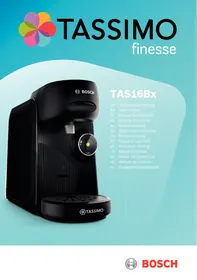



| Product Type | Multi-beverage capsule coffee maker |
| Brand | Bosch |
| Model | TASSIMO TAS16B3 |
| Voltage | 220-240 V ~ |
| Frequency | 50 Hz |
| Connected load | 1400 W |
| Use | Preparation of hot beverages, indoor private use, max. altitude 2000 m |
| Main functions | Automatic T DISC barcode reading, IntensityBoost, stop and extend preparation, descaling program |
| Water tank capacity | Approx. 1.2 L (max mark) |
| Cleaning | Removable parts dishwasher-safe; clean appliance with a damp cloth |
| Descaling | Integral program with CALC indicator, do not use descaling agent based on phosphoric acid |
| Safety | Brewing system lock, overheat protection, 10 cm distance for wearers of electronic implants |
| Included accessories | Service T DISC for cleaning |
| After-sales service | TASSIMO hotline: 0969392939, www.tassimo.fr |
| Warranty | Distributor conditions, proof of purchase required |
Frequently Asked Questions - TASSIMO TAS16B3 BOSCH
User questions about TASSIMO TAS16B3 BOSCH
0 question about this device. Answer the ones you know or ask your own.
Ask a new question about this device
Download the instructions for your Coffee maker in PDF format for free! Find your manual TASSIMO TAS16B3 - BOSCH and take your electronic device back in hand. On this page are published all the documents necessary for the use of your device. TASSIMO TAS16B3 by BOSCH.
USER MANUAL TASSIMO TAS16B3 BOSCH
1.1 General information 21 1.2 Intended use 21 1.3 Restriction on user group 21 1.4 Safety information.. 21
2 Overall view 23 2.1 Control panel 23 3 Performing initial start-up 23 4 Preparing a drink 23 5 IntensityBoost. 23 6 Dishwasher-safe components. 23 7 Cleaning the appliance 23 8 Descale the appliance 24 9 Troubleshooting 24 10 Technical specifications 25 11 Disposing of old appliance. 25 12 Warranty conditions 25
Safety
- Read this instruction manual carefully.
- Keep the instruction manual and the product information safe for future reference or for the next owner.
- Do not connect the appliance if it has been damaged in transit.
Only use this appliance:
for preparing hot drinks. - In private households and in enclosed spaces in a domestic environment. - Up to an altitude of max. 2000 m above sea level.
This appliance may be used by children aged 8 or over and by people who have reduced physical, sensory or mental abilities or inadequate experience and/or knowledge, provided that they are supervised or have been instructed on how to use the appliance safely and have understood the resulting dangers.
Do not let children play with the appliance.
Children must not perform cleaning or user maintenance unless they are at least 8 years old and are being supervised.
Keep children under the age of 8 years away from the appliance and power cable.
- Keep packaging material away from children.
- Do not let children play with packaging material.
- Keep small parts away from children.
- Do not let children play with small parts.
- Connect and operate the appliance only in accordance with the specifications on the rating plate.
- Connect the appliance to a power supply with alternating current only via a properly installed socket with earthing.
- The protective conductor system of the domestic electrical installation must be properly installed.
- Never operate a damaged appliance.
- Never operate an appliance with a cracked or fractured surface.
- Never pull on the power cord to unplug the appliance. Always unplug the appliance at the mains.
- If the appliance or the power cord is damaged, immediately unplug the power cord or switch off the fuse in the fuse box.
- Call customer services.
- Repairs to the appliance should only be carried out by trained specialist staff.
- Only use genuine spare parts when repairing the appliance.
- If the power cord of this appliance is damaged, it must be replaced by the manufacturer, the manufacturer's Customer Service or a similarly qualified person in order to prevent any risk.
- Never immerse the appliance or the power cord in water. Liquids must not be spilled on the appliance plug connection.
- Only use the appliance in enclosed spaces.
- Never expose the appliance to intense heat or humidity.
- Do not use steam- or high-pressure cleaners to clean the appliance. Ventilate the appliance adequately.
- Never operate the appliance in a cupboard.
- Never leave the appliance unattended while it is switched on.
- Do not use extension cables or multiple socket strips. If the power cord is too short, contact Customer Service.
- Only use adapters approved by the manufacturer.
- Never open the brewing system during operation. Only use the original Tassimo T DISCs.
- Never use a damaged T DISC.
- Never use a drinks T DISC more than once.
- Never touch hot appliance parts.
- Allow hot appliance parts to cool down before touching. Leave drinks to cool down if necessary.
- Do not let escaping liquids or steam come into contact with your skin.
- To avoid injuries, only use the appliance for its intended purpose.
- Be careful of your fingers when inserting or cleaning the T DISC.
- People with electronic implants must stand at least 10 cm away from the appliance.
- This minimum distance of 10 cm must also be observed for the water tank when removed.
- To ensure hygiene, follow the cleaning instructions for the appliance.
Overall view
You can find an overview of the parts of your appliance here.
Note: Individual details and colours may differ, depending on the appliance model.
→ Fig. 1
| 1 | Float |
| 2 | Calc mark |
| 3 | Max mark |
| 4 | Water tank |
| 5 | T DISC reading window |
| 6 | T DISC piercing unit |
| 7 | T DISC holder |
| 8 | Lock |
| 9 | Brewing unit |
| 10 | Control panel |
| 11 | Storage compartment |
| 12 | Bowl |
| 13 | Cup stand |
| 14 | Drip grate |
| 15 | Brief cleaning / descaling instruc-tions |
| 16 | Service T DISC |
Control panel
You can use the control panel to configure all functions of your appliance and to obtain information about the operating status.
| ○ | ■ Activate the appliance. ■ Start standard drinks dispens- ing. ■ Start IntensityBoost drinks dis- pensing. ■ Stop drinks dispensing. ■ Prolong drinks dispensing. |
| ○ | LED lights up yellow, appliance is ready for use. |
| ○ | LED flashes yellow, drinks dis- pensing is running. |
| ○ | LED lights up red, fill water tank. |
| ○ | LED lights up yellow, Intensity-Boost is activated. |
| calc○ | LED lights up or flashes red, appliance needs to be descaled or descaling programme is running. |
Performing initial start-up
Follow the pictorial instructions at the start of these instructions.
→ Fig. 2-14
Note: You can prepare a wide range of hot beverages with the multiple hot drinks machine. When you insert a T DISC, the scanner reads the barcode and controls the flow of hot water automatically.
Preparing a drink
Find out how to prepare a drink of your choice. Follow the pictorial instructions at the start of these instructions.
→ Fig. 15-27
Note: Fill the water tank each day with fresh, cold, non-carbonated water.
Tips
- Do not use chemically decalcified water.
- To interrupt the dispensing process, briefly press .
- To prolong dispensing, press and hold until the required quantity is reached.
IntensityBoost
To obtain coffee with a stronger flavour, press button for 3 seconds. The LED lights up and your appliance automatically adjusts the brewing process.
Dishwasher-safe components
Here you can find an overview of the components you can clean in the dishwasher. → Fig. 28
Cleaning the appliance
Follow the pictorial instructions at the start of these instructions.
→ Fig . 2 9 - 4 5
Descale the appliance
If the calc LED lights up, run the descending programme. Follow the illustrated instructions at the beginning of this manual.
- Immediately perform the descending process in accordance with the instructions. Do not use descending agent with phosphoric acid.
→ Fig. 46 - 60
Troubleshooting
Repairs to the appliance should only be carried out by trained specialist staff. Only use genuine spare parts when repairing the appliance. If the power cord of this appliance is damaged, it must be replaced by the manufacturer, the manufacturer's Customer Service, or a similarly qualified person to prevent any risk.
The appliance is not working.
LEDs do not light up.
The appliance has no power supply.
- Check whether the appliance is connected to the mains.
Brewing process starts, but drink is not dispensed.
Water tank was removed during brewing and inserted again, or the appliance has not been used for a long time.
- Start cleaning with the Service T DISC.
Float is stuck in the water tank.
- Descale the appliance. → "Descale the appliance", Page 24
- Reach into the water tank and move the float up and down.
Brewing process does not start, status display lights up red.
Water tank has not been sufficiently filled.
- Fill the water tank with fresh, cold water up to the max mark. Insert the water tank.
Brewing process does not start, status display flashes red.
T DISC has not been correctly inserted.
- Check whether the T DISC is inserted.
The T DISC bar code is not recognised.
- Clean the T DISC reading window with a soft, damp cloth. Smooth out the film of the T DISC.
- Remove the used T DISC.
- Contact the TASSIMO careline if the problem persists.
The appliance is not connected to the power supply when the T DISC was inserted.
Connect the appliance to the power supply before inserting the T DISC.
Brewing unit cannot be closed.
T DISC piercing unit or T DISC holder is not correctly inserted.
- Press the T DISC piercing unit into the holder until it clicks audibly into place.
- Check the position of the T DISC holder.
T DISC has not been correctly inserted.
- Insert the T DISC with the printed side facing downwards.
- Check whether the tab of the T DISC is in the recess.
Brewing unit cannot be opened.
Brewing unit is locked.
- Only open the brewing unit when the status display remains lit continuously. If the brewing unit remains locked, contact the TASSIMO careline.
Water is dripping from the brewing unit.
T DISC is damaged or not correctly inserted. Use a new T DISC. T DISC piercing unit is not correctly inserted. Press the T DISC piercing unit into the holder until it clicks audibly into place.
There is water under the cup stand.
Condensation has formed due to technical reasons or valves are clogged with limescale.
- Descale the appliance. → "Descale the appliance", Page 24
No LED is lit.
Appliance is in idle mode. Press or open or close the brewing system.
All LEDs flashing.
There are problems with the power supply.
- Pull out the mains plug, wait 5 minutes and plug it back in.
- If the problem persists, contact the TASSIMO careline.
LED lights up red even though there is enough water in the water tank.
Float is stuck in the water tank.
- Descale the appliance. → "Descale the appliance", Page 24
- Reach into the water tank and move the float up and down.
calc LED lights up although softened water has been used.
Decalcified water still contains small amounts of lime.
- Descale the appliance. → "Descale the appliance", Page 24
LED and calc LED flash, brewing is not possible.
Appliance has a fault.
- Unplug the mains plug.
- Contact the TASSIMO careline.
Quality of beverages has deteriorated, e.g. crema or volume.
Beverage outlet is soiled.
Clean the beverage outlet. Clean the brewing unit with the T DISC.
Build-up of limescale in the appliance.
- Descale the appliance.
See "Descale the appliance", page 24.
Drink volume has reduced.
Drink dispensing halts.
Water tank has not been sufficiently filled.
- Fill the water tank with fresh, cold water up to the max mark.
- Keep © pressed until the desired fill volume is reached.
Technical specifications
| Voltage | 220–240 V ~ |
| Frequency | 50 Hz |
| Power rating | 1400 W |
Disposing of old appliance
- Unplug the appliance from the mains.
- Cut through the power cord.
- Dispose of the appliance in an environmentally friendly manner.
Information about current disposal methods are available from your specialist dealer or local authority.

This appliance is labelled in accordance with European Directive 2012/19/EU concerning used electrical and electronic appliances (waste electrical and electronic equipment - WEEE).
The guideline determines the framework for the return and recycling of used appliances as applicable throughout the EU.
Warranty conditions
You can make warranty claims for your appliance under the following conditions.
The guarantee conditions for this appliance are as defined by our representative in the country in which it is sold. Details regarding these conditions can be obtained from the dealer from whom the appliance was purchased.
Warranty conditions
The bill of sale or receipt must be produced when making any claim under the terms of this guarantee.
Do not connect the appliance to the mains supply without checking that the voltage and the mains lead are suitable.
Do not use the appliance without the packaging material. Do not allow children to play with the packaging material. Do not allow children to touch small parts. Do not allow children to play with small parts. Follow the instructions for connection and operation given on the rating plate. The appliance must only be connected to a suitable earthed power supply. The earthing system of the household electrical installation must be installed in accordance with the regulations. It is strictly forbidden to operate a damaged appliance.
Safety
It is strictly forbidden to operate the appliance if its surface has cracks or is damaged. Do not pull the mains cable to disconnect the appliance from the power supply. Pull the plug of the mains cable out of the socket. In case of damage to the appliance or the mains cable, immediately pull the plug of the mains cable out of the socket or switch off the fuse in the fuse box.
Contact the service department. - The appliance may only be repaired by qualified specialists. For repairs, only original spare parts may be used. To avoid danger, replacement of a damaged mains cable or appliance may only be carried out by the manufacturer or an authorized service center or by a person with similar qualifications. It is strictly forbidden to immerse the appliance or the mains cable in water. It is forbidden to allow liquids to come into contact with the appliance's plug connections. Use the appliance only in enclosed spaces. Do not use the appliance in very high humidity. Do not use steam cleaners or high-pressure cleaners to clean the appliance. Ensure sufficient ventilation for the appliance. It is strictly forbidden to operate the appliance in a cupboard. During operation, the appliance must always be supervised. Do not use extension cables or multi-socket outlets. If the mains cable is too short, contact the service department. Use only adapters approved by the manufacturer. Never open the sealing system during operation.
Use only original T DISC Tassimo. Never use damaged T DISC. Never use T DISC for drinks more than once. Do not touch the hot parts of the appliance. - Risk of burns from hot parts. If necessary, let the drink cool down.
Avoid contact of the escaping liquid with the skin. To prevent injuries, use the appliance only as intended. - When inserting the T DISC, keep your fingers away. - Persons with pacemakers should not approach the appliance closer than 10 cm. Maintain a minimum distance of 10 cm from the water reservoir. Follow the instructions for the appliance to ensure safety.
Overview
Here is an overview of the parts of the appliance.
Note: Depending on the type of appliance, there may be slight deviations from this description.
→Fig. 1
Preparing the drink
Here is described how to prepare a drink of your choice. Follow the instructions in the pictures at the beginning of these instructions.
→Fig. 15-27
Note: Daily fill the water tank with fresh cold water without carbonation.
Recommendations
Do not use chemically softened water. To stop the preparation of the drink prematurely, briefly press the button. To continue the preparation of the drink, press and hold until the desired volume is reached.
IntensityBoost
To prepare coffee with a more intense flavor, press and hold the button for 3 seconds. The light flashes, the appliance automatically adjusts the brewing process.
After the message, perform the descaling process. Do not use descaling agents containing phosphoric acid.
→Pnc.46-60
Troubleshooting
Repairing the appliance is only permitted to qualified specialists. For repairs, only original spare parts may be used. To avoid danger, replacement of a damaged mains cable of this appliance may only be carried out by the manufacturer, an authorized service center, or a person with equivalent qualifications.
The appliance does not work.
The lights do not turn on. Power supply interrupted.
The brewing system cannot be closed.
The T DISC or T DISC holder is inserted incorrectly.
- Insert the T DISC into the holder until it clicks into place.
- Check the position of the T DISC holder.
The T DISC is inserted incorrectly.
- Insert the T DISC with the printed text facing up.
- Check that the T DISC lever is in the recess.
The brewing system cannot be opened.
The brewing system is locked.
- Open the brewing system only when the status indicator lights up continuously. If the brewing system remains locked, contact the TASSIMO information line.
Clean the appliance of scale.
See "Cleaning the appliance of scale",
Page 104
One or more LEDs do not light up.
The LEDs flash and the brewing process is impossible.
The appliance is defective.
1. UNPLUG THE APPLIANCE FROM THE POWER OUTLET. 2. CONTACT THE TASSIMO SERVICE HOTLINE.
The quality of the drink (e.g., crema or volume) has decreased.
The dispenser is clogged.
Clean the dispenser. Clean the brewing system with the DISC cleaning cartridge.
Scale has formed in the appliance.
Clean the appliance of scale.
See "Cleaning the appliance of scale",
Page 104
The descaling indicator has decreased.
Preparation of the pump stops.
The water reservoir is not filled sufficiently.
- Fill the reservoir with water up to the max mark with fresh tap water.
- Keep the button pressed until the desired fill level is reached.
Technical specifications
Round-the-clock telephone service for repairs*:
8 (800) 200-29-61
Official website on the Internet:
www.bosch-home.ru
The addresses of authorized service centers, as well as all information on service maintenance, are available on the official website on the Internet: www.bosch-home.ru.
We recommend that you use the services of only authorized service centers.
Original accessories and care products for Bosch household appliances can be purchased in the official online store: www.bosch-home.ru/store. You can familiarize yourself with the terms of payment and delivery on the website. Also, original accessories and care products can be purchased at authorized service centers.
1. Scope
- Model
Other 1-2 types of equipment, if specified in the purchase documents (cash receipt and/or product warranty card).
3. This information is distributed for household use of Bosch brand products: coffee makers, coffee machines, coffee grinders, scales, kettles, mixers, blenders, knives, toasters, irons, hair dryers, heaters and irons, vacuum cleaners, juicers, meat grinders, ironing boards, bathroom scales, irons, steam stations, ironing boards and similar products.
EAC
- Dear customers, please note that the conformity of our products with the requirements of the legislation is confirmed in the form of mandatory certification or declaration of conformity.
Information about the mandatory confirmation of conformity of the relevant products, including information on the certificate of conformity (declaration of conformity) and its validity period, is available in the instructions for use of the product.
Our products are manufactured under the trademark of the traditional brand BSH Hausgerate GmbH, Carl-Wery-Str. 34, 81739 Munich, Germany.
The organization authorized by the manufacturer to accept claims from consumers regarding the quality of imported goods, on the basis of an agreement with it, is LLC BSH Household Appliances, 19851, St. Petersburg, Petrogradsky district, st. Karla Simena, d.l lit. A, office in Moscow, 119071, st. Malaya Kaluzhskaya, d.15, phone (495) 737-2777, fax (495) 737-2798.
- Mandatory information on technical characteristics is given in the type plate of the device and/or in the accompanying documentation.
6. Accessories and care products
7. Manufacturer's warranty
The manufacturer provides the consumer with the right to repair the product free of charge during the warranty period in accordance with the current legislation of the Russian Federation for 1 year. If the product is repaired as a result of a defect, the warranty conditions under which the product was purchased apply, unless they contradict the legislation of the Republic.
8. Attention! Important information for the consumer
This device is intended for use in household and similar applications, such as: in staff kitchens in shops, offices and other working environments; in farmhouses; by clients in hotels, motels and other residential type environments; in bed and breakfast type environments. Use for purposes other than those specified is considered a violation of the rules of safe operation of the device.
Please fill in the type plate on the device without fail! Please make sure it is present and keep it on the device for the entire service life of the device. Removing the plate leads to the device being decommissioned and to possible violation of its operating rules.
The manufacturer is not liable for defects in the device if they arose due to improper use, or if they occurred after the device was treated with pesticides, or due to non-compliance with the rules of transportation, storage, operation, or maintenance (fire, natural disasters, etc.). Regular household pests and rodents, exposure to external factors, as well as substances that do not meet the requirements specified in the operating instructions, including instability of the parameters established by GOST 32142-2014, are also excluded from liability.
The buyer has the right to make claims regarding the quality of the device in accordance with the law, including the right to a free repair, replacement, or refund of the product.
Compliance with the recommendations set out in the operating instructions (rules of use) will help avoid problems in the operation of the device and its storage.
Defective devices are repaired or replaced with new ones. The decision on the possibility of replacement is made by the service department.
9. Service information
During the warranty period and after it, our service centers and workshops are always ready to offer you their services. The list of authorized service centers for after-sales service is available on the official website: www.bosch-home.ru.
The service life of household appliances (except for coffee machines and vacuum cleaners) is 2 years. The service life of coffee machines and vacuum cleaners is 5 years. The service life of the product is calculated from the date of manufacture, indicated on the product label in accordance with the manufacturer's standard. The date of manufacture is marked as FD MM, where FD is the year of manufacture minus 1920, and MM is the month of manufacture. To determine the year of manufacture, add 1920 to the FD number.
- Free 24-hour telephone for calls within the Russian Federation.
B34C065N1-1M00 03/2017
Information about household appliances, manufactured under the control of BSH Hausgeräte GmbH, Carl-Werry-Str. 34, 81739 Munich, Germany, in accordance with the requirements of the legislation on technical regulation and the legislation on consumer protection of the Russian Federation.
Products: electric kettles, coffee makers, toasters, multicookers, contact grills, TASSIMO beverage machines.
Trademark: Bosch
ATTENTION! The product range is constantly updated. Technical characteristics of products, including energy efficiency, are constantly improved. Products regularly undergo mandatory certification procedures in accordance with current legislation. Information about the current certificates of conformity, their validity periods, and information about the current product range can be obtained from the organization performing the functions of the foreign manufacturer on the territory of the Russian Federation: BSH Household Appliances LLC, 1955, St. Petersburg, Peterhof, Karl Sipkin St., 1, letter A, and Moscow, 119071, Malaya Kaluzhskaya St., 15, phone (495) 737-2777, fax (495) 737-2798.
Authorized manufacturer: BSH Household Appliances, 198515, Saint Petersburg, Peterhof, Karl Sipnisa St., 1, lit. A, Moscow, 119071, Malaya Kaluzhskaya St., 15, tel. (495) 737-2777, fax (495) 737-2790. Products are subject to mandatory certification in accordance with the product range and the technical regulations of the Eurasian Economic Union, as well as the requirements of Federal Law No. 184-FZ on technical regulation for products performing the functions of foreign trade in the territory of the Russian Federation.
The importer into the Russian Federation of serial products, certified as serial production, is LLC "BSH Household Appliances", 198515, Saint Petersburg, Peterhof, Karl Sipnisa St., 1, lit. A, Moscow, 119071, Malaya Kaluzhskaya St., 15, tel. (495) 737-2777.
The manufacturer indicated on the product and on the product packaging, and carrying out the initial placement of the product on the market of the European Union, is Robert Bosch Hausgeräte GmbH, Carl-Wery-Str. 34, 81739 München, Germany.
The authorized manufacturer (importer) acting on its own behalf for the import of products and responsible for their compliance with the requirements of the technical regulations is BSH Hausgeräte GmbH, Carl-Wery-Str. 34, 81739 München, Germany.
When transporting, loading, unloading, and storing the product, one should be guided, in addition to the provisions in the operating instructions, by the following requirements:
Do not expose the product to significant mechanical loads that could lead to damage to the product or violation of its packaging.
- It is necessary to prevent water and other liquids from getting onto the product packaging.
Before transporting or storing the product at a temperature not lower than that specified in the operating instructions, at a negative temperature, it is necessary to make sure that there is no water in the product.
The product is intended for use in conditions of temperature above 0°C and relative humidity not exceeding 93%.
Before commissioning the product after it has been at a negative temperature, it is necessary to keep it at room temperature for several hours.
The shelf life of the product is determined by the manufacturer and retail trade in accordance with the requirements of the current legislation.
The specified product data is contained in the operating instructions and can be used by authorized bodies of the executive branch.
For products sold by the manufacturer within the warranty period, the warranty period is established by the manufacturer and is indicated in the warranty card attached to the product. The warranty period for the product is calculated from the date of sale to the consumer, provided that the consumer follows the manufacturer's instructions for proper use and maintenance.
The product is marked with a model number ("E-Nr."), a type ("Type"), and a Bosch trade mark, applied by printing, on the packaging and (or) in the accompanying documents in accordance with the internal standard of the manufacturer of household appliances. The marking is applied according to the following scheme:
E-Nr. /
The material number is a digital code designation of the product, no more than 10 characters, used for identification (by the manufacturer or by the user of the household appliance) of the Bosch trade mark. The material number (model) is indicated between the code word "E-Nr." and the code word "F".
The service index is a unique product identifier used by the service department.
The operating documents are drawn up in a unified form for a wide range of products, so the manufacturer recommends that the user check the compliance of the operating documents with a specific household appliance model. The identification of the appliance model is carried out by analyzing the information contained in the operating documents.
The operating documents include the manufacturer's information, instructions (manual) for operation, and the terms of the warranty service.
The product marking is carried out by the manufacturer on the product nameplate, on the product label, directly on the product label, and can also be done in other ways that provide accessible and clear presentation of information about the product at the place of sale.

Products that have passed the conformity assessment in accordance with the requirements of the technical regulations of the Customs Union and/or the legislation of the Eurasian Economic Union are marked with a single mark of product circulation on the market of the member states of the Eurasian Economic Union.
The product complies with the following technical regulations of the Customs Union:
TR CU 020/2011 Electromagnetic compatibility of technical equipment
- TR CU 004/2011 On the safety of low-voltage equipment
- TR EAEU 037/2016 On the restriction of the use of hazardous substances in electrical and radio-electronic products
The operating documents for the product are drawn up in Russian. The operating documents in the state languages of the member states of the Eurasian Economic Union, other than Russian, if available and in accordance with the requirements of the legislation of the corresponding member state of the Eurasian Economic Union, can be obtained from the trade organization or the manufacturer of the corresponding member state of the Eurasian Economic Union.
This appliance can be switched off via the toll-free telephone line (800) 200-2961, and is also available on the Internet at the manufacturer's website: http://www.bosht-home.ru.
Printed on paper made from 100% recycled materials.
Warranty conditions
| Topròboe obsozhiuènne TmII | Anpóbaúonhíbá TmII | Cértnhfkhcat cootbctctb | Ctpana- Hizotobinel | HH+, B | HH-, Γι | HM***, Br | ||
| Pere. homēr | Дау вьдам | Диевтугет do | ||||||
| Kontaktbne tripln | ||||||||
| TFB3302V | CTTK1 | C-DE,AR46,8,80643 | 28,06,2017 | 27,06,2022 | Гrelua | 220-240 | 50/60 | 1800 |
| TFB4402V | CTTK4 | C-DE,AR46,8,80643 | 28,06,2017 | 27,06,2022 | Гrelua | 220-240 | 50/60 | 1800 |
| TFB4431V | CTTK4A | C-DE,AR46,8,80643 | 28,06,2017 | 27,06,2022 | Гrelua | 220-240 | 50/60 | 2000 |
| Myltniabpn | ||||||||
| MUC11W12RU | CNMC01A | C-DE,AR46,8,73382 | 02,02,2016 | 01,02,2021 | Ktrai | 220-240 | 50/60 | 900-940 |
| MUC22B42RU | CNMC01A | C-DE,AR46,8,73382 | 02,02,2016 | 01,02,2021 | Ktrai | 220-240 | 50/60 | 900-940 |
| MUC24B64RU | CNMC01B | C-DE,AR46,8,73382 | 02,02,2016 | 01,02,2021 | Ktrai | 220-240 | 50/60 | 900-940 |
| MUC28B64RU | CNMC01C | C-DE,AR46,8,73382 | 02,02,2016 | 01,02,2021 | Ktrai | 220-240 | 50/60 | 900-940 |
| MUC48B68RU | CNMC02 | C-DE,AR46,8,73382 | 02,02,2016 | 01,02,2021 | Ktrai | 220-240 | 50/60 | 1200 |
| MUC88B68RU | CNMC04 | C-DE,AR46,8,73382 | 02,02,2016 | 01,02,2021 | Ktrai | 220-240 | 50/60 | 1200 |
| Приборьд дурачхнларытк TASSIMO | ||||||||
| TAS1002 | CTPM12 | C-DE,AR46,8,86270 | 18,07,2018 | 17,07,2023 | Ktrai | 220-240 | 50/60 | 1400 |
| TAS1003 | CTPM12 | C-DE,AR46,8,86270 | 18,07,2018 | 17,07,2023 | Ktrai | 220-240 | 50/60 | 1400 |
| TAS1006 | CTPM12 | C-DE,AR46,8,86270 | 18,07,2018 | 17,07,2023 | Ktrai | 220-240 | 50/60 | 1400 |
| TAS1007 | CTPM12 | C-DE,AR46,8,86270 | 18,07,2018 | 17,07,2023 | Ktrai | 220-240 | 50/60 | 1400 |
| TAS1402 | CTPM07 | C-DE,AR46,8,86270 | 18,07,2018 | 17,07,2023 | Ktrai | 220-240 | 50/60 | 1300 |
| TAS1403 | CTPM07 | C-DE,AR46,8,86270 | 18,07,2018 | 17,07,2023 | Ktrai | 220-240 | 50/60 | 1300 |
| TAS1404 | CTPM07 | C-DE,AR46,8,86270 | 18,07,2018 | 17,07,2023 | Ktrai | 220-240 | 50/60 | 1300 |
| TAS3202 | CTPM08 | C-DE,AR46,8,86270 | 18,07,2018 | 17,07,2023 | Ktrai | 220-240 | 50/60 | 1300 |
| TAS3203 | CTPM08 | C-DE,AR46,8,86270 | 18,07,2018 | 17,07,2023 | Ktrai | 220-240 | 50/60 | 1300 |
| TAS3204 | CTPM08 | C-DE,AR46,8,86270 | 18,07,2018 | 17,07,2023 | Ktrai | 220-240 | 50/60 | 1300 |
| TAS3205 | CTPM08 | C-DE,AR46,8,86270 | 18,07,2018 | 17,07,2023 | Ktrai | 220-240 | 50/60 | 1300 |
| TAS6002 | CTPM10 | C-DE,AR46,8,81464 | 11,08,2017 | 10,08,2022 | Словени | 220-240 | 50/60 | 1500 |
| TAS6003 | CTPM10 | C-DE,AR46,8,81464 | 11,08,2017 | 10,08,2022 | Словени | 220-240 | 50/60 | 1500 |
| TAS6004 | CTPM10 | C-DE,AR46,8,81464 | 11,08,2017 | 10,08,2022 | Словени | 220-240 | 50/60 | 1500 |
| TOSTEPI | ||||||||
| TAT3A011 | CTAT20 | C-DE,AR46,8,02890/19 | 14,03,2019 | 13,03,2024 | Ktrai | 220-240 | 50/60 | 825-980 |
| TAT3A012 | CTAT20 | C-DE,AR46,8,02890/19 | 14,03,2019 | 13,03,2024 | Ktrai | 220-240 | 50/60 | 825-980 |
| TAT3A014 | CTAT20 | C-DE,AR46,8,02890/19 | 14,03,2019 | 13,03,2024 | Ktrai | 220-240 | 50/60 | 825-980 |
| TAT3A016 | CTAT20 | C-DE,AR46,8,02890/19 | 14,03,2019 | 13,03,2024 | Ktrai | 220-240 | 50/60 | 825-980 |
| TAT6A001 | CTAT08A | C-DE,AR46,8,80642 | 28,06,2017 | 27,06,2022 | Ktrai | 220-240 | 50/60 | 915-1090 |
| TAT6A003 | CTAT08A | C-DE,AR46,8,80642 | 28,06,2017 | 27,06,2022 | Ktrai | 220-240 | 50/60 | 915-1090 |
| TAT6A004 | CTAT08A | C-DE,AR46,8,80642 | 28,06,2017 | 27,06,2022 | Ktrai | 220-240 | 50/60 | 915-1090 |
| TAT6A111 | CTAT08B | C-DE,AR46,8,02890/19 | 14,03,2019 | 13,03,2024 | Ktrai | 220-240 | 50/60 | 915-1090 |
| TAT6A113 | CTAT08B | C-DE,AR46,8,02890/19 | 14,03,2019 | 13,03,2024 | Ktrai | 220-240 | 50/60 | 915-1090 |
| TAT6A114 | CTAT08B | C-DE,AR46,8,02890/19 | 14,03,2019 | 13,03,2024 | Ktrai | 220-240 | 50/60 | 915-1090 |
| TAT6A117 | CTAT08B | C-DE,AR46,8,02890/19 | 14,03,2019 | 13,03,2024 | Ktrai | 220-240 | 50/60 | 915-1090 |
| TAT6A803 | CTAT08A | C-DE,AR46,8,80642 | 28,06,2017 | 27,06,2022 | Ktrai | 220-240 | 50/60 | 915-1090 |
| TAT6A913 | CTAT08B | C-DE,AR46,8,02890/19 | 14,03,2019 | 13,03,2024 | Ktrai | 220-240 | 50/60 | 915-1090 |
| TAT7203 | CTAT09A | C-DE,AR46,8,02890/19 | 14,03,2019 | 13,03,2024 | Ktrai | 220-240 | 50/60 | 860-1050 |
| TAT7403 | CTAT27A | C-DE,AR46,8,02890/19 | 14,03,2019 | 13,03,2024 | Ktrai | 220-240 | 50/60 | 800 |
| TAT7407 | CTAT27A | C-DE,AR46,8,02890/19 | 14,03,2019 | 13,03,2024 | Ktrai | 220-240 | 50/60 | 800 |
| TAT7525 | CTAT09A | C-DE,AR46,8,02890/19 | 14,03,2019 | 13,03,2024 | Ktrai | 220-240 | 50/60 | 860-1050 |
| TAT8611 | CTAT15 | C-DE,AR46,8,8839 | 14,03,2019 | 13,03,2024 | Ktrai | 220-240 | 50/60 | 860 |
| TAT8612 | CTAT15 | C-DE,AR46,8,8839 | 14,03,2019 | 13,03,2024 | Ktrai | 220-240 | 50/60 | 860 |
| TAT8613 | CTAT15 | C-DE,AR46,8,8839 | 14,03,2019 | 13,03,2024 | Ktrai | 220-240 | 50/60 | 860 |
| TAT8619 | CTAT15 | C-DE,AR46,8,8839 | 14,03,2019 | 13,03,2024 | Ktrai | 220-240 | 50/60 | 860 |
| TAT8619 | CTAT15 | C-DE,AR46,8,8839 | 14,03.2019 | 13,03,2024 | Ktrai | 220-240 | 50/60 | 860 |
| TAT8621 | CTAT15 | C-DE,AR46,8,8839 | 14,03,2019 | 13,03,2024 | Ktrai | 220-240 | 50/60 | 860 |
| TAT8623 | CTAT15 | C-DE,AR46,8,8839 | 14,03,2019 | 13,03,2024 | Ktrai | 220-240 | 50/60 | 860 |
| TAT8624 | CTAT15 | C-DE,AR46,8,8839 | 14,03,2019 | 13,03,2024 | Ktrai | 220-240 | 50/60 | 860 |
| TAT8625 | CTAT15 | C-DE,AR46,8,8839 | 14,03,2019 | 13,03,2024 | Ktrai | 220-240 | 50/60 | 860 |
| TAT8626 | CTAT15 | C-DE,AR46,8,8839 | 14,03,2019 | 13,03,2024 | Ktrai | 220-240 | 50/60 | 860 |
| TAT8627 | CTAT15 | C-DE,AR46,8,8839 | 14,03,2019 | 13,03,2024 | Ktrai | 220-240 | 50/60 | 860 |
| TAT8628 | CTAT15 | C-DE,AR46,8,8839 | 14,03,2019 | 13,03,2024 | Ktrai | 220-240 | 50/60 | 860 |
| TAT8629 | CTAT15 | C-DE,AR46,8,8839 | 14,03,2019 | 13,03,2024 | Ktrai | 220-240 | 50/60 | 860 |
| TAT8630A51 | CTAT20B | C-DE,AR46,8,73646 | 20,06,2017 | 19,06,2023 | Челх Кtrai | 220-240 | 50/60 | 860 |
| TAT8631A51 | CTAT27A | C-DE,AR46,8,73646 | 14,03,2019 | 13,03,2024 | Ktrai | 220-240 | 50/60 | 860 |
| TAT8632A51 | CTAT27A | C-DE,AR46,8,73646 | 14,03,2019 | 13,03,2024 | Ktrai | 220-240 | 50/60 | 860 |
| TAT8633A51 | CTAT27A | C-DE,AR46,8,73646 | 14,03,2019 | 13,03,2024 | Ktrai | 220-240 | 50/60 | 860 |
| TAT8634A51 | CTAT27A | C-DE,AR46,8,73646 | 14,03,2019 | 13,03,2024 | Ktrai | 220-240 | 50/60 | 860 |
| TAT8635A51 | CTAT27A | C-DE,AR46,8,73646 | 14,03,2019 | 13,03,2024 | Ktrai | 220-240 | 50/60 | 860 |
| TAT8636A51 | CTAT27A | C-DE,AR46,8,73646 | 14,03,2019 | 13,03,2024 | Ktrai | 220-240 | 50/60 | 860 |
| TAT8637A51 | CTAT27A | C-DE,AR46,8,73646 | 14,03,2019 | 13,03,2024 | Ktrai | 220-240 | 50/60 | 860 |
| TAT8638A51 | CTAT27A | C-DE,AR46,8,73646 | 14,03,2019 | 13,03,2024 | Ktrai | 220-240 | 50/60 | 860 |
| TAT8639A51 | CTAT27A | C-DE,AR46,8,73646 | 14,03,2019 | 13,03,2024 | Ktrai | 220-240 | 50/60 | 860 |
| TAT8640A51 | CTAT27A | C-DE,AR46,8,73646 | 14,03,2019 | 13,03,2024 | Ktrai | 220-240 | 50/60 | 860 |
| TAT8641A51 | CTAT27A | C-DE,AR46,8,73646 | 14,03,2019 | 13,03,2024 | Ktrai | 220-240 | 50/60 | 860 |
| TAT8642A51 | CTAT27A | C-DE,AR46,8,73646 | 14,03,2019 | 13,03,2024 | Ktrai | 220-240 | 50/60 | 860 |
Rated voltage, voltage range, rated voltage of the AC power supply, in volts; rated frequency, frequency range, rated frequency of the AC power supply, in hertz; rated power consumption, range of rated power consumption, in watts.
Service world-wide
Central Service Contacts
GB Great Britain BSH Home Appliances Ltd. Grand Union House, Old Wolverton Road, Wolverton Milton Keynes MK12 5PT To arrange an engineer visit, to order spare parts and accessories or for product advice please visit www.bosch-home.co.uk Or call Tel.: 0344 892 8979 Calls are charged at the basic rate, please check with your telephone service provider for exact charges.
GR Greece, Ελλάς BSH Ikiakes Siskeves A.B.E. Central Branch Service 17 Km E.O. Athinon-Lamias & Potamou 20 14564 Kifisia Τηλέφωνο: 210 4277 500,-701 mailto.nkf-CustomerService@bshg.com www.bosch-home.gr IE Republic of Ireland BSH Home Appliances Ltd. M50 Business Park, Ballymount Road Upper, Walkinstown Dublin 12 To arrange an engineer visit, to order spare parts and accessories or for product advice please call Tel.: 01450 2655 www.bosch-home.ie Calls are charged at the basic rate, please check with your telephone service provider for exact charges LU Luxembourg BSH elektronagers S.A. 13-15, ZI Breedewues 1259 Senningerberg Tel.: 26349811 Reparaturen: lux-repair@bshg.com Ersatzteile: lux-spare@bshg.com www.bosch-home.com/lu NO Norge, Norway BSH Husholdningsapparater A/S Grensesvingen 9 0661 Oslo Tel.: 22 66 05 54 mailto:Bosch-Service-N0@bshg.com www.bosch-home.no PL Polska, Poland BSH Sprzet Gospodarstwa Domowego Sp. z o.o. Al. Jerozolimskie 183 02-222Warszawa Tel.: +48 42 271 5555 mailto: Serwis.Fabryczny@bshg.com www.bosch-home.pl PT Portugal BSHP Electrodométricos, Sociedade Unipessoal Lda. Rua Alto do Montijo, n° 15 2790-012 Carnaxide Tel.: 214 250 730 mailto:bosch.eletrodométricos.pt@bshg.com www.bosch-home.pt
RO Romania, Romania
BSH Electrocasnice srl.
Sos. Bucuresti-Ploiesti, nr. 19-21, sect.1
013682 Bucaresti
Tel.:021 2039748
mailto:service.romania@bshg.com
www.bosch-home.ro
RU Russia, Pocsn
000 «5CX 5bTObIe Pn6oBpI»
CepBnc ot npOn3BODntela
Ten.: 8 (800) 200 2961
mailto:hotlineru@bshg.com
www.bosch-home.com
SE Sverige,Sweden
BSH Home Appliances AB
Landsvagen 32
169 29 Solna
Tel.:0771 197 000
mailto:Bosch-Service-SE@bshg.com
www.bosch-home.se
SK Slovensko, Slovakia
Viacinformacii(napr.zarucne podmienky, pridzena zarukaa.i.najdete nawebovych strankach www.bosch-home.com/sk/ alebonaskontaktujeta+420251095 511
For information, questions or locations of authorised Bosch service centres nearest you, please contact TASSIMO:
Phone: 08000328833
www.tassimo.co.uk
GR TASSIMO Service
CY Service
The appliance is intended for household use only. The Tassimo machine must be connected to the power supply according to the instructions in the service manual from Bosch. Please follow the safety instructions.
Toll-free phone: 80097391
Free of charge
www.tassimo.gr
IE TASSIMO careline
For information, questions or locations of authorised Bosch service centres nearest you, please contact TASSIMO:
Careline: 1800454501
www.Tassimo.ie
NO TASSIMO help
Looking for help? You'll find it here.
Expert advice for your Bosch home appliances, need help with problems or a repair from Bosch experts.
Find out everything about the many ways Bosch can support you:
www.bosch-home.com/service
Contact data of all countries are listed in the attached service directory.
Visit tassimo.com for registration, accessories and more.

- SAFETY
- OVERALL VIEW
- CONTROL PANEL
- PERFORMING INITIAL START-UP
- PREPARING A DRINK
- TIPS
- INTENSITYBOOST
- DISHWASHER-SAFE COMPONENTS
- CLEANING THE APPLIANCE
- DESCALE THE APPLIANCE
- TROUBLESHOOTING
- THE APPLIANCE IS NOT WORKING
- BREWING PROCESS STARTS, BUT DRINK IS NOT DISPENSED
- BREWING PROCESS DOES NOT START, STATUS DISPLAY LIGHTS UP RED
- BREWING PROCESS DOES NOT START, STATUS DISPLAY FLASHES RED
- BREWING UNIT CANNOT BE CLOSED
- BREWING UNIT CANNOT BE OPENED
- WATER IS DRIPPING FROM THE BREWING UNIT
- THERE IS WATER UNDER THE CUP STAND
- NO LED IS LIT
- ALL LEDS FLASHING
- LED LIGHTS UP RED EVEN THOUGH THERE IS ENOUGH WATER IN THE WATER TANK
- CALC LED LIGHTS UP ALTHOUGH SOFTENED WATER HAS BEEN USED
- LED AND CALC LED FLASH, BREWING IS NOT POSSIBLE
- QUALITY OF BEVERAGES HAS DETERIORATED, E.G. CREMA OR VOLUME
- DRINK VOLUME HAS REDUCED
- TECHNICAL SPECIFICATIONS
- DISPOSING OF OLD APPLIANCE
- WARRANTY CONDITIONS
- OVERVIEW
- PREPARING THE DRINK
- RECOMMENDATIONS
- THE APPLIANCE DOES NOT WORK
- THE BREWING SYSTEM CANNOT BE CLOSED
- THE BREWING SYSTEM CANNOT BE OPENED
- ONE OR MORE LEDS DO NOT LIGHT UP
- THE LEDS FLASH AND THE BREWING PROCESS IS IMPOSSIBLE
- THE QUALITY OF THE DRINK (E.G., CREMA OR VOLUME) HAS DECREASED
- SCALE HAS FORMED IN THE APPLIANCE
- THE DESCALING INDICATOR HAS DECREASED
- ACCESSORIES AND CARE PRODUCTS
- MANUFACTURER'S WARRANTY
- ATTENTION! IMPORTANT INFORMATION FOR THE CONSUMER
- SERVICE INFORMATION
- INFORMATION ABOUT HOUSEHOLD APPLIANCES, MANUFACTURED UNDER THE CONTROL OF BSH HAUSGERÄTE GMBH, CARL-WERRY-STR. 34, 81739 MUNICH, GERMANY, IN ACCORDANCE WITH THE REQUIREMENTS OF THE LEGISLATION ON TECHNICAL REGULATION AND THE LEGISLATION ON CONSUMER PROTECTION OF THE RUSSIAN FEDERATION
- SERVICE WORLD-WIDE
- CENTRAL SERVICE CONTACTS
Brand : BOSCH
Model : TASSIMO TAS16B3
Category : Coffee maker