
CE88E3 - Multicooker MOULINEX - Free user manual and instructions
Find the device manual for free CE88E3 MOULINEX in PDF.



| Product type | Multi-cooker (Cookeo Mini) |
| Total capacity | 3 L |
| Useful capacity | 2 L |
| Low pressure | 40 kPa (109 °C) |
| High pressure | 70 kPa (115 °C) |
| Main functions | Ingredients menu, Recipes menu (150 built-in), Manual menu (pressure, reheat, classic cooking, gentle, simmer, brown, keep warm), Delayed start, Favorites, Settings |
| Screen and sound | Brightness adjustment, sound on/off (maintained alerts) |
| Demo mode | Accessible via code 3424 (without heating or pressure) |
| Bowl cleaning | Dishwasher or warm soapy water |
| Lid cleaning | Removable (nut, ball cover, ball), dishwasher or clear water |
| Condensation collector | Removable, dishwasher safe |
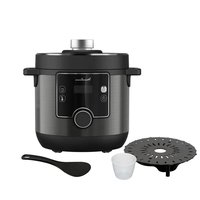
| Steamer basket | Included, removable trivet |
| Opening safety | Automatic locking under pressure |
| Overpressure safety | Automatic safety valve |
| Error codes | Code 24 (pressure decreasing), Codes 21 and 26 (not building pressure) |
| Seal maintenance | Replace every 3 years |
| Repairability | Moulinex Authorized Service Center |
Frequently Asked Questions - CE88E3 MOULINEX
User questions about CE88E3 MOULINEX
0 question about this device. Answer the ones you know or ask your own.
Ask a new question about this device
Download the instructions for your Multicooker in PDF format for free! Find your manual CE88E3 - MOULINEX and take your electronic device back in hand. On this page are published all the documents necessary for the use of your device. CE88E3 by MOULINEX.
USER MANUAL CE88E3 MOULINEX
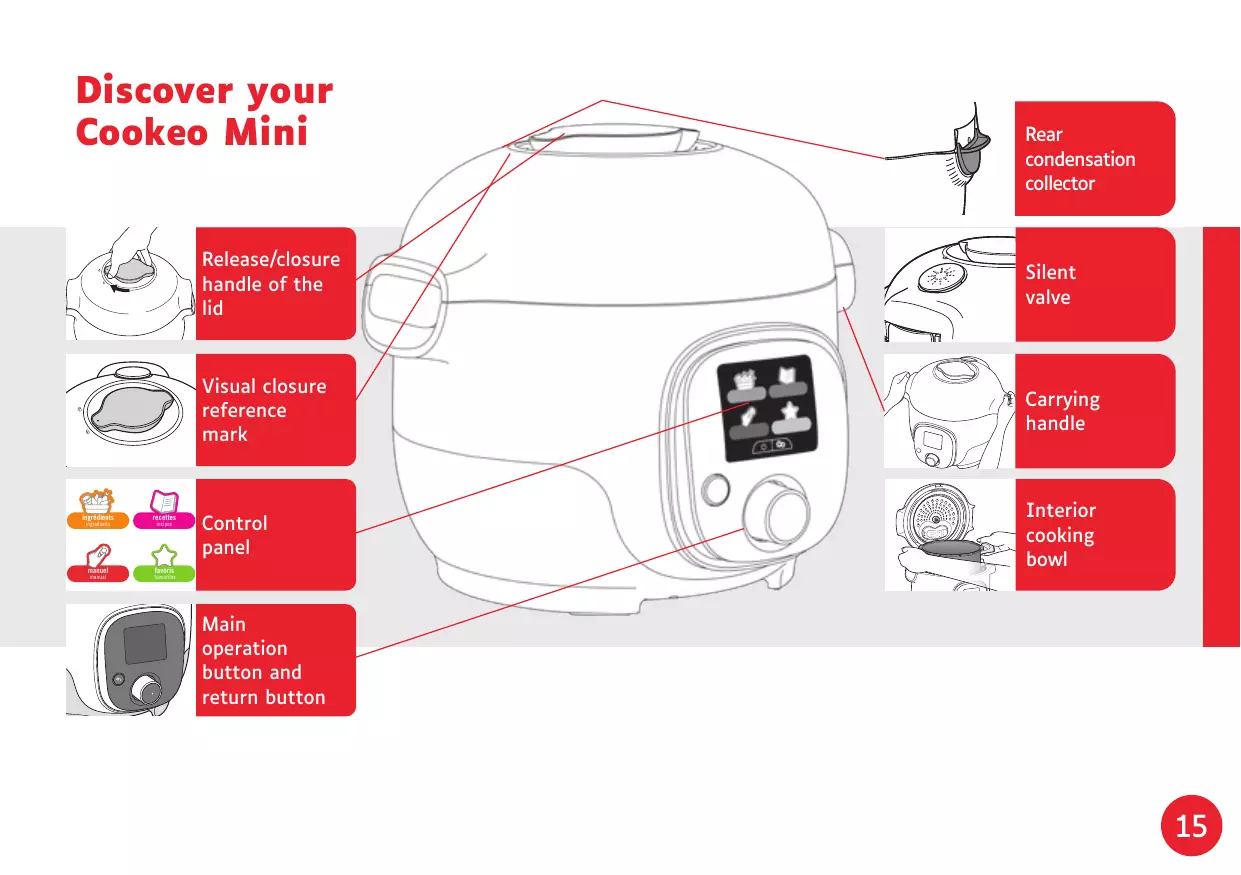
Discover your Cookeo Mini
Cleaning your Cookeo Mini
Installing the steam basket
Operating your Cookeo Mini
Let's go!
Ingredients
Ingredients list
Recipes
Manual mode
Favourites and settings
Safety features
Troubleshooting
NB: A safety information booklet is included with this appliance. Before using your appliance for the first time, please read this booklet carefully and keep it in a safe place for future reference.
NL
Discover your Cookeo Mini
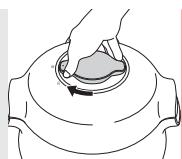
Release/closure handle of the lid
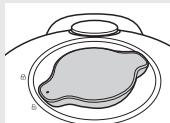
Visual closure reference mark
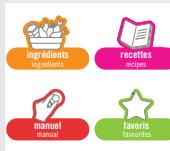
Control panel
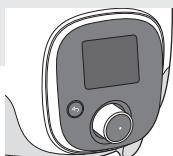
Main operation button and return button
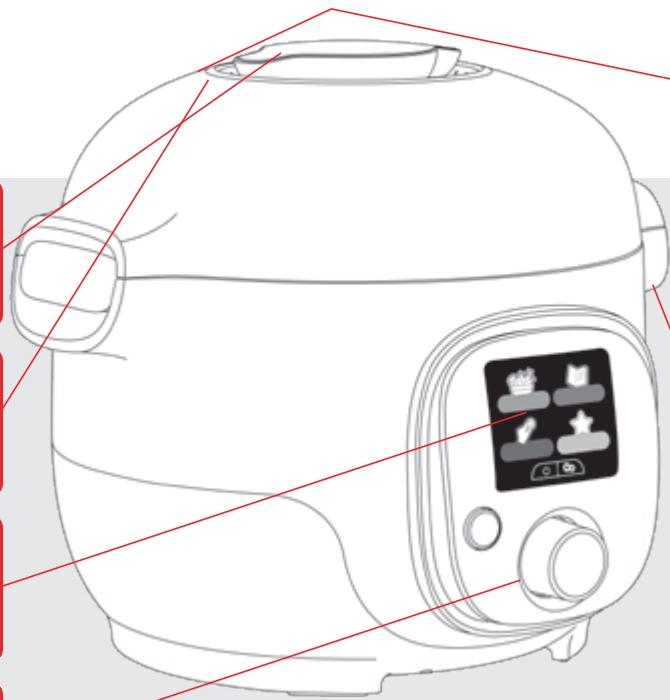
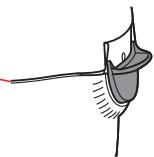
Rear condensation collector
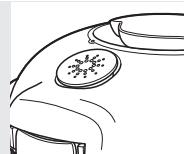
Silent valve
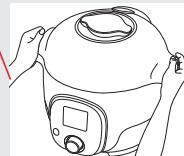
Carrying handle
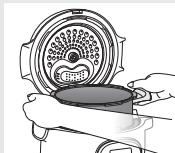
Interior cooking bowl
Cleaning your Cookeo Mini
There are 5 steps to follow before first use and after each use.
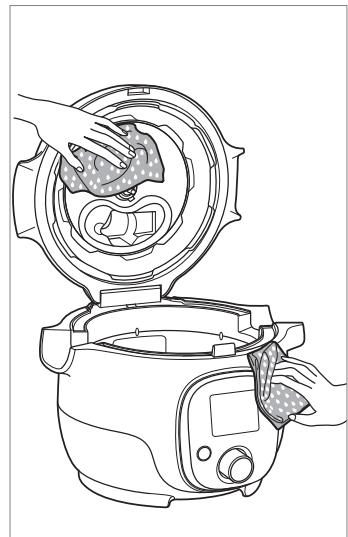
Step 1 - the Cookeo Mini Clean the Cookeo Mini with a damp cloth.
Step 2 - the screen Clean the screen with a damp coth. Do not use a metal sponge as it may scratch the screen.
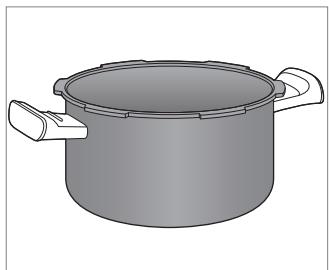
Step 3 - the cooking bowl to clean the bowl, you can: - put the bowl in the dishwasher or - wash it in hot soapy water. If the coking bowl turns an off-white colour on the outside, a metal sponge can be used.
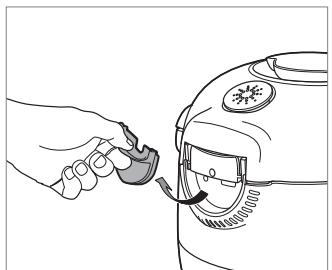
Step 4 - the water tray
After each use: clean the condensation collector with clean water or in the dishwasher, dry the condensation collector, remember to return the condensation collector to the Cookeo Mini.

Before you start cooking:
remove all stickers, read the instruction
Cleaning your Cookeo Mini
Step 5 - the lid
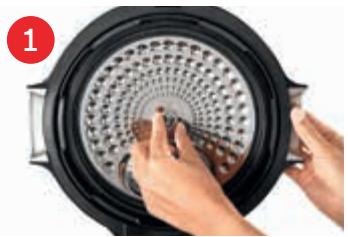
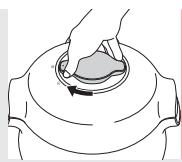
Unscrew the central nut
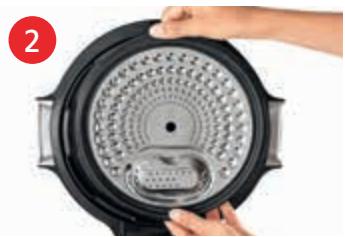
Remove the inner part of the lid by pulling it towards you.
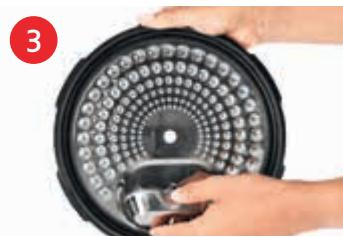
Remove the cover underneath the lid
Remove the valve cover and take out the ball.
Check the mobility of: the locking rod, the safety valve
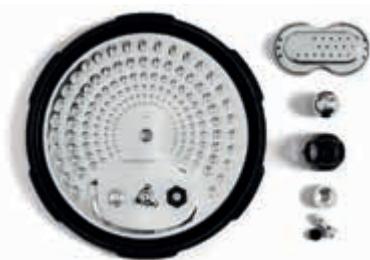
Clean all parts of the Cookeo Mini lid with clean water or in the dishwasher
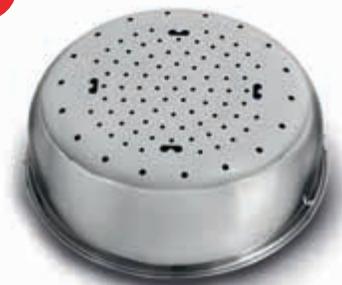
Installing the steam basket
Wash the steam basket using hot soapy water.
Rinse and thoroughly dry the steam basket.
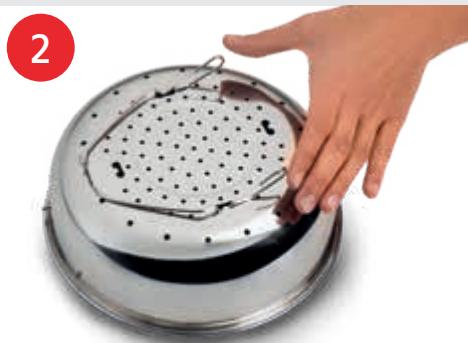
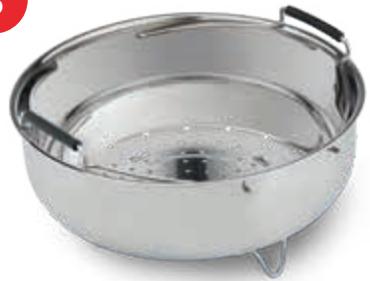
How to install the steam basket?
1
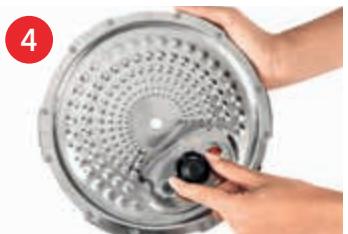
3
Replacing the steam basket.
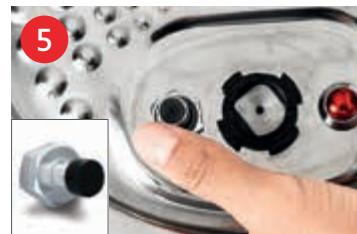
Squeeze the leg between your thumb and index finger to position it in the notches.
Put the steam basket back into place. Place the steam basket in the Cookeo Mini cooking bowl using the handles
Operating your Cookeo Mini
When turning on for the first tiue, you will first see the settings menu:

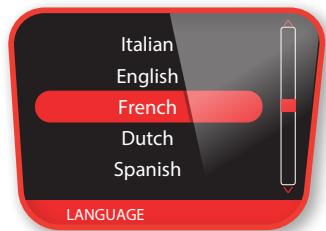
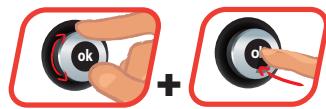
Select your country
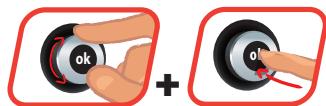
Select your language
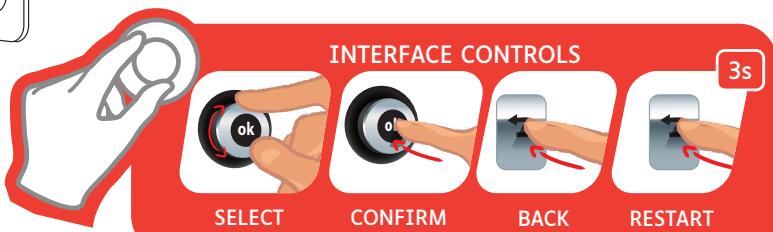
Let's go!

Ingredients
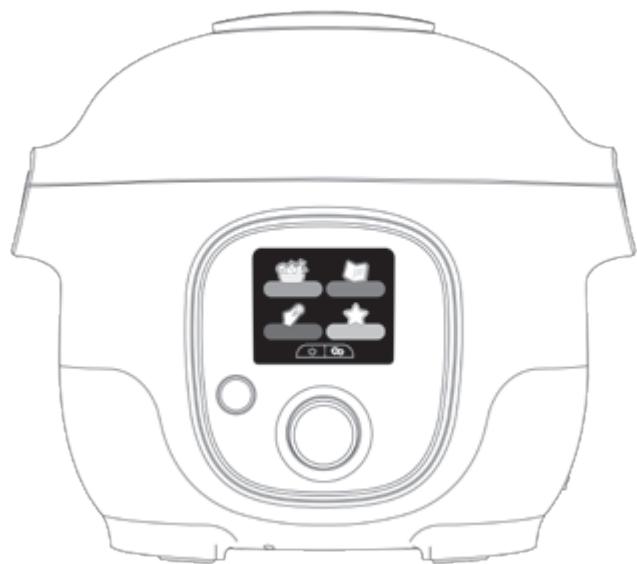

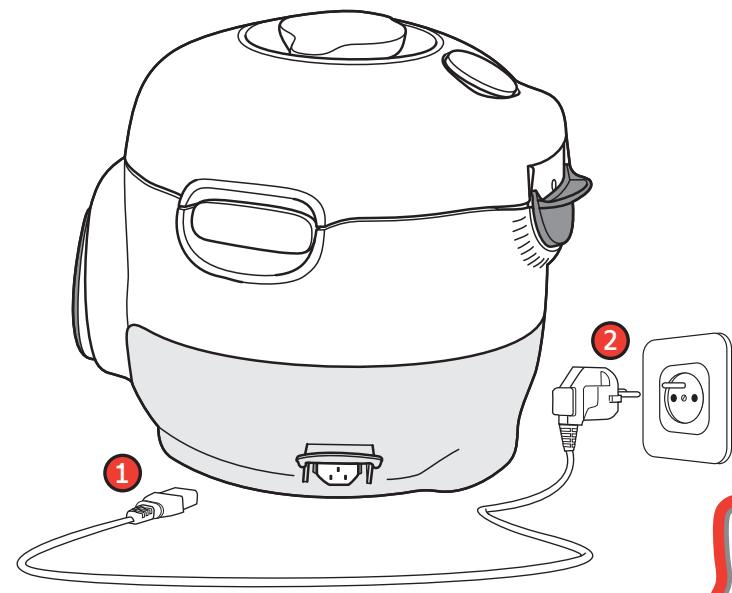
To ensure safety while cooking, place your Cookeo Mini on a flat, dry surface.
Plug in your Cookeo Mini
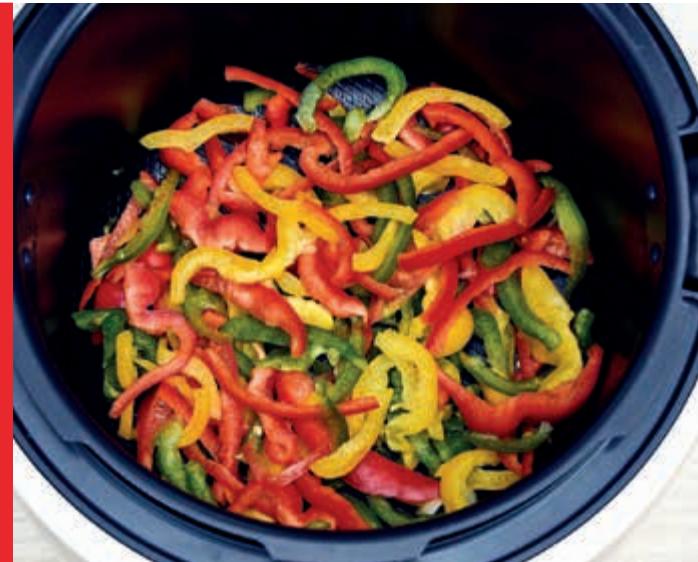
When using your Cookeo Mini for the first time, the pot can release a slight odour.
This is normal.
Using the ingredients menu, you can cook food without worrying about the cooking mode or the cooking time.
The Cookeo Mini provides all the information you need according to the weight and type of ingredients.
Steps:
- Select the ingredient type
- Select the ingredient in the list
- Choose the quantity
- Follow the instructions directly on screen
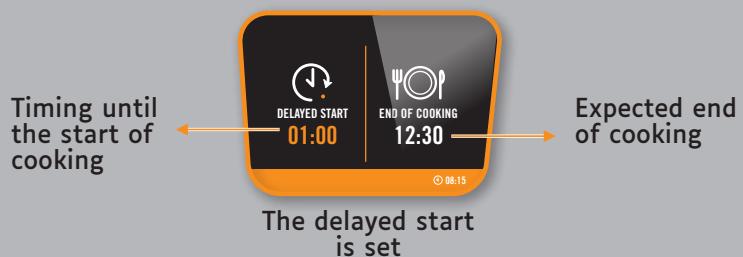
Delayed start available for the ingredient menu and for pressure cooking in manual mode.
Step 1: Select the current time
Step 2: Select your expected end of cooking
Ingredients

beef
lamb
pork
poultry
rabbit
veal

fish & shellfish
fish
mussels
scallops
shrimps/prawns

rice & cereals
barley
brown rice
buckwheat
bulgur
quinoa
wheat
white rice
- Depending on national specificities Based on model

vegetables / fruits
apples
artichokes
asparagus
aubergines
beetroot
broccoli
brusselsprouts
cabbage
carrots
cauliflower/romanesco broccoli
celeriac
chard
chard stalks
chicory
courgettes
fennel
green beans
green cabbage
leeks
lentils
pears
peas/mangetout
Peppers
potatoes
spinach
sweet potato
turnip

Recipes
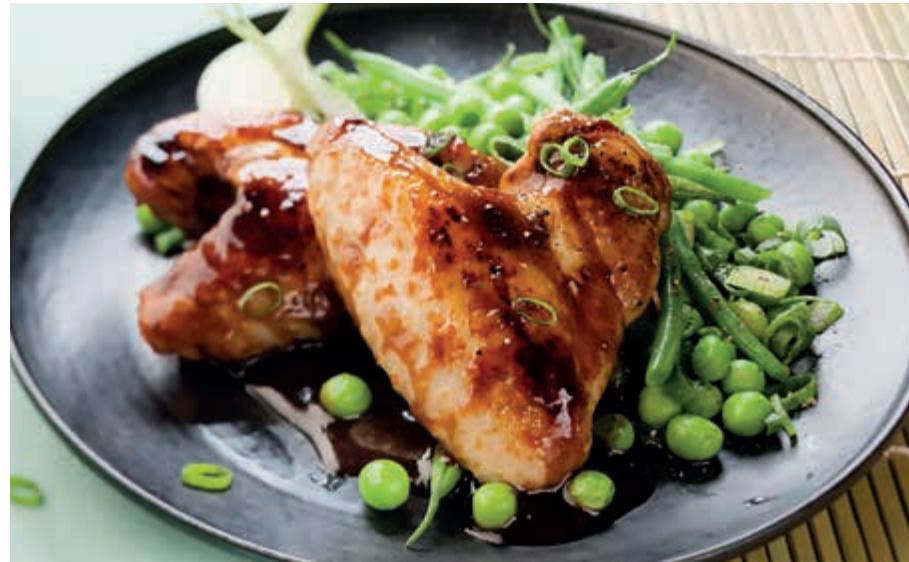
On the recipe menu, visible on the screen, access over 150 built-in recipes. No more boring mealtimes!
- starters,
· mains,
and desserts.
The recipes are delicious and quick to make.
Steps:
- Select the type of dish: starters, mains, desserts
- Select a recipe in the list
- Select the number of people
- The recipe appears.
- Follow the step-by-step on screen.
Manual mode
Using the manual mode, you can select the cooking mode and cooking time for your meal.
The various cooking modes:

Pressure cooker
With or without the steam basket.
The Cookeo Mini fast cook the ingredients.
Follow the instructions on screen.
Lid position: closed and locked Delayed start: available
The timer delay modeallows you to start cooking
at a later time.
See page 21
Reheating
The Cookeo Mini reheats dishes to the perfect temperature.
Lid position: May be open or closed.
The Reheating starts and the time increases.

Traditional cooking


Gentle cooking
Stewing
Browning
Lid position: open and raised for all.
Follow the instructions on screen.
Keeping warm
The Cookeo Mini keeps your dishes warm until it is time to serve them.
Lid position: May be open or closed
The keeping warm starts and the time increases.

Favourites
Withe the Favourites menu, create shortcuts to your preferred recipes from Recipes menu.

You can add a recipe selecting
it within the 150 embedded recipes. Then, save the number of people and the desired cooking time.

Find and start a previously saved recipe.

Cancel a recipe from your favourite list.

Modify a previously saved recipe.

Settings
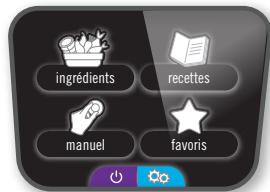
With the Settings menu, you can:
- Modify the language and country
- Customize the screen and sound
- Manage the screen brightness
- Start the DEMO mode (code: 3424)
N.B.: DEMO mode allows you to operate the appliance without heating or pressuring it.
- Turn the sound on or off
N.B.: even if the sound is deactivated, the alert sounds remain active.

On/Off
Select "yes" to switch off and "no" to cancel the extinction.
Safety features
The Cookeo Mini has several safety features.
Safe opening:
The locking rod is a safety system that automatically locks the Cookeo Mini as soon as it is pressed.
Do not open the Cookeo Mini when it is locked.
Wait for the internal pressure to drop before opening the lid.
The internal pressure has dropped when there is no more steam coming out of the valve.
Safety in case of too much pressure:
If the pressure is too high, the Cookeo Mini can release pressure automatically through the safety valve.
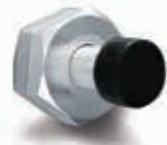
If any of the safety systems are activated:
- unplug the Cookeo Mini,
- allow the Cookeo Mini to cool completely,
open the Cookeo Mini, -
check and clean:
-
the safety valve,
-
the ball,
-
the covering.
If your Cookeo Mini is still leaking or not working, take it to an Approved Service Centre.
Regulating the Cookeo Mini:
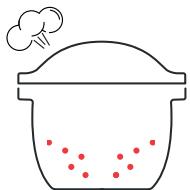
When pressure cooking, the Cookeo Mini can emit small amounts of steam. This serves to automatically regulate the pressure.
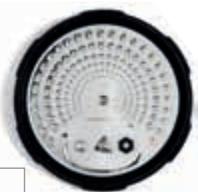
The Cookeo Mini lid:
The metal lid should only be used with the Cookeo Mini. The metal lid should not be used with other equipment.
An Approved Service Centre is a repair centre that has been approved by Moulinex.
Your Cookeo Mini model :
SERIE EPC20 Technical information about your Cookeo Mini:
Low pressure: 40kPa (109°C)
High pressure: 70kPa (115°C)
Cookeo Mini capacity: 3L
Usable capacity: 2L
Built-in heater: enclosed heating resistor.
A beep signals that operating pressure has been reached.
| PROBLEMS | POSSIBLE CAUSES | SOLUTION |
| The lid does not close | There are foreign bodies between the pot and the heating plate | Remove the pot, check that the heating plate, central element and under the pot are clean. Also check that the central element can move around |
| The lid open handle is not correctly positioned | Check that the open handle is completely open | |
| The metal lid and/or the tightening screw are not properly installed or fully tightened | Check that the nut is fully tightened and that the notches on the rotating inner part of the lid are correctly aligned with the notches on the rim of the bowl and then try locking the lid closed. The nut must be fitted with the flat side facing the metal plate | |
| The product does not decompress | The ball cover is not in place | Let the product cool completely and then remove the metal lid and correctly position the ball cover (fixed in the lock position) |
| The lid does not open once the steam is released | The manometric rod is still in the high position | After ensuring that no more steam is released and that the appliance is completely cold, insert a fine metal skewer into the hole located between the open handle and the silencing valve. Be careful of hot steam being released once the skewer is pushed in. When no more steam is released, try to open the appliance |
| The appliance does not become pressurised | Check that the seal, purple safety valve and manometric rod are clean | Clean your appliance by following the cleaning and maintenance instructions in this book |
| Check that the lid is locked and the marking is properly aligned with the closed padlock. Check that the manometric rod can move around and if it needs cleaning | Check that the manometric rod can move around and if it needs cleaning | |
| The decompression ball is not positioned correctly or dirty | Check that the ball is correctly positioned and that the cover is in the locked position. Clean and dry the ball and its support | |
| ERROR CODES | Code 24: the pressure decreases while pressure cooking Code 21 and 26: pressure fails to raise | Add liquid to your recipe (water, stock or a liquid sauce) 50-100ml at a time and re-start the recipe |
| Steam is released from the sides of the lid during cooking (leaks) | The seal of the metal lid and/or the edges of the pot are dirty | Clean the sides of the pot and seal using a damp cloth. Do not use any sharp instruments |
| Wear, cuts and deformation of the seal | The seal must be changed at least every 3 years at most. Take your appliance to an Approved Service Centre | |
| Pot edges damaged | Take your appliance to an approved service centre | |
| The metal lid nut was not tightened enough | Fully tighten the nut so the metal plate is correctly positioned. The nut must be fitted with the flat side facing the metal plate | |
| Water flows behind the appliance | The condensation collector is not in position or is overflowing | Make sure that the condensation collector is properly positioned behind the appliance and that the flow channel is not blocked. |
| The safety valves and/or openings are obstructed | Check that the bowl is not too full with food or that foods have been cooked which expand (see Safety Instructions pages) | |
| The control panel does not light up | The appliance is not connected or is on standby | Check that the power lead is connected both to the appliance and the mains. Check that the appliance is not on standby by pressing the «OK» button |
| The appliance is damaged | Take your appliance to an Approved Service Centre | |
| The metal lid can not be removed, it is blocked | The metal lid ball cover was not well positioned | Unscrew the nut in the metal lid center, and then press the prob into the center of the nut. This releases the lid and you can access the ball cover. Make sure it is well put back as the ball. |
Ontdek je Cookeo Mini


- NL
- Discover your Cookeo Mini
- Cleaning your Cookeo Mini
- Step 4 - the water tray
- Before you start cooking:
- Installing the steam basket
- How to install the steam basket?
- Operating your Cookeo Mini
- Let's go!
- Ingredients
- Steps:
- vegetables / fruits
- Recipes
- Manual mode
- The various cooking modes:
- Pressure cooker
- Reheating
- Traditional cooking
- Gentle cooking
- Keeping warm
- Favourites
- Settings
- On/Off
- Safety features
- Safe opening:
- Safety in case of too much pressure:
- If any of the safety systems are activated:
- Regulating the Cookeo Mini:
- The Cookeo Mini lid:
- Your Cookeo Mini model :
- SERIE EPC20 Technical information about your Cookeo Mini:
- Ontdek je Cookeo Mini
Brand : MOULINEX
Model : CE88E3
Category : Multicooker