
HTL3140 - Soundbar PHILIPS - Free user manual and instructions
Find the device manual for free HTL3140 PHILIPS in PDF.


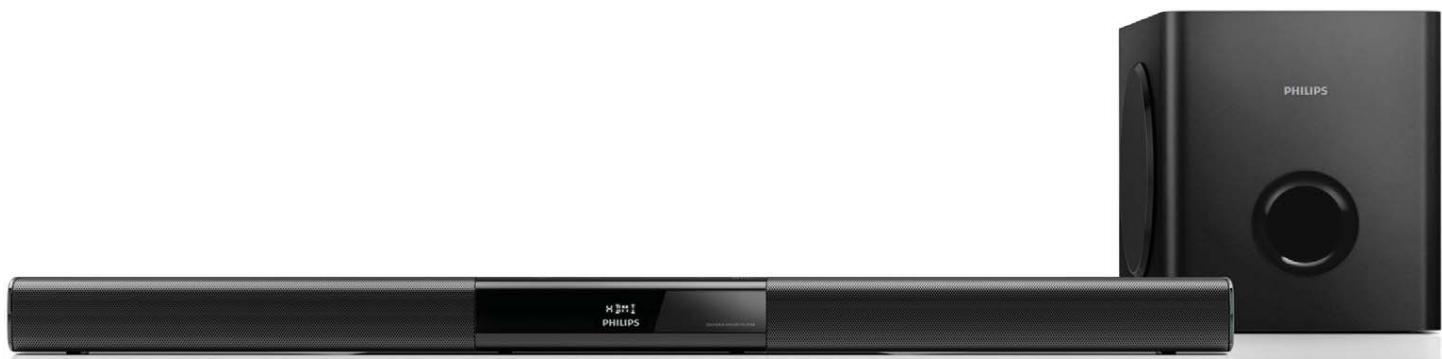
| Product type | Soundbar with wireless subwoofer |
| Brand | PHILIPS |
| Model | HTL3140 |
| Dimensions (main unit) | 843 × 52 × 60 mm (W × H × D) |
| Weight (main unit) | 1.4 kg |
| Dimensions (subwoofer) | 226 × 251 × 306 mm (W × H × D) |
| Weight (subwoofer) | 4.14 kg |
| Total output power | 200 W RMS |
| Power supply (main unit) | AC adapter 100-240 V~, 50/60 Hz; output 21 V ⎓, 3.09 A |
| Power supply (subwoofer) | 220-240 V~, 50-60 Hz, 35 W |
| Standby power consumption | ≤ 0.5 W (main unit and subwoofer) |
| Speakers | 2 woofers 90 mm × 34 mm + 2 tweeters 31 mm (unit); 1 woofer 134 mm (subwoofer) |
| Connections | HDMI ARC, optical, coaxial, AUX (RCA), AUDIO IN (3.5 mm), USB (5 V, 1 A) |
| Bluetooth | Version 3.0 + EDR, profiles A2DP and AVRCP |
| NFC | Yes, for quick Bluetooth pairing |
| USB audio formats | MP3, WMA |
| Sound modes | Auto, Powerful, Balanced, Bright, Clear, Warm, Personal |
| Additional functions | Surround, night mode, audio sync, equalizer (bass/treble) |
| Supplied accessories | Remote control, AAA battery, cables, quick start guide |
| Wall mounting | Possible (screws not included) |
Frequently Asked Questions - HTL3140 PHILIPS
User questions about HTL3140 PHILIPS
0 question about this device. Answer the ones you know or ask your own.
Ask a new question about this device
Download the instructions for your Soundbar in PDF format for free! Find your manual HTL3140 - PHILIPS and take your electronic device back in hand. On this page are published all the documents necessary for the use of your device. HTL3140 by PHILIPS.
USER MANUAL HTL3140 PHILIPS
www.philips.com/support

HTL3140B
HTL3140S
natural_image
Black Philips audio streaming device with a digital display and speaker tower (no visible text or symbols on the device body)Mode d'emploi
PHILIPS
Table des matières
1 Important 2
④ ▶ II (Lecture/Pause)
Manufactured under license from Dolby Laboratories. Dolby and the double-D symbol are trademarks of Dolby Laboratories.

HIGH-DEFINITION MULTIMEDIA INTERFACE
The terms HDMI and HDMI High-Definition Multimedia Interface, and the HDMI Logo are trademarks or registered trademarks of HDMI Licensing LLC in the United States and other countries.

Bluetooth®
The Bluetooth ^® word mark and logos are registered trademarks owned by Bluetooth SIG, Inc. and any use of such marks by WOOX Innovations is under license. Other trademarks and trade names are those of their respective owners.
nfc
The N Mark is a trademark or registered trademark of NFC Forum, Inc. in the United States and in other countries.

SdI1IHd
Quick start guide

natural_image
Close-up of a black square electronic device with a circular vent and a speaker grille (no visible text or symbols)HTL31405 HTL31408
Always there to help you
Register your product and get support at
www.phillips.com/support


natural_image
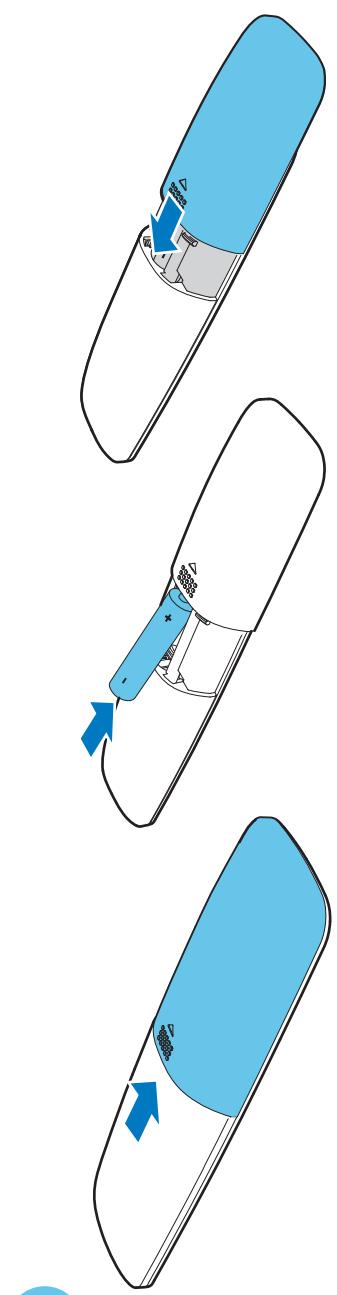
Line drawing of a Philips remote with a battery and indicator lights (no text or symbols on the device itself)natural_image
Technical line drawing of a mechanical assembly with three stages: top, middle, and bottom (no text or symbols)
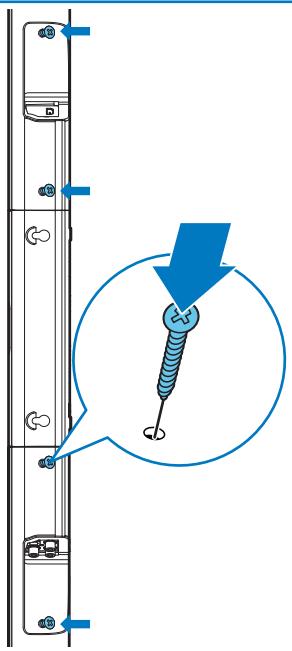
EN Assemble your SoundBar / Position the SoundBar
CS Sestave zarizent, SoundBar. / Umisteni, zarizent, SoundBar
DA Sami SoundBar / Placer din SoundBar
DE Sichertesinformationen. / Positionieren des Soundbars
EL Zuvaploxytofe to Soundbar / Modestion you
Soundbar
FR Assemblage de votre barre de son. / placer la barre de son
FI SoundBarin kokomimen. / SoundBarin siyttaminen
ES Montaje del SoundBar. / Colocation dei SoundBar
HU Rakja ossize a Soundbar rendszer. / A Soundbar
elihelyezese
IT Assemblaggio della SoundBar / Posizionamento della
SoundBar
NL Zet de SoundBar in elkarg/ De SoundBar plaatsen
NO Monter SoundBar / Plasser SoundBar
PIL Montaz zestawu Soundbar / Ustawanie zestawu Soundbar
PT Montar o seu sundabar / Psicionar o Soundbar
RO Asamblera Soundbar-ului. / Pozifiorare Soundbar
SK Poskladite zaradenie Soundbar. / Umbestite zara
Soundbar
SY Montera Soundbar / Placera Soundbar
TR Soundbar/iniz monte edin. / Soundbar, yerleştirin

natural_image
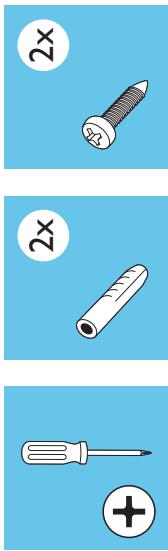
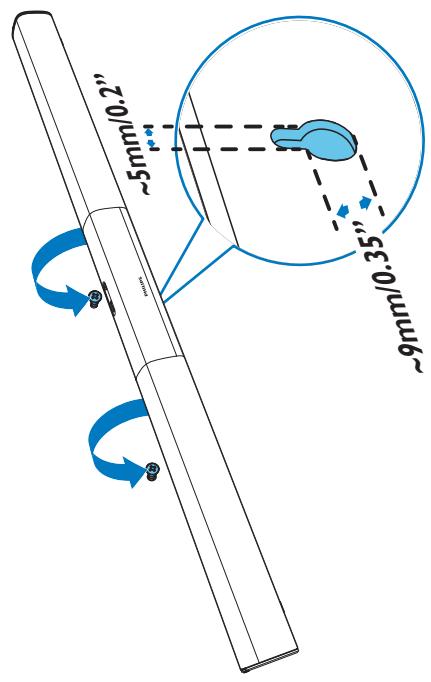
Three-step diagram showing a screwdriver, a screw with a threaded shaft, and a bolt with a 2x ratio (no text or symbols)EN Wall mount the SoundBar (optional)

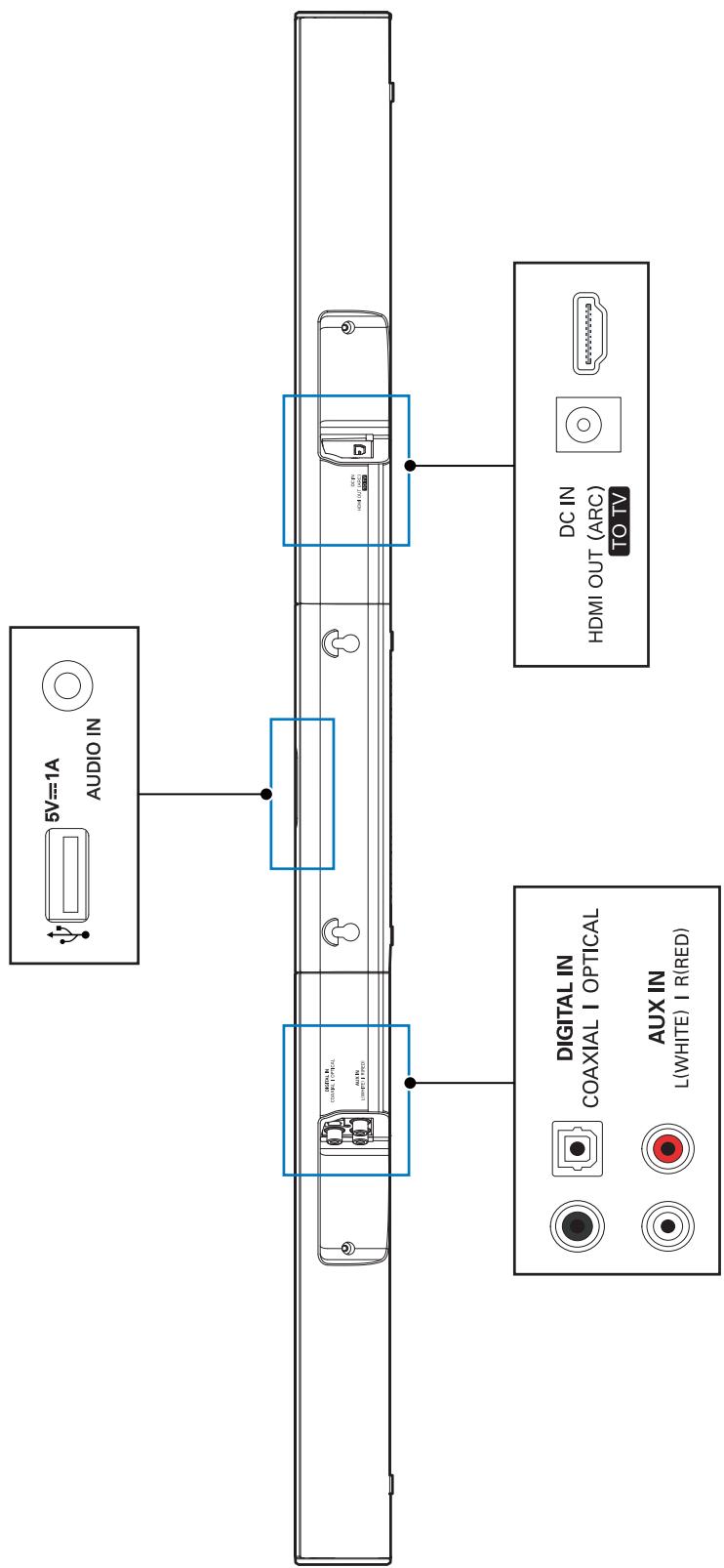
EN Connect the SoundBar
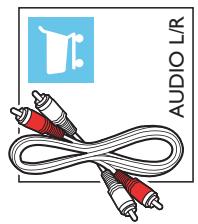
EN Hear audio from TV in one of the following ways
natural_image
Illustration of a coaxial cable with two connectors and a shopping cart icon (no text or symbols on the diagram itself)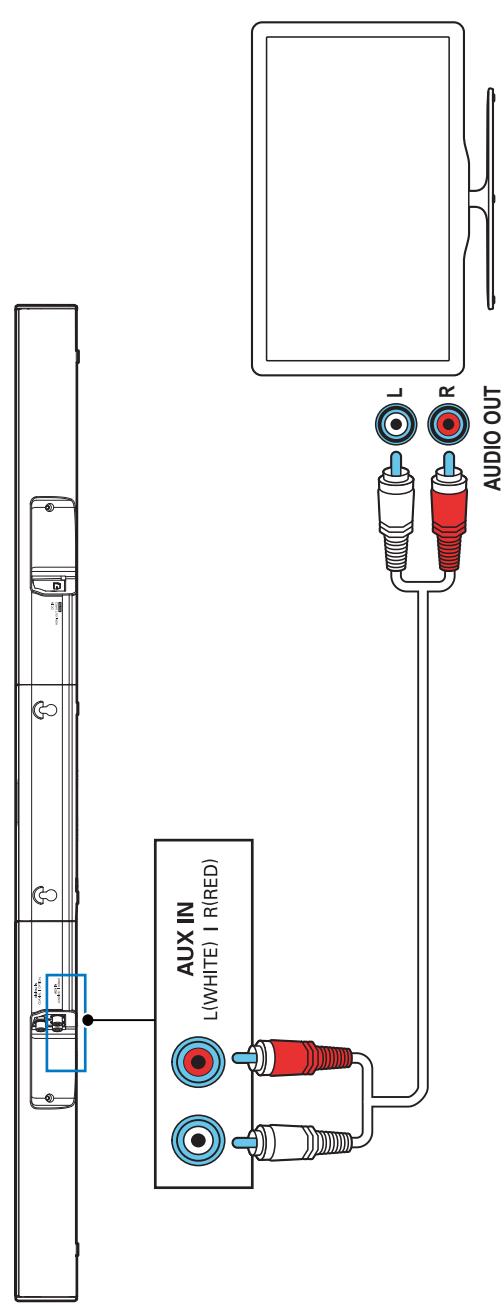

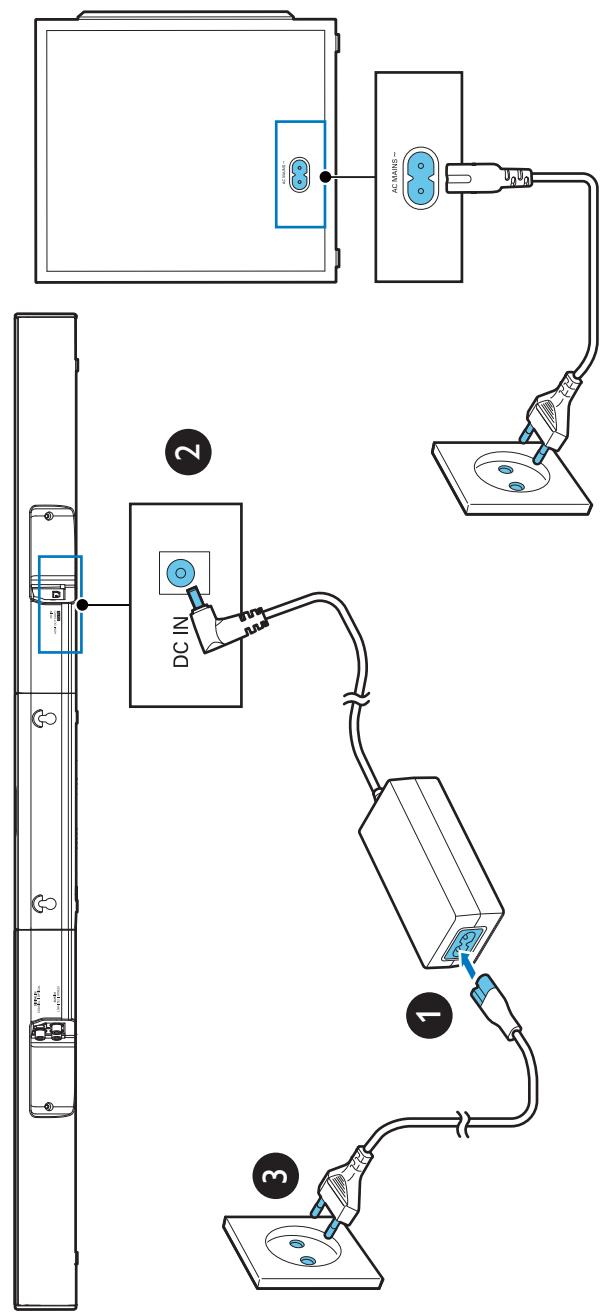
flowchart
graph TD
    A["TV Panel"] --> B["DC IN"]
    B --> C["PC with AC MAINS ~"]
    C --> D["AC MAINS ~"]
    style A fill:#f9f,stroke:#333
    style B fill:#ccf,stroke:#333
    style C fill:#cfc,stroke:#333
    style D fill:#fcc,stroke:#333

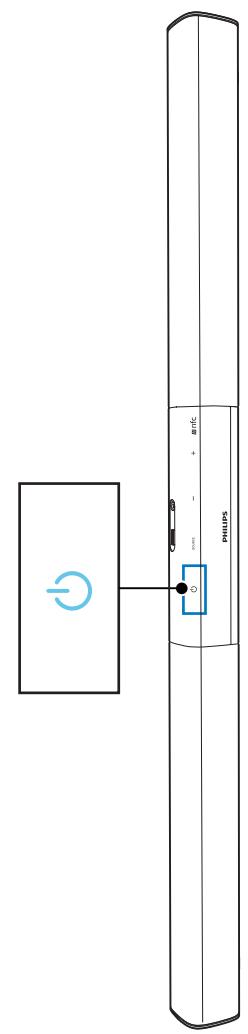


EN Switch on the SoundBar
EN Select the correct audio source

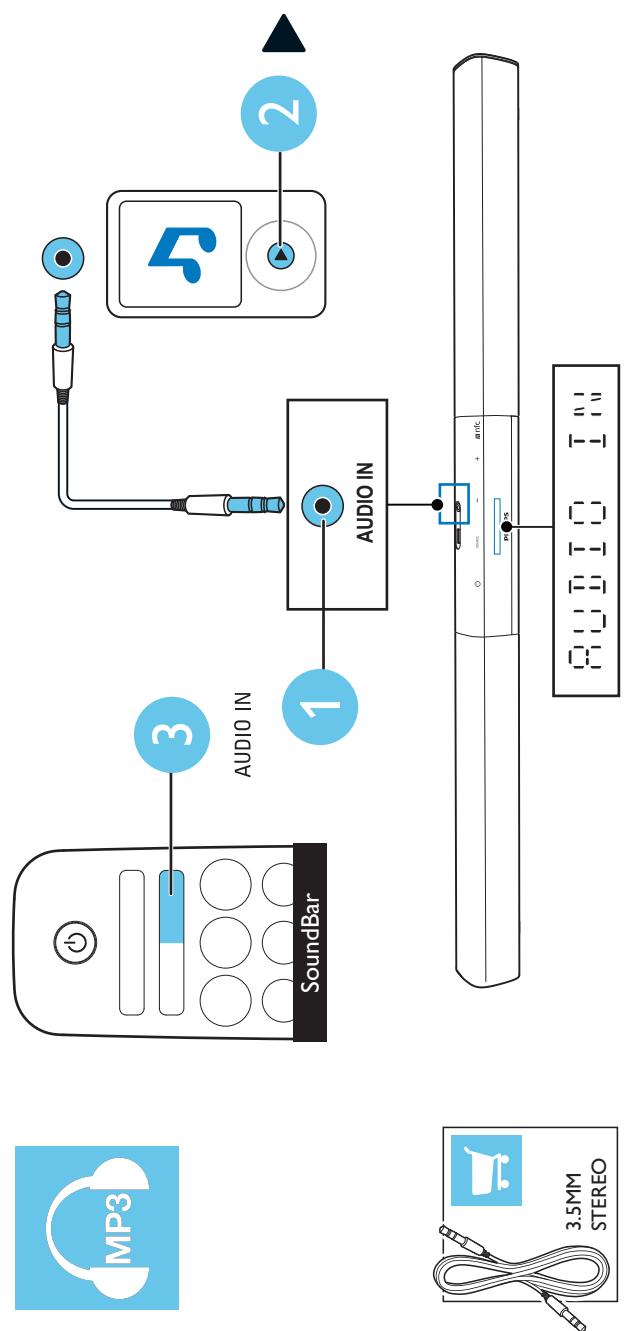
flowchart
graph TD
    A["MP3"] --> B["SoundBar"]
    B --> C["3"]
    C --> D["1"]
    D --> E["2"]
    E --> F["3.5MM STEREO"]
    G["MP3"] --> H["3"]
    H --> I["1"]
    I --> J["AUDIO IN"]
    J --> K["2"]
    K --> L["3"]
    L --> M["1"]
EN Play other devices
Play audio through Bluetooth or connect Bluetooth via NFC
natural_image
Illustration of a laptop with an information icon and globe symbol (no text or labels)www.philips.com/support
visite www.philips.com/support
natural_image
Blue circular logo with abstract wave and star patterns, no readable text or symbolsSpecifications are subject to change without notice
2014 © WOOX Innovations Limited. All rights reserved.
Philips and the Phillips', Shield Emblem are registered trademarks of Koninklijke Philips N.V. and are used by WOXX Innovations Limited under license from Koninklijke Philips N.V.