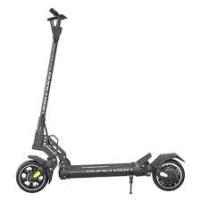
AMINIA521 - Electric scooter DUALTRON - Free user manual and instructions
Find the device manual for free AMINIA521 DUALTRON in PDF.


| Product type | Electric scooter |
| Brand | Dualtron |
| Model | AMINIA521 |
| Dimensions (unfolded) | 1160×620×1190 mm (single) / 1250×620×1200 mm (dual) |
| Dimensions (folded) | 1240×230×380 mm (single) / 1255×230×380 mm (dual) |
| Net weight | Approx. 25.6 kg (single) / 30 kg (dual) |
| Battery | 52V 13Ah / 52V 17.5Ah (Samsung) or 52V 15.6Ah / 52V 21Ah (Samsung) |
| Range | 46-60 km (single) / 50-65 km (dual) depending on version |
| Maximum speed | 25 km/h |
| Maximum load | 120 kg |
| Motor | BLDC Hub, 450W (single) or 450W×2 (dual) |
| Brakes | Front/rear drum brake + electric brake (ABS/EBS) |
| Suspension | Spring and rubber suspension front and rear |
| Tires | 9 inch tubeless, rubber, pressure 50 psi |
| Operating temperature | -5 to 45°C |
| Charging temperature | 0 to 40°C |
| Maximum incline | Approx. 15° (single) / 25° (dual) |
| Display | New EY3 with DUALTRON app |
| Included accessories | Charger, tool, manual, screw cover ×2 |
Frequently Asked Questions - AMINIA521 DUALTRON
User questions about AMINIA521 DUALTRON
0 question about this device. Answer the ones you know or ask your own.
Ask a new question about this device
Download the instructions for your Electric scooter in PDF format for free! Find your manual AMINIA521 - DUALTRON and take your electronic device back in hand. On this page are published all the documents necessary for the use of your device. AMINIA521 by DUALTRON.
USER MANUAL AMINIA521 DUALTRON

Scan the QR code to download the latest user materials and obtain the latest updates and safety instructions.

The dream of electric technology.
The pictures shown are for illustration purposes only. Actual product may vary.

minimotors
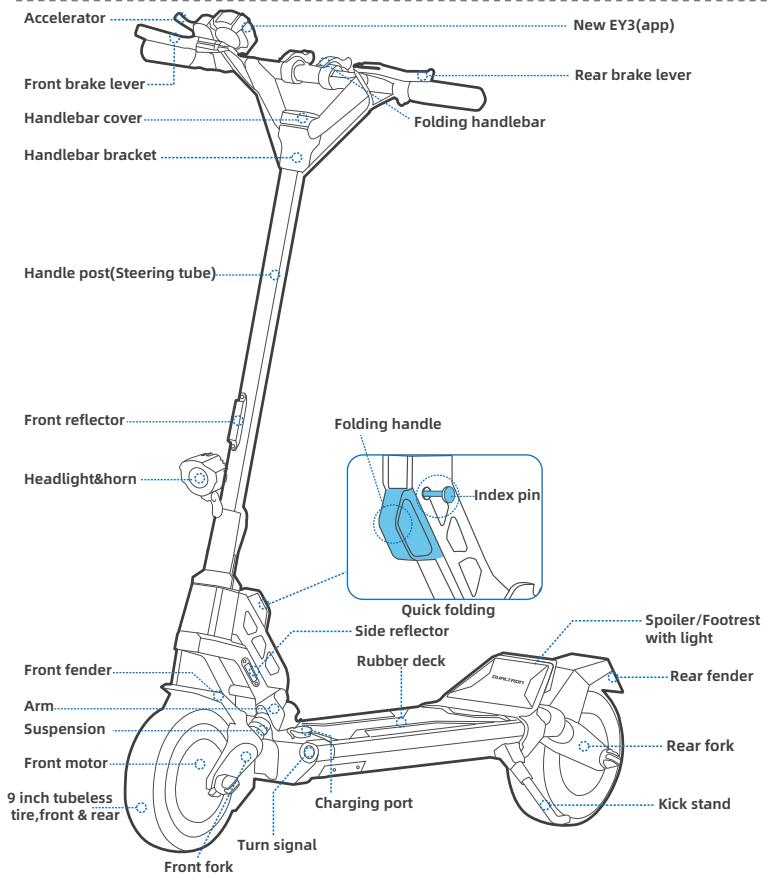
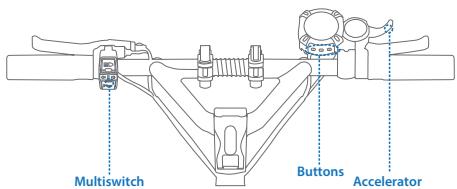
| Name | Function | Operation method |
| Headlight button | Turn on/off headlight | Press the light button, turn on/off the headlight. |
| Turn Signal Button | Turn on/off the left/right signal | Press the left/right side of the Turn Signal Button, the left/right turn signal will keep blinking. |
| Horn Button | Turn on the horn | Press the Horn Button, the scooter will beep once. |
| Power button | Turn on/off power | 1. Press and hold the Power button to turn on/off the scooter. 2. Press the button to adjust the speed gear. |
| Set button | Settings | 1. Press and hold the Set button to enter/exit ECO mode. 2. Press the button to switch battery voltage/percent indication |
| Mode button | Mode selection | 1. Press and hold the Mode button to enter/exit the mode setting, and automatically return to the main interface after 30s. 2. Press the the Mode button to switch TRIP/RANGE/ODO. |
| Accelerator | Speed up | Pull the throttle to accelerate. |
| Item | Parameter | ||
| Product | Model | Dualtron Aminia Special (Single motor) | Dualtron Aminia Long Body(Dual motor) | |
| Battery | Battery Capacity | 52V13Ah / 52V17.5Ah (Samsung) | 52V15.6Ah / 52V21Ah (Samsung) | |
| Range | 46km / 60km | 50km / 65km | ||
| Charging Ambient Temperature | 0 to 40°C (Battery temperature exceeds 55°C, BMS start protection program.) | ||
| Battery Management System | Over-heating, short circuit, over-current, over-discharge and over-charge protection | ||
| Rider | Max. load | 120kg | |
| Recommended Age | 16-60 years old | ||
| Required Height | 3'11" -6'6" (120-200 cm) | ||
| Display | Type | New EY3 display(DUALTRON APP available) | |
| Motor | Motor Type | BLDC Hub Motor | |
| Nominal Power | 450W | 450W*2 | ||
| Machine | Net Weight | Around 25.6kg | Around 30kg | |
| Max. Slope | Around 26.8%(15°Single-wheel drive) | Around 46.6%(25°Two-wheel drive) | ||
| Drive System | Single motor drive | Dual motor drive | ||
| Speed | 25km/h | ||
| Length × Width × Height | 1160×620×1190mm | 1250×620×1200mm | ||
| Folded: Length × Width × Height | 1240×230×380mm | 1255×230×380mm | ||
| Wheelbase | Approx.895mm | Approx.940mm | ||
| Ground Clearance | Approx.110mm | Approx.110mm | ||
| Traversable Terrain | Asphalt/flat pavement; obstacles < 5 cm; gaps < 5 cm | ||
| Operating Temperature | -5 to 45°C | ||
| Storage Temperature | -20 to 50°C | ||
| Brake | Machine Brake | Front & rear drum brake | |
| Electric Brake | ABS&EBS (Indicating the battery temperature exceeds 55°C,BMS start protection program,ABS/EBS fails.) | ||
| Charger | Input Voltage | 100-120V/200-240V~ | |
| Max. Output Voltage | 58.1V2A | ||
| Tire | Type | 9 inch tubeless tire,front & rear | |
| Tire Pressure | 50 psi | ||
| Material | Rubber | ||
| Suspension | Type | Front&rear spring and rubber suspension | |
*Disclaimer: this is not a legal opinion or legal advice. The information provided herein (including in the App) is for your convenience and information purpose only. It is not intended to cover every piece of law and/or regulation that may be applicable to this product. DUALTRON explicitly hereby disclaims any and all warranty and/or representation, express or implied, related to completeness, accuracy, up-to-date of such information. DUALTRON reserves the right but not obligation to correct, implement and/or update the information. You shall use the information at your own risk. It is your sole responsibility to learn and understand any and all the law and/or regulation, requirements, prohibition, restriction and/or limitation imposed by either law, government authority, court, private party or the others that may apply to your use of this product.
Theoretical Range: tested while riding with a full battery, 75 kg load, 25^ C ,at the speed of 25 km/h on average on pavement.
Typical Range: tested while riding with a full battery, 75 kg load, 25^ , at the speed of 50 km/h on average on pavement. (Some of the factors that affect range include speed, number of starts and stops, ambient temperature, etc.)
*Max.Speed: tested while riding with a full battery,75kg load,25°C, straight road on flat road with no wind. (Some environmental factors can affect max speed, uneven roads, crooked roads, temperature, wind, etc.)

Packing List
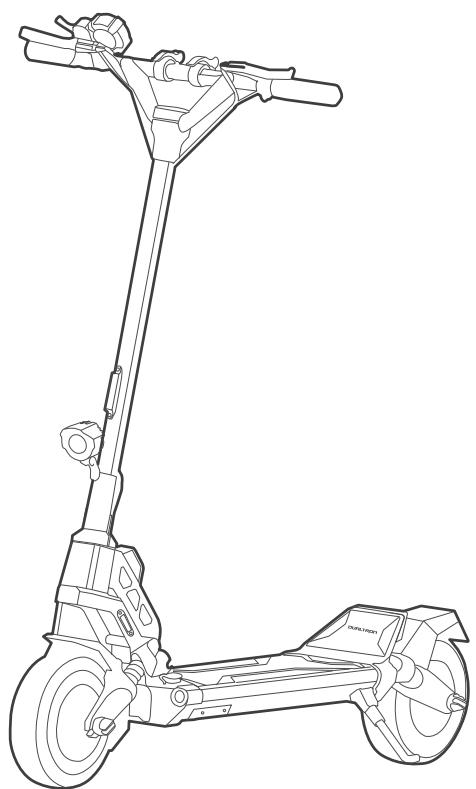
Accessories
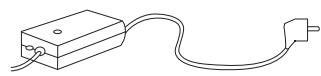
Charger x1
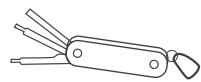
Multitool x 1

Manual

Screw Cap x 2
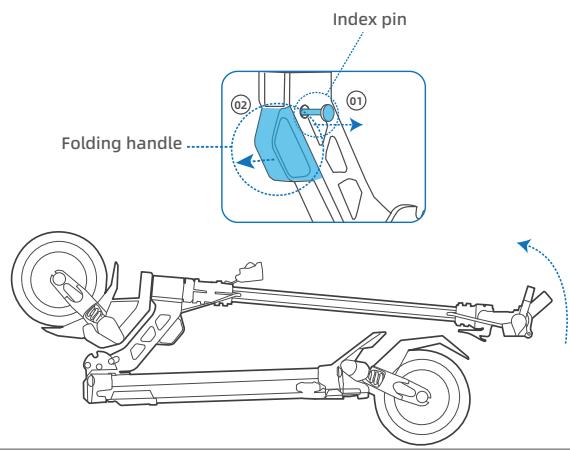
① Pull the index pin outward, then rotate it slightly to ensure a secure fit, the index pin will get stuck and the folding handle will work.
② Raise the steering tube and remember to reinsert the index pin to make this folding system more secure.
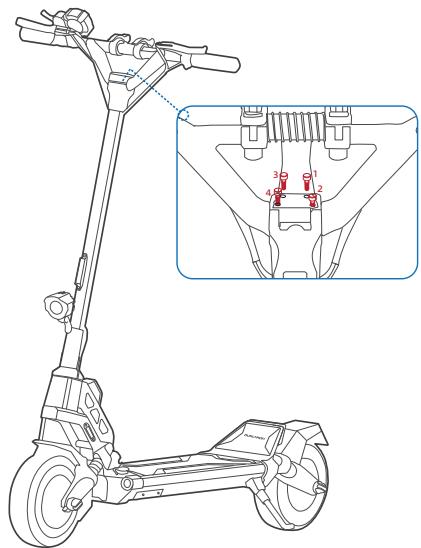
③ Loosen the 4 screws from handle stem, attach the folding handlebar body, and tighten the 4 screws back again.(When tightening the screw, the first step screw is 90% tight, you must tighten it diagonally, according to the order 1-4-2-3; the second step all screws are 100% tightened.)
APP Download Guide

Method 1
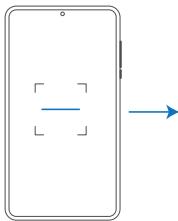
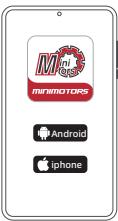
- Scan the QR code to download the APP.
- Choose the mobile phone system that suits you to install, and register / log in.

Method 2
Download on the
App Store
ANDROID APP ON

Google play

- Search "DUALTRON" in the application and download it, and register / log in.
Pair the Bluetooth on the APP
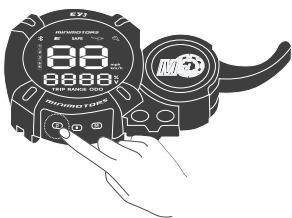
Power on the scooter.
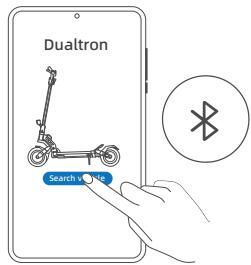
Click "Search vehicle" and pair with your scooter. * The scooter is connected to the Dualtron app when the Bluetooth symbol lights up.
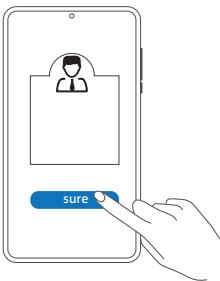
Select "bind as owner".
(No one else can connect, only people authorized by you are allowed to connect. Authorization are created on the app.)

How to Ride
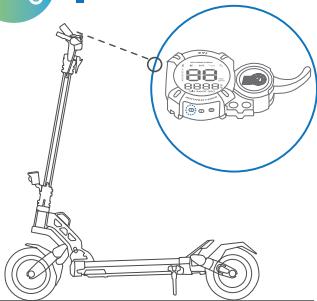
1. Power on the scooter and choose the speed mode. * Please choose the speed mode before riding! Note:Speed mode can be choose via the Dualtron app.
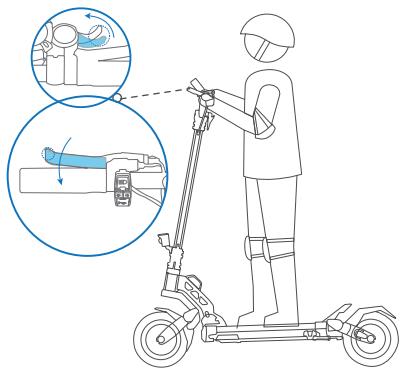
4. Slow down by releasing the accelerator and squeezing brake levers.
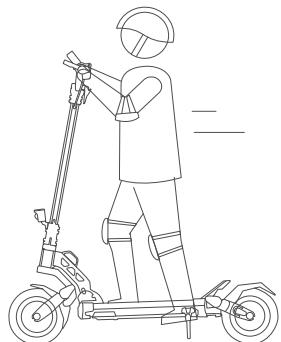
2. Stand on the footboard with one foot and push off with the other foot to start gliding. *Make sure you have disabled SAFE mode. (SAFE mode setting via Dualtron app.Deactivate safe mode by squeezing brake lever.)
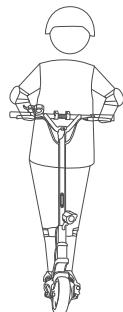
5. To turn, shift your body and turn the handlebar slightly.
* Please watch out for road conditions, sufficient turning space is required.
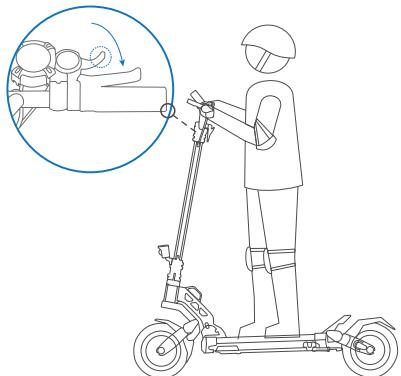
3. Put both feet on the footboard and stand stably. Pull the accelerator to speed up.
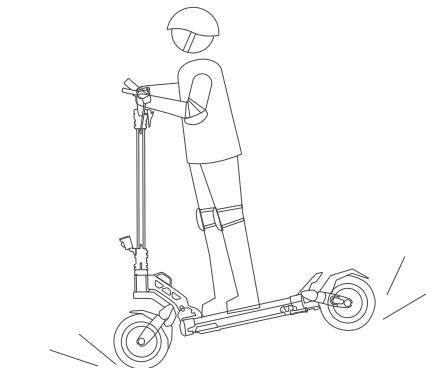
When hard braking, serious danger or injury may occur. Maintain a moderate speed and look out for potential hazards.

Folding
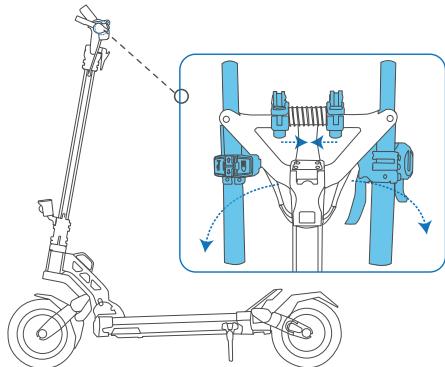
Release the QR lever of handlebar, move the locking slide inward and fold the handles.
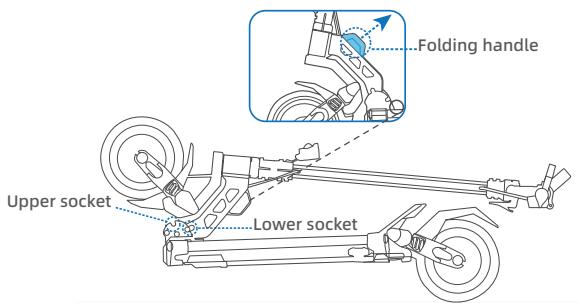
Pull the folding handle, folding plunger will come out of the upper socket and slip to lower socket.
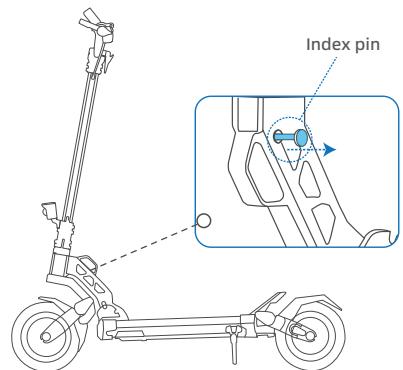
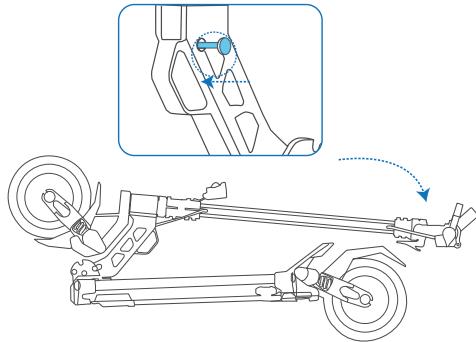
Pull the index pin outward, then turn it a little, the index pin will get stuck and the folding handle will work.
When the folding plunger gets stuck in lower socket and the folding handle resets in the stem headset, please remember to insert the index pin back to fix the folding system.