
ONETWO S J1265GU01 - Computer PACKARD BELL - Free user manual and instructions
Find the device manual for free ONETWO S J1265GU01 PACKARD BELL in PDF.


User questions about ONETWO S J1265GU01 PACKARD BELL
0 question about this device. Answer the ones you know or ask your own.
Ask a new question about this device
Download the instructions for your Computer in PDF format for free! Find your manual ONETWO S J1265GU01 - PACKARD BELL and take your electronic device back in hand. On this page are published all the documents necessary for the use of your device. ONETWO S J1265GU01 by PACKARD BELL.
USER MANUAL ONETWO S J1265GU01 PACKARD BELL
natural_image
Abstract geometric pattern with red and beige triangular shapes, no text or symbols presenttext_image
Packard Bell Recovery Management Welcome to Packard Bell Recovery Management Packard Bell Recovery Management enables you to restore your system. To begin, select the task you want to perform. Please DO NOT remove the USB device while proceeding. Restore Factory Settings Customized Restore (Retain User Data) Reinstall Drivers or Applications Make a backup before you restore (Recommended). Create Factory Default Backup Create Drivers and Applications Backup Restore Factory Settings Restores your computer to its factory default status. A reboot is required. NOTE: All data on drive C will be deleted. packard belltext_image
Create a recovery drive You can use a recovery drive to help troubleshoot problems with your PC even if it can't start. If your PC came with a recovery partition, you can also copy it to the recovery drive so you can use it to refresh or reset your PC. ✓ Copy the recovery partition from the PC to the recovery drive. Next Canceltext_image
Recovery Drive Select the USB flash drive The drive must be able to hold at least 16 GB, and everything on the drive will be deleted. Available drive(s) E:\ (External drive 1) Next Canceltext_image
Packard Bell Recovery Management Welcome to Packard Bell Recovery Management Packard Bell Recovery Management enables you to restore your system. To begin, select the task you want to perform. Please DO NOT remove the USB device while proceeding. Restore Factory Settings Customized Restore (Retain User Data) Reinstall Drivers or Applications Make a backup (check, you restore, is recommended). Create Factory Default Backup Create Drivers and Applications Backup Restore Factory Settings Restores your computer to its factory default status. A reboot is required. NOTE: All data on drive C will be deleted. packard belltext_image
Packard Bell Recovery Management Create Drivers and Applications Backup Please insert a blank DVD disc or USB flash drive into the drive, and then click Start button to backup your data. NOTE: Do not disconnect the storage media while creating the backup. Backup to: (D) MATSHTA DVD-RAM U8D2 Estimated size: 1.46 GB You will need 1 blank DVDs to burn. Label: AppDrv1 Start Canceltext_image
Packard Bell Recovery Management Welcome to Packard Bell Recovery Management Packard Bell Recovery Management enables you to restore your system. To begin, select the task you want to perform. Please DO NOT remove the USB device while proceeding. Restore Factory Settings Customized Restore (Retain User Data) Reinstall Drivers or Applications Make a backup before you restore (Recommended). Create Factory Default Backup Create Drivers and Applications Backup Restore Factory Settings Restores your computer to its factory default status. A reboot is required. NOTE: All data on drive C will be deleted. packard belltext_image
Restore Factory Settings Customized Restore (Retain User Data)text_image
Packard Bell Recovery Management Welcome to Packard Bell Recovery Management Packard Bell Recovery Management enables you to restore your system. To begin, select the task you want to perform. Please DO NOT remove the USB device while proceeding. Restore Factory Settings Customized Restore (Retain User Data) Reinstall Drivers or Applications Make a backup before you restore (Recommended). Create Factory Default Backup Create Drivers and Applications Backup Restore Factory Settings Restores your computer to its factory default status. A reboot is required. NOTE: All data on drive C will be deleted. packard bell
Important
text_image
Reset your PC Here's what will happen: • All your personal files and apps will be removed. • Your PC settings will be changed back to their defaults. Next Canceltext_image
Packard Bell Recovery Management Welcome to Packard Bell Recovery Management Packard Bell Recovery Management enables you to restore your system. To begin, select the task you want to perform. Please DO NOT remove the USB device while proceeding. Restore Factory Settings Customized Restore (Retain User Data) Reinstall Drivers or Applications Make a backup before you restore (Recommended): Create Factory Default Backup Create Drivers and Applications Backup Restore Factory Settings Restores your computer to its factory default status. A reboot is required. NOTE: All data on drive C will be deleted. packard belltext_image
Refresh your PC Here's what will happen: • Your files and personalization settings won't change. • Your PC settings will be changed back to their defaults. • Apps from Windows Store will be kept. • Apps you installed from discs or websites will be removed. • A list of removed apps will be saved on your desktop. Next Canceltext_image
Reset your PC Here's what will happen: • All your personal files and apps will be removed. • Your PC settings will be changed back to their defaults. Next Canceltext_image
Refresh your PC Here's what will happen: • Your files and personalization settings won't change. • Your PC settings will be changed back to their defaults. • Apps from Windows Store will be kept. • Apps you installed from discs or websites will be removed. • A list of removed apps will be saved on your desktop. Next Cancelnatural_image
3D illustration of a gray Ethernet cable with an open port (no text or symbols)UTILITAIRE DU BIOS
text_image
System Settings Define power buttons and turn on password protection Choose the power settings that you want for your computer. The changes you make to the settings on this your app to all your power plan. Change settings that are currently unavailable Power and sleep button settings When I press the power buttons: Shut down When I press the sleep buttons: Step Password protection on wakeup Require a password (recommended) When your computer wakes from sleep, no one can access your data without entering the correct password to unlock the computer. Create or change your user account password Don't require a password When your computer wakes from sleep, anyone can access your data because the computer isn't locked. Shutdown settings Turn on fast startup (recommended) This helps start your PC faster after shutdown. Random isn't affected. Learn More Sleep Show in Power menu. Hibernate Show in Power menu. Lock Save changes Canceltext_image
System Settings All Control Panel Items > Power Options > System Settings Shutdown settings Turn on fast startup (recommended) This helps start your PC faster after shutdown. Restart isn't affected. Learn More Sleep Show in Power menu. Hibernate Show in Power menu. Lock Show in account picture menu. Save changes Canceltext_image
Open Devices and Printers - Eject SD Card 11:39 AM 7/4/2012CONNECTEURS AUDIO ET VIDÉO
natural_image
Illustration of a black USB connector with a separate white connector (no text or symbols)UNIVERSAL SERIAL BUS (USB)
natural_image
Close-up of a black USB cable with a separate connector (no text or symbols visible)
Remarque
pie
| Event | Occurrence | Shared | | :--- | :--- | :--- | | Supprimer | 1 | 0 | | Enregister | 0 | 0 | | Heure Minutes | 11-15 | 0 | | Good morning | 0 | 0 | | Once Repeats | 0 | 0 | | Chimes ~ | 0 | 0 | | Sunday | 0 | 0 | | Monday | 0 | 0 | | Sunday | 0 | 0 | | Wednesday | 0 | 0 | | Sunday | 0 | 0 | | Friday | 0 | 0 | | Sunday | 0 | 0 |
Remarque
natural_image
Illustration of a computer monitor displaying a blue screen, with a globe in the background (no text or symbols)natural_image
Logo of Internet Explorer browser (no text or symbols present)Site Web de Packard Bell
LECTURE DES FILMS BLU-RAY OU DVD
natural_image
Symbol of a trash bin crossed with a diagonal line and a horizontal bar below (no text or labels)Federal Communications Commission 15
This Class B digital apparatus complies with Canadian ICES-003.
8F, 88, Sec. 1, Xintai 5th Rd., Xizhi,
New Taipei City 221, Taiwan
CE
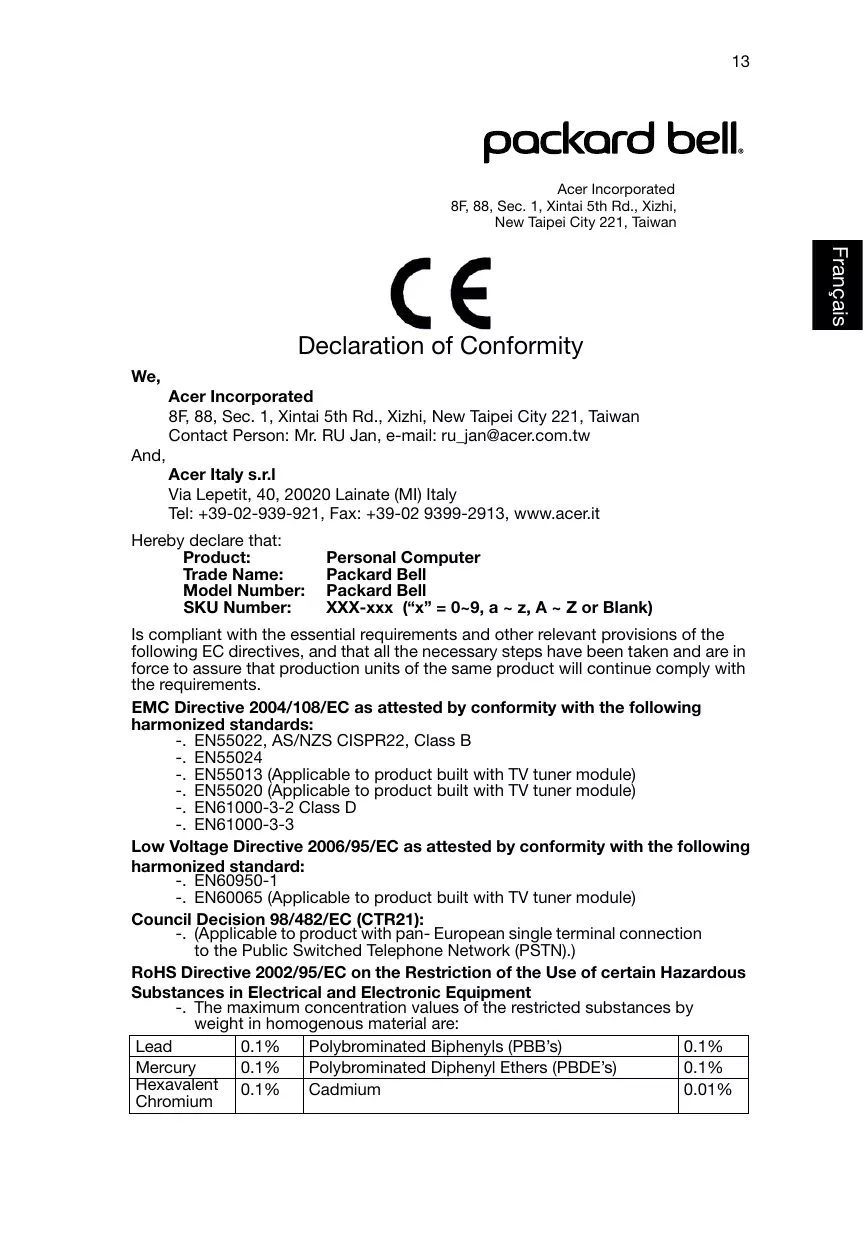
Declaration of Conformity
We,
Acer Incorporated
8F, 88, Sec. 1, Xintai 5th Rd., Xizhi, New Taipei City 221, Taiwan
Contact Person: Mr. RU Jan, e-mail: ru_jan@acer.com.tw
And,
Acer Italy s.r.l
Via Lepetit, 40, 20020 Lainate (MI) Italy
Tel: +39-02-939-921, Fax: +39-02 9399-2913, www.acer.it
Hereby declare that:
Product:
Personal Computer
Trade Name:
Packard Bell
Model Number:
Packard Bell
SKU Number:
XXX-xxx ("x" = 0\~9, a \~ z, A \~ Z or Blank)
Is compliant with the essential requirements and other relevant provisions of the following EC directives, and that all the necessary steps have been taken and are in force to assure that production units of the same product will continue comply with the requirements.
EMC Directive 2004/108/EC as attested by conformity with the following harmonized standards:
-. EN55022, AS/NZS CISPR22, Class B
-. EN55024
-. EN55013 (Applicable to product built with TV tuner module)
-. EN55020 (Applicable to product built with TV tuner module)
-. EN61000-3-2 Class D
-. EN61000-3-3
Low Voltage Directive 2006/95/EC as attested by conformity with the following harmonized standard:
-. EN60950-1
-. EN60065 (Applicable to product built with TV tuner module)
Council Decision 98/482/EC (CTR21):
- (Applicable to product with pan-European single terminal connection to the Public Switched Telephone Network (PSTN).)
RoHS Directive 2002/95/EC on the Restriction of the Use of certain Hazardous Substances in Electrical and Electronic Equipment
- The maximum concentration values of the restricted substances by weight in homogenous material are:
| Lead | 0.1% | Polybrominated Biphenyls (PBB’s) | 0.1% |
| Mercury | 0.1% | Polybrominated Diphenyl Ethers (PBDE’s) | 0.1% |
| Hexavalent Chromium | 0.1% | Cadmium | 0.01% |
Directive 2009/125/EC with regard to establishing a framework for the setting of ecodesign requirements for energy-related product.
The standards listed below are applied to the product if built with WLAN module or wireless keyboard and mouse.

R&TTE Directive 1999/5/EC as attested by conformity with the following harmonized standard:
• Article 3.1(a) Health and Safety
-. EN60950-1
-. EN62311
• Article 3.1(b) EMC
-. EN301 489-1
- EN301 489-3 (Applicable to non-bluetooth wireless keyboard mouse set).
-. EN301 489-17
• Article 3.2 Spectrum Usages
- EN300 440-2 (Applicable to non-bluetooth wireless keyboard mouse set).
-. EN300 328
-. EN301 893 (Applicable to 5GHz high performance RLAN).
Year to begin affixing CE marking 2011.
NuJaw
RU Jan/Sr. Manager
Regulation Center, Acer Inc.
Mar. 13, 2012
Date
packard bell®
Acer America Corporation
333 West San Carlos St., San Jose
CA 95110, U. S. A.
Tel:254-298-4000
Fax:254-298-4147
www.acer.com

text_image
FCFederal Communications Commission Declaration of Conformity
This device complies with Part 15 of the FCC Rules. Operation is subject to the following two conditions: (1) this device may not cause harmful interference, and (2) this device must accept any interference received, including interference that may cause undesired operation.
The following local Manufacturer /Importer is responsible for this declaration:
| Product: | Personal Computer |
| Trade Name: | Packard Bell |
| Model Number: | Packard Bell |
| SKU Number: | XXX-xxx, ("x" = 0~9, a ~ z, A ~ Z or Blank) |
| Name of Responsible Party: | Acer America Corporation |
| Address of Responsible Party: | 333 West San Carlos St. San Jose, CA 95110 U. S. A. |
| Contact Person: | Acer Representative |
| Phone No.: | 254-298-4000 |
| Fax No.: | 254-298-4147 |