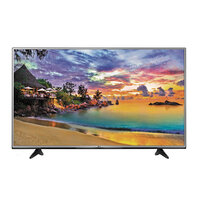
55UH605V - Television LG - Free user manual and instructions
Find the device manual for free 55UH605V LG in PDF.


User questions about 55UH605V LG
0 question about this device. Answer the ones you know or ask your own.
Ask a new question about this device
Download the instructions for your Television in PDF format for free! Find your manual 55UH605V - LG and take your electronic device back in hand. On this page are published all the documents necessary for the use of your device. 55UH605V by LG.
USER MANUAL 55UH605V LG
Safety and Reference
LEDTV*
- LG LED TV applies LCD screen with LED backlights.
Please read this manual carefully before operating your set and retain it for future reference.
Safety instructions
Please read these safety precautions carefully before using the product.


WARNING
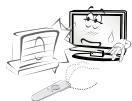
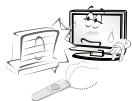
Do not place the TV and/or remote control in the following environments:
- A location exposed to direct sunlight
- An area with high humidity such as a bathroom
- Near any heat source such as stoves and other devices that produce heat
Near kitchen counters or humidifiers where they can easily be exposed to steam or oil
An area exposed to rain or wind
Near containers of water such as vases
Otherwise, this may result in fire, electric shock, malfunction or product deformation.
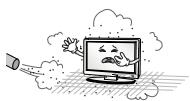
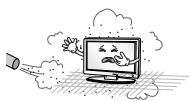
Do not place the product where it might be exposed to dust. This may cause a fire hazard.
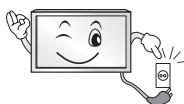
Mains Plug is the TV connecting/disconnecting device to AC mains electric supply. This plug must remain readily attached and operable when TV is in use.
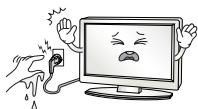
Do not touch the power plug with wet hands. Additionally, if the cord pin is wet or covered with dust, dry the power plug completely or wipe dust off. You may be electrocuted due to excess moisture.
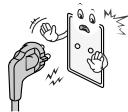
Make sure to connect Mains cable to compliant AC mains socket with Grounded earth pin. (Except for devices which are not grounded on earth.) Otherwise possibility you may be electrocuted or injured.
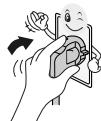
Insert power cable plug completely into wall socket otherwise if not secured completely into socket, fire ignition may break out.
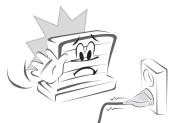
Ensure the power cord does not come into contact with hot objects such as a heater. This may cause a fire or an electric shock hazard.
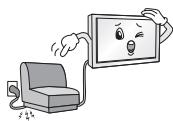
Do not place a heavy object, or the product itself, on power cables. Otherwise, this may result in fire or electric shock.
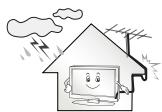
Bend antenna cable between inside and outside building to prevent rain from flowing in. This may cause water damaged inside the Product and could give an electric shock.
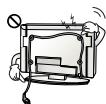
When mounting TV onto wall make sure to neatly install and isolate cabling from rear of TV as to not create possibility of electric shock / fire hazard.
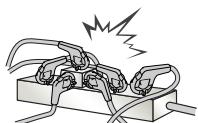
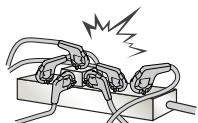
Do not plug too many electrical devices into a single multiple electrical outlet. Otherwise, this may result in fire due to over-heating.
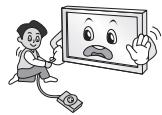
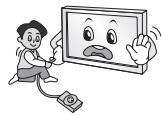
Do not drop the product or let it fall over when connecting external devices. Otherwise, this may result in injury or damage to the product.
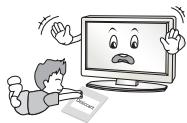
Keep the anti-moisture packing material or vinyl packing out of the reach of children. Anti-moisture material is harmful if swallowed. If swallowed by mistake, force the patient to vomit and visit the nearest hospital. Additionally, vinyl packing can cause suffocation. Keep it out of the reach of children.
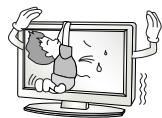
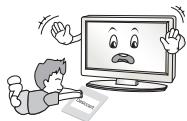
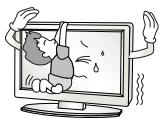
Do not let your children climb or cling onto the TV. Otherwise, the TV may fall over, which may cause serious injury.
Dispose of used batteries carefully to ensure that a small child does not consume them. Please seek Doctor- Medical Attention immediately if child consumes batteries.
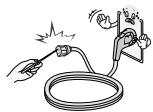
Do not insert any metal objects/conductors (like a metal chopstick/ cutlery/screwdriver) between power cable plug and input Wall Socket while it is connected to the input terminal on the wall. Additionally, do not touch the power cable right after plugging into the wall input terminal. You may be electrocuted. (Depending on model)
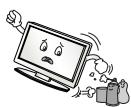
Do not put or store inflammable substances near the product. There is a danger of combustion/explosion or fire due to careless handling of the inflammable substances.
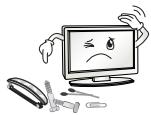
Do not drop metallic objects such as coins, hair pins, chopsticks or wire into the product, or inflammable objects such as paper and matches. Children must pay particular attention. Electrical shock, fire or injury can occur. If a foreign object is dropped into the product, unplug the power cord and contact the service centre.
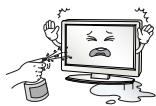
Do not spray water on the product or scrub with an inflammable substance (thinner or benzene). Fire or electric shock accident can occur.
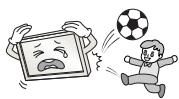
Do not allow any impact, shock or any objects to fall into the unit, and do not drop anything onto the screen. You may be injured or the product can be damaged.
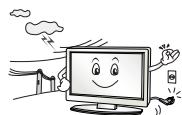
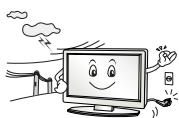
Never touch this product or antenna during a thunder or lighting storm. You may be electrocuted.
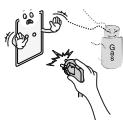
Never touch the wall outlet when there is leakage of gas, open the windows and ventilate. It may cause a fire or a burn by a spark.
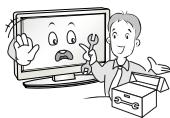
Do not disassemble, repair or modify the product at your own discretion. Fire or electric shock accident can occur. Contact the service centre for check, calibration or repair.
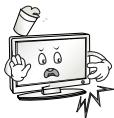
If any of the following occur, unplug the product immediately and contact your local service centre.
The product has been impacted by shock
The product has been damaged
Foreign objects have entered the product
- The product produced smoke or a strange smell. This may result in fire or electric shock.
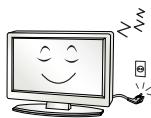
Unplug the TV from AC mains wall socket if you do not intend to use the TV for a long period of time. Accumulated dust can cause fire hazard and insulation deterioration can cause electric leakage/shock/fire.
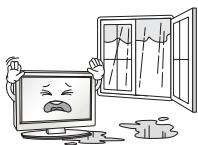
Apparatus shall not be exposed to dripping or splashing and no objects filled with liquids, such as vases, shall be placed on the apparatus.
Do not install this product on a wall if it could be exposed to oil or oil mist. This may damage the product and cause it to fall.
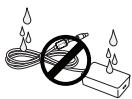
If water enters or comes into contact with TV, AC adapter or power cord please disconnect the power cord and contact service centre immediately. Otherwise, this may result in electric shock or fire.
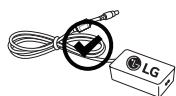
Only use an authorized AC adapter and power cord approved by LG Electronics. Otherwise, this may result in fire, electric shock, malfunction or product deformation.
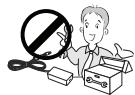
Never Disassemble the AC adapter or power cord. This may result in fire or electric shock.
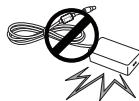
Be careful in handling the adapter to prevent any external shocks to it. An external shock may cause damage to the adapter.
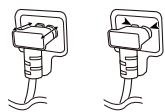
Make sure the power cord is connected securely to the power plug on the TV. (Depending on model)

CAUTION
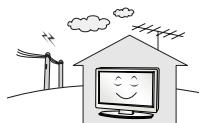
Install the product where no radio wave occurs.
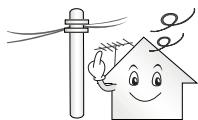
There should be enough distance between an outside antenna and power lines to keep the former from touching the latter even when the antenna falls. This may cause an electric shock.
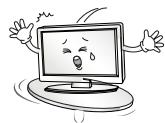
Do not install the product on places such as unstable shelves or inclined surfaces. Also avoid places where there is vibration or where the product cannot be fully supported. Otherwise, the product may fall or flip over, which may cause injury or damage to the product.
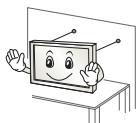
If you install the TV on a stand, you need to take actions to prevent the product from overturning. Otherwise, the product may fall over, which may cause injury.
If you intend to mount the product to a wall, attach VESA standard mounting interface (optional parts) to the back of the product. When you install the set to use the wall mounting bracket (optional parts), fix it carefully so as not to drop.
Only use the attachments / accessories specified by the manufacturer.
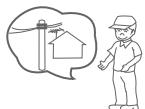
When installing the antenna, consult with a qualified service technician. If not installed by a qualified technician, this may create a fire hazard or an electric shock hazard.
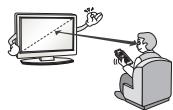
We recommend that you maintain a distance of at least 2 to 7 times the diagonal screen size when watching TV. If you watch TV for a long period of time, this may cause blurred vision.
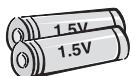
Only use the specified type of battery. This could cause damage to the remote control.
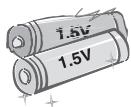
Do not mix new batteries with old batteries. This may cause the batteries to overheat and leak.
Batteries should not be exposed to excessive heat. For example, keep away from direct Sunlight, open fireplace and electric heaters.
Do not place non-rechargeable batteries in charging device.
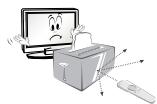
Make sure there are no objects between the remote control and its sensor.
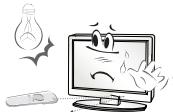
Signal from Remote Control can be interrupted due to external/internal lighting eg Sunlight, fluorescent lighting. If this occurs turn off lighting or darken viewing area.
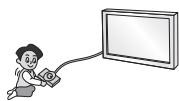
When connecting external devices such as video game consoles, make sure the connecting cables are long enough. Otherwise, the product may fall over, which may cause injury or damage the product.
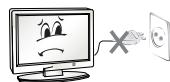
Do not turn the product On/Off by plugging-in or unplugging the power plug to the wall outlet. (Do not use the power plug for switch.) It may cause mechanical failure or could give an electric shock.
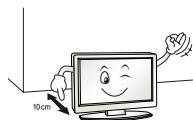
Please follow the installation instructions below to prevent the product from overheating.
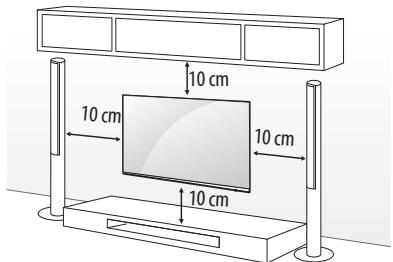
- The distance between the product and the wall should be more than 10cm .
- Do not install the product in a place with no ventilation (e.g., on a bookshelf or in a cupboard).
- Do not install the product on a carpet or cushion.
- Make sure the air vent is not blocked by a tablecloth or curtain.
otherwise, this may result in fire.
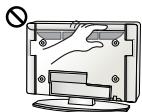
Take care not to touch the ventilation openings when watching the TV for long periods as the ventilation openings may become hot. This does not affect the operation or performance of the product.
Periodically examine the cord of your appliance, and if its appearance indicates damage or deterioration, unplug it, discontinue use of the appliance, and have the cord replaced with an exact replacement part by an authorized servicer.
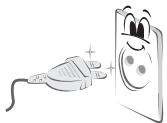
Prevent dust collecting on the power plug pins or outlet. This may cause a fire hazard.
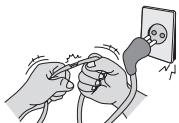
Protect the power cord from physical or mechanical abuse, such as being twisted, kinked, pinched, closed in a door, or walked upon. Pay particular attention to plugs, wall outlets, and the point where the cord exits the appliance.
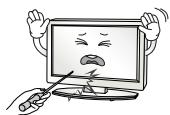
Do not press strongly upon the panel with a hand or sharp object such as nail, pencil or pen, or make a scratch on it, as it may cause damage to screen.
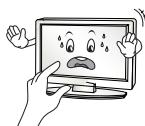
Avoid touching the screen or holding your finger(s) against it for long periods of time. Doing so may produce some temporary or permanent distortion/damage to screen.
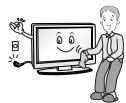
When cleaning the product and its components, unplug the power first and wipe it with a soft cloth. Applying excessive force may cause scratches or discolouration. Do not spray with water or wipe with a wet cloth. Never use glass cleaner, car or industrial shiner, abrasives or wax, benzene, alcohol etc., which can damage the product and its panel. Otherwise, this may result in fire, electric shock or product damage (Deformation, corrosion or breakage).
As long as this unit is connected to the AC wall outlet, it is not disconnected from the AC power source even if you turn off this unit by SWITCH.
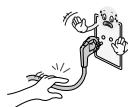
When unplugging the cable, grab the plug and unplug it, by pulling at the plug.
Don't pull at the cord to unplug the power cord from the power board, as this could be hazardous.
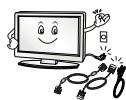
When moving the product, make sure you turn the power off first. Then, unplug the power cables, antenna cables and all connecting cables. The TV set or power cord may be damaged, which may create a fire hazard or cause electric shock.
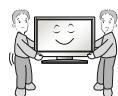
When moving or unpacking the product, work in pairs because the product is heavy. Otherwise, this may result in injury.
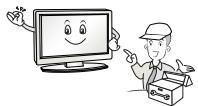
Refer all servicing to qualified service personnel. Servicing is required when the apparatus has been damaged in any way, such as power supply cord or plug is damaged, liquid has been spilled or objects have fallen into the apparatus, the apparatus has been exposed to rain or moisture, does not operate normally, or has been dropped.
If the product feels cold to the touch, there may be a small "flicker" when it is turned on. This is normal, there is nothing wrong with product.
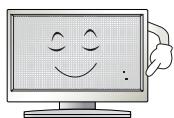
This panel is an advanced product that contains millions of pixels. You may see tiny black dots and/or brightly coloured dots (red, blue or green) at a size of 1 ppm on the panel. This does not indicate a malfunction and does not affect the performance and reliability of the product.
This phenomenon also occurs in third-party products and is not subject to exchange or refund.
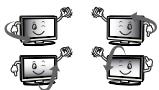
You may find different brightness and color of the panel depending on your viewing position(left/right/top/down).
This phenomenon occurs due to the characteristic of the panel. It is not related with the product performance, and it is not malfunction.
Displaying a still image for a prolonged period of time may cause image sticking. Avoid displaying a fixed image on the TV screen for a long period of time.
Generated Sound
"Cracking" noise: A cracking noise that occurs when watching or turning off the TV is generated by plastic thermal contraction due to temperature and humidity. This noise is common for products where thermal deformation is required. Electrical circuit humming/panel buzzing: A low level noise is generated from a high-speed switching circuit, which supplies a large amount of current to operate a product. It varies depending on the product.
This generated sound does not affect the performance and reliability of the product.
Do not use high voltage electrical goods near the TV (e.g. electric mosquito-swatter). This may result in product malfunction.
Viewing 3D imaging (Only 3D models)

CAUTION
- Children should be supervised by an adult when viewing 3D video. If a child experiences eye fatigue, headaches or blurred vision while watching 3D, they should take a break, before they resume watching 3D content.
- When viewing a 3D video, some may experience discomfort such as a headache, dizziness, fatigue, or blurred vision. In this case, stop watching the 3D video and take a rest.
- If you watch a 3D video for a long time, you may experience eye fatigue. In this case, stop watching the 3D video and take a rest.
- Only use LG 3D glasses. Otherwise, you may not be able to view 3D videos properly.
- Do not use 3D glasses instead of your normal glasses, sunglasses, or protective goggles.
- Do not keep your 3D glasses in extremely high or low temperatures. It will cause deformation.
- Do not use 3D glasses while walking or moving around. It may cause an accident or injury.
- Be careful not to poke your eye with the frames of the 3D glasses.
- Do not watch 3D content if you have photosensitive seizures, epilepsy, or heart disease.
Preparing

NOTE
- If the TV is turned on for the first time after it was shipped from the factory, initialization of the TV may take a few minutes.
- Image shown may differ from your TV.
- Your TV's OSD (On Screen Display) may differ slightly from that shown in this manual.
- The available menus and options may differ from the input source or product model that you are using.
- New features may be added to this TV in the future.
- The items supplied with your product may vary depending on the model.
- Product specifications or contents of this manual may be changed without prior notice due to upgrade of product functions.
- For an optimal connection, HDMI cables and USB devices should have bezels less than 10mm thick and 18mm width. Use an extension cable that supports USB 2.0 if the USB cable or USB memory stick does not fit into your TV's USB port.
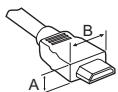

$$ * A \leq 1 0 \mathrm {m m} $$
$$ ^ {*} \mathrm {B} \leq 1 8 \mathrm {m m} $$
- Use a certified cable with the HDMI logo attached.
- If you do not use a certified HDMI cable, the screen may not display or a connection error may occur. (Recommended HDMI Cable Types)
- High-Speed HDMI™/IM cable (3 m or less)
- High-Speed HDMI™ cable with Ethernet (3 m or less)
How to use the ferrite core (Depending on model) - Use the ferrite core to reduce the electromagnetic interference in the power cord. Wind the power cord on the ferrite core once.
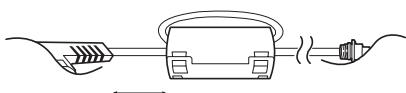
[Wall side]
[TV side]
10 cm (+/ -2 cm)
-
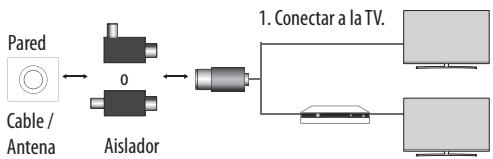
Antenna Isolator Installation Guide (Depending on model)
-
Use this to install TV in a place where there is a voltage difference between TV Set and GND of antenna signal.
If there is a voltage difference between TV Set and GND of antenna signal, the antenna contact might be heated and excessive heat might cause an accident. - You can improve the safety when watching TV by efficiently removing power voltage from TV antenna. It is recommended to mount the isolator to the wall. If it cannot be mounted to the wall, mount it on the TV. Avoid disconnecting the antenna isolator after installation.
- Before starting, be sure that the TV antenna is connected.
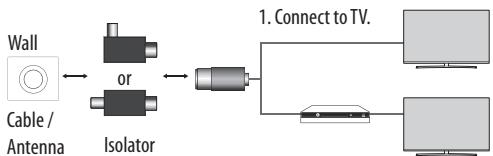
2. Connect to Set-Top box.
- Connect one end of the isolator to cable/antenna jack and the other to TV set or set-top box.
Equipment connected to the protective earthing of the building installation through the mains connection or through other equipment with a connection to protective earthing - and to a cable distribution system using coaxial cable, may in some circumstances create a fire hazard. Connection to a cable distribution system has therefore to be provided through a device providing electrical isolation below a certain frequency range (galvanic isolator, see EN 60728-11) - When applying the RF Isolator, a slight loss of signal sensitivity can occur.

CAUTION
- Do not use any unapproved items to ensure the safety and product life span.
- Any damage or injuries caused by using unapproved items are not covered by the warranty.
- Some models have a thin film attached on to the screen and this must not be removed.
- When attaching the stand to the TV set, place the screen facing down on a cushioned table or flat surface to protect the screen from scratches.
- Make sure that the screws are inserted correctly and fastened securely. (If they are not fastened securely enough, the TV may tilt forward after being installed.) Do not use too much force and over tighten the screws; otherwise screw may be damaged and not tighten correctly.
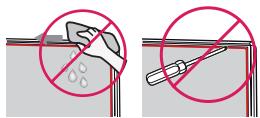
- Make sure to wring any excess water or cleaner from the cloth.
- Do not spray water or cleaner directly onto the TV screen.
- Make sure to spray just enough of water or cleaner onto a dry cloth to wipe the screen.
- When cleaning the product, be careful not to allow any liquid or foreign objects to enter the gap between the upper, left or right side of the panel and the guide panel. (Depending on model)
Separate purchase
Separate purchase items can be changed or modified for quality improvement without any notification. Contact your dealer to buy these items. These devices only work with certain models.
The model name or design may be changed depending on the upgrade of product functions, manufacturer's circumstances or policies.
Depending on model)
| AG-F*** | AN-MR650 |
| Cinema 3D Glasses | Magic Remote |
| AN-VC550 | AG-F***DP |
| Smart camera | Dual Play Glasses |
Lifting and moving the TV
Please note the following advice to prevent the TV from being scratched or damaged and for safe transportation regardless of its type and size.
- It is recommended to move the TV in the box or packing material that the TV originally came in.
- Before moving or lifting the TV, disconnect the power cord and all cables.
- When holding the TV, the screen should face away from you to avoid damage.
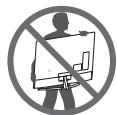
- Hold the top and bottom of the TV frame firmly. Make sure not to hold the transparent part, speaker, or speaker grill area.
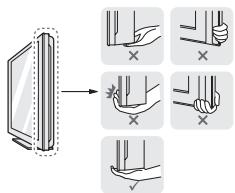
- When transporting a large TV, there should be at least 2 people.
- When transporting the TV by hand, hold the TV as shown in the following illustration.
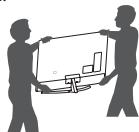
- When transporting the TV, do not expose the TV to jolts or excessive vibration.
- When transporting the TV, keep the TV upright, never turn the TV on its side or tilt towards the left or right.
- Do not apply excessive pressure to cause flexing/bending of frame chassis as it may damage screen.
- When handling the TV, be careful not to damage the protruding buttons.

CAUTION
- Avoid touching the screen at all times, as this may result in damage to the screen.
- Do not move the TV by holding the cable holders, as the cable holders may break, and injuries and damage to the TV may occur.
Using the button
Depending on model)
You can simply operate the TV functions, pressing or moving the button.

- 43/49UH60, 43/49UH61, 43/49UH62 series does not have a Joystick functions but has only a power On/Off button.
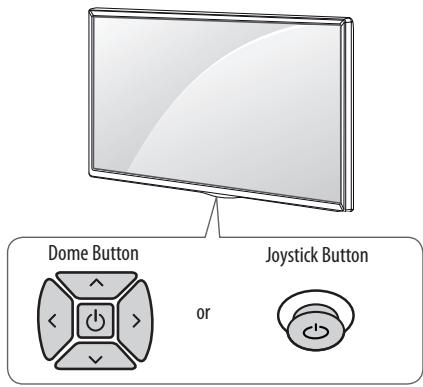

Basic functions
| ↑ | ↑ | ↑ | Power On (Press) Power Off (Press and hold)1 |
| < | < | < | Volume Control |
| ^ | ^ | ^ | Programmes Control |
1 All running apps will close, and any recording in progress will stop.
Adjusting the menu
When the TV is turned on, press the button one time. You can adjust the Menu items pressing or moving the buttons.
| ○ | Turns the power off. |
| × | Clears on-screen displays and returns to TV viewing. |
| ← | Changes the input source. |
| → | Accesses the settings menu. |
Mounting on a table
1 Lift and tilt the TV into its upright position on a table.
- Leave a 10cm (minimum) space from the wall for proper ventilation.
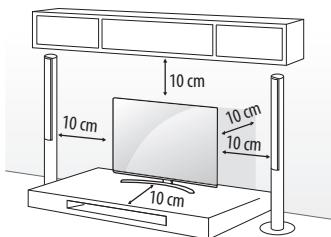
2 Connect the power cord to a wall outlet.

- Do not place the TV near or on sources of heat, as this may result in fire or other damage.
Securing the TV to a wall
(This feature is not available for all models.)
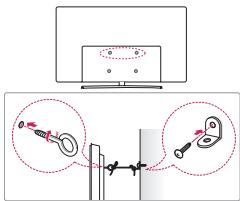
1 Insert and tighten the eye-bolts, or TV brackets and bolts on the back of the TV.
- If there are bolts inserted at the eye-bolts position, remove the bolts first.
2 Mount the wall brackets with the bolts to the wall. Match the location of the wall bracket and the eye-bolts on the rear of the TV.
3 Connect the eye-bolts and wall brackets tightly with a sturdy rope. Make sure to keep the rope horizontal with the flat surface.

CAUTION
- Make sure that children do not climb on or hang on the TV.

NOTE
- Use a platform or cabinet that is strong and large enough to support the TV securely.
- Brackets, bolts and ropes are not provided. You can obtain additional accessories from your local dealer.
Mounting on a wall
Attach an optional wall mount bracket at the rear of the TV carefully and install the wall mount bracket on a solid wall perpendicular to the floor. When you attach the TV to other building materials, please contact qualified personnel. LG recommends that wall mounting be performed by a qualified professional installer. We recommend the use of LG's wall mount bracket. LG's wall mount bracket is easy to move with cables connected. When you do not use LG's wall mount bracket, please use a wall mount bracket where the device is adequately secured to the wall with enough space to allow connectivity to external devices. It is advised to connect all the cables before installing fixed wall mounts.
Make sure to use screws and wall mount bracket that meet the VESA standard. Standard dimensions for the wall mount kits are described in the following table.
Separate purchase(Wall mounting bracket)
| Model | 43UH60**43UH61**40/43UH62**40UH63**43UH65**43UH66**40/43UH67**43UH74**43UH75** | 49/55UH60**49/55UH61**49/55UH62**50UH63**49/55UH65**49/55UH66**49/50/55UH67**49/55UH74**49/55UH75**49/55UH77**49/55UH79**49/55UH80**49/55UH84**49/55UH85** |
| VESA (A x B) (mm) | 200 x 200 | 300 x 300 |
| Standard screw | M6 | M6 |
| Number of screws | 4 | 4 |
| Wall mount bracket | LSW240BMSW240 | LSW350BMSW240 |
| Model | 60/65UH60**60/65UH61**60/65UH62**58UH63**60/65UH65**60/65UH66**58/60/65UH67**60UH74**60/65UH75**60/65UH77**60/65UH80**60UH84**60/65UH85** | 70UH63**75UH65**70UH67**70UH70**75UH77**75UH78**75UH80**75UH85**79/86UH95** |
| VESA (A x B) (mm) | 300 x 300 | 600 x 400 |
| Standard screw | M6 | M8 |
| Number of screws | 4 | 4 |
| Wall mount bracket | LSW350B | LSW640B |
| Model | 55/65UH95** | |
| VESA (A x B) (mm) | 300 x 200 | |
| Standard screw | M6 | |
| Number of screws | 4 | |
| Wall mount bracket | OTW420B |
B! A

CAUTION
- Remove the stand before installing the TV on a wall mount by performing the stand attachment in reverse.

NOTE
- When installing the wall mounting bracket, use the adhesive label or protective cover provided. The adhesive label or protective cover will protect the opening from accumulating dust and dirt. (Only when the label or cover is provided)
| Provided item |
| Adhesive label |
| Provided item |
| Adhesive label |
| Provided item |
| Protective cover |
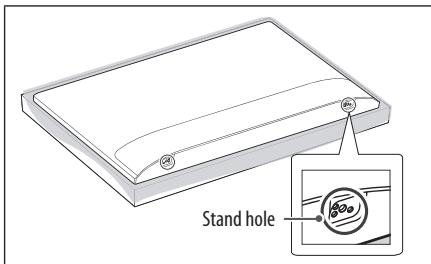
- When installing the wall mounting bracket, it is recommended to cover the stand hole using tape, in order to prevent the influx of dust and insects. (Depending on model)
- When attaching a wall mounting bracket to the TV, insert the wall mount spacers into the TV wall mount holes to adjust the vertical angle of the TV. (Only when the item of the following form is provided)

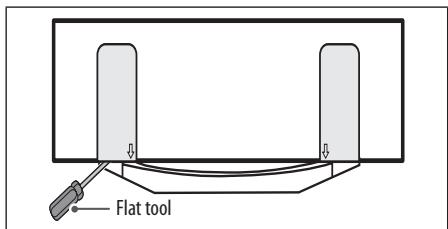
- Depending on the shape of the stand, use a flat tool to remove the stand cover as illustrated below. (e.g., a flat screwdriver)
(Only when the item of the following form is provided)
Connections (notifications)
Connect various external devices to the TV and switch input modes to select an external device. For more information of external device's connection, refer to the manual provided with each device.
Available external devices are: HD receivers, DVD players, VCRs, audio systems, USB storage devices, PC, gaming devices, and other external devices.
NOTE
- The external device connection may differ from the model.
- Connect external devices to the TV regardless of the order of the TV port.
- If you record a TV program on a DVD recorder or VCR, make sure to connect the TV signal input cable to the TV through a DVD recorder or VCR. For more information of recording, refer to the manual provided with the connected device.
Refer to the external equipment's manual for operating instructions. - If you connect a gaming device to the TV, use the cable supplied with the gaming device.
- In PC mode, there may be noise associated with the resolution, vertical pattern, contrast or brightness. If noise is present, change the PC output to another resolution, change the refresh rate to another rate or adjust the brightness and contrast on the PICTURE menu until the picture is clear.
- In PC mode, some resolution settings may not work properly depending on the graphics card.
- If ULTRA HD content is played on your PC, video or audio may become disrupted intermittently depending on your PC's performance. (Depending on model)
Antenna connection
Connect the TV to a wall antenna socket with an RF cable (75Ω).
- Use a signal splitter to use more than 2 TVs.
- If the image quality is poor, install a signal amplifier properly to improve the image quality.
- If the image quality is poor with an antenna connected, try to realign the antenna in the correct direction.
- An antenna cable and converter are not supplied.
Supported DTV Audio: MPEG, Dolby Digital, Dolby Digital Plus, HE-AAC - For a location that is not supported with ULTRA HD broadcasting, this TV cannot receive ULTRA HD broadcasts directly. (Depending on model)
Satellite dish connection
(Only satellite models)
Connect the TV to a satellite dish to a satellite socket with a satellite RF cable (75Ω).
CI module connection
Depending on model)
View the encrypted (pay) services in digital TV mode.
- Check if the CI module is inserted into the PCMCIA card slot in the right direction. If the module is not inserted properly, this can cause damage to the TV and the PCMCIA card slot.
- If the TV does not display any video and audio when Cl + CAM is connected, please contact to the Terrestrial/Cable/Satellite Service Operator.
USB connection
Some USB Hubs may not work. If a USB device connected using a USB Hub is not detected, connect it to the USB port on the TV directly.
Other connections
Connect your TV to external devices. For the best picture and audio quality, connect the external device and the TV with the HDMI cable. Some separate cable is not provided.


General HDMI ULTRA HD Deep
Colour
- On: Support 4K @ 50/60 Hz (4:4:4, 4:2:2, 4:2:0)
- Off: Support 4K @ 50/60 Hz 8 bit (4:2:0)
If the device connected to Input Port also supports ULTRA HD Deep Colour, your picture may be clearer. However, if the device doesn't support it, it may not work properly. In that case, connect the device to a different HDMI port or change the TV's HDMI ULTRA HD Deep Colour setting to Off.
(This feature is available on certain models which are supported ULTRA HD Deep Colour only.)

NOTE
Supported HDMI Audio format :
Dolby Digital (32 kHz, 44.1 kHz, 48 kHz), DTS (44.1 kHz, 48 kHz),
PCM (32 kHz, 44.1 kHz, 48 kHz, 96 kHz, 192 kHz)
Depending on model)
Remote control
The descriptions in this manual are based on the buttons on the remote control. Please read this manual carefully and use the TV correctly.
To replace batteries, open the battery cover, replace batteries (1.5 V AAA) matching the and ends to the label inside the compartment, and close the battery cover. To remove the batteries, perform the installation actions in reverse.
Make sure to point the remote control toward the remote control sensor on the TV.
Depending on model)
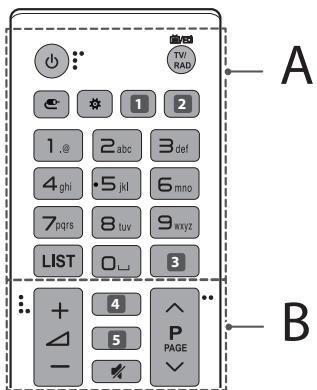
A
(POWER)Turns the TV on or off.
TV/RAD Selects Radio, TV and DTV programme.
^ (INPUT) Changes the input source.
Q. Settings) Accesses the Quick Settings.
1, 2 LIVE ZOOM By zooming in on the selected area, you can view it in full screen. (Depending on model)
1,2 ① INFO Views the information of the current programme and screen. (Depending on model)
Q (SEARCH) Search for content such as TV programmes, movies and other videos, or perform a web search by entering text in the search bar. (Depending on model)
SUBTITLE Recalls your preferred subtitle in digital mode. (Depending on model)
Number buttons Enters numbers.
LIST Accesses the saved programmes list.
(Space) Opens an empty space on the screen keyboard.
GUIDe Shows programme guide. (Depending on model)
Q.VIEW Returns to the previously viewed programme.
Depending on model)
B
4 ① INFO Views the information of the current programme and screen. (Depending on model)
4,5Q (SEARCH) Search for content such as TV programmes, movies and other videos, or perform a web search by entering text in the search bar. (Depending on model)
4, 5 GUIDE Shows programme guide. (Depending on model)
3D Used for viewing 3D video. (Depending on model)
(MUTE) Mutes all sounds.
+Adjusts the volume level.
P Scrolls through the saved programmes.
PAGE Moves to the previous or next screen.
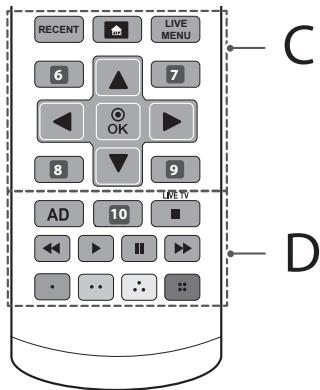
C
RECENT Shows the previous history.
(HOME)Accesses theHome menu.
LIVE MENU Shows the list of Programmes and Recommended.
Depending on model)
6,8 BACK Returns to the previous level. (Depending on model)
6,7,8,9 Teletext buttons (TEXT,T.OPT) These buttons are used for teletext. (Depending on model)
7, 9 EXIT Clears on-screen displays and returns to TV viewing. (Depending on model)
Navigation buttons (up/down/left/right) Scrolls through menus or options.
OK Selects menus or options and confirms your input.
D
AD By pressing the AD button, audio descriptions function will be enabled.
10 REC/* Starts to record and displays record menu.
(Only Time Machine ^Ready supported model) (Depending on model)
10 LIVE ZOOM By zooming in on the selected area, you can view it in full screen. (Depending on model)
10 APP/* Selects the MHP TV menu source. (Depending on model)
LIVE TV Returns to LIVE TV.
Control buttons (■, ▷, II, ←, →) Controls media contents.
Coloured buttons These access special functions in some menus.
(Red:Green:Yellow,Blue)
Magic remote functions
Depending on model)
When the message "Magic remote battery is low. Change the battery." is displayed, replace the battery.
To replace batteries, open the battery cover, replace batteries (1.5 V AA) matching the and ends to the label inside the compartment, and close the battery cover. Be sure to point the magic remote toward the remote control sensor on the TV. To remove the batteries, perform the installation actions in reverse.
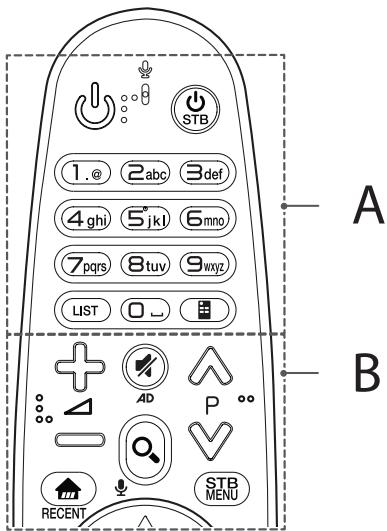
A
() (POWER)Turns the TV on or off.
STB (STB POWER) You can turn your set-top box on or off by adding the set-top box to the universal remote control for your TV.
Number buttons Enters numbers.
LIST Accesses the saved programmes list.
(Space) Opens an empty space on the screen keyboard.
Screen Remote) Displays the Screen Remote.
* Accesses the Universal Control Menu. (Depending on model)
B
+△=Adjuststhevolumelevel.
Scrolls through the saved programmes.
(MUTE) Mutes all sounds.
* By pressing and holding the button, audio descriptions function will be enabled. (Depending on model)
Q (SEARCH) Search for content such as TV programmes, movies and other videos, or perform a web search by entering text in the search bar.
(Voice recognition)
Depending on model)
Network connection is required to use the voice recognition function.
1 Press the voice recognition button.
2 Speak when the voice display window appears on the TV screen.
(Home)Accesses the Home menu.
RECENT Shows the previous history.
STB MENU Displays the set-top box Home menu.
- When you are not watching via a set-top box: the display changes to the set-top box screen.
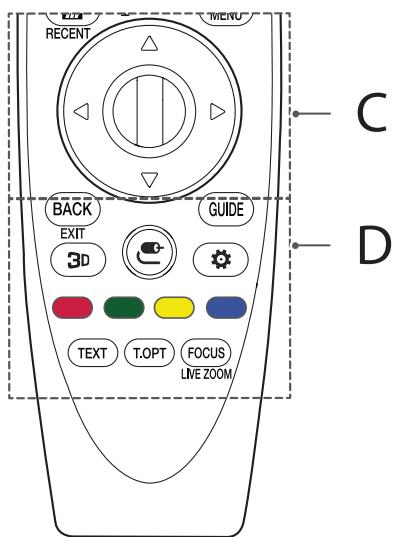
C
Wheel (OK) Press the center of the Wheel button to select a menu. You can change programmes by using the Wheel button.
< (up/down/left/right) Press the up, down, left or right button to scroll the menu. If you press < buttons while the pointer is in use, the pointer will disappear from the screen and Magic Remote will operate like a general remote control. To display the pointer on the screen again, shake Magic Remote to the left and right.
D
BACK Returns to the previous screen.
EXIT Clears on-screen displays and returns to last input viewing.
GUIDE Shows programme guide.
3D Used for viewing 3D video. (Only 3D models)
(INPUT) Changes the input source.
- Pressing and holding the button displays all the lists of external inputs.
(Q. Settings) Accesses the Quick Settings.
- Pressing and holding the button displays the All Settings menu.
Coloured buttons These access special functions in some menus.
(Red, Green, Yellow, Blue)
Teletext buttons (TEXT, T.OPT) These buttons are used for teletext.
FOCUS You can zoom in on the area where the remote control is pointed.
LIVE ZOOM By zooming in on the selected area, you can view it in full screen.
Registering magic remote
How to register the magic remote
To use the Magic Remote, first pair it with your TV.
1 Put batteries into the Magic Remote and turn the TV on.
2 Point the Magic Remote at your TV and press the Wheel (OK) on the remote control.
* If the TV fails to register the Magic Remote, try again after turning the TV off and back on.
How to deregister the magic remote
Press the BACK and (HOME) buttons at the same time, for five seconds, to unpair the Magic Remote with your TV.
* Pressing and holding the GUIDE button will let you cancel and re-register Magic Remote at once.
Licenses
Supported licenses may differ by model. For more information about licenses, visit www.lg.com.
DOLBY DIGITAL PLUS
HAMI HIGH-DEFINITION MULTIMEDIA INTERFACE


DOLBY VISION
(Only UH95, UH85, UH77, 75UH78, 70UH70**)
Open source software notice information
To obtain the source code under GPL, LGPL, MPL and other open source licenses, that is contained in this product, please visit http://opensource.lge.com.
In addition to the source code, all referred license terms, warranty disclaimers and copyright notices are available for download.
LG Electronics will also provide open source code to you on CD-ROM for a charge covering the cost of performing such distribution (such as the cost of media, shipping, and handling) upon email request to opensource@ lge.com. This offer is valid for three (3) years from the date on which you purchased the product.
External control device setup
To obtain the external control device setup information, please visit www.lg.com.
Troubleshooting
Cannot control the TV with the remote control.
- Check the remote control sensor on the product and try again.
- Check if there is any obstacle between the product and the remote control.
- Check if the batteries are still working and properly installed (⊕ to ⊙, ⊙ to ⊙).
No image display and no sound is produced.
- Check if the product is turned on.
- Check if the power cord is connected to a wall outlet.
- Check if there is a problem in the wall outlet by connecting other products.
The TV turns off suddenly.
- Check the power control settings. The power supply may be interrupted.
- Check if the Sleep Timer / Timer Power Off is activated in the Timers settings.
- Check if the Auto Power Off is activated in the General -> Eco Mode settings. (Depending on model)
- If there is no signal while the TV is on, the TV will turn off automatically after 15 minutes of inactivity.
When connecting to the PC (HDMI), 'No signal' or 'Invalid Format' is displayed.
- Turn the TV off/on using the remote control.
- Reconnect the HDMI cable.
- Restart the PC with the TV on.
Specifications
Wireless module specification
- As band channels can vary per country, the user cannot change or adjust the operating frequency. This product is configured for the regional frequency table.
- For consideration of the user, this device should be installed and operated with a minimum distance of 20cm between the device and the body.
(Only UH60, UH61, UH62**)
| Wireless LAN module (TWFM-B006D) specifications | |
| Standard | IEEE802.11a/b/g/n |
| Frequency Range | Output Power (Max.) |
| 2400 to 2483.5 MHz | 14 dBm |
| 5150 to 5250 MHz | 12.5 dBm |
| 5725 to 5850 MHz (for Non EU) | 15.5 dBm |
(Only UH63, UH65, UH66, UH67, UH70, UH74, UH75, UH77, UH78, UH79, UH80, UH84, UH85, UH95)
| Wireless module (LGSBWAC61) specifications | |
| Wireless LAN (IEEE 802.11a/b/g/n/ac) | |
| Frequency Range | Output Power (Max.) |
| 2400 to 2483.5 MHz | 15.5 dBm |
| 5150 to 5725 MHz | 17.5 dBm |
| 5725 to 5850 MHz (Not for EU) | 8.0 dBm |
| Bluetooth | |
| Frequency Range | Output Power (Max.) |
| 2400 to 2483.5 MHz | 10 dBm |
- "IEEE802.11ac" is not available in all countries.
| CI Module (W x H x D) | 100.0 mm x 55.0 mm x 5.0 mm | |
| Environment condition | Operating Temperature | 0 °C to 40 °C |
| Operating Humidity | Less than 80 % | |
| Storage Temperature | -20 °C to 60 °C | |
| Storage Humidity | Less than 85 % | |
Depending on country
| Digital TV | Analogue TV | |||
| Satellite | Terrestrial | Cable | Terrestrial / Cable | |
| Television system | DVB-S/S2* | DVB-T DVB-T2* | DVB-C | PAL/SECAM B/G, D/K, I, SECAM L |
| Channel coverage (Band) | 950 ~ 2150 Mhz | VHF III: 174 ~ 230 Mhz UHF IV: 470 ~ 606 Mhz UHF V: 606 ~ 862 Mhz S Band II: 230 ~ 300 Mhz S Band III: 300 ~ 470 Mhz | 46 ~ 862 Mhz | 46 ~ 862 Mhz |
| Maximum number of storable programmes | 6,000 | 3,000 | ||
| External antenna impedance | 75 Ω | |||
- Only DVB-T2/C/S2 support models.
BENUTZERHANDBUCH
No permitted that the children are to be given food.
2. Conectar al receptor de television digital.
PCM (32 kHz, 44,1 kHz, 48 kHz, 96 kHz, 192 kHz)
(Enfunciendelmodelo)
Mando a distancia
IpoTOU XPOIOUMOIOHOETe TNOOKEUN, DIAbaTe IPOoEKTiKa TIC OBNYEc OXETiKa M TE NTV aOaPaeia.

\PPOEI OIOIH\SH
Mnu tonotheite tnv tnAeopaan kai to tnAeXeiipotnpio ota napakatw nepiBaaovta:
Σ Ε θεη Ε έκτθειμένη Σ Ε ἀμεο η λιακό φως
Σεπεριοχήμεψηλήνγρασία, σόως τοτμανίο
Kovtaeonoiabnntoeynytheepoantac,Onwocepaotpcn alaes oukeuecno npapayouv thepOHTA
Kovtá OE naýkouc, kouζivaç n uyponoɪntéc, onou unapxεi o kivduvoc κκθeənc OE atμo n λádi
Σεπeipoxη εκτθειμένησηβροχήσονανεμo
Kovt aE doxieia vepou, onwc baca
Diaopoptika, unapxyekivduovoc npokknonnc npkayiac, nAektponlxiac,
duoletoupvic nnapaupopwoanc tou piovtoc.
Mnu tonotheite to npoiov o xupouc me kovn. Ytapxekivduvoc npukayac.
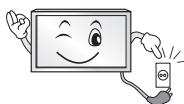
To _C eivai n diata8n anooovdeoanc. H npoBaon oTo _C npenei va eivai avetn.
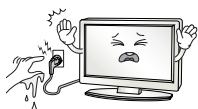
MnvyiciTeTOqItropooioiacuypa xepia.EmiLeov,av o akpodektnc tokuawdiou evaiyopoc nokoviaevoc,oteywoote toveleicnokouniote tnokv naviotoia.Ynapxivkivduoc nkektonnxiac,loyu unepboikncuypaioac.
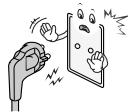
Beaowtei OExTe ouvdeoei To kaiobio tropooboiac oe yiwueyn npia.(EKTc an ooukeuec oi onoeic dev iaetovy eiow.)Ynapxie kivduoc nAeKtponlxiac ntpauatioou.
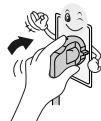
Suvdeote ootato kaihodio tropofooiaac.Av to kalwio tropofooiaoc ouvethetai oostota, unapxei kivduoc npkayiac.
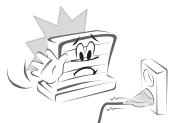
Bebaiowte ot KaIodio Tpofoobooiac dev epxetai oe enapn ie 0epuaavtkeiueva, onwoc to kalopipep. Ynapxei kivduvo nupkayiac n 1nkeptponlaic.
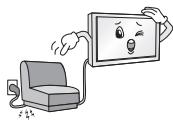
Mnu tonoTeite e navw oTa kaWdelta tropoosooiac bapi avtikeiEv a n to idio to npoiov. Aiaopoptiká, unapxiv kivduvo nupkayiac n nektoonlxiac.
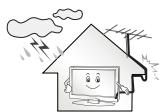
AuyioTe To Kaawio TnC Kepaic OTo Onueio EIOodou Tou OTo Ktio, Yia va anotpeyete Tny Eiopon VepoTnc BpOxN. To Vepo auto 0a mnpouoe va EeAeIeTO eowstepiKo Tou npoiovtoc Kai va npokalaei BlaBn kai mnpei va anotele airtia nEktponlanxiac.
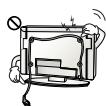
Kata tny eitoiixia totoehton niac nTaeopaoc, oovitote va uny kpeovtai ta kalwdi a tropoodooiaic ka onuato, niow ano tvn Tneopaoh. Ynpexi kivduoc npkayiac ka nEkrponlxiac.
Mnvyv6EETe yIaOi0oIeKtpiuovoukeuvoeVauOpnpio. YApXei kivduoc npoklanoc npkayiac loyw upePepavoc.
PpoeeTe va mny piEte KATOW to npioov kai mny to apnoeTe va noei kata tN ouvdeon Ewterikw ovokewu. Zmu Tetoia peipintwn, unapxiv kivduoc traumatao h npoklanoc znua cto npoiov.
Mny apivete to apuypavtiko eo n ta naotika uikka oukkeuaia c oe npn onou exounpoaan naia. To apuypavtiko eo evai eniilapec, ce nepintwn katanoonc. Av katanothei kata la0oc, npokaleote emet ko metaeite OTO nnaiostepeo vookojeio. Eianc, ta uikka ouokueuaia c mopei va npokaleouu aopuxia. Mny ta apivete o npn onou exounpoaan naia.
Mny aqnvete ta naiidia oac va ocapapaawovu v kapeiovta ano tynleopaon. H tnleopaon mnpei va neoi kai va npokaoleoi oobapo tpaumatio.
Na anoppiintete Tc xpnauonoineves matapiec e aoaiaeaia, yia va anoayyotevovkivuvo katanooctou ano taiaia. nepiittwnan katanoonm npatapiac,avaqntne aoeowtouboun yiatpuo.
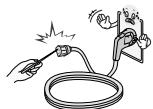
MnV eiayete aywiyuka uikka (onwc metaalika avtikemuva) otni ia
akpn tou kalwbiou tropoodooiac, otav n alnn akpn eivai ouvdebeevn
otnypiic npaoxnic nalektpkoepuatoc.Emnilieov, mny ayyiEETe
to kalwdo tropoodooiac, moic to ouvdeaeote otny pica. Ynapxei
kiuvoc nlektpoanlqic. (Avaloya me to ovtelo)
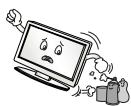
Mnu tonotheite kai mnu anoNkeiEe EupkTeC ouoie Kovta oTo npoiov. Ynapxei kivouoc EkpnEnc n npukayiac, loyawavbaouevnc xonctwv EupkEkwouiw.
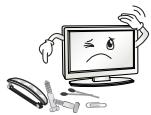
Mny piyvete metaaikacavitkeieeva, otnckepaetaatalkak taumidakia, oumuata, nevpalekta uka, onwcxapri kai onpita, meo a st npioiv. Ta naidia npenei va eivai idaitepna npoeektika. Mnopei va npoknthei nktponlqia, npukayia ntpauatiosoc. Eav kanoio atvekeievo neeoi meo st npioov anouvseote to kaawdoio tropoobooiac kai enkoovwneote te Kevtpo texvihnc ecuipnetnocn.
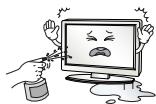
MnV yekacTe vepo stpov ka mnu to tpiBETe ME eupkAeTc ouiec (dialutiko n bevcniv).Ynpexi kivouvoc npkayiac n kAeTponlxiac.
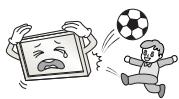
Mny npokaleite iayupoc kpaadaouc oTo npoiov kai mny apivete avtkeiyeva va nepotouv naaw tou. EInc, mny pivte avtkeiyeva enawv otnv o6vov. Evexetai va tpaumatiotei h va unootei ceta to npoiov.
PCM (32 kHz, 44,1 kHz, 48 kHz, 96 kHz, 192 kHz)
(Odvisno od modela)
Daljinski upravljalnik
Record the model number and serial number of the TV. Refer to the label on the back cover and quote this information to your dealer when requiring any service.
MODEL
SERIAL