 ManualGo.com
 HB25FSNAAA - 34003310 - Fridge HAIER - Free user manual and instructions
Find the device manual for free HB25FSNAAA - 34003310 HAIER in PDF.


Download the instructions for your Fridge in PDF format for free! Find your manual HB25FSNAAA - 34003310 - HAIER and take your electronic device back in hand. On this page are published all the documents necessary for the use of your device. HB25FSNAAA - 34003310 by HAIER.
USER MANUAL HB25FSNAAA - 34003310 HAIER
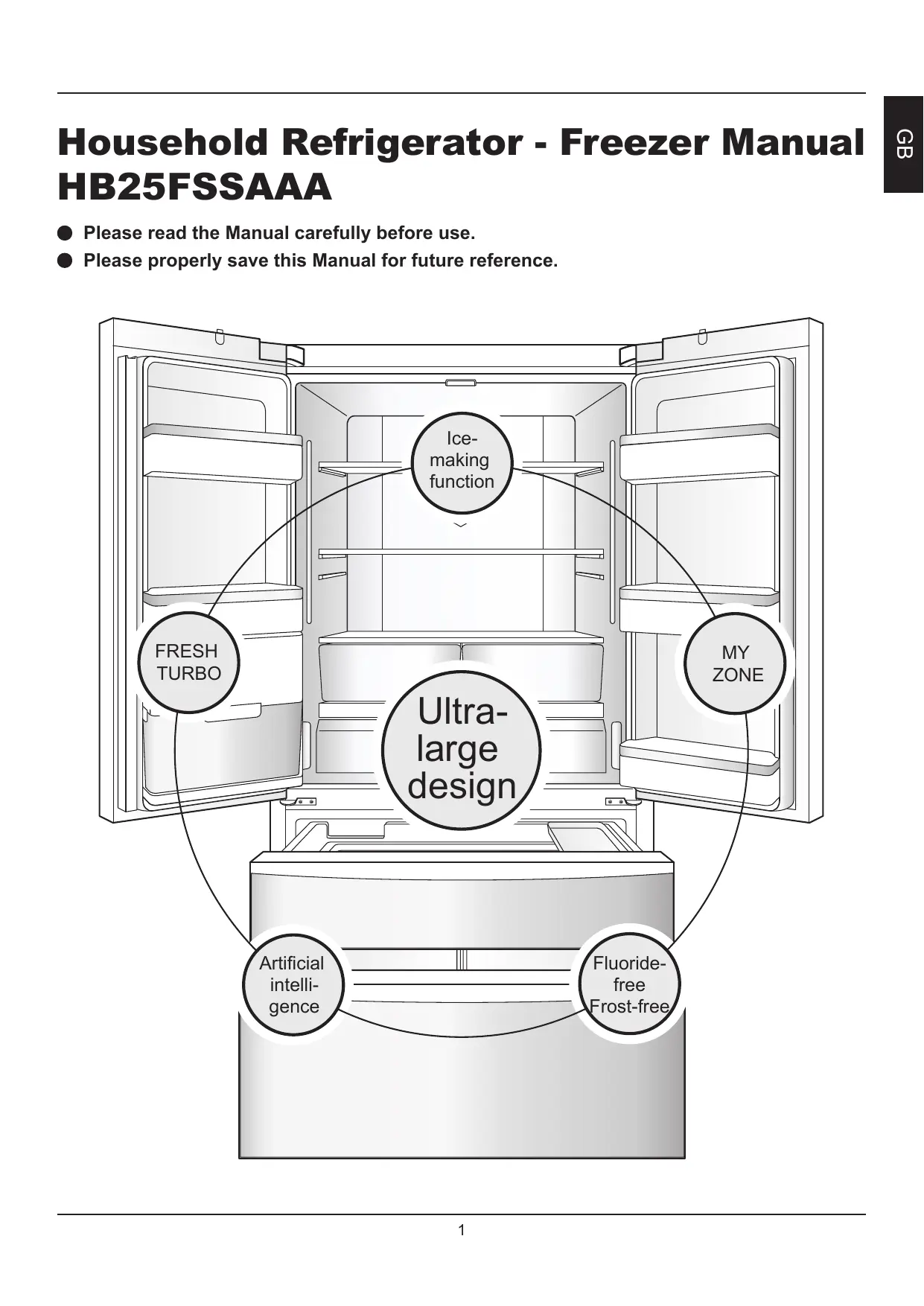
Please read the Manual carefully before use. Please properly save this Manual for future reference.
FRESH TURBO MY ZONE Ultralarge design
Artificial intelligence
GB Household Refrigerator - Freezer Manual
HB25FSSAAA GB Ice-making function
Full width LED backlighting
Equipped with a built-in automatic icemaker which makes ice cubes according to your preferences.
Stable bright light source, interior illumination without any dead spaces.
Full fan-cooled dual cooling system
MY ZONE Compressor and condenser, heat dissipating fan, good cooling effect, energy saving and environmentallyfriendly, as well as reliable quality.
Independent and accurate temperature controls, and a broad temperature range to maintain a biological freshness zone.
Defrosting and pre-cooling
Full width rack design, more convenient for storing and taking out foods.
Determine the temperature inside the appliance prior to defrosting it, and pre-cool it so that the pre-defrosting and postdefrosting temperatures inside the refrigeration do not markedly change by a wide margin, this helps to maintain food freshness.
Open-door alarm, touch buttons, and hidden LED display.
Artificial intelligence
FRESH TURBO No user is required, the appliance is automatically regulated to achieve the optimum refrigeration effect in accordance with the appliance’s internal temperatures and environmental temperature conditions.
Three-dimensional freshness keeping technology is applied, which can prolong the time that fruits and vegetables are kept fresh.
Ultra-large and super-luxurious design
Ultra-large capacity, large refrigerator and large freezer. Luxuriously designed interior and exterior.
The utmost in storing freshness from all the corners of the world
– taste the varied sensations of different latitudes
TASTE FRESHNESS In order to precisely realize your style of living, Haier has bestowed each of its product categories for households with exclusive state of the mind concepts. What this product brings to you is taste freshness.
HB25FSSAAA is a French style side-by-side door household Refrigerator - Freezer. Please read this Manual carefully to help you use this product safely and comfortably. For safe use of this product, please read the Safety Instructions carefully before use of the product.
Preparation procedures before using this product
Names of the components for the assemblies of this product
Pre-use preparation procedures for this product Instructions for the major functions of this product
Usages and precautions for the refrigeration compartments
Recommended storage zones for various foods
MY ZONE drawer usage
Refrigerated food precautions
Usages and precautions for the freezer compartments
Frozen food precautions
Precautions for energy-saving usage
Usage of the refrigerator’s water reservoir assembly 19
1. Refrigerator temperature setting
Cleaning the water reservoir assembly
2. Freezer temperature setting
Cleaning and usage of the icemaker
3. Function settings and deactivation of
Cleaning the ice cube tray
Icemaker usage precautions
5. Artificial intelligence function setting
6. Icemaker on and off function setting
Cleaning of the appliance
8. Lock / unlock function setting
Disassembling and cleaning the parts
Transporting the appliance
Appliance usage disruptions
11. If storage space needs to be increased
MY ZONE Daily maintenance of this product
Do you have any questions?
(If you have questions about the appliance, first check the contents of this chapter to deal with them.)
Greetings! Thank you for using Haier products, please read this instruction manual on how to use this appliance, so that injuries and accidents which damage objects are prevented, you must carefully read and observe the following symbols and the contents contained in this instruction manual. Warning
May cause injury to the user if incorrectly used.
Could result in damage to the appliance or property if incorrectly used.
3. Power cord and plug
The power cord plug should be kept firmly plugged into the socket, or it may cause fire! In order to prevent damage to the power cord, do not press the power cord by the appliance body or stamp on it. When moving the appliance away from the wall, please be careful not to roll over the power cord. Do not unplug the refrigeration by pulling on the power cord, you must firmly grasp the plug to directly unplug it from the socket. Before cleaning, repairing and replacing any damaged lighting equipment, be sure to unplug the appliance to prevent electric shock. When the power cord is damaged or the plug is worn, do not use it.
Action or operation which is absolutely prohibited
Action or operation which must be observed
4. In case combustible gas leakages, such as coal gas
You should shut off the gas leakage valve immediately, and then open the doors and windows. Do not unplug or plug in the power plug for the appliance or other electric devices.
This series of appliances uses 220 – 240 VAC / 50Hz power supply. If the voltage fluctuation is beyond the range of 187 – 242 V), this might cause a malfunction or even damage the appliance. To prevent this you must install an automatic voltage regulator rated for a minimum of 750W. 2. Earthing / Grounding You must use a separated and dedicated socket that is reliably grounded. The appliance is equipped with a three pin (earthed / grounded) plug (eg UK 13A plug, Europe Schuko plug), which meets the standard. Do not cut or remove the third plug pin (grounded) of the Power cord under any circumstance.
2. Locating the appliance
• The appliance should be placed away from heat sources and avoid direct exposure to sunlight, so as not to affect the work performance of the appliance. The appliance should be placed in a well-ventilated place, and there should be space around it which includes 10 cm or more of space in the rear. • Do not place it in a damp place or a place where water is easily splashed. Any splashed water and grime should be cleaned off with a soft cloth to prevent rust and to avoid affecting the electrical insulation properties. • To ensure safety, do not place power sockets, regulated power supplies, microwave ovens or any other appliances on top of the appliance. • Do not use electrical appliances inside the Refrigerator - Freezer (recommended models excluded), in order to avoid electromagnetic interference or other injuries. • Do not put unstable items (weights, water containers) on top of the appliance, so as not to cause injuries due to falling objects, or cause leakage due to overflows.
This refrigerator is intended to be used in household and similar applications such as staff kitchen areas in shops, offices and other working environments; farm houses and by clients in hotels, motels and other residential type environments. • This household appliance is only suitable for storing food and can not be used for other purposes, such as storage of blood, drugs and biological products, etc. • Combustible and explosive dangerous goods, as well as highly corrosive acids, alkalis and other chemicals are prohibited inside the appliance. • After running the appliance, do not touch the icy cold surface of the freezer compartment with your hands, especially with wet hands. Otherwise, your skin may stick to the cold surface. • When opening and closing the appliance’s doors, use the handles to pull them open and to close them. In between the appliance doors and the unit there are some small crevices, in order to prevent pinching injuries, do not put your hands into these areas. • When opening the appliance’s doors, do not let children approach, in order to avoid banging them with the doors. • This appliance can be used by children aged from 8 years and above and persons with reduced physical, sensory or mental capabilities or lack of experience and knowledge if they have been given supervision or instruction concerning use of the appliance in a safe way and understand the hazards involved. Children shall not play with the appliance. Cleaning and user maintenance shall not be made by children without supervision.
1. Cleaning • Do not spray and rinse the appliance with water; in addition, do not place the appliance in a damp place or a place where it is easily splashed by water in order to prevent rust and to avoid affecting the electrical insulation properties. • In case of power failure or cleaning, unplug the power plug for at least 5 minutes, and then power on again, in order to prevent damage to the compressor due to consecutive starts.
• Do not dismantle or modify the appliance without permission. • Do not damage the refrigeration pipeline. • The appliance must be repaired by qualified personnel. • Before calling for service,please read section “Do you have any questions?” first.
This appliance is provided with refrigerant gas ISOBUTHANE(R600a) When moving the appliance take care to ensure that it is not excessively struck or shaken.Failure to do so could damage the appliance.
Keep ventilation openings,in the appliance enclosure or in the builtinstructure,clear of obstruction.
Correct Disposal of This Product
Do not use mechanical devices or other means to accelerate the defrosting process,other than those recommended by the manufacturer.
This marking on the product, accessories or literature indicates that the product and its electronic accessories (e.g. charger, headset,
USB cable) should not be disposed of with other household waste at the end of their working life. To prevent possible harm to the environment or human health from uncontrolled waste disposal, please separate these items from other types of waste and recycle them responsibly to promote the sustainable reuse of material resources. Household users should contact either the retailer where they purchased this product, or their local government office, for details of where and how they can take these items for environmentally safe recycling. Business users should contact their supplier and check the terms and conditions of the purchase contract. This product and its electronic accessories should not be mixed with other commercial wastes for disposal. When replacing old appliances with new ones,the retailer is ledgally obligated to take back your old appliance for disposals at least free of charge. Disconnect the appliance from the main supply. Cut off the power cord and dismantle the door/ s and seals to prevent children and pets being trapped inside the appliance.
Do not damage the refrigerant circuit.
Do not use electrical appliances inside the food storage comparments of the appliance,unless they are of the type recommended by themanufacture.
Do not use gasoline or other inflammable materials in the vicinity of the refrigerator to avoid a fire.
Please contact the service agent to dispose the appliance because the flammable blowing gas was used.
Preparation procedures before using this product
1 Remove all packaging components
The foam base and adhesive tape for holding the accessories must also be removed.
2 Count attached accessories and data
Please check articles in the package according to the details of the packing list. If there are discrepancies, please consult a salesperson.
3 Place the appliance in the place where the following conditions are met:
• The space surrounding the appliance should include a space of 10 cm or more in the rear.
• The appliance should be placed on flat solid ground. If packing is needed, a smooth, hard and non-flammable pad should be selected. If it is a little unstable, adjust the black adjustable feet at the front of the appliance:
10 cm or more to the right
10 cm or more to the left
→ Rotate clockwise to increase the height of the appliance.
→ Rotate counterclockwise to reduce the height of the appliance. Caution
To prevent the appliance from rolling forward during use, please adjust the adjustable feet so that they are in full contact with the ground in order to secure the appliance’s position.
Do not use the packing foam base for the appliance to pad the appliance.
(For cleaning method, see "Cleaning of the appliance" on page 21, "Cleaning the water reservoit assembly" on page 19 and "Cleaning the ice cube tray" on page 20.)
After placing, leveling and cleaning of the appliance, do not switch on. Leave the appliance stand for 5 hours or more, then switch on the appliance with the power plug to ensure the normal operation of the appliance.
Before use, please peel off the transparent films on the side panel so as not to affect the normal cooling and power consumption of the appliance.
Names of the components for the assemblies of this product
Fresh Refrigerator’s rear turbo decorative lamp
Fruits & vegetable compartment cover plate Fruits & vegetable compartment Interchangeable temperature display panel My zone drawer Automatic icemaker
Small freezer drawer
Large freezer drawer
If the temperature setting is changed, the inside temperature can achieve a balance over a period of time. In addition, the length of time depends on the temperature setting change, the ambient temperature, the door opening frequency, and the amount of stored foods in the appliance, etc.
Pre-use preparation procedures for this product
When the power is on, the temperature is of the actual refrigerating temperature and freezing temperature. At this moment, the refrigerating temperature is set at 5 °C, the freezing temperature is set at -18 °C, and the button is unlocked.
2 The appliance has a power-off memory function
After switching on for the first time, the machine will run according to the last power-off setting. (See “Outage memory function” on page 14 for details).
3 Select the working mode for the appliance
You may need to select one of the following two ways to set the appliance: Artificial intelligence mode: Under artificial intelligence mode, the inner appliance can be automatically adjusted at a temperature for food storage. If you do not have any special requirements, we recommend that you use artificial intelligence mode. (For specific setting methods, refer to “Artificial intelligence function setting” on page 12). Manual adjusting mode: If you want to manually adjust the temperature of the appliance in order to store a particular food, you can set the temperature via a temperature adjusting button. (For specific setting methods, refer to “Appliance temperature setting” and “Freezer temperature setting” on page 11).
4 Put the food into the appliance
After a period of power operation, the appliance has cooled down sufficiently, you can officially put food in and use it. If there are lots of fresh foods (such as meat) to be placed into the freezing chamber, the user should turn on the “quick-freeze” function 12 hours before putting the food inside.
Empty the appliance before turning off. To turn the appliances off, please pull the power cable out of the power socket.
Instructions for the major functions of this product
Intelligence icon: Artificial Intelligent power button:
Activates or deactivates intelligent function;
Temperature adjustment button
Icemaker power status icon:
Icemaker power button:
Activates or deactivates icemaker function;
Quick-freeze power button
Activates or deactivates holiday function;
Lock or unlock of the control panel
Zone selection button
Artificial intelligence icon
Artificial intelligence power button Icemaker power status icon Icemaker power button Holiday icon Holiday power button
MY ZONE control panel:
When “Frz.” is lit, the currently selected temperature zone and freezer temperature zone are displayed;
When “Ref.” is lit, the currently selected temperature zone and refrigerator temperature zone are displayed;
Zone selection button:
Switch between the refrigerator temperature zone and the freezer temperature zone;
Temperature display:
Show the temperature of the refrigerator temperature zone or the freezer temperature zone;
Temperature adjustment button:
Adjust the temperature of the refrigerator temperature zone or the freezer temperature zone.
Slide slightly upward, the temperature will increase by 1°C; When sliding downward or clicking the temperature adjustment button, the temperature will decrease by 1°C;
Activates or deactivates quick-freeze function;
Function select button
Click the button, and cycle in sequence.
Select “Fruit & Vege.”, “Quick Cool”, “0°C Fresh”, “Seafood” functions.
The display lights up automatically when opening the door, and it lights up until 7 minutes unless you close the door.
1 Refrigerator temperature setting
1. Under an unlocked state, click on the "Frz.Ref." button, and select the zone of the of the refrigerator. 2. The display shows the refrigeration compartment’s original set temperature. 3. Click on the display. The setting temperature will decrease by 1°C for each click. In addition, you can also slide the temperature display upward or downward. Slide upwards to increase the temperature setting by 1°C. Slide downwards to decrease the temperature setting by 1°C.
Refrigerator’s original refrigerator zone set temperature
Refrigerator’s set temperature
The temperature can be set from 1 °C to 7 °C. The optimal cooling temperature in the cooling area is 5 °C.
2 Freezer temperature setting
1. Under an unlocked state, click on the "Frz.Ref." button, and select the freezer zone. 2. The display shows the freezer compartment’s original set temperature. 3. Click on the temperature display. The setting temperature will decrease by 1°C for each click. In addition, you can also slide the temperature display upward or downward. Slide upwards to increase the temperature setting by 1°C. Slide downwards to decrease the temperature setting by 1°C.
Freezer’s original set temperature
Freezer’s set temperature
The temperature can be set from -15 °C to -23 °C. The optimum temperature in the freezing area is -18 °C.
3 Function settings and deactivation of MY ZONE You can select the appropriate function according to the food stored in MY ZONE, so as to be able to better maintain the nutritional value of the food.
1. Press the “Select” button. The “Fruit & Vege.”, “Quick cool”, “0 fresh” and “Seafood” icons light up and rotate in sequence from top to bottom. Press repeatedly button "Select" until the desired function flashes. The corresponding function is activated.
2. Press the left and right "Select" buttons simultaneously for 3 seconds, all of the MY ZONE icons go out, and MY ZONE is deactivated. 3. Press any "Select" button for 3 seconds to activate MY ZONE. Activate after positioned in “Fruit & Vege.” status.
Quick Cool 0°Fresh Seafood
The icons light up in sequence, and the corresponding function is activated
Press both the left and the right simultaneously for 3 seconds
After deactivating, MY ZONE can be used as a refrigeration compartment.
All icons are turned off and MY ZONE is deactivated
4 Quick-freeze function setting
Fresh food should be frozen as quickly as possible to the core. This preserved the best nutritional value, appearance and taste. The quick-freeze function accelerates the freezing of fresh food and protects the goods already stored from undesirable warming. Activate the function 24 hours before inserting the food.
Press the button Turn on the icon and Press the activate the function button again
1. Under a non-lock state, press “Power-Frz.” button.
2. Turn on the quick-freeze icon to access to the quickfreezing function. 3. If you want to exit from the quick-freezing function, please press the “Power-Frz.” button under the non-lock state. 4. Turn off the quick-freezing icon, and then exit from the quick-freezing function.
Turn off the icon and deactivate the function
The quick - freeze function will automatically self cancel after put in the correct time when the function will be automatically shut off hours as required by EU law. When the time has elapsed, you may re-select quick freeze function.
5 Artificial intelligence function setting
Under the artificial intelligence state, the refrigerator will automatically adjust the temperature setting according to the ambient temperature and temperature change in the refrigerator.
Press the button Turn on the icon and activate the function
1. Under an unlocked state, press the “Fuzzy” button.
2. When the intelligence icon flashes, the function is activated. 3. For deactivating the intelligence function press again the "Fuzzy" button. The icon turns off and the function is deactivated.
Turn off the icon and deactivate the function
Under the artificial intelligence state, you can not adjust the refrigerating temperature;
Under the artificial intelligence, freezing and quick-freezing states, you cannot adjust the freezing temperature; Under the holiday function state, the interchangeable temperature is deactivated. Under the artificial intelligence state and when selecting the quickfreeze function, the artificial intelligence function is automatically exited from; Under the quick-freezing state and when selecting artificial intelligence function, the quick-freeze function is automatically exited from.
Press the button again
6 Icemaker on and off function setting
When initially powering up, the icemaker is in a deactivated state, the “Ice on/off” is not lit.
1. When the icemaker function is required, under an unlocked state, press the “Ice on/off” button.
2. When the icemaker icon comes on, the ice making function is on. 3. If you want to exit from the ice making function, please press the “Ice on/off” button under an unlocked state. 4. When the icemaker icon goes out, the ice making function is off.
Turn on the icon and activate the function
Press the button again
Turn off the icon and deactivate the function
Please note the ice maker will not function until the freezer has reached a temperature of -12 °C or below.
See "Ice maker usage precautions" section of this manual If you need to change it, please contact after sales service personnel.
7 Holiday function setting
After activating the holiday function, the freezer compartment of the refrigerator operates normally, and the refrigerator compartment is automatically set at 17 °C. When the ambient temperature is below 17 °C, the refrigerating temperature is close to the ambient temperature. 1. Under an unlocked state, press the “Holiday” button. 2. When the "Holiday" flashes, the function is activated. 3. If you want to exit from the holiday function, please press the “Holiday” button under an unlocked state. 4. The icon turns off and the function is deactivated.
Turn on the icon and activate the function
Press the button again
Turn off the icon and deactivate the function
During the holiday mode is in operation: no food may be stored in the refrigerator. The set temperature of +17 °C is too warm for food.
8 Lock / unlock function setting
1. For locking press "Lock/Unlock Button" for 2 seconds. 2. The locking icon flashes and teh display is locked. 3. For unlocking press "Lock / Unlock Button" for 3 seconds. 4. The lock icon is off, and the button unlocks. 5. After 30 seconds of non-operation of the button, it automatically locks.
Press button for 1 second
Press button for 2 seconds
Press button for 3 seconds and unlock
Press button for 1 second
Press button for 2 seconds
Under a locked state, no setting is possible.
9 Open-door alarm function
When any door or freezer drawer is left open for more than 60 seconds or the door is not closed properly, the appliance will sound the door open alarm at intervals to remind you to close the doors or freezer drawers.
10 Outage memory function
When the appliance has a failure or power outage, or is unplugged from the power supply, the operating state that the appliance was in at the moment the power was interrupted is memorized, and after the power is restored, the appliance will still continue to function in accordance with the setting configurations and functions which were set prior to the power outage. Caution
Locked functions are not memorized, after the appliance is powered up they are in an unlocked state.
11 If storage space needs to be increased
Users can remove parts of the appliance to achieve the purpose of increasing the storage space of the appliance. The following is a list of detachable parts. The detachable parts are as shown in the right figure. For detailed disassembly methods, please see "Disassembling and cleaning the parts" on page 21. Number Name of part 1
Bottle holder (upper left)
Bottle holder (middle left)
Detachable part (concealed)
Bottle holder (upper right)
Bottle holder (middle right)
Bottle holder (lower right)
Fruit & Vege box cover plate
Fruit & Vege box (left)
Fruit & Vege box (right)
Fruit & Vege compartment tray
Small freezer drawer
Small freezer drawer tray
Pull-out box (right)
Usages and precautions for the refrigeration compartments
GB MY ZONE drawer usage
Primarily place foods which are to be stored for short periods of time, or that are going to be consumed all the time inside the refrigerator.
Although the average temperatures in most areas in the refrigerator can be kept at 0°C - 10°C by adjusting the temperature setting, the food cannot be kept fresh for a long time; therefore, the refrigerator can only be used for storage for a short time.
The refrigerator is equipped with MY ZONE drawers which have individual temperature control functions. In accordance with the food’s storage demands, foods can be placed in variable temperature compartments that are suitable for their storage:
Fruit & Vege, Quick cool, 0 ° fresh, and Seafood.
due to different water contents of meat, some meat with more moisture will be frozen at lower temperatures during storage, so "Immediately cut" meat should be stored in MY ZONE, with function "0°Fresh".
When the ambient temperature in winter is between 0°C - 10°C, the temperature in the refrigerator is lower, and the temperature in the lower part is at 0°C or so.
At this time, the fruits and vegetables should be placed in the upper part of the refrigerator so that they do not get frozen. When closing the refrigerator’s left hand door, make sure that the vertical beam is closed in place; otherwise, the door unit cannot be closed tightly; thereby causing the refrigerator’s temperature to rise which will set off an alarm.
MY ZONE drawer regulation method:
The regulator is the device at the top of the refrigerator’s left side wall, it can change the temperature in the left hand MY ZONE drawer.
• If larger storage space is needed, MY ZONE can be detached. For detailed disassembly methods, please see "Disassembling and cleaning the parts" on page 21. • After detaching MY ZONE, please close it. For detailed methods, please see “Function settings and deactivation of MY ZONE” on page 11. If MY ZONE is not closed, MY ZONE drawers’ temperatures decrease, which may result in the freezing of stored foods.
Recommended storage zones for various foods
Since cold air circulation inside the refrigerator causes differences in the temperatures in various areas, it is recommended that different foods should be placed in different areas at different temperatures.
Eggs, butter, cheeses, etc.
Pickled foods, cans, etc.
MY ZONE ingenious usages
Meat products, small foods, etc.
Zip-top cans, tins, seasoning, etc. Cooked wheaten food, cans, milk, tofu, etc.
Fruits, vegetables, salads, etc.
Cooked meats, sausages, etc. (MY ZONE)
Suitable for storing various fruits & vegetables.
Fruit&Vegetable Maintains moisture and freshness of fruits & vegetables.
Suitable for storing quick cool beverages.
Just right for that cool but not ice-cold sensation. Suitable for storing meat. Most of food can be kept fresh at 0°C, and is unlikely to freeze, which is the best choice for storing instant and fresh foods.
Suitable for storing seafood.
Not only can fish, shrimp and seafood be ensured to be stored without changes in quality, it can even actualize the preservation of flavor freshness, and maintain optimum tastes.
Do not block air outlets.
If the cold air is obstructed without it being discharged, the temperature inside the refrigerator will not drop, and the compressor will constantly work, thereby resulting in a waste of electricity.
Do not block a temperature sensing device.
In the position as shown in the refrigerating chamber, there is a temperature sensing device. Please make sure that the device is not completely blocked by food, or the refrigerator might not measure the correct temperature and will work intermittently, so that the temperature inside the refrigerator will be too low and unnecessary energy is further wasted.
Do not put hot food directly into the refrigerator
Before putting any hot food in the refrigerator, cool it down to room temperature. Any hot food which is directly put into the refrigerator will not only raise the temperature in the refrigerator, but also affect the freshness of the other foods.
Prevent foods from coming into contact with the refrigerator’s linings
The food stored in the refrigerator, especially oily foods should not come into contact with the linings for a long time since this will cause liner corrosion, so as much as possible make sure that foods do not come into direct contact with the lining. When the lining is stained with oil, it should promptly be cleaned.
Before putting food into the refrigerator, the food should be cleaned.
In order to ensure good hygienic environment inside the appliance, it is recommended to clean food and wipe up drops, and then store it in the refrigerator.
Minimize the times that the doors are opened and closed
Sort and organize foods in the refrigerator.
In reducing the times that the doors are opened and closed and in avoiding opening them too much, etc. this can reduce the outflow loss of cold air in order to save electricity.
Store food separately according to the type, put the food that is eaten every day at the front of the shelves, so as to avoid unnecessarily long openings of the doors and to prevent food from expiring due to forgetting where it is.
Do not overfill the refrigerator.
Open up spaces between stored foods, so that there are channels for cool air to flow, thereby an even better refrigeration effect is attained.
GB Refrigerated food precautions
Usages and precautions for the freezer compartments
GB Do not put too much food inside.
The temperature in the freezing chamber is very low, so you can keep food fresh for a long time, and therefore it is best to place the food under long-term storage in this space, but you should comply with food storage time as indicated on the package.
Do not put too much fresh food into the freezer compartment at a time.
It is best not to exceed the freezing capacity of the refrigerator (refer to“ Product Fiche” on page 28).
Please watch children and pets, and do not let them play in the drawers, so that they do not damage them.
Please do not remove the partition in the large freezer drawer at random.
Avoid repeated freezing of foods
In principle, only the required quantity of food should be taken from the freezer compartment to defrost and thaw it, food cannot be refrozen, unless it is processed into finished dishes before freezing it, otherwise that will affect the quality of the food.
Do not use egg cartons as ice storage containers, and do not put them into the freezer compartments in order to avoid cracking.
Frozen food precautions
Do not put hot food directly inside
Before putting food into the freezer compartment, the hot food must be cooled down to room temperature.
Expiration date is XX XX Mark dates on the foods in accordance with the foods’ storage periods
The freezing date, deadline and name should be marked on the packaging in accordance with the foods’ storage periods when storing foods, in order to prevent expiration.
Do not put bottled drinks into the freezer compartment.
It is best to pack food before freezing it
Do not put bottled beers, drinks, etc. into the freezer compartment in order to prevent them from cracking.
The outer surface of the package must be dry to prevent it from freezing to the food. Packaging materials should be odorless, airtight, watertight, non-toxic, nonpolluting, so as to prevent food odors and reductions in quality.
Divide the food into proper portions
This makes it easier to freeze them thoroughly, so as to better ensure the quality of thawing and cooking; in addition, each portion of food should not exceed 2.5 kg.
Usage of the refrigerator’s water reservoir assembly
• Radish leaves should be cut off to prevent the absorption of nutrients by the leaves.
• You may move egg cartons to a suitable storage location according to need and choose the right egg carton according to the amount of eggs. • Zucchinis, melons, papayas, bananas, and pineapples, etc. in a refrigerated state will promote their metabolism, so they shall not be refrigerated. But for unmatured fruit, it is better to store them in a refrigeration compartment for a certain time to promote their maturation. • Some foods, such as onions, garlic, ginger, water chestnuts, tubers, etc., can be stored for long periods at room temperature, so it is unnecessary to store them in the refrigerator. • Fresh vegetable should be washed and then placed into the refrigerator in order to prevent the breeding or spreading of bacteria in the refrigerator.
This model of refrigerator features a water reservoir assembly which is put into the left door assembly. The water pump that is set into the refrigerator’s left door assembly extracts water from the water reservoir assembly, and pumps it via the water piping into the semiautomatic icemaker’s small freezer drawer.
Users need to manually fill the water reservoir assembly with water. The filling method is as per the following: 1. Turn the vertical ridges 90 degrees. Press the buttons on both sides of the water reservoir assembly. 2. After firmly pressing in the push buttons, make the water reservoir assembly level and then gently pull it out forward. 3. Remove the lid on the back of the water reservoir assembly counterclockwise, then fill with fresh drinking water. Reattach the lid. 4. When you need to reinstall it, you can reinstall it by reversing the above operation procedures.
Precautions for energy-saving usage
Rotate counterclockwise to unscrew the lid and fill with water, after filling with water rotate it clockwise to screw it on tight.
• The refrigerator should be installed in a cool and well ventilated room, keep it away from heat, and avoid direct exposure to sunlight as much as possible.
• Minimize the times and frequencies that the doors are opened. For example: store food regularly, which can reduce the access times for opening the doors. • Cool hot foods or drinks first and then put them in the refrigerator; • The foods that need to be thawed should be placed first into the refrigerator compartment (or MY ZONE), so you can use the lower temperature of the frozen food to cool the food in the refrigerating chamber (or MY ZONE); • Do not overfill the refrigerator to avoid obstructing the air flow; • For the temperature setting of the refrigerator, the lower the temperature is set, the greater the energy consumption of the refrigerator is. Based upon the premise of actualizing the food storage conditions, the temperature inside the refrigerator should be set as high as possible. • If you need to use a relatively large amount of space in the freezer compartment, the small freezer drawer and the gear connecting rod can be removed, then food can be directly put in and taken out through the freezer compartment’s glass partition, at the same time this can also decrease the refrigerator’s energy consumption; • Leave as much gap or space around the appliance as practical to ensure good ventilation. See page 7. If the ventilation is restricted this will increase the running / operating costs and the appliance will not achieve its energy consumption data. • Keep door seals clean so that the door always closes correctly.
Water reservoir filler knob
(located on the back of the assembly)
The water reservoir assembly was already installed and commissioned prior to leaving the factory. If you need to clean the water reservoir assembly, refer to “Cleaning the water reservoir assembly,” in order to prevent the water reservoir assembly from getting damaged.
Use only fresh drinking water!
Cleaning the water reservoir assembly
1. Please pry apart the latches (total of 4 latches) on the front, rear, and right and left. 2. Separate the upper portion of the water reservoir assembly from the bottom portion. 3. Clean out each section, then wipe them dry after they are clean. Warm water and a neutral detergent are sufficient for cleaning. 4. When you need to reinstall it, you can reinstall it by reversing the above operation procedures.
GB Cleaning and usage of the icemaker
GB Cleaning the ice cube tray
Icemaker usage precautions
1. Turn off the icemaker function via the display panel, hold down the handle of the icemaker, and use strength to pull out the icemaker.
2. Remove the icemaker assembly from the refrigerator and turn over the icemaker, so that the ice cube tray is visible. 3. Pull the oval shaped fastener on the ice tray in the direction of arrow 1. Tilt the ice tray upward and pull it out in the direction of arrow 2.
For newly installed appliance, you should wait for 24 hours.
This will enable the freezer compartment to cool down, so that it can make ice. • The ice machine will make 8 ice cubes each time; but the specific ice-making quantity will depend on the indoor temperature, frequency that the doors are opened, water pressure, freezer compartment temperature, etc. • In order to ensure that the ice tray gets filled up with ice cubes, the ice tray should be frequently pulled out so that the ice cubes get evenly distributed. • It is a normal phenomenon that some of the ice cubes will clump together during removing (this can be resolved by reducing the water intake times). • When the freezer compartment reaches or is below -12 °C, the icemaker will start making ice (if you are just beginning to use the icemaker, or it has not been used to make ice in a long time, you should discard the first several ice cubes, so that impurities in the water line get run out.) • The icemaker can just supply water via the reservoir on top of the left hand door unit, it cannot be directly connect to external drinking water source. • The icemaker must be installed in the refrigerator through an authorized service agency.
4. After cleaning the tray, put it back in, then firmly push in the icemaker, close the freezer drawer, and switch on the icemaker function via the display panel.
If you occasionally hear unusual sounds in the refrigerator
You may occasionally hear some "crunching" sounds, but these are just normal sounds that are emitted during ice making, so do not worry.
If you do not often use ice cubes
"Old" ice cubes will become cloudy, and will not taste fresh; therefore, please periodically clean the ice cube tray and wash it out with warm water. Before replacing the ice cube tray, be sure to cool it down, otherwise, ice will stick to other parts of the ice machine and affect the ice making function.
If the icemaker in the freezer compartment is not used for a long time
If not used for a long time, please remove the automatic icemaker and any residual ice cubes in the ice storage compartment, wash the ice cube tray and the ice storage compartment with warm water, wipe them dry with a clean towel and put them somewhere else in order to increase storage space. The water reservoir should be removed, any residual water should be drained out and the tank should be cleaned with warm water.
Daily maintenance of this product
Defrosting the freezer compartment
Food left in the refrigerator will produce bad odors, so you need to periodically clean the appliance.
The refrigerator’s freezer compartment is automatically defrosted, no manual operations are required.
Steps during cleaning:
Disassembling and cleaning the parts
1. Unplug the power plug and cut off the power.
2. Use a soft towel or sponge dipped in warm water (neutral detergent can be added) to clean the appliance. 3. Wipe the water on the surface of the appliance with a dry cloth. 4. Clear away the dust at the back and left and right sides of the refrigerator. 5. Complete cleaning (when continuing to use it, please switch on the power).
Disassembling and cleaning of the door bottle holder
1. Hold both sides of the door bottle holder to lift it upward in the direction of . 2. Pull out in the direction of .
Wipe the shelves with a soft towel or sponge dipped in warm water (neutral detergent can be added), after cleaning, put the door bottle holder back on.
the door gaskets get easily soiled, please pay attention to keeping them clean regularly. Clean door gaskets can ensure that the appliance is well sealed which prevents unnecessary power consumption.
Disassembly and cleaning of the refrigerator shelves
In order to prevent leakage accidents, do not rinse the appliance with water while cleaning it.
Use a dry cloth to clean the "switch", "LED lamp" and other electrical parts.
1. The front end of the shelves shall be lifted upward in the direction of .
2. Pull out upward in the direction of .
To prevent damage to the appliance, do not use the following substances during cleaning:
1. Acidic or weakly acidic kitchen cleaning agents. 2. Powdered detergents, similar to abrasive powders. 3. Benzene, thinners, alcohol, acids, petroleum and so on. 4. Hard brushes, abrasive sponge brushes and so on. 5. Hot boiling water.
Wipe the shelves with a soft towel or sponge dipped in warm water (neutral detergent can be added), and after cleaning, put them back in.
The appliance is very heavy, so please protect the ground when moving the appliance for cleaning and maintenance. Keep the appliance upright when moving it, in order to prevent damage to floor surfaces do not sway it and move it.
When removing the shelves, make sure that the doors are opened at maximum angles to prevent the shelves from striking the door frame, or to enable them to be pulled all the way out.
When cleaning, do not use hot water to clean the ice-cold glass shelves. This will prevent the glass from breaking and causing personal injury and property damage, due to rapid temperature changes.
Adjusting the refrigerator shelves
Do not directly touch the surface of the part of the freezer compartments with wet hands to prevent skin from being stuck to the freezer compartment parts. Do not put your hand under the bottom of the appliance directly to clean the floor, so as not to hurt your hands. If you need to clean the floor, move the appliance.
Adjust the shelves to the right height in accordance with food storage needs.
Before adjusting the height, please remove the foods on the shelves. When adjusting the height, the shelves need to be disassembled.
When moving the appliance, be careful to adjust the adjustable feet in advance so that they are moved away from the floor, which will prevent them from scratching up the floor.
1. Lift the front of the shelf up and tilt it, then pull it out, and take it apart.
GB Cleaning of the appliance
GB Disassembling and cleaning the entire MY ZONE compartment
2. When installing, wedge the shelf into the brackets on the right and the left and push it in along the ribs in the liner, lower the front part of the shelf, then insert it into the groove.
1. Firstly, deactivate MY ZONE.
(For method, see the content on page 11.) 2. Take down the MY ZONE drawer. 3. After turning both the right and left knobs 90 degrees counterclockwise, and remove the knobs. 4. Horizontally pull out the entire MY ZONE compartment.
Disassembling and cleaning the fruit and vegetable compartment
1. Pull the fruit and vegetable compartment out forward. 2. Lift upward to remove.
Wipe the entire MY ZONE compartment with a soft towel or sponge dipped in warm water (neutral detergent can be added), and after cleaning it, put it back in.
Wipe the fruit and vegetable compartment with a soft towel or sponge dipped in warm water (neutral detergent can be added), and after cleaning, put it back in.
When disassembling the entire MY ZONE compartment, make sure that the doors are opened at maximum angles to prevent the compartment from striking the door frame, or to enable them to be pulled all the way out when taking out the entire MY ZONE compartment.
Disassembling and cleaning the fruit and vegetable box cover plate
1. After pulling the fruit and vegetable compartment down to a suitable position, tilt the cover plate upward and take it out. 2. Pull out forward.
Disassembling and cleaning the freezer compartment’s small drawer that is connected to the ice compartment and the dumpling tray
Wipe the fruit and vegetable cover plate (the fruit and vegetable cover plate consists of the glass panel and the plastic shelf, pay attention to the glass panel when removing it, in order to prevent injuries caused by crushing) with a soft towel or sponge dipped in warm water (neutral detergent can be added). After cleaning it, put it back in.
1. Pull the small freezer drawer out as far as possible.
2. Tilt the ice compartment and the dumpling tray upward and then pull them out. Wipe the inside of the small freezer drawer and the dumpling tray with a soft towel or sponge dipped in warm water (neutral detergent can be added), and after cleaning them, push them back in.
Disassembling and cleaning the MY ZONE drawer
1. Pull the MY ZONE drawer out forward. 2. Lift upward to remove. Wipe the MY ZONE drawer with a soft towel or sponge dipped in warm water (neutral detergent can be added), and after cleaning it, put it back in.
Disassembling and cleaning the large freezer drawer
1. Pull out the small freezer drawer as far as possible, and take out the ice cube tray and dumpling tray that are connected to the small freezer drawer.
2. Tilt the small freezer drawer upwards then pull it out. 3. Reverse the above procedures to put the small freezer drawer back in.
1. Pull out the large freezer drawer as far as possible, and take out the pull-out drawer of the large freezer drawer.
2. After moving the pull-out tray, disengage the clip position, and take out the tray. 3. Tilt the large freezer drawer upward to take it out. 4. Reverse the above procedures to install the large freezer drawer.
Wipe the small freezer drawer with a soft towel or sponge dipped in warm water (neutral detergent can be added), and after cleaning it, put it back it.
Wipe the large freezer drawer with a soft towel or sponge dipped in warm water (neutral detergent can be added), and after cleaning it, put it back in.
Disassembling the gear connecting rod
1. After removing the small freezer drawer, push the gear connecting rod to the very front. Push aside the protruding clip fastener that is on the left end of the gear connecting rod.
2. Move the metal rod to the left, then disengage the gear connection from the right end of the rod. 3. Pull out the metal rod from the left gear connecting part. 4. Reverse the above procedures to install the gear connecting rod.
For the disassembly of the door unit, please contact a Haier salesperson if necessary.
Illumination lamps in the refrigerator and their replacements
Illumination lamp parameters: DC 12 V, 2 W × 2, 18 W × 1 The illumination lamp is an LED lamp, the corresponding lamp consumes less power and has a long lifespan. In case of failure, do not disassemble by yourself. Please contact after-sales staff to replace.
The illumination lamp in the freezer compartment and its replacement
Illumination lamp parameters: DC 12 V, 1 W × 4 The illumination lamp is an LED lamp, the corresponding lamp consumes less power and has a long lifespan. In case of failure, do not disassemble by yourself. Please contact after-sales staff to replace.
Disassembling and cleaning the pull-out tray
1. Pull out the large freezer drawer as far as possible. 2. Tilt the pull-out tray upward to take it out. 3. After moving the pull-out drawer, disengage the clip position, and take out the tray.
The illumination lamp in MY ZONE and its replacement
Illumination lamp parameters: DC 12 V, 1 W × 2 The illuminating lamp is of an LED lamp, the corresponding lamp consumes less power and has a long lifespan. In case of failure, do not disassemble by yourself. Please contact after-sales staff to replace.
Wipe the pull-out drawer and the pull-out tray with a soft towel or sponge dipped in warm water (neutral detergent can be added), and after cleaning them, put them back in.
GB Disassembling and cleaning the small freezer drawer
GB Transporting the appliance
Appliance usage disruptions
1. Unplug the power plug and cut off the power.
2. Remove all of the food that is inside the appliance. 3. Secure the shelves that are inside of the refrigerator, and the MY ZONE drawer, freezer compartment drawer, and any other movable parts with tape. 4. Close the refrigerator doors tightly and secure them with adhesive tape to prevent them from opening while the appliance is being transported.
Processing when there is a power failure
After a power outage, the temperature inside the appliance will not be affected within 1-2 hours even in summer. After a power outage, do not put any new food into the appliance, nor open the doors as much as possible. If you have been notified of a power outage in advance, you should make some ice cubes, and fill leakproof containers with them, then put the containers inside the top section of the refrigerator.
Do not let the the appliance fall over at any time.
When moving the appliance, the maximum tilting angle can not exceed 45 degrees (the angle between perpendicular), this is to prevent the refrigerating system from getting damaged, which will affect normal usage.
If the temperature in the freezing chamber is rising due to a power failure or other malfunction, it will shorten the shelf life of food and reduce the edible quality.
Usage disruption / long absense
If you need to and you do not want to activate the Holidayfunction using the refrigerator for a relatively long amount of time, you should unplug the power plug, cut off the power supply, and clean out the refrigerator as per the aforementioned methods. When there are usage disruptions, the doors of the refrigerator should be opened to prevent the residue of trace food in the refrigerator from producing adverse odors. Caution
After unplugging the power, keep it unplugged for at least five minutes, and then replug it. In order to prevent the lifespan of the appliance from being affected, under general circumstances do not stop using the appliance.
Do you have any questions? First look here!
Q1: Whether the refrigerator is working or not?
The lamp in the refrigerator is not on.
a. The power is off.
b. The LED lamp is damaged.
The appliance is not working.
a. The power is off.
b. The power voltage is too low.
a. Check the plugs, sockets, fuses, etc. to see if there is any damage, and then power on in case there are not any problems. b. Please replace the LED lamp by referring to the contents of "The illumination lamp in the refrigerator compartment and its replacement" on page 23. a. Check the plugs, sockets, fuses, etc. to see if there is any damage, and then power on in case there are not any problems. b. Request a professional electrician to resolve power supply problems.
Q2: How long does the appliance compressor work?
The set-up time is too long or the appliance starts working and shuts down frequently.
a. When initial using, the temperature in the appliance is relatively high. b. The ambient temperature is high or the ventilation is poor. c. The doors of the appliance are not closed tightly or food obstructs the doors so that they cannot be closed. d. The doors of the appliance are opened frequently, or the doors are left open for a long time. e. A lot of foods are put into the appliance at one time to cool or freeze. f. The temperature value is set too low.
As long as the door is locked, the compressor runs for a period of time, the temperature in the appliance achieves a balance, and then the problem will be resolved. In addition, the length of time depends on the temperature setting, the ambient temperature, door opening frequency, and how much food is stored in the appliance.
Q3: What temperature is normal in the appliance?
Low enough temperatures in the appliance cannot be achieved.
a. The temperature value is set too high.
b. The doors of the appliance are opened frequently, or the doors are left open for a long time. c. The appliance is under direct sun exposure or too close to a stove, heating and other heat sources. d. The ventilation is poor, there is something blocking the steel panel on the left and right sides or the back of the appliance, or these locations are too dirty.
a. Decrease the temperature setting value of the appliance. For the specific adjustment method, see
"Refrigerator temperature setting" on page 11. b. Close the doors of the appliance tightly, and operate the appliance normally for a period of time to resolve the problem. c. Position the refrigeration in another location away from the heat sources. d. Reposition the appliance in another well-ventilated location, or clean up the dirty locations. For specific cleaning methods, see "Cleaning of the refrigerator" on page 21.
Q4: Condensation on the outside the appliance?
Condensation forms on the outside the refrigerator.
The air humidity is relatively great at this time.
Please wipe it dry with a soft cloth.
a. The temperature value is set too high. b. The doors of the refrigerator are not closed tightly or food obstructs the doors so that they cannot be closed. c. The doors of the refrigerator are opened frequently, or the doors are left open for a long time. d. The food is too close to the ventilation ports.
Firmly close the refrigerator doors, and do not put food near the ventilation ports. In addition, the formation of frost inside frozen packages is a normal phenomenon, there is no need for concern.
a. Odorous food is not sealed. b. There is spoiling food.
a. Tightly wrap any odorous food. b. Clean up and throw away any spoiled food. c. Clean up the inside of the refrigerator.
For specific cleaning methods, see "Cleaning the refrigerator"
Q5: Drops inside the refrigerator?
Foods are frosted or icy crystals have formed.
Q6: Odors in the refrigerator?
There are odors in the refrigerator.
c. The inside of the refrigerator needs to be cleaned.
Q7: Temperature of the appliance’s exterior casing?
Sometimes the appliance’s exterior casing produces heat, especially when it was just purchased, brought home and initially plugged in.
This is not a malfunction, it was designed this way in order to prevent condensation.
This is a normal phenomenon, there is no need for concern.
Q8: What sound does the appliance make in normal operation?
The sounds that the appliance produces when it goes into operation are relatively loud.
The reason is that due to the power being put through, the operating conditions of the appliance are not yet stable.
When some time has elapsed after operations are stabilized, the sounds will then decrease.
The appliance makes a“ ticking” sound when it starts and shuts down.
This is the sound made when the compressor is under normal operation.
This is a normal phenomenon, there is no need for concern.
The appliance makes a scraping sound when it is working.
Due to temperature changes, the evaporator and the piping will make sounds due to thermal expansion and contraction.
This is a normal phenomenon, there is no need for concern.
There are sounds of a slight breeze blowing when the appliance is working.
A fan is at work when the refrigerator is working.
This is a normal phenomenon, there is no need for concern.
There are sounds of water flowing when the appliance is working.
When the liquid refrigerant is flowing within the evaporator, sounds similar to“ flowing water” are produced.
Such a sound is made in the evaporator and the compressor generally: when the refrigerator shuts down and the liquid working medium reflows, it will make a continuous or discontinuous sound like a“ rushing” stream.